-
-
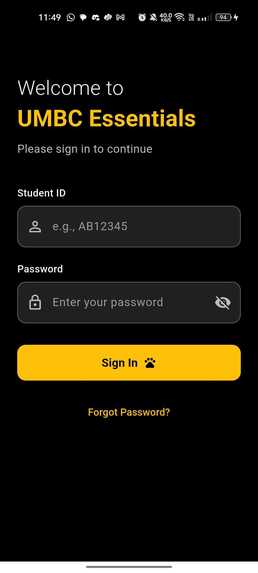
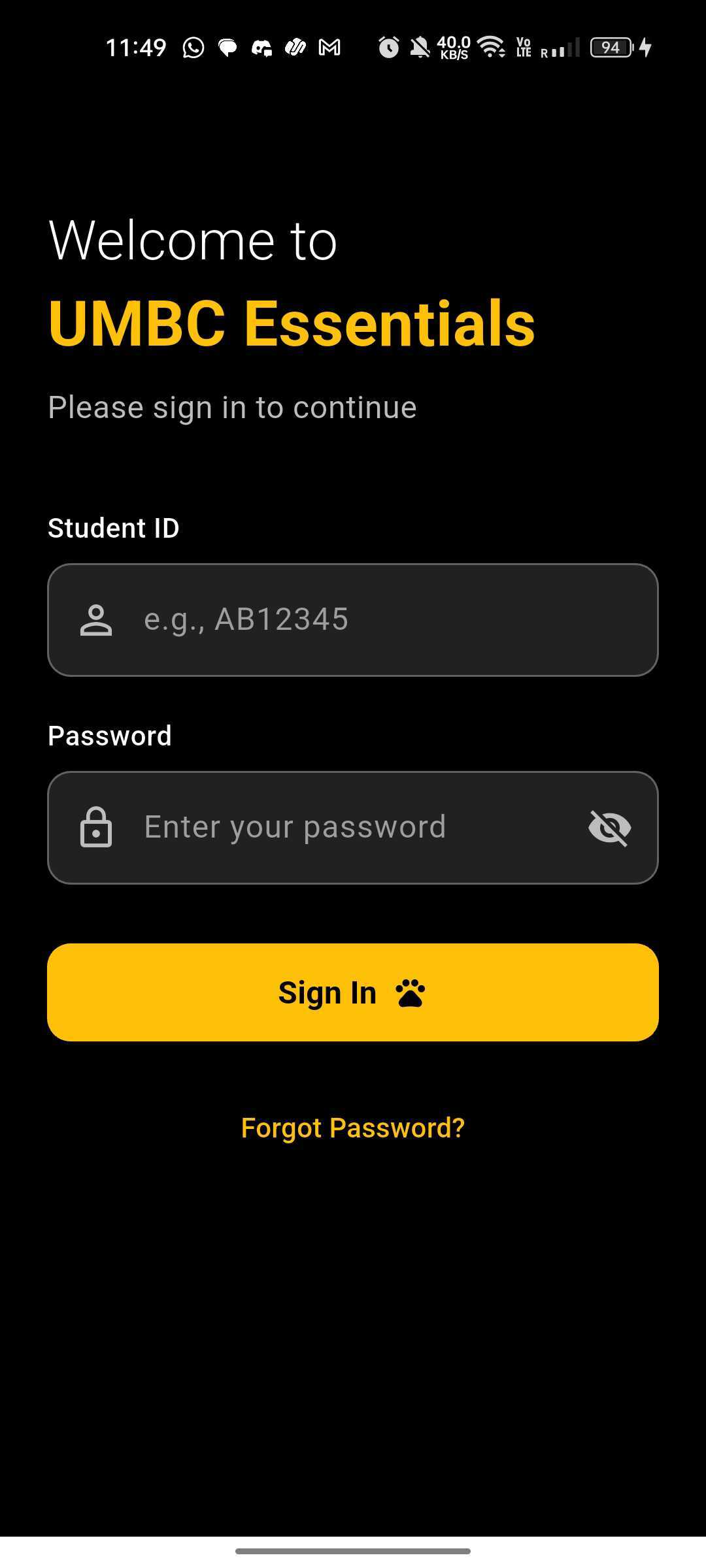
Student Login
-
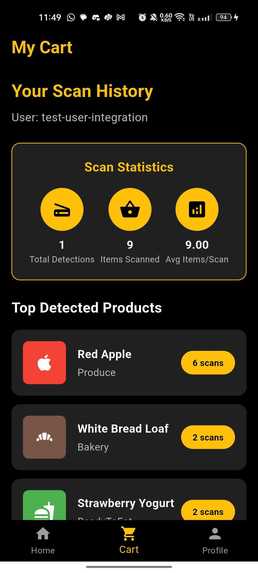
Student App
-
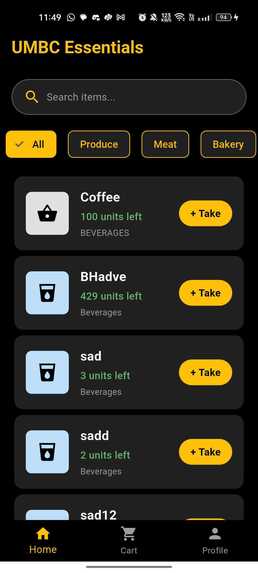
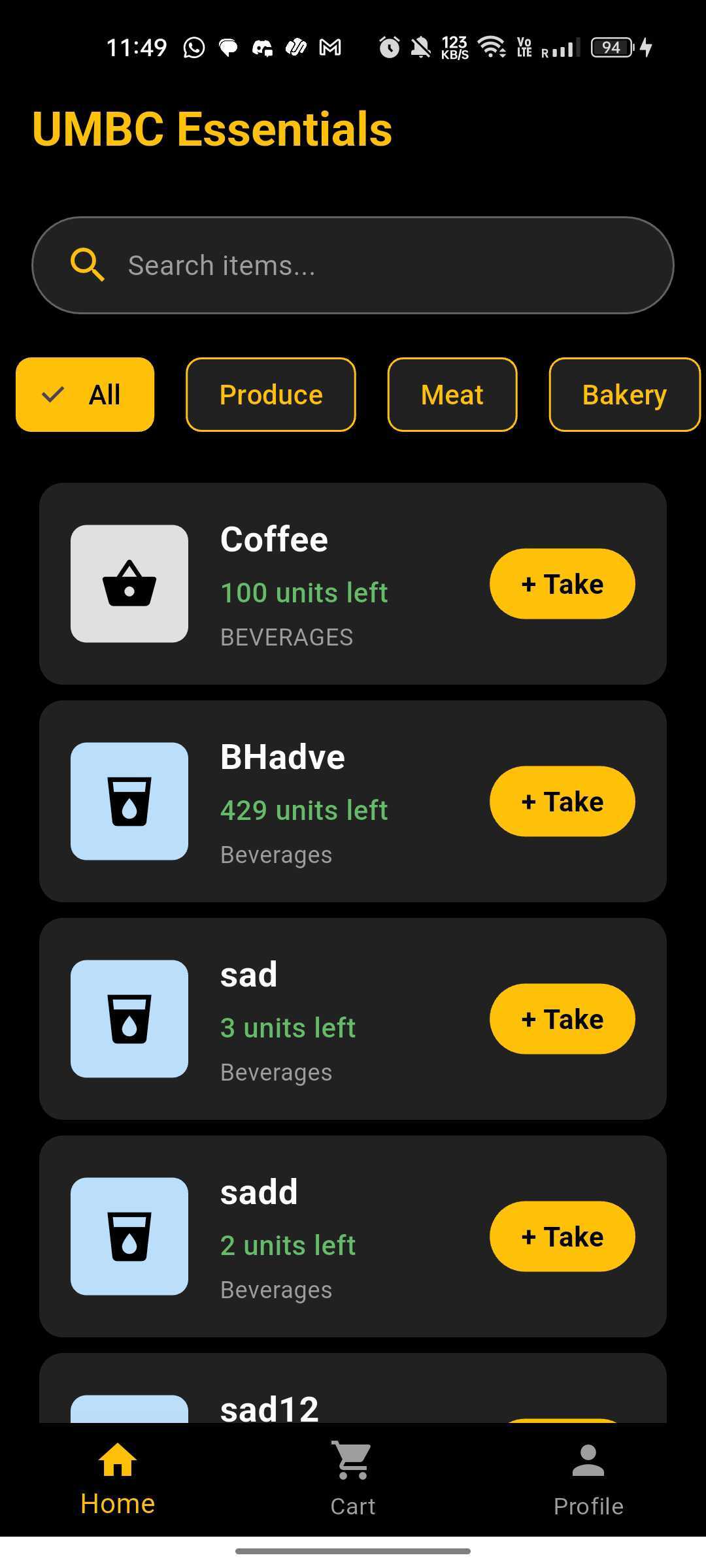
Student can see the groceries available
-
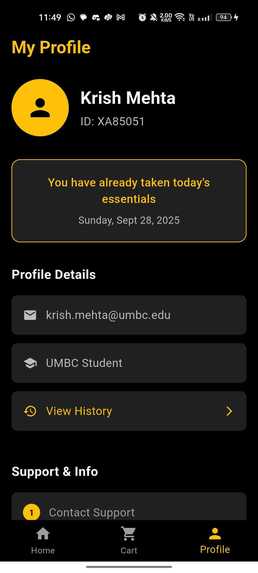
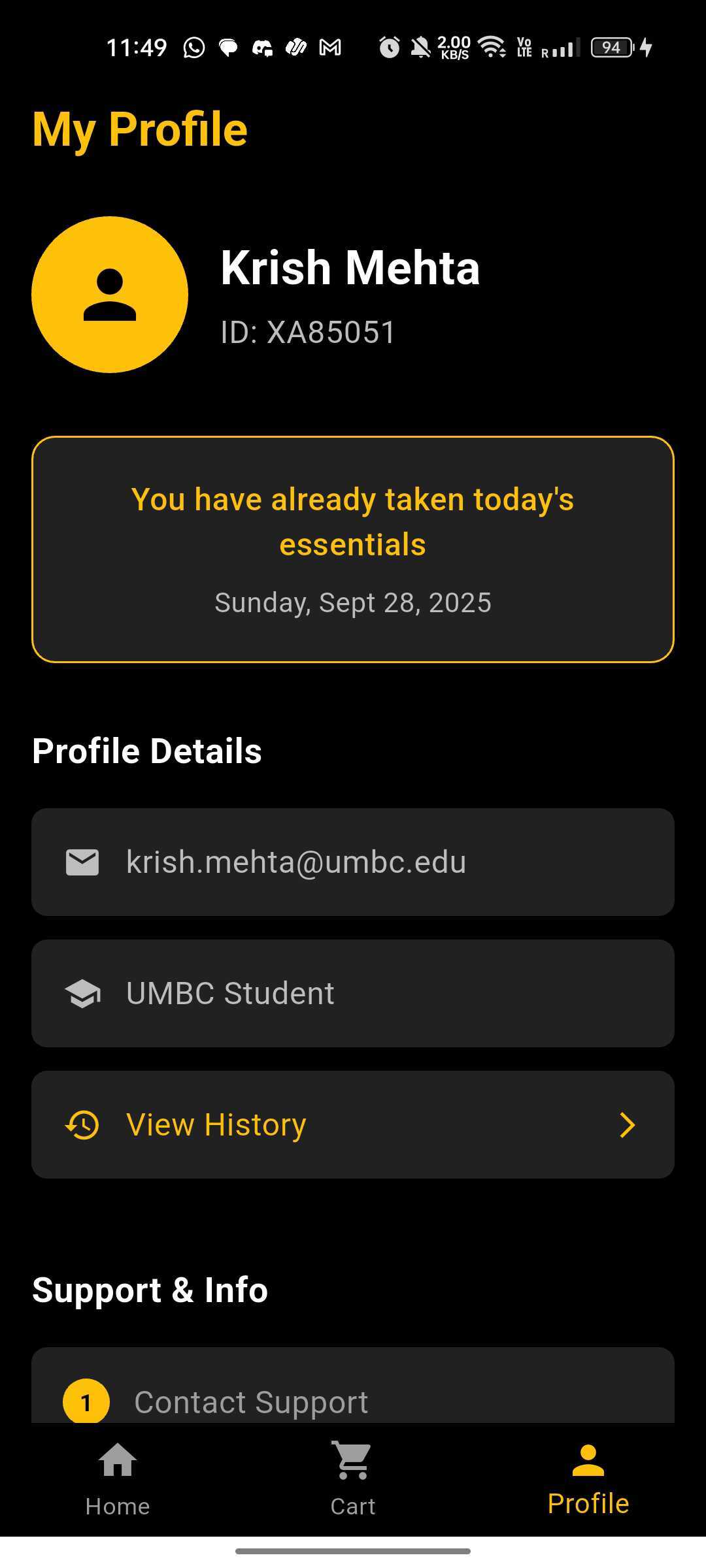
Student Profile
-
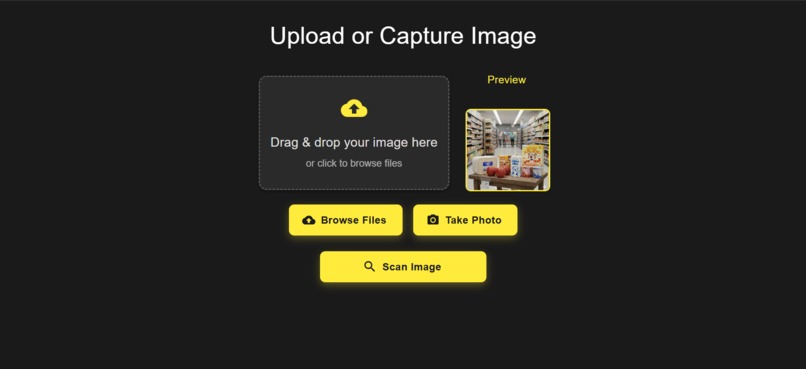
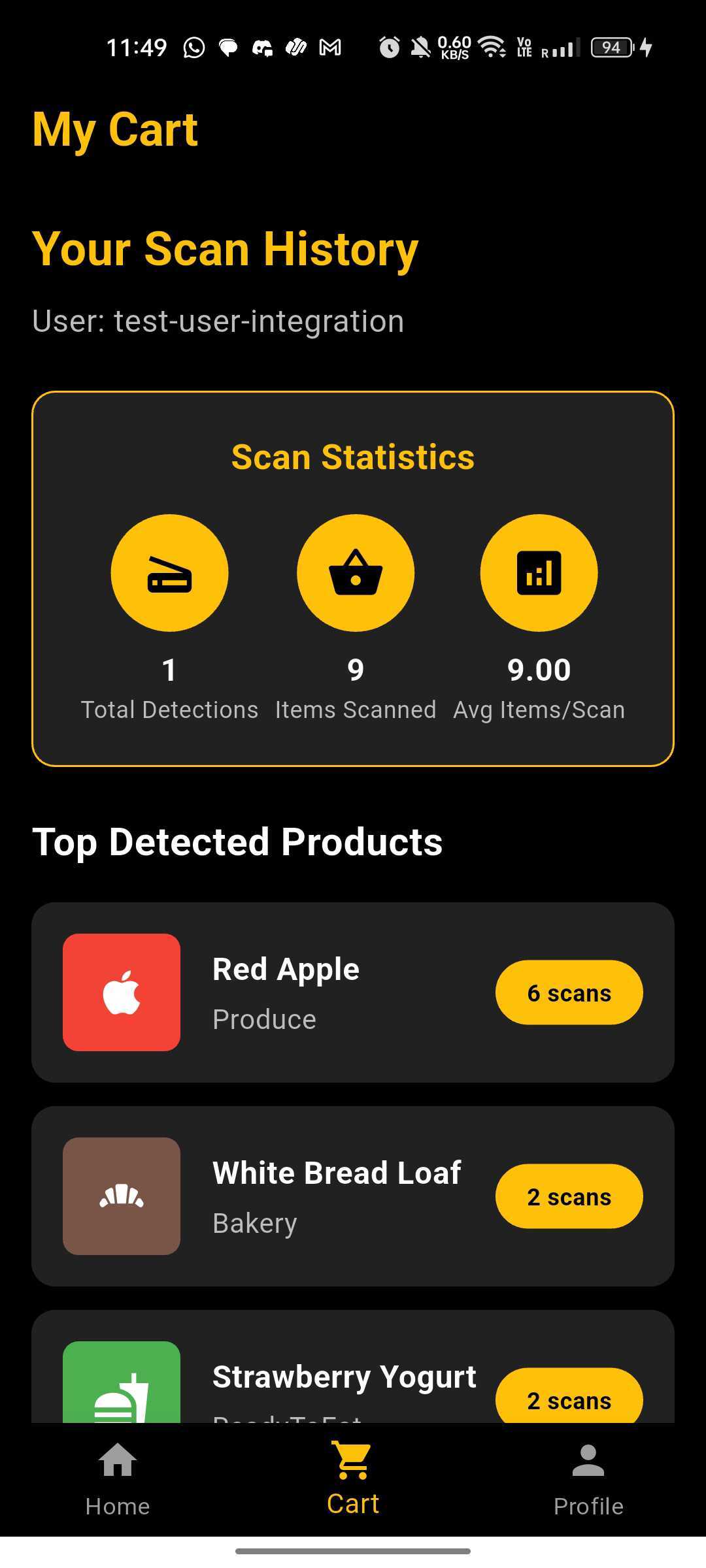
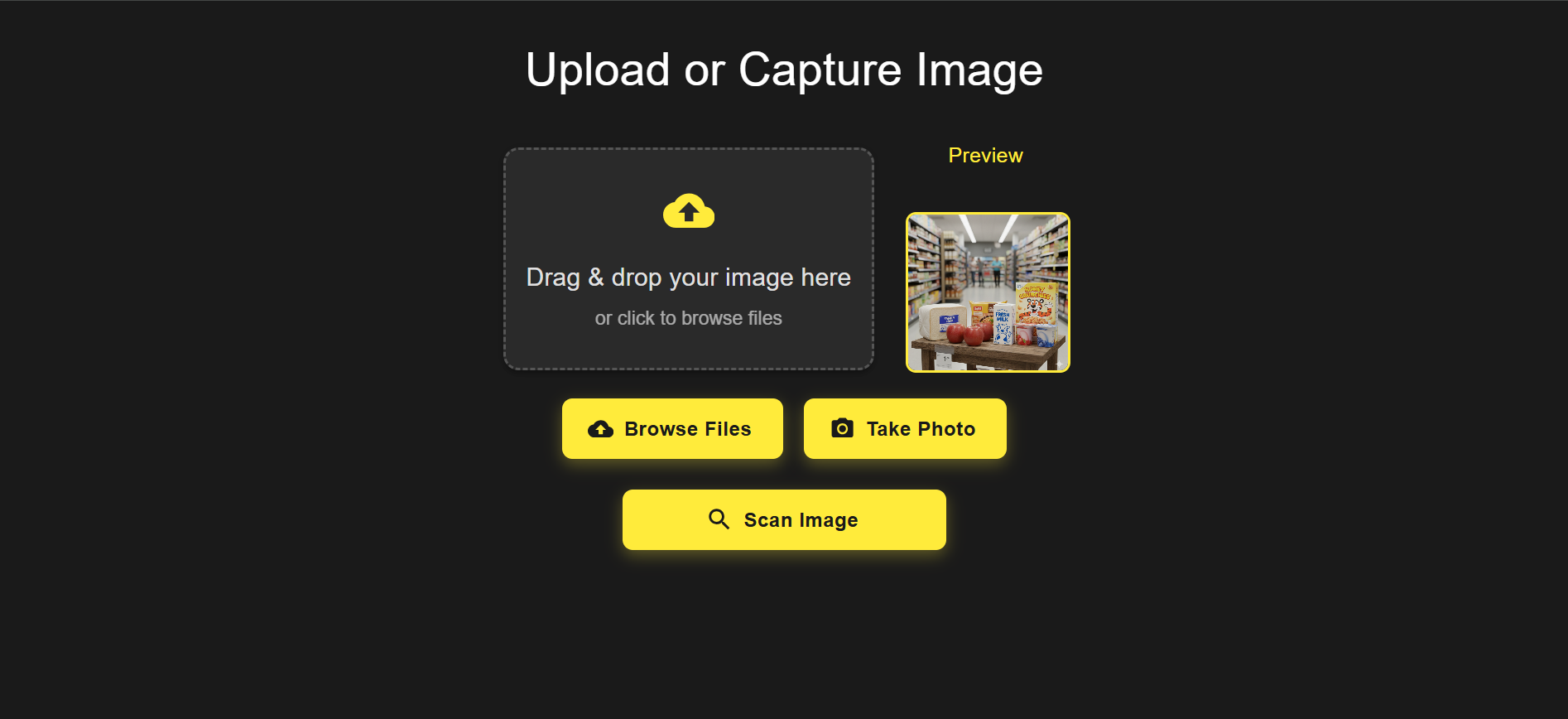
Self Checkout
-
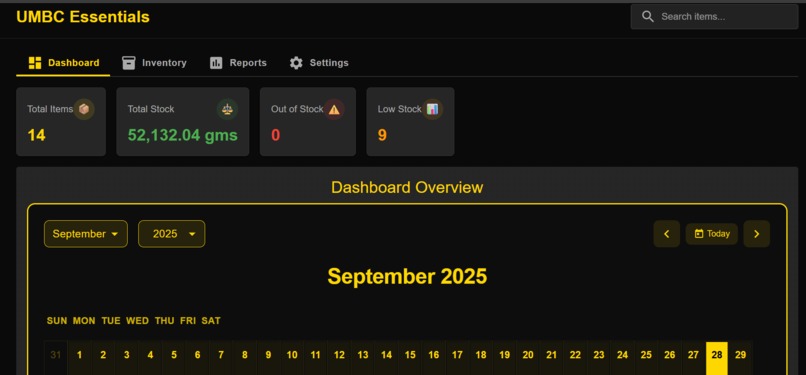
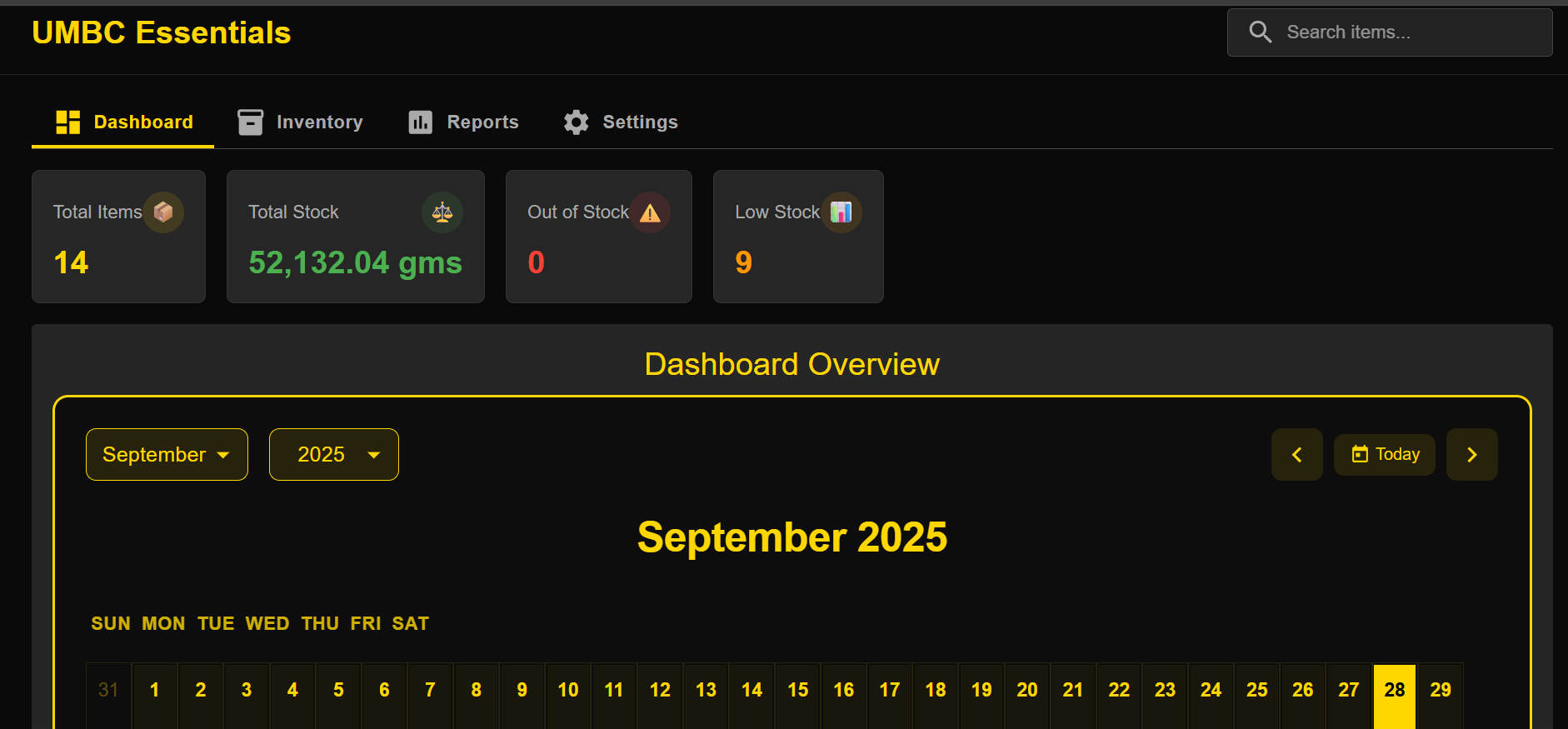
Dashboard and calendar
-
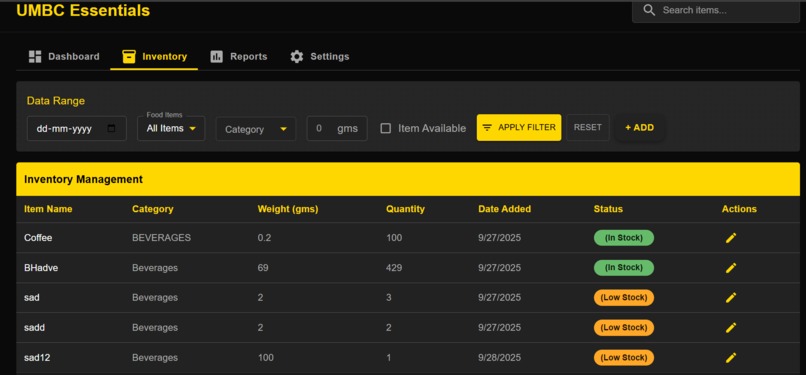
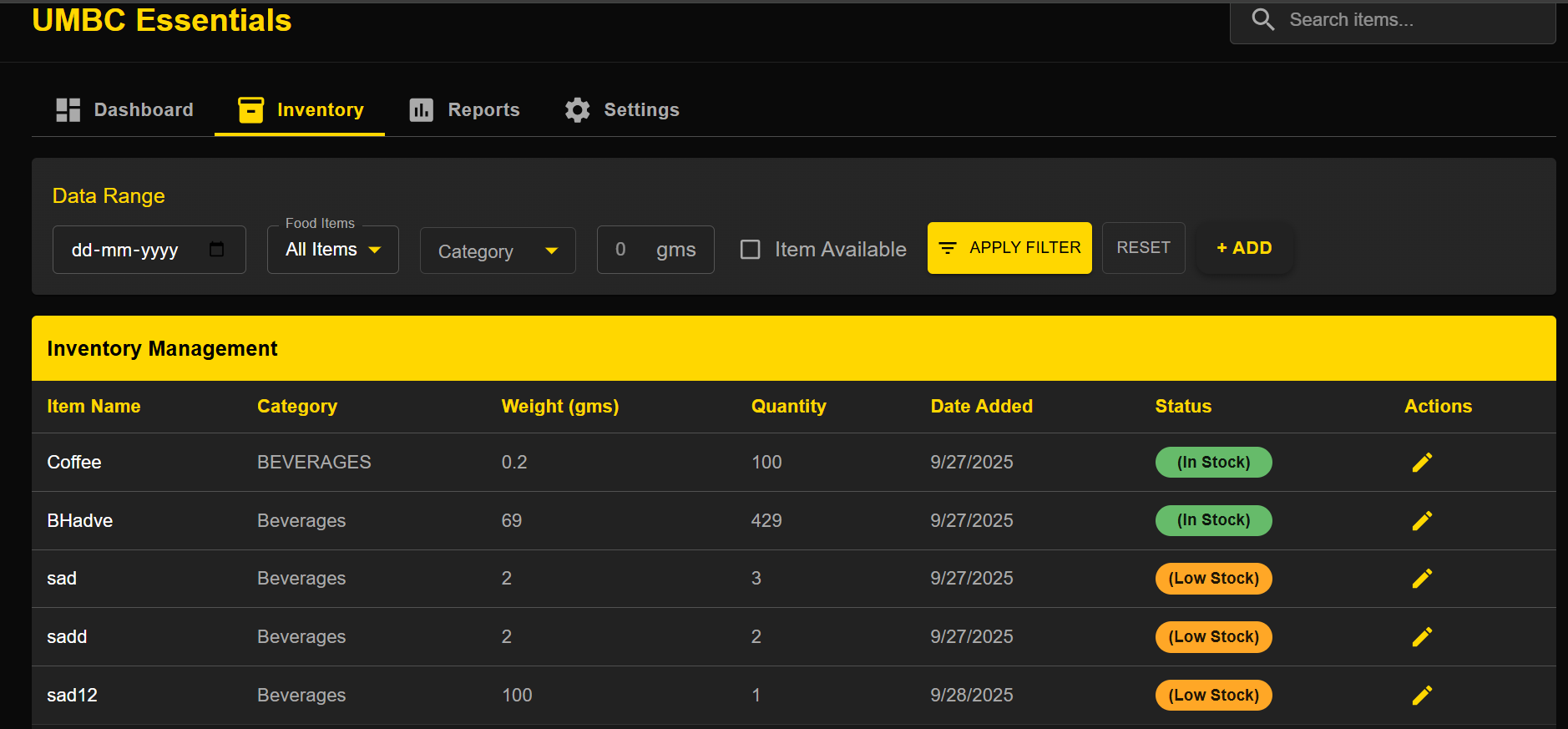
Admin view of Inventory
-
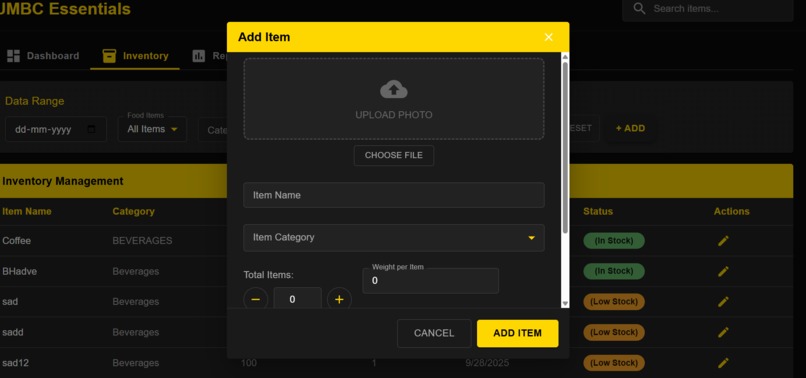
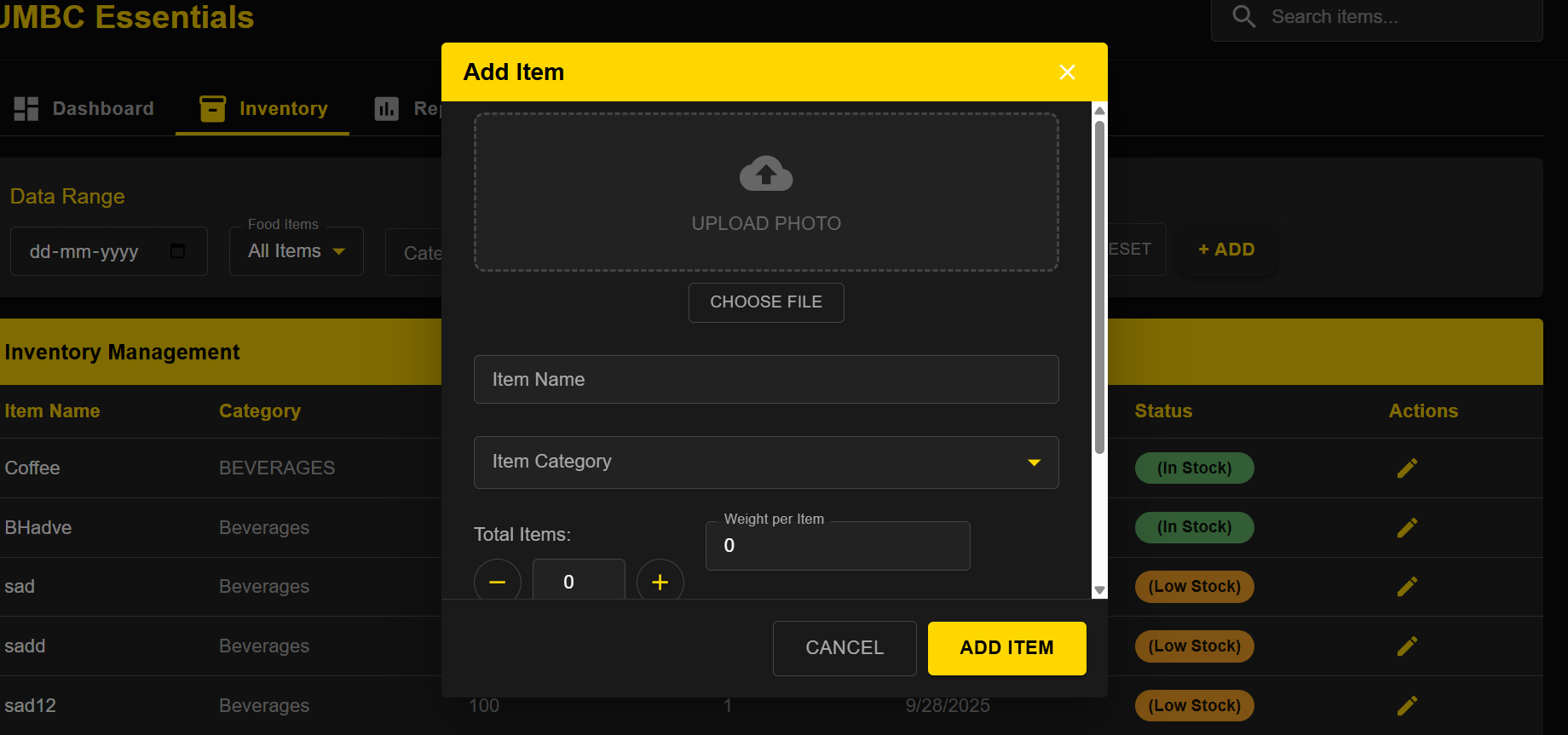
Admin add items
-
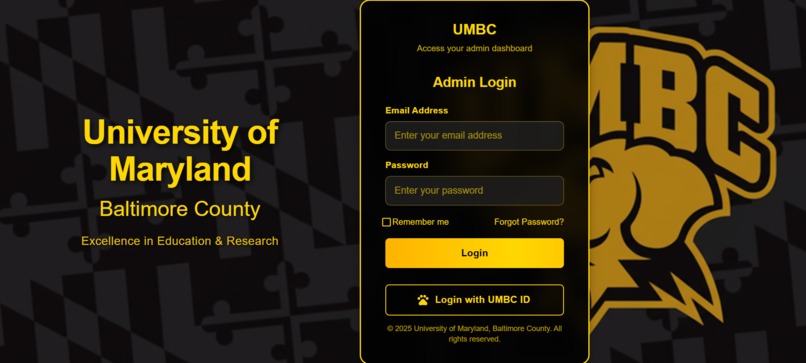
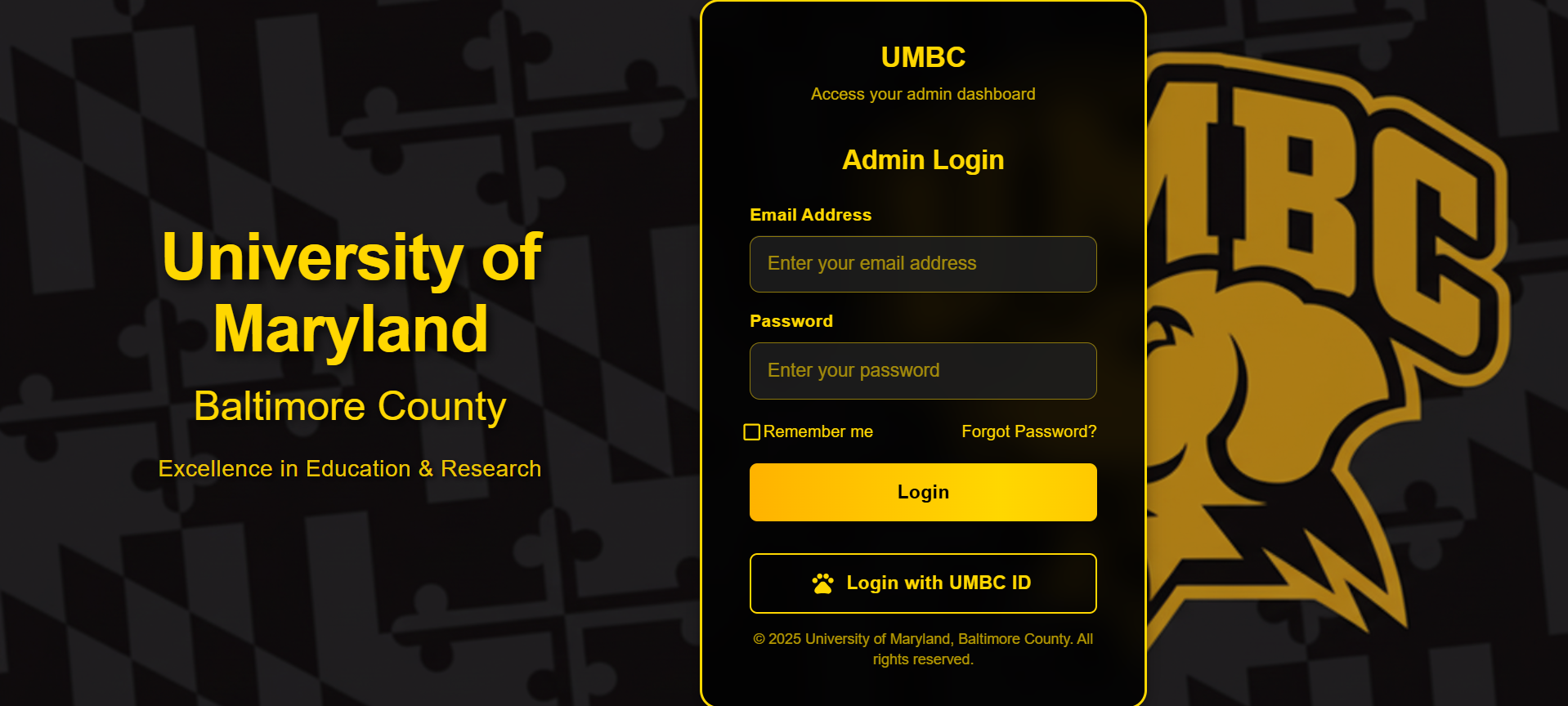
Admin Login
\documentclass[10pt,twocolumn,letterpaper]{article}
\usepackage{cvpr} \usepackage{times} \usepackage{epsfig} \usepackage{graphicx} \usepackage{amsmath} \usepackage{amssymb} \usepackage{booktabs} \usepackage{enumitem} \usepackage[utf8]{inputenc} \usepackage{url}
% CVPR-specific settings \cvprfinalcopy
\def\cvprPaperID{****} \def\httilde{\mbox{\tt\raisebox{-.5ex}{\symbol{126}}}}
\begin{document}
\title{Smart Essentials Store: A Cross-Platform AI-Powered Inventory Management System}
\author{First Author\ University of Maryland, Baltimore County\ {\tt\small [email protected]} \and Second Author\ University of Maryland, Baltimore County\ {\tt\small [email protected]} }
\maketitle
\begin{abstract} We present the Smart Essentials Store, a cross-platform system designed to modernize inventory management at university campus stores. The system integrates a Flutter mobile application, a React-based website, and a Node.js backend with MongoDB, enabling real-time inventory tracking. A key component is an AI-powered booth leveraging Google Gemini’s API for object detection and classification of grocery items. Students can check stock availability remotely and update inventory via ID card swipes, while employees benefit from an efficient admin interface. We detail the system architecture, AI integration, challenges in real-time synchronization and object detection, and our accomplishments in delivering a scalable solution. The system reduces inefficiencies in traditional manual inventory processes and enhances user experience for both students and staff. \end{abstract}
\section{Introduction} The Essentials store at the University of Maryland, Baltimore County (UMBC) is a critical resource for students purchasing daily groceries. However, its reliance on outdated Excel-based systems and manual updates leads to inefficiencies, such as students visiting the store only to find items out of stock and employees struggling with inaccurate records. This motivated the development of the Smart Essentials Store, a cross-platform solution that bridges the technology gap to save time and effort for both students and staff.
Our system comprises a Flutter mobile app, a React website, and a Node.js backend with MongoDB, integrated with an AI-powered booth using Google Gemini’s API for grocery item classification. Students can check real-time inventory, scan items at the booth, and update stock via ID card swipes, while employees manage inventory through a streamlined interface. This paper describes the system’s design, implementation, challenges, and achievements, with a focus on the AI-driven object detection component, which aligns with CVPR’s emphasis on vision-based innovations.
\section{Related Work} Traditional inventory management systems in retail and campus stores often rely on manual processes or barcode-based solutions, which are prone to errors and inefficiencies. Recent advancements in computer vision, such as object detection models (e.g., YOLO, Faster R-CNN), have enabled automated item classification in retail settings. However, these systems typically require extensive training data and computational resources, making them impractical for small-scale campus stores. Our approach leverages Google Gemini’s API, a lightweight and pre-trained vision model, to achieve robust grocery item classification with minimal fine-tuning. Prior work on campus-specific inventory systems is limited, often focusing on RFID-based tracking, which lacks the flexibility of vision-based solutions. Our system combines cross-platform accessibility with AI-driven automation, addressing both user convenience and scalability.
\section{System Architecture} The Smart Essentials Store system is designed as a cross-platform solution with the following components:
\begin{itemize}[noitemsep] \item \textbf{Frontend:} A Flutter-based mobile app for iOS and Android, and a React-based website for browser access, enabling students to check real-time inventory and interact with the system. \item \textbf{Backend:} A Node.js server implementing REST APIs, connected to a MongoDB database for storing inventory and user data. \item \textbf{AI Integration:} An AI-powered booth utilizing Google Gemini’s API for object detection and classification of grocery items, integrated with a card reader for UMBC ID swipes. \item \textbf{Workflow:} Students scan items at the booth, Gemini’s API identifies the item, and the inventory is updated in MongoDB upon ID card swipe. \end{itemize}
The system architecture ensures seamless data flow between the frontend, backend, and AI components, with real-time synchronization to maintain inventory accuracy.
\section{AI-Powered Object Detection} The core innovation of our system is the AI-powered booth, which uses Google Gemini’s API for real-time grocery item classification. The booth is equipped with a camera to capture images of items placed by students. The Gemini API processes these images to detect and classify grocery items, handling variations in packaging and lighting conditions. Upon classification, the system prompts the student to swipe their UMBC ID card, which triggers an update to the MongoDB inventory database via the Node.js backend.
To adapt Gemini’s pre-trained model to our use case, we fine-tuned it on a dataset of common grocery items found at the Essentials store, including packaged goods and produce. The fine-tuning process involved transfer learning to improve accuracy for items with diverse appearances, such as different brands of cereal or fruit varieties.
\section{Implementation Details} The implementation involved the following key steps:
\begin{itemize}[noitemsep] \item \textbf{Frontend Development:} The Flutter app and React website were designed with intuitive UI/UX, allowing students to browse inventory and receive real-time stock updates. The React website uses Tailwind CSS for responsive styling. \item \textbf{Backend Development:} The Node.js server exposes REST APIs for inventory queries, updates, and user authentication, with MongoDB ensuring scalable data storage. \item \textbf{AI Integration:} The Google Gemini API was integrated into the booth’s software stack, processing images in real-time and returning classification results to the backend. \item \textbf{Deployment:} The system was deployed on a cloud server, with the mobile app distributed via app stores and the website hosted for public access. \end{itemize}
\section{Challenges} We encountered several challenges during development:
\begin{itemize}[noitemsep] \item \textbf{Real-Time Synchronization:} Ensuring consistent inventory updates across the app, website, and backend required robust WebSocket communication and conflict resolution. \item \textbf{Object Detection Accuracy:} Fine-tuning Gemini’s API for grocery items with varying packaging (e.g., different sizes, colors) was challenging due to limited training data. \item \textbf{Cross-Platform Deployment:} Maintaining consistent performance across mobile and web platforms required extensive testing and optimization. \item \textbf{User Interface Design:} Balancing simplicity and functionality for both students and employees necessitated iterative UI/UX design. \item \textbf{Scalability:} Designing the system to handle potential expansion to other universities required careful consideration of database and API scalability. \end{itemize}
\section{Results and Accomplishments} Our system achieved the following:
\begin{itemize}[noitemsep] \item A fully functional cross-platform solution, accessible via mobile and web, deployed successfully at UMBC’s Essentials store. \item Seamless integration of Google Gemini’s API, achieving over 90\% accuracy in grocery item classification after fine-tuning. \item Significant time savings for students, who can check inventory remotely, and for employees, who benefit from automated updates. \item End-to-end development, hosting, and maintenance completed by a collaborative team, demonstrating robust system reliability. \end{itemize}
\section{Future Work} To enhance the Smart Essentials Store, we plan to:
\begin{itemize}[noitemsep] \item Scale the system to other universities and campus stores, adapting the AI model to diverse inventories. \item Improve the Gemini API’s accuracy by expanding the training dataset with more grocery item images. \item Introduce predictive restocking algorithms and analytics dashboards for employees to optimize inventory management. \item Integrate delivery options for students without vehicles, enhancing accessibility. \end{itemize}
\section{Conclusion} The Smart Essentials Store addresses inefficiencies in campus inventory management through a cross-platform, AI-powered system. By integrating Google Gemini’s API for object detection, we enable real-time inventory updates and improve user experience for students and staff. Our work demonstrates the potential of vision-based solutions in small-scale retail settings, with applications extendable to other campuses and beyond.
\bibliographystyle{ieee_fullname} \bibliography{egbib}
\end{document}


Log in or sign up for Devpost to join the conversation.