-
-
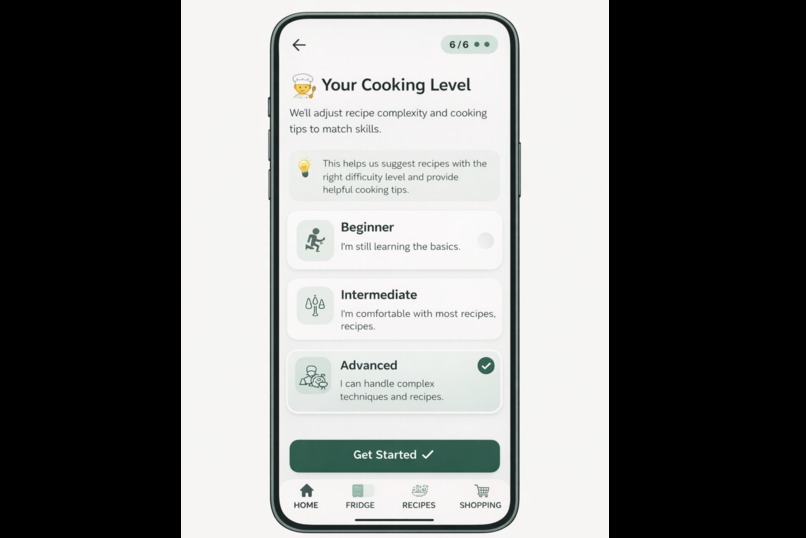
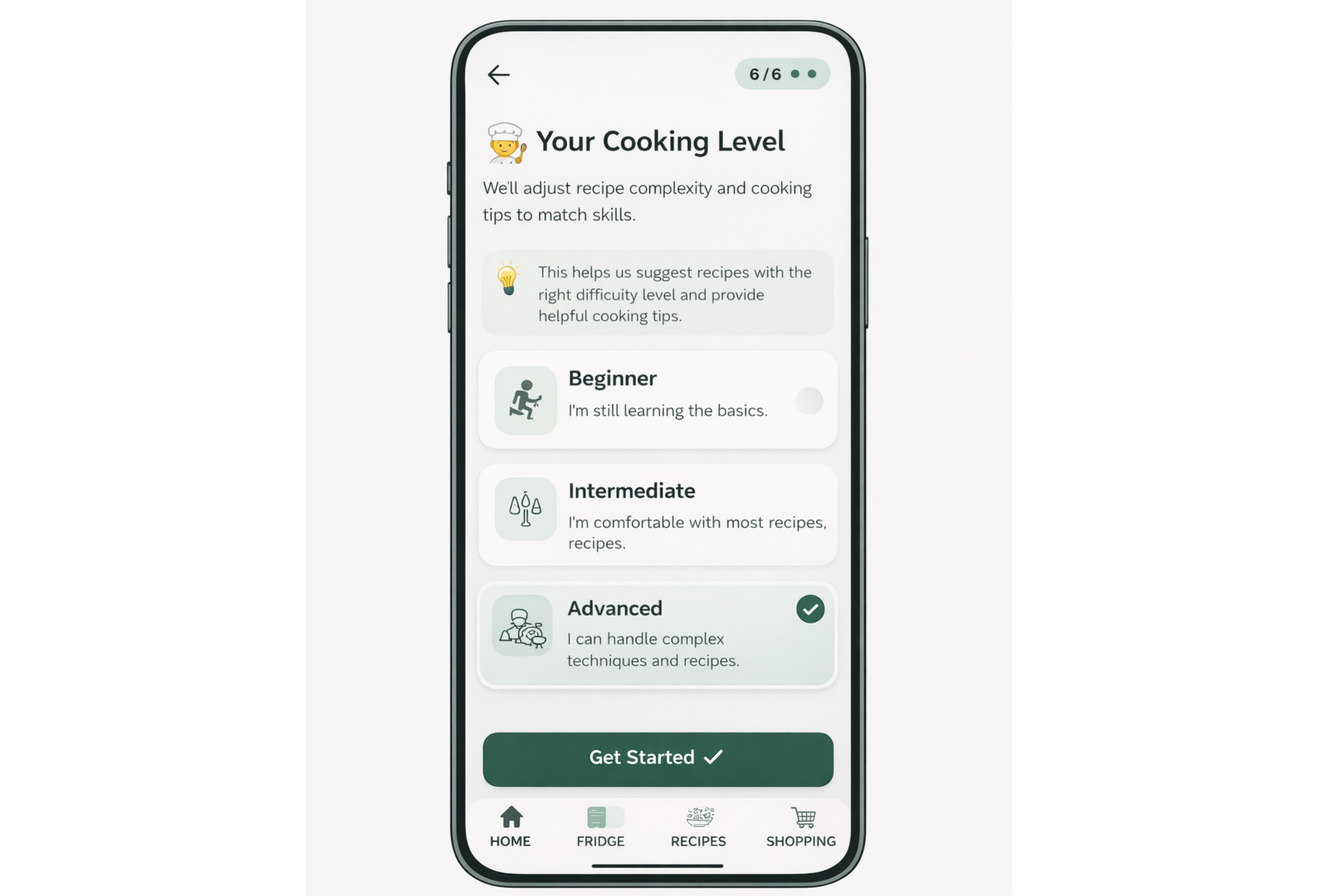
Onboarding screen
-
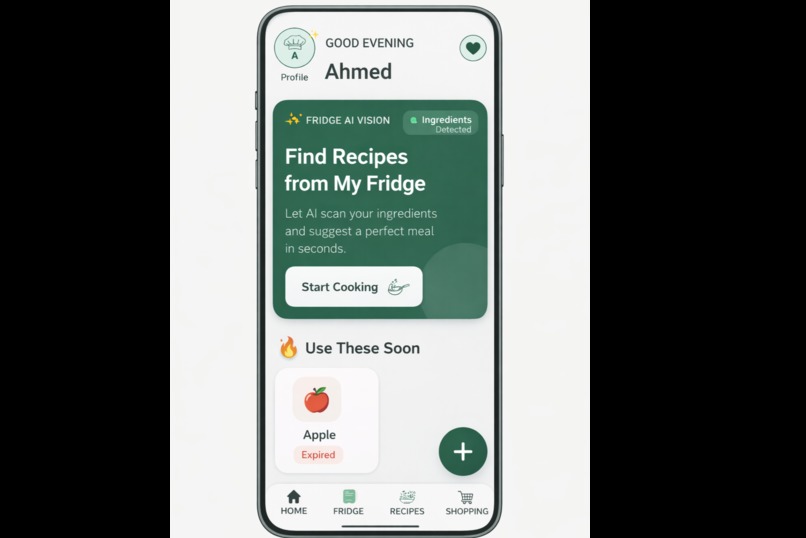
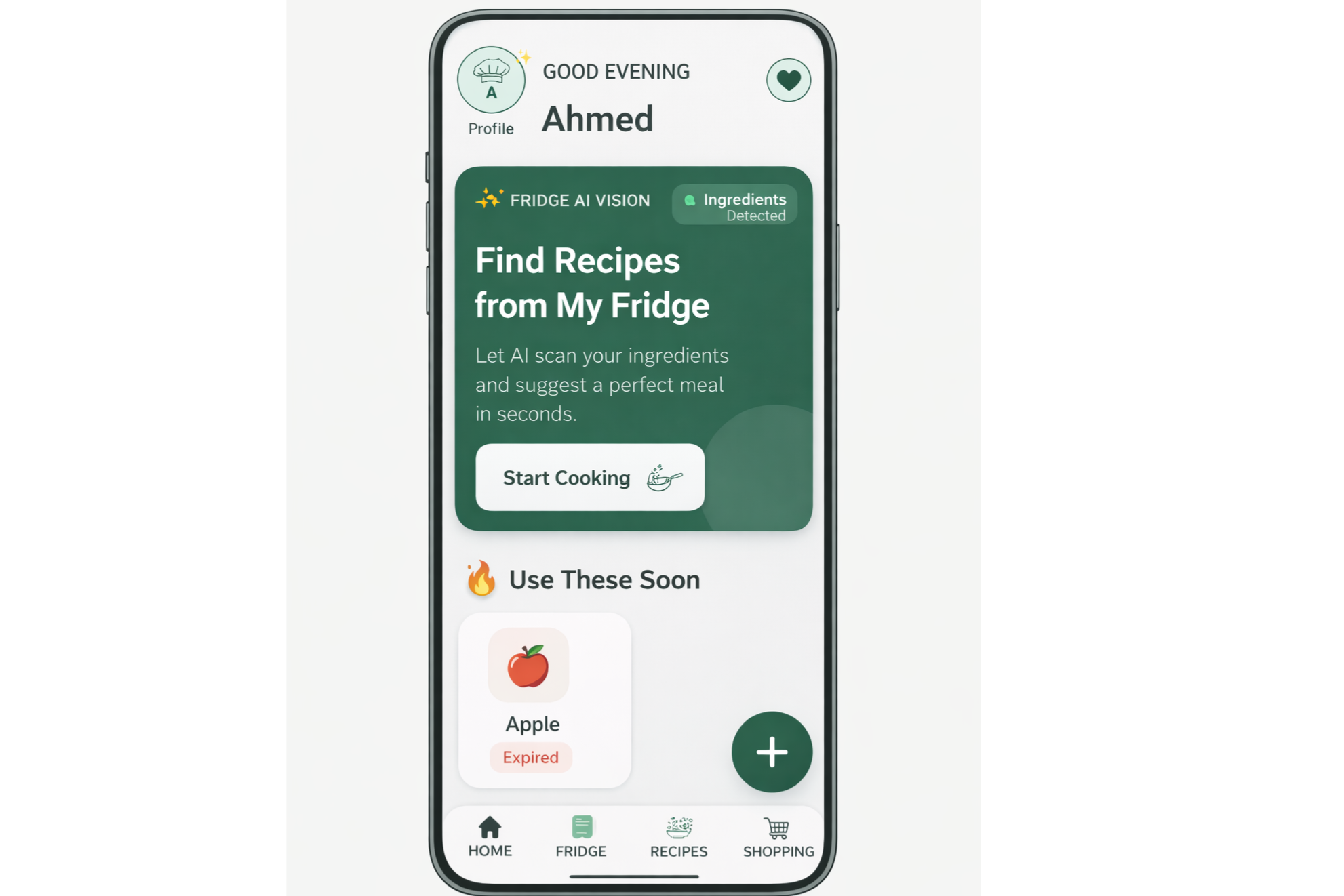
Home
-
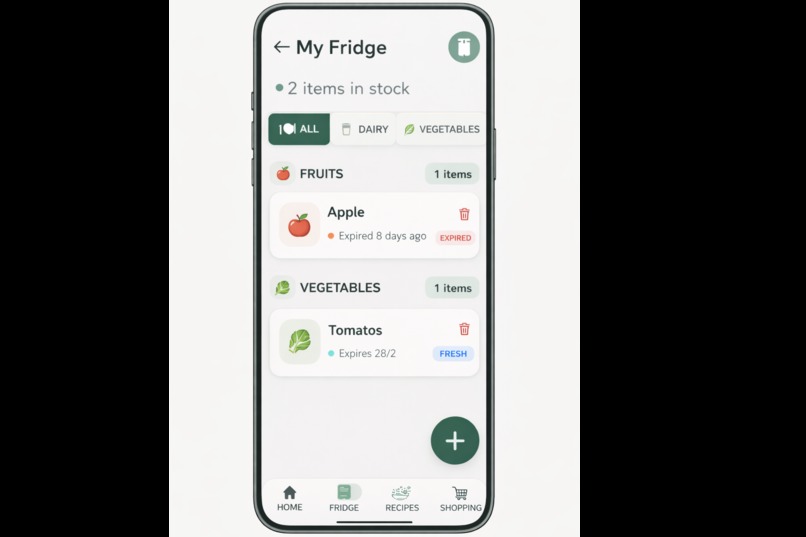
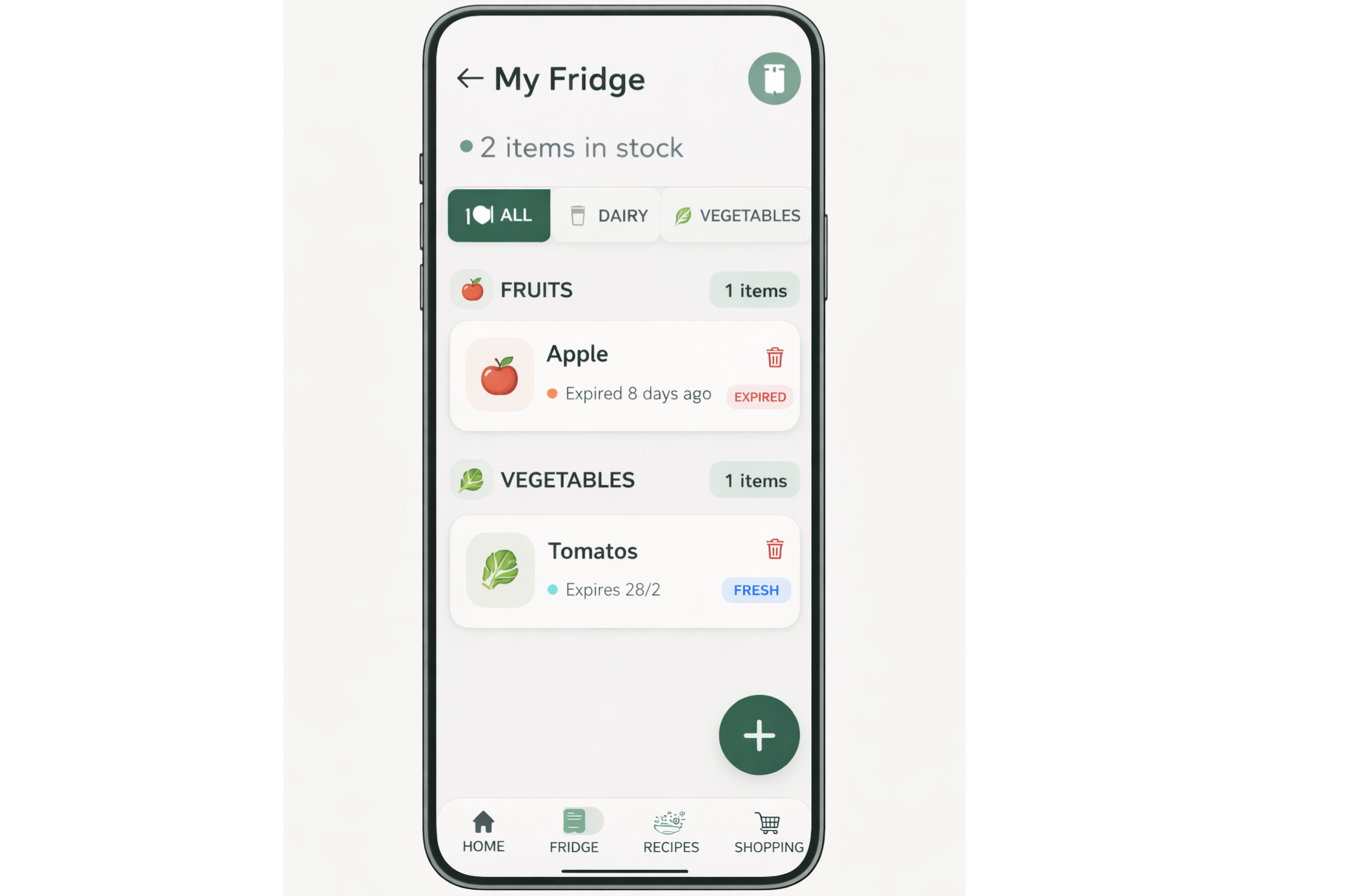
Fridge
-
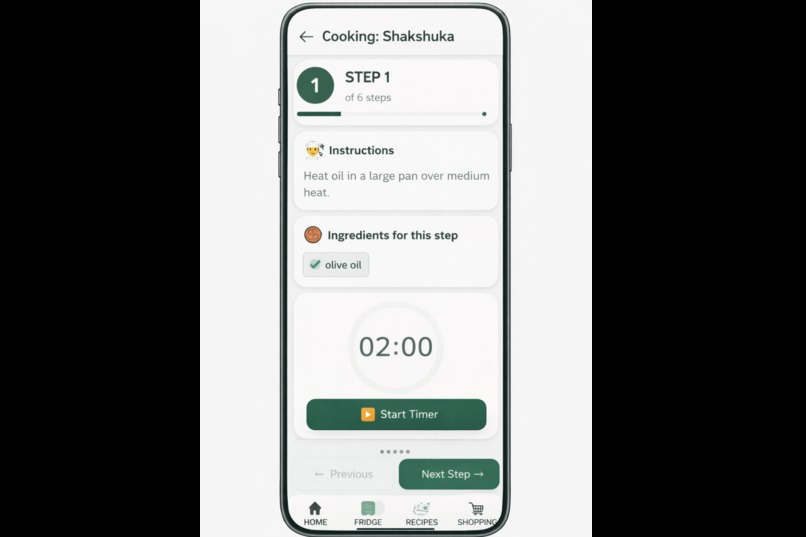
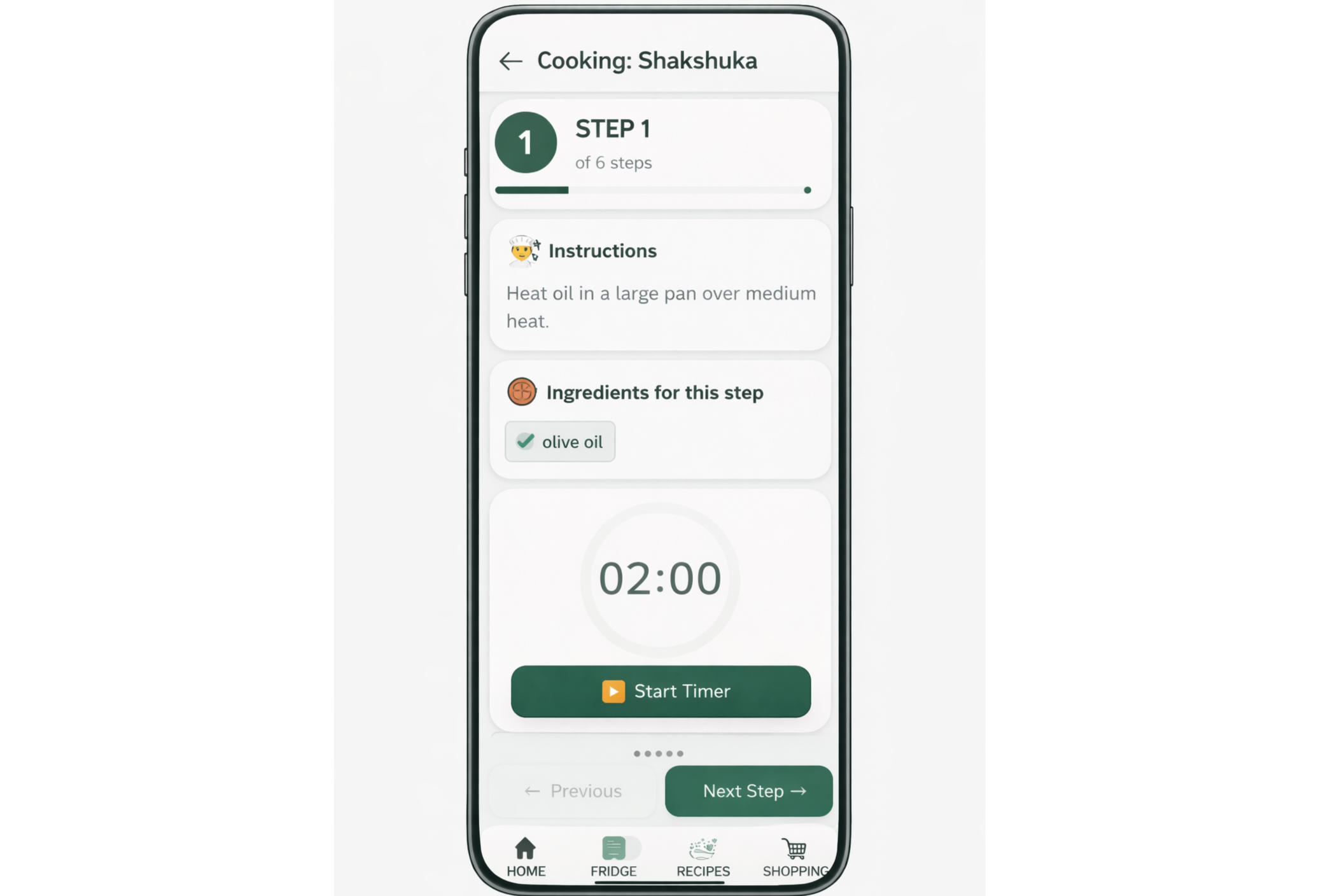
cooking step
-
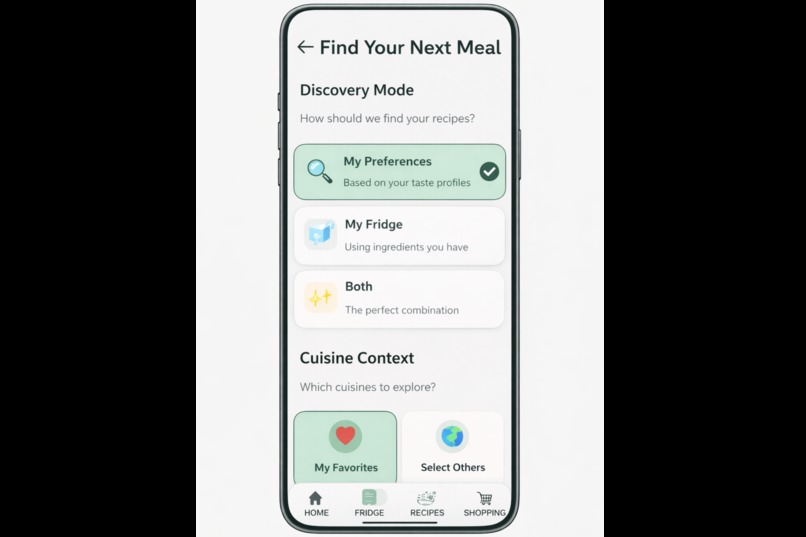
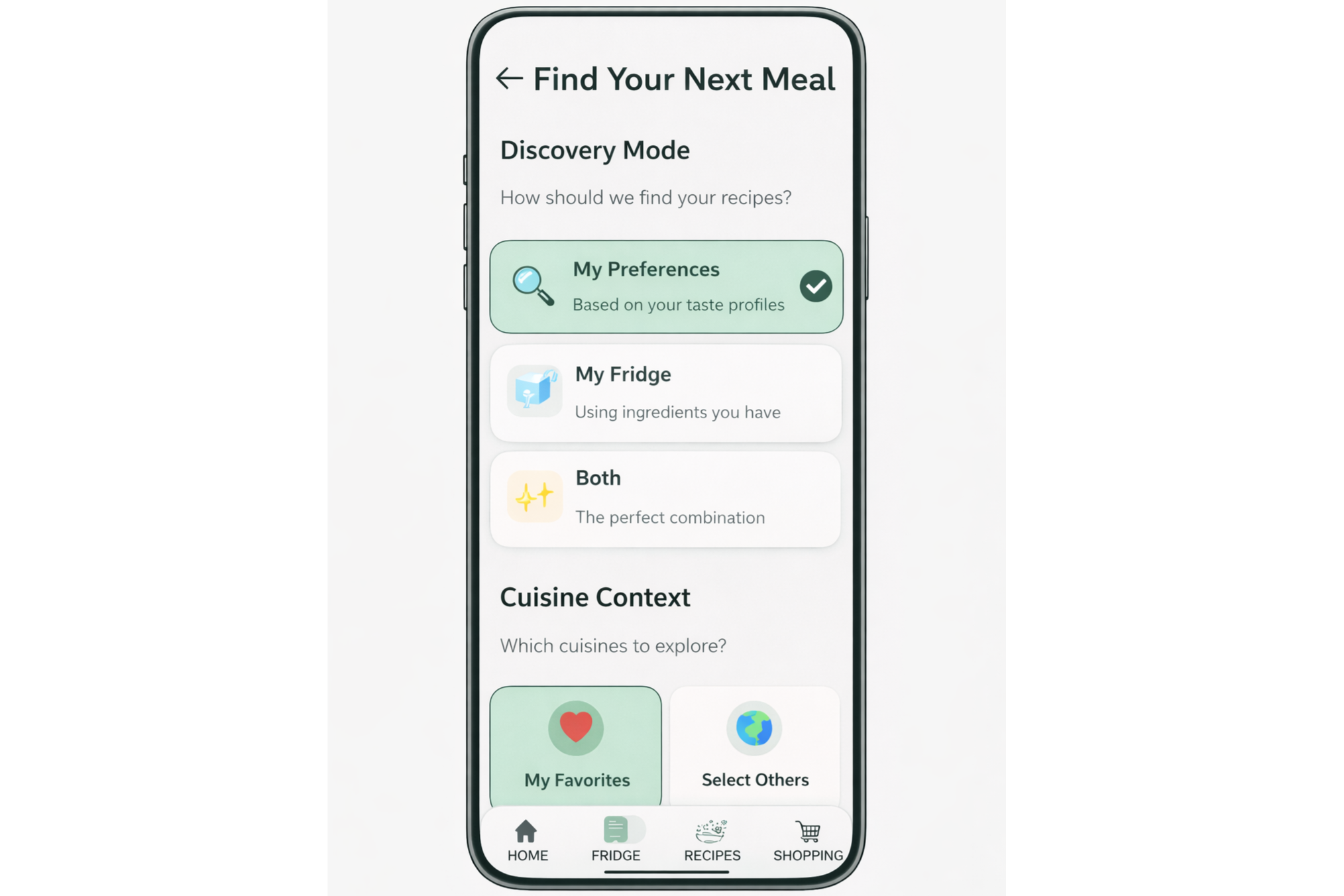
Start Cooking
-
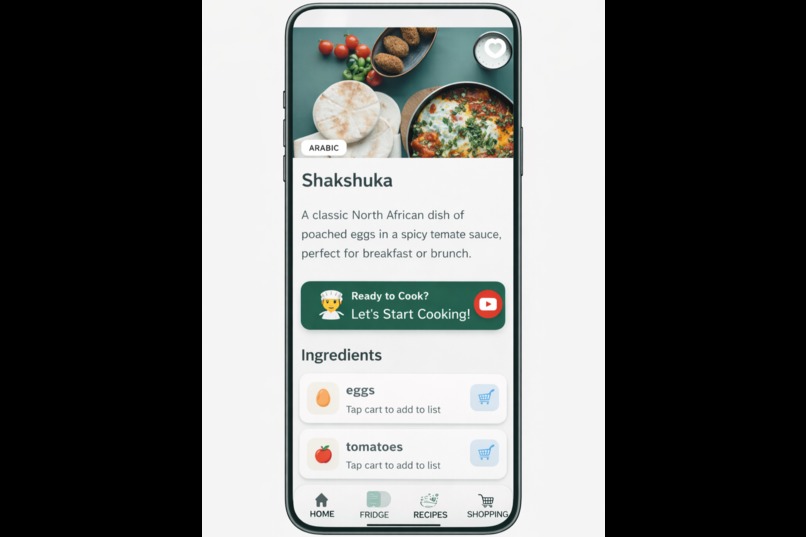
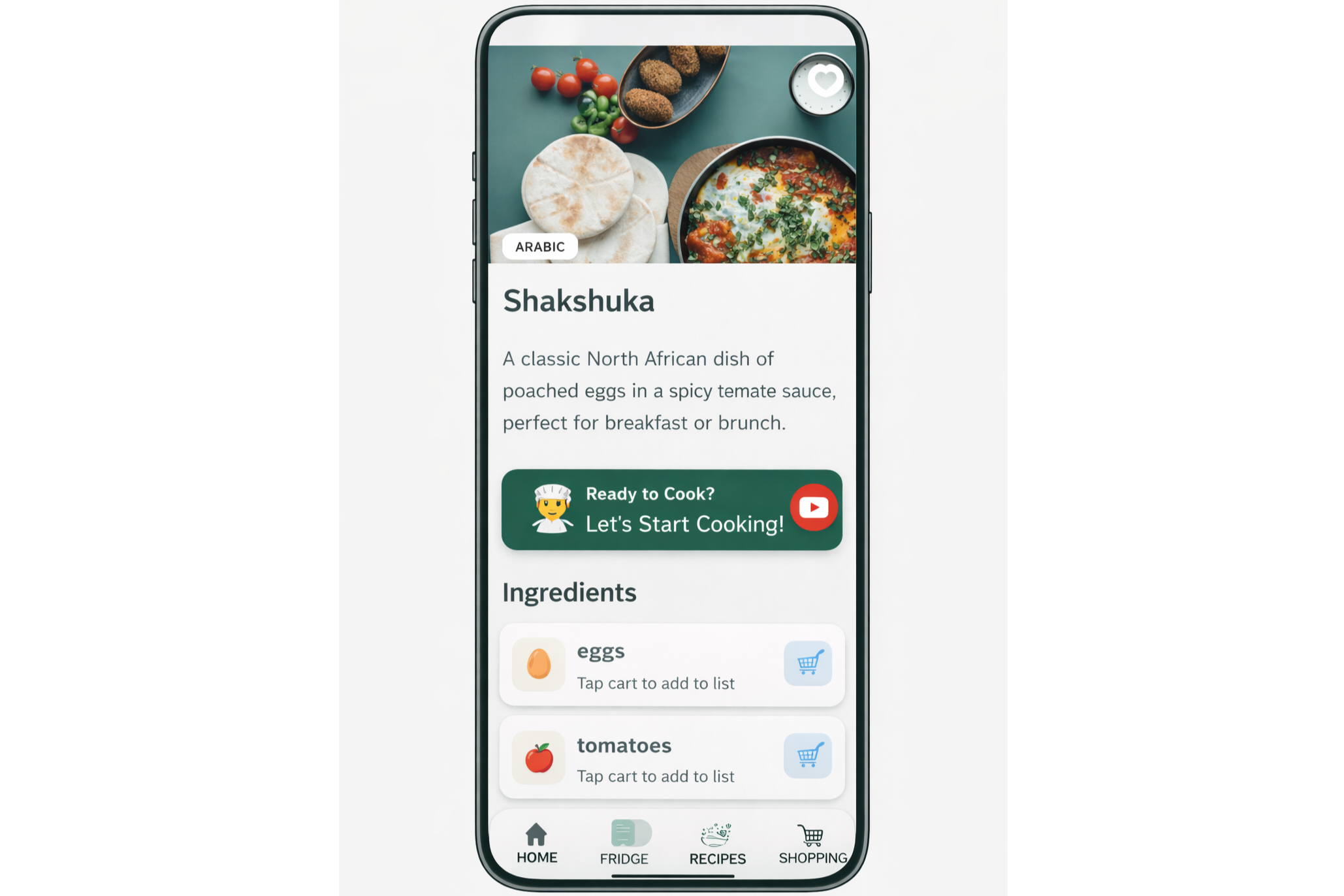
Recipe Details
About Smart Cookly
Inspiration
Smart Cookly was born from a common problem: food waste and the daily struggle of meal planning. Many people buy groceries, forget what's in their fridge, and struggle to decide what to cook. We wanted to leverage AI technology to transform fridge contents into personalized recipes, reduce food waste, and make cooking more accessible and enjoyable for everyone.
What it does
Smart Cookly is an AI-powered meal planning app that helps users cook smarter and waste less. Key features include:
- AI Fridge Scanner: Take a photo of your fridge and the app identifies ingredients, estimates quantities, and tracks expiration dates
- Personalized Recipe Discovery: Get AI-generated recipes based on what you have, your dietary preferences, allergies, and cooking skill level
- Step-by-Step Cooking Guides: Follow detailed instructions with timing for each step
- Smart Shopping Lists: Auto-generate shopping lists for missing ingredients
- Cross-Device Sync: Access your recipes, favorites, and fridge inventory across all your devices
- Subscription Management: Premium features via RevenueCat for unlimited AI recipes and advanced meal planning
How to test Smart Cookly
To test the subscription flow end-to-end, the email [email protected] has already been added as a licensed tester in Google Play Console for the Internal Testing track.
- Sign in to Google Play on the Android device using [email protected]
- Download Smart Cookly from the Internal Testing link.
- Open the app and complete the onboarding flow.
- Log in (email/password or Google Sign-In).
- After landing on the Recipes screen, the app will present the Subscription screen.
- Select the Monthly subscription or any other subscription and tap Start Pro.
- A Google Play payment dialog will appear—use a test card / test payment method.
- You will not be charged; this is a test purchase flow.
- Tap Subscribe.
- If a follow-up dialog appears (e.g., an optional prompt), you can tap No for now.
- Voilà—your account is subscribed and premium features should be unlocked
How we built it
Smart Cookly is built with Kotlin Multiplatform (KMP) to share code across Android and iOS:
- UI: Compose Multiplatform for native UI on both platforms
- Backend: Firebase (Authentication, Firestore, Storage) for user data and photos
- AI: OpenAI GPT-4o-mini API for ingredient recognition and recipe generation
- Subscriptions: RevenueCat SDK for in-app purchases and subscription management
- Architecture: MVVM pattern with Koin for dependency injection
- Networking: Ktor for HTTP requests
- Image Loading: Coil for async image loading
The app uses Firebase Auth for email/password and Google Sign-In, Firestore for storing recipes and user preferences, and Firebase Storage for fridge photos.
Challenges we ran into
- Kotlin Multiplatform complexity: Managing platform-specific code (Android vs iOS) while maximizing code sharing required careful architecture decisions
- AI integration: Parsing OpenAI API responses reliably and handling edge cases (unrecognized items, malformed JSON)
- Image processing: Optimizing fridge photo uploads and ensuring accurate ingredient recognition
- Subscription flow: Integrating RevenueCat KMP SDK and handling subscription states across platforms
- Compose context issues: Resolving
@Composableinvocation errors when integrating platform-specific URL launchers - Data synchronization: Ensuring consistent data sync across devices with Firebase
Accomplishments that we're proud of
- Built a fully functional Kotlin Multiplatform app with shared business logic and UI
- Successfully implemented AI-powered fridge scanning with accurate ingredient recognition
- Created a seamless subscription flow with RevenueCat integration
- Achieved cross-platform code sharing (~90%+ shared code)
- Built an intuitive and responsive UI with Compose Multiplatform
- Successfully deployed privacy policy and account deletion pages to Firebase Hosting
- Implemented proper data safety disclosures for Google Play Console compliance
What we learned
- Kotlin Multiplatform: Building production-ready KMP apps, expect/actual patterns, and platform interop
- AI integration: Working with OpenAI APIs, prompt engineering, and handling AI responses
- Firebase: Deep integration with Firebase services and best practices for data modeling
- RevenueCat: Subscription management, entitlement checking, and paywall implementation
- Compose Multiplatform: Building responsive UIs that work seamlessly across platforms
- Privacy compliance: Creating comprehensive privacy policies and account deletion flows that meet store requirements
What's next for Smart Cookly
- Enhanced AI features: More accurate expiration date predictions and recipe recommendations
- Social features: Share recipes with friends and family
- Meal planning: Weekly meal plans with shopping lists
- Nutrition insights: Detailed nutrition analysis and health recommendations
- Voice commands: Voice-activated recipe search and cooking instructions
- Offline mode: Download recipes for offline access
- Recipe collections: Curated collections by cuisine, dietary style, or occasion
- Integration with grocery delivery: Direct integration with grocery delivery services
We're committed to making cooking easier, reducing food waste, and helping users discover new recipes tailored to their preferences and available ingredients.
Built With
- android-studio
- coil
- firebase
- koin
- kotlin
- ktor
- multiplatform

Log in or sign up for Devpost to join the conversation.