Inspiration
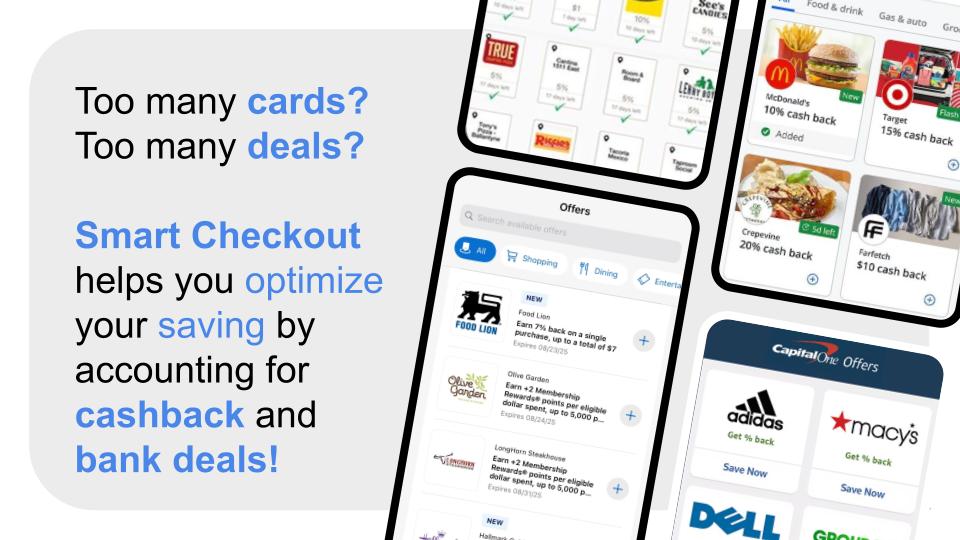
Every day, people unknowingly overpay at checkout — not because they're careless, but because the information they need is scattered across too many places at once. Which card gives 5% back here? Is this cheaper on Amazon? Does my Costco membership apply? Nobody should have to mentally juggle all of that mid-purchase. We wanted to build something that sits exactly where the decision happens — at checkout — and does all of that math automatically, in real time. The inspiration was simple: turn an overwhelming financial decision into a single, clear answer.
What it does
SmartCheckout is a Chrome extension that activates automatically when you land on a product page at Amazon, Best Buy, Walmart, Target, Costco, Newegg, or B&H Photo. Within seconds it:
- Scrapes the product name and price from the current page
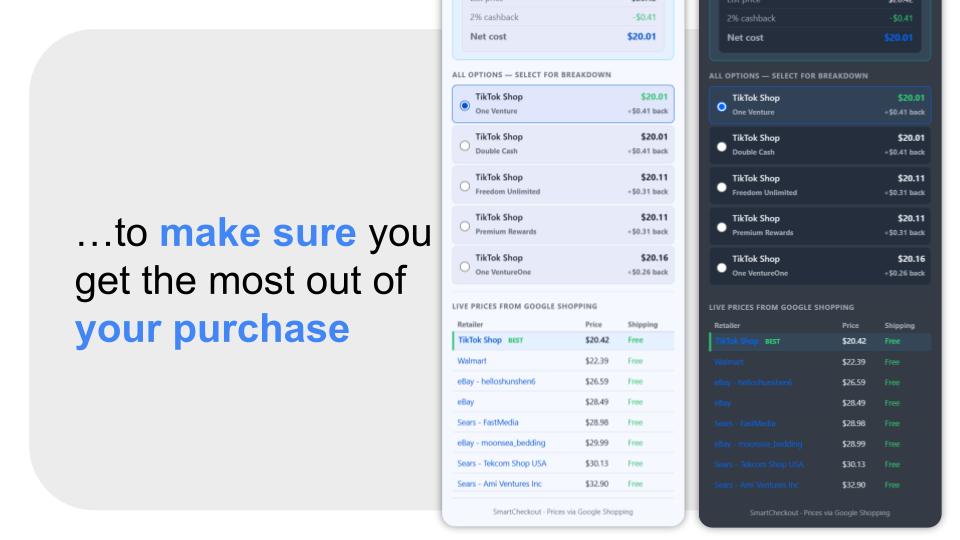
- Calls the Google Shopping API via Serper to fetch live competitor prices across up to 8 retailers
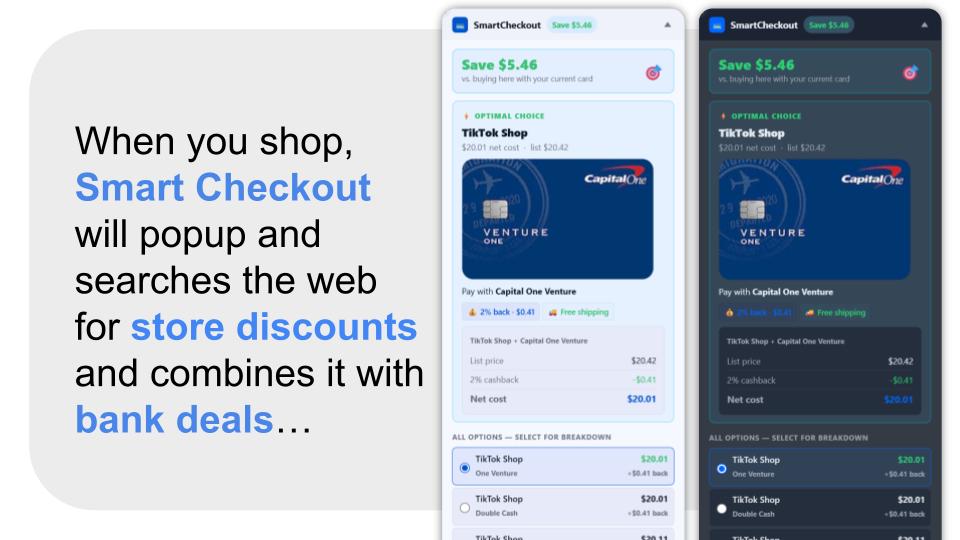
- Runs a combinatorial optimizer across every combination of retailer × credit card in your wallet, computing the true net cost after cashback for each option
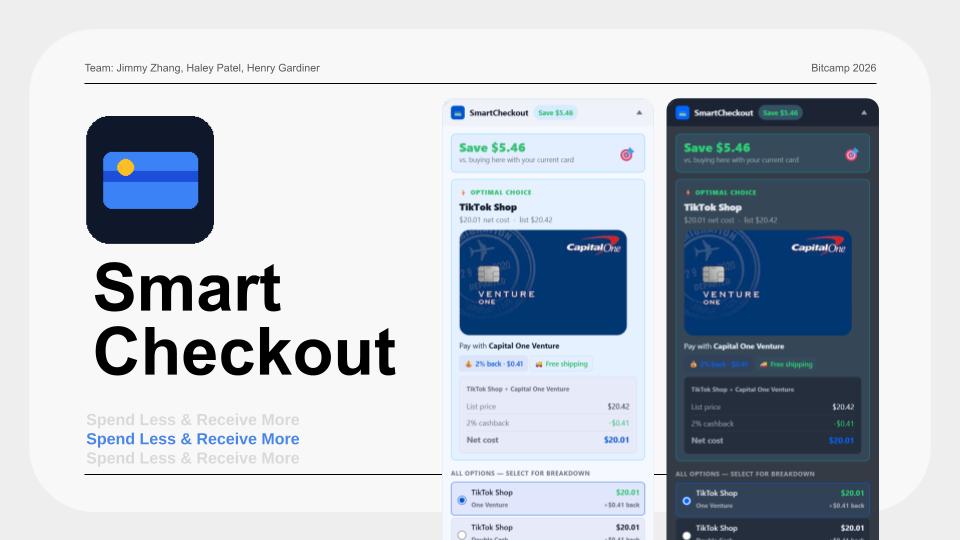
- Surfaces the single best answer — which retailer to buy from and which card to pay with — along with a full cost breakdown and ranked alternatives
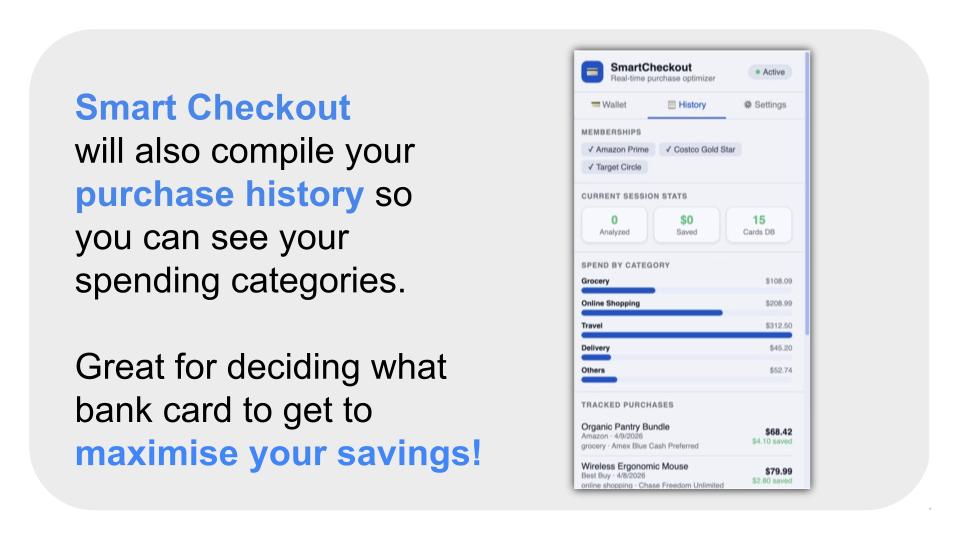
- Tracks your purchases locally (with explicit opt-in consent) and feeds that spend history into a card recommendation engine that analyzes your real spending patterns to suggest the best credit card portfolio for your lifestyle
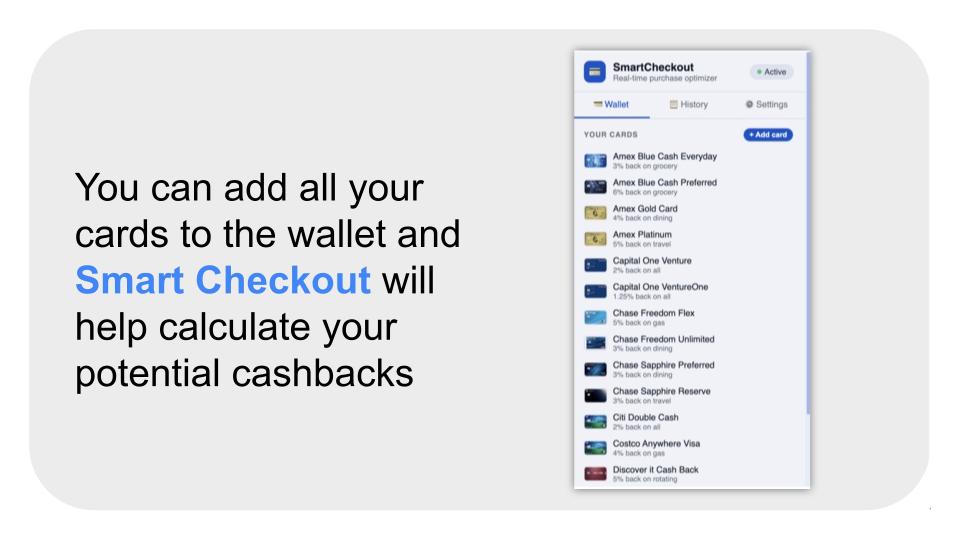
The popup lets you manage your full card wallet — adding, editing, and removing both built-in cards and custom ones — with all 12 reward rate categories stored and synced live to the optimizer.
How we built it
The extension is built entirely in vanilla JavaScript as a Chrome Manifest V3 extension with no external framework dependencies. The architecture has three layers working together:
The content script is injected into supported retailer pages, uses site-specific DOM selectors to extract the product name, price, and category, and communicates with the background worker via the Chrome messaging API.
The background service worker is the brain. It receives the product data, calls Serper's Google Shopping API to fetch real-time competitor prices, then runs the optimization engine — scoring every (retailer × card) pair by computing net cost = price + shipping − cashback value, ranking all options, and returning the best result. It also manages the extension icon state using OffscreenCanvas to render colored status indicators dynamically.
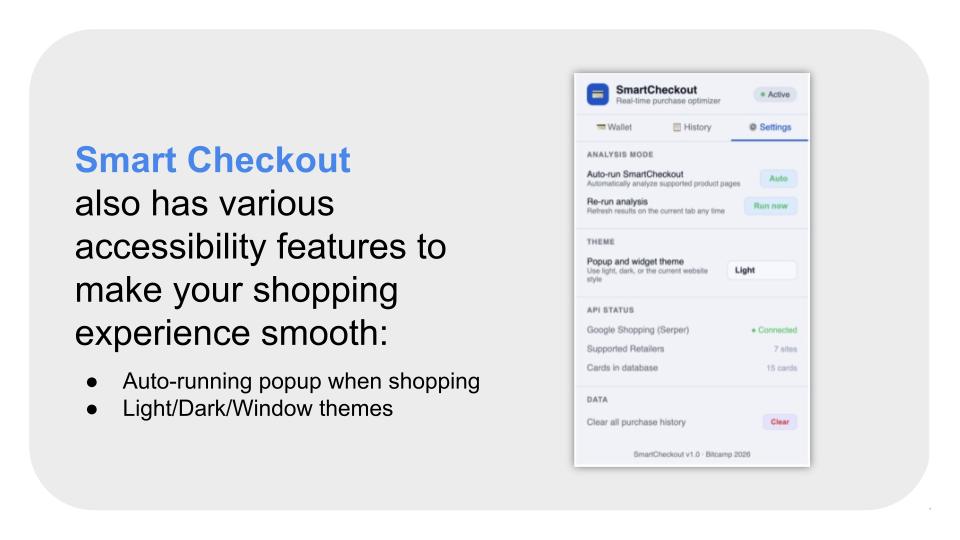
The popup is a multi-page UI (Wallet, History, Settings) built with a shared CSS design system using OKLCH color tokens for automatic light/dark mode support. Card data — including full per-category reward rates — is stored in chrome.storage.local and read directly by the background worker, so any card the user adds or edits is reflected on the very next analysis.
The card database was built from a real-world credit card rewards CSV covering 24 cards across 14 spend categories.
Challenges we ran into
CORS and the Serper API — content scripts cannot make cross-origin fetch requests directly. We had to architect the system so all external API calls happen exclusively in the background service worker, with the content script acting purely as a messenger. Getting the async message-response pattern right with Chrome's sendMessage/sendResponse and the return true keepalive took several debugging passes.
DOM scraping across retailers — every retailer structures their product pages differently, and several (Amazon, Walmart) are single-page applications that update the DOM without a full page reload. We had to implement a MutationObserver on each site to detect URL changes and re-run the analysis, plus add delays to wait for dynamic content to settle before scraping.
Extension icon state management — Chrome Manifest V3 removed the ability to use SVG or canvas-based icon updates trivially. We implemented a full OffscreenCanvas pipeline to programmatically render colored status dots on top of the base icon at multiple resolutions (16px, 32px, 48px) with a graceful fallback to badge text when OffscreenCanvas is unavailable.
Making card data live — getting the optimizer in background.js to always reflect the user's current card list, including any real-time edits from the popup, required a shared storage contract (sc_all_cards_v2) that both sides read and write to, with careful fallback logic for fresh installs where storage is empty.
Accomplishments that we're proud of
We're proud that the core value proposition actually works end-to-end — you land on an Amazon product page, the widget appears in about two seconds, and it shows you a real dollar amount you can save with a specific card at a specific retailer, backed by live pricing data. That full loop — page detection → live price fetch → optimization → actionable UI — running inside a browser extension with no backend server is something we're genuinely happy with.
We're also proud of the card management system. Rather than hardcoding a static list, users have a full CRUD interface with per-category reward rates, color customization, and persistent storage that feeds directly into the optimizer. It makes the tool actually personal.
The UI/UX polish also stands out — the dark/light theme system using OKLCH color tokens, the collapsible floating widget with smooth animations, the cost breakdown on click, and the live price comparison table all came together into something that feels like a real product rather than a hackathon prototype.
What we learned
We learned a lot about the constraints of the Chrome Extension Manifest V3 architecture — specifically how strict the separation between content scripts, service workers, and the popup context is, and how that shapes every architectural decision. Things that feel trivial in a normal web app (a fetch call, reading from storage, updating the UI) all require explicit message passing between isolated contexts.
We also learned how to frame purchase optimization as a proper combinatorial search problem. The naive approach of just finding the cheapest price ignores cashback, shipping, and membership pricing entirely. Modeling it as minimizing net cost across a (retailer × card) matrix and then sorting by that score is a clean formulation that's easy to extend.
On the product side, we learned that consent UX for data collection matters — even in a hackathon context. The opt-in tracking flow with clear local-only data messaging and a one-click revoke option was worth building properly rather than cutting.
What's next for SmartCheckout
Real card linking — instead of manually entering reward rates, integrate with bank APIs or Plaid to automatically import a user's actual credit cards and their current offer activations.
More retailers — expanding beyond the current 7 supported sites to cover eBay, Chewy, Home Depot, and others, with a more generalized DOM extraction approach so new sites can be added without code changes.
Browser notifications — proactively alert users when a product they've recently viewed drops in price at a competitor, even when they're not actively shopping.
Mobile — rebuild as a Safari extension for iOS/iPadOS so it works during mobile checkout flows, which now account for the majority of e-commerce transactions.
Coupon and promo code layer — integrate a coupon database on top of the existing optimizer so the final net cost calculation also accounts for active promo codes, not just card rewards.
Team portfolio optimization — extend the card recommendation engine to suggest not just individual cards but a full 2–3 card portfolio that minimizes overlap and maximizes coverage across all of a user's spending categories.
Built With
- css
- html
- javascript
- json
- serperapi


Log in or sign up for Devpost to join the conversation.