-
-
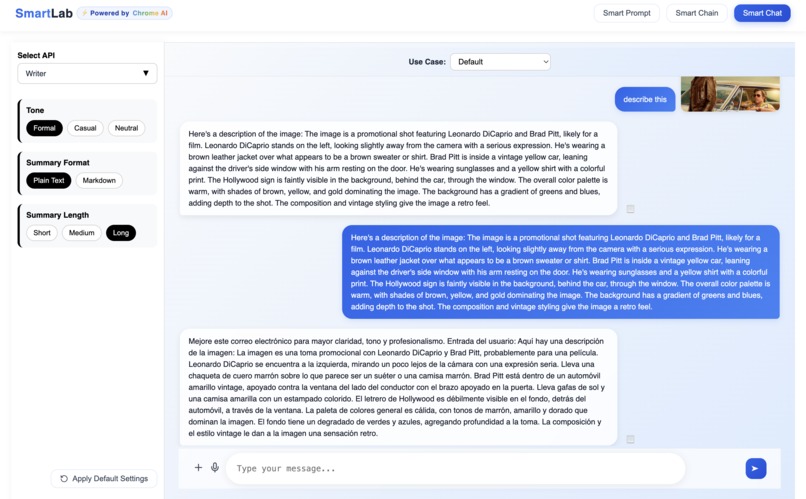
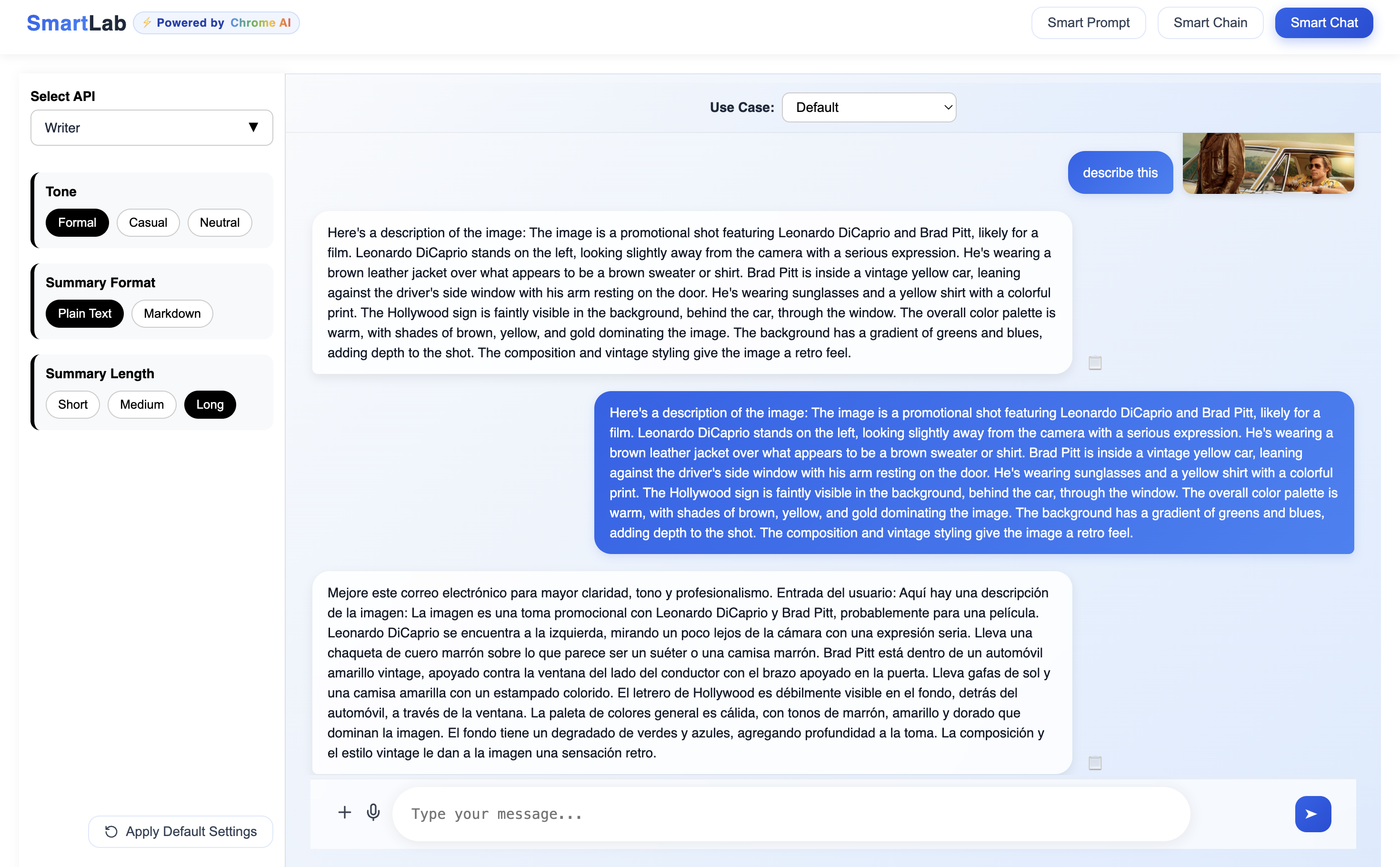
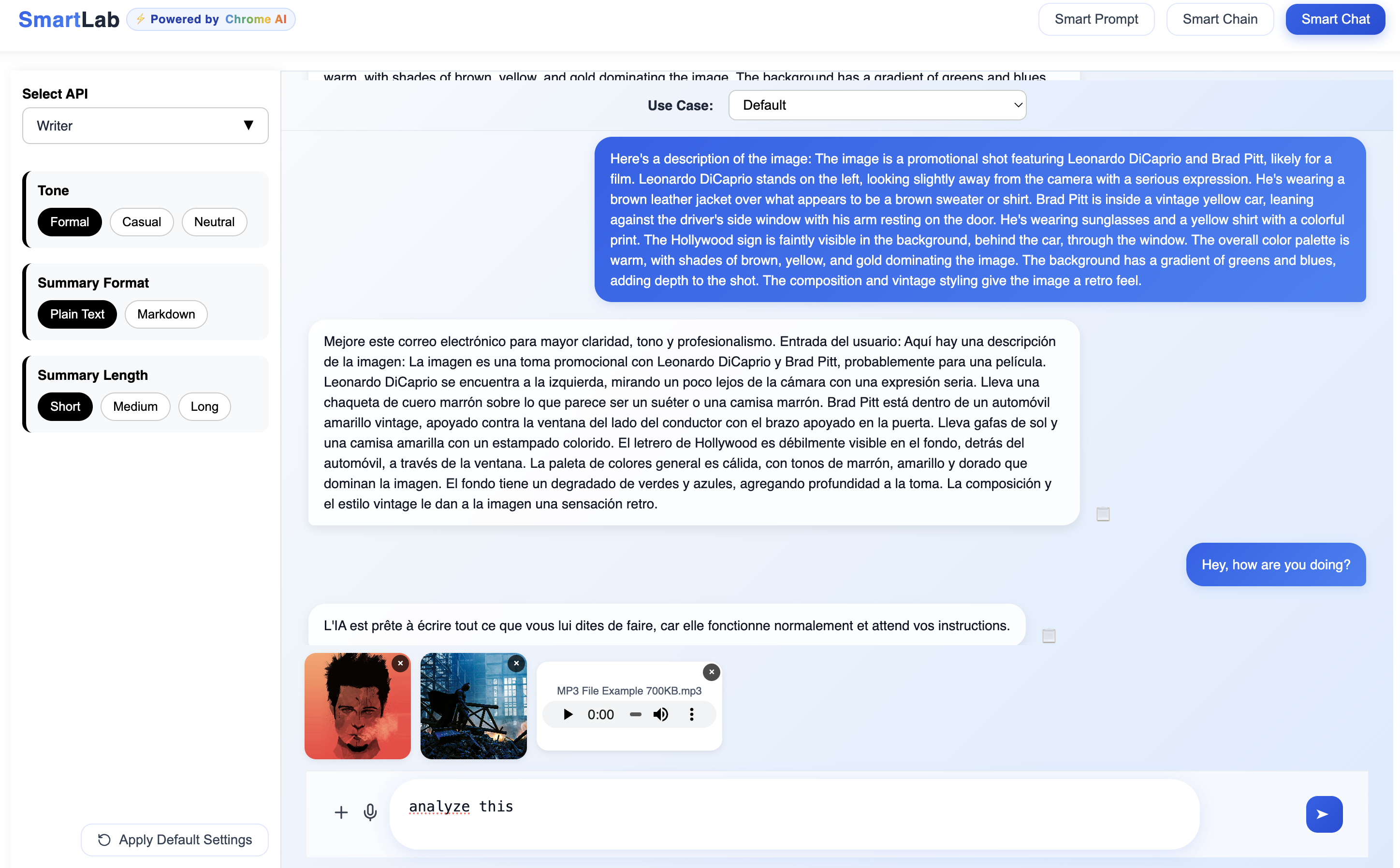
Used Smart Chat’s normal flow — uploaded an image, copied the output, and transformed it using the writer tool.
-
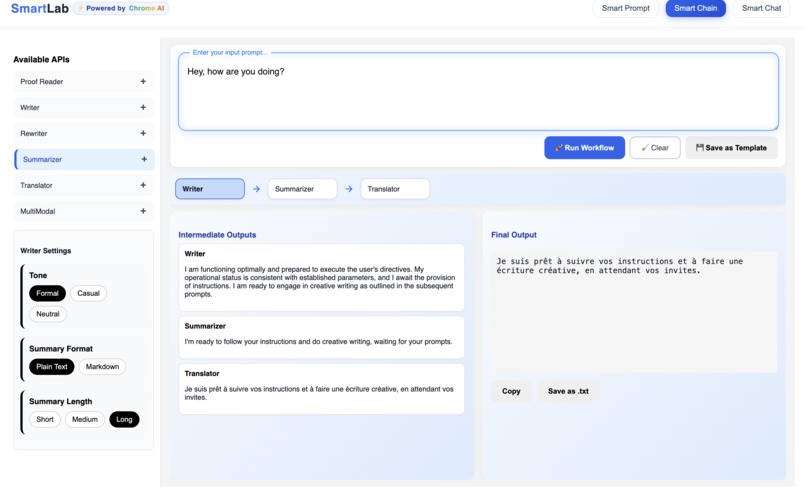
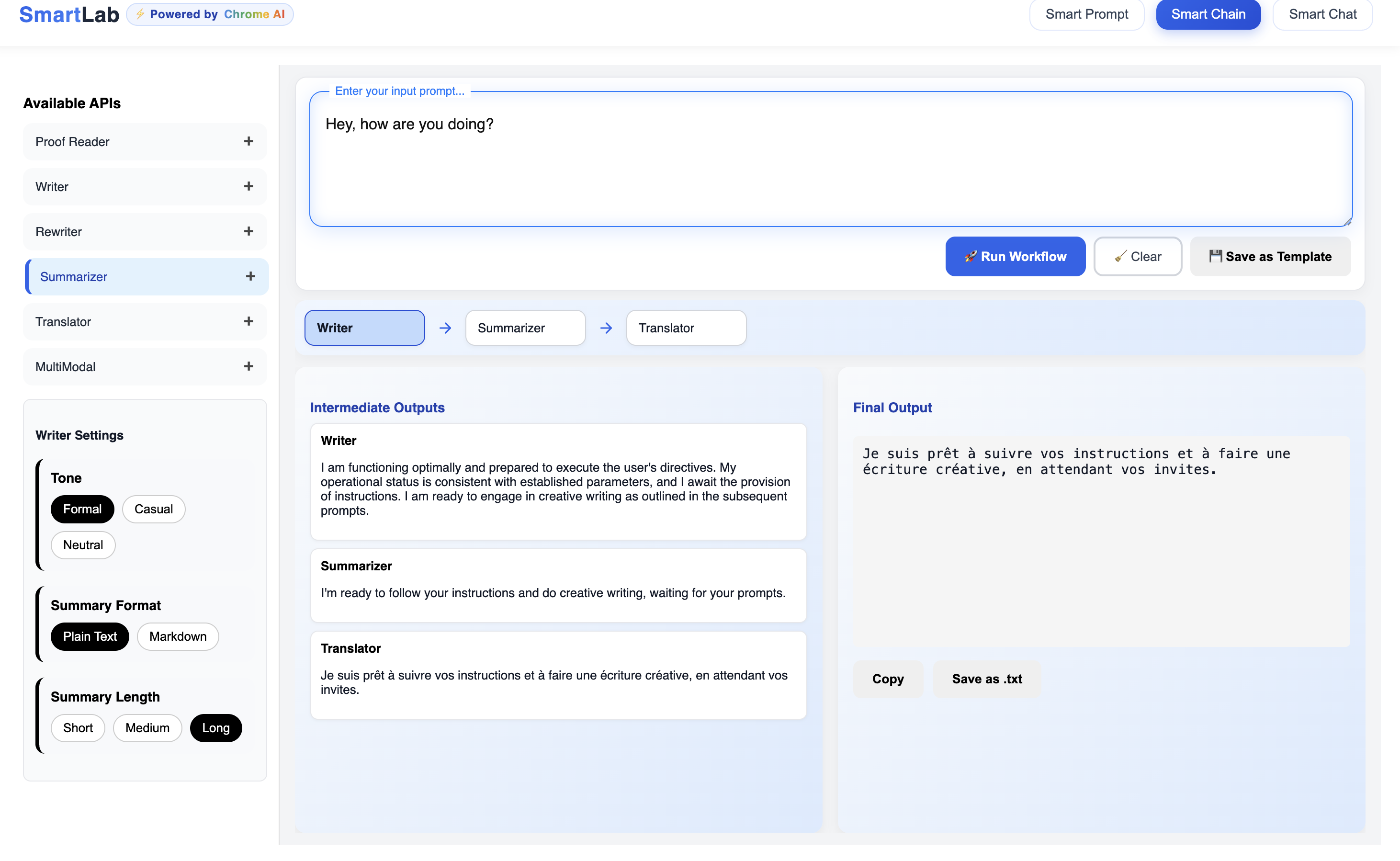
User Smart Chain to built a hybrid pipeline (writer → summarizer → French translator) and saved it as a reusable template for Smart Chat.
-
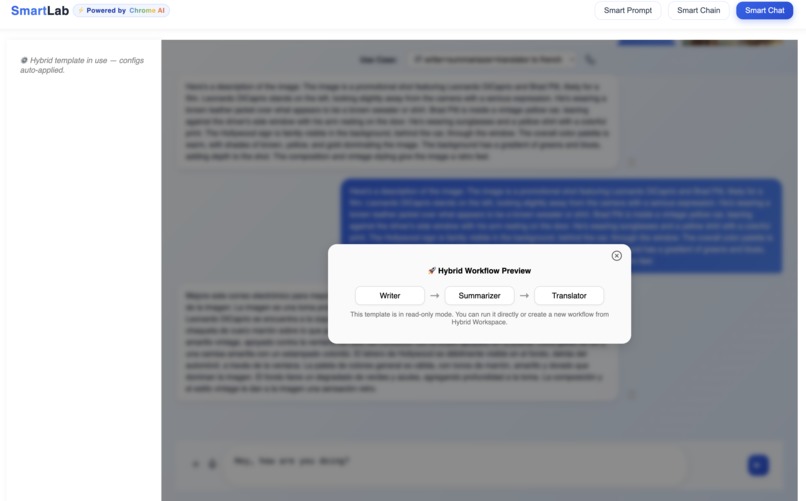
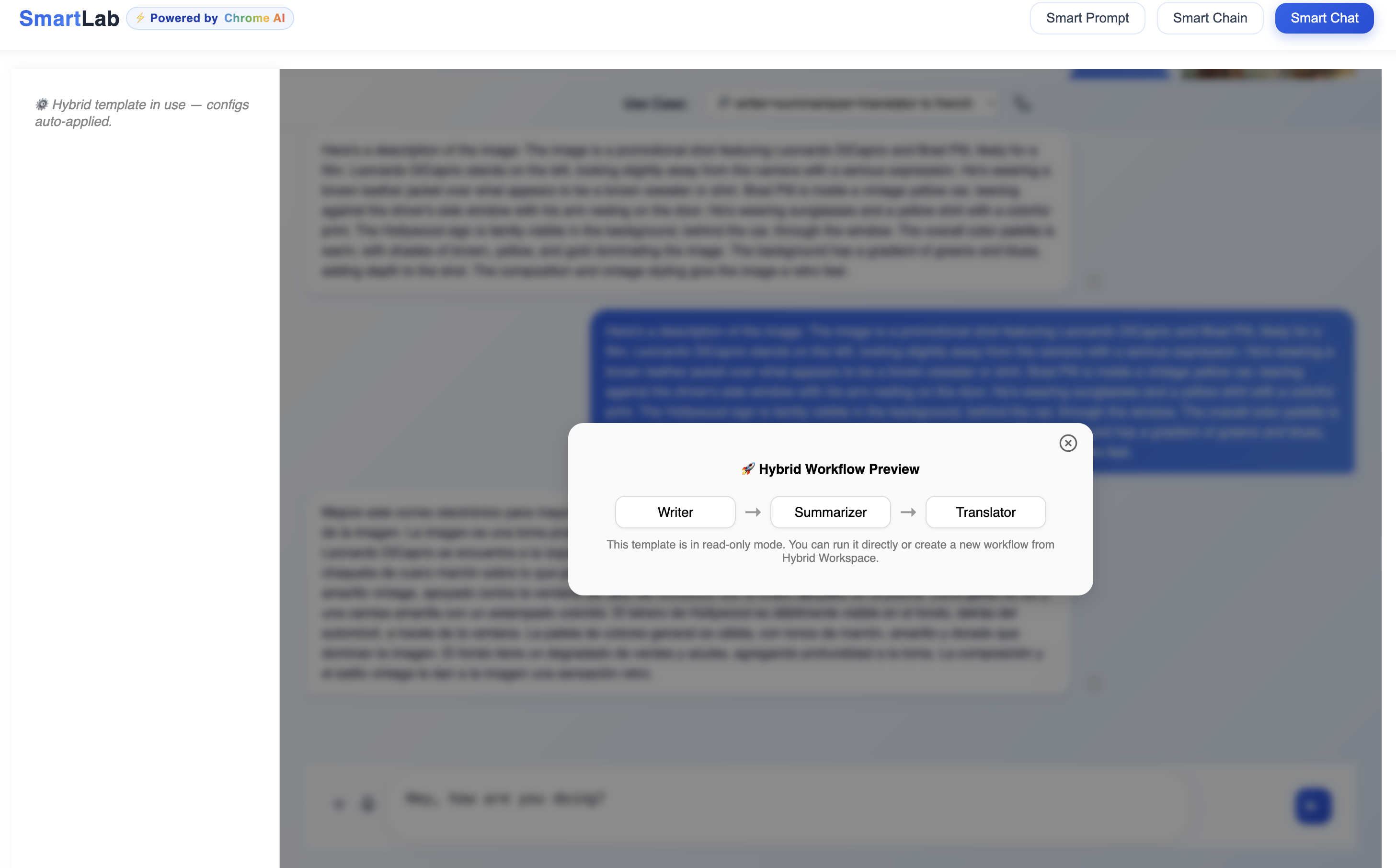
Selected created template in use case dropdown to preview the AI pipeline in a read-only modal before choosing your preferred workflow.
-
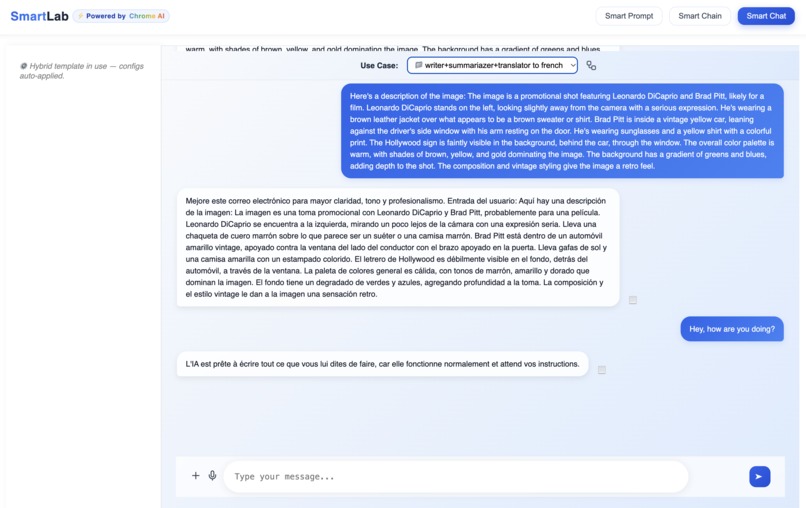
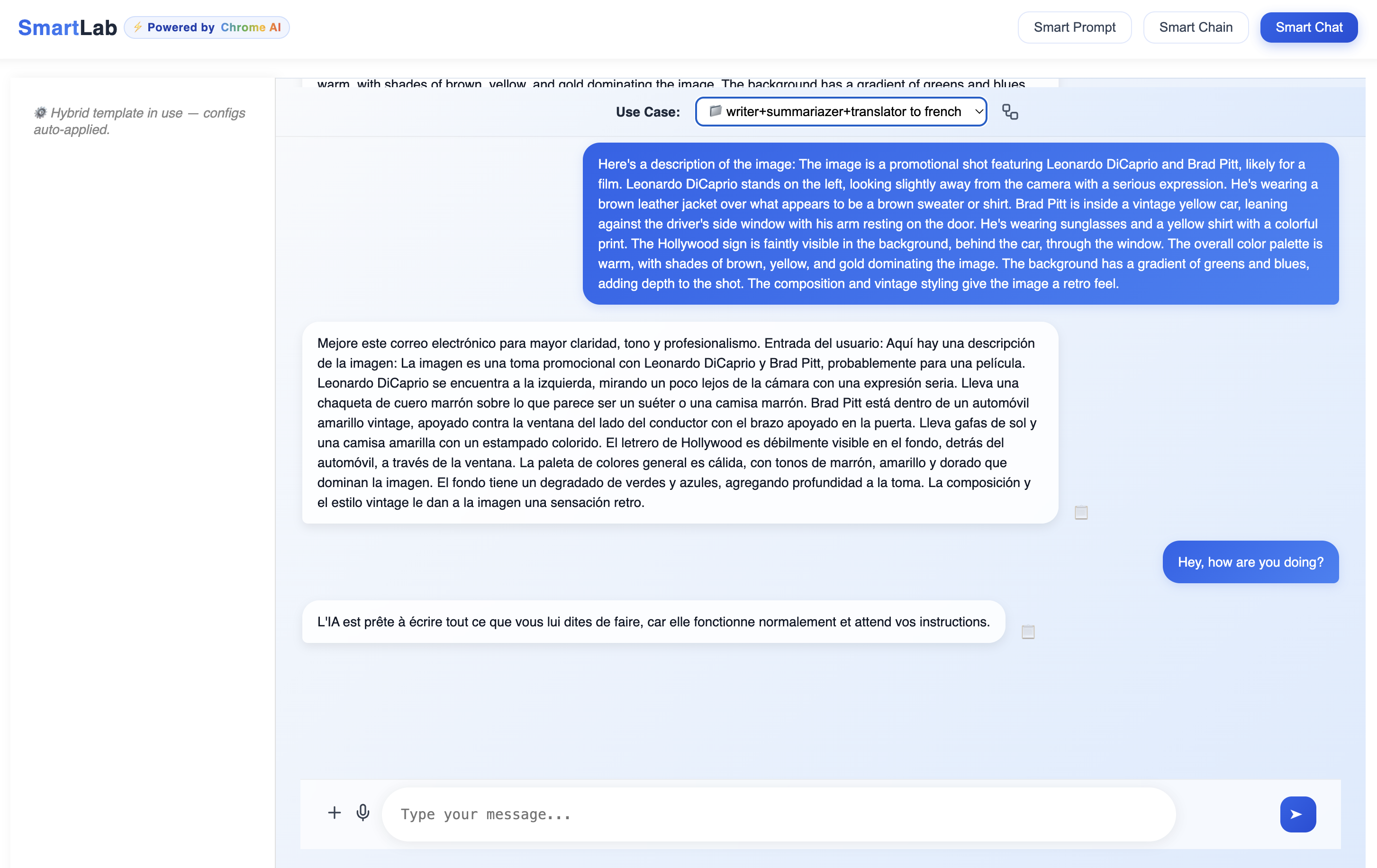
Selected created template and ran which gives output
-
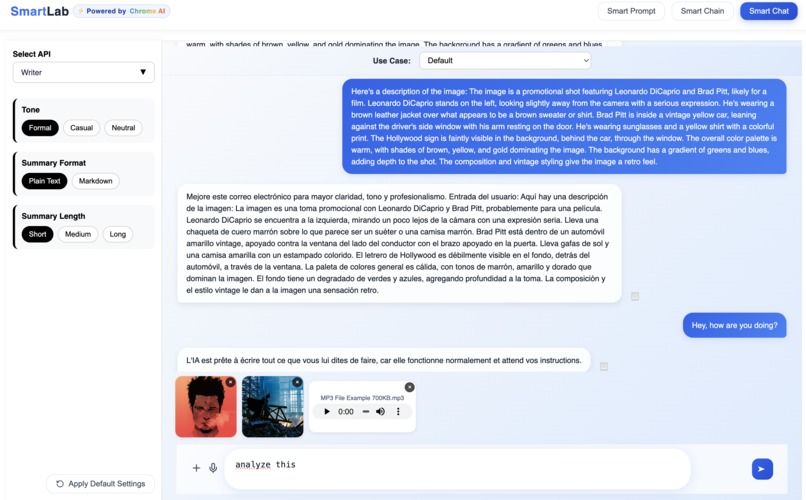
You can upload multimodal inputs in one go and get instant results. However, image or audio uploads will consume tokens.
-
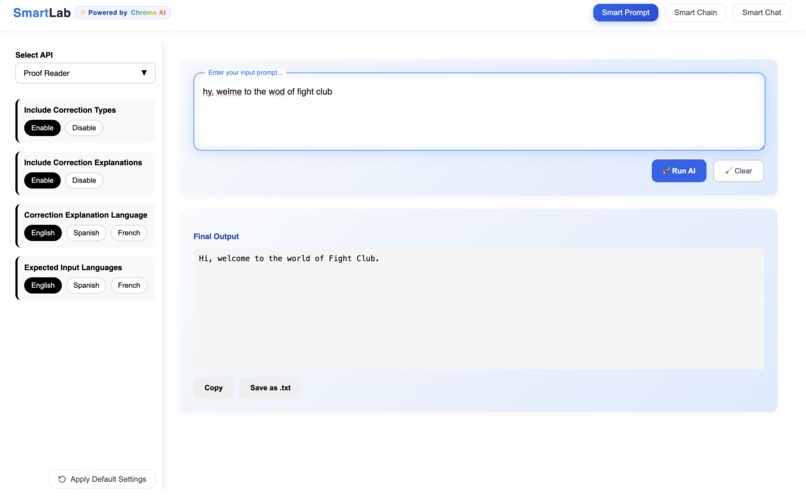
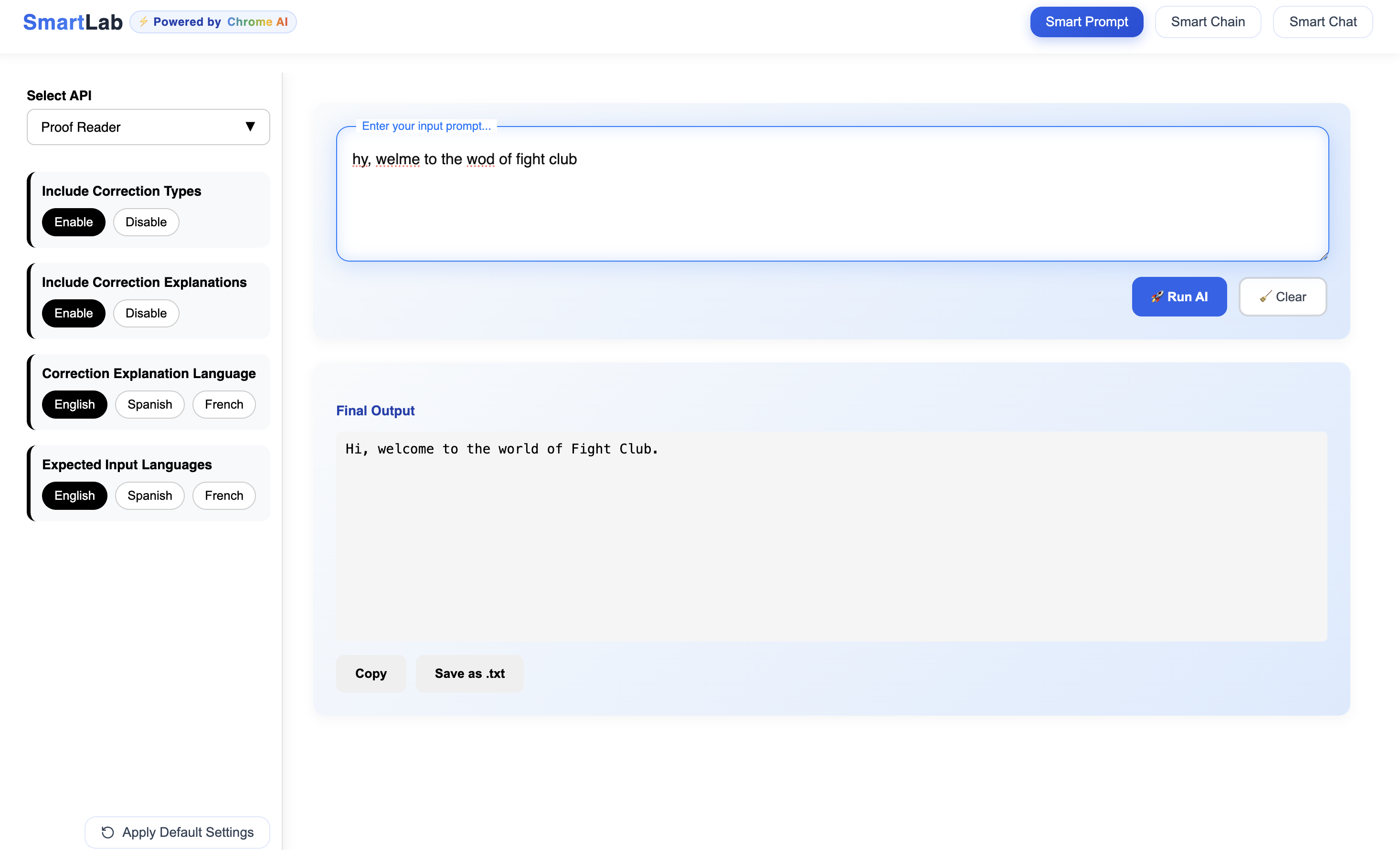
Used Smart Prompt to test any Chrome API, view real-time outputs, and evaluate how each API performs individually with instant results.
Inspiration
Basically, i wanted to explore google APIs and i got inspired when i came to know about using models in native browser itself. i wanted explore about it works and wanted to know how easy it is to use. And, The project was inspired by the idea of a lightweight "smart chat" assistant tightly integrated with Chrome AI concepts. The goal was to let users combine single AI steps and hybrid workflows (smart chains) in an interactive chat UI
What it does
All three workspaces—SmartChat, SmartChain, and SmartPrompt—support multimodal input, including text, audio, and images, enhancing their versatility for various tasks.
SmartChat:
- Designed for interactive conversations, brainstorming sessions, and obtaining instant answers.
- It also enables the reuse of hybrid templates created in SmartChain, allowing for more context-aware and tailored responses.
- Supports text, audio, and image inputs, ideal for dynamic conversational scenarios.
SmartChain:
- Provides a powerful way to orchestrate multi-step workflows by connecting several Chrome AI tools.
- With multimodal support, workflows can automatically process, analyze, and generate outputs from a mix of text, audio, and images, making it ideal for sophisticated, end-to-end automation of complex tasks.
SmartPrompt:
- Focused on structured writing and editing, this workspace is optimized for generating, improving, or summarizing content.
- It supports multimodal inputs, enabling users to incorporate or reference audio and images alongside text when composing or restructuring documents.
Multimodal Support
Each workspace allows you to interact with and process:
- Text
- Audio
- Images
This capability ensures all three workspaces accommodate a wide range of real-world use cases, such as transcription, image captioning, voice-assisted interactions, and comprehensive, context-aware text generation.
How we built it
We built SmartLab using ReactJS, integrating Google Chrome’s built-in AI models — including the Summarizer, Writer, Rewriter, Proofreader, and Translator APIs. We further enhanced the experience by integrating Gemini 2.0 Flash and Firebase to enable:
- Real-time, multimodal interactions
- Voice and image processing
- Persistent hybrid workflows
Challenges we ran into
One of the biggest challenge we faced was integrating multiple chrome AI APIs within a single, unified interface while keeping the user experience smooth. we also had carefully handle multimodal input and manage hybrid workflows that connect several AI models in sequence.
Accomplishments that we're proud of
We’re proud to have built a fully functional AI workspace that bridges creativity and automation — combining Chrome’s built-in AI with Gemini’s multimodal power. Creating the SmartChain workflow builder was a huge milestone, allowing users to design and reuse AI pipelines. We also added audio and image input support, template-based automation, and a clean, modern UI that feels simple yet powerful.
What we learned
Throughout the development, we learned how to effectively chain different AI capabilities to solve real-world content and communication problems. We gained deep insights into Chrome’s Prompt API, multimodal data handling, and workflow orchestration — and how a thoughtful UI can make AI interactions feel natural and human-like.
What's next for Smart Chart powered by ChromeAPIs
Next, we plan to make SmartLab even smarter — introducing team collaboration features, cloud-synced workflows, and custom AI agent creation. We also aim to expand support for more Chrome AI models, enhance Gemini integration, and enable voice-based conversations that combine reasoning, translation, and creativity — all within one seamless workspace. In the future, we plan to:
- Implement more real-world use cases to broaden SmartLab’s practical applications.
- Address and solve user challenges encountered while using this type of tool, ensuring a smoother and more intuitive experience.
- Integrate SmartLab with a backend service for reliable data handling (as data is currently not stored).
- Build a larger, more optimized AI pipeline that supports complex, high-performance workflows at scale.

Log in or sign up for Devpost to join the conversation.