-
-
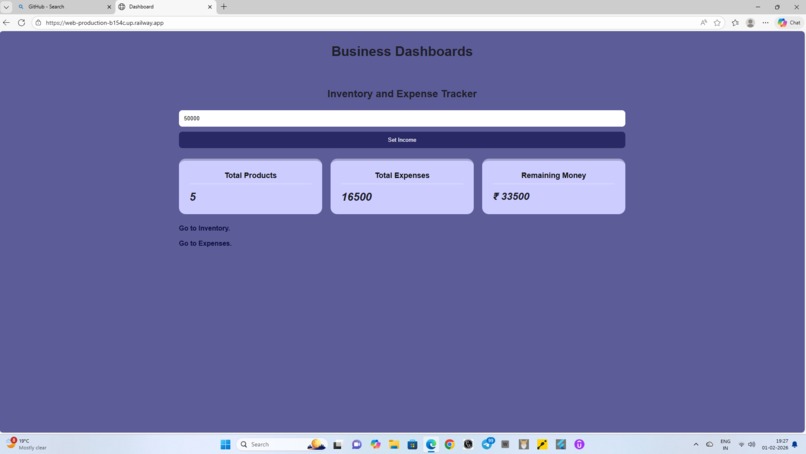
Dashboard showing total expenses, products and remaining money.
-
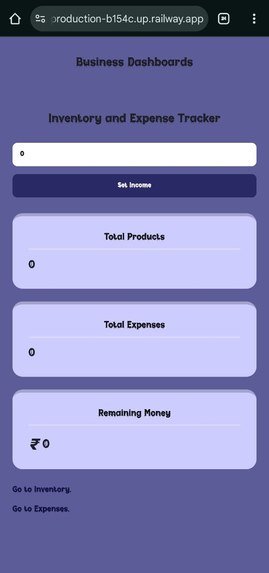
Dashboard of mobile view to set income and path of inventory and expenses for adding details.
-
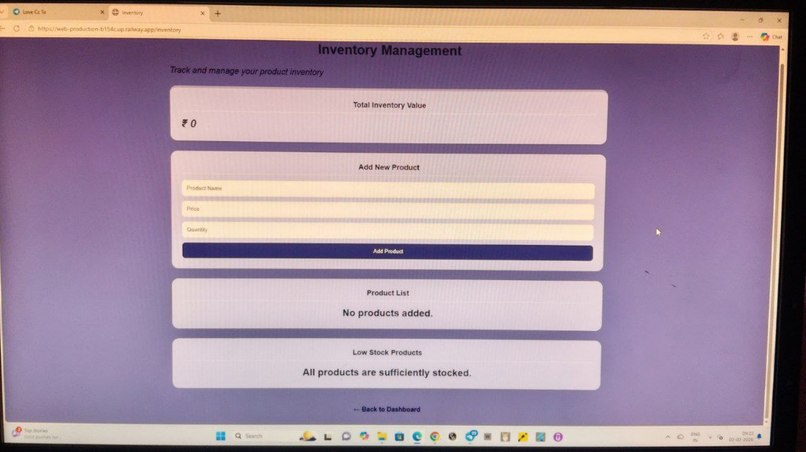
Form to add products and check low stocks and inventory value.
-
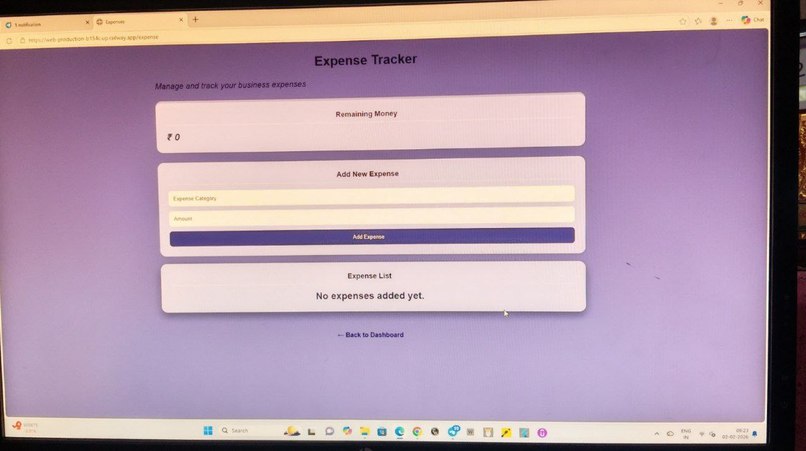
Form to add a new expenses with amount and category and to check remaining money.


Inspiration
Managing daily business expenses is difficult, especially for small shop owners and students. I have seen that many people still write expenses in notebooks or forget to track them properly and if their are any low stock product they can not find out that easily . This inspired me to build a simple and easy-to-use expense tracker web app.
What it does
Smart Business Expense Tracker helps users add, view, and manage their income and expenses in one place and track inventory on another also with low stock. Users can track daily spending, see records, and understand where their money is going. It makes expense management simple and organized.
How I built it
I built this project using Python Flask for the backend, HTML and CSS for the frontend, and SQLite for the database. The app stores expense data, shows it on the dashboard, and allows users to manage their records easily.
Challenges I ran into
The main challenges were connecting the database, fixing deployment issues, and making the app work properly on different devices. I also faced some errors while deploying, but I learned how to fix them step by step.
Accomplishments that I'm proud of
As beginners, I am proud that I completed this project and turned our idea into a real working web app. I learned how to connect a database, build features, and deploy the project online despite facing many errors and challenges. The app can store data, show records, and helps users manage their expenses easily.
What I learned
I learned how to build a complete web application, connect a database, deploy a project online, and solve real-world development errors. This project helped me understand full-stack development better.
What's next for Smart Business Expense Tracker.
In the future, I plan to add user login and authentication, so each user can manage their own expenses securely. I also want to add monthly and yearly reports, charts for better visualization, and to make app more secure. Additionally, I plan to improve the UI and make the app more mobile-friendly.

