-
-
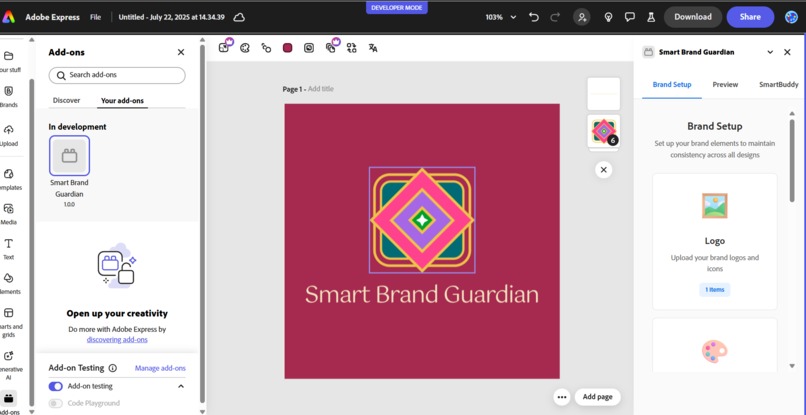
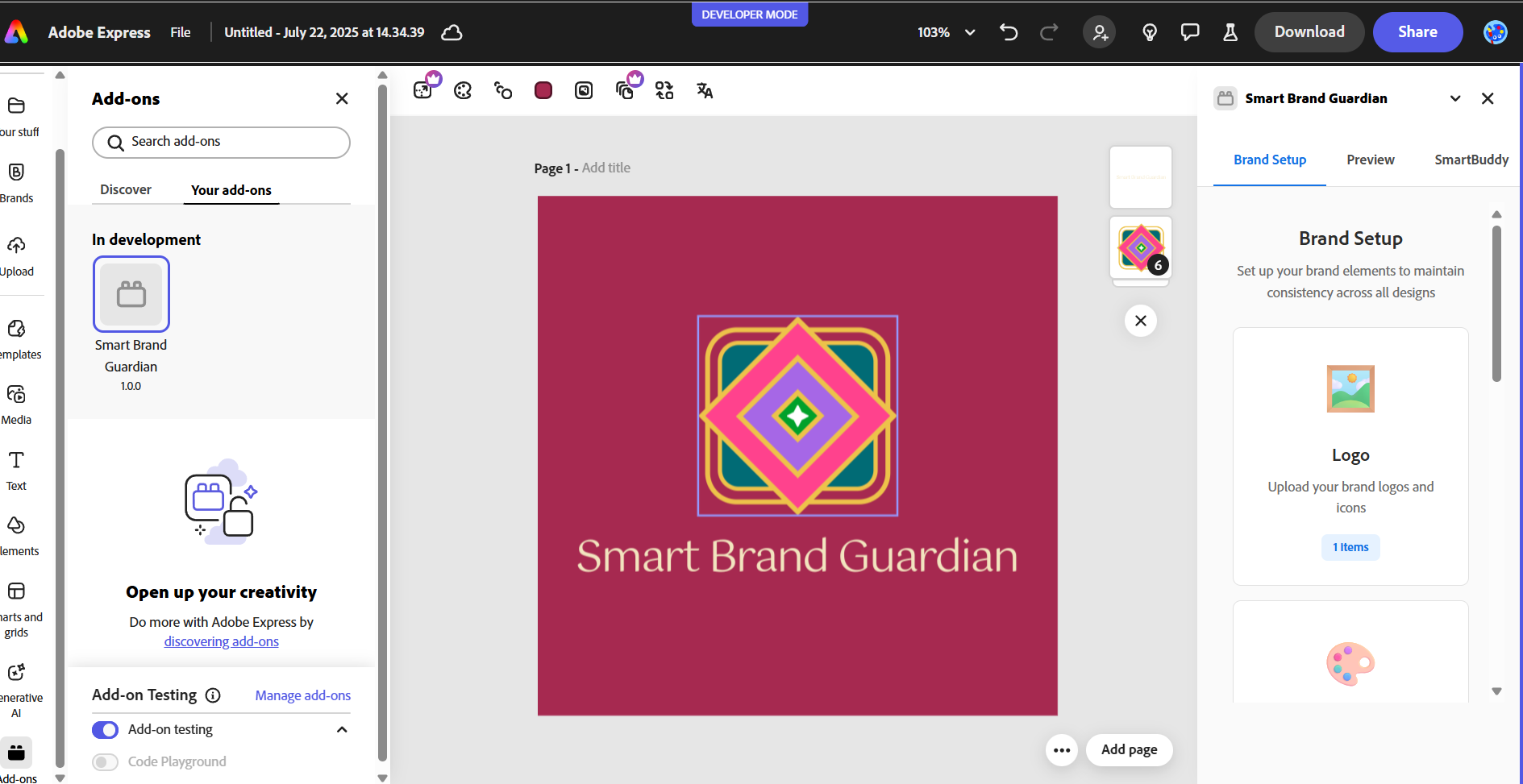
Brand Setup Tab
-
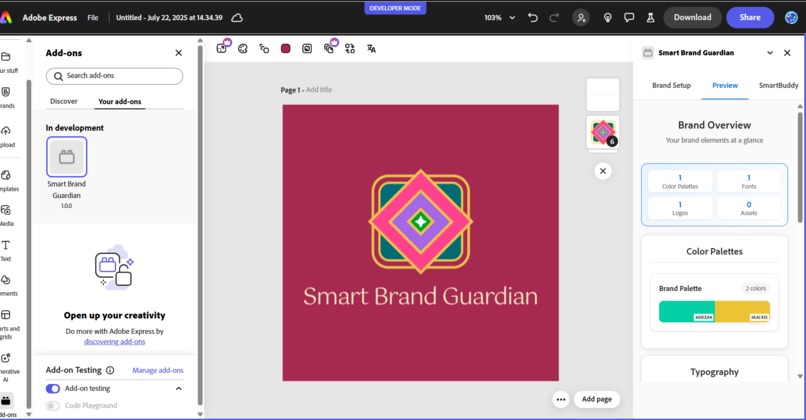
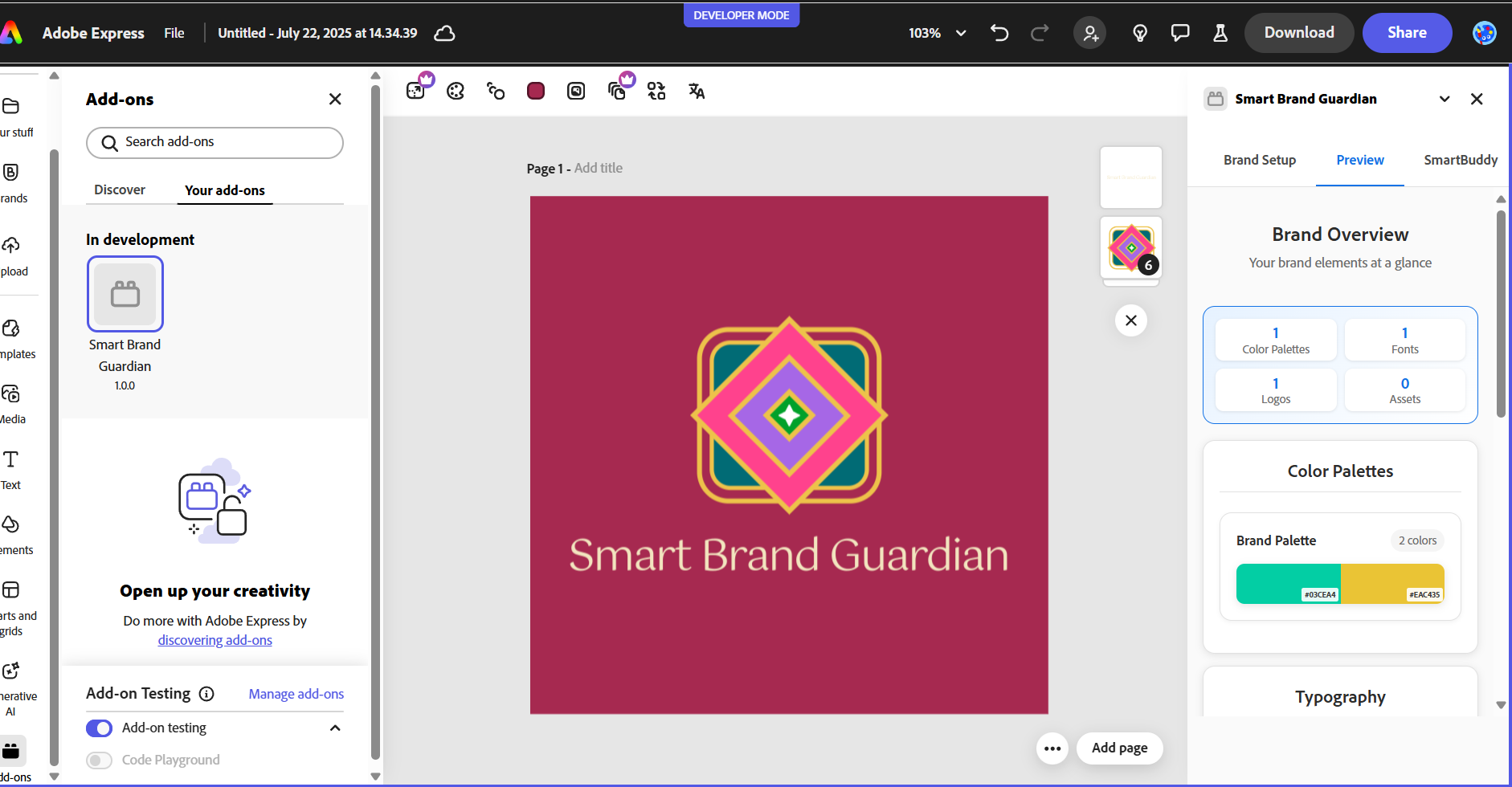
Preview Tab
-
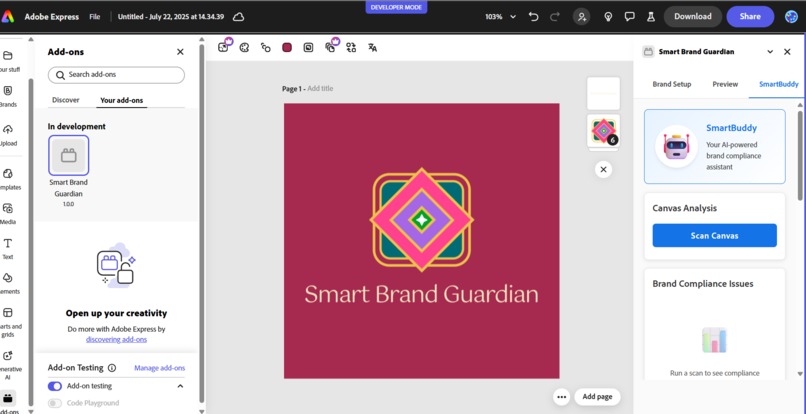
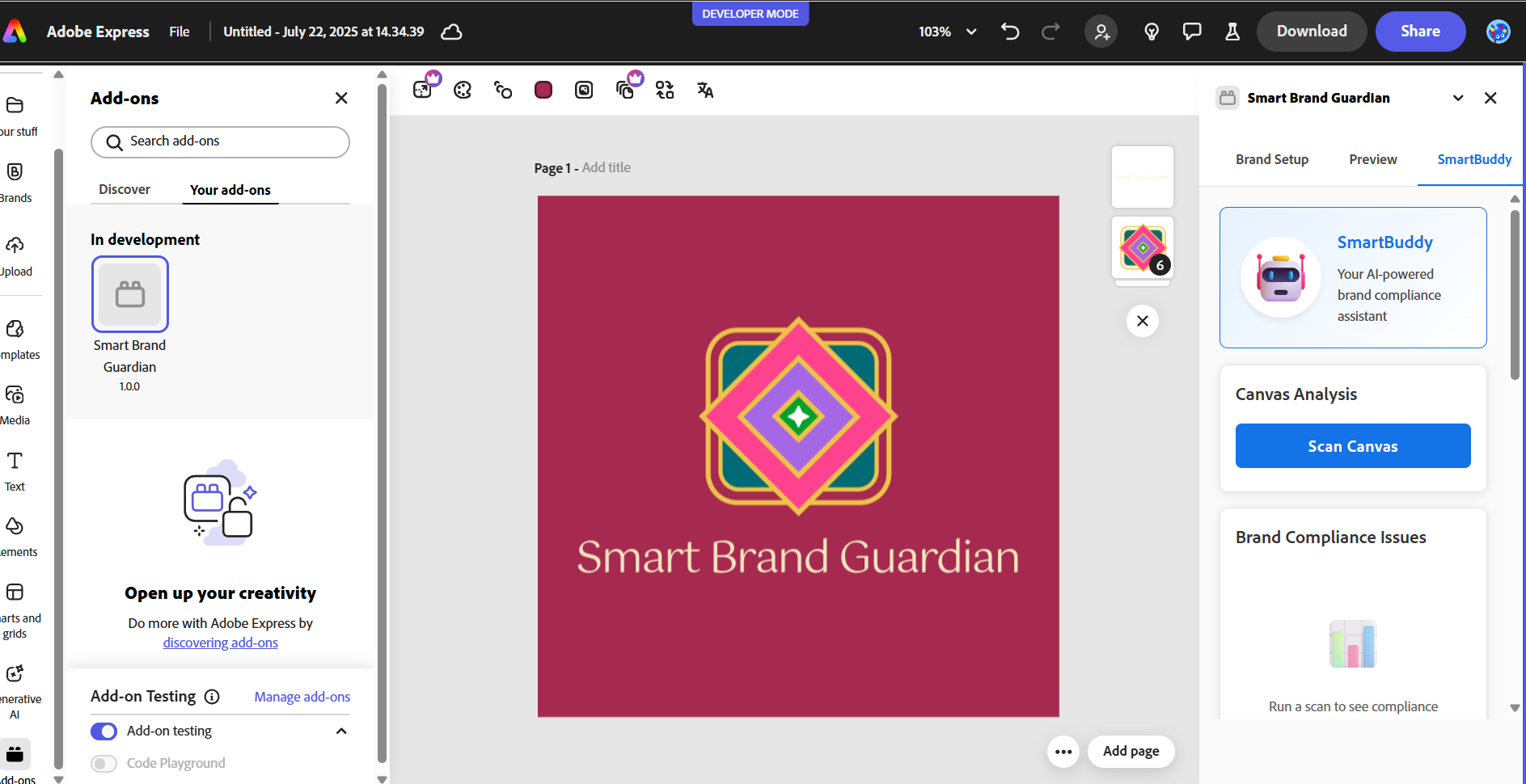
SmartBuddy
-
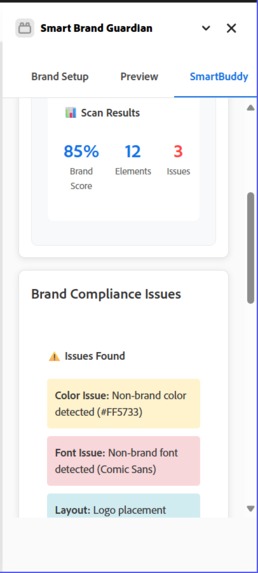
Scan Analysis Result
-
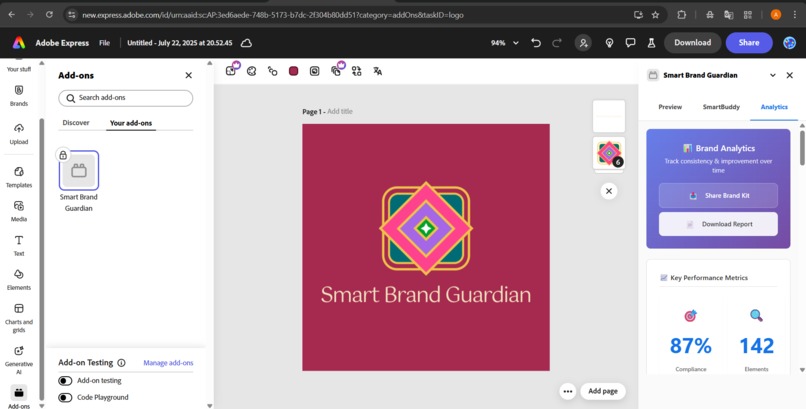
Analytics Tab
Inspiration
Designers often struggle to maintain brand consistency across multiple creatives — especially under tight deadlines. Brand kits are scattered, feedback loops are slow, and one small mistake can break brand identity. As a two creative designers and tech enthusiast, we saw an opportunity to build an AI-powered design assistant inside Adobe that could act like a smart buddy — helping creatives stay perfectly on-brand, every single time.
What it does
Smart Brand Guardian is an Adobe Express add-on that helps designers keep their work on-brand effortlessly. It allows users to:
- Set up a complete brand kit with fonts, logos, and tone
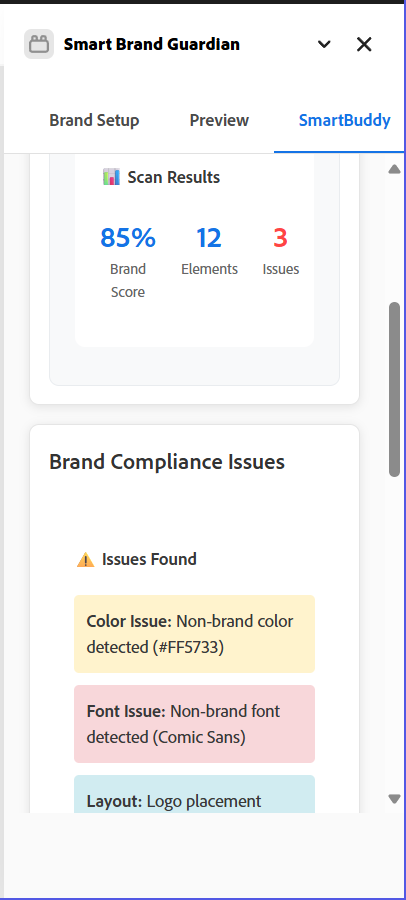
- Analyze their canvas for brand compliance issues in one click
- Auto-fix brand violations (wrong colors, fonts, spacing) using AI
- Redesign the canvas with AI prompts based on brand tone (e.g., "make it minimal", "match brand kit")
- Use SmartBuddy (AI Assistant) to get design suggestions powered by brand guidelines
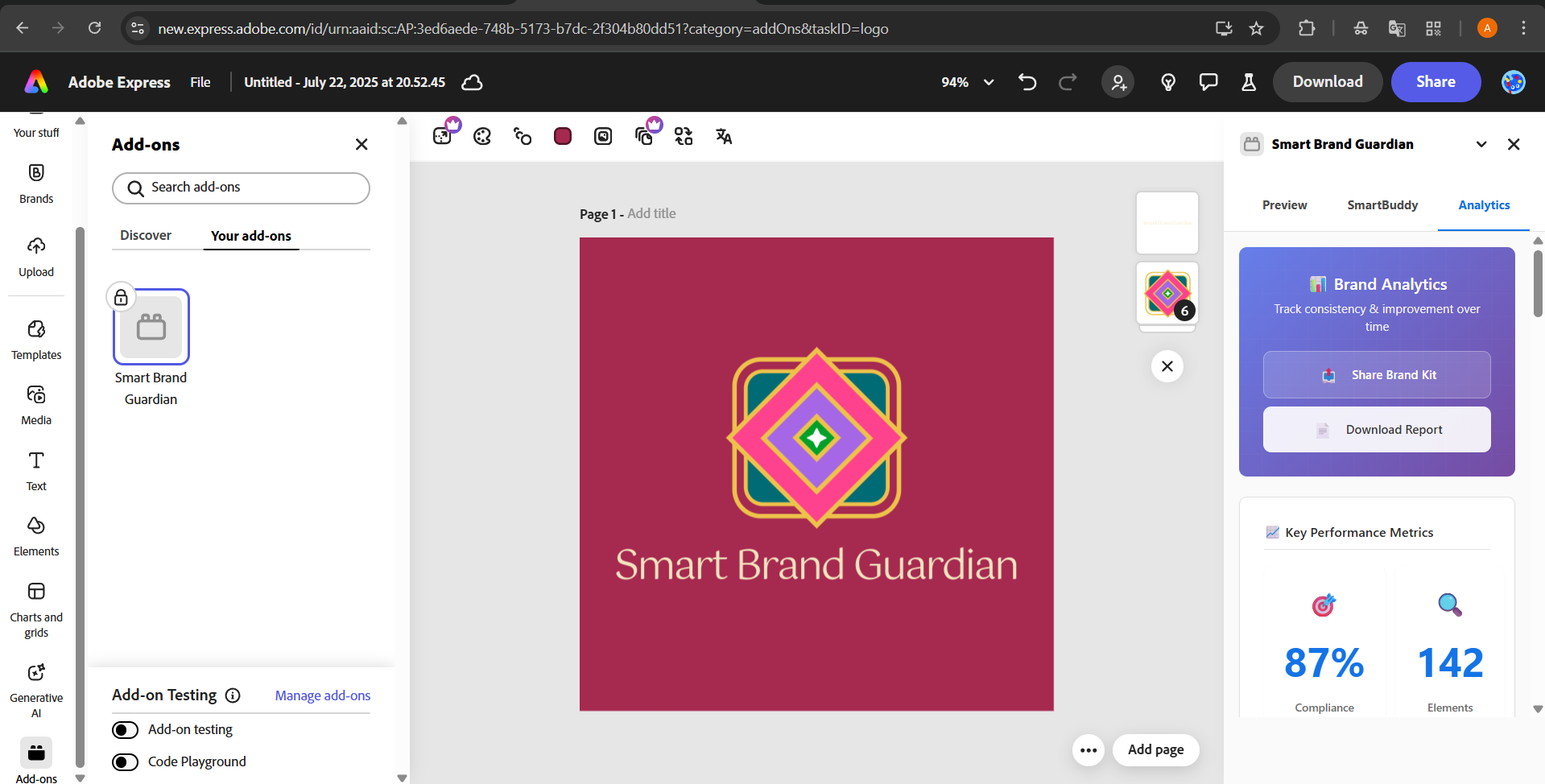
- Preview analytics on how well the design follows the brand rules — with detailed compliance scores, common violations, and improvement suggestions. Easily share these insights with your team or stakeholders to ensure alignment before final delivery.
In short, it’s like having a real-time brand guardian watching over your creative process — without slowing you down.
How we built it
For development:
- We used the Adobe Express Add-on SDK and the official hello-world starter plugin
- Leveraged the Document APIs and Sandbox environment to scan and analyze the canvas
- Integrated OpenAI’s API for brand-aware AI tasks like redesigning and smart suggestions
- Built using HTML, CSS, and JavaScript, keeping it light and expressive within Adobe's constraints
Challenges we ran into
- Integrating SmartBuddy’s AI responses in real-time was tricky inside the plugin panel
- Figuring out Adobe Express’s document APIs and sandbox structure with limited examples took deep exploration
- Designing a native-feel UI inside the fixed panel layout while maintaining usability
- Balancing features, testing, and polish within a short timeline
As first-time Adobe SDK users, every step from auth to canvas access was a learning curve.
What we learned
- How to develop an add-on inside the Adobe Express environment using its SDKs and UI patterns
- How to interpret, connect, and work with the document sandbox API to access canvas data
- How to build intelligent features with prompt design + API logic for brand-aware suggestions
- The importance of simplifying user experience inside plugin panels while offering power features
- How to troubleshoot SDK-based plugins with limited debugging tools
It was a technical deep dive into both Adobe’s design ecosystem and AI integration.
What's next for Smart Brand Guardian
To make this a full-featured, production-ready tool, here’s what we’re planning:
- Full AI integration with live redesign previews and in-panel editing
- Analytics tab enhancements to track brand consistency over time: visual deviation charts, user-wise design reports, and branding heatmaps
- Multi-brand workspace support for freelancers and agencies managing multiple clients
- Team-level insights (who’s following guidelines, who needs help)
- Exportable brand compliance reports for managers or brand teams
- Tighter integration with upcoming Adobe APIs for deeper canvas access and faster AI feedback
Our goal is to evolve this into the go-to brand governance tool inside Adobe Express for solo creators, teams, and creative agencies alike.
Built With
- adobe-express
- adobe-express-sdk
- css
- document-api
- html
- javascript
- openai-gpt-4-o
- vscode

Log in or sign up for Devpost to join the conversation.