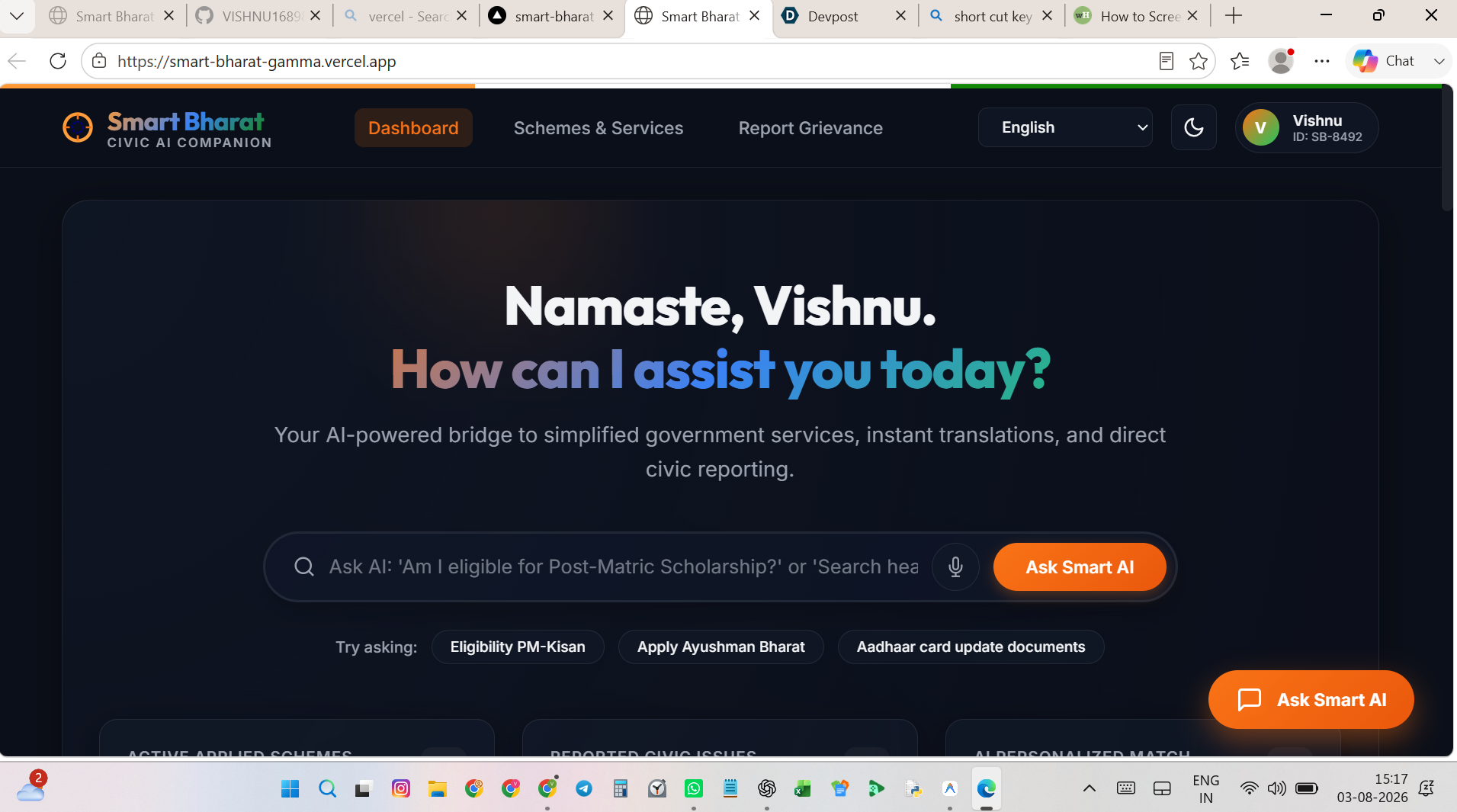
Smart Bharat – AI-Powered Civic Companion Walkthrough We have successfully built a premium, responsive civic companion platform designed to bridge the gap between citizens and public services through Generative AI simulation, multilingual localization, and direct tracking.
What was Built
- Unified Dashboard & Interface Tricolor Theme Banner: Visual branding representing India. Glassmorphism Metrics Grid: Live display of active schemes, reported complaints, and profile matches. Theme Customization: Fully integrated dark/light theme switch toggling HSL root variables. Local Citizen Profile: Simulated login context for personalized feeds.
- AI-Simplified Schemes Explorer Predefined Schemes: Multi-sector dataset (Health, Agriculture, Education, Identity, Finance). AI-Simplify Toggle: Dynamic replacement of complex legal jargon with simplified bullet points. Interactive Eligibility Checker Wizard: Dynamic forms based on scheme criteria with instant verification feedback.
- Smart Grievance Reporting & Tracker AI-Routing Simulator: Classifies reported public issues and routes them to correct departments. GPS Location Detection: Simulates geographical routing inputs. Interactive File Upload: Simulated drop-zone and image removal for proof submission. Timeline Stepper Widget: Tracks grievance progress from "Registered" to "Resolution" with dates, department descriptions, and step markers.
- Floating AI Companion (Chatbot) Natural Language Parsing: Keyword mapping for contextual answers (health, Kisan, Aadhaar, APY, scholarships, grievances, greetings). Streaming Response Indicator: Simulated typing bubble for realistic GenAI typing feel. Quick Suggestion Prompts: Clickable chips for instant common queries.
- Multilingual Localization Engine Translates the entire dashboard layout instantly in-place (English, Hindi, Tamil, Telugu, Marathi, Bengali) using client-side translation dictionaries. Files Created index.html – Semantic markup, layouts, and panels. style.css – Premium variables, animations, grids, and responsiveness. script.js – Core engine, state management, search, and localization dictionaries. Verification & Manual Testing Steps To verify the app locally:
Open index.html in your web browser. Language Switcher: Click the language dropdown in the header and select हिन्दी (Hindi) or தமிழ் (Tamil). Observe the immediate translation of all dashboard labels and scheme contents. AI-Simplify: Go to the Schemes & Services section. Under Ayushman Bharat, click the AI-Simplified Summary toggle. You will see the description change to clear bullet points. Eligibility Checker: Click the Check Eligibility button on any scheme (e.g., Atal Pension Yojana). Fill in the mock age/status and submit to see instant eligibility verdict. AI Chat Companion: Click the floating orange button in the bottom right corner (Ask Smart AI). Try typing "How do I register a complaint?" or "What documents are required for Aadhaar?". Observe the typing indicator followed by the contextual response. File a Complaint: Go to the Report Civic Issue section. Select Garbage & Sanitation, enter location (or click the GPS icon to auto-detect), and submit. The tracker timeline on the right will update to track your new ticket number. Dark/Light Mode: Click the Sun/Moon icon in the header to check the theme transitions.
How we built it
Challenges we ran into
Accomplishments that we're proud of
What we learned
What's next for Smart Bharat
Built With
- antigravity

Log in or sign up for Devpost to join the conversation.