Inspiration
We were inspired by a simple but real problem: medication adherence is hard, especially when users have multiple medications, different schedules, and changing daily conditions (sleep, weather, activity, etc.).
We wanted to build a local-first smart medication dispenser that feels friendly and safe:
- recognizes the user automatically,
- dispenses the correct medication,
- gives clear, contextual guidance (not generic reminders),
- and works even when parts of the hardware stack are unavailable.
That led us to A.L.I.C.E. (AI Life-Improvement & Care Expert).
What it does
A.L.I.C.E. is an AI-assisted medication dispenser prototype with:
- Local face recognition using an Intel RealSense camera (run on-device, Jetson-first design)
- FSM-based workflow for the full dispensing flow (idle -> detect -> recognize -> dispense -> advice -> complete)
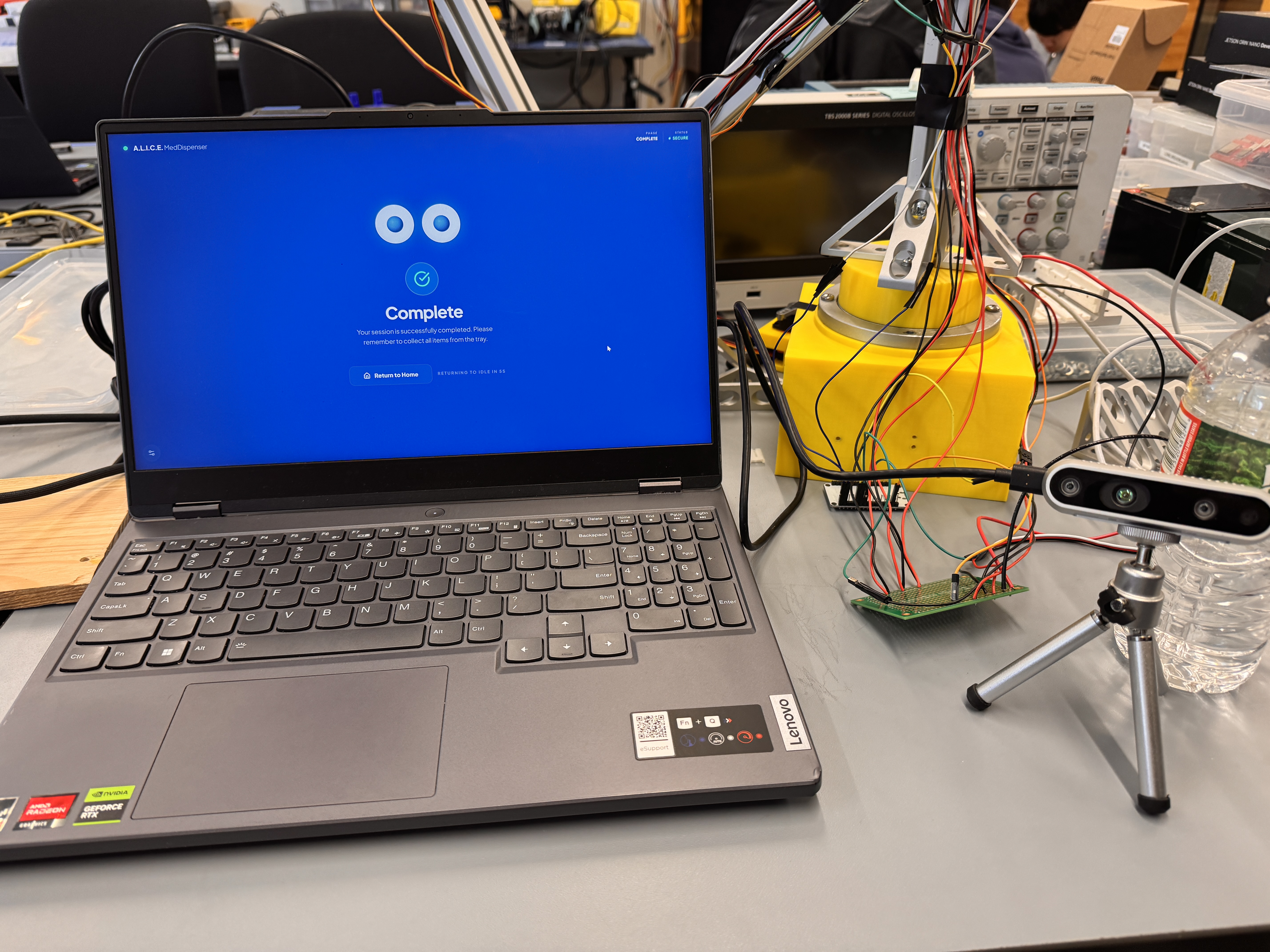
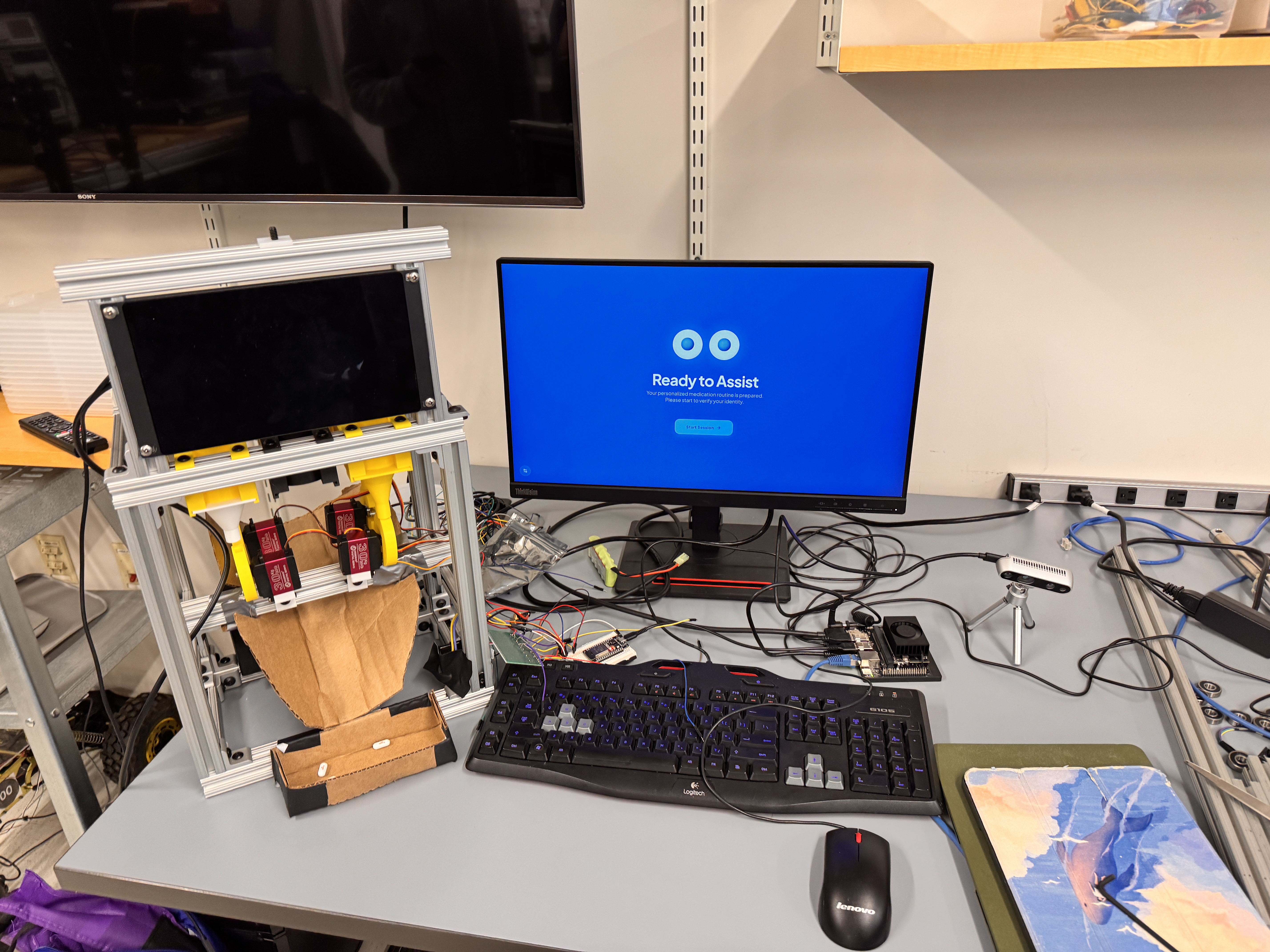
- Touchscreen web UI with immersive state-based screens and voice guidance
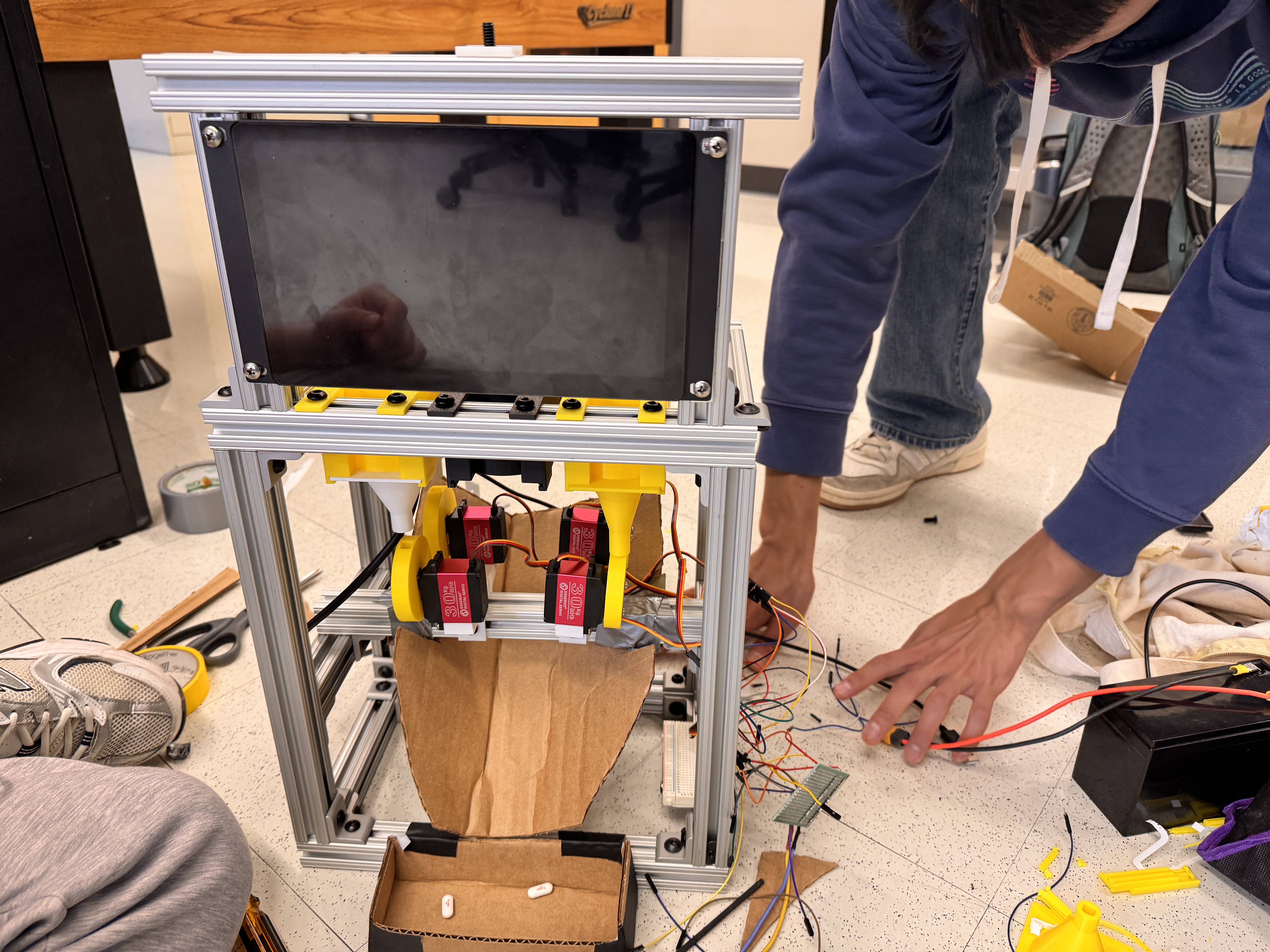
- 4-chamber / 4-servo medication model (one medication per chamber)
- Multi-medication schedule support (up to 4 medications with time slots)
- Context-aware advice generation using Gemini + local weather/time data to give you general advice
- Hardware fallback mode (if ESP32 is offline, the UI still demonstrates the full workflow safely)
- Session logging for debugging and traceability
The system can also:
- handle new user registration from the touchscreen UI,
- store user profiles + face embeddings locally, so no privacy concerns
- support same-name profile overwrite (with safeguards in the workflow),
- and show RealSense live stream inside the web UI, and knows how close you are!
How we built it
We built the project as a hybrid edge system:
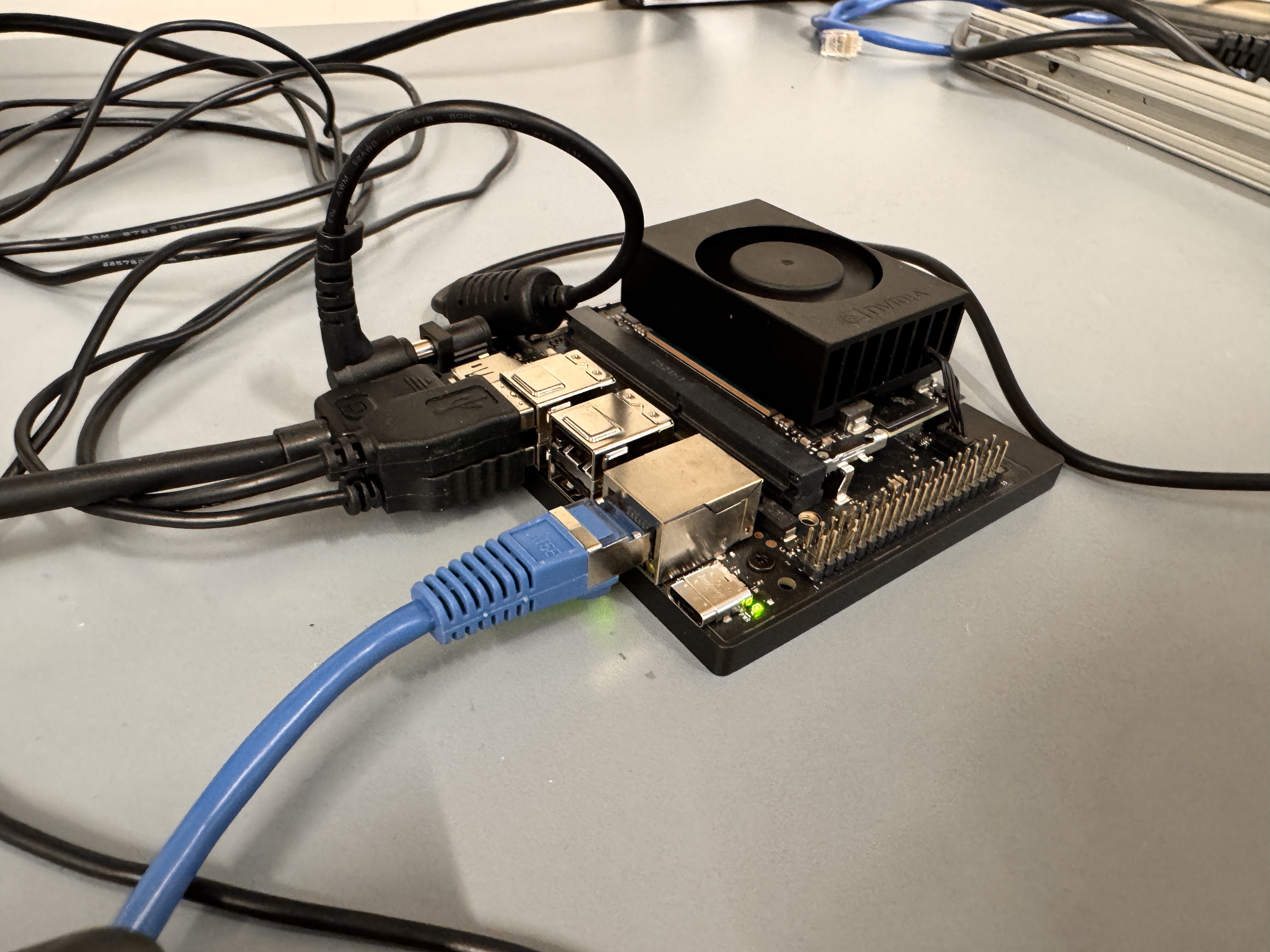
1. Edge vision (Jetson / local)
- Intel RealSense camera for RGB + depth-aware presence detection
- InsightFace for local face embeddings and matching
- A RealSense runtime publishes:
- recognition status
- live frame stream (for the web UI)
- pending face embedding for touchscreen registration
2. Control logic (FSM backend)
- Python + Flask backend
- A central finite state machine (FSM) manages the dispenser workflow:
WAITING_FOR_USERMONITORING_DISTANCEFACE_RECOGNITIONREGISTER_NEW_USERDISPENSING_PILLGENERATING_ADVICESPEAKING_ADVICESESSION_SUCCESSERROR
This gave us predictable state transitions and made UI synchronization much easier.
3. Frontend (touchscreen UI)
- Web UI rendered from Flask templates
- State-driven scene pages (8 main screens)
- Voice feedback via browser TTS
- RealSense live stream embedded in recognition/registration UI
- Debug drawer for diagnostics (FSM, UART, vision, advice source, etc.)
4. Advice generation (Gemini)
We built a structured advice pipeline that combines:
- user profile
- medication schedule
- current due/upcoming medications
- local time/timezone
- weather and alerts
- dispense event context
We prompt Gemini to return strict JSON, then parse/validate it.
If Gemini is unavailable, we automatically fall back to a default warm reminders.
We also updated the prompt to explicitly consider multi-medication combination effects (e.g., additive drowsiness, dizziness, GI irritation) when multiple medications are due or dispensed together.
5. Hardware communication
- Designed around Jetson -> ESP32 over USB UART
- ESP32 drives 4 servo channels (external battery for motor power)
- Current system supports:
- hardware-online mode (ACK expected)
- offline simulation fallback (for demos/testing)
- We kept protocol compatibility paths to support development without reflashing hardware every iteration
6. Data + logging
Local storage includes:
- user profiles
- face photos
- face embeddings
- session logs
- dispense logs
We added structured session logs including:
- timestamp
- user ID
- recognition source
- dispense payload
- UART ACK / hardware status
- advice source (Gemini vs fallback)
Challenges we ran into
1. Integrating multiple subsystems without breaking the UX
We had to synchronize:
- RealSense vision loop
- Flask backend
- FSM timing
- browser TTS
- UI transitions
- UART/hardware behavior
A lot of bugs came from timing mismatches (especially advice playback and page transitions).
2. Face registration vs recognition consistency
At one point, registration succeeded but recognition still used an older profile because:
- duplicate same-name user IDs existed,
- and the vision system matched an older embedding.
We fixed this by canonicalizing same-name profiles and preferring the latest profile in the FSM flow.
3. Windows file locking with real-time metadata
Our RealSense process writes realsense_meta.json while Flask reads it.
On Windows, this caused intermittent PermissionError due to file locking.
We fixed this with:
- atomic file replace
- retry logic
- cached fallback responses
- cross-process lock coordination for the metadata file
4. Frontend integration with exported design pages
Our UI uses multiple generated HTML scenes. Keeping runtime logic stable while editing the design was hard because DOM structures changed frequently.
We reduced fragility by adding stable IDs / data-role hooks and centralizing runtime bindings.
5. Multi-medication advice quality
Generic advice is easy. Good advice that reflects:
- current schedule,
- time of day,
- weather/alerts,
- and multi-medication side effects is much harder.
We had to redesign the prompt and JSON contract to make outputs more consistent and useful.
Accomplishments that we're proud of
- Built a working end-to-end prototype architecture (vision + FSM + UI + advice)
- Kept face recognition local-first (Jetson-oriented design, no cloud face API)
- Implemented a robust state-machine-driven UX
- Added hardware fallback mode so demos continue even without ESP32 attached
- Embedded RealSense live stream directly into the touchscreen UI
- Added structured Gemini advice with safe fallback
- Supported multi-medication schedules (up to 4 meds / 4 chambers)
- Added debug observability and session logs for fast iteration during development
What we learned
- FSMs are worth it for any physical device workflow with UI + hardware + async services.
- “Almost working” integrations fail at the edges: timing, locks, duplicate identities, stale state.
- Local-first AI systems still need strong interface contracts between modules.
- For real-world assistive devices, UX clarity matters as much as model accuracy.
- Structured AI outputs (strict JSON) are much easier to integrate than free-form text.
We also learned to reason more carefully about thresholds and timing, e.g.:
- Distance wake threshold: ( d \le 1.2 \text{ m} )
- Face matching uses embedding similarity (cosine similarity conceptually): [ s = \frac{\mathbf{u}\cdot\mathbf{v}}{|\mathbf{u}|\,|\mathbf{v}|} ] where threshold tuning directly affects false matches vs false rejects.
What's next for A.L.I.C.E. AI Life-Improvement & Care Expert
Short-term (next iteration):
- Full FSM -> ESP32 -> servo live hardware ACK integration in the default flow
- More robust inventory / empty-chamber detection
- Better profile editing with maybe a proper database like SQLite
- Stronger UI cues for “embedding ready” and registration readiness
- Improved fault handling and recovery flows
Mid-term:
- Medication schedule editing and management UI
- Better medication interaction safety logic (still non-diagnostic to not give out medical guidance)
- More reliable multi-user profile management
- Deployment hardening for Jetson kiosk mode
Long-term:
- Privacy/security hardening (encrypted local storage, admin controls)
- Clinical workflow collaboration features
- Sensor-based confirmation of pill pickup / jam detection
- Safer and more personalized assistive care experiences

Log in or sign up for Devpost to join the conversation.