-
-
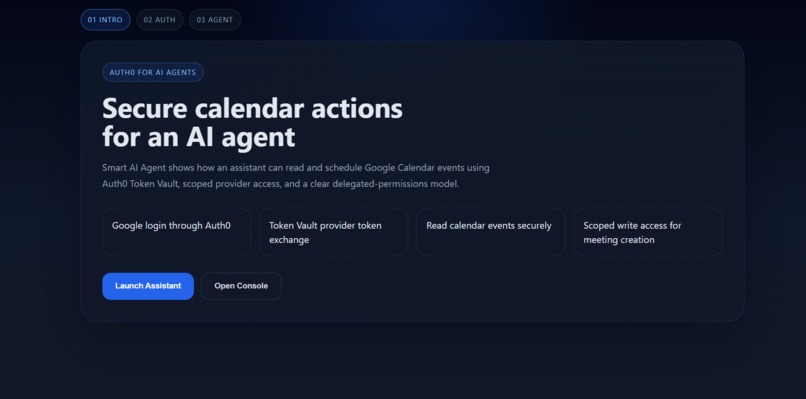
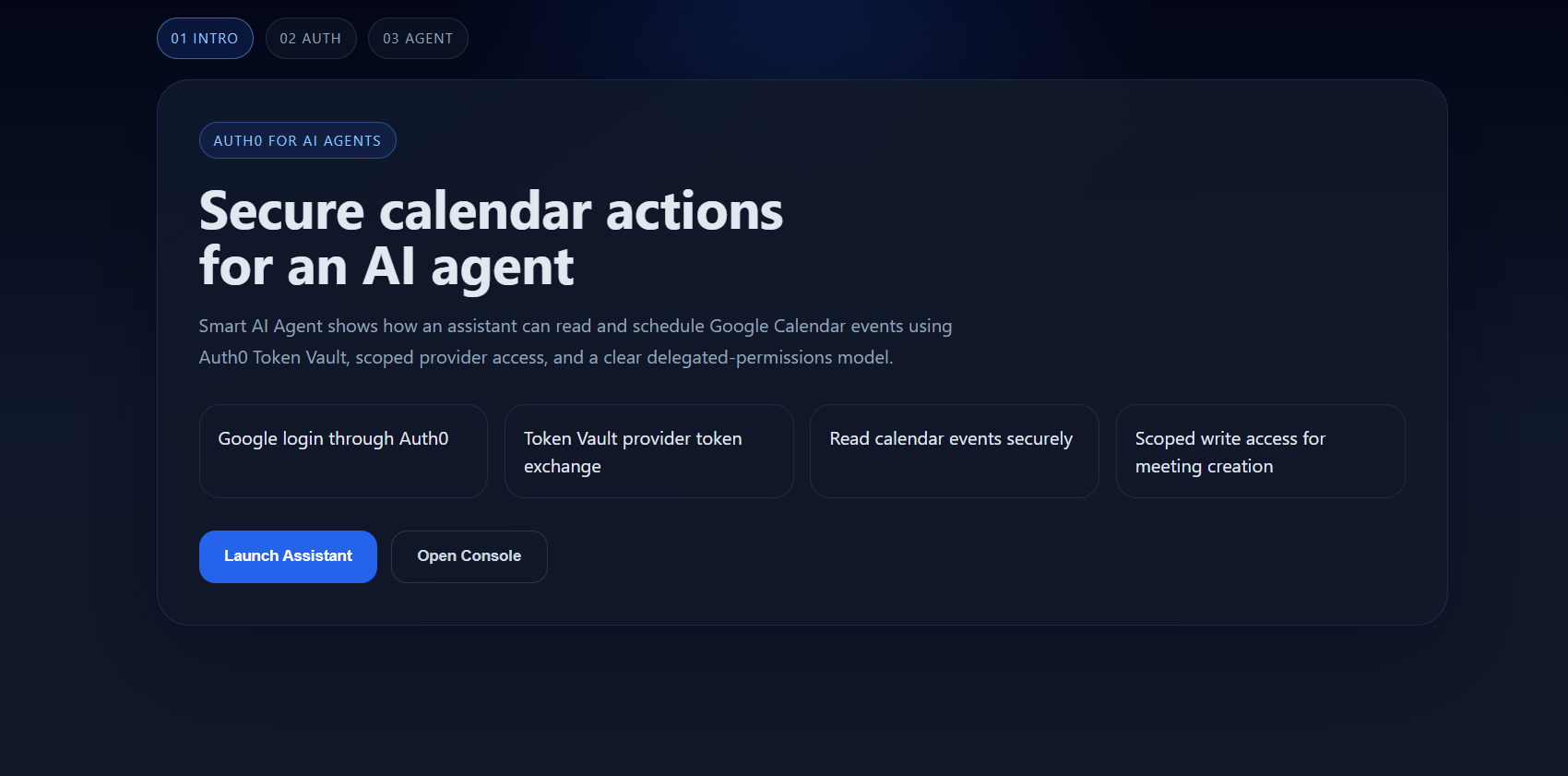
Main Page
-
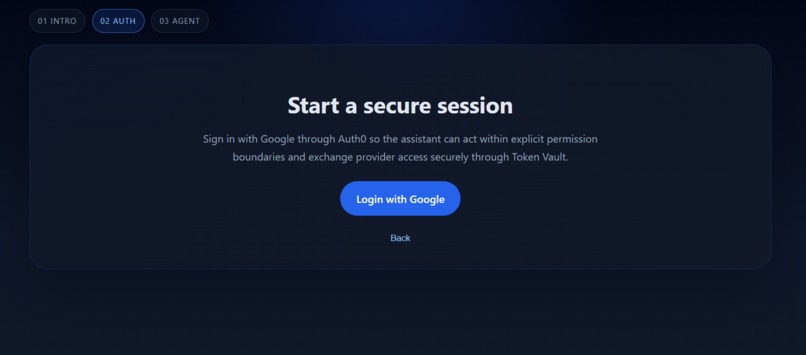
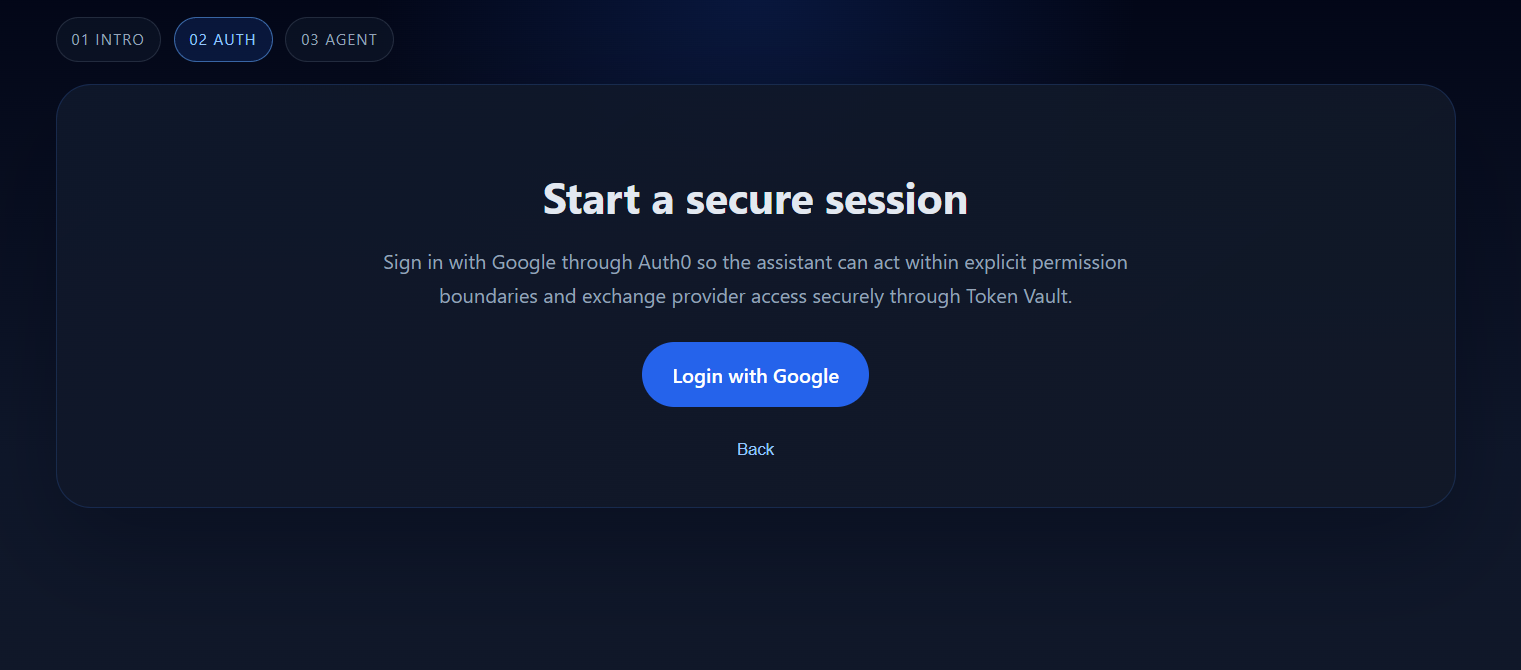
Login with google (add the same account you are using for google calendar)
-
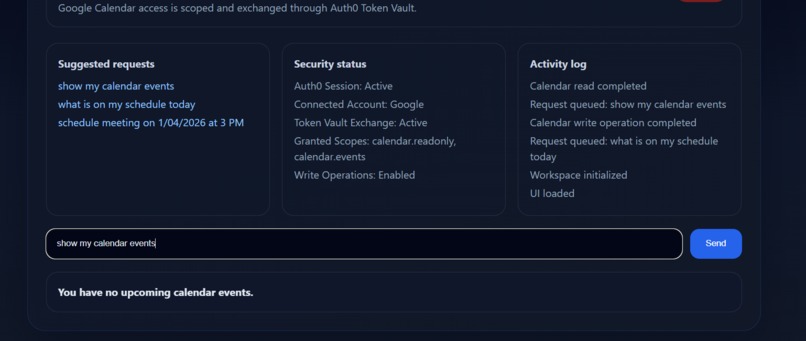
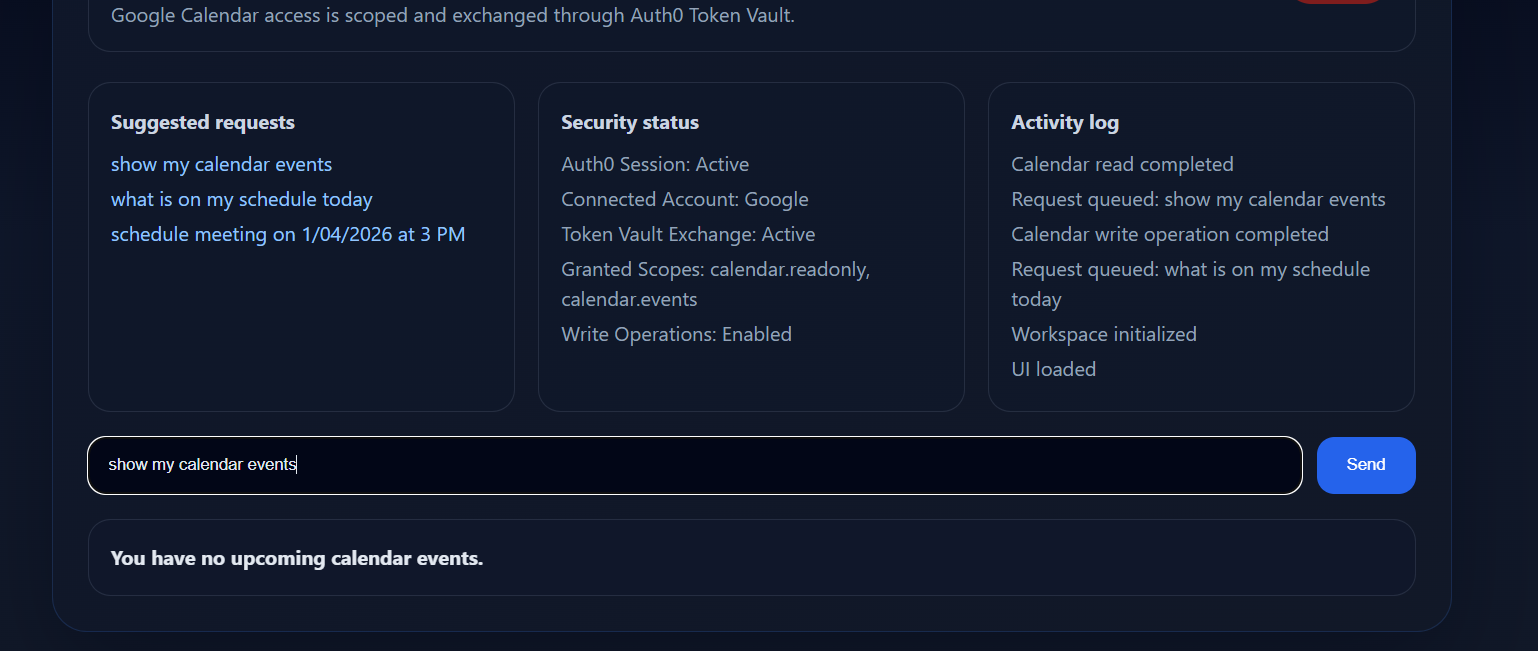
Showing my upcoming evnets at calendar
-
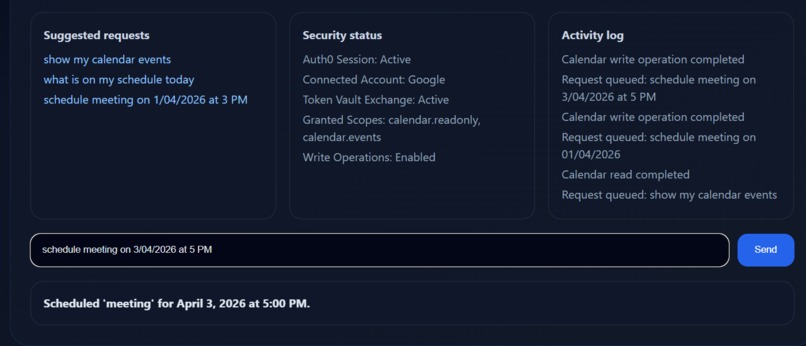
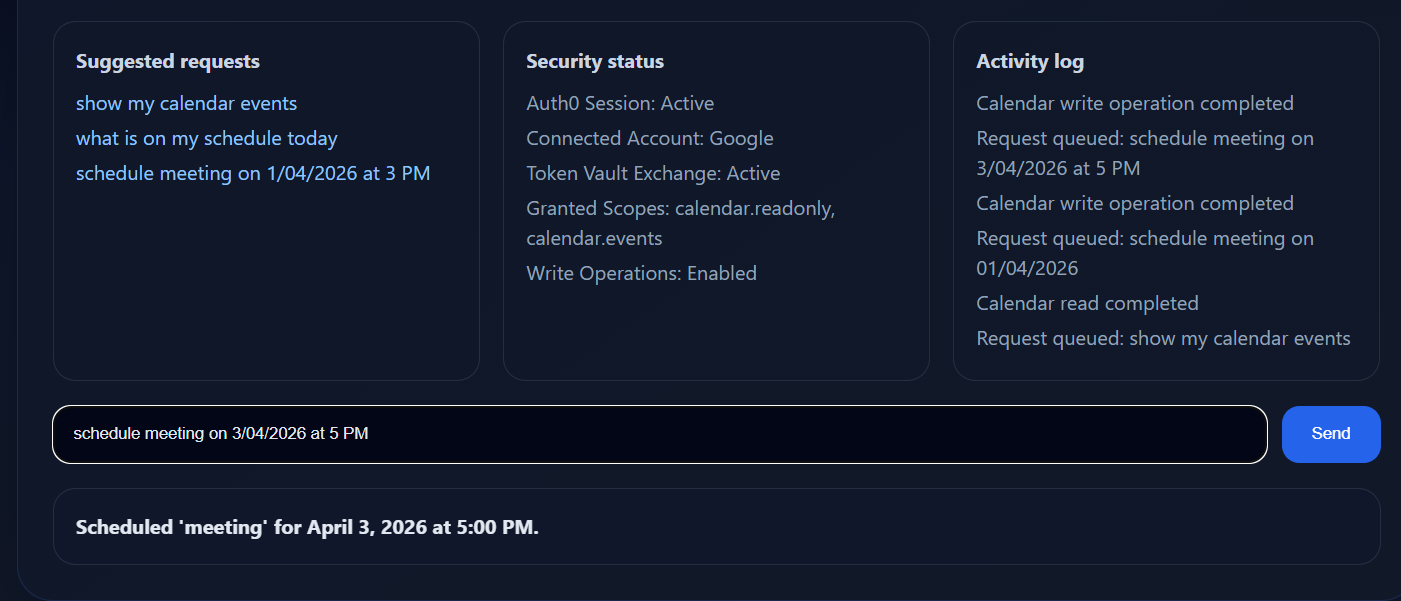
Giving command to schedule meeting at my google calendar
-
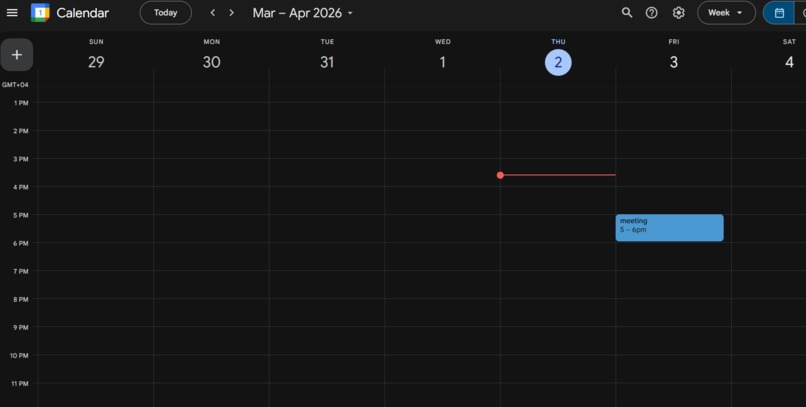
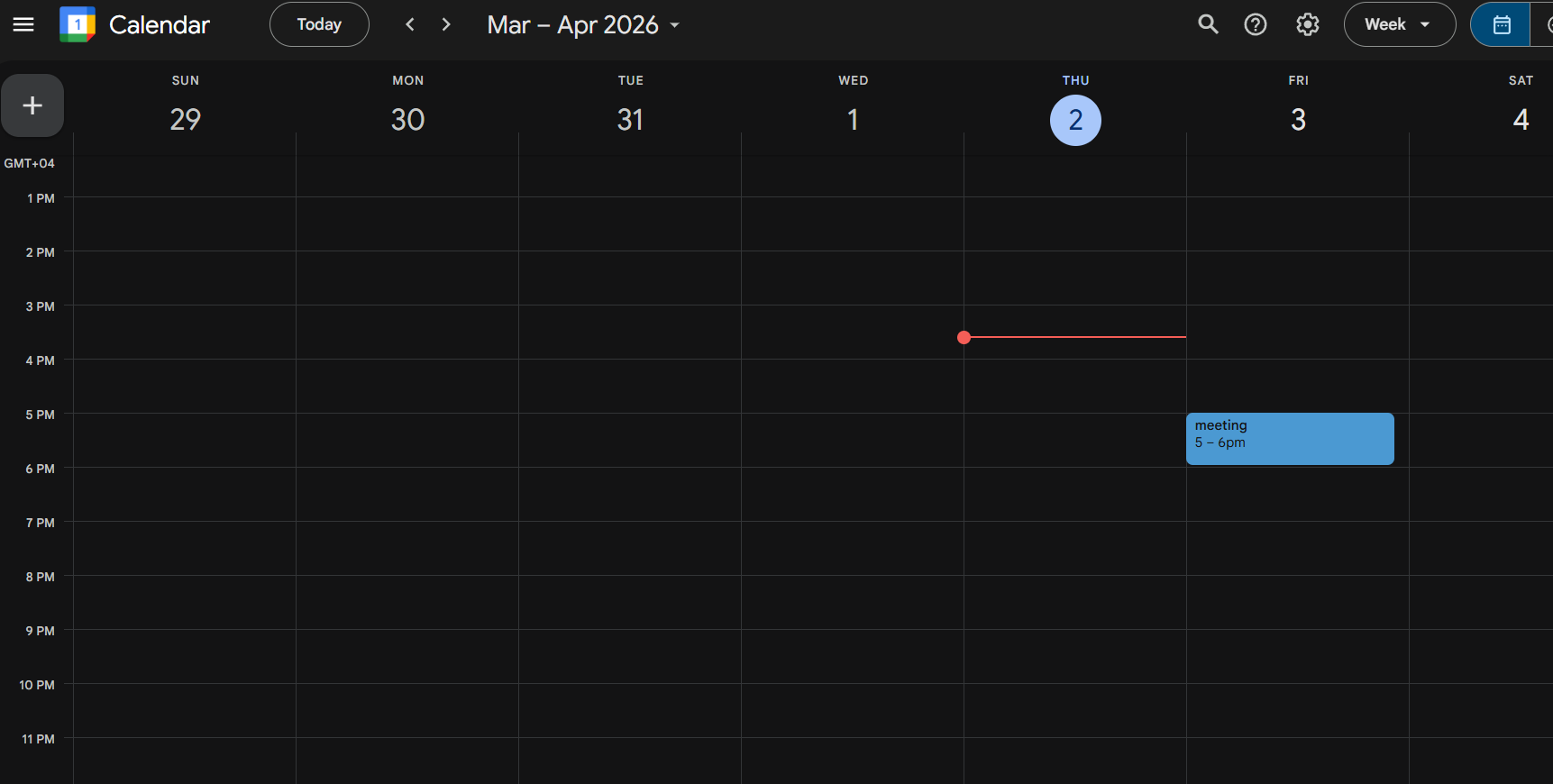
Prove of the exact command output at google calendar
Inspiration
AI agents are becoming more capable, but one of the biggest open problems is how they should access real user accounts safely. I wanted to build something that showed an AI assistant acting on behalf of a user without directly exposing raw third-party credentials. The Auth0 for AI Agents hackathon was a great chance to explore that problem through a real product.
Google Calendar felt like the right use case because it is practical, familiar, and easy to demonstrate. Instead of making a generic chatbot, I focused on a secure assistant that could read and schedule calendar events using Auth0 Token Vault.
What it does
Smart AI Agent is a secure AI calendar assistant that lets a user:
- sign in with Google through Auth0
- connect Google Calendar access through Auth0 Token Vault
- view upcoming calendar events
- schedule a meeting from a natural-language prompt
It supports prompts such as:
show my calendar eventswhat is on my schedule todayschedule meeting on 1/04/2026 at 3 PM
The key part is not just the chat interface, but the secure delegated-access flow behind it.
How we built it
We built Smart AI Agent with:
- Next.js
- React
- TypeScript
- Auth0 for AI Agents
- Auth0 Token Vault
- Google Calendar API
- Vercel
The flow works like this:
- The user signs in with Google through Auth0.
- Auth0 manages the connected account and delegated provider access.
- The backend exchanges provider access through Token Vault.
- The app uses that exchanged access to read or create Google Calendar events.
On the frontend, I designed a more technical UI with an intro flow, secure session step, and assistant console so the experience would feel like a real product rather than a basic prototype.
Challenges we ran into
The hardest part was not calling Google Calendar. The hardest part was getting the authentication and token flow correct.
Some of the biggest challenges were:
- understanding the difference between user login tokens and exchanged provider tokens
- handling connected accounts and Token Vault correctly
- configuring callback URLs and allowed origins across localhost and Vercel
- keeping local, GitHub, and deployed versions in sync
- debugging production-only login issues
- fixing timezone handling so scheduled events matched the intended local time
This project involved much more identity and deployment work than a normal API integration.
Accomplishments that we're proud of
I’m proud that the project works end to end in production:
- live app deployed on Vercel
- Google login working through Auth0
- Token Vault flow integrated into the app
- upcoming calendar events can be retrieved
- meetings can be created from natural-language prompts
- the app has a more intentional product flow than a default hackathon prototype
I’m also proud that the project demonstrates a real security model, not just a UI demo. It shows how an AI assistant can operate within explicit permission boundaries.
What we learned
The biggest lesson was that agent authorization is really an identity problem.
A useful AI agent needs more than language understanding. It also needs a trustworthy access model. I learned how important it is to separate:
- user authentication
- application access tokens
- provider access
- connected accounts
- token exchange
I also learned that production deployment introduces real differences in callbacks, cookies, environment variables, and runtime behavior. Getting those details right is essential when an agent is interacting with real user services.
What's next for Smart AI Agent
The next step is to expand Smart AI Agent into a broader secure productivity assistant.
Possible next features include:
- Gmail integration
- improved natural-language scheduling
- better permission and scope visibility in the UI
- stronger controls for higher-impact actions
- support for more connected tools using the same Token Vault pattern
The long-term vision is an AI assistant that can securely operate across a user’s tools while keeping the user in control through delegated access and a strong identity layer.
Bonus Blog Post
Building Smart AI Agent was much more of an identity and authorization challenge than I expected. At the start, the idea sounded simple: let an AI assistant log in with Google, read calendar events, and schedule meetings. But once I started building it, I realized that the hard part was not the Google Calendar API itself. The hard part was building the access flow correctly and securely. The biggest hurdle was understanding that “logged in with Google” is not the same thing as “ready to let an AI agent act on a user’s Google account.” I had to work through the difference between user authentication, application tokens, connected accounts, and exchanged provider tokens. That took time to understand, especially when some parts seemed to work locally but then behaved differently in production.
Another major challenge was callback and domain configuration. I had to debug login issues across localhost, Vercel, Auth0, and Google Cloud settings. A small mismatch in callback URLs, allowed origins, or environment variables could break the entire flow. That experience made me appreciate how much of secure AI-agent design lives in the details of identity infrastructure.
One of the most useful things I learned from this project is why Token Vault matters. Without it, it is tempting to treat an AI integration like a normal API-key project. But an agent acting on behalf of a user needs a safer model. Auth0 Token Vault helped me build that model by keeping provider access delegated and managed instead of exposed directly in the frontend.
I also learned that user trust is not just technical, it is presentational. That is why I spent time making the app feel more intentional and product-like instead of leaving it as a plain chatbot screen. I wanted the assistant to feel like a secure operator, not just a demo.
This project changed how I think about AI agents. The value is not only in what the agent can say, but in how safely and clearly it can act on behalf of a real person.
Built With
- agents
- ai
- api
- auth0
- calendar
- for
- next.js
- oauth
- react
- token
- typescript
- vault
- vercel

Log in or sign up for Devpost to join the conversation.