-
-
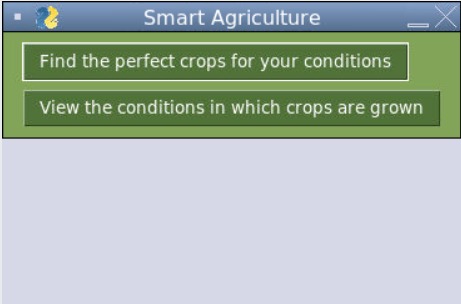
1. Menu
-
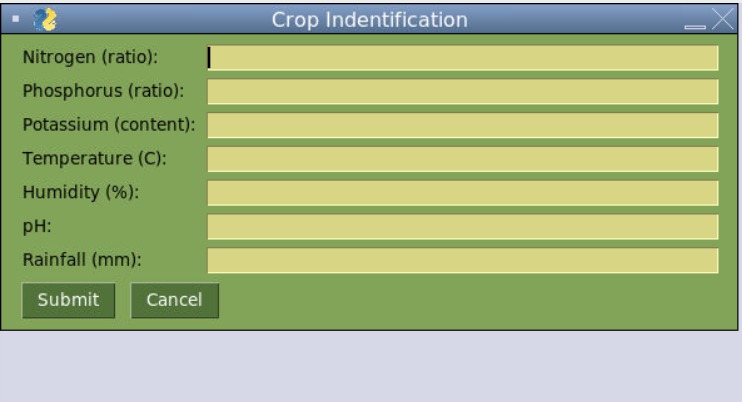
2. Crop Identification Input
-
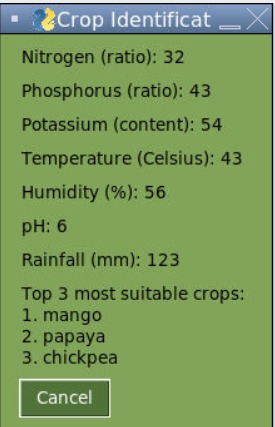
3. Crop Identification Output
-
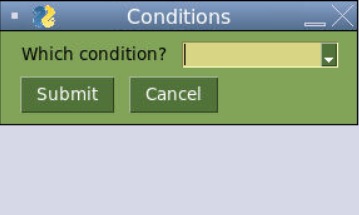
4. Crop Conditions Input
-
5. Crop Conditions Output Graph
Inspiration
The inspiration for this program is the hard work that farmers put into growing our food. On Thanksgiving, we eat a large dinner and give thanks to our family and friends. However, we often do not thank the people that grew the food. This application, which provides anyone who wishes to grow crops the ideal crops for their environmental and soil conditions and the conditions in which crops are grown, was developed to give thanks to the farming community and to encourage growing crops.
What it does
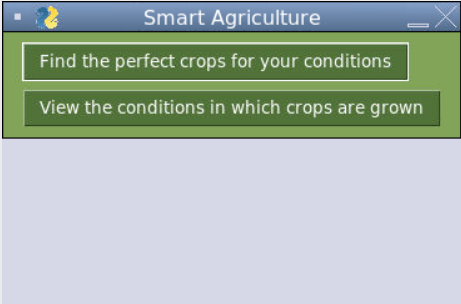
Menu When the user runs the program, they are presented with a menu. The user can choose to either select the option for finding the best correct crops for their soil and environment or choose to view graphs for the environmental conditions for various crops.
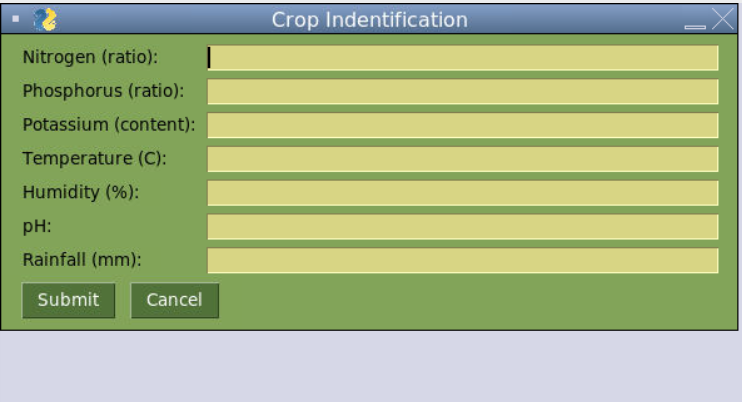
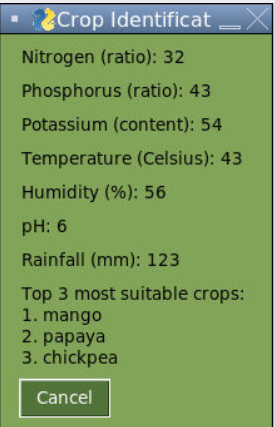
Find the perfect crops for your conditions If the user clicks on this button, a classification neural network model, MLPClassifier, is trained using Crop_recommendations.csv. Then, the user can enter the various soil and environmental conditions. After the user clicks submit, they are presented with the three most suitable crops for their soil and environment.
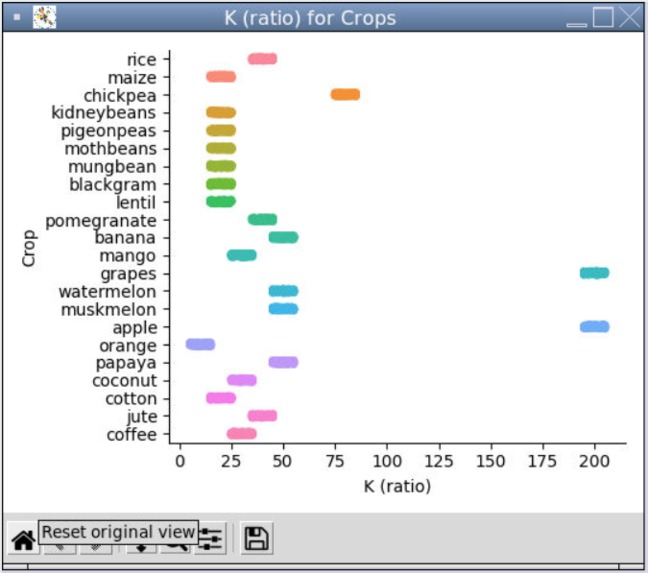
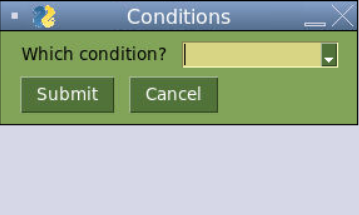
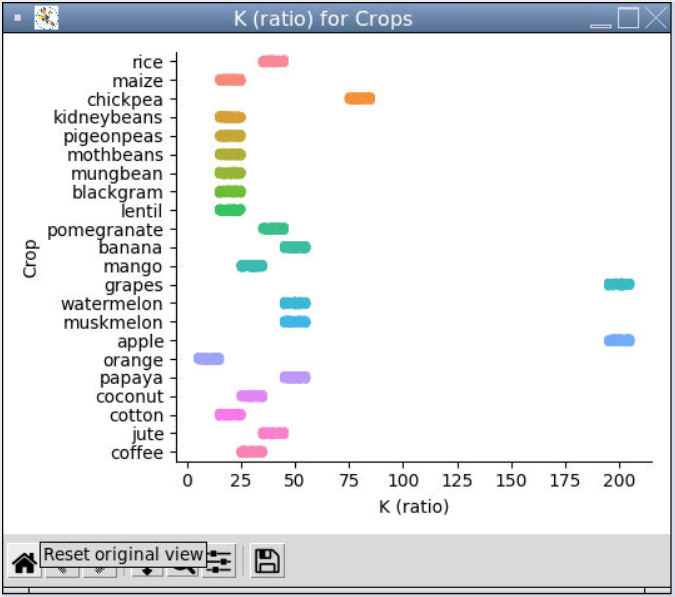
View the conditions in which crops are grown If the user clicks on this button, they are presented with a screen in which they can select the condition (Nitrogen, Phosphorus, temperature, humidity, pH, or rainfall) which they want to observe. After the selection is made, the user is presented with a plot that displays the crops (y-axis) versus condition with the respective unit (x-axis). This allows the user to identify the various ranges in which the various crops can grow. The data is drawn from Crop_recommendations.csv.
How we built it
The program is built on repl.it IDE in the Python language.
UI The UI was built using the PySimpleGUI package.
Crop recommendations The top three crop recommendations are made using the MLPClassifier classification model. The neural network model is trained using Crop_recommendations.csv, with all condition columns (all columns except the last) as the x_fit and the labels column (the column with the crop names) as the y-fit. The model is trained on real-world crop data collected by Atharva Ingle on Kaggle. The top three recommendations are made by utilizing the probability feature of the model. The probabilities of various classifications are calculated. The three labels with the highest probability are outputted for the user to see.
Conditions Graph The graph is plotted using seaborn's catplot and matplotlib. The graph utilizes the user's condition selection from the dropdown menu as the column from Crop_recommendations.csv that should be read for the values of the various crops. Each row is plotted on the catplot, creating a range in which the different crops are grown. For example, if the user selects temperature, the ranges in which the various crops are grown are visually provided to the user.
Challenges we ran into
This is the first time that I used pysimpleGUI. Therefore, it was difficult for me to learn how to create a GUI in the Python language. However, I was able to utilize documentation to get around any errors. For example, I did not know how to program proper navigation by using infinite loops until I saw the examples in the documentation.
This is my first time incorporating machine learning into an application. Therefore, I was clueless about how to find the top three classifications from MLPClassifier. I was only aware of its ability to assign classifications. However, through hours of research, I was able to find out that the model can be used to predict the probability of the various crop labels. I then utilized this functionality to display the three crops with the highest probabilities.
Using seaborn graphing with matplotlib was tricky. There were issues with displaying the graph and labeling axis. I was able to figure out workarounds by reading through StackOverflow.
Accomplishments that we're proud of
I am proud of utilizing machine learning techniques in a project for the first time. As written above, I was able to find solutions to various challenges that I faced in a short period of time.
I am also proud of creating a user-friendly UI for navigation.
What we learned
- I learned how to predict probability with sklearn's MLPClassifier.
- I learned how to use pysimpleGUI
- I strengthened my knowledge of event-based programming.
- I learned how to troubleshoot for errors in my program.
What's next for Smart Agriculture
- Image scanning for crops to diagnose crop health by using convolutional neural networks.
- Further refining the MLPClassifier model (presently around 97% accuracy)
- Expand training database with more crop types
- Make applications available for smartphones
- Refine validations
Built With
- mlpclassifier
- neuralnetwork
- pysimplegui
- python
- replit


Log in or sign up for Devpost to join the conversation.