-
-
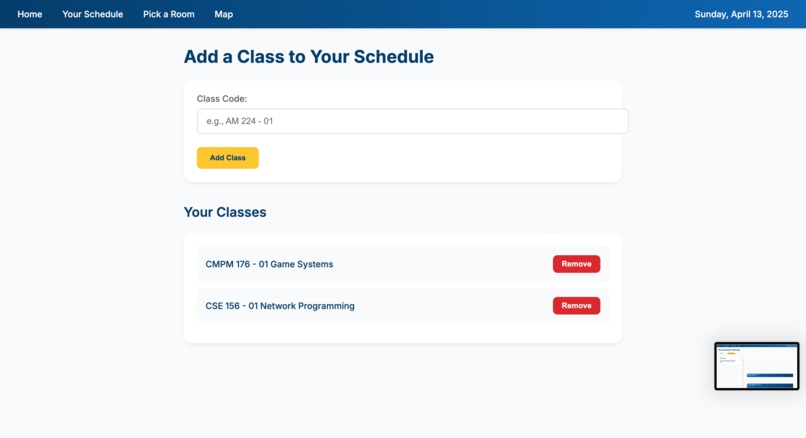
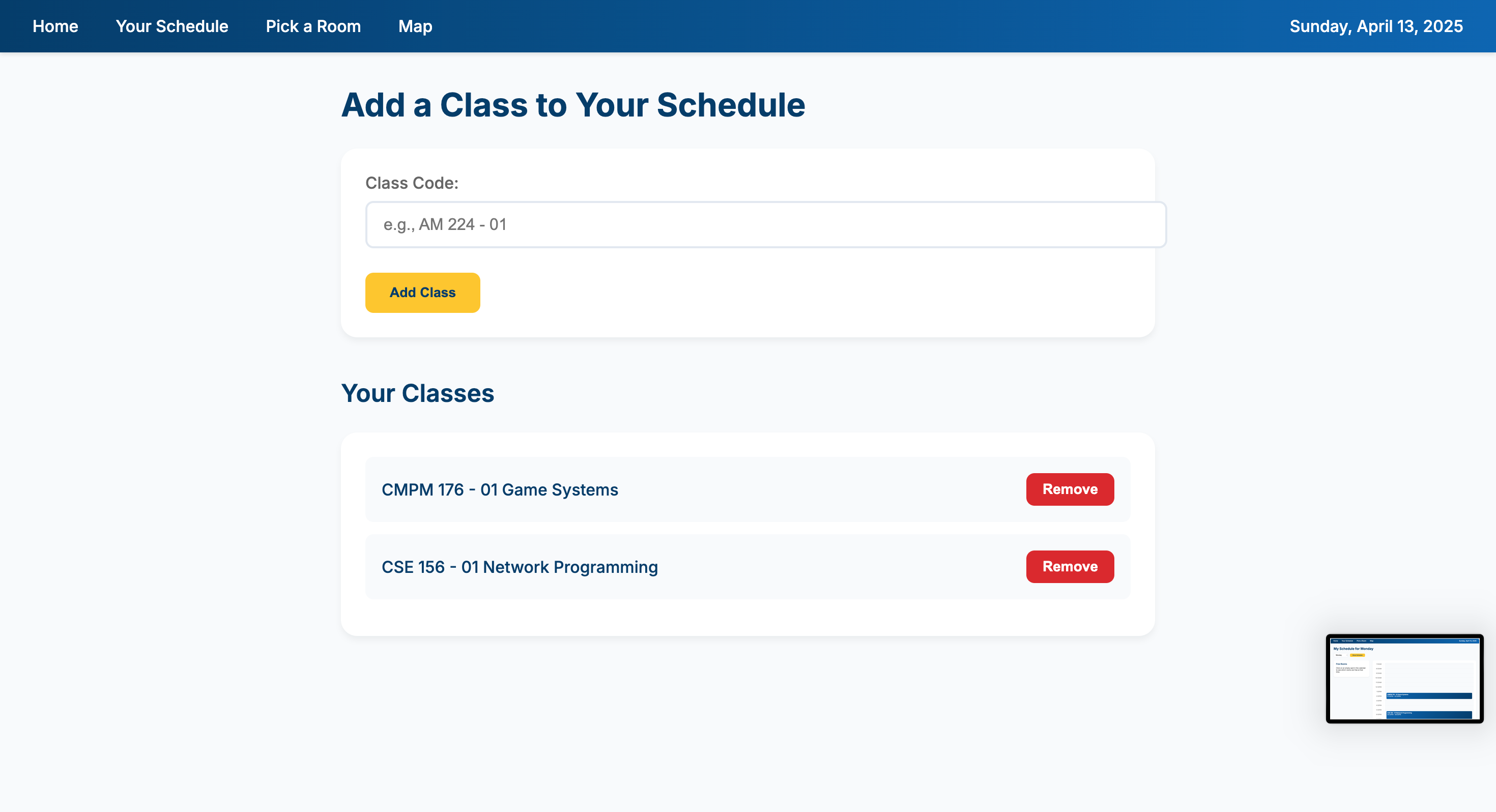
Add or remove a class to be shown in your calendar and map for study spots.
-
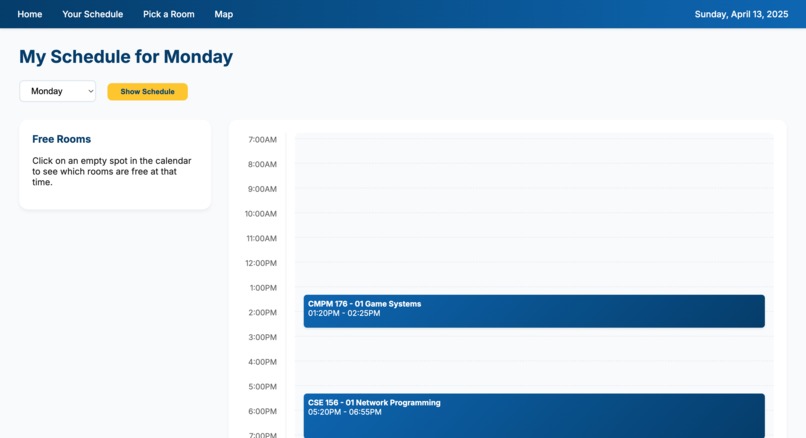
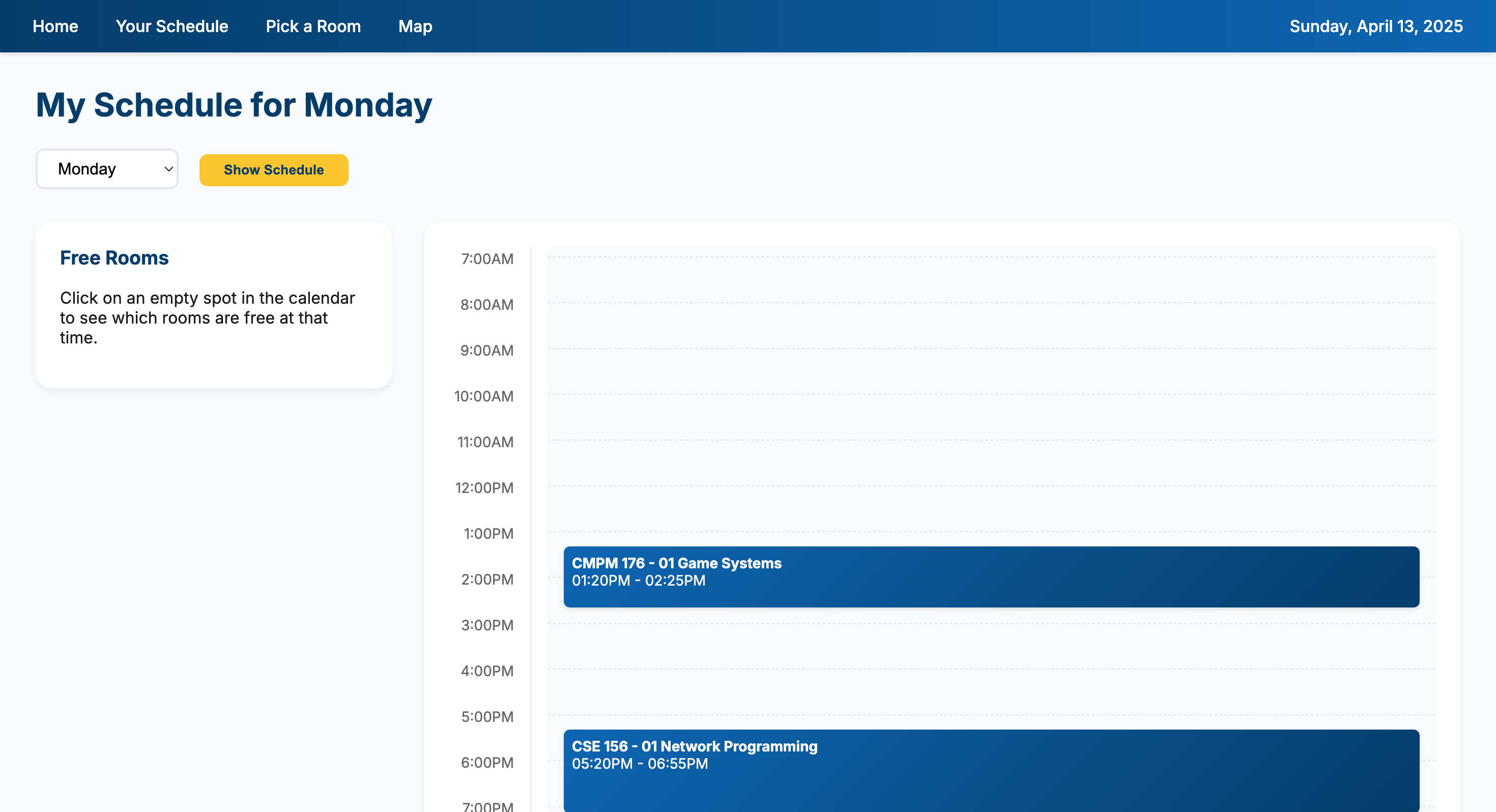
Home page with calendar of your schedule. You can click on the calendar in your free periods and it will display available rooms.
-
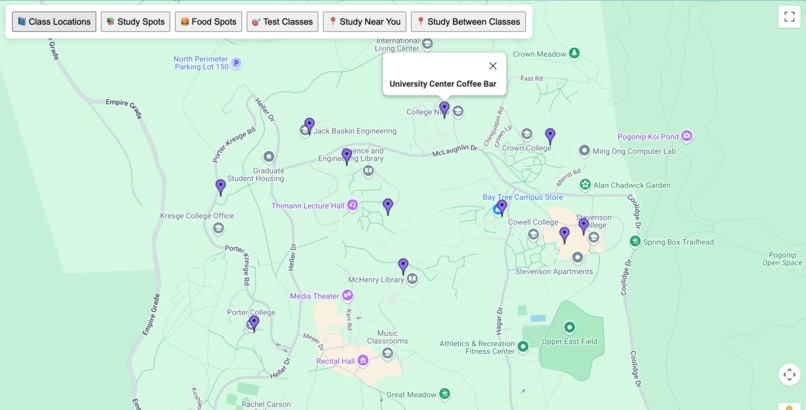
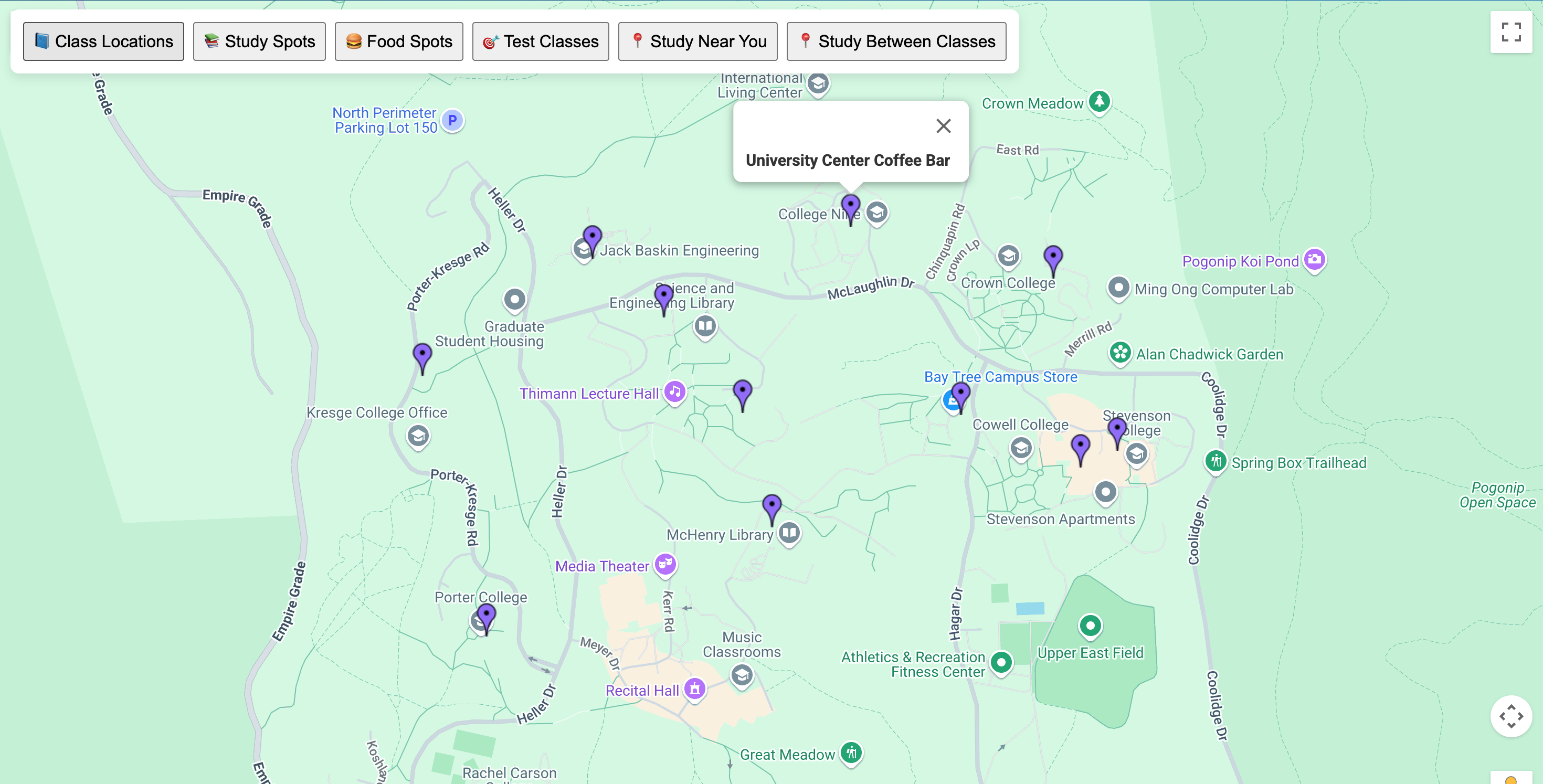
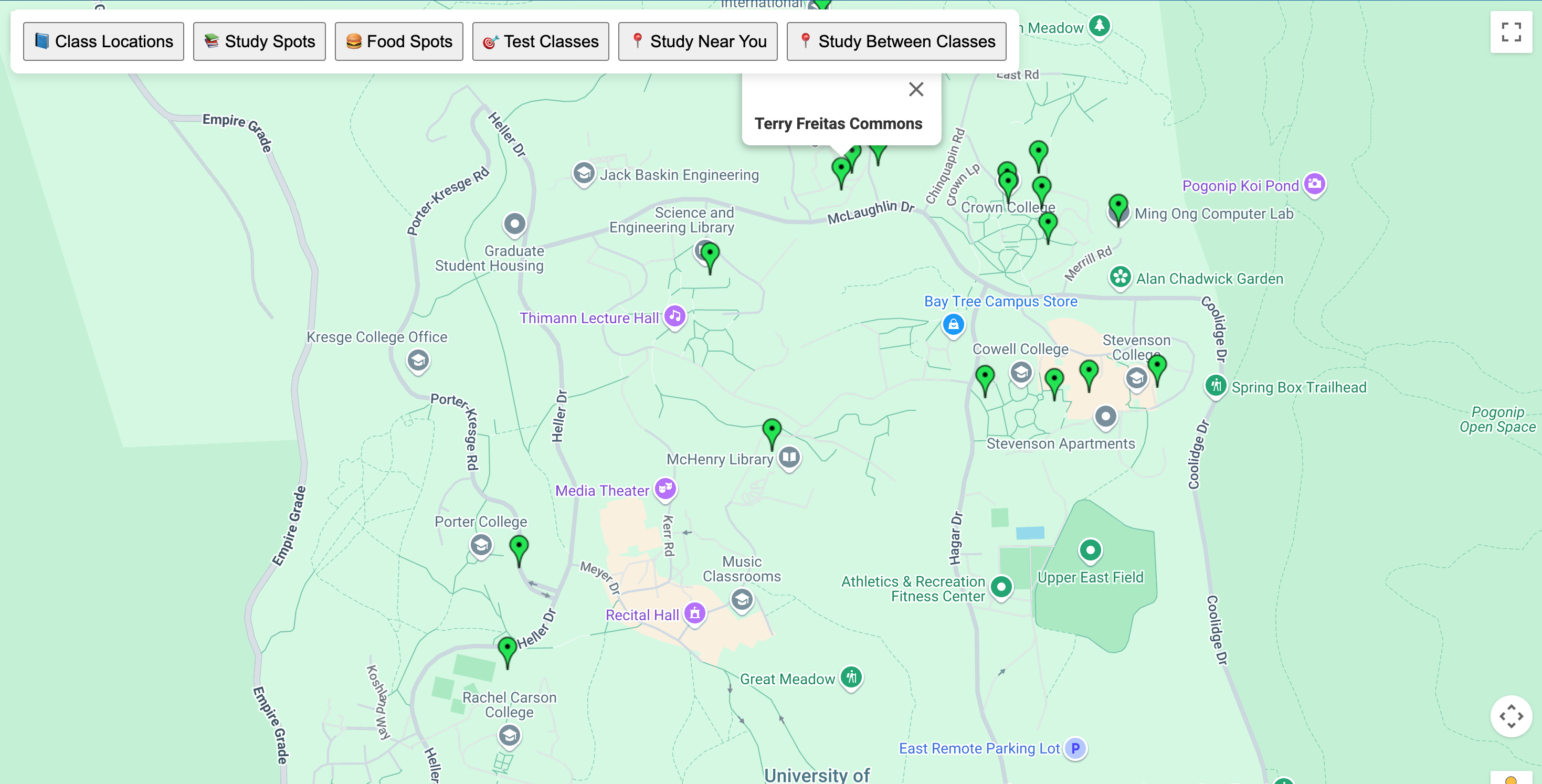
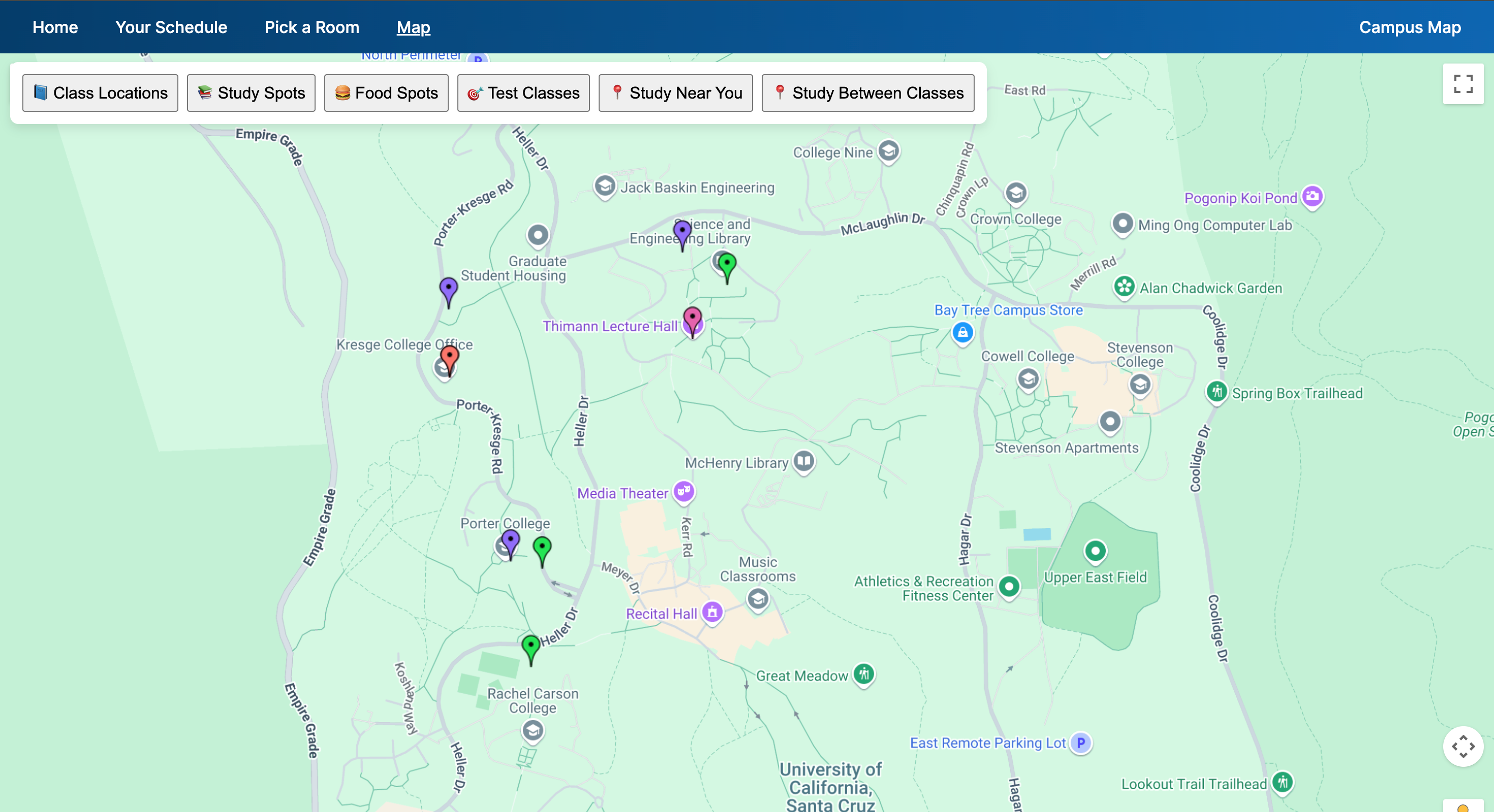
Displays all cafe/foodspots. These places are always open.
-
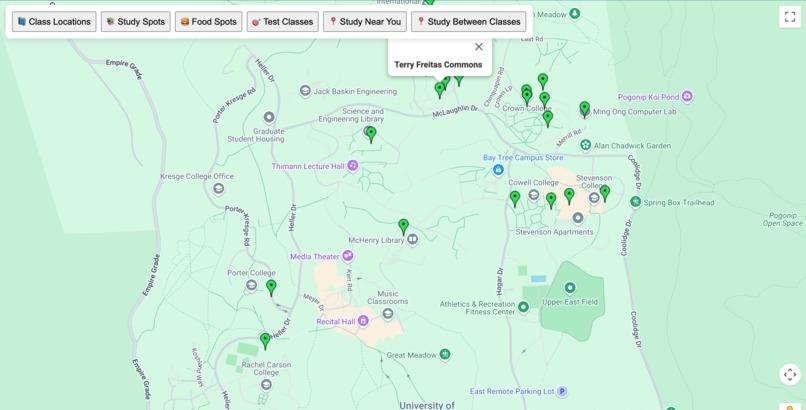
Display all open spots to study on campus(Namaste Lounge etc.)
-
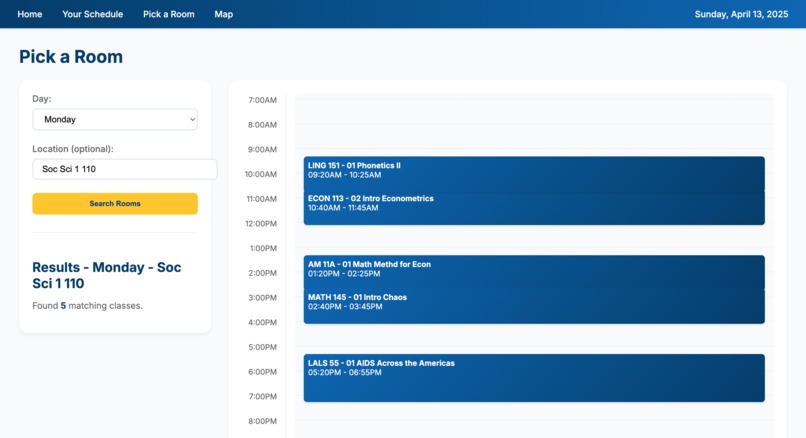
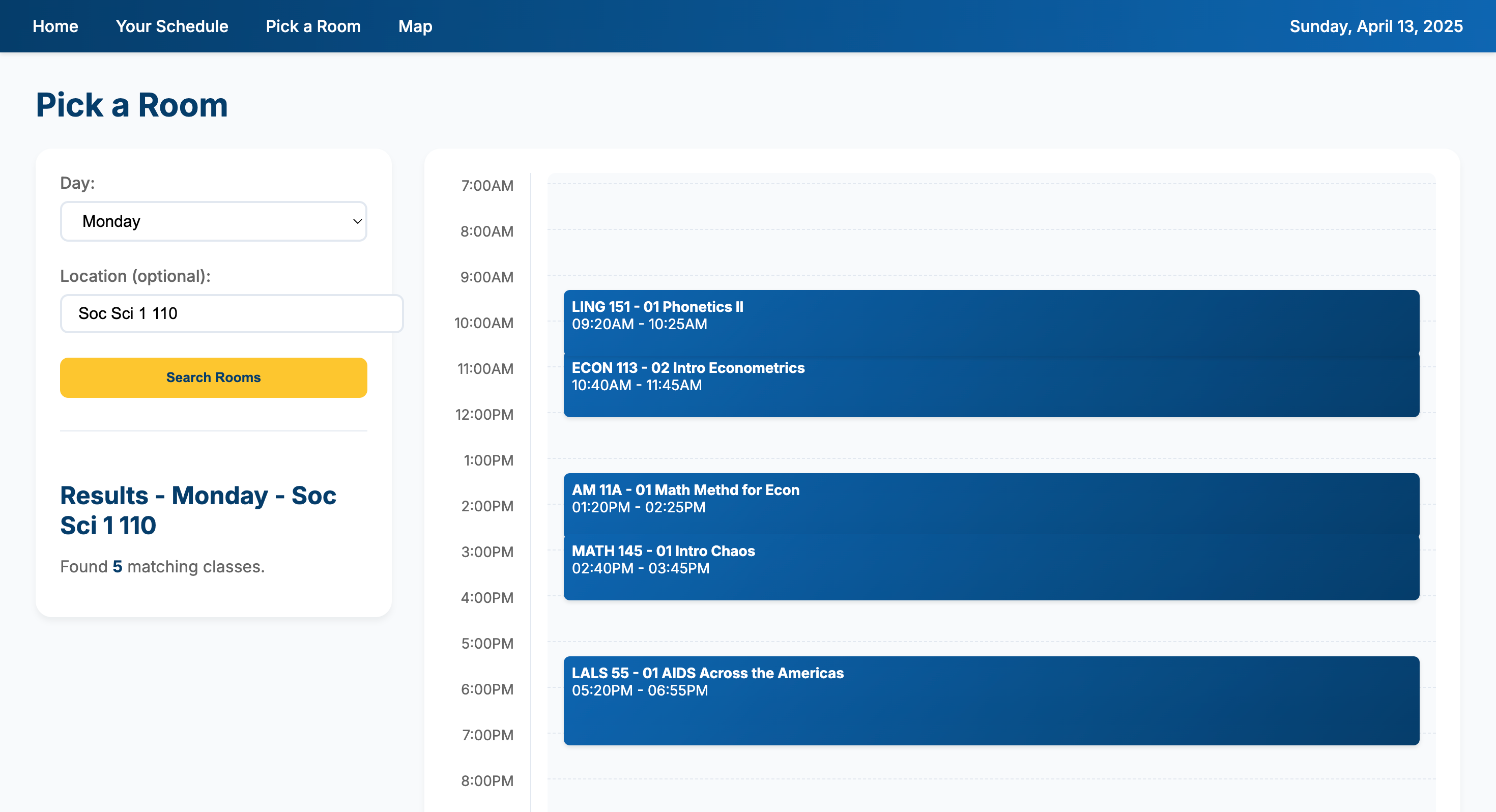
Input an on-campus location for any day and it will give you the schedule of the classes/discussions/labs for that specific room.
-
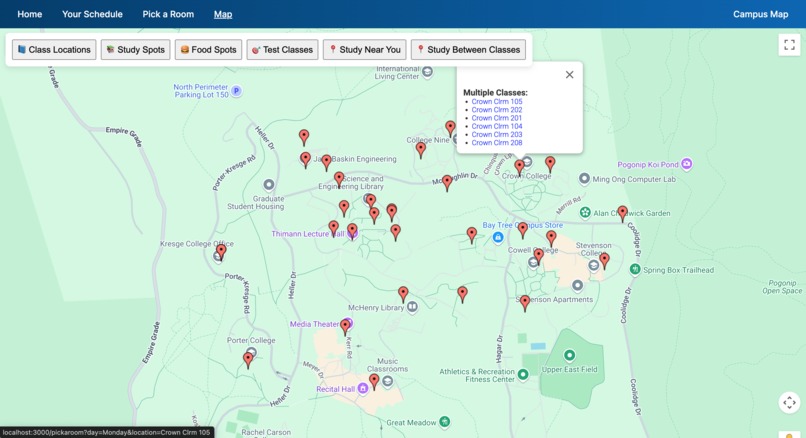
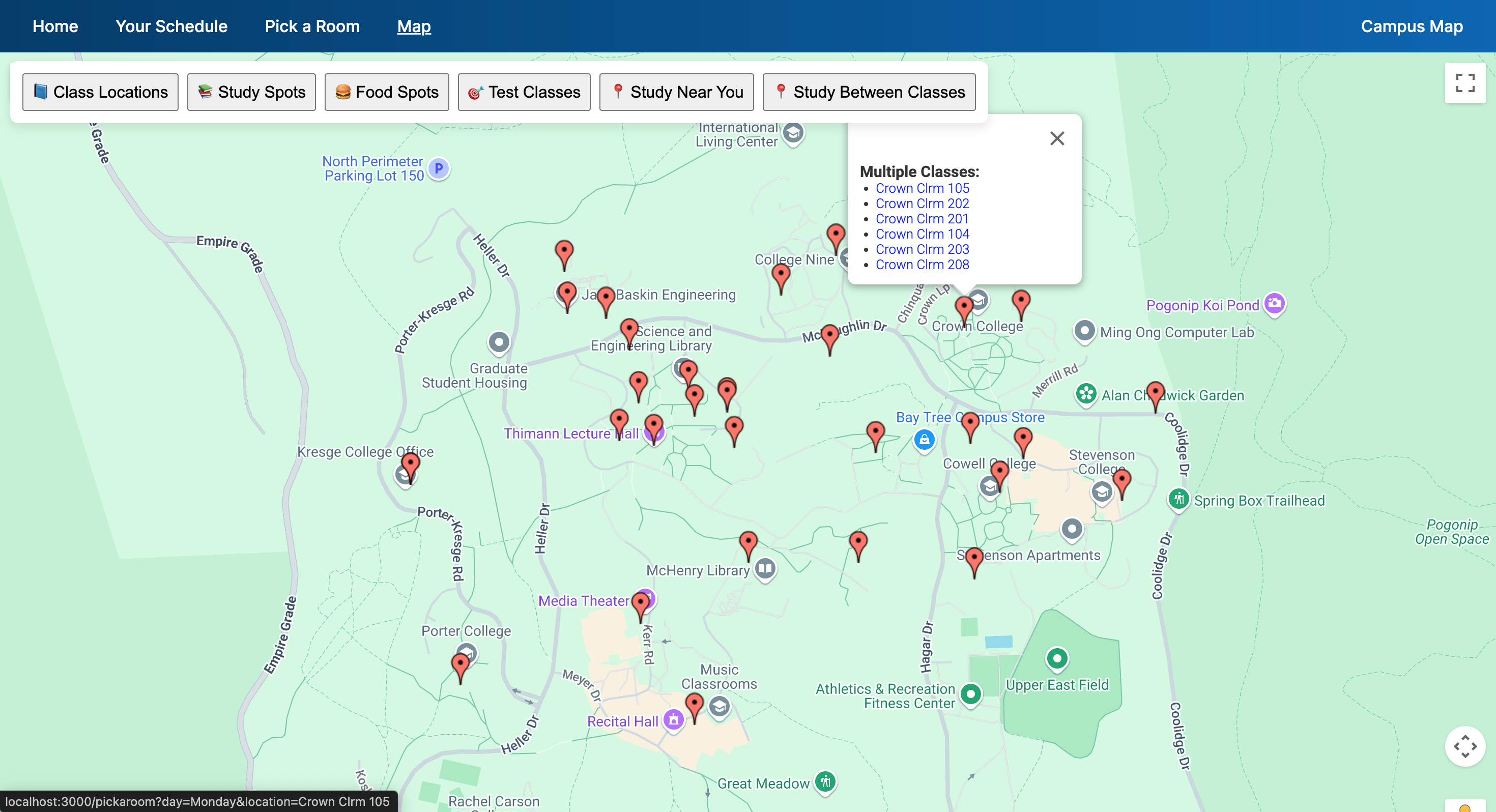
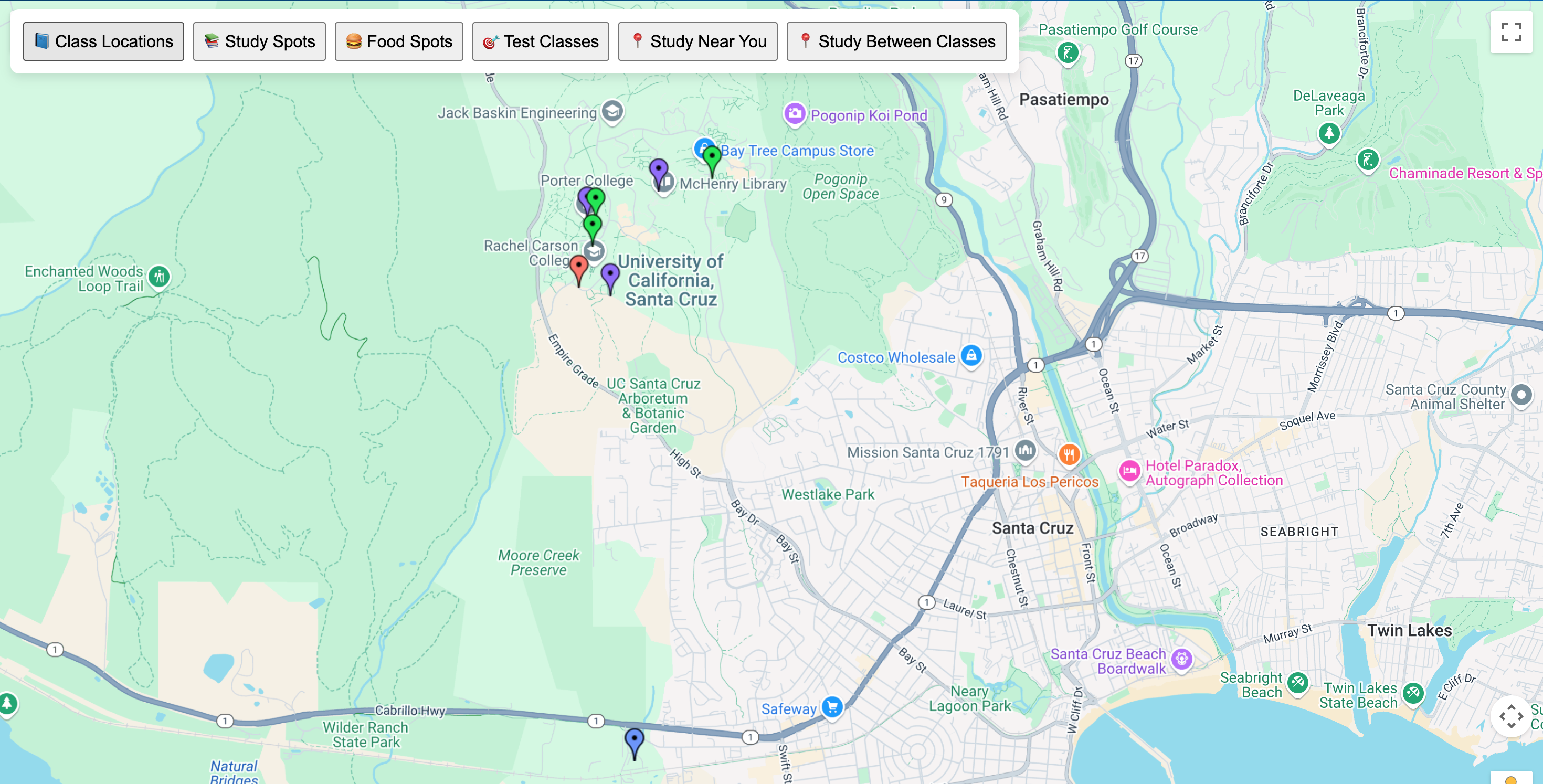
Display all classrooms. Some locations have multiple rooms; show as a dropdown when clicked on. Click on the room to see the room schedule
-
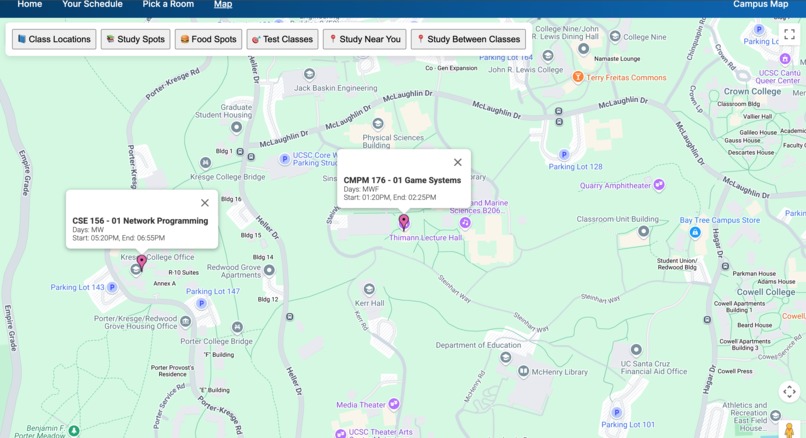
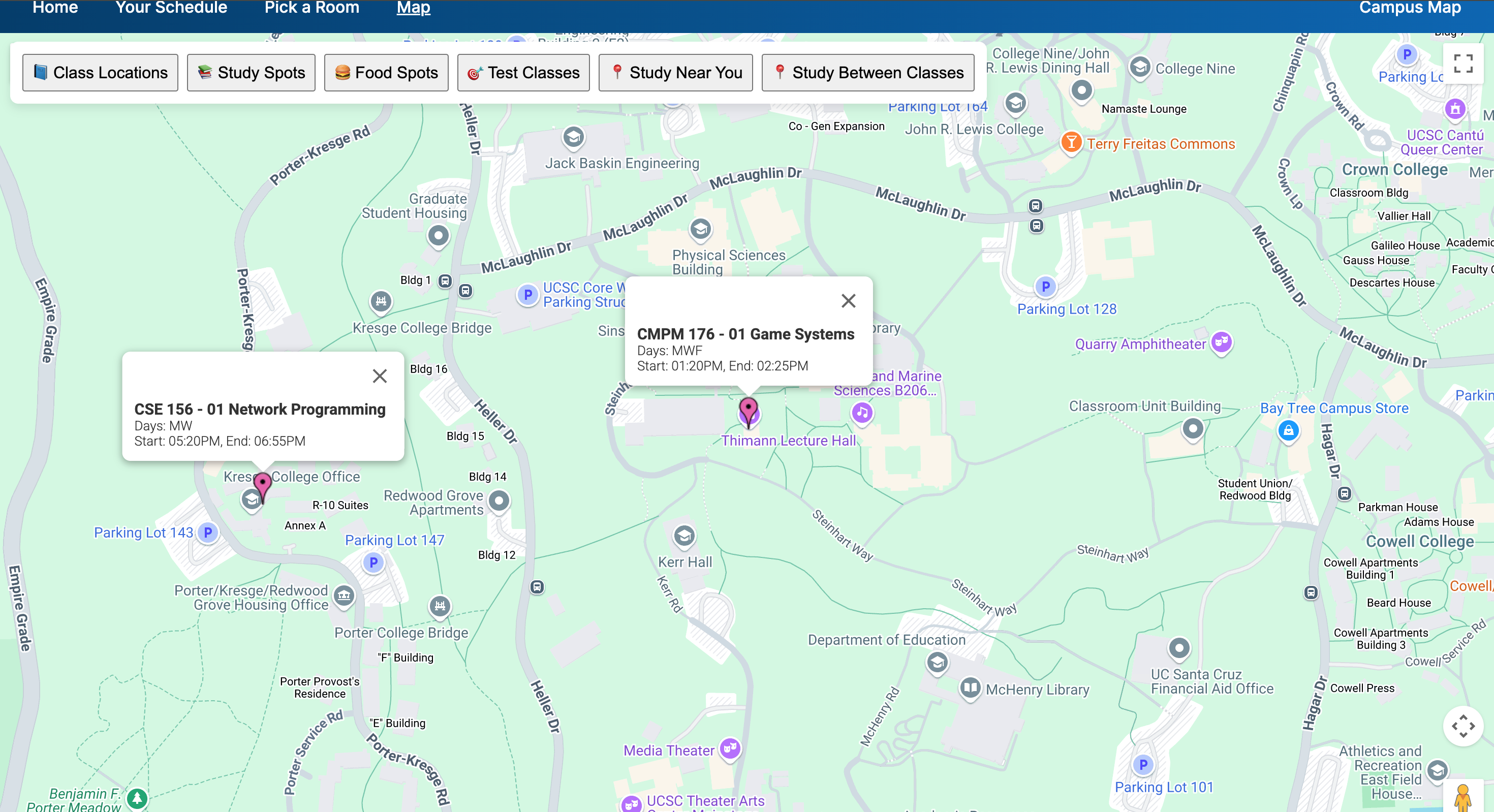
Display where YOUR classes are when clicked on "Test classes."
-
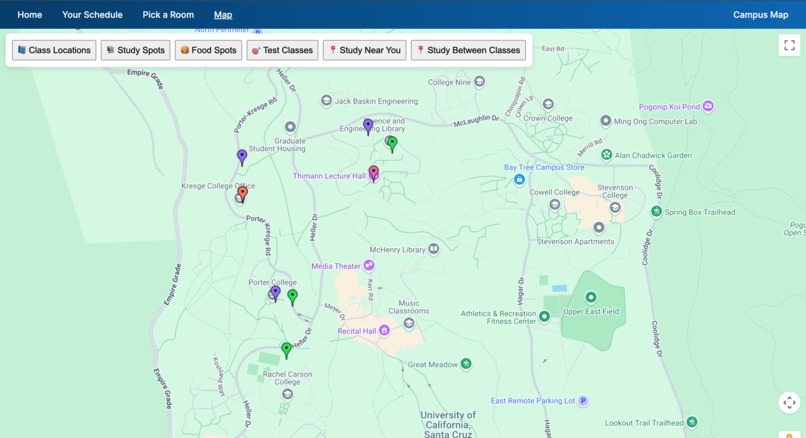
Finds the nearest open study rooms from your classes. It calculates the minimal distances between classes per room.
-
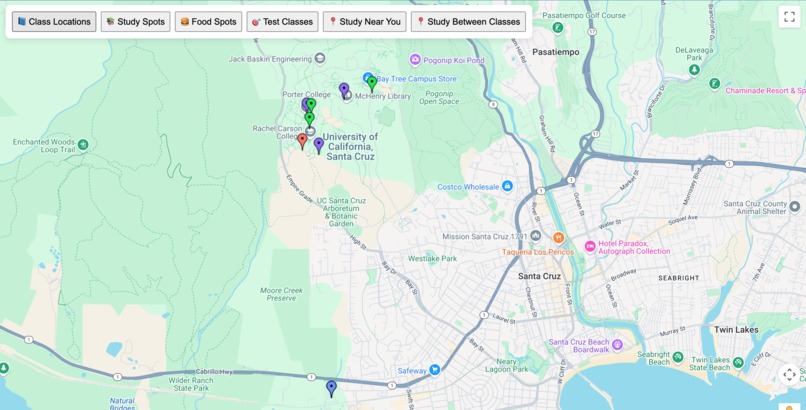
Finds the nearest open study rooms from your location
Inspiration
As students at UCSC that live off of campus, we always end up end up spending our time at one of the two main libraries; Science and Engineering, or Mchenry. While these are great locations to study, relax, and meet up with study groups/friends, we realized that there are times when we end up having to travel an absurd amount when these libraries are out of the way of our classes. We also realized that we have ended up limiting ourselves to taking advantage of all of the resources available on campus by going to only two study locations on campus that are booked up most of the time.
Our goal is to find nearby available classrooms, food spots, and study locations on the UCSC campus to make the most of your time between classes, so we built BananaBreak!
What it does
BananaBreak scrapes live UCSC class and discussions section data to figure out which classrooms are occupied and which ones are free at specific times within the day. Then it maps that data to easy to use frontend and a screen with a view of Google Maps that helps you
- find classrooms currently empty
- locate nearby study spots
- locate food options on campus
- find best placed on campus based on current location
- find study spots between your classes
How we built it
- Web scraping
- Selenium, BeautifulSoup to scrape live data from UCSC class search portal.
- Python (pandas) to preprocess the data
- Data Storage
- MongoDB Altas for easy access and history tracking
- Frontend
- Node.js and Express with EJS templates for easy navigation of classes
- Google Maps API for visualizing locations
- Backend
- render.com and .tech domain
Challenges we ran into
- Scraping Inconsisties: Scraping dynamic Javascript within the class search was difficult
- Data cleaning: took a long time to make sure the correct information was being parsed out, took a lot of trial and error
- Integrating both Google Maps API and the class search and free classroom finder was a struggle, but we were able to do it!
- We had lots of inconsistencies with the way we interpreted the scraped data and how we wanted to use it, so once we started connecting the backend with the frontend, we had to redo some parts so that all classes/spots were accounted for.
- Tried to use a different map visualization api, but found that there were a lot of inconsistencies with addresses and had locations that we could not find addresses for, so we had to improvise. Faced a similar problem again with Google Maps API, but we tinkered around with the commas within the dataset.
Accomplishments that we're proud of
- Successfully scraped entire classroom availability from UCSC, and automated to MongoDB
- Built interactive map-based UI that shows live data (never used Google Maps API before)
- Deployed a fully working product(calendar, add/remove class, room schedule)
- Took a problem we face every day as students and turned it into a creative, deployable solution
- Encouraging students to discover more of campus rather than what they feel comfortable with
What we learned
- Applied what we learned about end-to-end systems with Python, Pandas, and MongoDB
- MODULARIZATION is so important and saved us when trying to integrate our individual parts and when trying to improve on features
- Learned more on node.js and express (we had never made such hefty applications with these tools before)
- DNS concepts such as A records, CNAME, and TTL values
What's next for BananaBreak
- Focus on secondary lab locations for a small number of classes
- Add a social feature so students can see which spots are trending or where friends/study groups are meeting up between classes
- Improve upon our algorithm for finding close by classes/classes in between
- WRITE TESTS to verify the work we did, specifically with weird address locations
- Incorporate outdoor spaces and try to find either addresses for these places, or direct coordinates (effective for bench areas)
- Switch to MapBox from Google Maps API


Log in or sign up for Devpost to join the conversation.