-
-
Fixed Scale Thumbnail
-
-
-

UCSC Mascot Icon

Slug Tracker
Hello! Welcome to our hack!
For this year's CruzHacks, as UCSC students, we decided to focus on an app which reminded us of our school's campus and inspired people to get outdoors during this time of increased isolation. As such, we came up with Slug Tracker, though it is about more than just slugs!
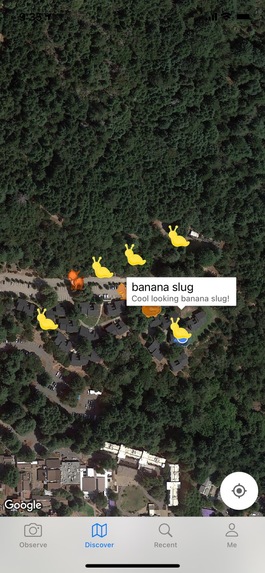
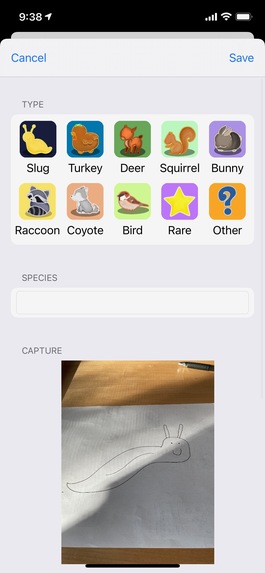
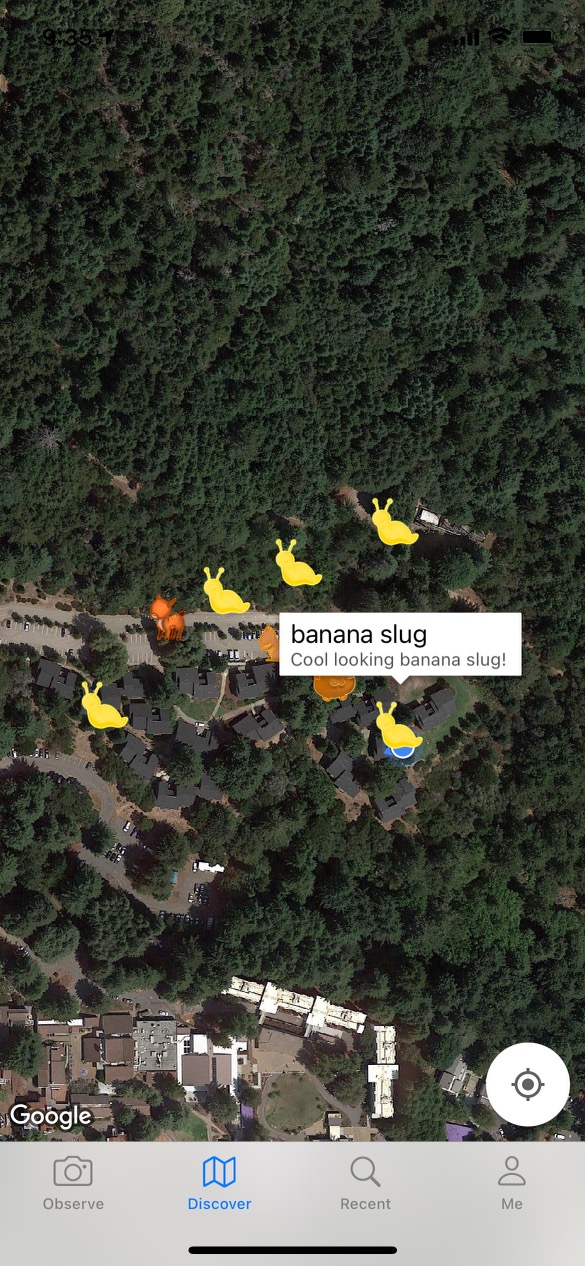
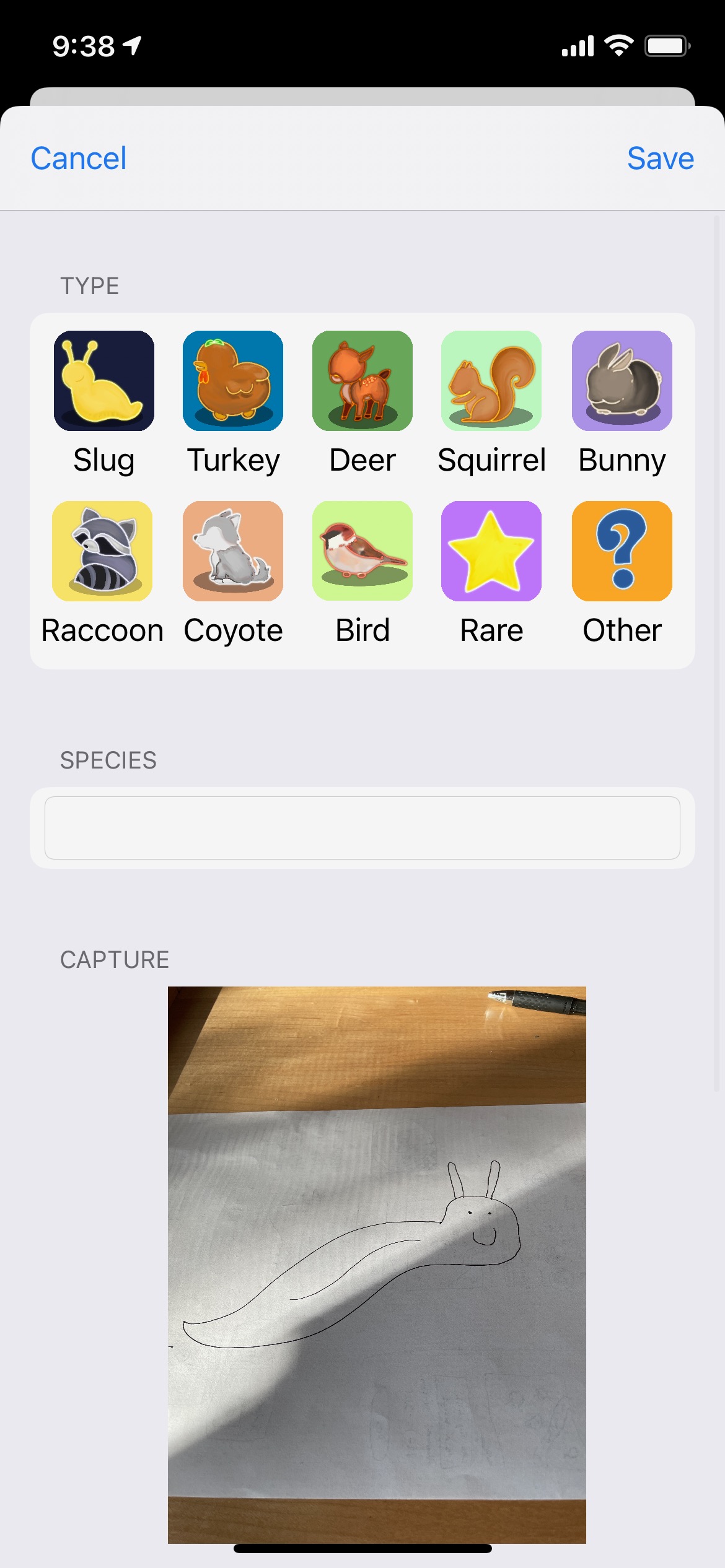
Slug Tracker is a unique app which allows users to take pictures of slugs and any other wildlife they encounter while exploring the outdoors, especially on the UCSC campus. They can simply open the app, aim the camera, and click to add a species label, a short description of the slug's activities, and choose which category to post it under. Users can then see a map of recently-reported "discoveries" in their area, showing them where to go to find elusive banana slugs, or where to avoid in case of the occasional campus coyote.
Our app's main goal is to increase the mental health and happiness of those seeking to be reminded of what it was like on campus during simpler times, when the sidewalks were busy with students, but the forests remained quiet and teeming with life. Our team's artist designed lovely, warming icons to represent each of the 8 most common species, including: banana slugs, turkeys, deer, squirrels, rabbits, racoons, coyotes, and even birds; but there's also a rare icon and an other option, too. If our app could even do a little to inspire people to spend more time outdoors, and pay attention to the life around them, it would be a welcome success for us.
We've had this idea since last year's CruzHacks, and are glad that we were finally able to implement it during this time. While it does take 24-48 hours for an app to be approved for the App Store, we do intend to continue work on and publish the app for iOS. Hopefully we are able to make some people's days!
Jasha, Daniel, Will & Tan
Competition Category Notes:
- Best Cruz Hack: What better embodies Santa Cruz & UCSC than banana slugs, turkeys, deer, or similar wildlife?
- Health Hack: We're trying to support mental health- it's well known that spending more time outdoors can help.
- Google Cloud: Backend incorporates Google Cloud App Engine, Google Cloud SQL, and Google Cloud Storage
- Best UI/UX: All artwork within the app was custom-drawn to feel warm & cozy. Thank you Jasha!
Technical Details:
Front End:
- Written in Swift 5 for iOS 14.3
- Google Maps API used to place coordinate markers on satellite map
Back End:
- Python 3.7 Flask application running with gunicorn WSGI server
- Deployed on Google Cloud App Engine
- Google Cloud SQL Database (MySQL 5) used to host "discovery" metadata, image URLs, and login information
- Google Cloud Storage buckets used to host images uploaded by users, and provide a public URL to view them
Technical Challenges:
To say that we encountered no significant issues would be a massive lie. We struggled a fair amount, especially since we were learning Swift on the fly (upon doing research, we found out it was most similar to Haskell, F#, and OCaml compared to what we knew: Python, C, PHP, and Java). The fact this is being written at 6:30am says something!
Our primary issues, aside from quickly learning Swift and XCode development in 48 hours, were primarily centered around transferring files and data to and from the Flask application via Swift. Very simple tasks such as decoding a JSON array, or sending a POST request, could take 2 lines in Python, however may take a dozen or 20+ lines in Swift. Along with this, Swift changes rapidly, and tutorials from even a year ago were buggy and outdated in newer Swift versions, leaving us to piece together solutions across dozens of sources, and we had to ask for help multiple times. However, having our solution finally work after hours of failures was incredibly rewarding to us!
Built With
- flask
- google-cloud
- google-cloud-compute
- google-cloud-sql
- google-maps
- ios
- python
- swift


Log in or sign up for Devpost to join the conversation.