Inspiration
As a final-year B.Tech Computer Science Engineering student, I have experienced firsthand how difficult student life can become when assignments, exams, projects, internships, deadlines, and personal responsibilities all start competing for attention.
Looking back at my university journey, I realized that I have collected many lessons and, honestly, a few regrets about how I managed my time and priorities.
I cannot go back and change those experiences. But I can try to make sure other students don't have to face the same problems.
One thing my father has always told me is:
"If you are sincere and dedicated, you can achieve anything in this world."
I believe sincerity and dedication become much more effective when you know what to prioritize and where to spend your time.
That idea became the foundation of SLOS — Student Life Operating System.
Instead of making students use one application for tasks, another for schedules, another for focus sessions, another for productivity tracking, and separate AI tools for understanding academic documents, I wanted to bring these concepts together into one student-focused system.
The goal was simple:
Turn academic chaos into clarity.
What it does
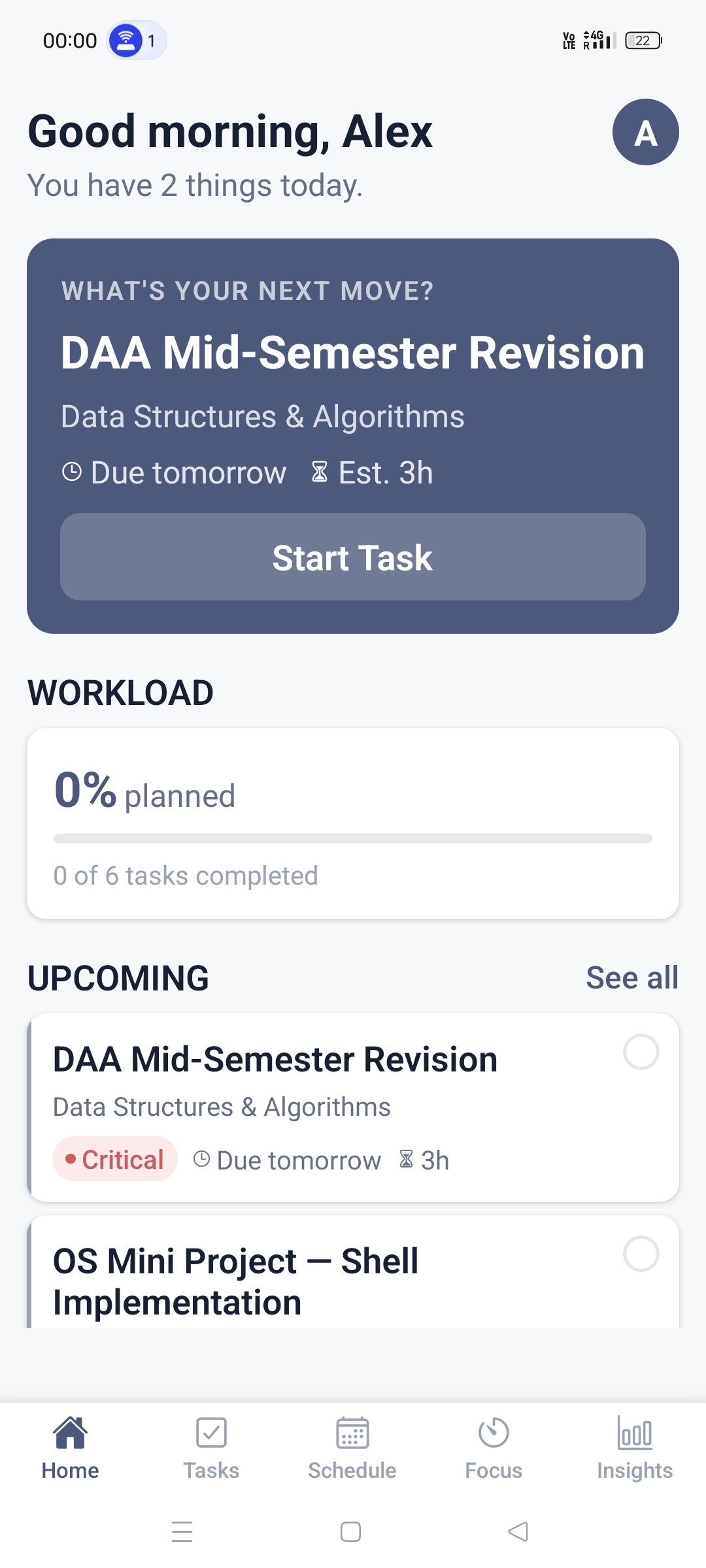
SLOS (Student Life Operating System) is a cross-platform productivity application designed specifically around the challenges students face in managing their academic lives.
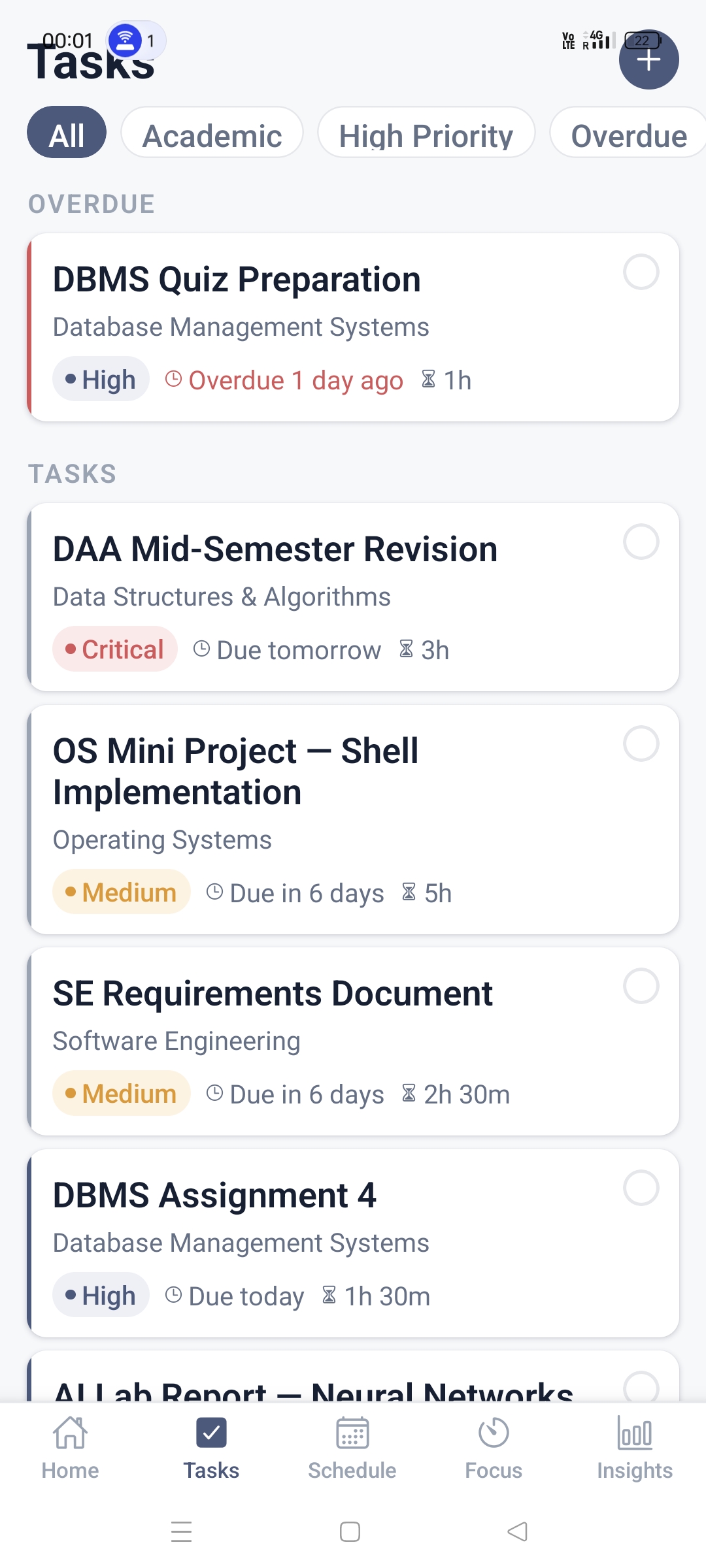
SLOS helps students:
- Create and manage academic tasks
- Organize assignments, exams, projects, and deadlines
- Prioritize tasks based on urgency and importance
- Plan their workload
- Track task completion and progress
- Enter focused work sessions through Focus Mode
- View upcoming responsibilities from a single dashboard
- Use AI to analyze academic information and generate actionable tasks
AI-Powered Academic Planning
One of the main features of SLOS is its AI integration.
Students can provide information such as:
- Exam timetables
- Syllabus documents
- Assignment PDFs
- Project requirements
- Screenshots containing deadlines or schedules
The AI analyzes the information and helps transform unstructured information into structured tasks.
For example, if a student provides an examination timetable along with a syllabus, SLOS can help generate relevant study tasks and organize them according to deadlines and priority.
Instead of simply asking:
"What tasks do I have?"
SLOS is designed to help answer:
"What should I work on next?"
Intelligent Prioritization
SLOS is also influenced by productivity techniques such as the Eisenhower Matrix, which separates tasks based on:
- Important + Urgent
- Important + Not Urgent
- Not Important + Urgent
- Not Important + Not Urgent
This helps students focus on what actually matters instead of treating every task as equally important.
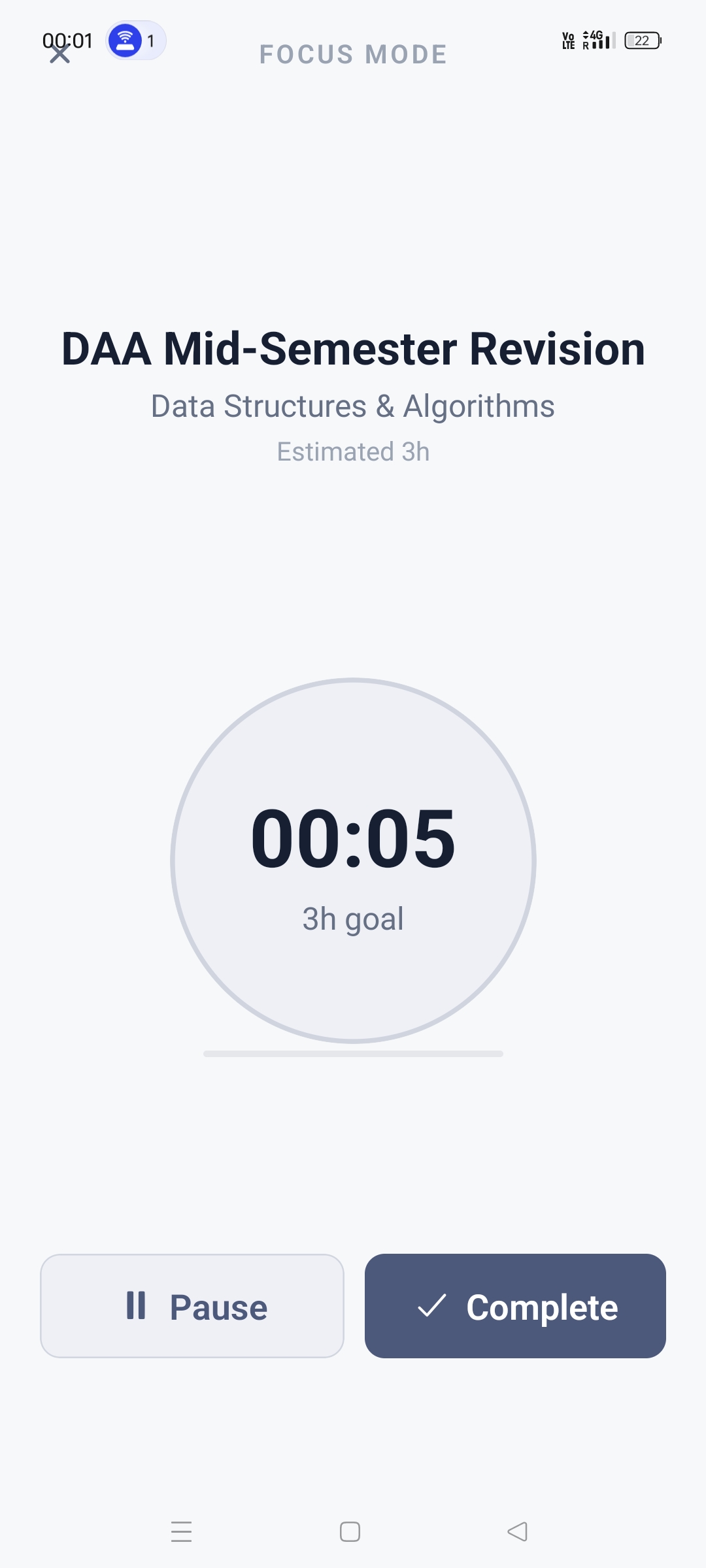
Focus Mode
Once a student decides what to work on, SLOS provides a dedicated Focus Mode where they can work on a specific task and track their focused time.
The idea is to create a complete workflow:
Capture → Prioritize → Plan → Focus → Complete → Analyze
How we built it
SLOS was built as a full-stack cross-platform mobile application.
Frontend
The mobile application was developed using:
- React Native
- Expo
- TypeScript
I initially considered building SLOS with SwiftUI because of my experience as an iOS developer.
However, since students use different platforms, I chose React Native to make the application accessible across both Android and iOS.
Backend
The backend was built using:
- Node.js
- TypeScript
- REST APIs
- JWT Authentication
The backend handles authentication, task management, academic data, AI requests, and communication between the mobile application and database.
Database
SLOS uses:
- PostgreSQL
- Prisma ORM
The database stores structured information such as users, courses, tasks, deadlines, events, and other application data.
AI
AI capabilities were integrated using the OpenAI API.
The AI layer is designed to process academic information and transform it into useful structured information rather than simply generating a conversational response.
The overall architecture follows:
Student
   ↓
React Native + Expo
   ↓
REST API
   ↓
Node.js Backend
   ↓
┌───────────────┬────────────────┐
│               │                │
PostgreSQL    AI Service      Authentication
│               │                │
Prisma        OpenAI API        JWT
└───────────────┴────────────────┘
Built With
- ai
- android
- api
- app
- expo.io
- ios
- jwt
- node.js
- openai
- postgresql
- prisma
- react-native
- rest
- typescript

Log in or sign up for Devpost to join the conversation.