-
-

slop logo
-
-
-
-
-

Inspiration
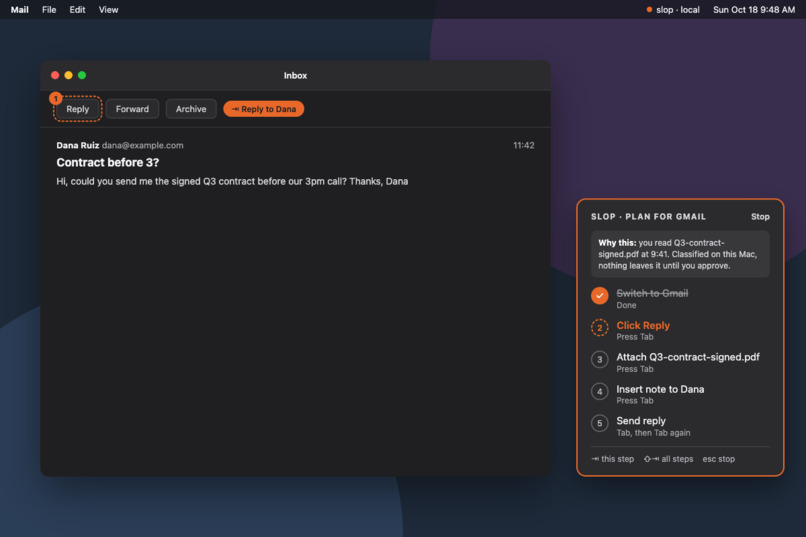
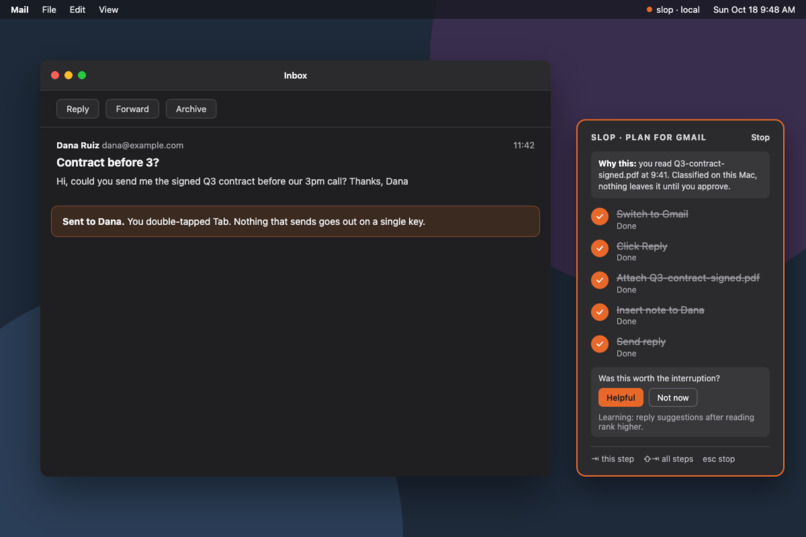
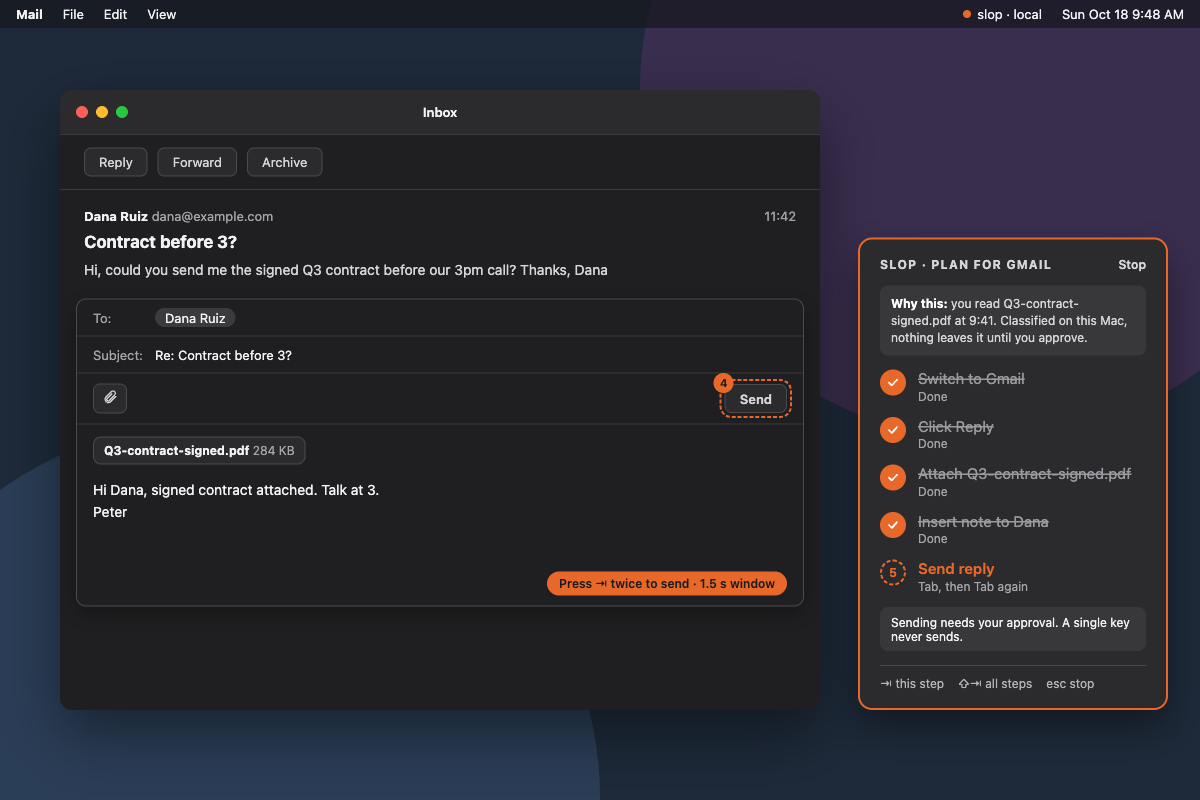
While playing around with Cotypist, we realized that local LLMs could do much more than autocomplete. They could understand what we’re working on, connect information across apps, and help without making us stop to explain everything in a chat. That inspired us to build an assistant that follows the thread of our work while keeping our data on our Mac.
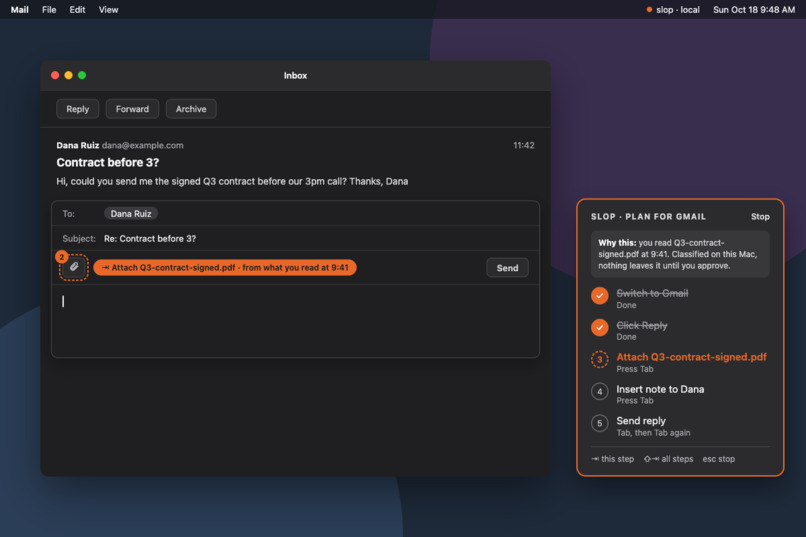
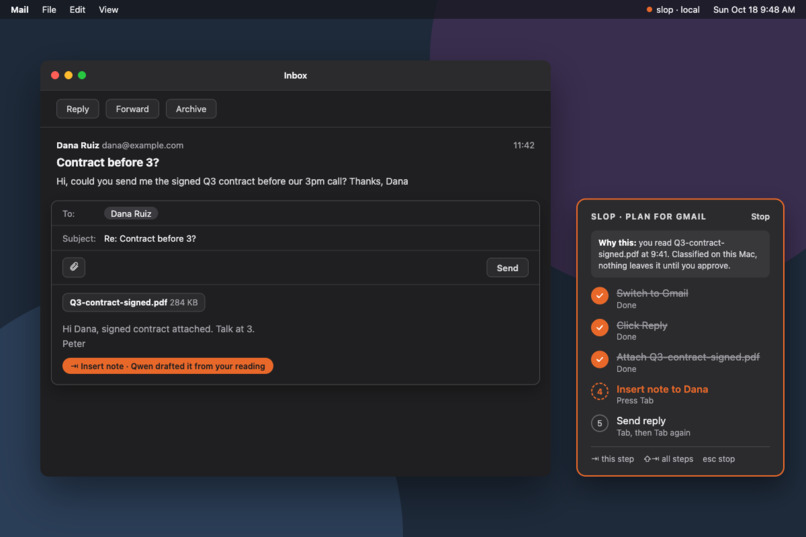
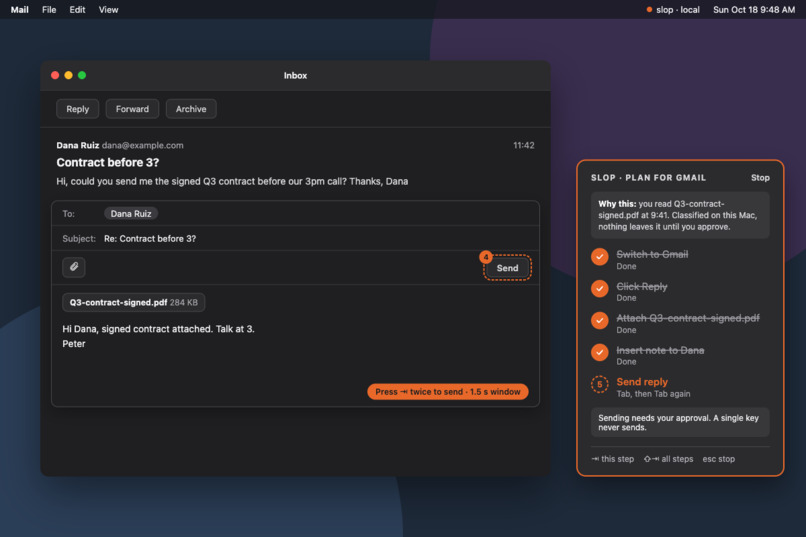
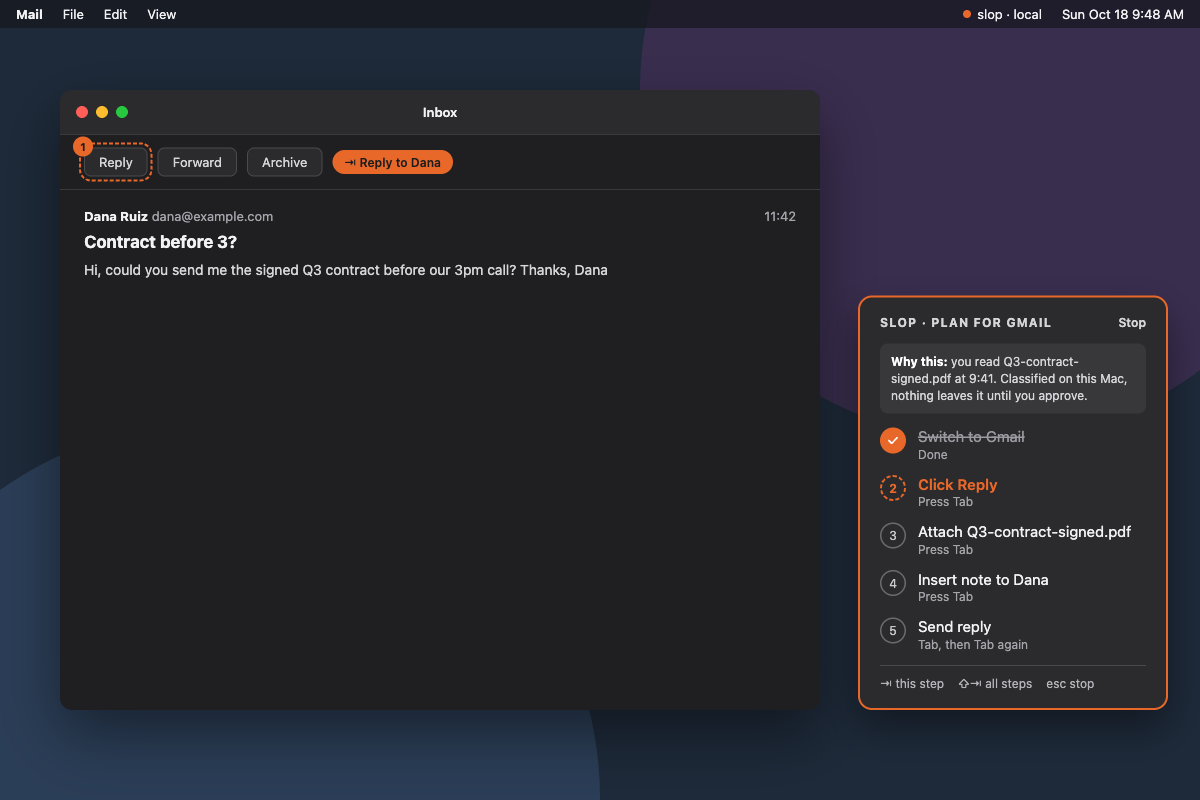
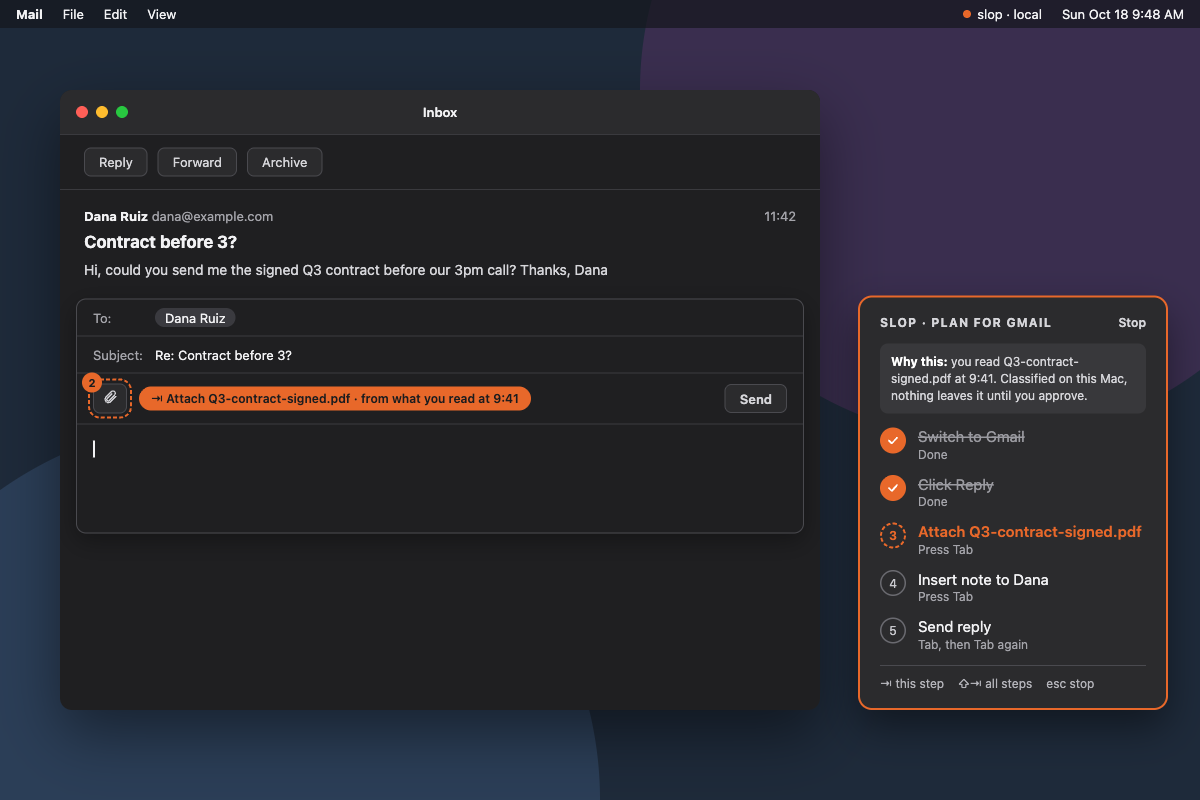
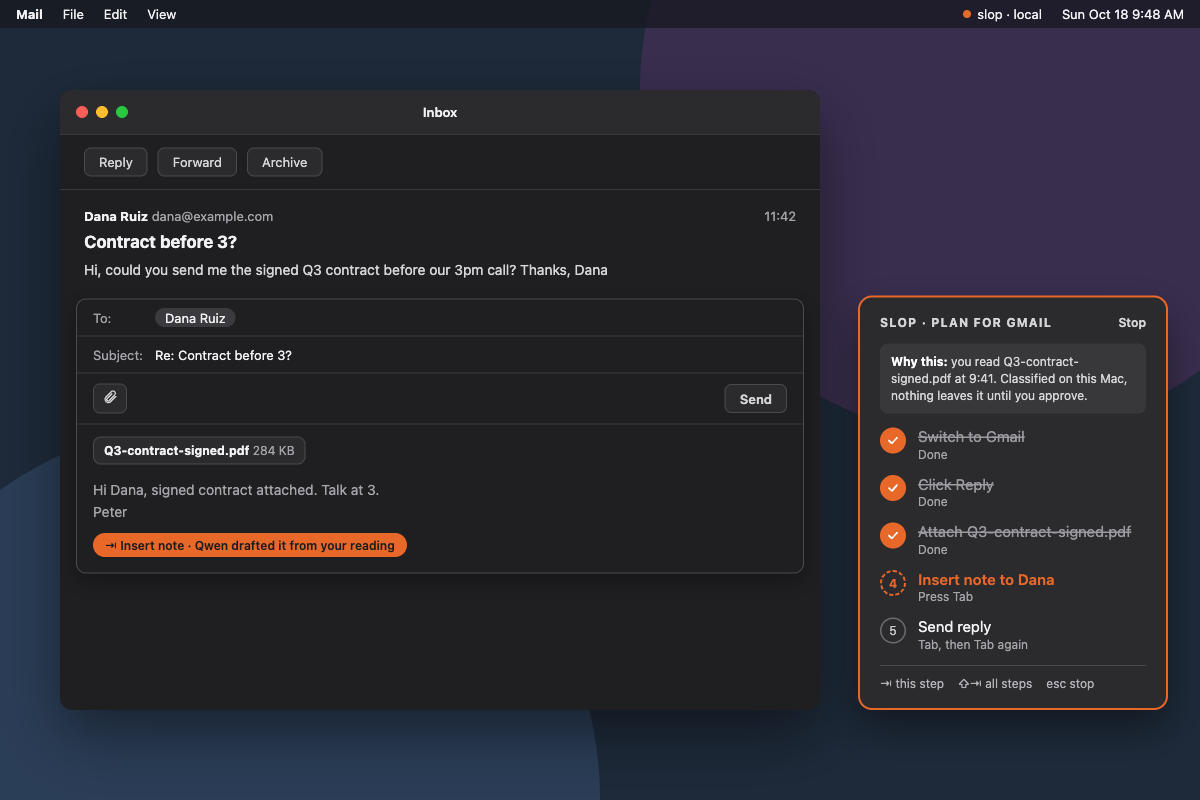
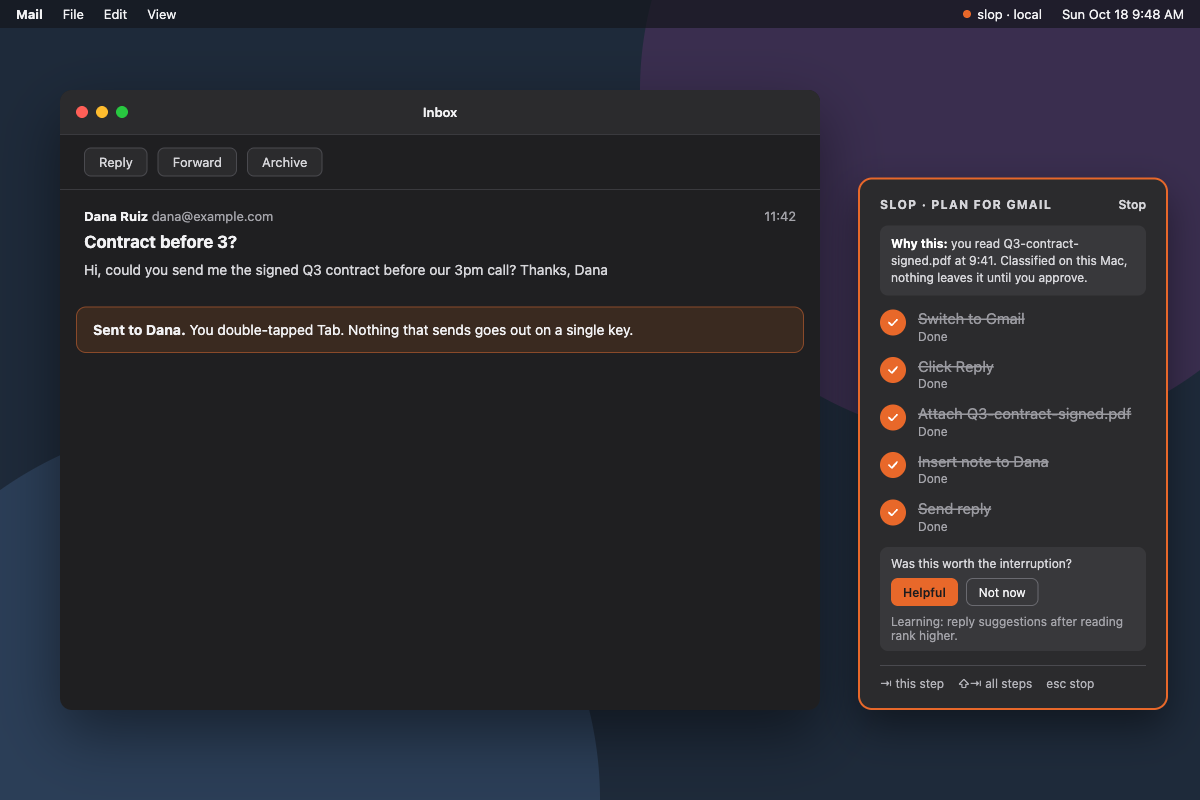
That's why we built slop (screen-level observation & prediction), a private, on-device AI sidekick that understands what you’re working on across apps, remembers relevant context and understands your workflows, while suggesting useful next steps before you ask. We wanted it to support tasks ranging from remembering relevant information and suggesting next steps to drafting emails, or using novel local computer use to update calendars or organizing project tasks. As new messages or information arrive, it could adapt its suggestions in real time, letting us refine or approve them without interrupting our workflow.
What it does
Core Idea
When you read, build context. When you write, bring that context back.
Activity Awareness
Identifies reading and writing activity and recognizes content such as emails, code, and documents.Local Context Memory
Relevant reading context stays in a small, temporary memory buffer on the device.Proactive Suggestions
slop distinguishes behaviors such as reading and writing, while a local model identifies the surrounding material such as an email, source code, documentation, a spreadsheet, or an AI conversation.
A different focus
- Sentient OS emphasizes proactive preparation, including overnight analysis.
- HeyClicky offers conversational, screen-aware assistance beside the cursor.
- Notion Agents handle workspace tasks and recurring workflows across connected tools.
- Meta’s Muse learns from conversations and performs personal tasks across apps through its own secure virtual computer.
What we’re building toward
- Continuous context: Connect something the user read earlier to what they’re writing or solving now.
- On-device computation: Keep screen context, memory, and model inference on the Mac.
- Adaptive timing: Learn which kinds of help are welcome in different situations.
- Silence as a valid choice: Evaluate whether a suggestion deserves attention before showing it.
How we built it
We divided the architecture into three responsibilities:
Understand: A native macOS observer written in Swift views accessibility notes meant for visually impaired users, OCR, and disk updates. Its privacy boundaries include sensitive-app exclusions, secure-field checks, screenshot masking, and secret redaction. Captured screenshots remain in memory, and the observer communicates only with a local inference endpoint. OneJev 1.6 4B runs locally. It scores the observed updates as signal or noise, but it does not generate prose. Signals are fed into a local Qwen3.8-27B to form into temporary memories.
Write: Our planned generation layer uses Qwen3.8-27B to turn relevant context into candidate suggestions. We have explored TensorFold and speculative decoding to make local generation 3.5 times faster, while keeping generation accurate.
Choose: We implemented a separate contextual bandit module using linear Thompson sampling and a heuristic starting policy. It supports choosing a suggestion and presentation surface—or remaining silent—and updating its preferences from acceptance, dismissal, and ignored suggestions.
Challenges we ran into
Understanding behavior from incomplete evidence.
An open document does not prove someone is reading it, and a visible error does not prove they are debugging. We separated observable interaction patterns from the model’s interpretation of the content.
Making local inference practical.
Running larger models on a laptop created memory constraints when testing. In our TensorFold experiments, we encountered a duplicate-loading issue that exhausted available RAM. We also learned that fast text generation alone does not guarantee fast assistance since processing the incoming context can dominate response time.
macOS overlays
slop reads apps through macOS accessibility information, interaction signals, and redacted screenshots. Since accessibility data isn’t uniform across apps, rendering our UI in the right place hard.
Accomplishments that we're proud of
- We persevered the usage of state-of-the-art technology (both models / inference frameworks are like at most weeks old), maximized the hardware we had to it's fullest potential while managing bugs that have never been reported before, and designed and built a very novel take on a increasingly popular problem.
What we learned
We came in thinking a lot about what an assistant could say. Building slop made us think much harder about when it should say anything at all. Understanding whether someone needs help takes more context, and even a useful suggestion can arrive at the wrong moment.
Working locally also made the tradeoffs tangible. We ran into memory limits and found that faster text generation doesn’t necessarily mean a faster response when processing context takes up much of the time. That pushed us toward giving each component a narrower job where native signals track interaction, a small model interprets content, a larger model writes, and a separate policy decides what to show.
What's next for slop
- Our next goal is to reduce the inference time of the main Qwen model even further, allowing users to get a more real-time experience.
- Another thing we are looking forward to is the introduction of more intelligent local models; the nature of our technology means that we benefit from the increasing generalizability of AI models, allowing us to ride the open source AI wave rather than being threatened by it.

Log in or sign up for Devpost to join the conversation.