-
-
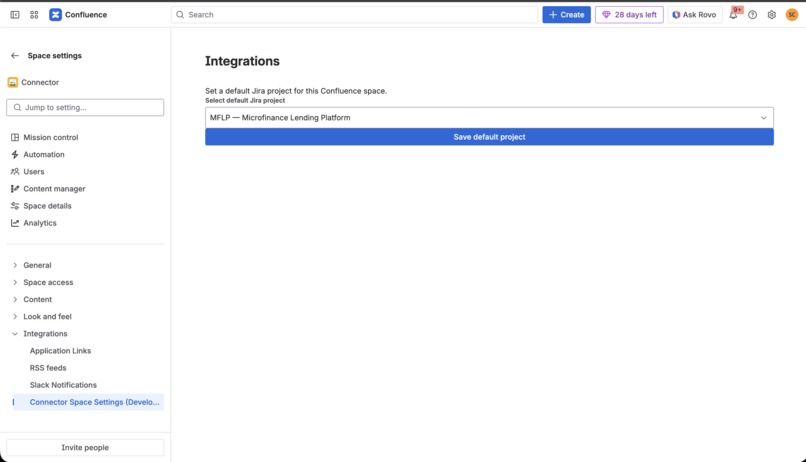
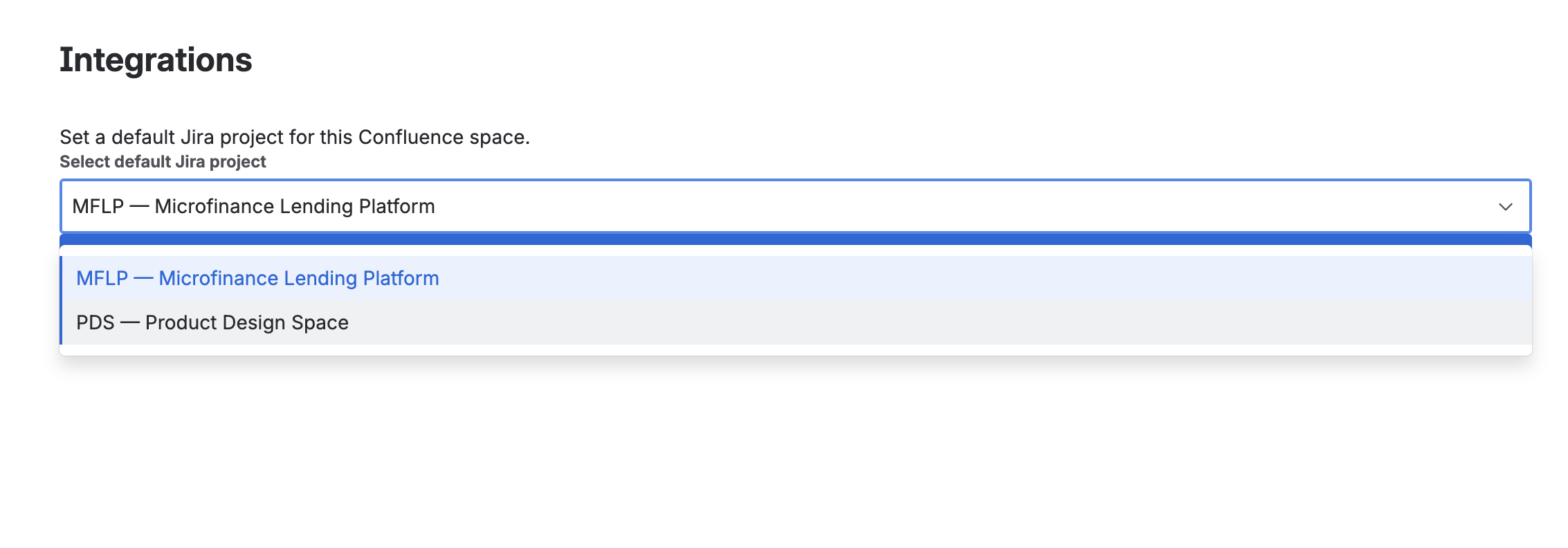
setup
-
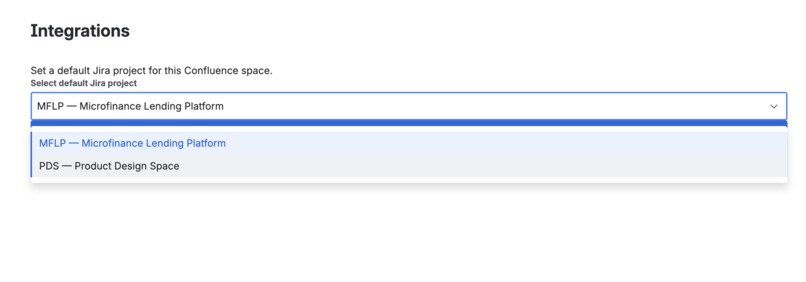
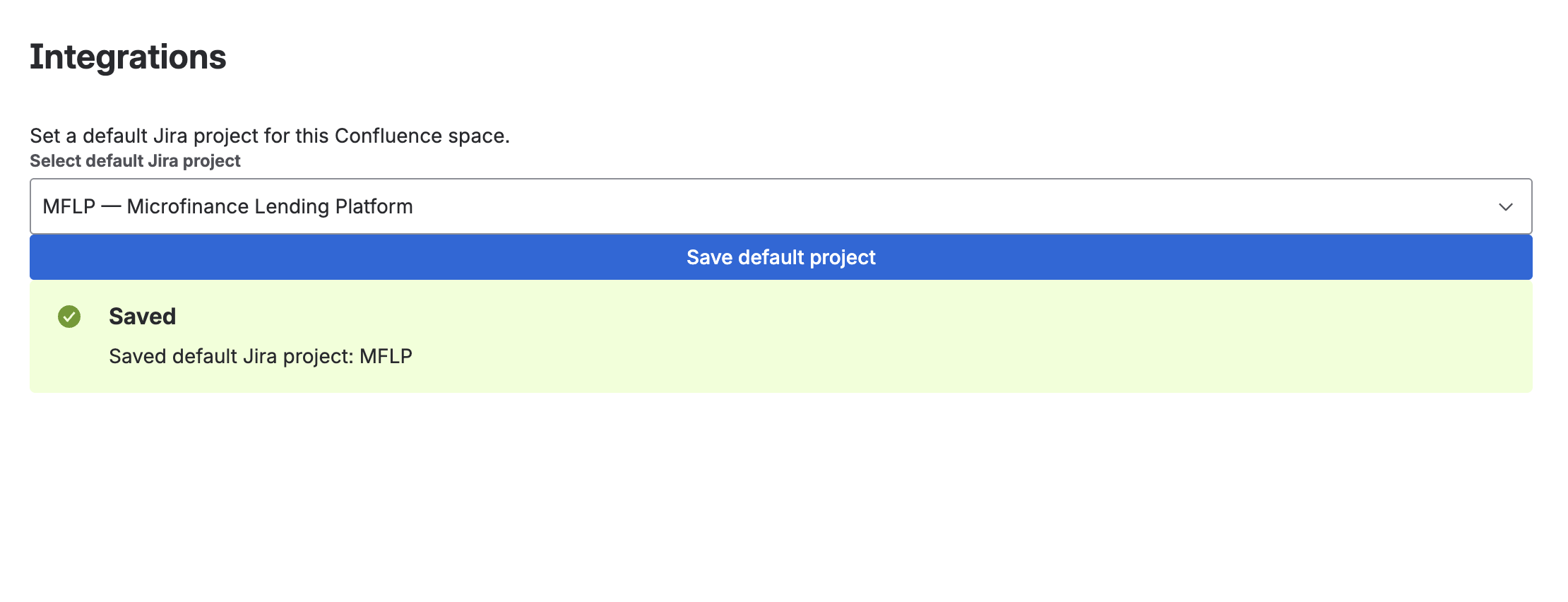
setup
-
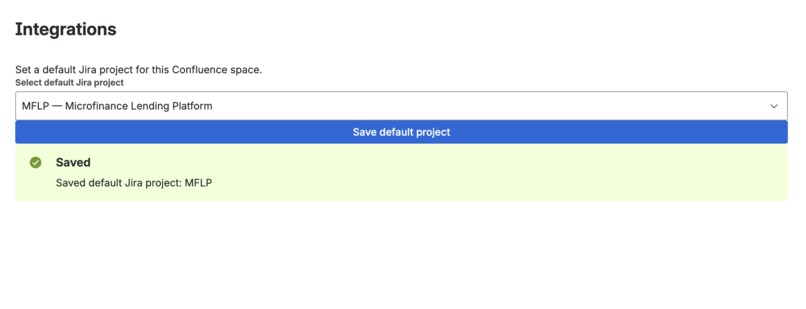
setup
-
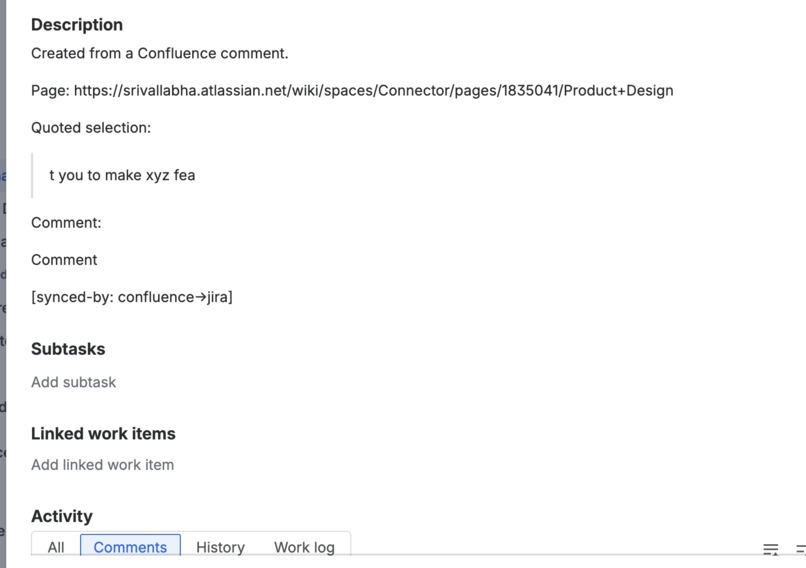
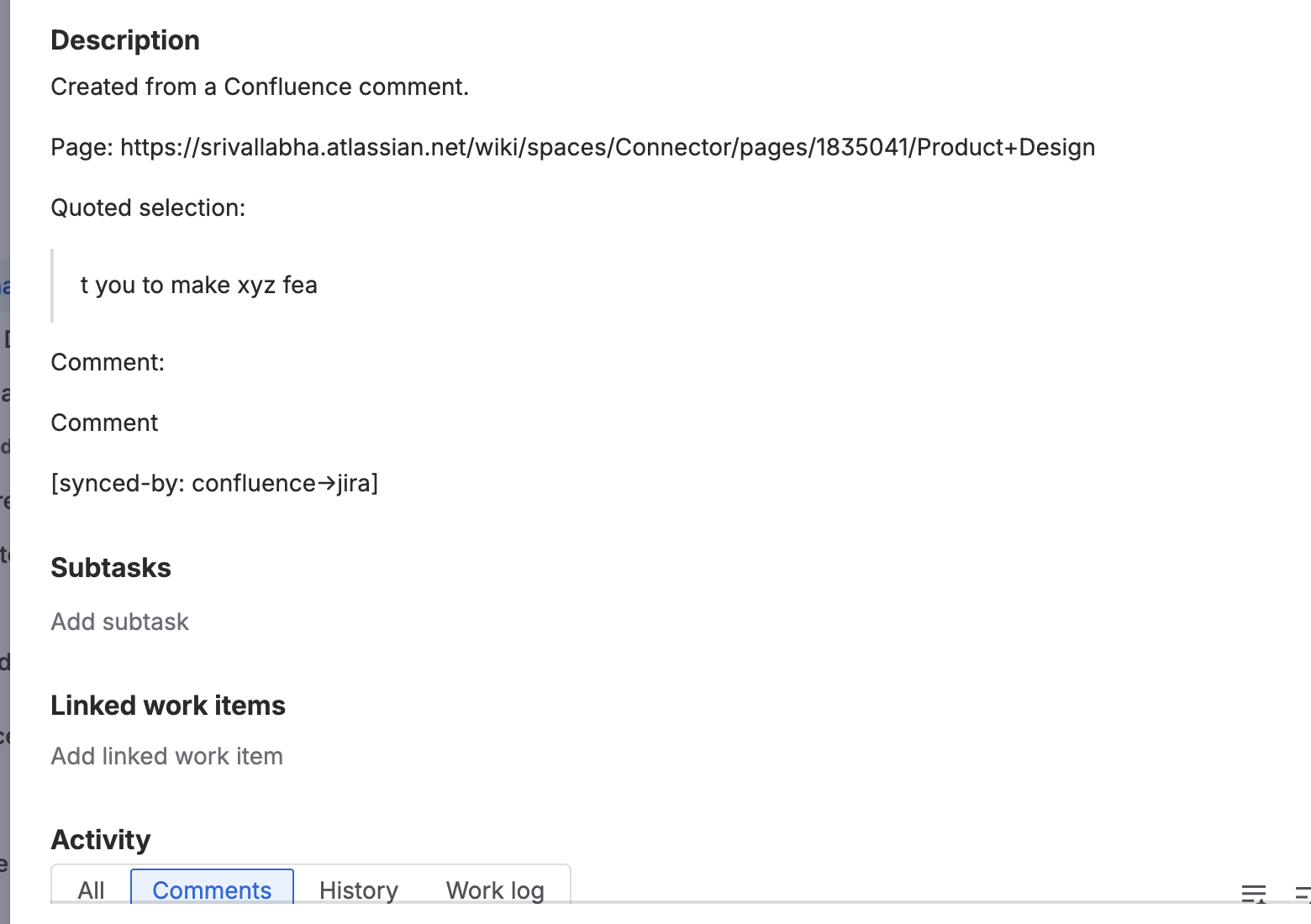
inline comments on jira
-
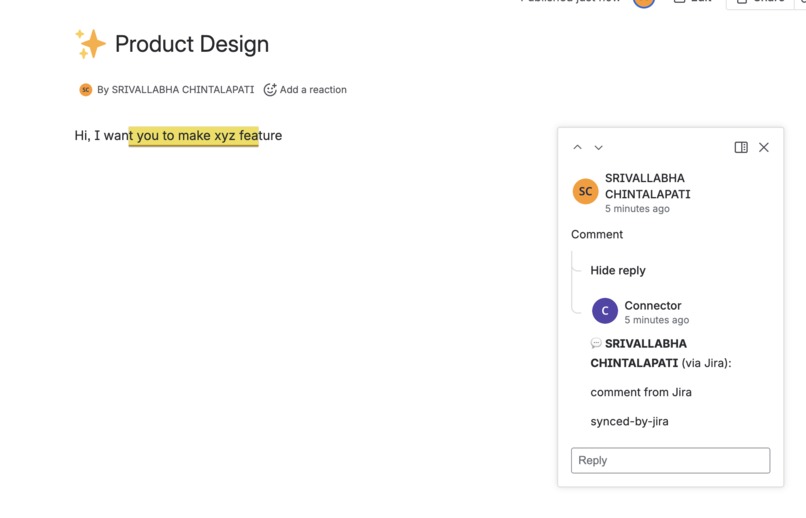
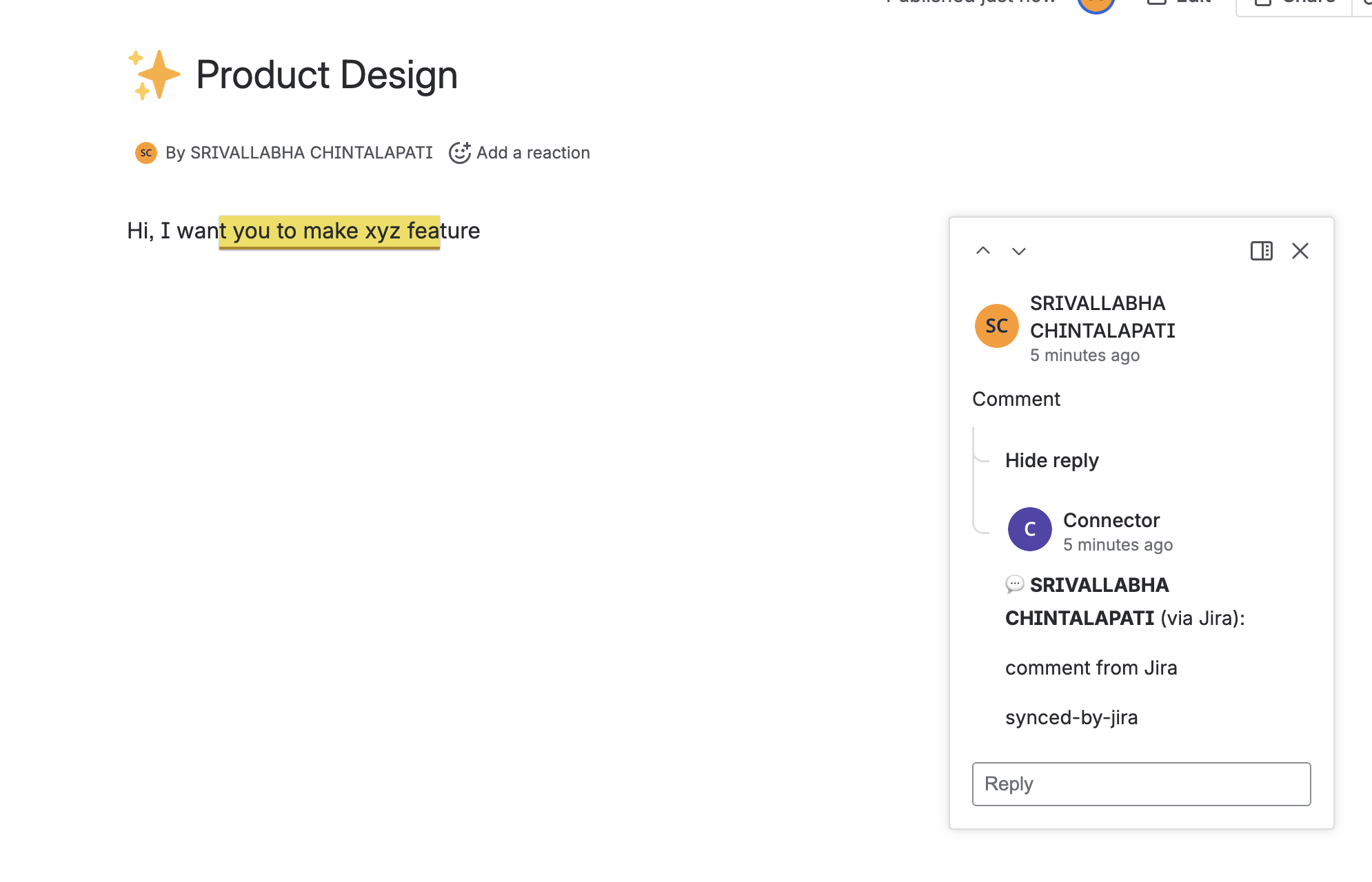
inline comments on confluence
-
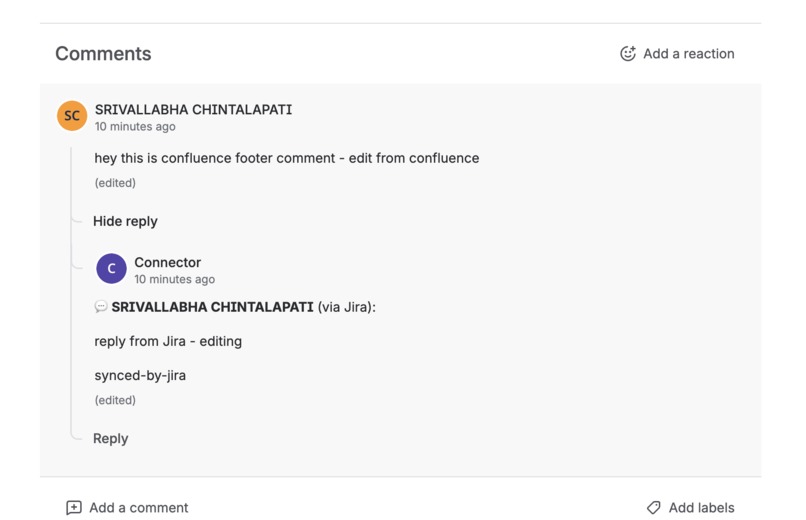
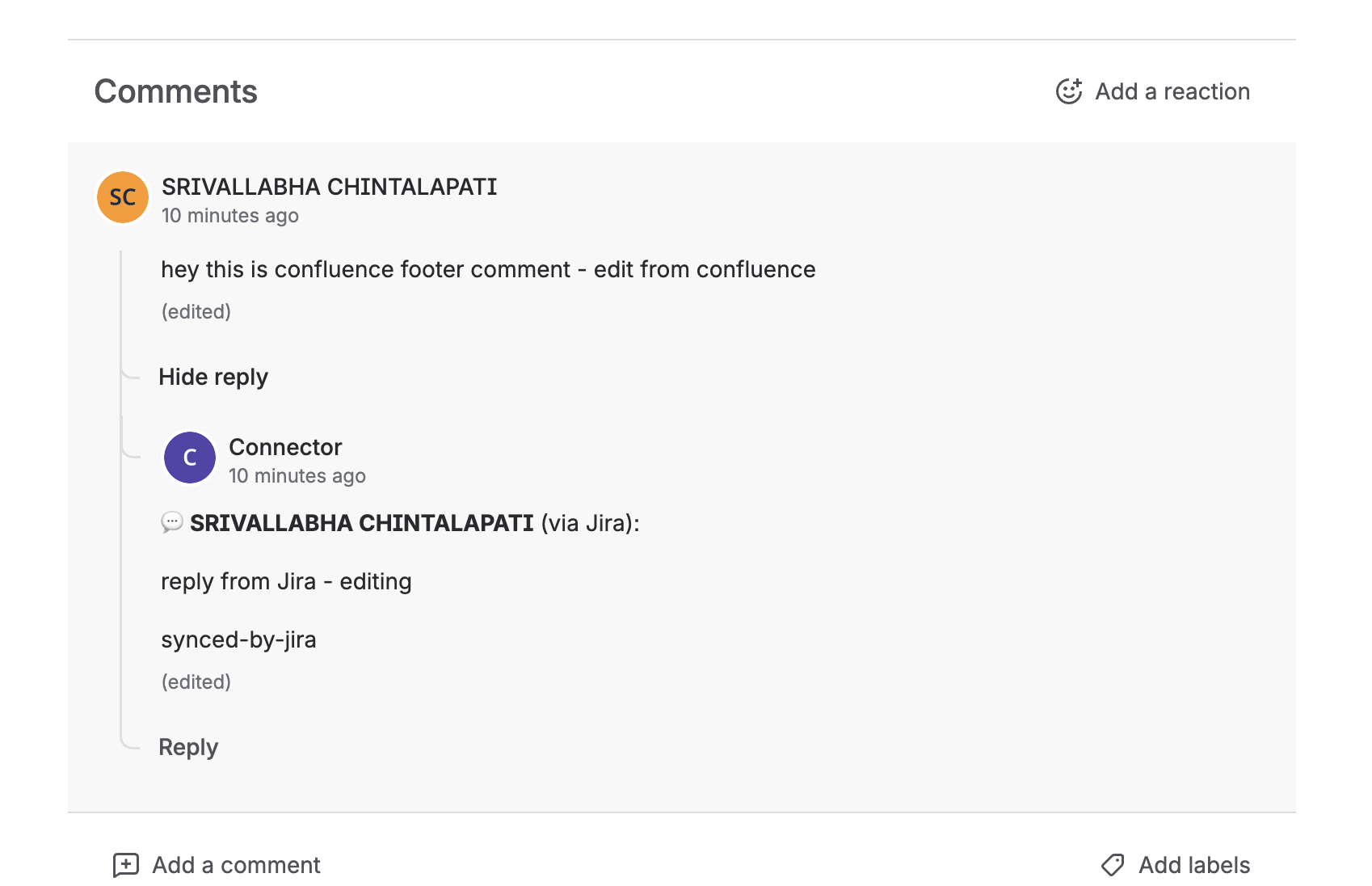
footer comments on confluence
-
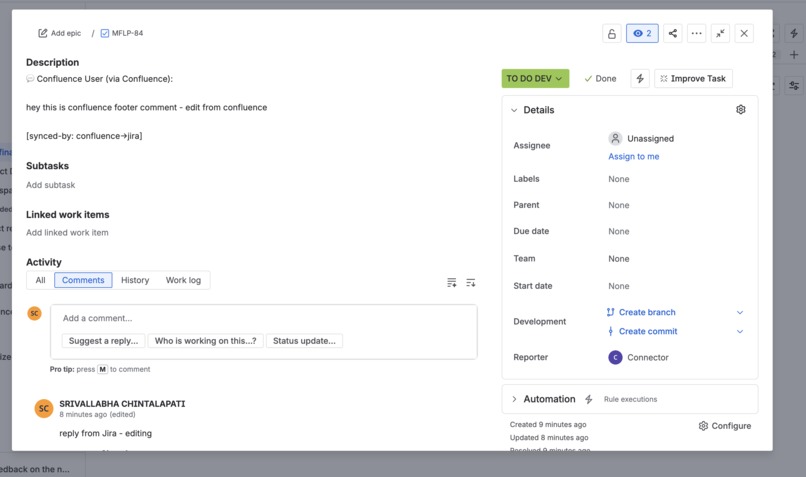
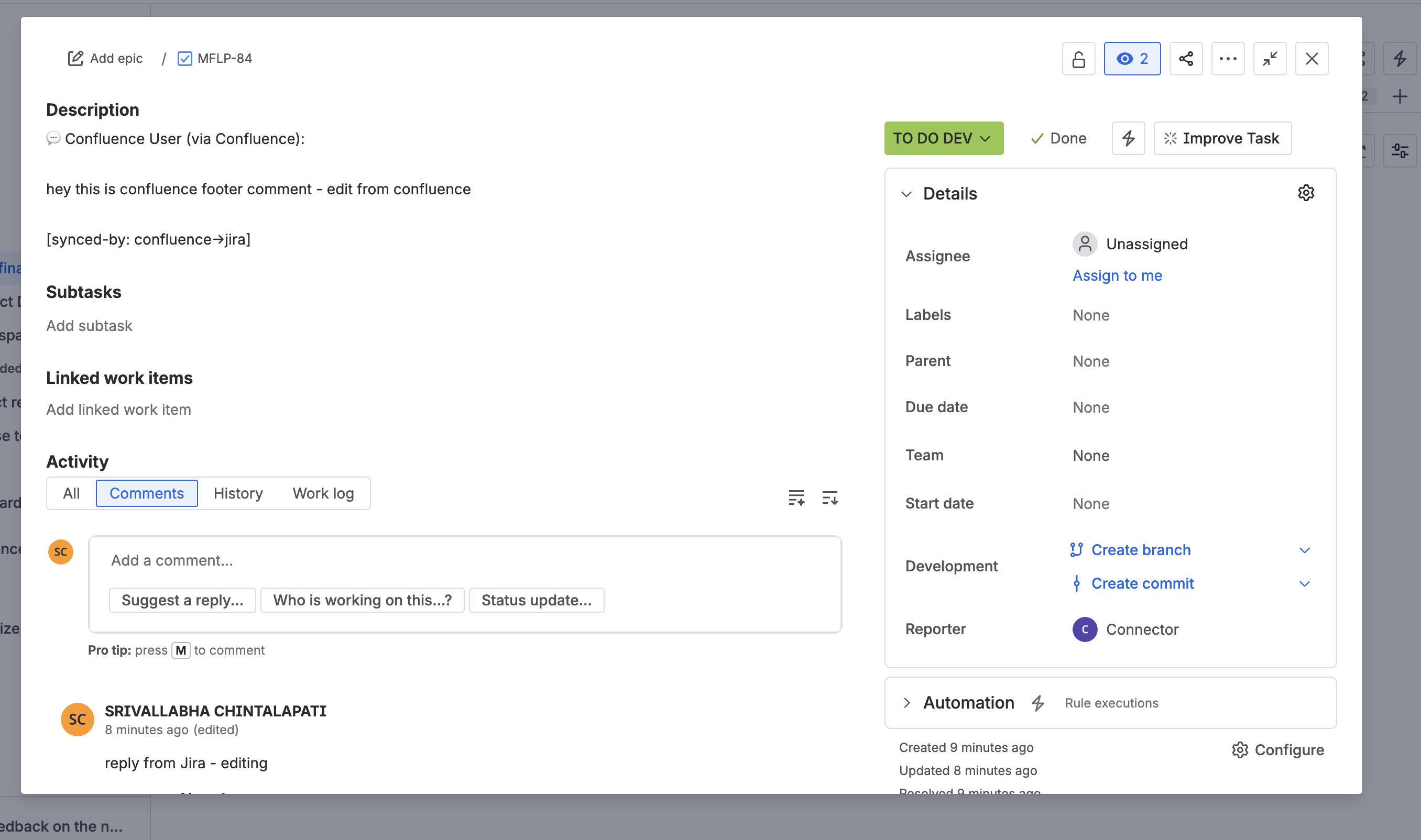
footer comments on jira
-

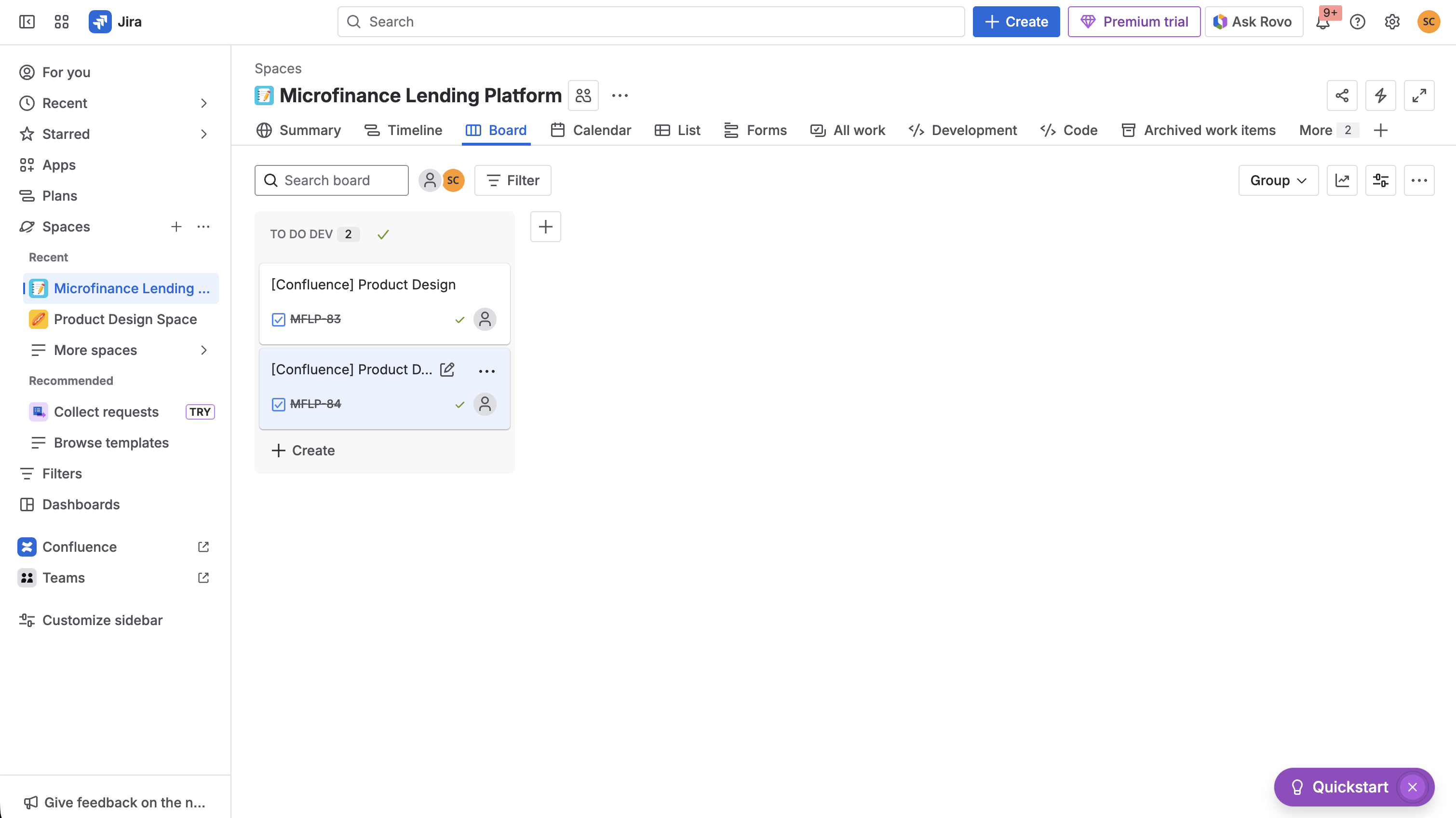
jira dashboard view of created issues
Inspiration
Working across Confluence and Jira is a daily reality for modern teams, but we noticed a frustrating pattern: conversations were getting fragmented. Developers would discuss an issue in Jira, while product managers and stakeholders would comment on the same topic in Confluence documentation. Team members had to constantly jump between platforms, copy-paste updates, and manually keep everyone in sync.
Another common use case are internal support teams who are not able to stay on top of employee comments and queries on important documentation and company announcements.
We asked ourselves: Why should teams have to choose where to have important conversations? What if comments could flow seamlessly between platforms, keeping everyone aligned regardless of which tool they prefer?
This pain point inspired SlipStream, a solution that bridges the communication gap between Confluence and Jira, ensuring no conversation gets lost in translation.
## What it does
SlipStream automatically syncs comments bidirectionally between linked Confluence pages and Jira issues. When someone comments on a Confluence page, their comment instantly appears in the linked Jira issue and vice versa. The app preserves thread structure, handles comment updates, and clearly attributes each comment to its original author with bold formatting to distinguish synced comments from native ones.
Key features include:
- Bidirectional sync between Confluence pages and Jira issues
- Thread preservation maintaining reply structures across platforms
- Real-time updates when comments are edited
- Smart loop prevention to avoid infinite sync cycles
- Author attribution with clear platform indicators
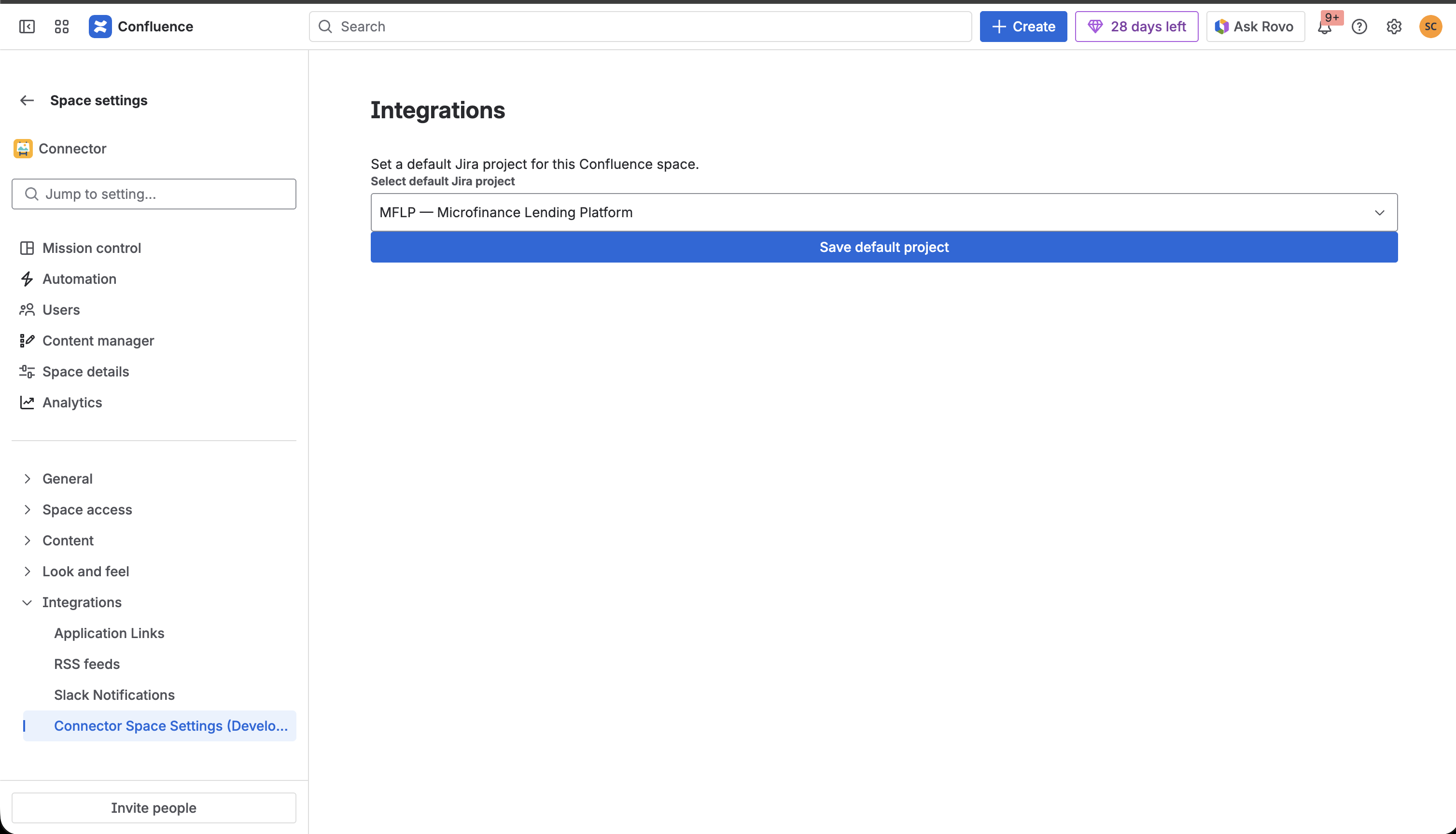
- Space-level configuration for setting default Jira projects
## How we built it
SlipStream is built entirely on the Atlassian Forge platform, leveraging its event-driven architecture and seamless integration capabilities.
### Architecture
We designed the app around three core Forge triggers:
avi:confluence:created:comment- Captures new Confluence commentsavi:confluence:updated:comment- Handles comment editsavi:jira:commented:issue- Processes Jira comments
Each trigger fires a handler that:
- Checks for sync markers to prevent infinite loops
- Fetches user details for proper author attribution
- Looks up page-to-issue mappings from stored properties
- Formats and posts the comment to the target platform
- Stores bidirectional mappings for future updates
### Technical Implementation
Frontend (React):
- Built a Space Settings UI using
@forge/reactUI Kit components - Implemented project/issue type selection with real-time API calls
- Created intuitive mapping interface for linking pages to issues
Backend (Node.js 22.x):
- Developed custom resolver functions for frontend-backend communication
- Implemented helper utilities for comment formatting and posting
- Used Confluence API v2 for footer comments and page properties
- Leveraged Jira REST API v3 for issue comments and properties
- Managed mappings using both platform properties and Forge KVS
Data Format Handling:
- Converted between HTML (Confluence storage format) and ADF (Atlassian Document Format for Jira)
- Applied bold formatting to author names using
<strong>tags in Confluence andmarks: [{ type: "strong" }]in Jira - Embedded hidden sync markers to prevent loop scenarios
### Storage Strategy
We implemented a multi-layered storage approach:
- Confluence page properties for storing issue keys and comment thread mappings
- Jira issue properties for storing page IDs and root comment references
- Forge KVS for space-level default project configurations
This distributed storage ensures fast lookups and resilient data management.
## Challenges we ran into
### 1. Loop Prevention The biggest challenge was preventing infinite sync loops. Our first implementation created an endless cycle where synced comments would trigger new sync events. We solved this by:
- Adding hidden HTML markers (
<span data-sync-marker>) in Confluence - Including text markers (
[synced-by: confluence→jira]) in Jira - Detecting multiple marker formats for backward compatibility
### 2. Format Conversion Confluence uses HTML storage format while Jira uses ADF (Atlassian Document Format). Converting between these formats, especially for rich text, mentions, and formatting, required careful handling. We built conversion utilities and discovered that some features (like nested formatting) needed special treatment.
### 3. Thread Structure Mapping Maintaining reply threads across platforms was complex because Confluence and Jira have different comment hierarchies. We implemented a mapping system using properties to track:
- Root comment relationships
- Parent-child reply structures
- Bidirectional comment IDs
### 4. Author Attribution
Fetching user details from both platforms required navigating different API structures. Confluence's v2 API nests author info in version.authorId, while Jira's structure differs. We built fallback logic to gracefully handle cases where user details aren't available.
### 5. Comment Updates Supporting edits (not just creates) added complexity—we needed to:
- Fetch current comment versions from Confluence (required for updates)
- Increment version numbers correctly
- Map edited comments back to their synced counterparts
- Handle edge cases where the original comment was deleted
## Accomplishments that we're proud of
- Seamless bidirectional sync that feels native to both platforms
- Zero data loss through robust error handling and retry logic
- Clean UI that makes configuration intuitive for space admins
- Thread integrity preserved across different platform architectures
- Performance optimization keeping sync delays under 2 seconds
- Bold author formatting that clearly distinguishes synced content
## What we learned
- Deep dive into Atlassian Forge architecture and its event-driven model
- Mastering ADF (Atlassian Document Format) structure and manipulation
- Understanding the nuances of Confluence API v2 vs Jira REST API v3
- Implementing distributed state management across multiple storage systems
- Designing for idempotency to handle duplicate events gracefully
- The importance of sync markers and loop prevention in bidirectional systems
We also learned that the best integrations are invisible users shouldn't have to think about which platform they're using.
## What's next for SlipStream
- Rich media support: Sync images, attachments, and embedded content
- @mention translation: Convert mentions between Confluence and Jira users
- Bulk import: Sync existing comment threads for legacy pages/issues
- Multi-issue linking: Allow one page to sync with multiple issues
- Smart linking UI: Add a macro or panel for easier page-to-issue mapping
- Reactions sync: Sync emoji reactions and likes across platforms
- Conflict resolution: Handle simultaneous edits with merge strategies
- Analytics dashboard: Show sync metrics and engagement insights
- Runs on Atlassian compliance: Meet all marketplace requirements for wider distribution
Ideally this feature would provide the most value to customers as an action in automation rules. This would give customers the greatest flexibility in configuring the bidirectional sync between Confluence and Jira as per their business needs.


Log in or sign up for Devpost to join the conversation.