-
-
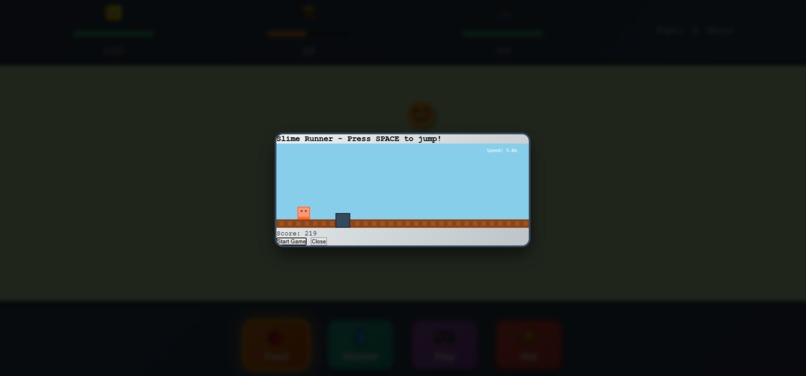
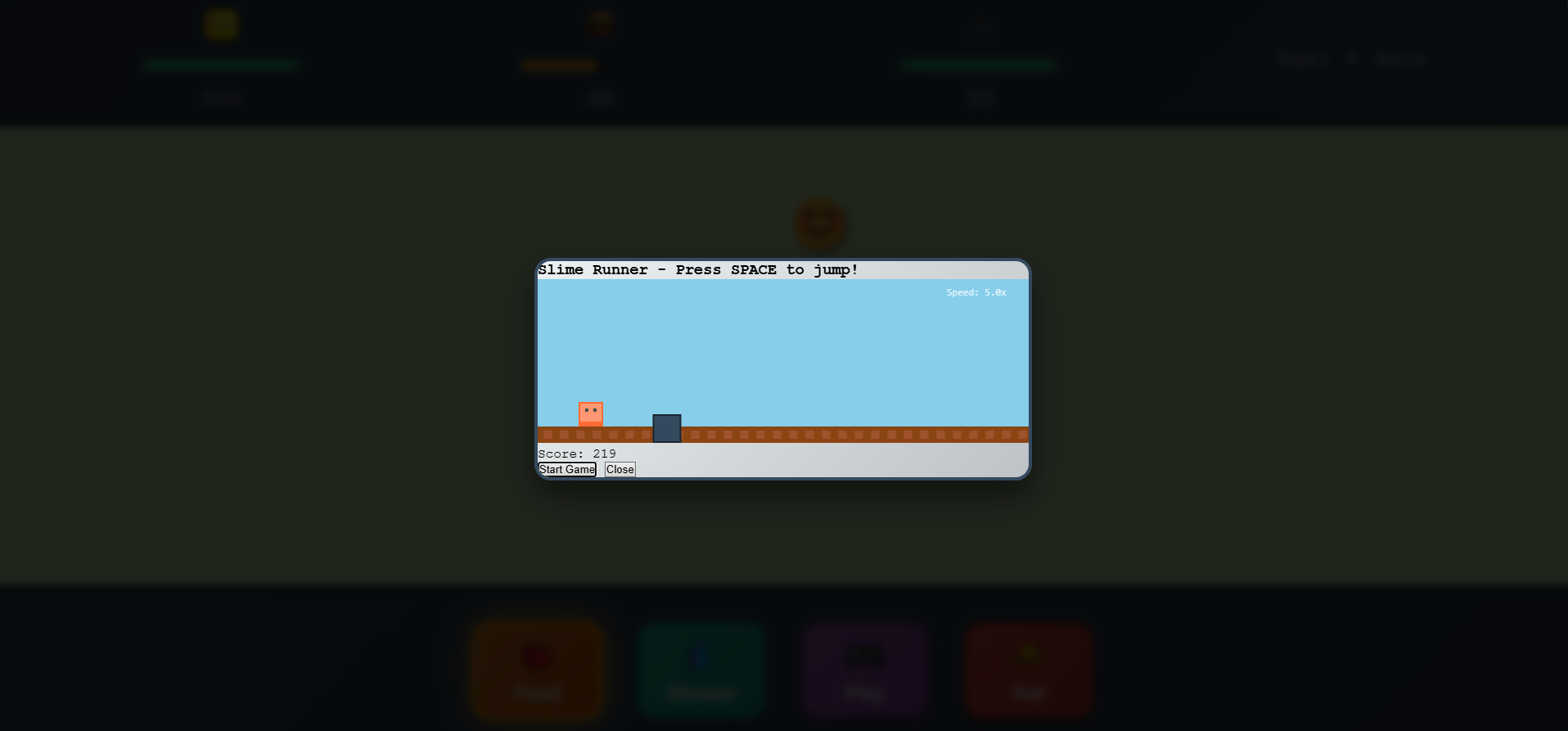
Slime Runner Mini-game
-
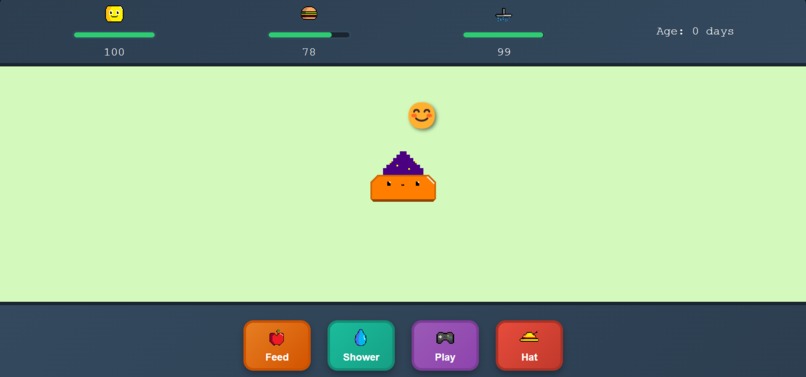
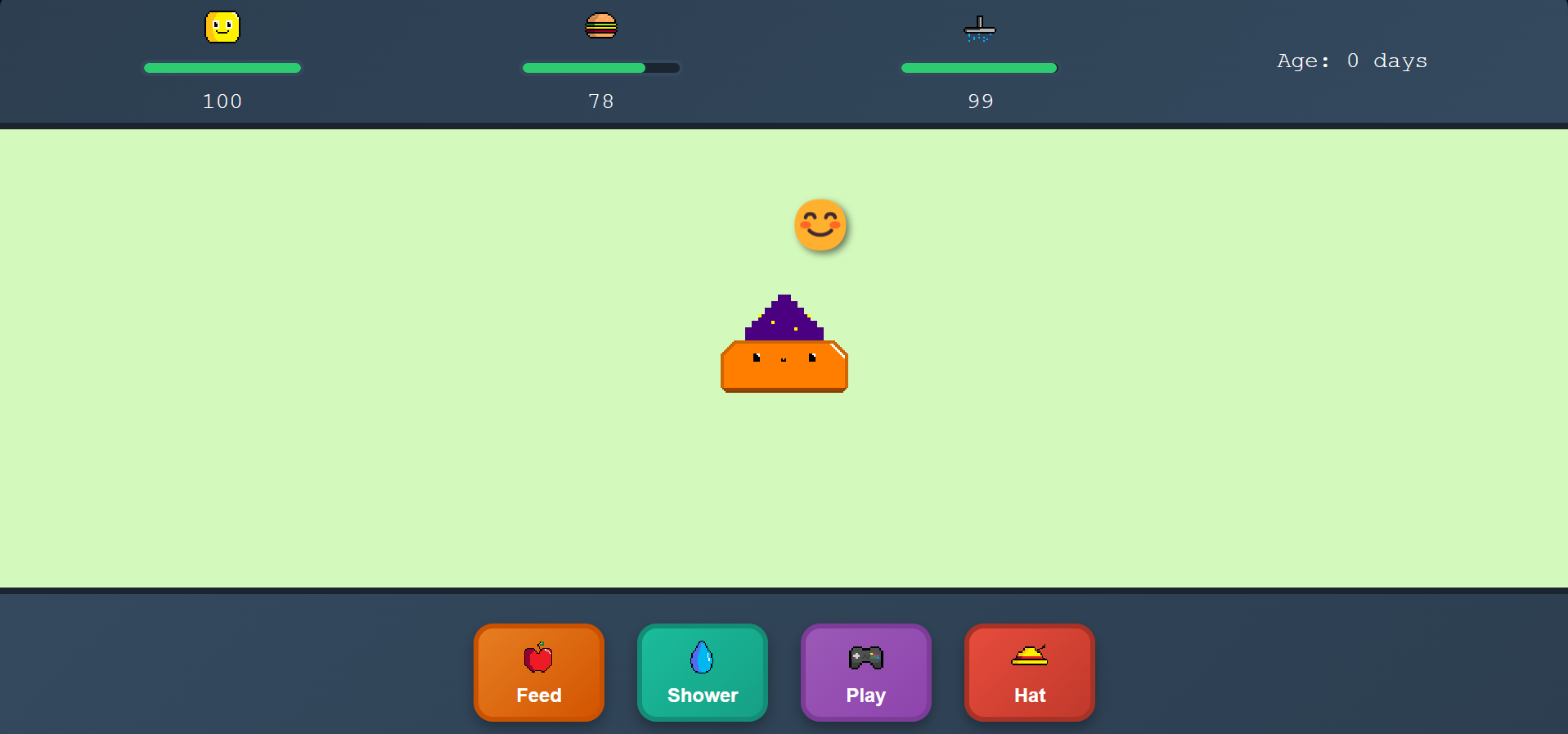
Happy slime
-
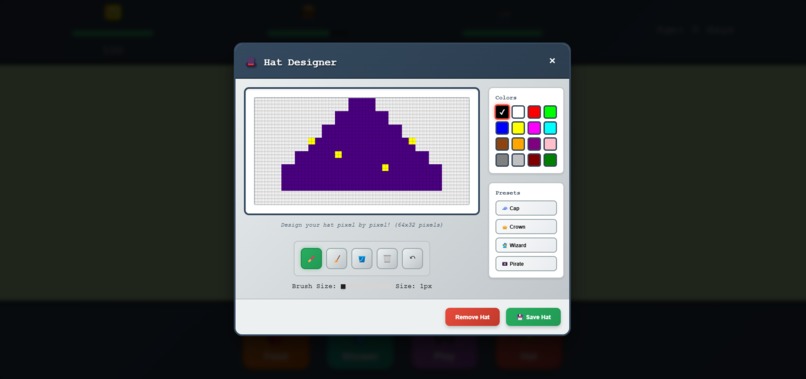
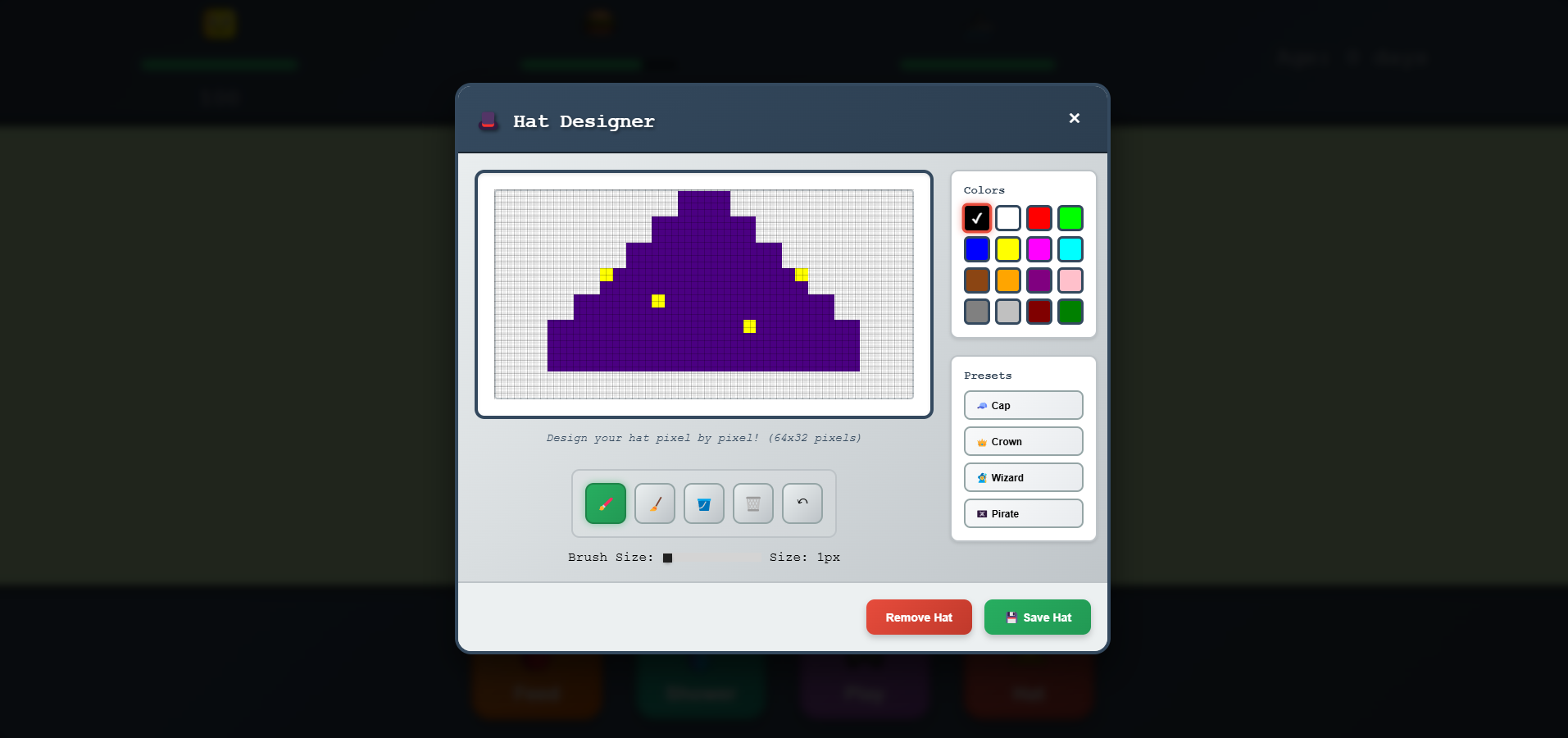
Hat creator
-
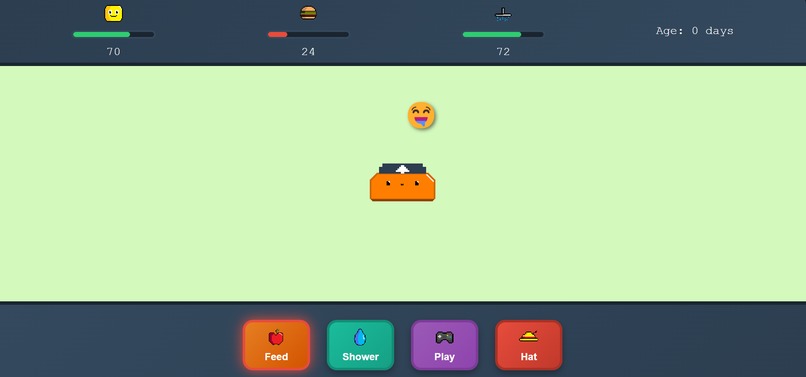
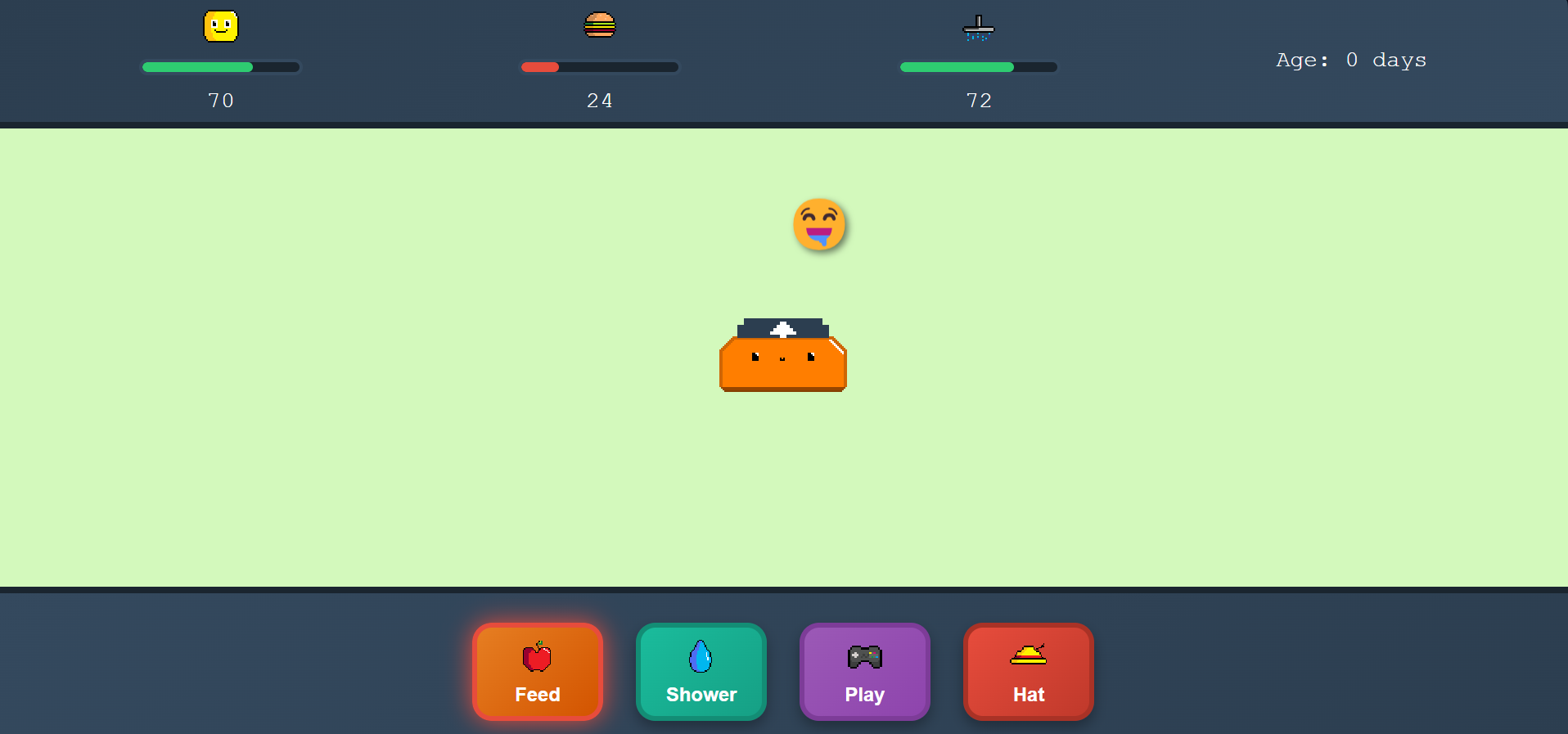
Hungry slime
Inspiration
When I was younger, I was completely obsessed with virtual pet games like Pou. While brainstorming ideas to make my project unique, I kept coming back to the simple charm of Tamagotchi pets, which became the foundation for the core pet care mechanics. The "Slime Runner" mini-game was directly inspired by the classic T-Rex Runner game that shows up when you lose internet connection. While working on the animations and pixel art assets, I realized that giving players creative control over their pet’s appearance would create a stronger personal connection, which led to the custom hat designer feature.
What it does
The application is built around taking care of a virtual slime pet, with three main needs to manage: happiness, hunger, and cleanliness. The slime status (like happiness or hunger) will be shown in the top screen as well as through emojis which will be floating on top of the slime. Players can increase happiness through direct interactions (like clicking or petting) or by playing the built-in mini-game. Feeding and shower buttons provide quick ways to handle hunger and cleanliness. The standout feature is the hat designer tool, which lets users create their own pixel art hats and accessories for the pet. It includes preset templates for inspiration and a full drawing toolkit for original designs.
How I built it
I followed a modular architecture approach, reusing the file structure from an older project (just the structure, not the code). After creating the pixel-art images with PixilArt, I moved on to building the main systems:
Foundation Layer
I started with the core structure in main.js and main.html, setting up the game loop and the pet’s lifecycle. The gameState.js module manages all persistent data using localStorage, ensuring pet stats, customizations, and progress are saved between sessions.
Pet Care System
The petSystem.js module runs the three-stat system (happiness, hunger, cleanliness) with gradual decay over time. I fine-tuned the decay rates through trial and error. Each stat directly affects the pet’s visual state and available interactions.
Visual Framework
The UI system in ui.js handles status bars, control panels, and modal windows. I made the design responsive so it scales across devices while keeping the pixelated look. The animations.js module powers sprite animations using image frames in assets/. The approach was inspired by a YouTube video where someone built a Pokémon-like game with similar animation logic.
Mini-Game Integration
The miniGame.js module creates an endless runner where players guide their slime through increasingly tricky obstacle courses. Scores from this game feed back into the main system by boosting happiness.
Hat Designer Feature
The most complex part was the pixel art editor in hatDesigner.js. I had to implement:
- A pixel-perfect drawing system with grid snapping
- Multiple tools (brush, eraser, flood fill) with adjustable brush sizes
- A color palette system
- Preset hat templates to spark ideas and preview how hats look on the pet
- Canvas-to-image conversion to apply designs in-game
- Undo/redo with history tracking
Data Persistence
The saveLoad.js module saves progress automatically every 5 seconds, storing everything locally in the browser.
Development Workflow
This modular setup made it easy to build and test each system on its own. CSS animations handled visuals, JavaScript modules managed logic, and HTML kept the structure clean. Keeping everything separate made debugging straightforward and new features easier to add.
Challenges I ran into
Some of the most interesting problems I had to solve included:
Hat Animation Synchronization
One tricky part was keeping custom hats aligned with the slime during its bounce animation. At first, the hat wasn’t syncing properly due to conflicts between CSS and JavaScript. After resolving those conflicts, the main challenge was fine-tuning the timing so the hat felt naturally attached to the slime’s movements. It wasn’t overly complex, but it required a lot of trial and error.
Browser Storage Implementation
Since I hadn’t used localStorage before, I had to learn how to save and retrieve data as strings and update values without corrupting old saves. It didn’t require external APIs, but it took some time to get comfortable with.
Animation Positioning Bugs
At one point, the slime would randomly “teleport” on the screen, especially during state transitions or when resizing the browser. These bugs came from conflicts between CSS transforms and JavaScript positioning. The issue was most obvious when switching from idle to action animations (like petting), where the container’s position would reset unexpectedly.
Pixel Art Scaling Issues
I also had to carefully manage how images were rendered. Setting the right CSS properties and translating canvas coordinates into pixel boundaries was crucial. Grid snapping required extra math to make sure users couldn’t draw between pixels.
Accomplishments that I'm proud of
Looking back, a few things stand out. The hat designer tool was by far the hardest feature, so seeing it fully working with undo/redo and smooth snapping felt like a huge milestone—especially with the preset hats included. I’m also proud of the modular structure, which kept systems organized and easy to expand. Making the animations feel alive was another highlight. And finally, adding browser storage gave the project continuity, turning the pet into a companion rather than just a demo.
What I learned
This project taught me a lot. Structuring everything into modular JavaScript files helped me understand how to keep small games maintainable and flexible. I picked up practical lessons about animation timing, pixel art scaling, and safe use of browser storage. On the design side, I saw how small touches like customization can really boost a player’s attachment to their pet. More generally, I learned the value of testing modules individually, most of the biggest bugs only appeared once different systems started interacting.
What's next for SlimePet
There are plenty of ways I’d like to grow this project in the future. Some of the ideas include:
- Pet Evolution: letting slimes grow into new forms as players care for them.
- Background Updates: allowing room decorations or new environments to unlock.
- Currency and Shop System: adding coins earned through care or mini-games that can be spent on food, toys, or cosmetics.
- Expanded Customization: more templates for the hat designer, plus new accessories like glasses or capes.
- New Mini-Games: introducing more than just the endless runner to keep things fresh.
Thanks to the current modular structure (separating assets, CSS, data files, and JavaScript modules) it’s possible to add features without breaking existing ones. My main goal is to keep building out the pet’s personality and expand the creative tools so every slime feels truly unique.


Log in or sign up for Devpost to join the conversation.