Inspiration
I built SlideX because creating presentations often feels more complicated than it should. Many tools focus heavily on visual editing, while the actual process of organizing ideas, structuring slides, previewing the result, and sharing it is still fragmented.
I wanted to create a simpler presentation workflow that feels fast, clear, and approachable—especially for makers, product designers, developers, and anyone who wants to turn an idea into a presentation without spending hours adjusting layouts.
What it does
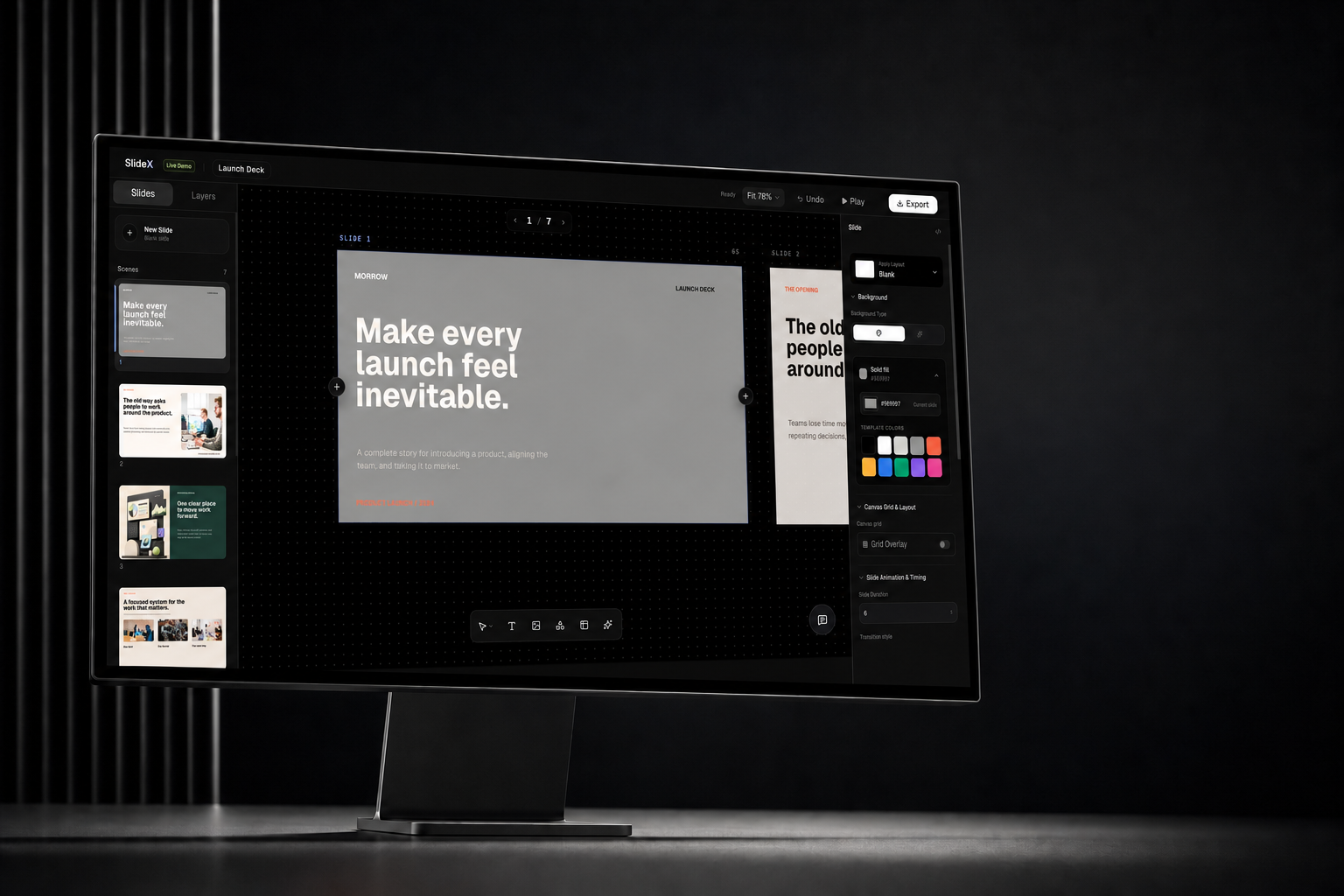
SlideX is a browser-based presentation tool that lets users create, edit, preview, manage, and share presentations in one place.
Users can:
- Write presentation content using MDX
- Quickly organize slides and presentation structure
- Preview the presentation directly in the browser
- Manage multiple presentations as projects
- Export presentations as shareable HTML files
- Choose templates and continue editing without rebuilding everything
The goal is to make presentation creation feel less like operating complicated design software and more like building a clear story.
How we built it
SlideX was built as a modern web application with a presentation editor, live preview experience, reusable templates, and a database-backed project system.
The presentation content is powered by MDX, allowing structured content and reusable components to work together. I also designed the interface to keep the editing process simple while still giving users enough control over their slides.
Throughout development, I used AI-assisted coding to accelerate implementation, debug issues, review database design, and iterate on the product. However, the product direction, user experience, feature decisions, and final quality still came from continuous testing and refinement.
Challenges we ran into
One of the biggest challenges was designing an editor that works well across different screen sizes. Presentation tools naturally require a lot of space, so creating a usable mobile experience—especially one that can be operated with one hand—required rethinking navigation, editing controls, and preview behavior.
Another challenge was balancing simplicity and flexibility. Adding more controls can make the tool powerful, but it can also make the interface confusing. I repeatedly removed, reorganized, and simplified features to keep the main workflow clear.
I also spent time improving database security, project ownership rules, template management, and the overall reliability of saving and loading presentations.
Accomplishments that we're proud of
I am proud that SlideX has grown from a small side project into a usable presentation product with a complete creation workflow.
The current version includes editing, browser previews, project management, templates, presentation storage, and HTML export. I also redesigned the interface several times based on actual usage instead of keeping the first version.
Most importantly, SlideX is no longer only a concept or prototype. It is a product that people can open, use, and provide feedback on.
What we learned
Building SlideX taught me that a good product does not need to have the most features. It needs to help users complete their task smoothly.
AI made it possible for me to build and iterate much faster, but speed alone did not create a good product. The most valuable work came from testing the experience, noticing where users might become confused, fixing small problems, and continuously simplifying the workflow.
I also learned that building a complete product involves much more than writing code. Product positioning, interface design, mobile usability, database security, onboarding, feedback collection, and distribution are all equally important.
What's next for SlideX
The next step is to invite more users, collect real feedback, and improve the parts of the workflow that still feel unclear or difficult.
I plan to continue improving mobile usability, presentation templates, editing controls, onboarding, sharing, and export quality. I also want to make SlideX more useful for product proposals, project briefs, startup pitches, course materials, and other practical presentation scenarios.
The long-term goal is to make SlideX a simple and reliable workspace for turning ideas into clear, shareable presentations.
Built With
- mdx
- next.js
- postgresql
- railway
- react
- supabase
- tailwind-css
- typescript


Log in or sign up for Devpost to join the conversation.