-
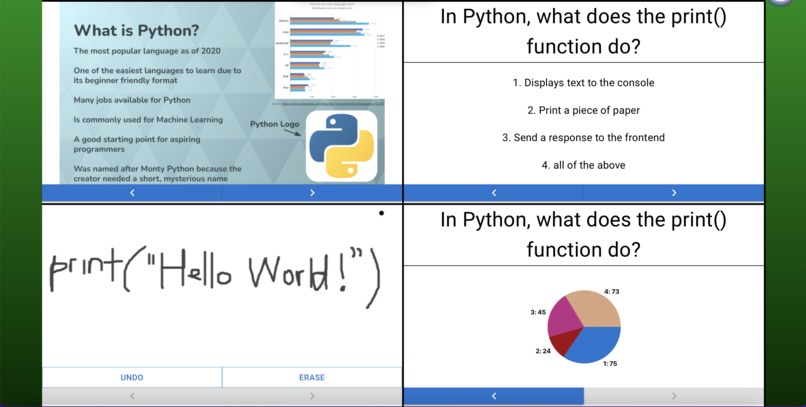
A front end overview of Slider, with different types of slides displayed.
-
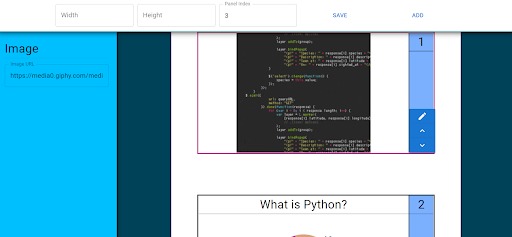
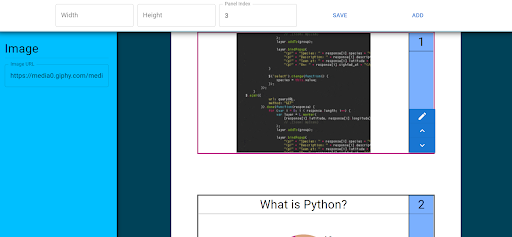
An overview of the Edit feature.
-
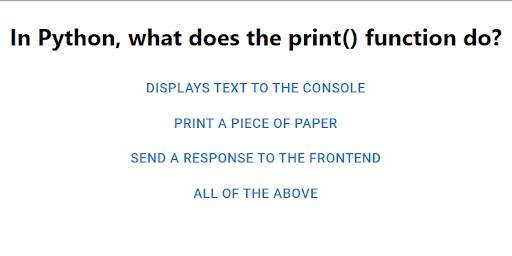
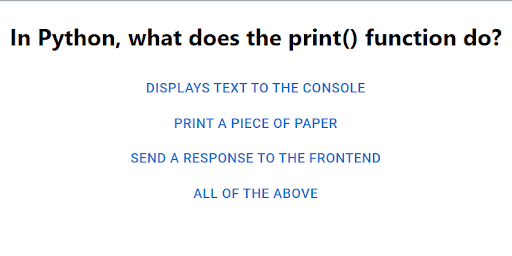
An example of a poll available for student voting.
Track: Education
Inspiration:
We wish to create a teaching tool to aid teachers in the classroom. Most presentation tools nowadays only allow teachers to present one slide/panel/type of information at a time, so our tool would be able to present many panels at once, similar to some sliding blackboards used in colleges. This way, teachers can select combinations of slides to show at once, such as showing formulas, a poll, the poll results, and handwritten notes all different slides simultaneously.
What it does:
Our website allows up to 4 (or more) concurrent panels on the screen. The data for these panels are saved and updated on a Firebase database, and we have a custom interface to allow users to edit their slides with a preview showing what each slide will look like. Our project currently supports 5 types of slides:
Blank canvas slides: allows students or teachers to freely draw on (similar to a free whiteboard). An “Undo” button to delete the last stroke, and an “Erase” button to clear the board.
Text slides: Allows prepared text to be displayed.
Image slides: Allows images with the source link to be displayed.
Poll slides: Displays a question poll with its corresponding options and allows students to vote on the poll. Poll results are automatically updated in the database in real-time.
Poll result slides: Displays the poll question and the results of the poll in a pie chart. Automatically updates once a new student answers the poll.
Each panel displays its own set of slides which can contain any combination of these 5 types of slides. Forward and backward buttons in each panel allow the teacher to shuffle forward and backward between the slides in each panel independently allowing for many combinations of slides and information.
How we built it:
Our website is primarily built using the React framework. We also use a Firebase database to store the slide information so that users can get their presentation anywhere.
Challenges we ran into:
For the drawable canvas, we used an existing React package. This package was difficult to use when combined with our multi-slide setup. We also wanted to allow users to drag textboxes into the text slide in the editing interface, but we ran out of time and decided not to go forward with this idea due to its complexity.
Accomplishments:
We made a fully-functional presentation setup that supports 2 or more slides simultaneously. We created a wide diversity of possible slide types that can be combined together in interesting and useful ways. We created a live poll that allows other users to vote on the poll in real time. We also created a functional editing interface for users to create and save their presentations.
What we learned:
We strengthened our understanding of React and Firebase, and we learned new package and technologies such as draggable elements, data displays, and drawable canvases.
What’s next:
Our project can be expanded in many ways. The editing interface can be more fleshed out. More slide types can be added such as website embeds, pdf viewers, latex/markdown support, and other cool features. We can also generally improve the ui, and we can add support for individual accounts.

Log in or sign up for Devpost to join the conversation.