-
-
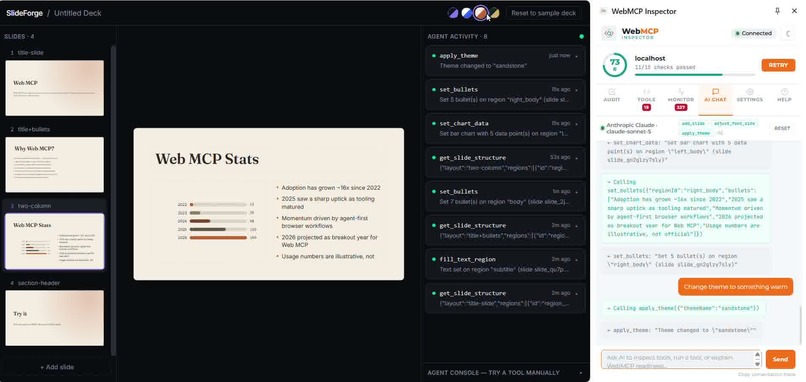
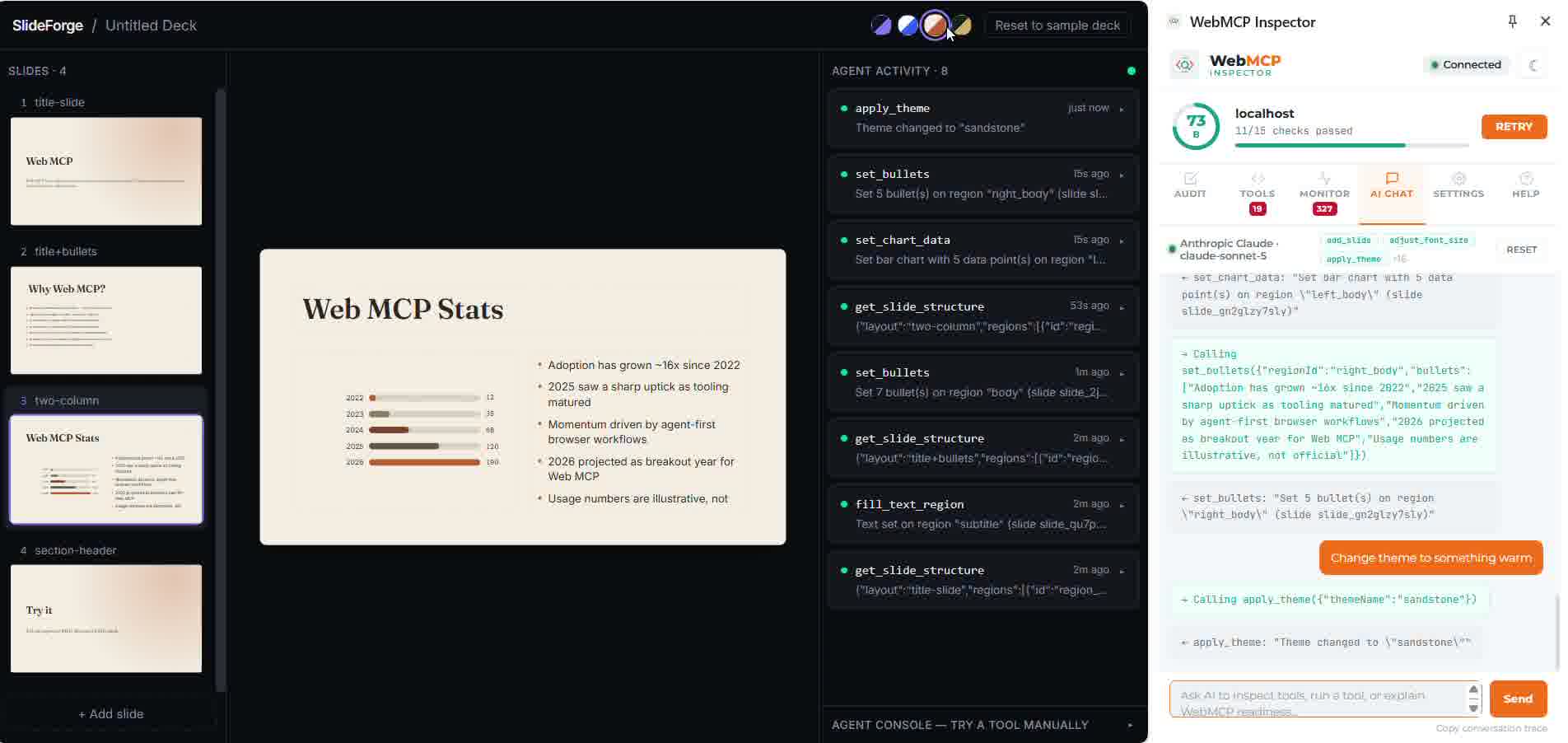
One tool call and the whole deck restyles instantly — no rebuild, no delay.
-
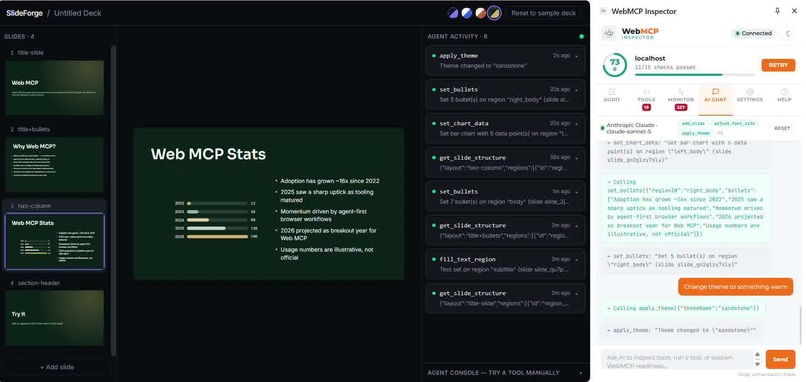
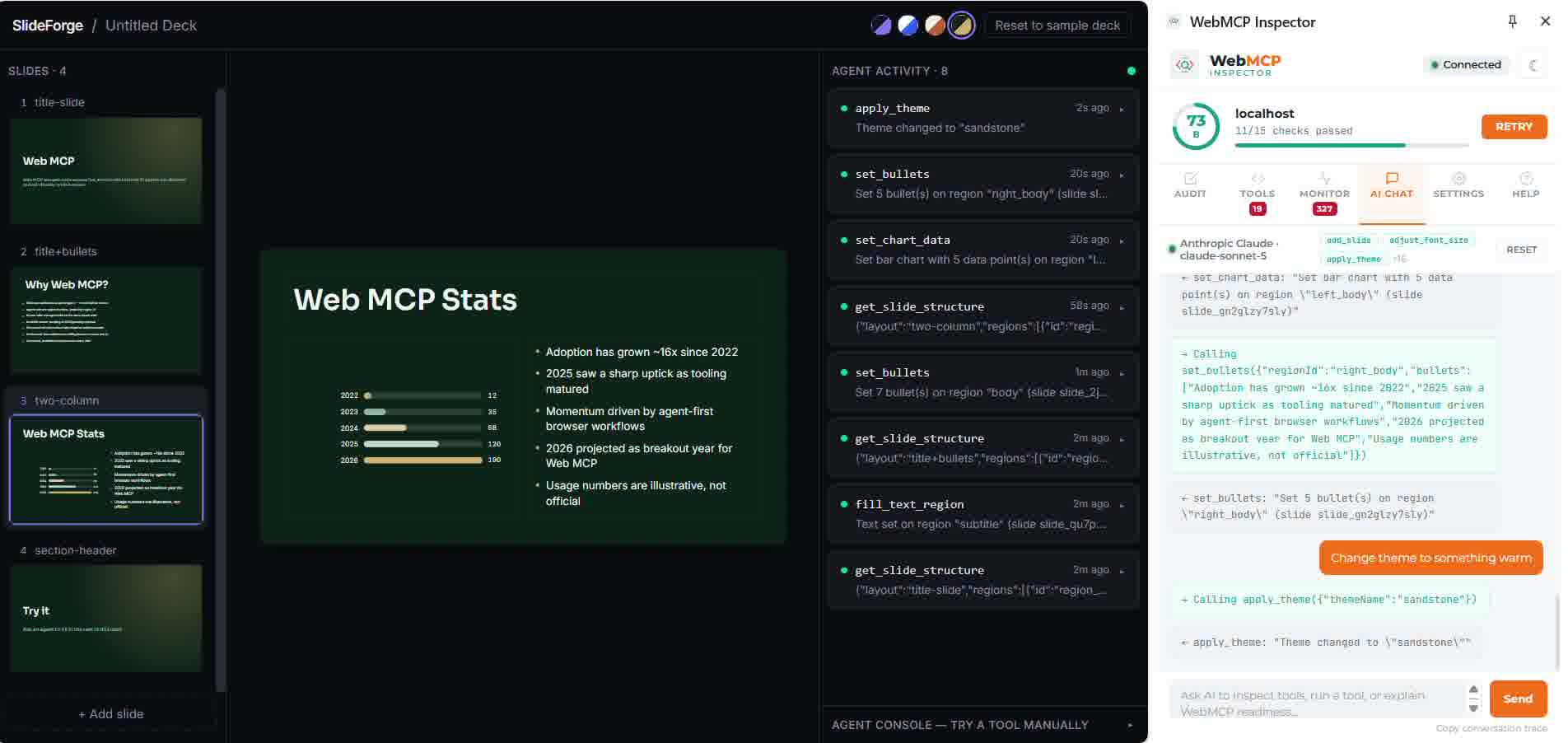
Seconds later, another instant restyle to Emerald — every slide updates together, live.
-
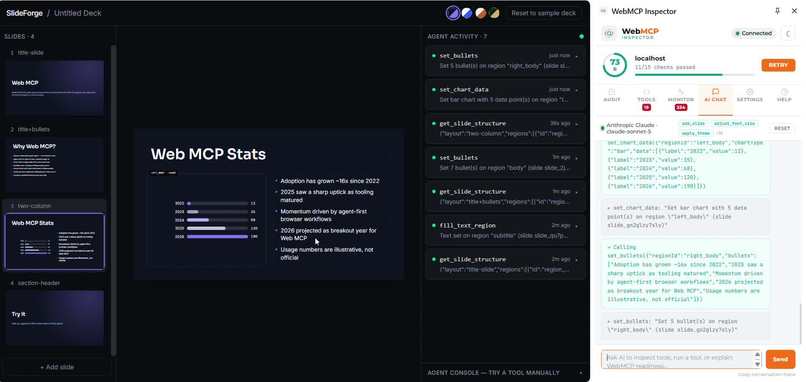
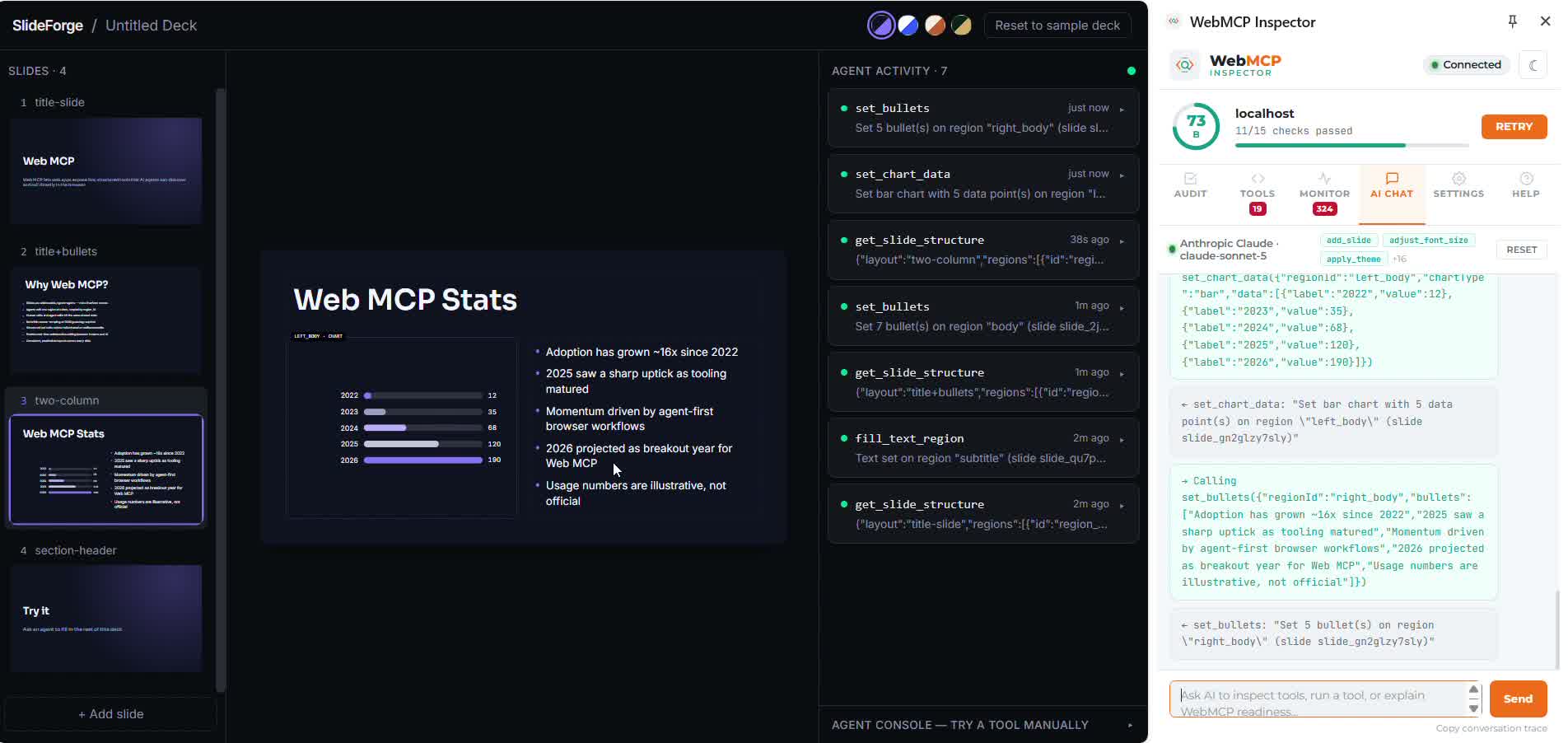
A real bar chart from live agent data, with every tool call logged in the Activity Panel.
-
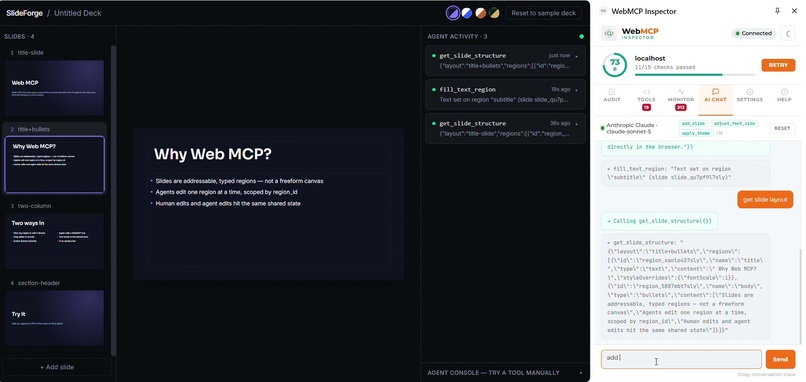
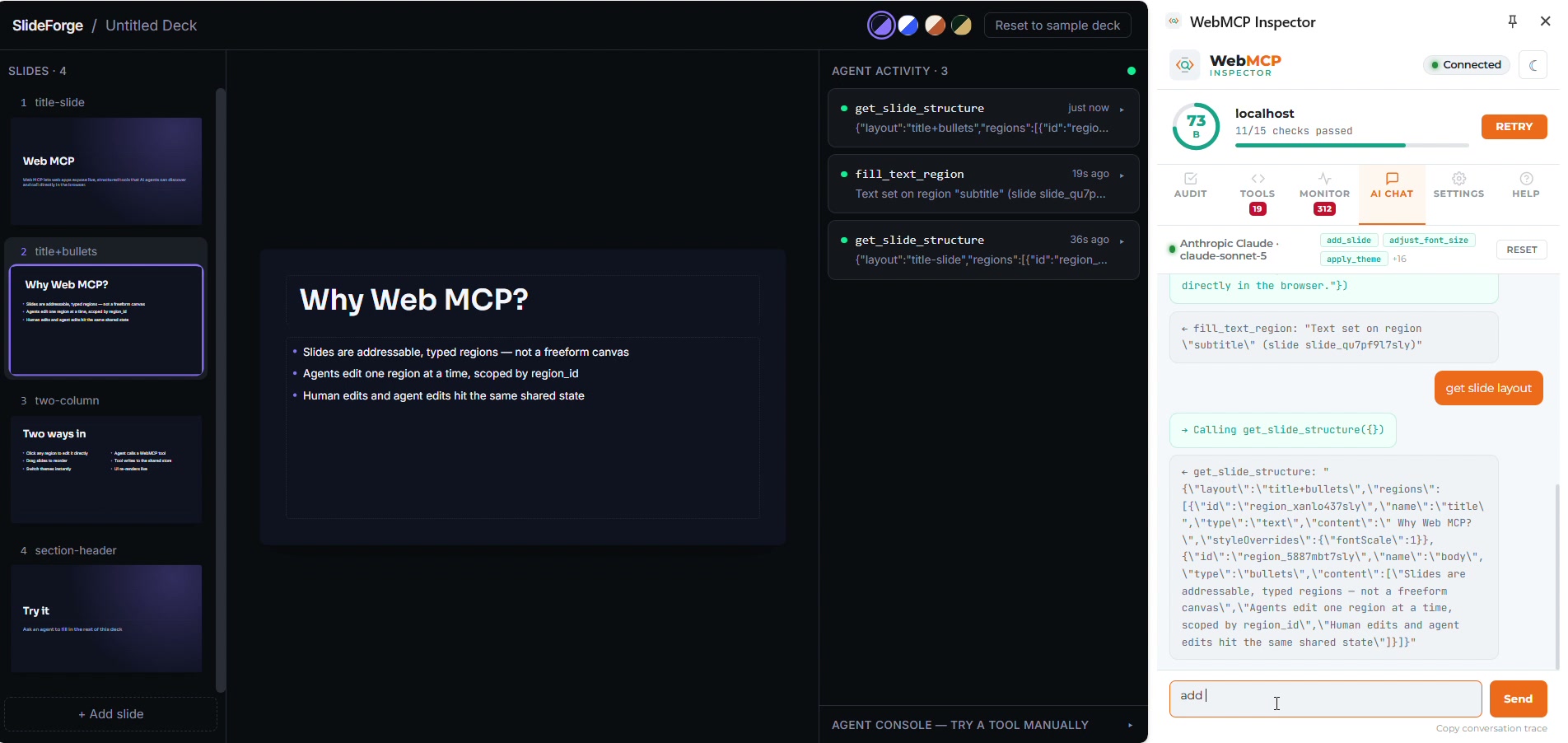
A simple bullet-point slide, written entirely by an agent — no templates, just a tool call.
TL;DR
- One shared document. Click a region and type, or ask an agent to do it — both land in the exact same state a heartbeat later. No "apply AI changes" button, no regeneration, no separate modes.
- 19 real tools registered via
document.modelContext.registerTool()— the actual WebMCP API, not a chatbot glued onto a canvas. - We built an image-generation tool, tested it against real agents, watched it hallucinate a fake
gstatic.comURL twice, and deleted it — replaced with real chart and diagram data instead, which models can actually produce. - Live: webmcp-beryl.vercel.app · Code: github.com/Aswin-hash/slideforge
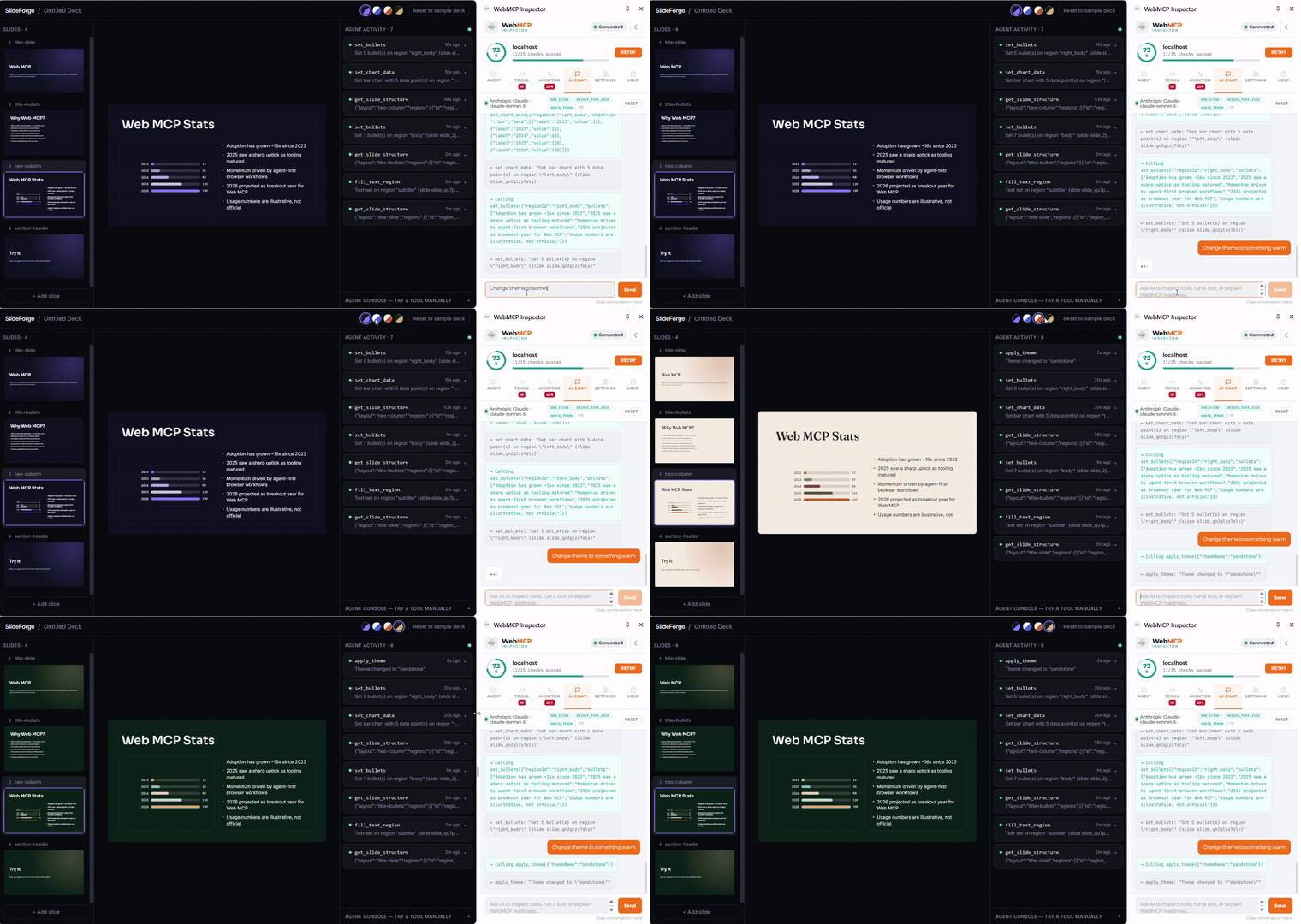
Unscripted footage: apply_theme fires from a real agent call and every slide re-skins immediately — no rebuild, no delay.
Inspiration
Every "AI slide generator" we'd tried worked the same way: you prompt, it regenerates the whole deck, and whatever you had is gone. There's a human mode and an AI mode, and the two don't really talk to each other — editing by hand means you've opted out of the AI, and re-prompting means you've opted out of your edits.
WebMCP looked like the way out. Instead of an agent screenshotting a page and guessing where to click, document.modelContext.registerTool() lets a page hand an agent a list of exact, callable actions — the same actions a human has, exposed directly. That's not "AI generates a slide deck." That's "a human and an agent share one editable document, through the same interface." We wanted to see if that idea actually held up once a real agent, not a scripted demo, was driving it.
What it does
SlideForge is a presentation editor with one shared state — a Zustand store — and exactly one way to change it. A slide is a named layout (title-slide, two-column, media-split, …) made of typed, addressable regions: title, body, left_body, text, bullets, a real bar/pie chart, a flow diagram. A human clicks a region and types. An agent calls one of 19 tools — set_bullets, set_chart_data, apply_theme, reorder_slides — and the exact same store updates, the exact same way. Both are logged to a live Activity Panel, so nothing an agent does is invisible.
There's also an Agent Console built into the app itself — pick any of the 19 tools, fill in its arguments, run it. It calls the identical code a real WebMCP host would call, which turned out to be essential, because most browsers don't support WebMCP yet (more on that below).
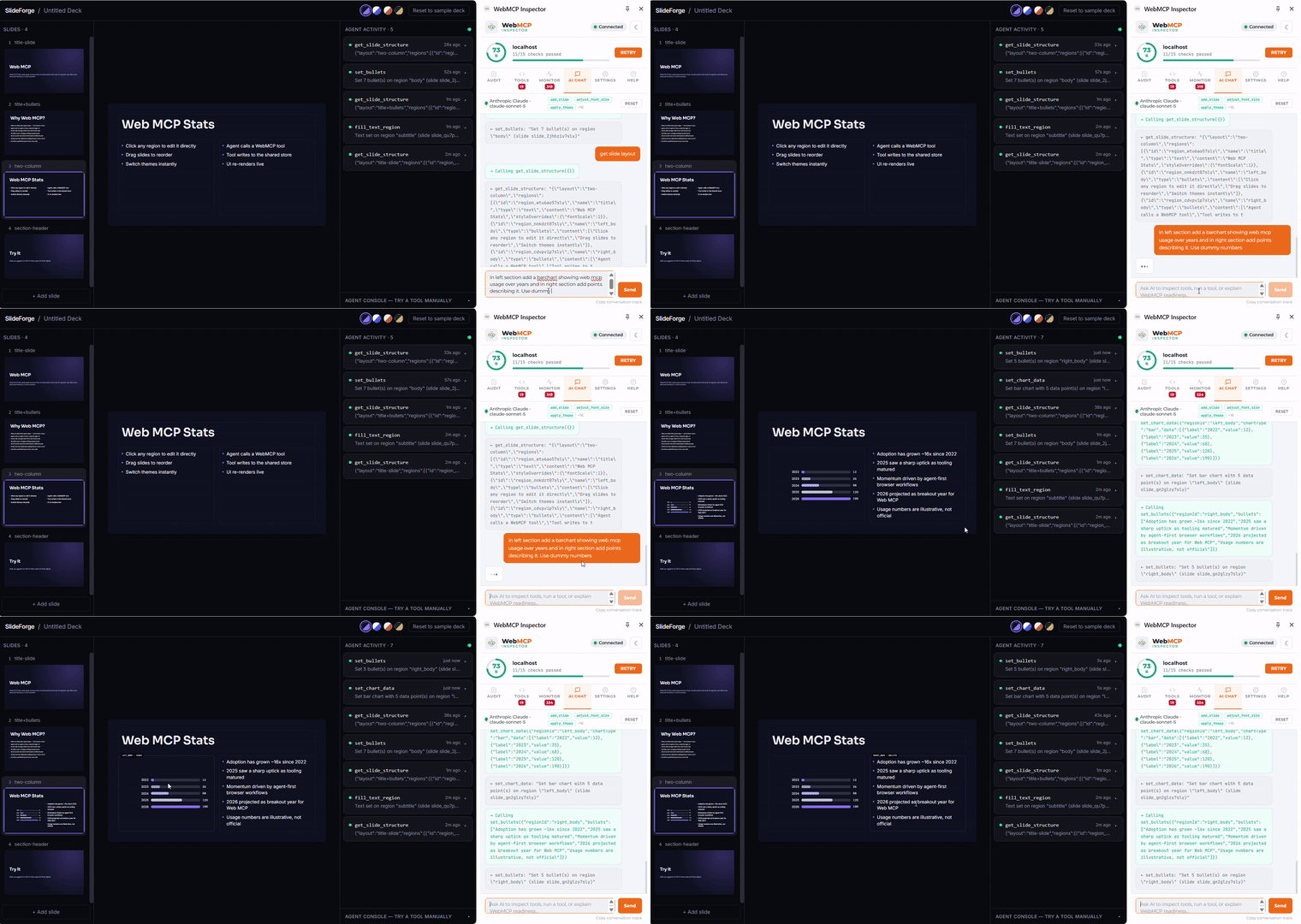
The agent calls set_chart_data with real {label, value} numbers — that's an actual rendered chart, not a screenshot of one pasted into a slide.
How we built it
React 19 + TypeScript + Vite, Zustand for state (wrapped in persist, so a page refresh doesn't wipe the deck out from under a live agent conversation), Tailwind for styling. No backend, no API keys, no server — the whole thing is a static SPA.
The part we're proudest of architecturally: every slide is rendered at a fixed 960×540 resolution and scaled into whatever container it's in via a ResizeObserver + CSS transform. The filmstrip thumbnails and the full canvas are the same component tree, just scaled differently — not two rendering paths that can drift out of sync.
The WebMCP layer is intentionally thin: a ToolDef array, one runTool() function that wraps every call in try/catch and logs the result, and a single useRegisterTools() hook that registers all 19 at the app root. Every tool's execute() calls straight into a plain Zustand store action — the same action a click handler in the UI calls. That's the whole trick: there was never a second write path to keep in sync, because we never built one.
Challenges we ran into
This is where most of the real work happened — not in the initial build, but in what broke once real agents (Gemini, then Claude) started actually driving it.
Stale ids that quietly broke everything. Every time the deck reset — a page refresh, a "Reset to sample deck" click — every slide and region got a brand new random id. An agent mid-conversation had no way to know that happened, so it kept confidently calling tools with ids that no longer existed. The fix was two-fold: persist the deck to localStorage so a refresh doesn't regenerate it, and default every tool's slideId to the currently active slide unless explicitly given (except the one destructive tool, remove_slide, which we deliberately left strict).
Agents doing unnecessary reconnaissance. Early on, nearly every content edit was preceded by a get_slide_structure call just to learn a region's id — even for layouts the agent had just created itself. We let every content tool accept a region's name directly (left_body, body, media) instead of demanding an opaque id, and made a wrong guess fail with the slide's actual region names listed right in the error. That collapsed most two-call sequences into one.
A tool description that was quietly sabotaging itself. set_region_type's description told agents to "call this before filling a region whose type doesn't match" — which sounded reasonable, except every content tool already converts a region's type automatically. We watched an agent dutifully call set_region_type, get a success message, and then just... stop, having "completed" a step that did nothing useful. Fixing that one sentence fixed a whole class of dead-end conversations.
We shipped an image tool and had to kill it. set_region_image took a URL, actually verified it loaded via a real fetch, and rejected dead links with a clear error. It worked exactly as designed — and it still failed, twice, because the model asked to "generate an image" doesn't have pixels to give you. It hallucinated a very plausible-looking gstatic.com/lamda/images/gemini_logo_...png URL — right domain, right path shape, completely fake. No amount of validation on our end fixes a model inventing a URL that was never real. We removed the tool entirely and replaced it with set_chart_data and set_diagram_steps: structured numbers and short labels are squarely inside what a text model can actually generate, and every test since has worked.
Model tier mattered more than any tool design decision we made. The exact same tool set, the exact same prompts, went from stalling constantly on a "lite" model tier to completing 12+ chained tool calls without a single error on a larger one. No prompt engineering on our side closed that gap — it's a genuine capability difference in multi-step planning, and it taught us to design tools that are forgiving of a weaker model's mistakes (clear errors, sane defaults, informative failures) rather than assuming a strong one.
What we learned
Tool descriptions are the UX. We spent as much time rewriting a sentence in a JSON Schema description field as we did writing components — and it mattered just as much. A tool that quietly implies an unnecessary step, or doesn't say what it can't do, will get an agent to confidently waste a turn on nothing.
You cannot design this by imagining how an agent should behave — you have to watch a real one behave, badly, and fix exactly what actually happened. Every hardening decision in this project — the name-based region targeting, the default-to-active-slide behavior, the image tool's removal, the rewritten set_region_type description — came from a specific, reproduced failure, not a hypothesis.
And WebMCP itself is genuinely early. No mainstream consumer browser calls document.modelContext tools by default yet — we built the Agent Console specifically so the tool layer was testable without needing bleeding-edge browser flags. That's not a workaround we're embarrassed by; it's proof the tools work independent of which host eventually adopts the standard.
What's next
Import an existing PowerPoint's theme and fonts so a deck starts from your brand, not a blank slate. More layouts. And, when a model actually can hand a tool real image bytes instead of a hallucinated URL, set_region_image gets to come back.
Built With
- anthropic
- claude
- css
- gemini
- git
- github
- google-gemini
- html
- javascript
- model-context-protocol
- node.js
- npm
- react
- tailwindcss
- typescript
- vercel
- vite
- zustand

Log in or sign up for Devpost to join the conversation.