📚 Overview
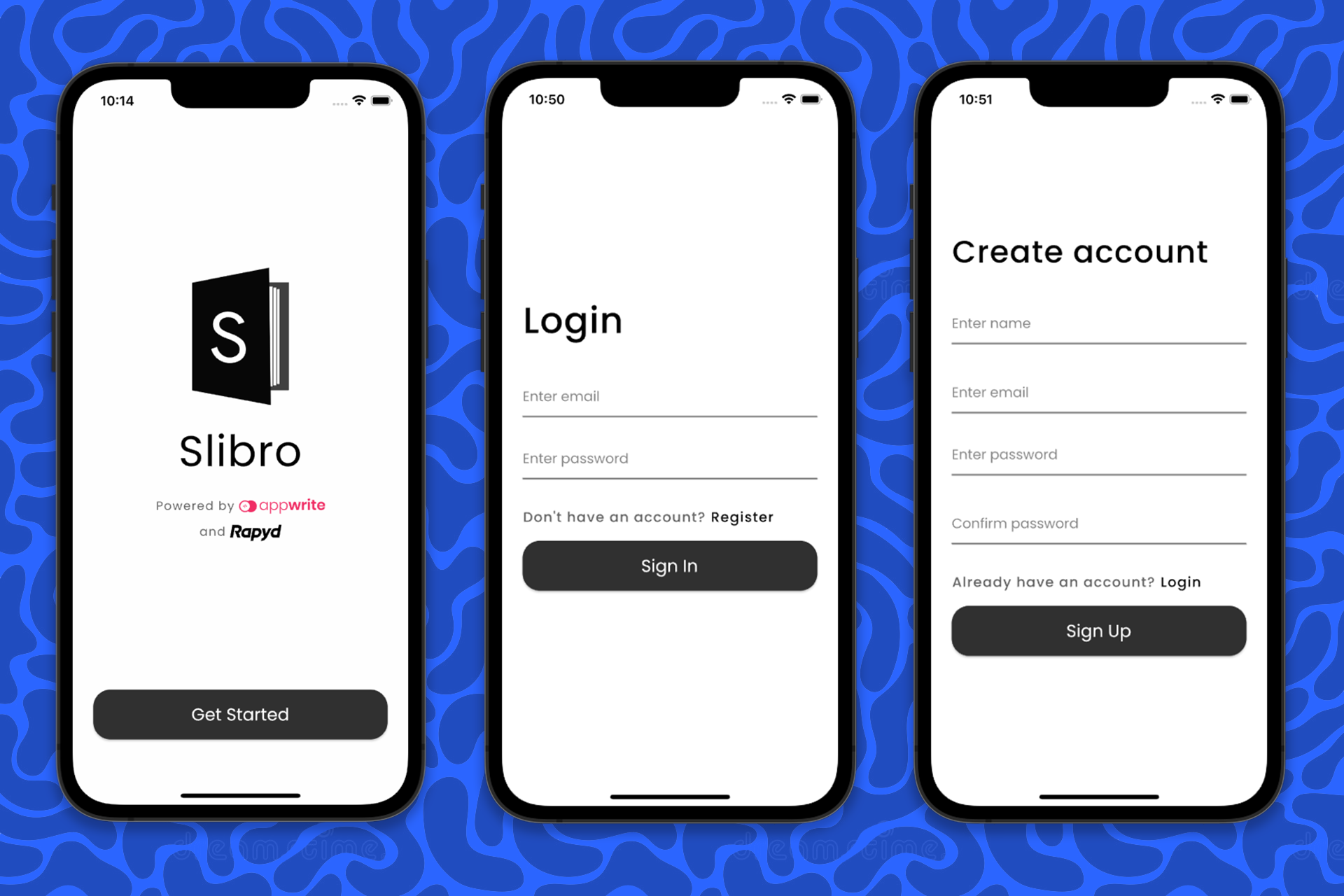
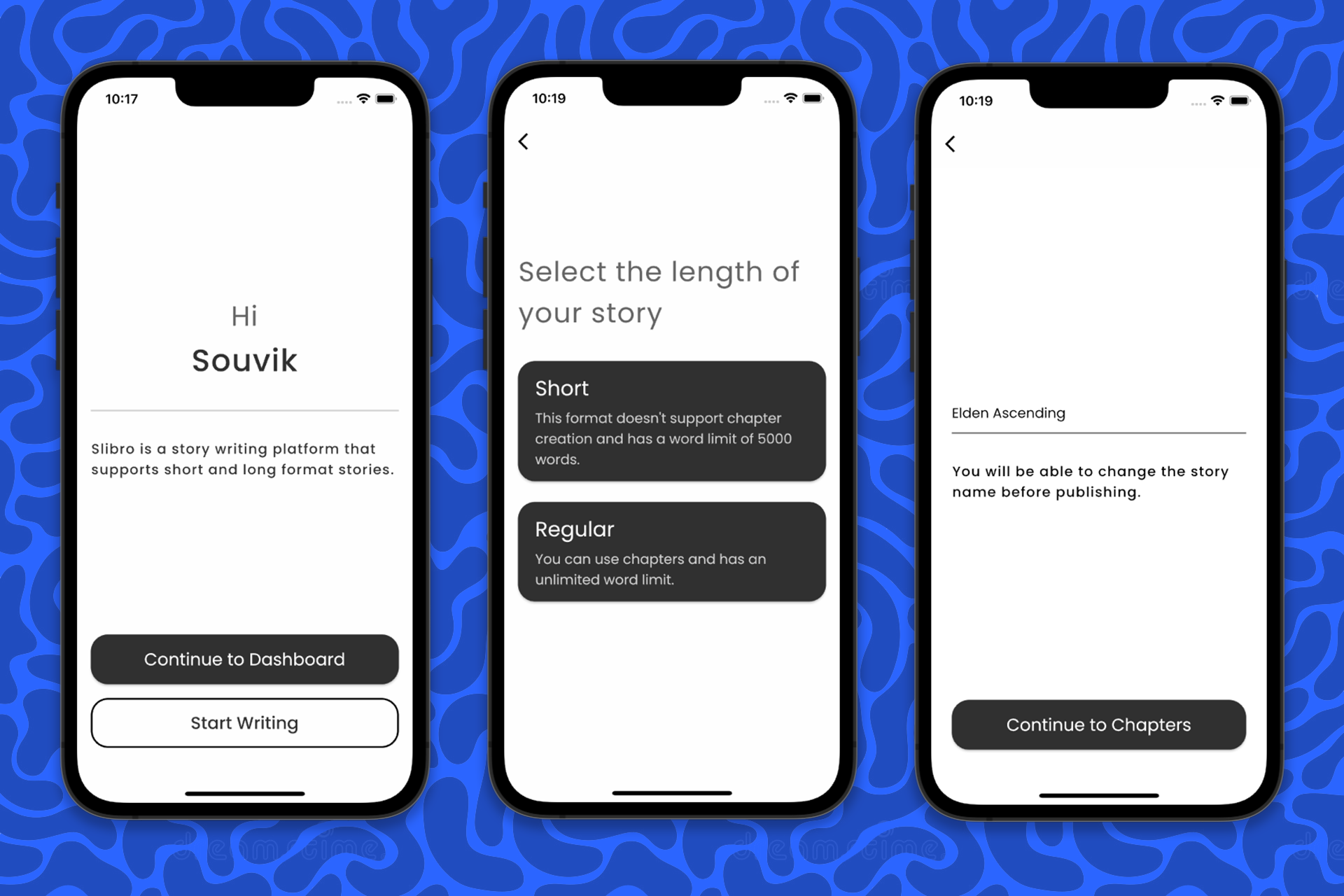
Slibro is a full-fledged story writing and publishing platform that supports short and long format stories. Flutter, Appwrite, and Rapyd is used to create this amazing cross-platform experience. Though I have focused mainly on the mobile side for building the UI and made sure it's a nice to use on small sized devices.
Try out the app on Android from here.
🤔 Inspiration
The inspiration behind this idea is to simplify the process of story writing, formatting, and publishing to reach a wider audience. Whether you just getting started with your first story or a seasoned writer, Slibro has got you covered!
🚀 Features
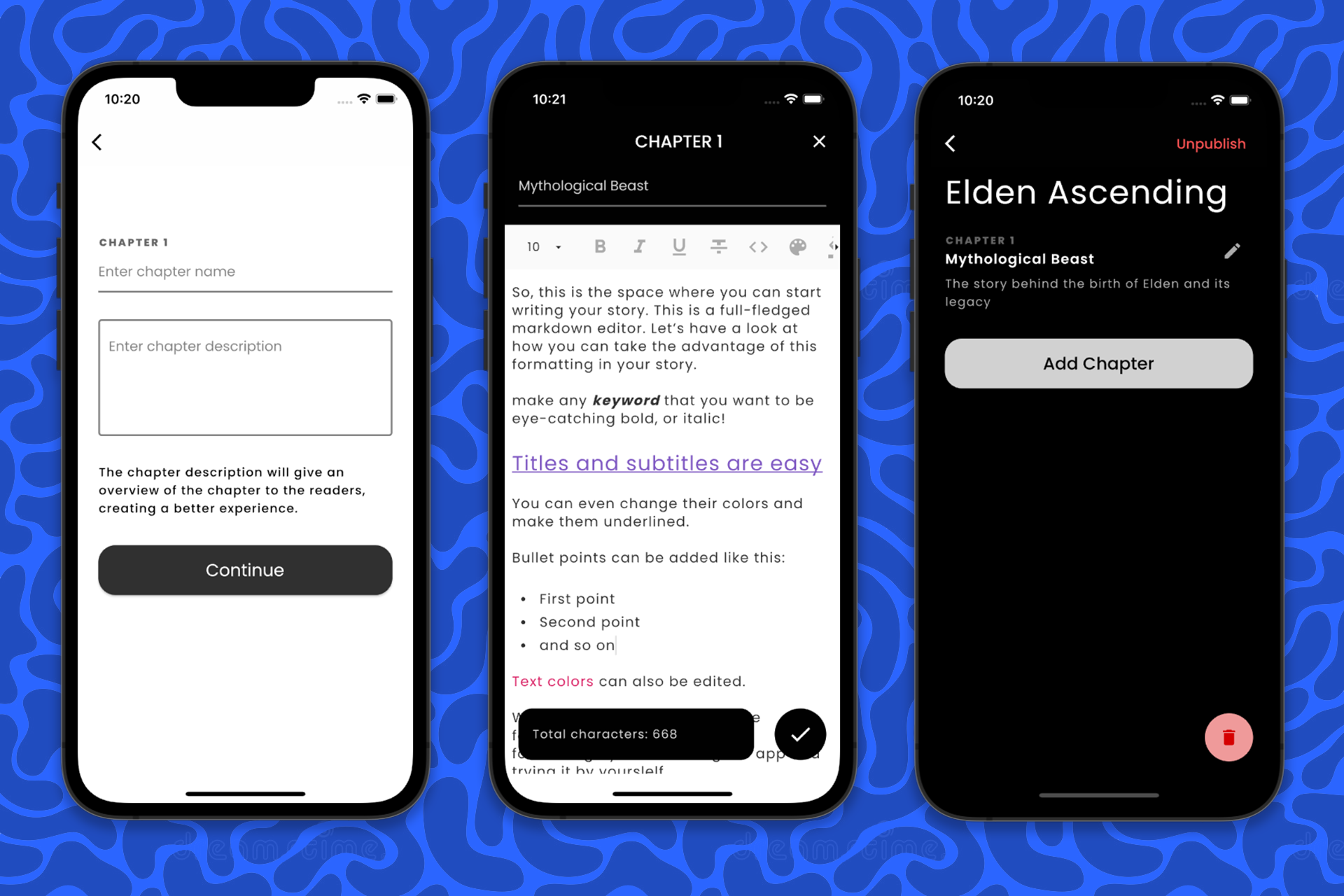
Rich text - markdown editor for writing and formatting your stories to make them eye-catching
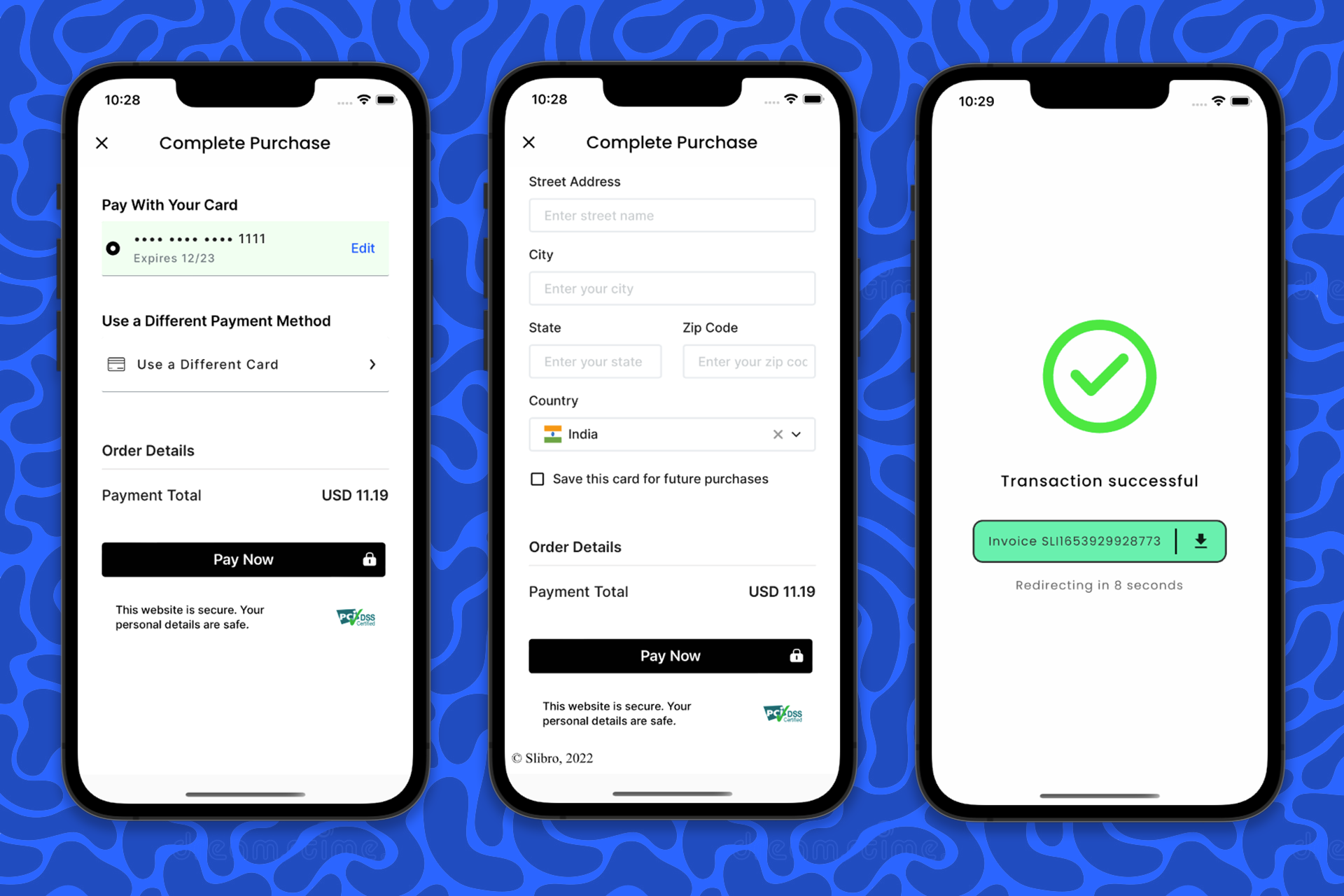
Rapyd is used as the payment processing platform - the app has an embedded checkout page - it's not a hosted web page (more into later on).
Appwrite is for handling all the backend functionalities like authentication, database, and storage - required for both the stories and users. It's a cloud based database, so you can get access to your data on any device using the same account (automatically synced across devices).
SendGrid is used to send story purchase invoice to the users.
The has a proper story management system built-in, it includes writing, editing, publishing, and selling your stories on the platform.
🌊 Deep dive
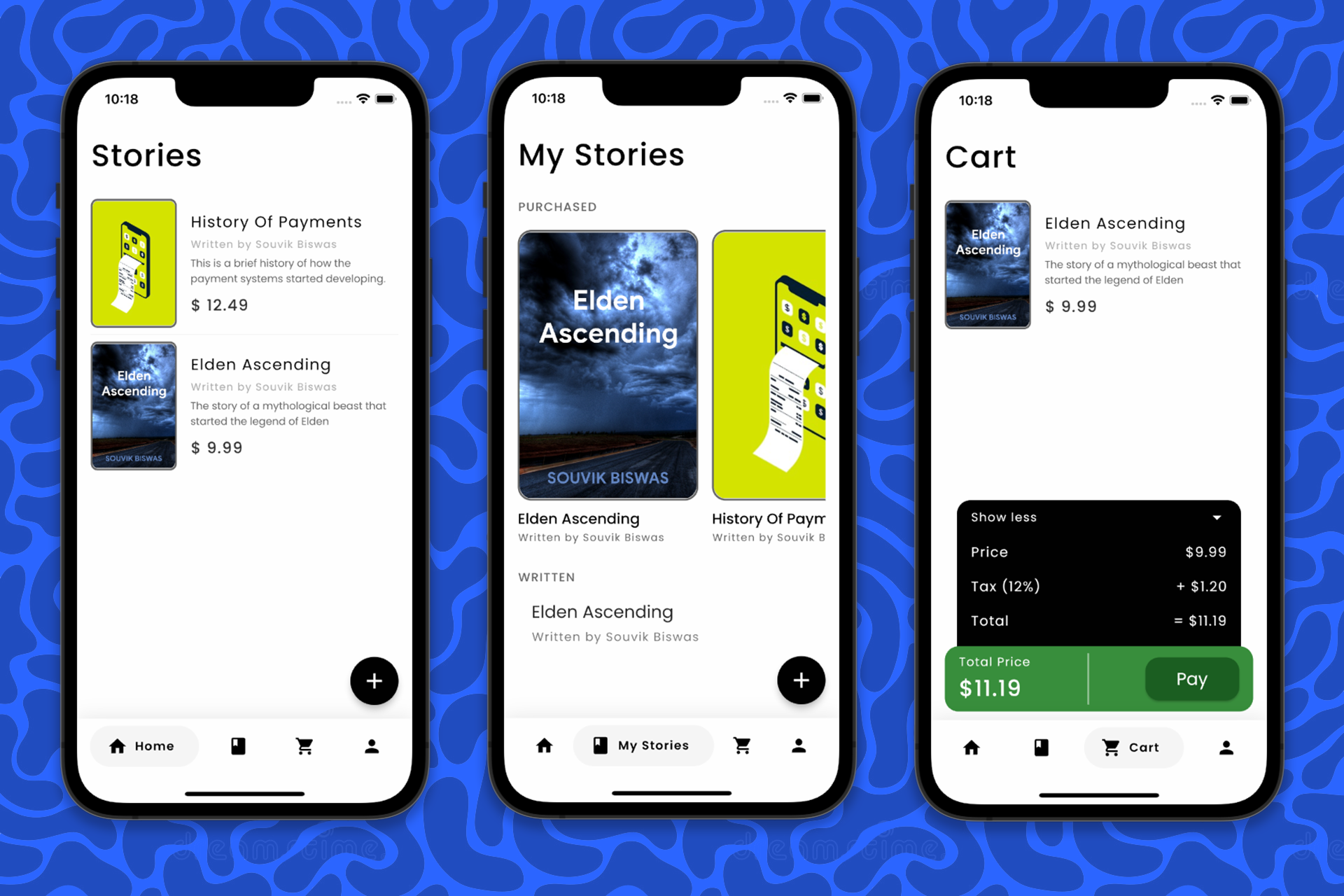
The app consists of four main screens:
Home Page: Displays the list of all published stories inside the Slibro app.
My Stories Page: It has two sections, the first section displays your purchased stories (if any), and the next section displays the stories that you have written (if any).
Cart Page: Displays the list of stories that you have specifically added to the cart for purchasing. You can proceed with the checkout from this page.
Profile: Let's you view your profile information along with an options to edit your information. You will also find the log out button on this page.
🌏 Rapyd APIs
The following Rapyd APIs are used in this project:
Customer API: Used for creating and retrieving the customer information - mainly for storing the saved card information.
Checkout API: Used for generating and retrieving the checkout ID for the products that the user wants to purchase - it's also required while loading the embedded checkout toolkit inside the app.
🌏 Appwrite APIs
Three of the major Appwrite APIs are used:
Account API: Used for implementing user authentication and user data management.
Database API: Used for storing app data related to stories and chapters.
Storage API: Used for storing the Rich Text story file in JSON format.
📦 Flutter packages
A lot of community members for searching for a Flutter SDK to access the Rapyd APIs, so I have started working on a Rapyd Flutter SDK. The package is in a very early stage of development and has limited APIs to interact with, but has some of the major functionalities like calculation of the salt and signature for the header that is required for performing a valid API call.
This SDK should make the Rapyd API calls really easy to perform. Here's a small example of how a new customer can be created using the SDK:
// Initializing
final rapydClient = RapydClient('<access_key>', '<secret_key>');

try {
  // Creating a new customer
  final customer = await rapydClient.createNewCustomer(
    email: '[email protected]',
    name: 'User',
  );
  print('Created customer successfully, ID: ${customer.data.id}');
} catch (e) {
  print('ERROR: ${e.toString()}');
}
This project used the Rapyd Flutter SDK for performing the API Calls!
The following Flutter packages are used to build this app:
- rapyd
- appwrite
- flutter_quill
- path_provider
- shared_preferences
- google_nav_bar
- tuple
- image_cropper
- image_picker
- http
- convert
- crypto
- webview_flutter_plus
- rive
- printing
- file_saver
- sendgrid_mailer
💪 Challenges
The main challenge was integrating the Rapyd Checkout Toolkit inside the Flutter app. On top of that, I took one more challenge by myself - embedding it as a web view but WITHOUT even hosting it as a web page!
And, I was finally able to embed the entire web page inside the app by loading the HTML, CSS, and JS code from the assets. This was possible thanks to the language used by Flutter, that's called Dart - it can basically compile and load up all web files locally inside the app. Also, there is an amazing Flutter package called webview_flutter_plus that has all the complexities taken care of - it even allows 2-way communication between Dart and JavaScript which made it possible to provide the checkout ID generated from the Flutter app and retrieve the payment status from JS.
🏆 Accomplishments
Finally, was able to complete the app in time!
There were quite a bit of challenges while putting all the pieces of this app together, but have overcome all of them!!
Main accomplishments:
Was able to integrate the Rapyd Checkout Toolkit without hosting it as a separate webpage.
Built an initial version of the Rapyd Flutter SDK.
🔮 What's next
Make the app suited for running as a web app - will make the story writing much easier.
Built and maintain the Rapyd Flutter SDK 😎 - would be really helpful for the community (also require the support of some contributors).

Log in or sign up for Devpost to join the conversation.