-
-

The Sleevd app logo
-
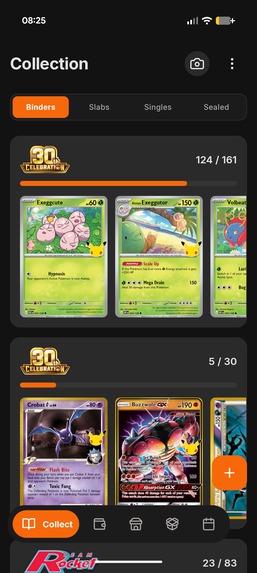
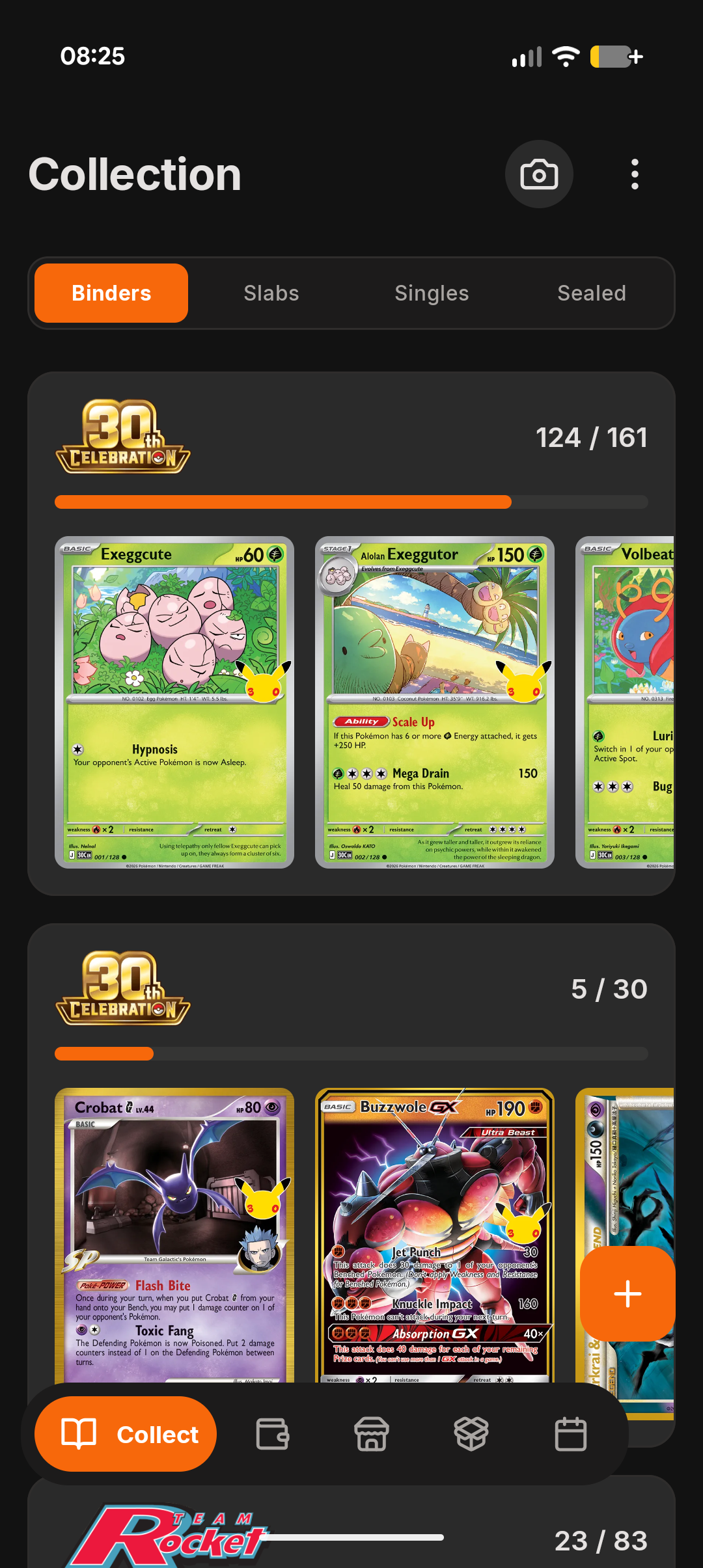
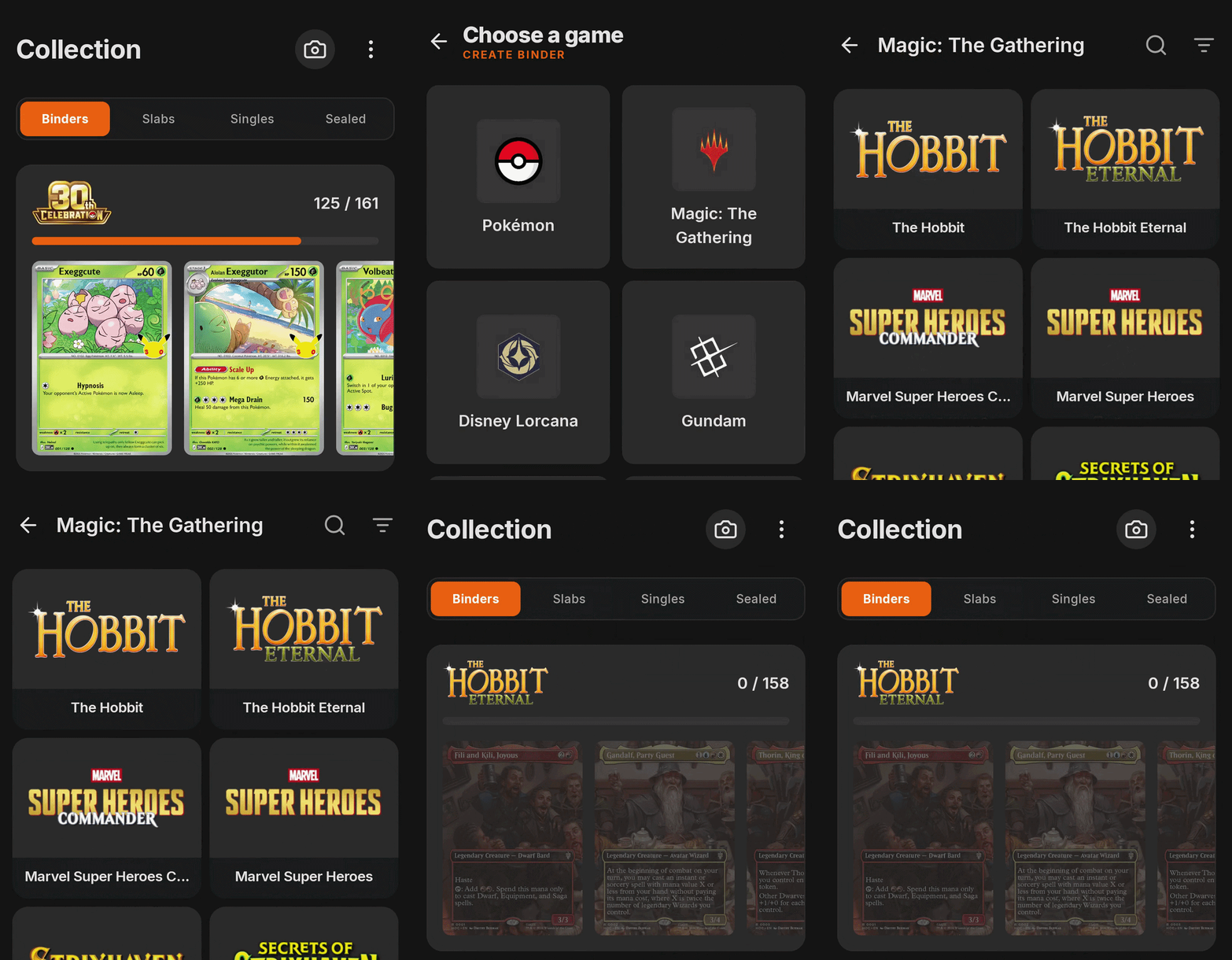
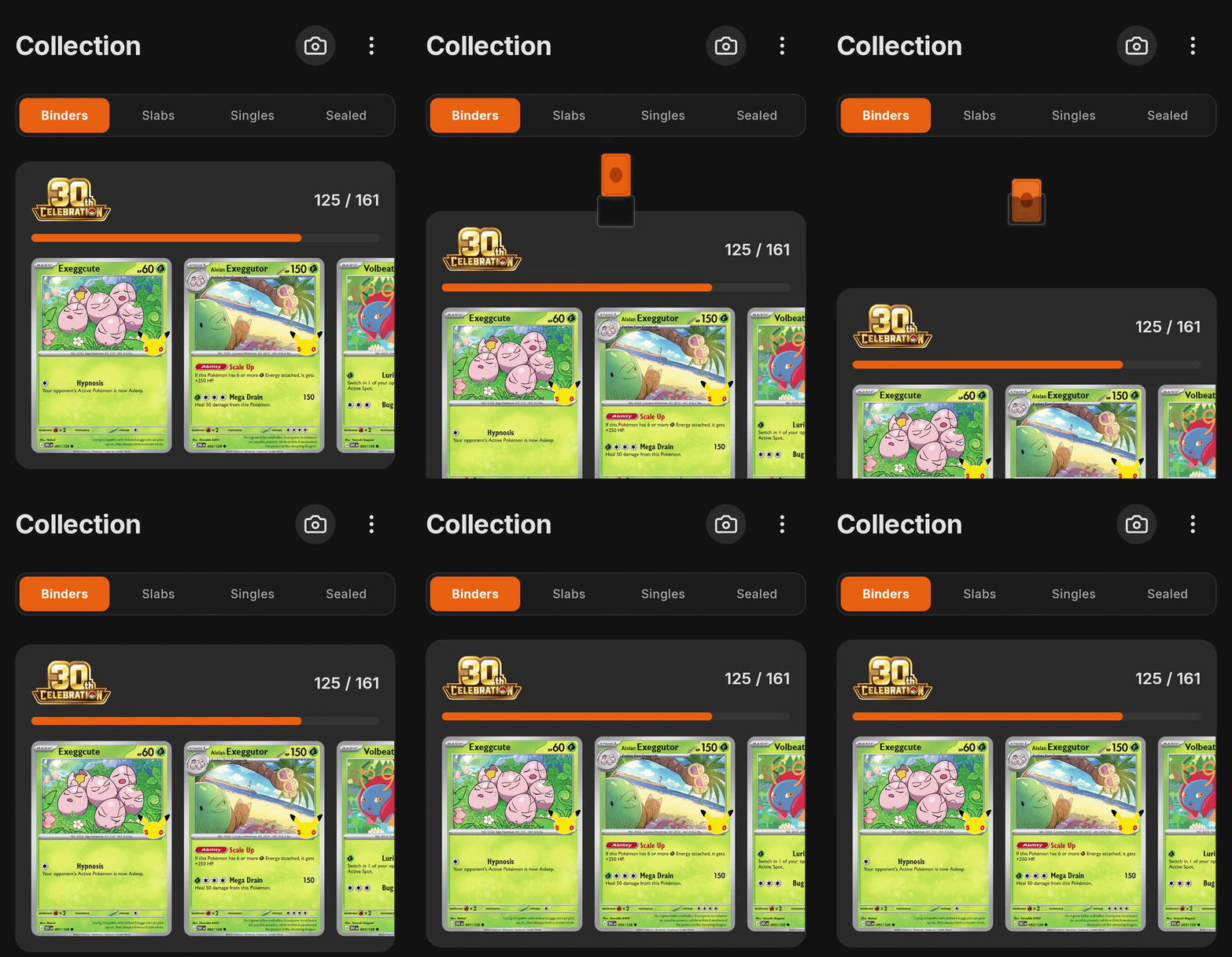
Binders are the heart of the app, this is where users track their card collections
-
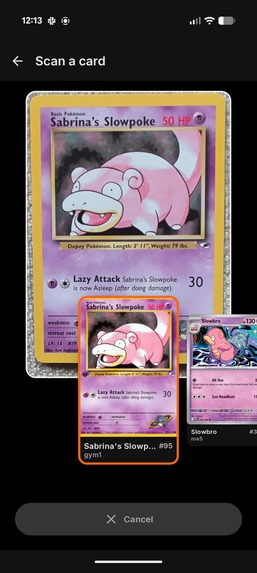
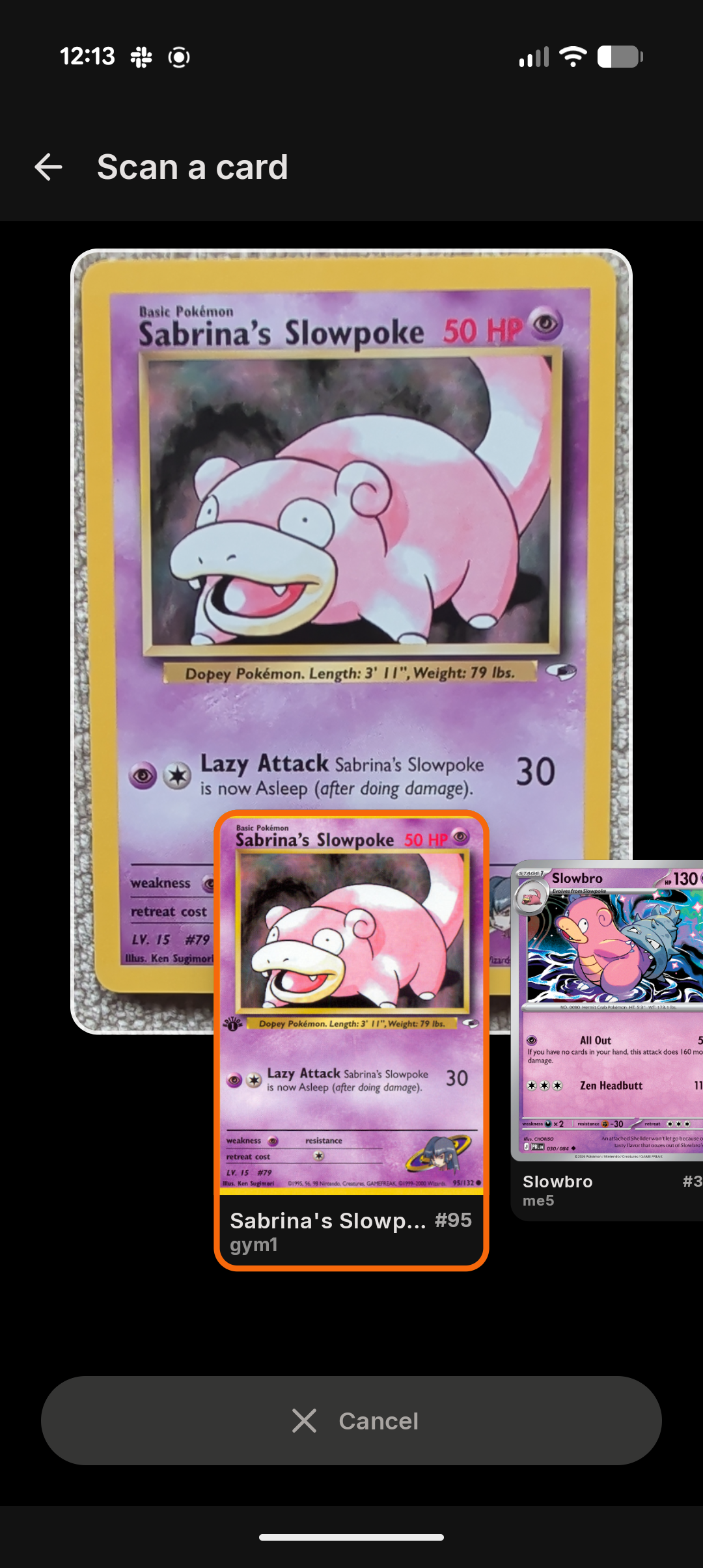
AI card scanning allows users to easily track cards. Paid users get unlimited AI scans, free users get 3 AI scans then OCR scanning
-
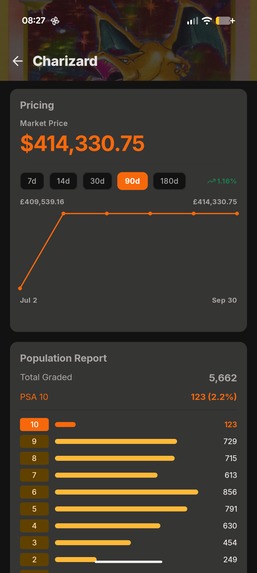
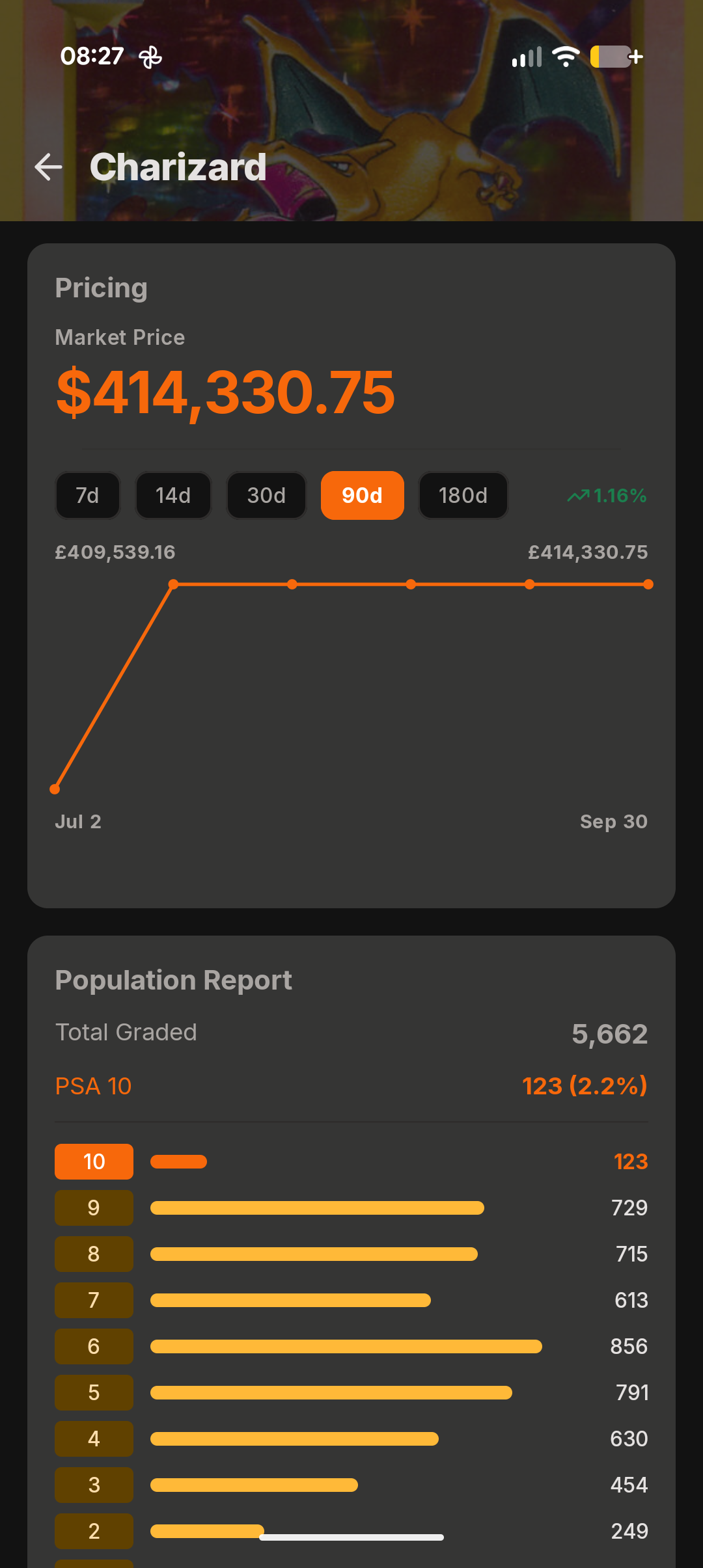
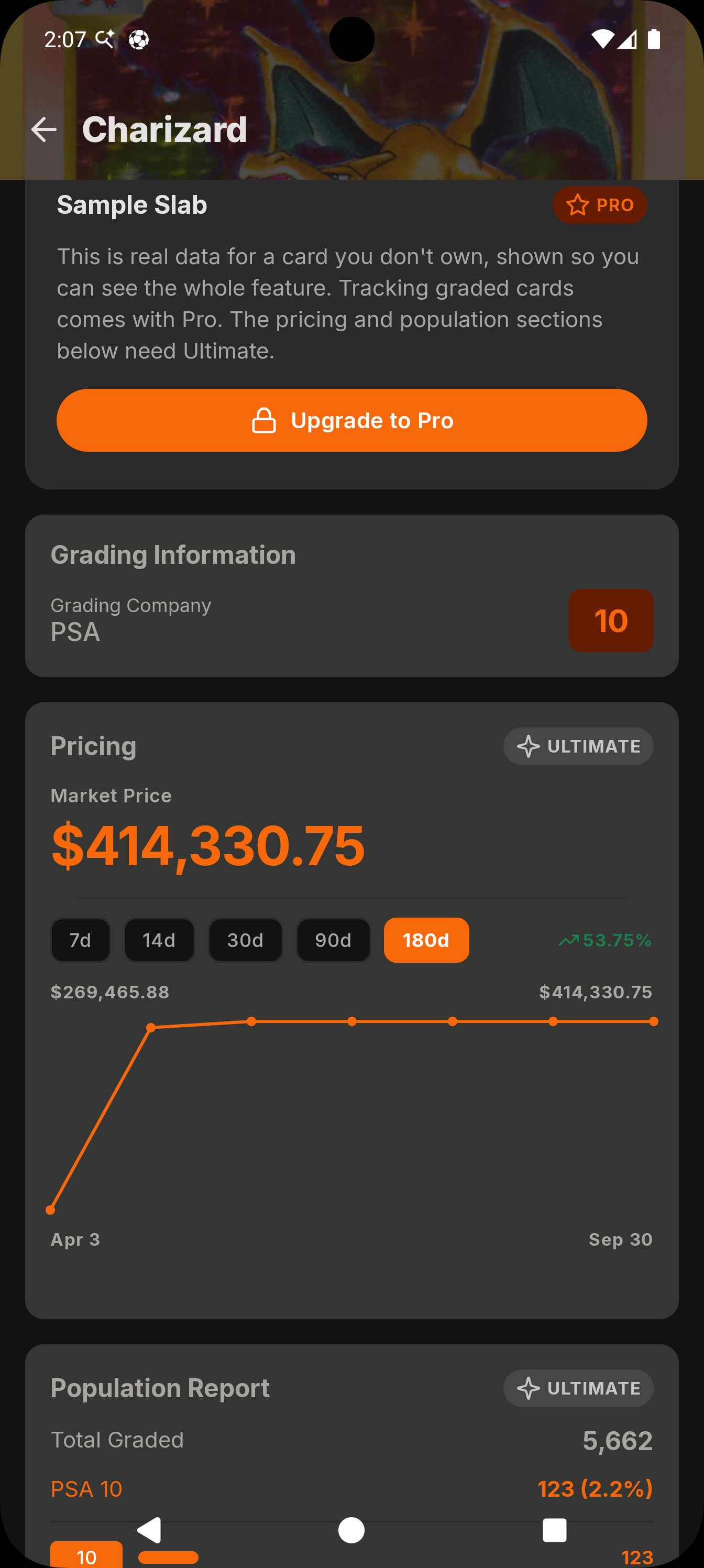
Paid users can track the market value and population counts of graded slabs
-
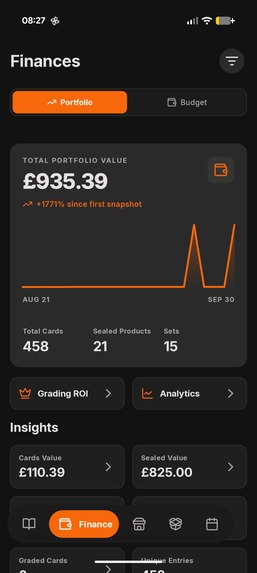
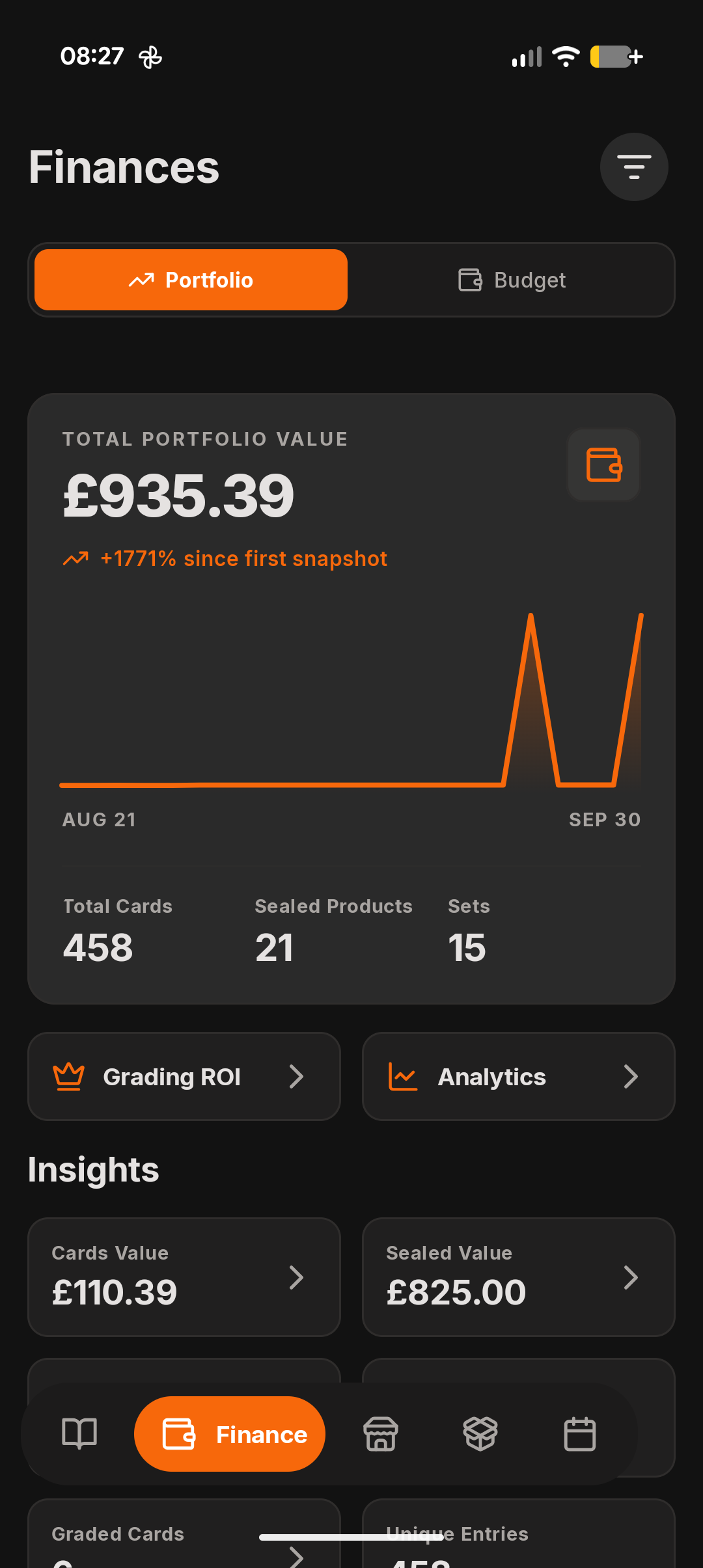
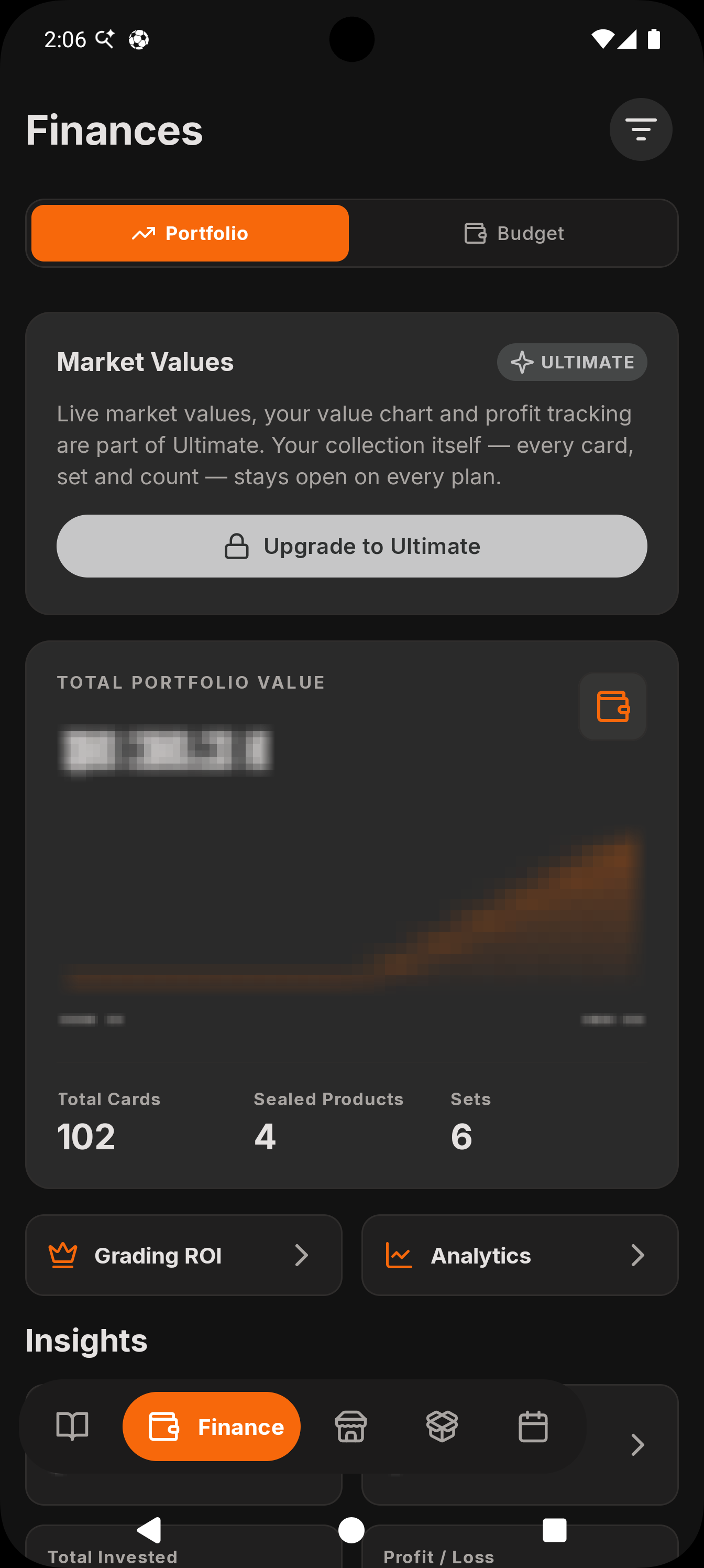
Paid users have access to portfolio tracking, for analysing value over time
-
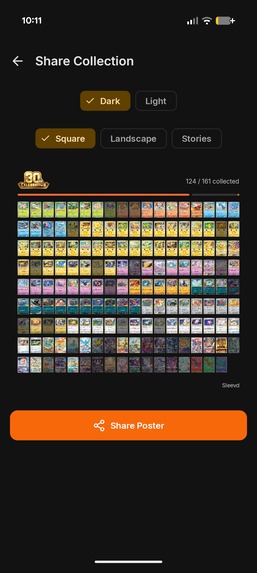
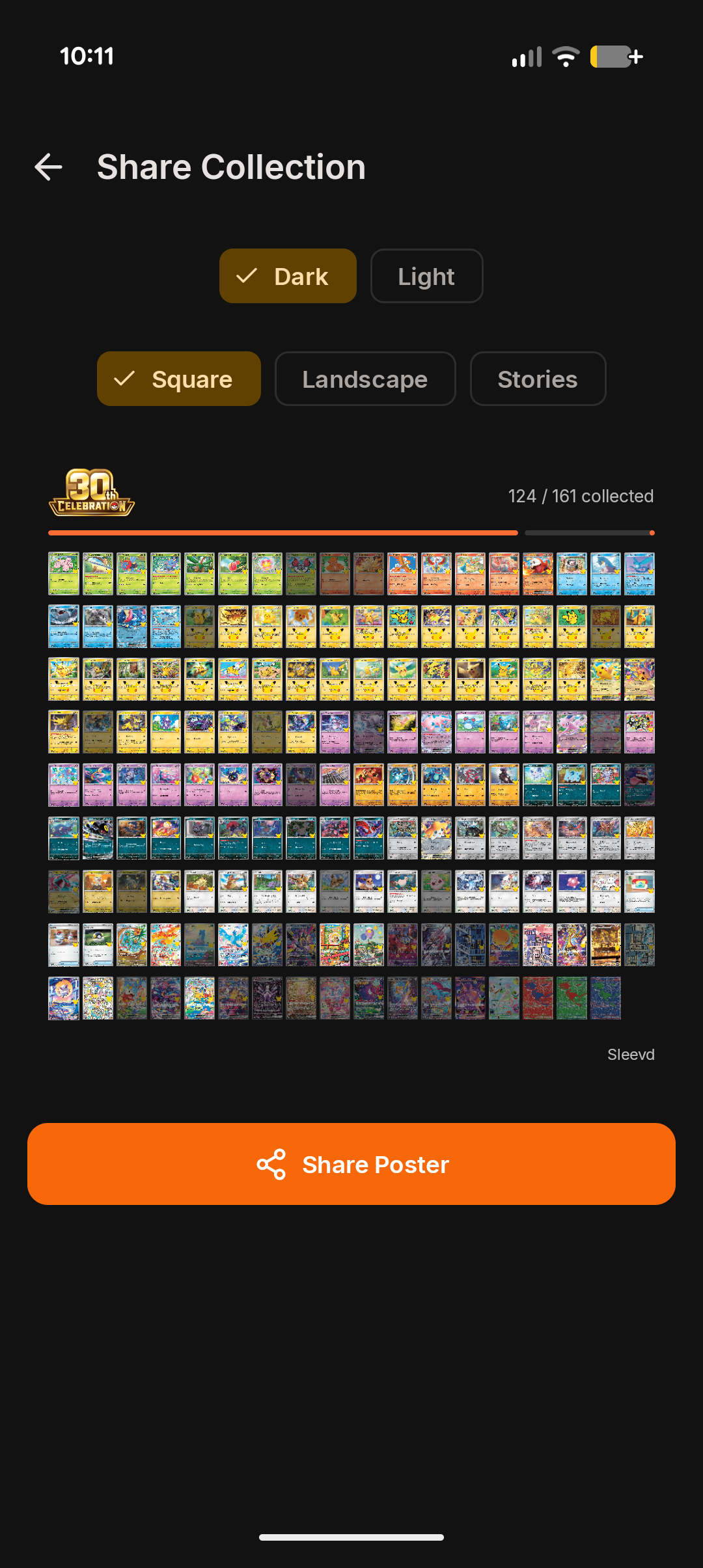
Images of card collection progress can be generated to share across social media
-
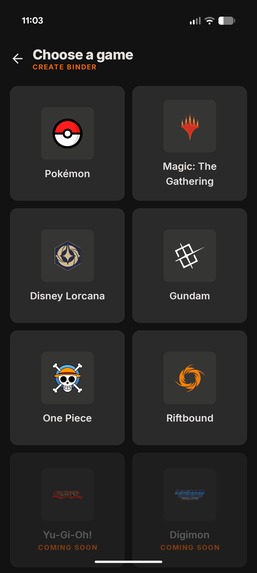
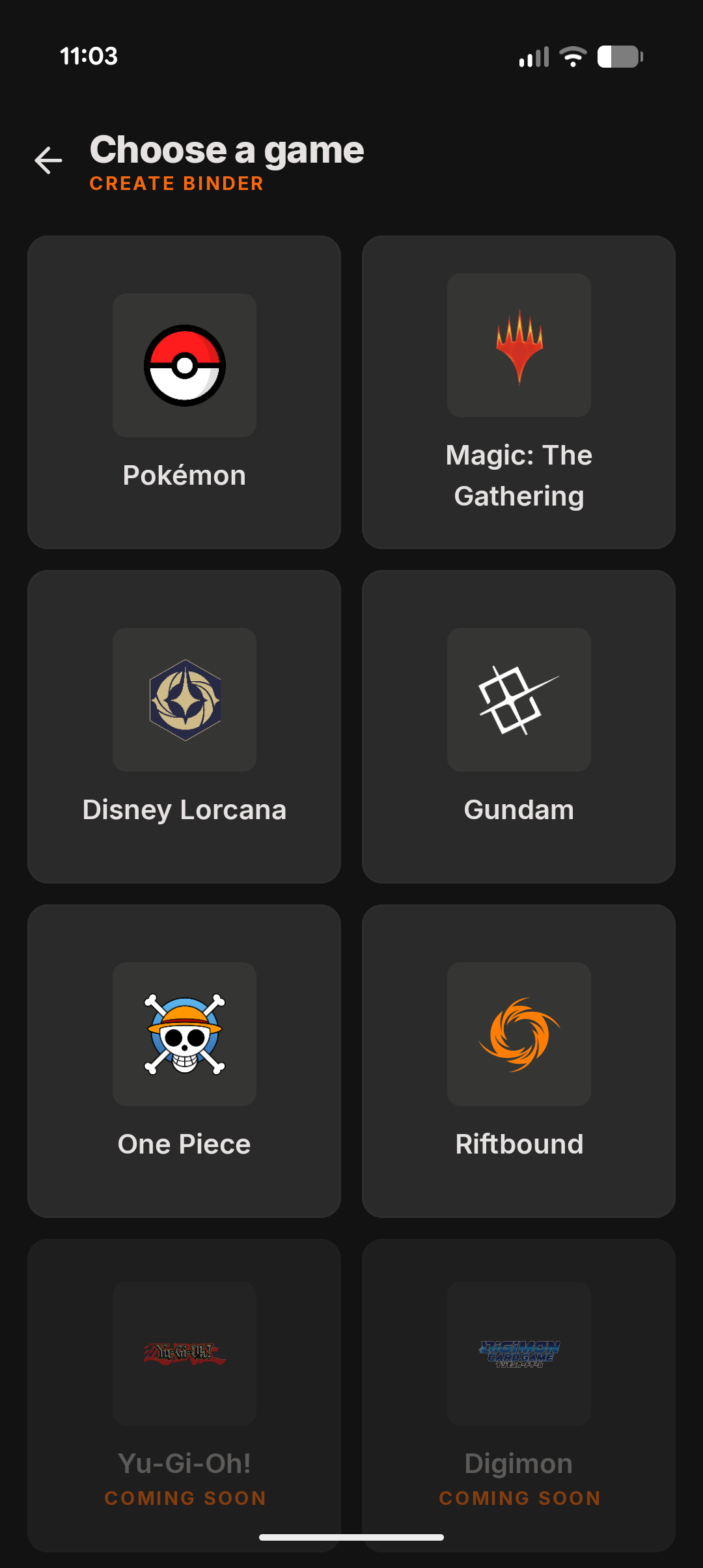
All popular trading card games are supported, and all their sets!
-
 GIF
GIF
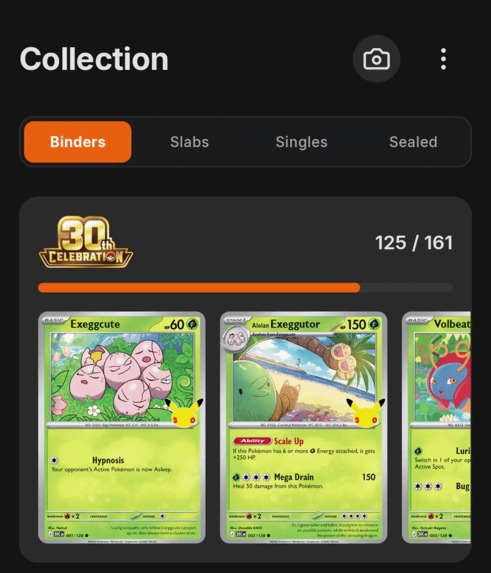
User journeys are connected through animations, so the process of moving around the app feels like one journey.
-
 GIF
GIF
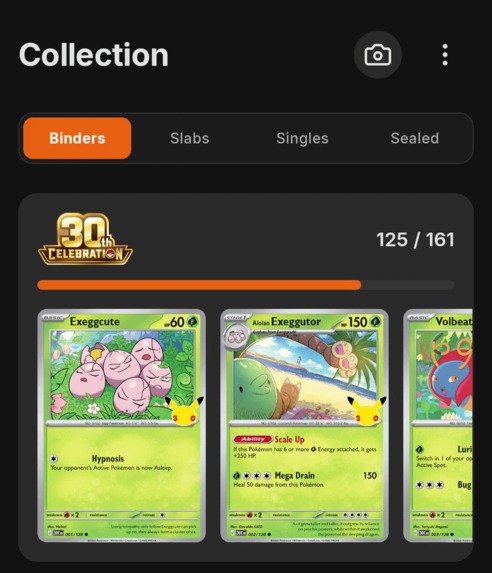
The app has its own branding and personality alongside native components, such as in the pull-to-refresh indicator
-
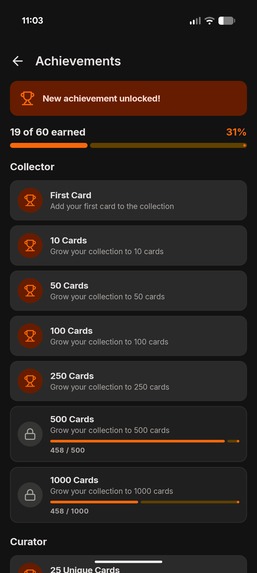
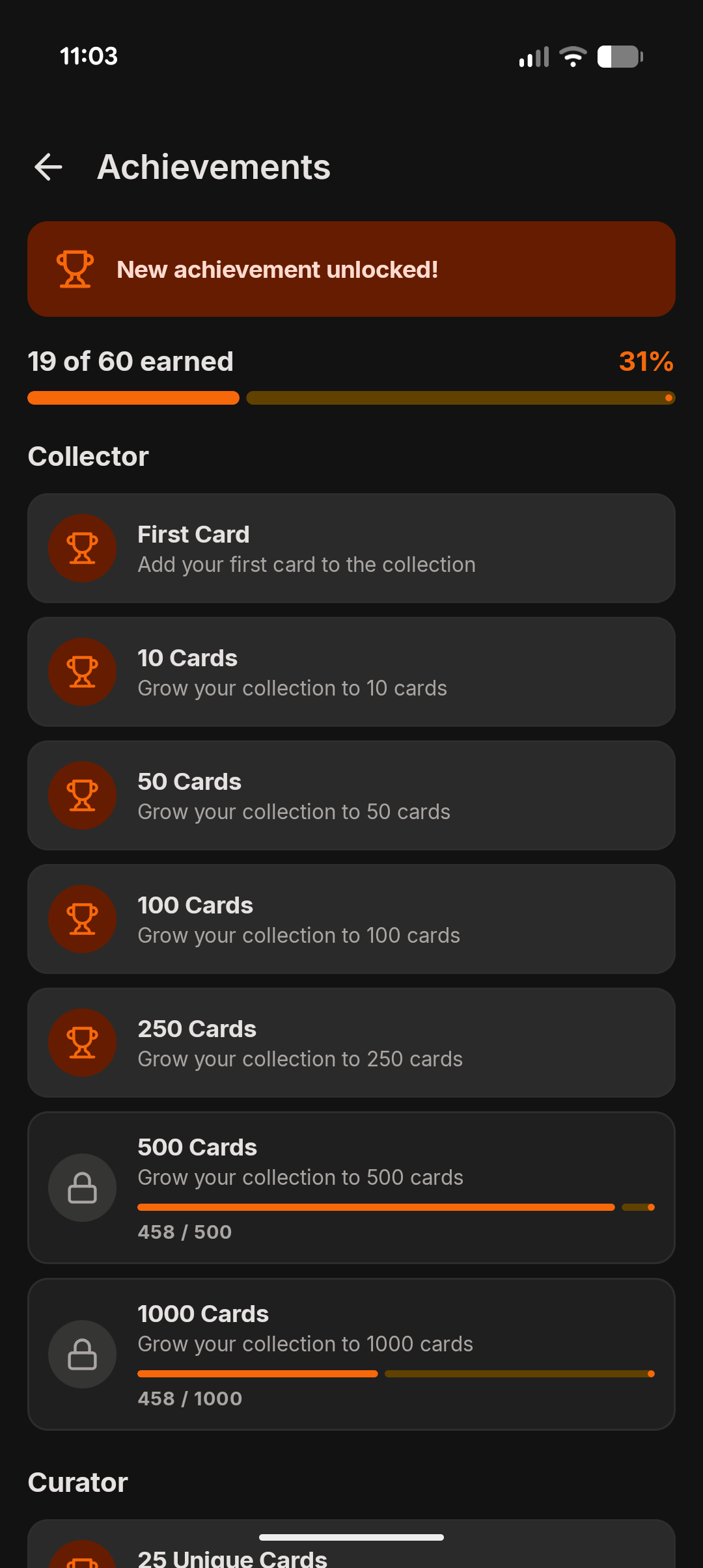
Achievements provide a way for users to explore more parts of the app and grow their collections
-
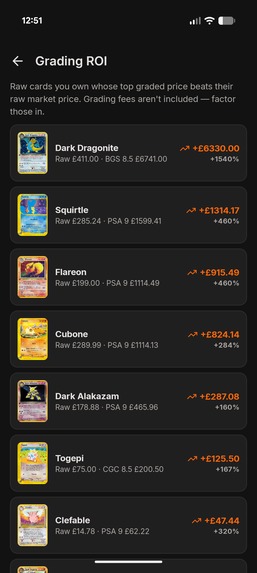
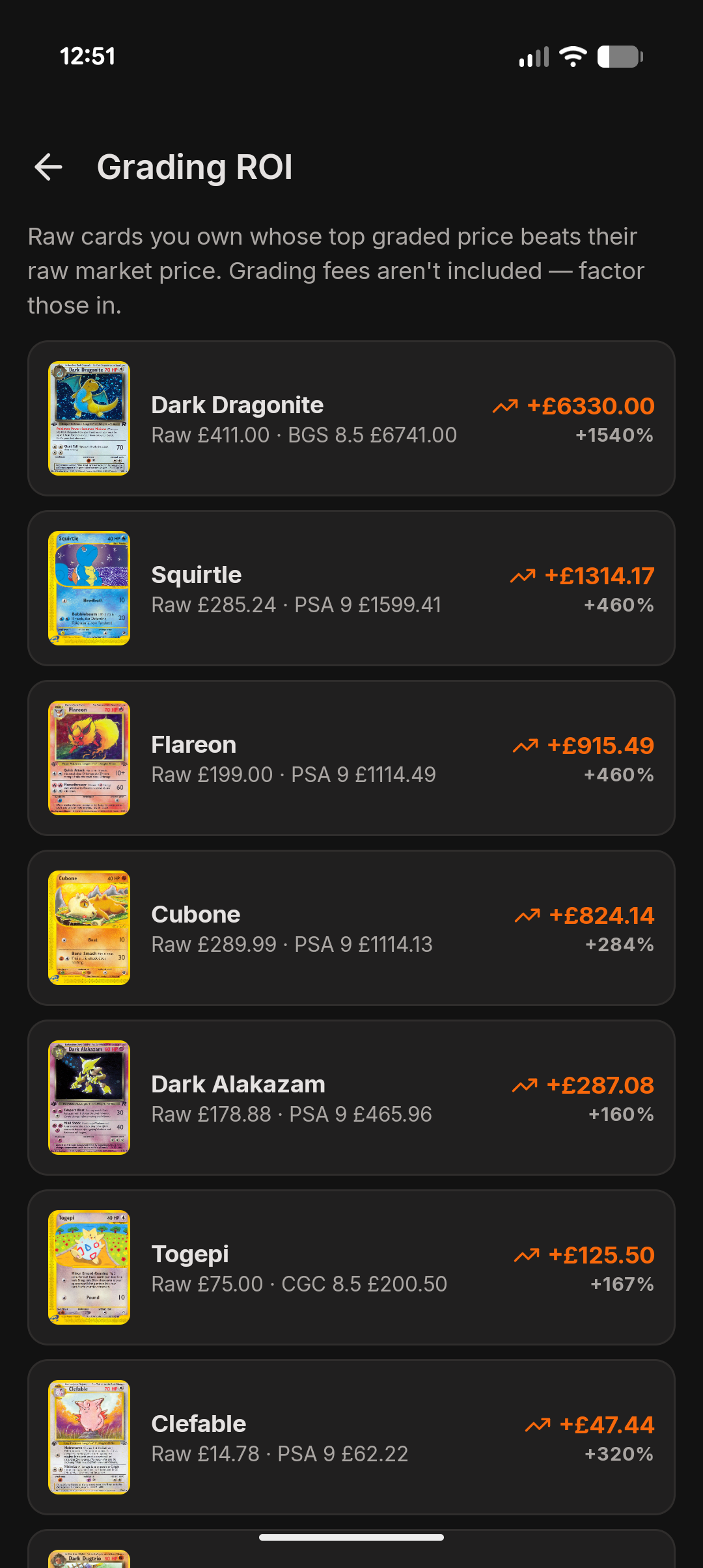
Paid users can find grading opportunities in their collection to increase their portfolio value
-
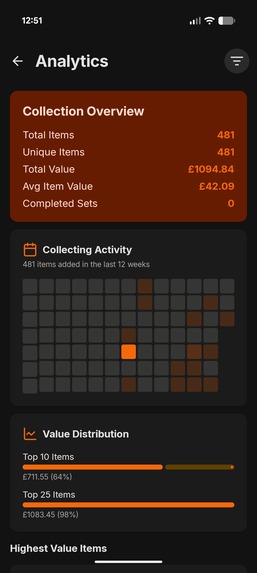
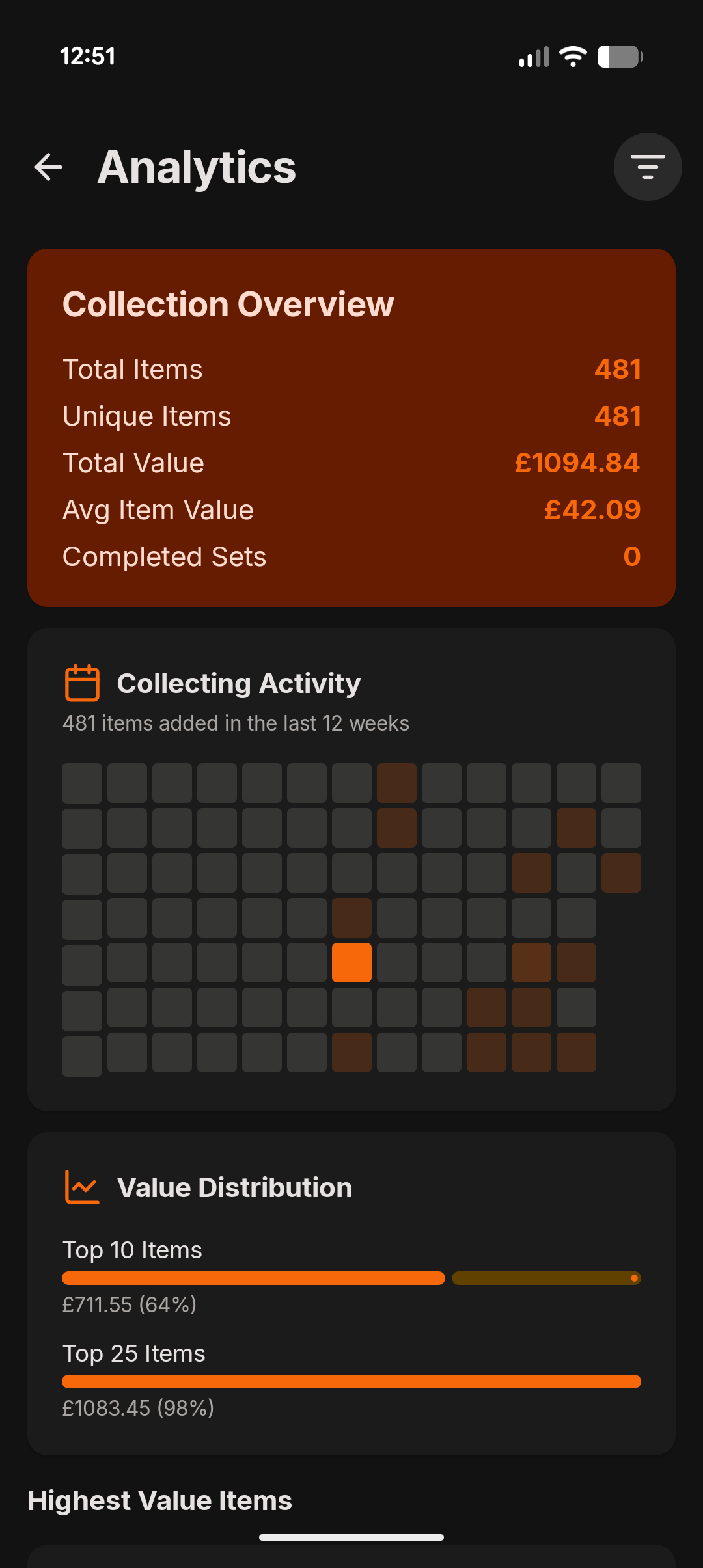
Paid users have access to full analytics for their collection
-
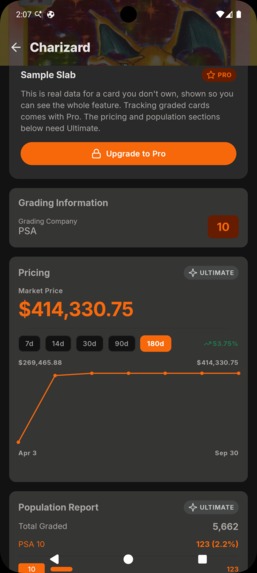
While the app does support free trials, most paid features have a sample state so users know what to expect
-
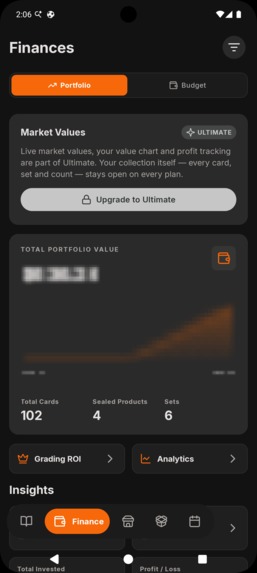
In some other cases for free users, blurring is used so that the same UI is visible, but hidden until the upgrade has taken place

Inspiration
I've collected trading cards for years, and I also run a small vintage card business on the side. Between the two, I'm constantly checking what I own, what I'm missing from a set and what something is worth. For a long time that meant a mix of spreadsheets (I know, right!) and apps that didn't do everything that I needed. Alongside that, they we're pleasant to use - they were either full of advertising, poorly designed UX or not performant due to hybrid frameworks.
I wanted an app that had a range of features in one place that worked fast, while also working offline at card shows where signal tends to not be great. From all of my wants and needs, this is where Sleevd was born.
What it does
Sleevd is a trading card collection tracker for Android and iOS. Across a range of popular trading card games, collectors can browse every single set and track the cards, graded slabs and sealed products that they own.
Features of the app include:
Card scanning - use your camera to scan cards and graded slabs, this saves you manually searching for cards one by one.
Market Pricing - view market prices for cards, graded slabs and sealed products across all conditions and grades.
Grading Populations - view population data for graded slabs, so you know exactly how many cards have been rated at each grade with your chosen vender.
Portfolio management - track the growth of your trading card and its value over time
Grading ROI - spot opportunities to grow your portfolio from grading valuable cards in your collection
Collection Analytics - see complete analytics for your collection spread across games and sets, while also being able to spot behaviours in your collection habits
Sales Management - keep track of any sales you make directly in the app! This allows you to see your profit from sales over time, which comes in handy to know if you're making more than your spending!
Trade Management - nothing hurts more than getting ripped off in a trade, so you can use the trade manager to calculate if a trade is fair based on the current market value of the cards on offer!
Budgeting - collecting is fun but its easy to get carried away in the moment. Use the budgeting feature to create budgets for your spending and get notified for when you hit/exceed this.
Pull Tracker - when opening packs, bundles and boxes, its helpful to know your hit rate and what products perform better. The Pull Tracker allows you to record the product you've opened, what you got from it and then view the returns of your pulls.
Achievements - to help users explore and learn about different parts of the app we built achievements. Get rewarded for completing different tasks, growing your collection and trying features of the app!
Release Calendar - so you can grow your collection, you need to know when the new sets are coming out. The release calendar is kept up-to-date with all the new releases and you can create reminders directly from here.
Offline-first - anything that you do in the app is cached locally and available offline
How we built it
Sleevd is built with Compose Multiplatform and Kotlin Multiplatform - all of the core implementation (data, business logic and networking) is written in Kotlin, and the user Interface is written using Compose Multiplatform, so everything is completely shared between Android and iOS. The API for the app is also built with Kotlin, so it's a 100% Kotlin project.
Card scanning uses each platform's native tools behind a shared contract. On Android, I used CameraX with ML Kit text recognition, and on iOS the Vision framework. For Paid plans, the card image is sent directly to my API for AI analysis, but for free users the recognised text is then passed through to a search query to find matching cards.
I'm using the Scrydex API for all trading card data and market pricing, on their scale plan. However, it would be easy for me to eat through my credits if I was calling this directly through the app. So instead, I built my own API using Kotlin - hosted on Railway and caching data using Neon. Whenever a request is made to my API, we first check Neon to see if there is cached data available and if not, we hit Scrydex and then cache the data before returning it to the client. This means that for most data clients are requesting from the API is coming from our cache, which saves a huge amount of credits. And because I am hosting my own API, I added device attestation using Play Integrity on Android and App Attest on iOS. This means that the app completes a challenge/nonce exchange to receive a signed session token, which is then checked on every API request through a Ktor plugin. This means that my API can only be called from either of my official apps, protecting me from any unauthorised use.
Alongside API caching, everything is also cached on the device using SQLDelight - this is what allows the app to work completely offline for data that has already been accessed. Whenever data is received from the API we cache it, and use the cache first whenever accessing any screen. This is what allows the app to feel so snappy!
When building Sleevd, I was really intentional about the feel of the app and ensuring that it felt delightful to use. I spent a lot of time working on animations and transitions to allow the app to feel more connected, and feel more like a journey through one screen, rather than it feel like you are constantly jumping between different screens. There's still some work to do here but I'm really happy with how things are feeling so far.
Sleevd supports two plans, Pro and Ultimate. To support these two plans I used RevenueCat using the KMP SDK, and I also utilised RevenueCat Paywalls for the first time to display the upgrade screens within the app. Alongside this, both platforms support free trials so that users can try out all of the paid features in the app before they commit to upgrading. One thing I also did through the app to guide users to start a trial was two things:
Seed real 'sample' data into the apps: so for example, only Pro users can track graded slabs. For free users, the graded slabs screen will show all data for a hardcoded graded slab, allowing the user to see exactly how this feature feels. I do this in a few places and each screen features a paywall button to guide the user into upgrading.
Pixelate the users data in views that requires a paid plan: for example, the portfolio screen will use the users real data to build the graph and pricing information, but this information is pixellated until they upgrade. This acts as a 'teaser' for the feature and gives another opportunity to guide them to upgrade.
Challenges we ran into
Protecting the backend proxy was also more involved than I expected. Play Integrity and App Attest each have their own flow and failure cases, and I needed a session approach that didn't add an attestation round trip to every request. It took a few iterations for me to get this right and find the balance between being secure and ensuring that the UX was not affected.
Card scanning was another big challenge as originally, I was trying to do everything on device. Starting with OCR it felt OK when my testing was isolated, but as soon as I expanded the cards and sets I was testing with I could see the gaps in accuracy. After a few iterations I managed to get to a solution with OCR that was good enough, but it didn't feel premium enough for paying users, which is why I switched to AI card analysis through my API. This is super accurate, meaning that paid users will get a premium experience through the app - this also allowed me to create another upgrade path by providing a few AI scans to free users.
Accomplishments that we're proud of
- Shipping Sleevd on both Google Play and the App Store from a single codebase
- Building my own API in a way that allows me to easily scale, while also ensuring it is well protected
- I spent a lot of effort adding animations so that the app was delightful to use and didn't just feel like stock UI elements
- Providing a generous free plan, while at the same time creating many opportunities to guide users to free trials and upgrades
- Building a website for the app at sleevd.cards with some free tools (downloadable binder inserts and checklists) to drive traffic to the website and app downloads
- Offline support, allowing the app to work from anywhere!
- Focus: I added the features which I felt were the most useful, without getting carried away with bloating the app too much
- Open-sourcing two components - Pixelate and MorphingFab
What we learned
I felt like I learn a huge amount from this project! It was my first time shipping my own iOS app, so going through the whole review process was an experience - it was definitely a lot stricter than Google!
When I started seeing my API credits for Scrydex spiking, I knew I needed to do something about it. I have not built such a system for my own projects before so adding the API and cache layer (and getting it right) had a lot of learnings.
Finally, the animations! I've built basic animations before, but have not usually invested too much time on this front. They took a lot of tweaking to get right but I'm super happy with the results - this process taught me how to think about animating components (without getting carried away), as well as how to create a cohesive experience while the user is navigating through the app.
What's next for Sleevd - Trading Card Manager
The next main thing I want to work on are accounts - currently, everything is local to the device. While you can export and import your data, being able to create and account will allow data to be saved on my API and also allow account sharing (my wife and I collect together, so we both need access to our collection!).
Once I have accounts, this will unlock so much around social connections in the app and public sharing. Currently we have a collection image sharing feature (accessible from the share menu within a binder), but I would love for users to be able to connect in the app, create trades with people who live near by and even share a public facing portfolio. There's so much that can be done here, so it's something I am going to start working on right away!

Log in or sign up for Devpost to join the conversation.