-
-
-
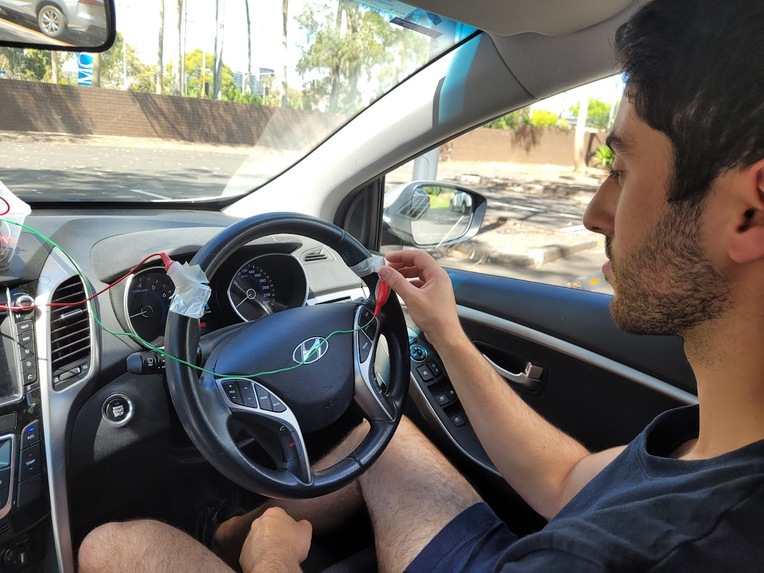
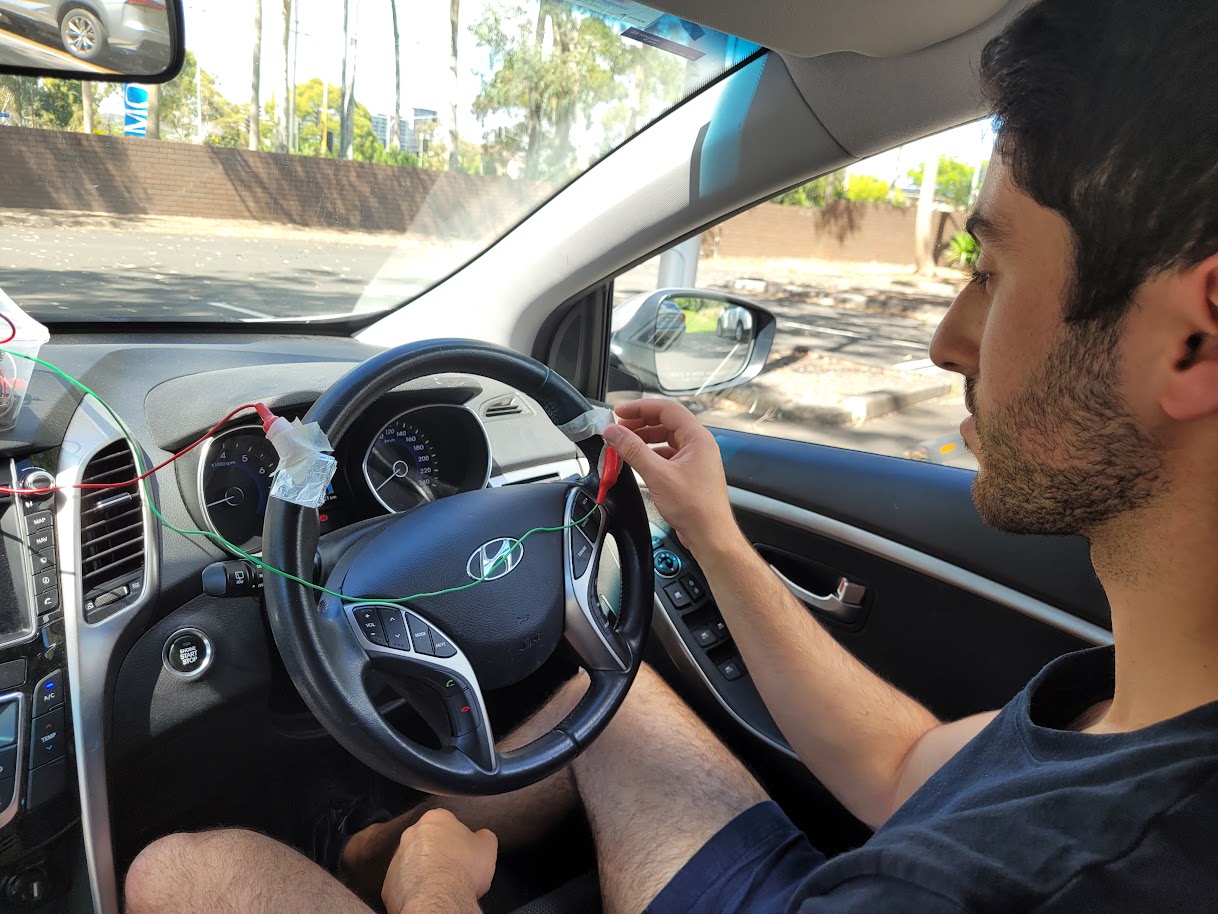
Typical installation of device. Note the electrodes at the normal resting position of the hand.
-
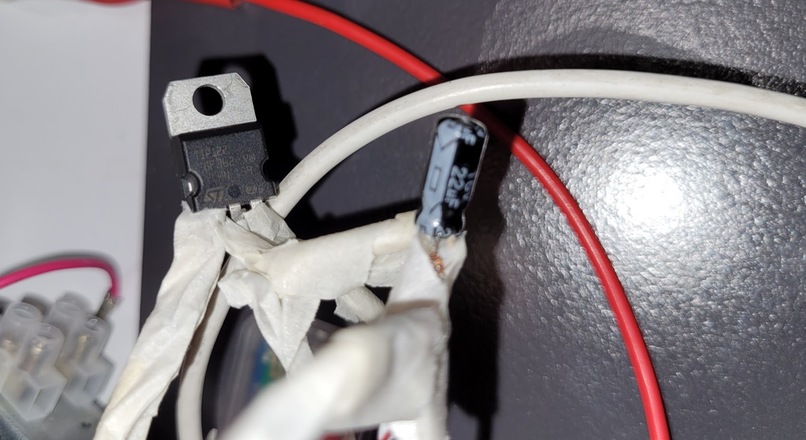
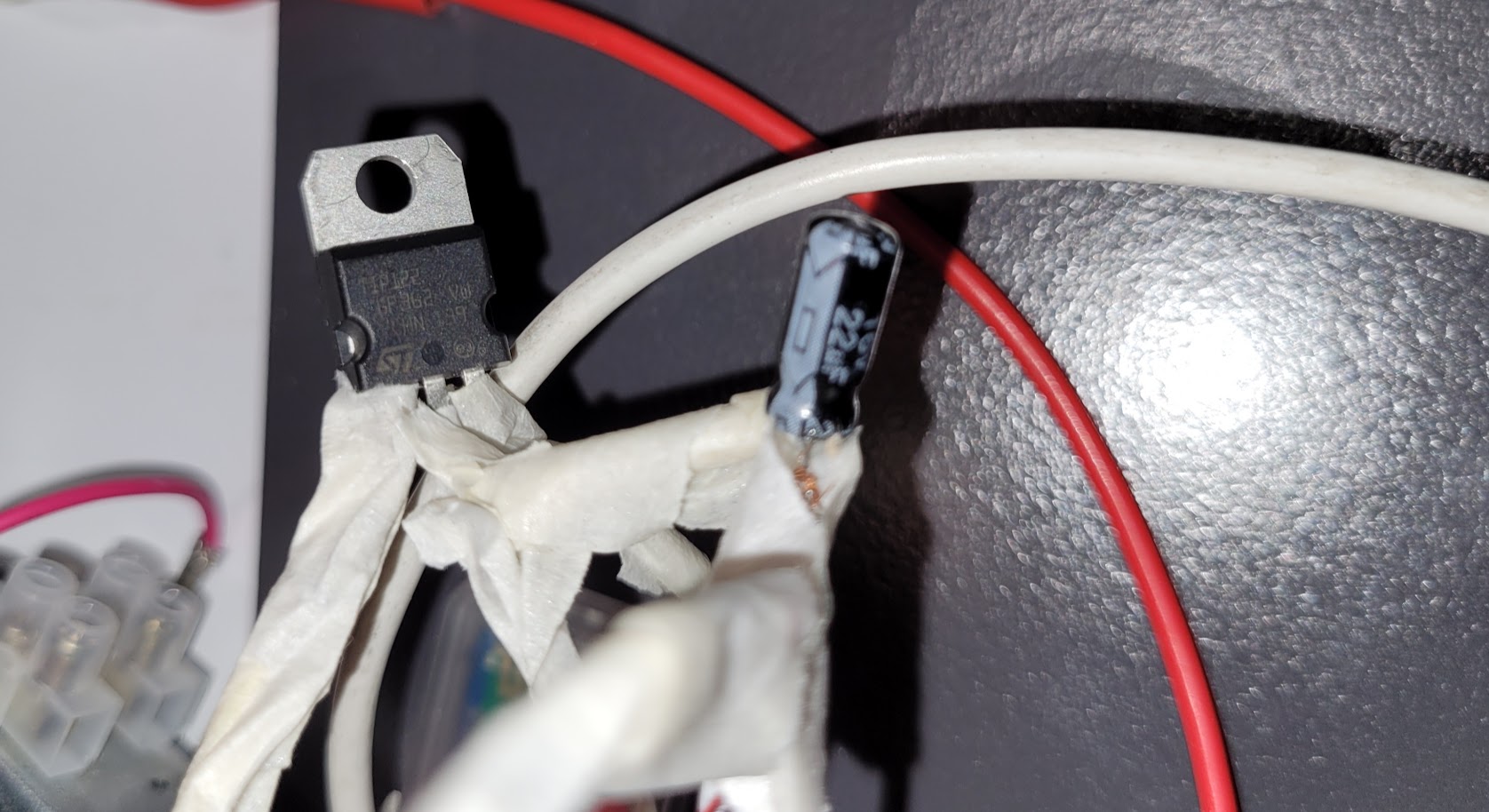
Left: Darlington pair transistor, TIP122. Right: Electrolytic polarized capacitor, 22uF.
-
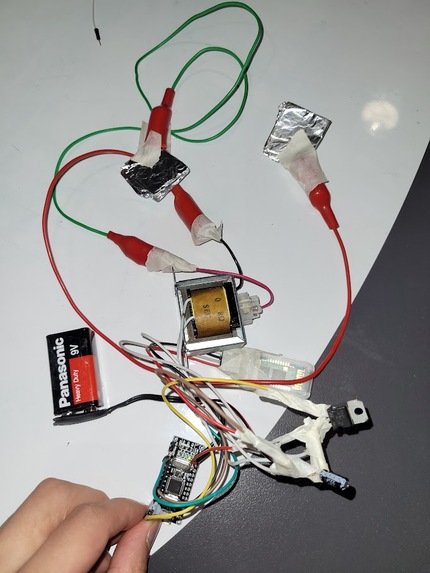
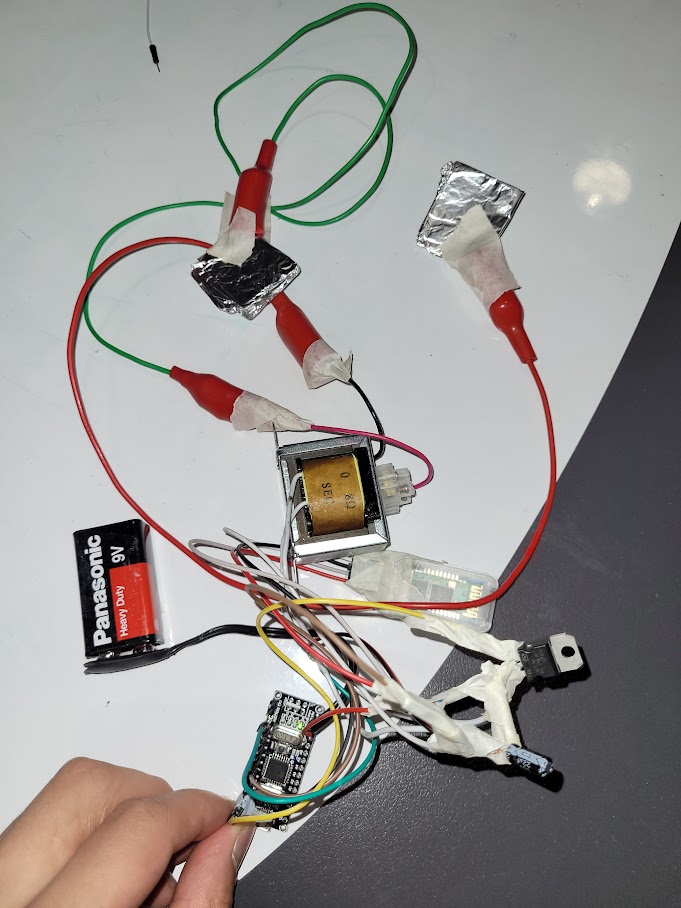
Entire circuit pictured. Can be powered solely off a single 9V battery.
-
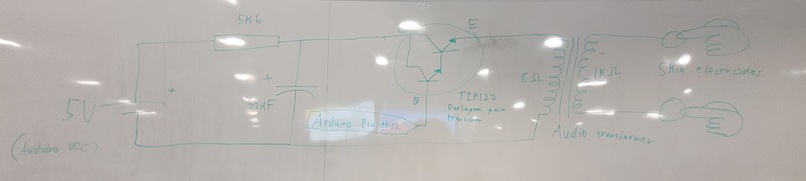
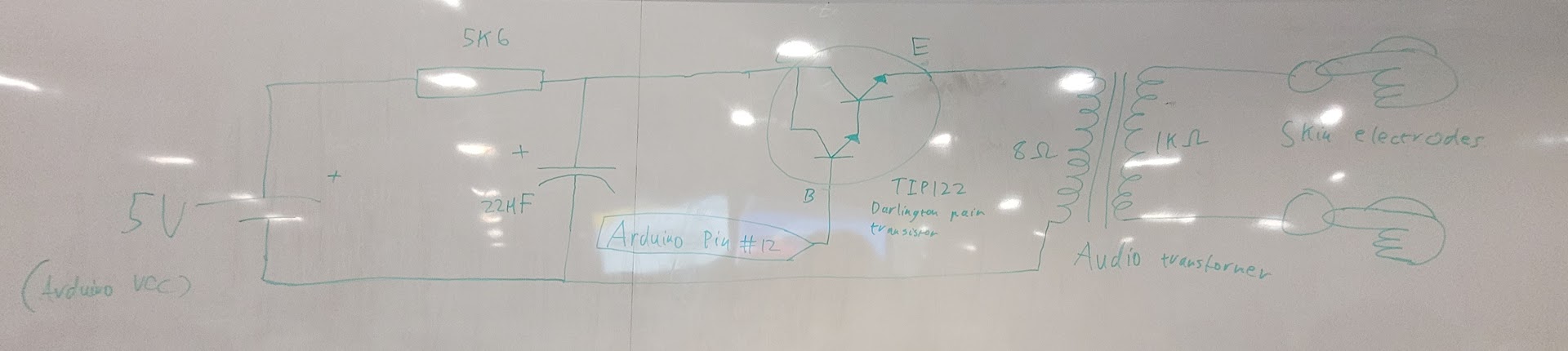
Circuit diagram of shock circuit.
What it does
Introducing Drowzalert - an innovative solution to prevent drowsy driving and increase road safety.
Our product utilizes a camera to detect closed eyelids as an early sign of drowsiness and fatigue in drivers. Eyelids closed continuously for approximately three seconds (micro-sleep) trigger an alert sound and an automated voice that advises the driver to take a rest. Each such detection would additionally trigger a minor electrical stimulation in the steering wheel that the driver will be in contact with, which is especially useful for drivers with hearing loss. This ensures that they are aware of their state and can take action to prevent accidents.
We believe our product has the potential to make the roads a safer place. Our mission is to prevent drowsy driving and most importantly save lives.
How we built it
The application was prototyped on a laptop using an integrated webcam to capture the live footage of the driver. We used the concept of facial landmarks to detect the closed position of the eyelids.

These landmarks were formed via a series of points that were tracked through space and specifically mapped to the eyes. The Python libraries, OpenCV (to provide access to the camera and image augmentation) and dlib (to track facial landmarks) were leveraged for this operation.

We used an eye size heuristic that was based on the X, Y coordinates of the landmarks detected to conclude if the driver had their eyes closed.

The graph above shows the size of the left eye when closing and opening, with the Y-axis as the eye ratio size, and the X-axis as the time axis. Noting that from 0 to 40, the driver is displaying drowsy closed eyes. From 40 upward, the driver is blinking normally.
Moreover, data smoothing techniques were used to avoid false positives such as from natural blinking. The alert sound and generated voice were then integrated asynchronously into the application to activate upon detecting drowsy closed eyes. Further, the laptop’s Bluetooth was set up to communicate with an electrical stimulator.

This was made using an Arduino Nano (pictured left) and Bluetooth module HC-06 (pictured right) to control a simple electrical stimulator circuit.

The stimulator circuit works by charging a small 22uF capacitor to 5V via the Arduino's VCC whilst the MOSFET switch is open circuit. Then when the signal to deliver a shock is received via Bluetooth, the MOSFET is driven to closed circuit via an Arduino digital pin. This connects the capacitor to the secondary side of the transformer to create an LC circuit that oscillates with an AC voltage. Then the AC voltage is amplified via the transformer to very large levels (~10kV) to overcome the high resistance of the skin (~10k Ohms) and deliver that stimulant. The circuit was designed to be incredibly safe as only ~1mJ of energy (stored in the capacitor) is delivered into the body compared to the ~100J of energy delivered from a defibrillator.
With each alert, the stimulator will communicate a low-intensity shock to the driver which will act as tactile alert for those with poor hearing. Presently, the project only demonstrates the technology for the tactile alert but to take it forward, a wristband could be made with this functionality in-built.
We used a research article from Long Chen, Guojiang Xin, Yuling Liu, Junwei Huang, "Driver Fatigue Detection Based on Facial Key Points and LSTM" to guide our design.
Challenges we ran into
Our first challenge involved understanding how to access camera footage in real-time within the python environment. This challenge was solved by researching and implementing OpenCV, an open-source python library for accessing frame data from a camera.
Documentation for the dlib python library posed another issue as it was poorly written. The workaround was to refer to multiple examples online, try to translate their documentation for C++ into our Python use case, and continuously employ the trial-and-error method.
During the sound alert implementation, we had an issue where our main thread was blocked whenever the alert played on the computer. This was solved using a python multithreading library to send the playing of the sound to a different thread, and allow the main program thread to keep running. This was a technical hurdle as this was our first exposure to multithreading.
Understanding our data from the landmarks was difficult because each group member had a different eye size and shape. From this, we found it difficult to determine a good threshold for sleepiness and a method to avoid false positives. There are also few pieces of literature and datasets publicly available for drowsy eyes. This was heuristically solved by selecting a good middle ground for our threshold and smoothing the data, using all of our members' eyes data.
The transformer documentation needed to build the electrical stimulation device was straight up not provided at all. As a result, we were completely unsure if this particular transformer would work at all. And so we took a risk buying it and hoping it would work.
Many of us found the short timeline difficult as it directly affected our daily habits such as eating and sleeping; however, we enjoyed the challenge!
Accomplishments that we are proud of
We are proud of our ability to collaborate with multiple people on the same project. We were immediately able to identify and play to each of our strengths. This involved using project management tools such as Trello, communication tools such as discord, and code-sharing tools such as GitHub. We easily reached a consensus on which pressing issue we were going to focus on and efficiently moved forward to the ideation process. Each of our unique perspectives helped address problem areas in our idea as well as come up with solutions to deal with them. Many of us were exposed to these tools for the first time during our first hackathon. Despite this, exceptional teamwork and work ethic ensured smooth progress and ultimately, a great product.
What we learned
- Multithreading within python
- Camera access within python
- Understanding how to use a transformer within a circuit
- Using the dlib library for facial landmark tracking
- Designing a circuit that can safely and remotely deliver a stimulant
What's next for Sleepy Driver Detector
Who’s to say development stops here? In the future, we hope to expand and improve the idea into a modular and reliable product for many long-distance drivers.

Due to advancements in material sciences especially within conductive inks, conductive electrodes can now be printed directly into the steering. This makes it easy for car manufacturers to easily embed our product within their cars.


Log in or sign up for Devpost to join the conversation.