-
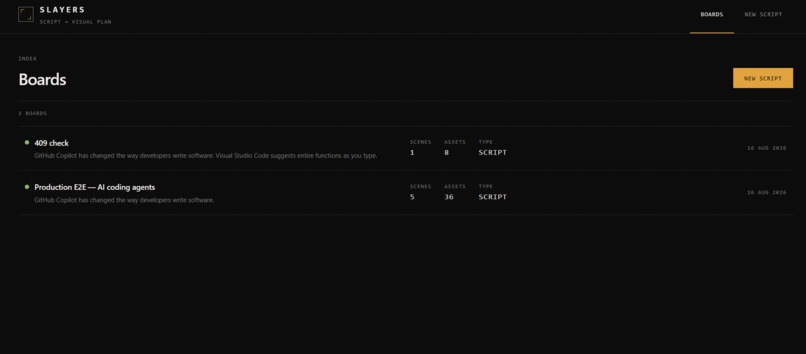
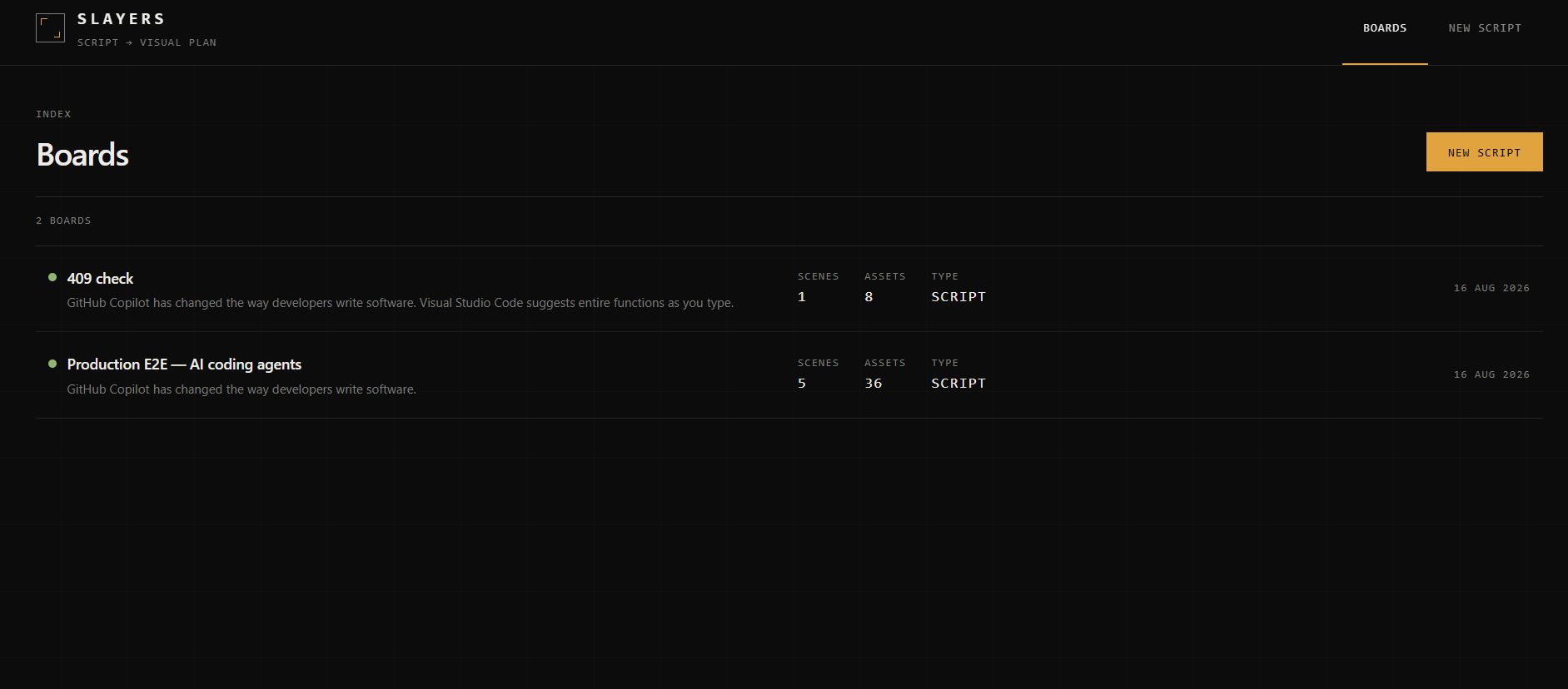
Every processed script becomes a scene-by-scene board with real assets, relevance scores, and source information.
-
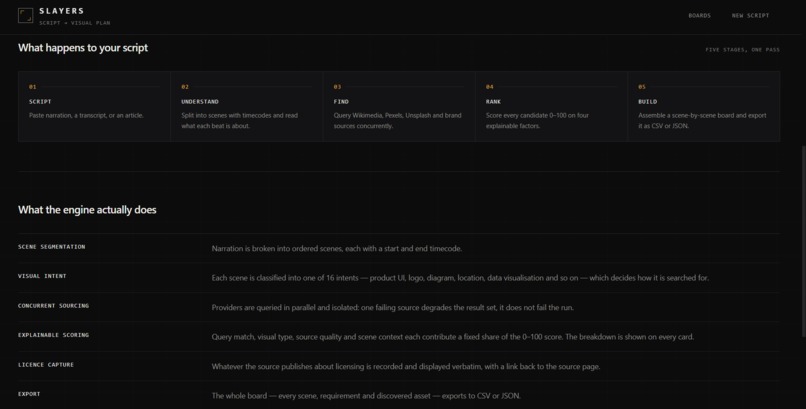
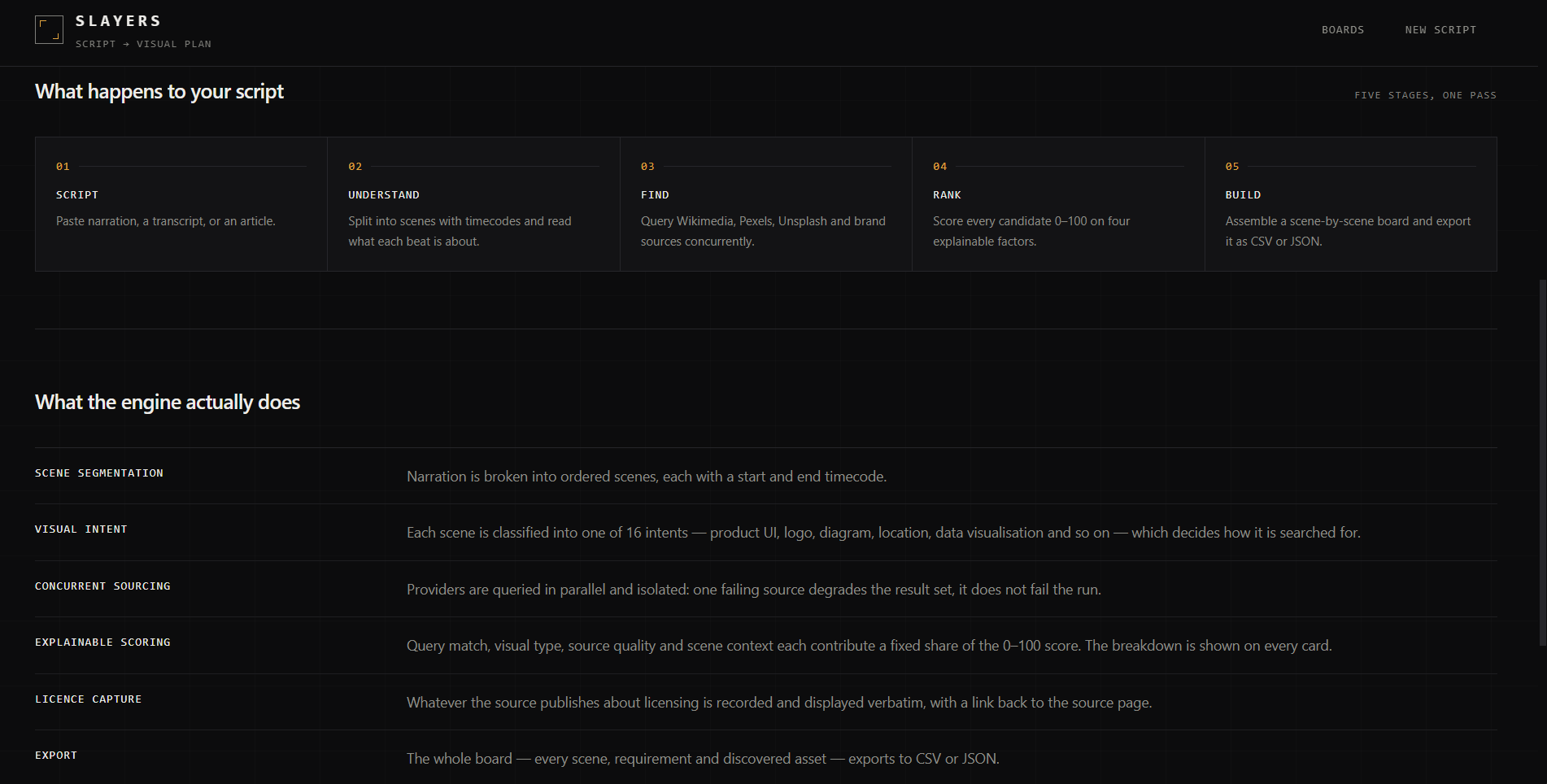
Five automated stages take SLAYERS from raw narration to a ranked, exportable visual asset board.
-
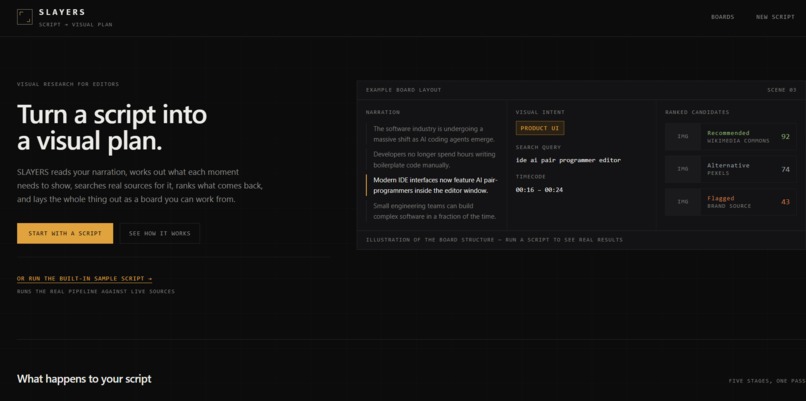
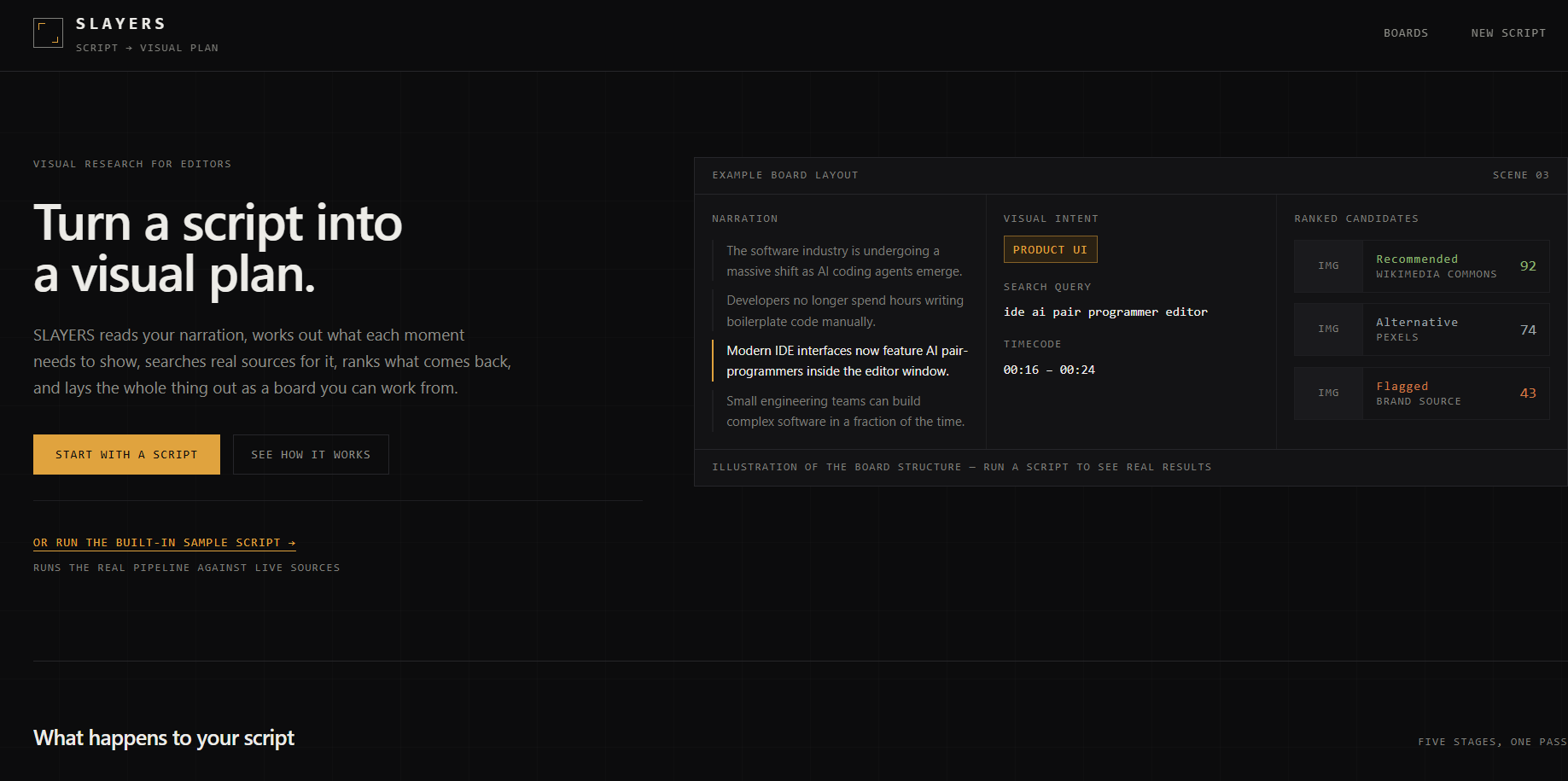
SLAYERS turns a script into a structured visual plan, finding and ranking the real assets each moment needs.
-
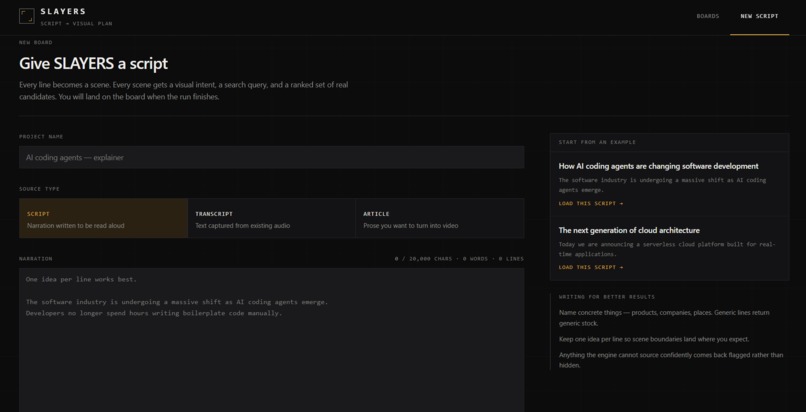
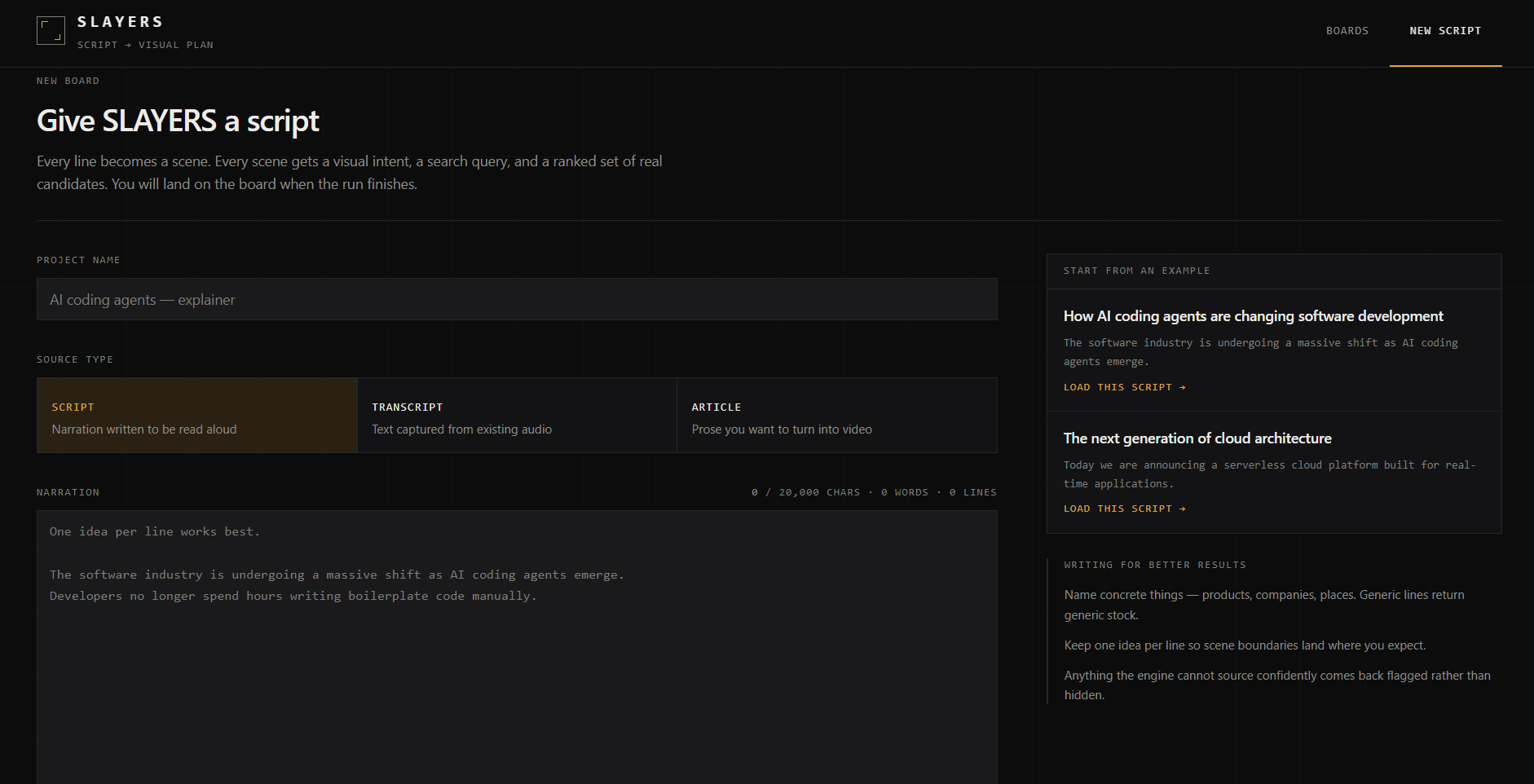
Start with a script, transcript, or article and let SLAYERS determine the visual requirements for every scene.
The Problem
Creating content is not just about recording and editing.
For every video, creators and editors also have to figure out what should appear on screen and then spend hours searching for it.
A single script can require dozens of visual assets:
- B-roll footage
- product interfaces
- screenshots
- logos
- diagrams
- charts
- websites
- historical references
- supporting images
The frustrating part is that this research happens before the actual editing even begins.
An editor reads the script, breaks it into scenes mentally, opens multiple tabs, searches different websites, evaluates whether each result is actually relevant, checks licensing information, downloads assets, and finally organizes everything back around the script.
We built SLAYERS to automate that entire visual research layer.
What is SLAYERS?
SLAYERS turns a script into a ready-to-edit visual asset package.
Instead of searching for visuals manually, a creator can paste their script and let SLAYERS:
Understand → Find → Rank → Verify → Organize
The system breaks the script into narrative scenes, determines what kind of visual each scene needs, searches real asset sources, ranks the results, preserves licensing information, and organizes everything scene-by-scene.
The important distinction is that SLAYERS doesn't simply generate random images.
It tries to answer:
"What visual would actually help illustrate this specific part of the script?"
How it works
1. Understand
SLAYERS analyzes the script and breaks it into distinct narrative segments.
For each segment it identifies visual intent such as:
- product UI
- website
- screenshot
- logo
- diagram
- data visualization
- person
- location
- stock footage
- historical reference
It also extracts meaningful entities from the narration so searches are based on what the creator is actually talking about.
2. Find
The backend uses a provider abstraction layer to search real sources.
For example, SLAYERS can query Wikimedia Commons and Wikipedia, while optional integrations support stock providers such as Pexels and Unsplash.
Provider failures are isolated, so one unavailable source doesn't destroy the entire pipeline.
3. Rank
Every discovered asset receives an explainable 0–100 relevance score.
The scoring system considers factors such as:
- semantic relevance
- visual-type compatibility
- source quality
- contextual relevance
- entity matches
Assets are classified using fixed thresholds:
- 80+ → Recommended
- 55–79 → Alternative
- Below 55 → Flagged
The system never promotes a weak result simply because it happens to be the best result available.
4. Verify
SLAYERS preserves source and licensing information for discovered assets.
Instead of hiding uncertainty, the interface surfaces the available license information and links directly back to the original source.
5. Organize
The final result isn't a pile of search results.
It is structured as:
Scene → Visual Requirement → Candidate Assets
This allows an editor to immediately understand which assets belong to which part of the script.
The complete package can also be exported as CSV or JSON.
Why we built it
The idea came from looking at the creator workflow from the perspective of an editor.
AI has made generating text and even generating images much easier.
But there is still a huge amount of "find the right existing thing" work.
If a script says:
"GitHub Copilot changed how developers interact with their codebase..."
the editor doesn't necessarily want an AI-generated picture of a developer.
They might need:
- the GitHub Copilot logo
- an actual interface screenshot
- relevant coding footage
- a supporting diagram
Finding those assets is a research problem.
SLAYERS treats visual research as an engineering problem instead of manual busywork.
What we learned
One of our biggest lessons was that better results did not come from simply making the scoring model more complicated.
Our first version was producing too many irrelevant documents and PDFs.
We measured the actual search queries against the provider APIs and discovered that the problem was upstream: overly noisy queries were causing Wikimedia Commons to return document-heavy results.
We then improved the pipeline by:
- extracting entities more reliably
- generating shorter entity-led queries
- using intent-aware search strategies
- filtering incompatible assets before scoring
- correctly classifying file types
- adding bounded query relaxation
- preserving the existing scoring thresholds
After the changes, a real production run went from 24 assets with 0 recommended results to 43 assets with 13 recommended results, while document contamination dropped from 16 documents to 0 for the visual intents we targeted.
That was an important lesson for us:
Measure the failure mode before changing the model.
Technical challenges
Building the system in a short hackathon window required solving several engineering problems.
The backend is asynchronous and provider-based, allowing multiple asset sources to be queried concurrently.
We also had to handle real-world failure cases:
- provider timeouts
- unavailable APIs
- malformed provider responses
- duplicate assets
- weak search results
- empty requirements
- long-running processing jobs
- database persistence
- frontend/backend failures
We added fault isolation so that a failed provider becomes a warning instead of taking down the entire processing pipeline.
We also built regression tests around the failure cases and ran the pipeline against real public providers rather than relying entirely on mocked data.
The result
In our production verification run, a real script produced:
- 5 scenes
- 9 visual requirements
- 36 real assets
- 11 recommended assets
- 21 alternative assets
- 4 flagged assets
- 0 empty requirements
- 0 document results
- approximately 11 seconds of processing time
The complete flow runs through the deployed application:
Script → Scene analysis → Visual requirements → Real asset discovery → Ranking → Verification → Visual board → Export
That's SLAYERS.
Less searching. More creating.
Built With
- ai
- asyncio
- fastapi
- gemini
- next.js
- pydantic
- python
- react
- render
- restapi
- sqlalchemy
- sqlite
- tailwind
- typescript
- vercel

Log in or sign up for Devpost to join the conversation.