-
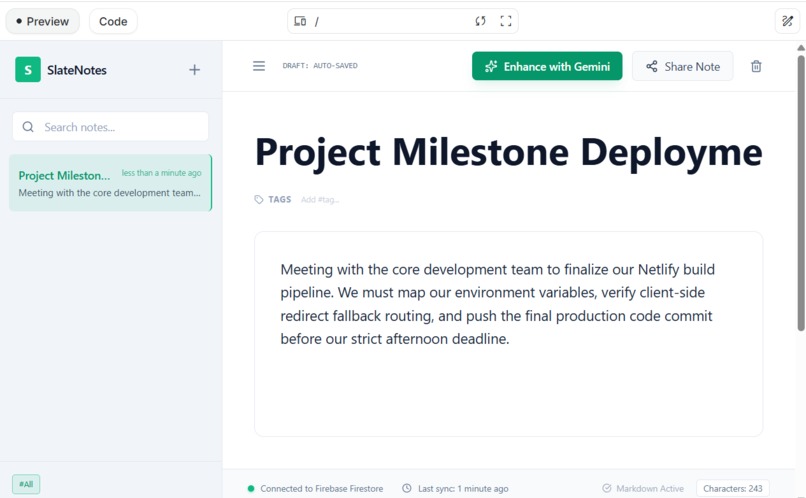
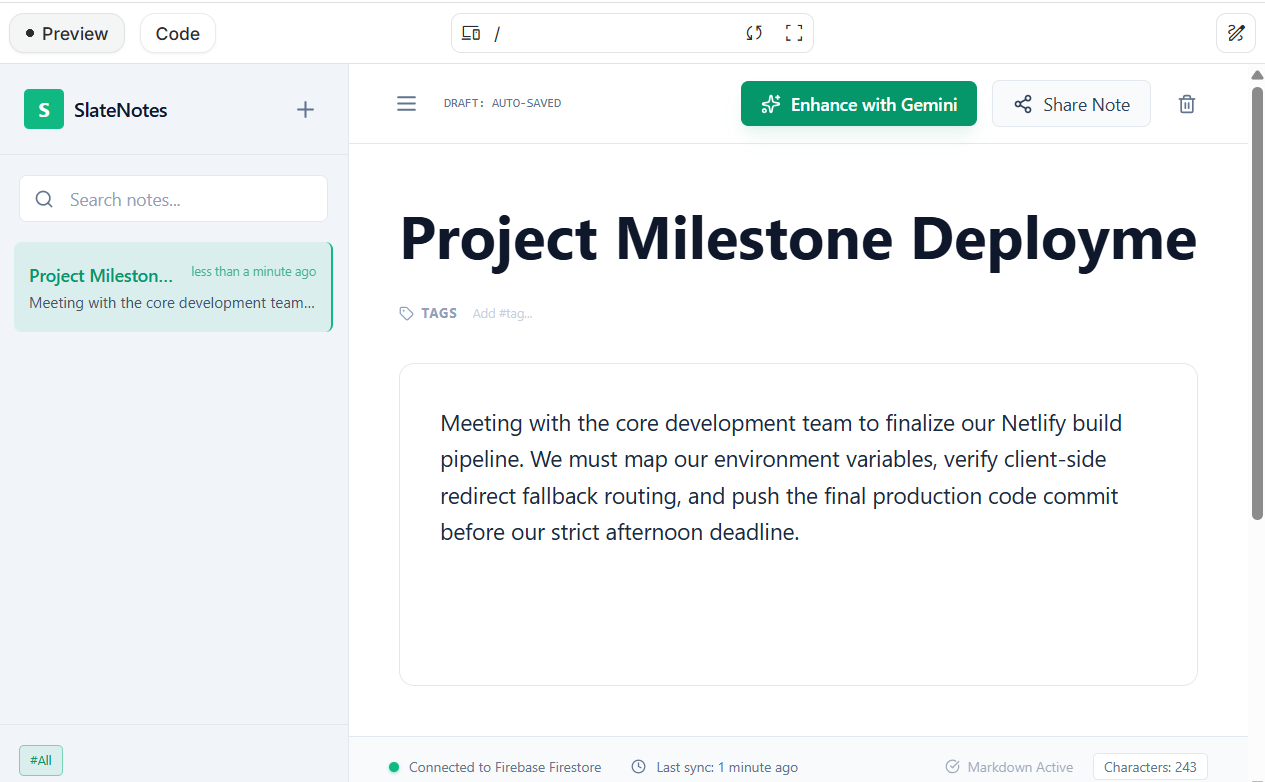
Main Interface
💡 Inspiration
In fast-paced modern environments—whether it's a corporate strategy meeting, a university lecture, or a personal financial brainstorming session—we take an overwhelming volume of unorganized, chaotic notes. Important tasks, critical deadlines, and main takeaways get buried in walls of text. We wanted to build an elegant, high-contrast, distraction-free digital workspace that uses advanced cognitive intelligence to act as a real-time partner, organizing text instantly and making knowledge globally accessible.
🚀 What it Does
SlateNotes is a full-stack, automated knowledge lifecycle terminal. When a user creates or drops content onto the workspace:
Real-Time Workspace Syncing: Notes automatically sync and save down to a global cloud database without requiring complex login bottlenecks.
AI Cognitive Enhancer: Powered by Gemini 2.0 Flash, a single click dynamically analyzes user notes to instantly map a clean, professional layout containing an Executive Summary, structured Key Takeaways & Action Items, and context-aware Recommended Smart Tags.
Dynamic Translation Engine: To facilitate cross-border and multilingual collaboration, notes can be instantly translated into multiple major languages (including Bengali, Spanish, Hindi, and Arabic) without breaking the clean typography or original text fields.
Bulk CSV Importer Engine: Instead of manually uploading data, users can drop a heavy multi-row CSV database log into a batch-processing engine. The app loops through the data safely with built-in API rate-limiting protections, generating unique independent files.
Dynamic multi-page PDF Export: Users can compile their data into a corporate-grade, beautifully spaced multi-page PDF summary dashboard report featuring automatic line-wrapping and clean page boundary management.
🛠️ How We Built It
We engineered SlateNotes using a state-of-the-art serverless architecture:
Frontend UI: Designed from scratch using a modern, high-contrast Light Theme built with React and styled via Tailwind CSS.
AI Engine: Integrated the Gemini API via Google AI Studio using deep system prompt context mapping to enforce structured Markdown code generation.
Database & Persistence: Leveraged Google Cloud Firebase Firestore to handle real-time write streams and dynamic sidebar collections.
Data Processing & Utilities: Configured PapaParse for synchronous local file translation and jsPDF for building multi-page report margins.
Production Deployment: Deployed onto Netlify with isolated, secure environment variables to protect core Google developer keys.
⚡ Challenges We Faced
Building an app within tight hackathon time limits always brings architectural friction. Our biggest hurdle was encountering 429 Resource Exhausted rate-limiting errors when executing our concurrent batch processing loops. To resolve this, we engineered an asynchronous request throttler with a mandatory cooling utility pause. We also ran into Firestore configuration mismatches regarding the core (default) database namespace instantiation parameter, which we fixed by optimizing the root SDK client initialize variables.
🏆 Accomplishments That We're Proud Of
We successfully shifted our design paradigm from a dark workspace terminal to an incredibly clean, crisp white executive environment that emphasizes textual readability. Furthermore, we implemented full safety loops capable of handling multiple asynchronous file operations simultaneously without causing client-side rendering lag or string clipping.
📚 What We Learned
We mastered the art of managing complex LLM response structures using direct system prompts, handling rate-limits defensively on a free-tier API, and implementing multi-page dynamic geometry in client-side document compilers.
