-
-
SLS Visual Identity — Custom logo and branding by Osama Sief.
-
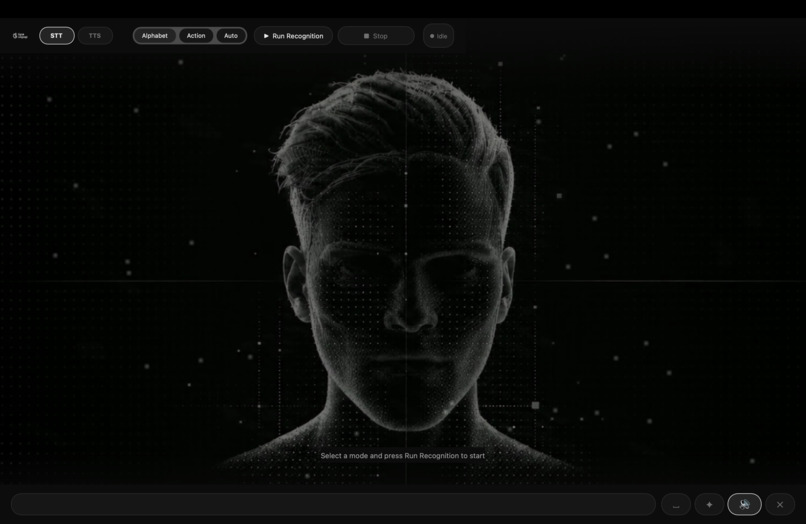
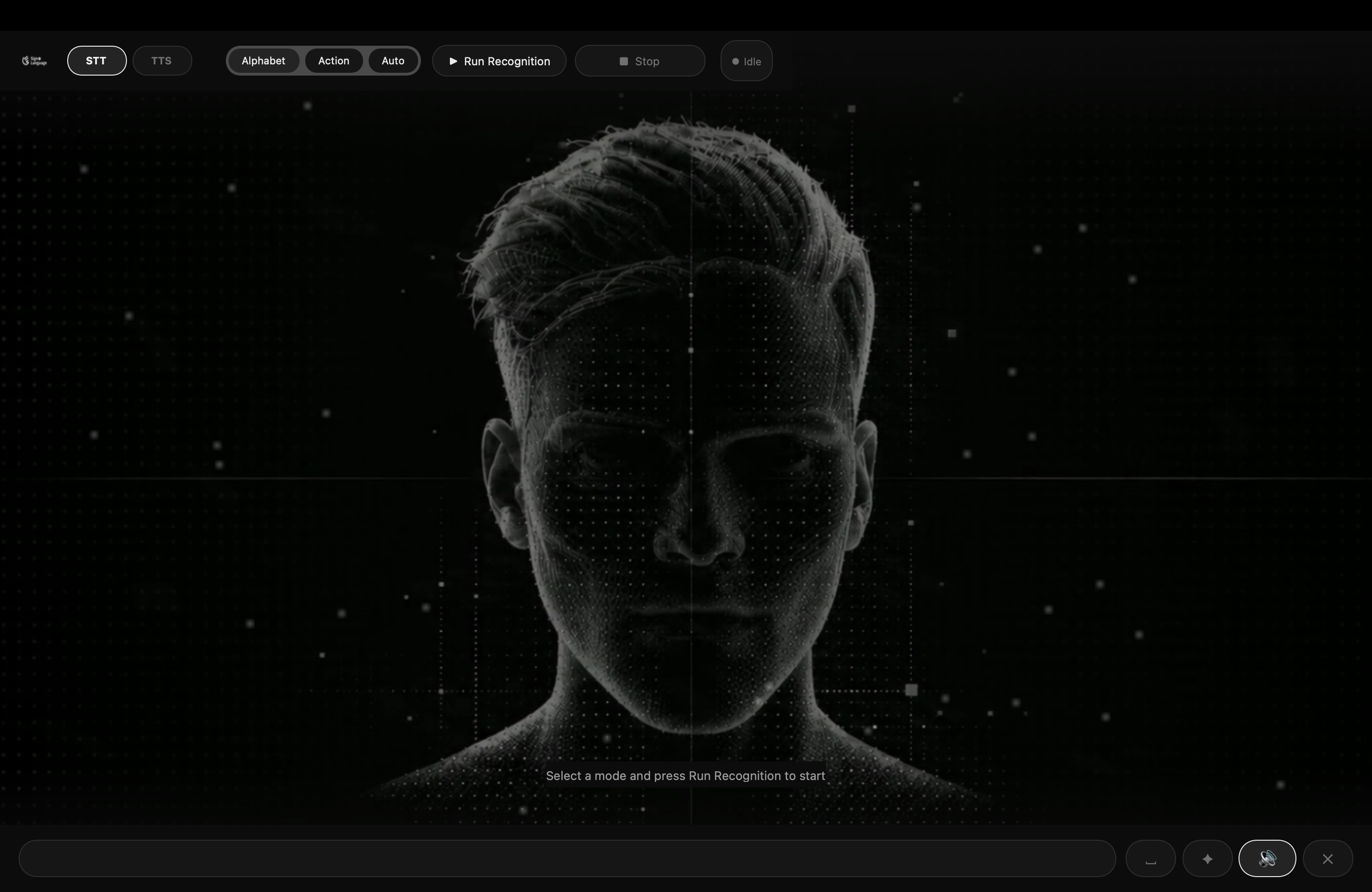
SLS Main Interface — Cinematic design with real-time ASL recognition.
-
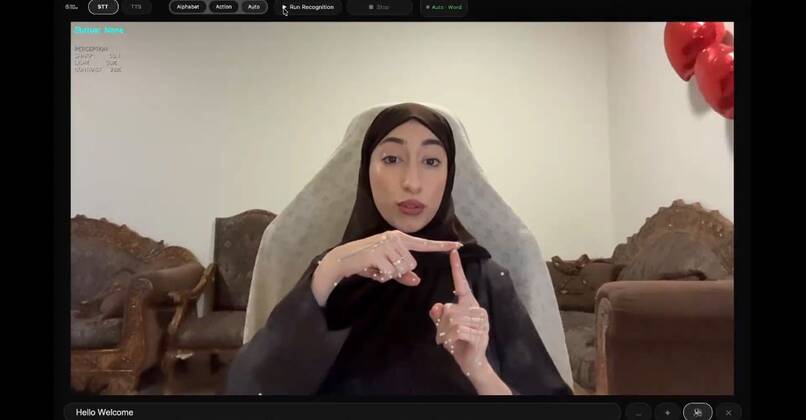
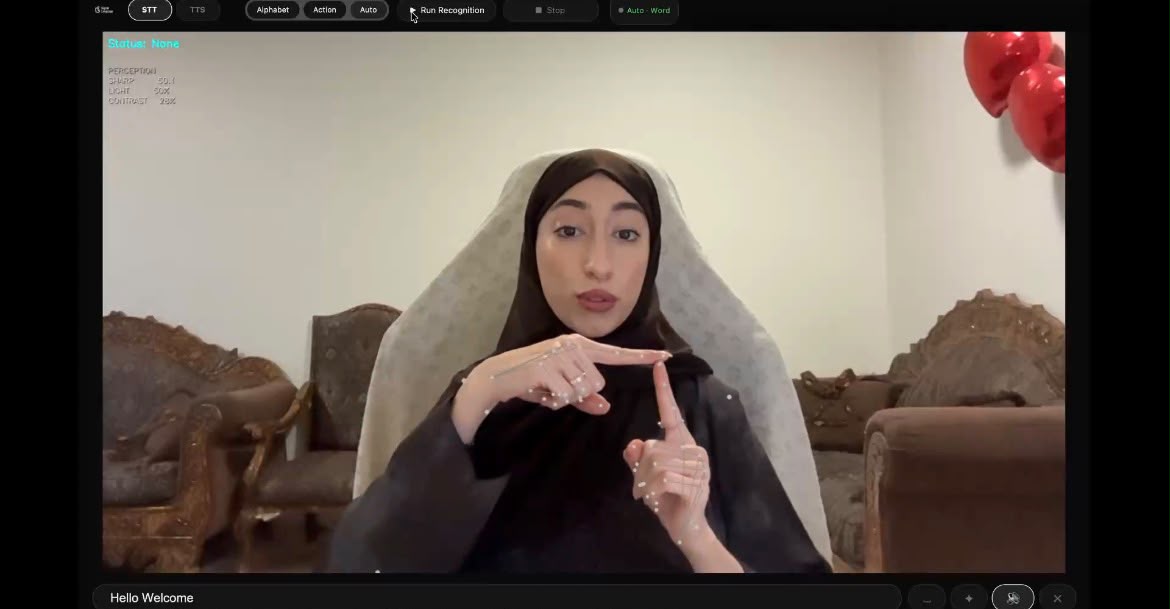
Live Sign Recognition — Webcam-based recognition of supported signs into text.
-
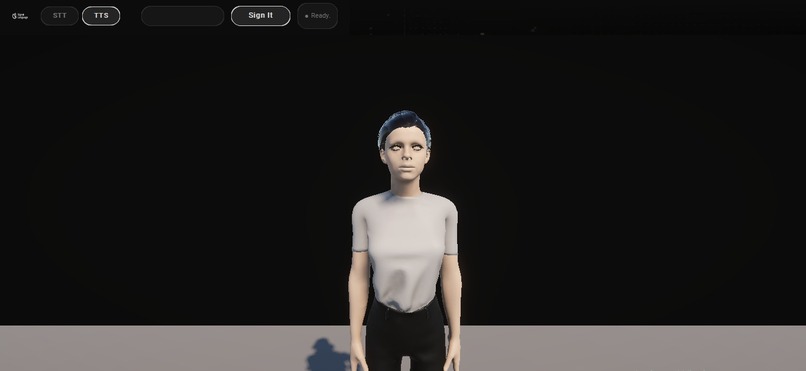
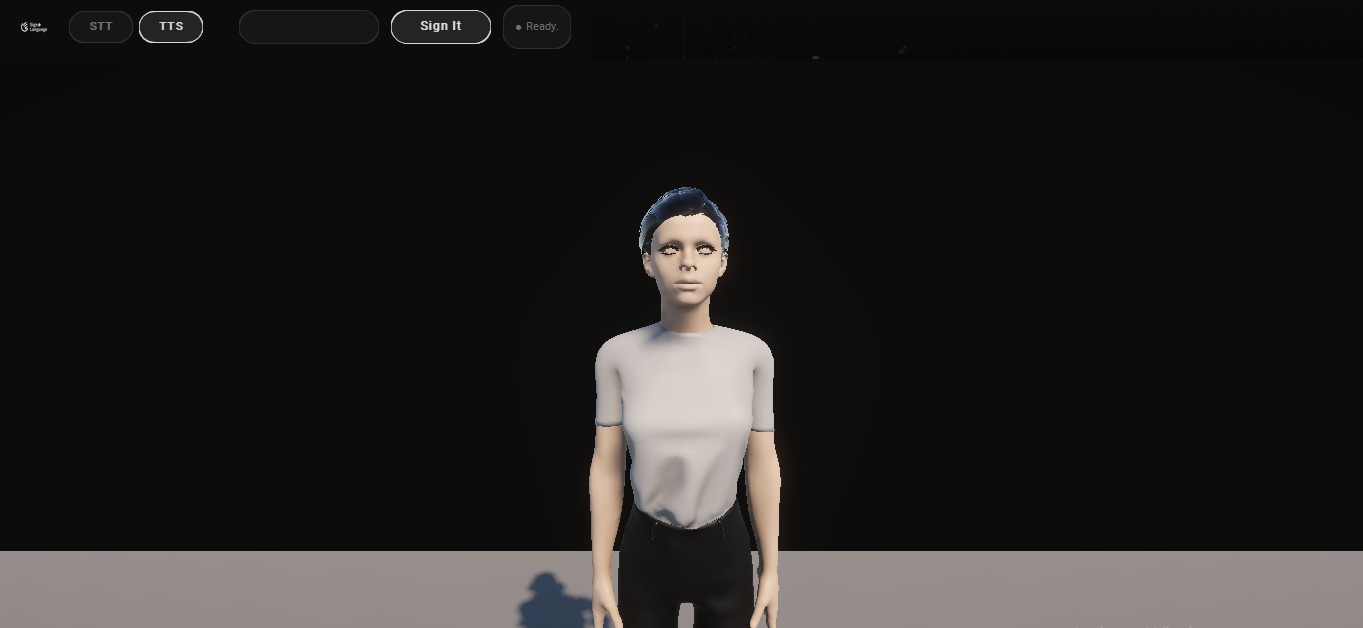
Text-to-Sign — Unity-powered 3D avatar ready to perform signs.
-
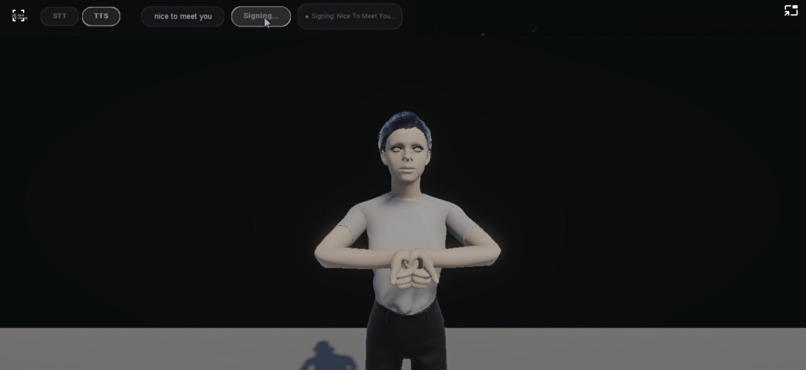
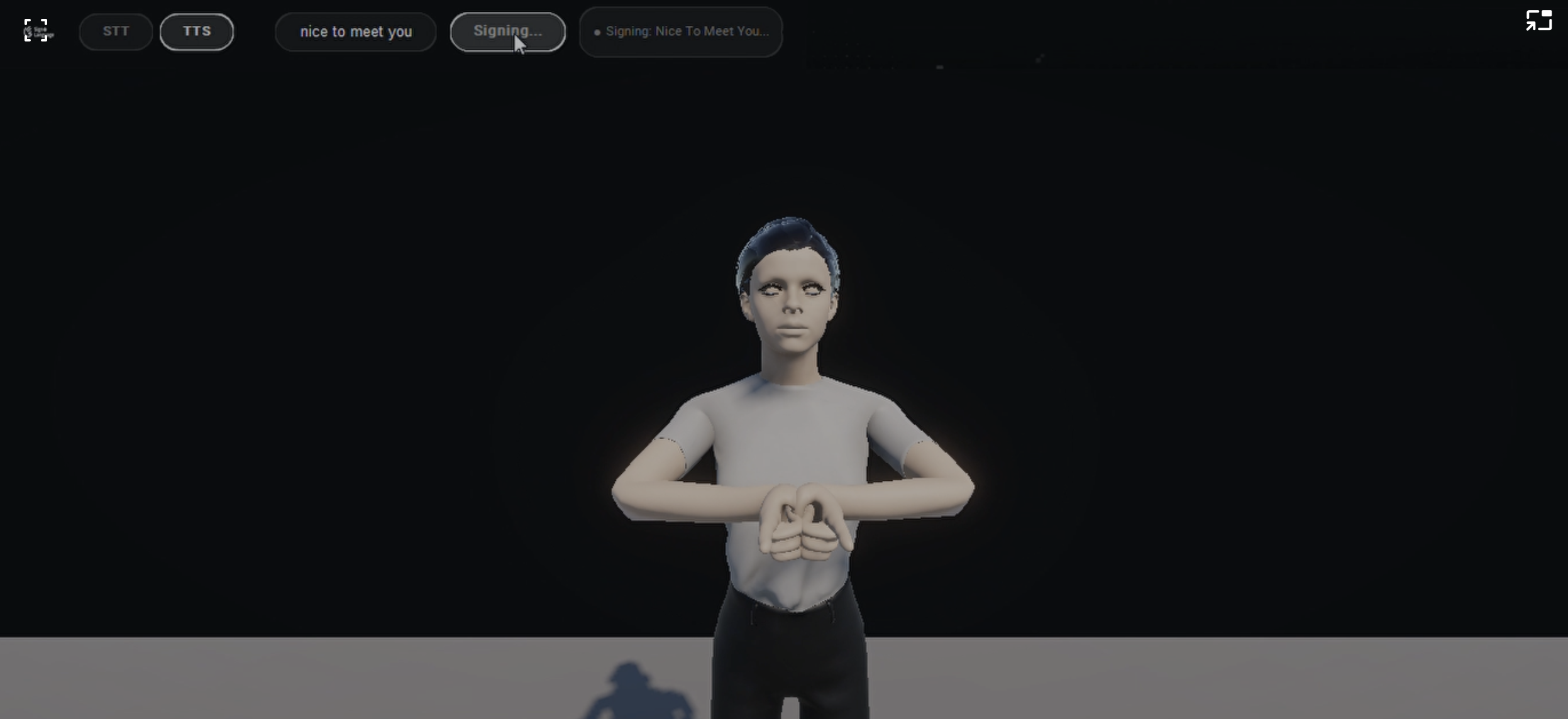
Sign in Action — The avatar performs “Nice to meet you.”
Inspiration
Communication should be accessible in both directions. Yet conversations between people who use American Sign Language (ASL) and people who do not sign can present everyday communication barriers.
We created SLS — Sign Language Accessibility System to explore how computer vision, machine learning, and interactive 3D technology can work together to make these interactions more accessible.
Our goal was not simply to recognize signs through a camera. We wanted to build a two-way communication experience: one person can communicate through supported signs, while another can type a response that is represented through a signing avatar.
This vision shaped SLS from the beginning.
What It Does
SLS is a desktop-based, two-way ASL communication prototype with two complementary capabilities.
1. Sign-to-Text
SLS captures hand and upper-body movements through a webcam and processes them using MediaPipe landmarks and trained machine-learning models.
It provides three recognition modes:
- Alphabet Mode: Recognizes supported ASL alphabet gestures using a Multilayer Perceptron (MLP).
- Action Mode: Recognizes a defined vocabulary of dynamic signs using a Long Short-Term Memory (LSTM) model.
- Auto Mode: Uses motion-based logic to select between alphabet and action recognition.
Recognized outputs accumulate into text. Users can choose when to convert the accumulated text into speech using the Speak button, preventing unwanted automatic interruptions during signing.
2. Text-to-Sign
Users can type supported text and select Sign It to communicate through a 3D signing avatar built with Unity.
The desktop application communicates with Unity through a local TCP bridge to coordinate the avatar's animations.
Together, these features demonstrate a practical foundation for two-way sign-language accessibility.
How We Built It
SLS combines computer vision, machine learning, desktop application development, and real-time 3D animation.
Computer Vision and Recognition
We used OpenCV for camera capture and image processing, alongside MediaPipe Hands and Pose to extract landmarks.
Two machine-learning approaches support different recognition tasks:
- MLP (scikit-learn): Classification of static alphabet gestures.
- LSTM (TensorFlow/Keras): Sequence-based recognition of dynamic signs.
We also developed recognition-state and stability mechanisms to improve the real-time interaction experience.
Text-to-Sign and Speech
A Unity-based avatar performs supported signs through animation sequences. A local TCP connection enables communication between the Python desktop application and Unity.
Speech output is triggered manually, using edge-tts with a pyttsx3 fallback.
Interface and Visual Identity
Our teammate Osama Sief led the UI and visual design, creating the SLS logo, visual identity, and cinematic interface experience.
The interface combines a futuristic digital aesthetic with interactive visual elements, creating a recognizable identity for the project while supporting its communication workflow.
OpenCV 5 and AWS Evaluation
The live desktop application uses OpenCV 4.11 for compatibility with its current MediaPipe-based recognition pipeline.
Separately, we implemented and evaluated the frozen recognition logic using OpenCV 5.0.0.93 in a real AWS Lambda environment on Graviton (ARM64).
This cloud deployment was designed to assess migration fidelity, rather than host the live desktop recognition application.
The evaluation involved actual AWS services and execution evidence, including Lambda, S3, ECR, IAM, and CloudWatch.
Cross-Platform Release
We prepared independent installation packages for both macOS and Windows, including the required recognition models and compiled Unity applications.
We then performed manual acceptance testing using freshly assembled competition release environments on both operating systems.
All 16 functional acceptance checks passed: 8 on macOS and 8 on Windows.
Challenges We Faced
Maintaining Real-Time Recognition Stability
Recognizing signs from continuous video requires more than classifying individual frames. We had to consider prediction stability, movement, temporal sequences, and how recognized outputs should accumulate without unwanted repetition.
Connecting Two Different Systems
Integrating a Python-based recognition application with a Unity-based signing avatar required reliable communication and lifecycle management. Handling the avatar correctly when switching between interface tabs was an important engineering challenge.
OpenCV Migration Fidelity
Our AWS evaluation highlighted the importance of verifying numerical behavior across environments.
In the nine-trial OpenCV 5 migration-fidelity pilot, all nine trials matched at the decision level, while eight met the numerical tolerance criteria. We documented the remaining discrepancy rather than excluding it.
Delivering a Reproducible Application
A working development environment does not automatically translate into an installable release.
We had to package pinned Python dependencies, trained model files, MediaPipe assets, interface resources, and platform-specific Unity builds, then verify that the complete application worked after independent installation.
Accomplishments We're Proud Of
- Built a two-way desktop communication prototype combining Sign-to-Text and Text-to-Sign.
- Integrated static gesture recognition, dynamic sequence classification, and motion-based mode selection.
- Developed a Unity signing avatar connected to the Python application.
- Created a complete visual identity and interactive cinematic interface.
- Completed 240 Level A and 20 Level B formal evaluation trials within the documented evaluation scope.
- Conducted a real AWS OpenCV 5 migration-fidelity pilot, including documented numerical discrepancies.
- Successfully completed 16/16 manual functional acceptance tests across macOS and Windows.
- Published the source code, technical documentation, architecture diagrams, and platform-specific release packages for independent evaluation.
What We Learned
Building an AI system is not only about training a model. It also requires reliable preprocessing, consistent inference behavior, meaningful evaluation, and careful integration with the user experience.
We learned that numerical and environmental differences matter, especially when moving computer-vision workloads between platforms.
We also learned the importance of transparent evaluation. Our current formal recognition evaluation covers five alphabet letters, rather than the entire ASL vocabulary, and we documented limitations including reduced performance under certain lighting conditions.
Finally, preparing SLS for external evaluation reinforced an essential engineering principle: reproducibility and usability are part of the product, not optional finishing steps.
What's Next
SLS is a working prototype, with several opportunities for further development:
- Expand formal evaluation to all 26 alphabet letters and the supported Action Mode vocabulary.
- Improve recognition performance under challenging lighting and movement conditions.
- Expand the vocabulary and animations available in Text-to-Sign.
- Explore more advanced continuous-sign recognition and sentence-level interpretation.
- Evaluate usability and accessibility with Deaf and hard-of-hearing users.
- Investigate additional cloud and OpenCV 5 deployment possibilities while preserving the responsive local experience.
Our long-term vision is to continue developing SLS into a more capable, reliable, and accessible two-way communication system.
Project Resources
Built With
- amazon-cloudwatch
- amazon-ecr
- amazon-web-services
- aws-lambda
- c#
- customtkinter
- docker
- edge-tts
- github
- keras
- lstm
- mediapipe
- mlp
- numpy
- opencv
- opencv-5
- python
- scikit-learn
- tensorflow
- unity

Log in or sign up for Devpost to join the conversation.