Inspiration
What it does
How we built it
Challenges we ran into
Accomplishments that we're proud of
What we learned
What's next for SKYSHOT
Inspiration
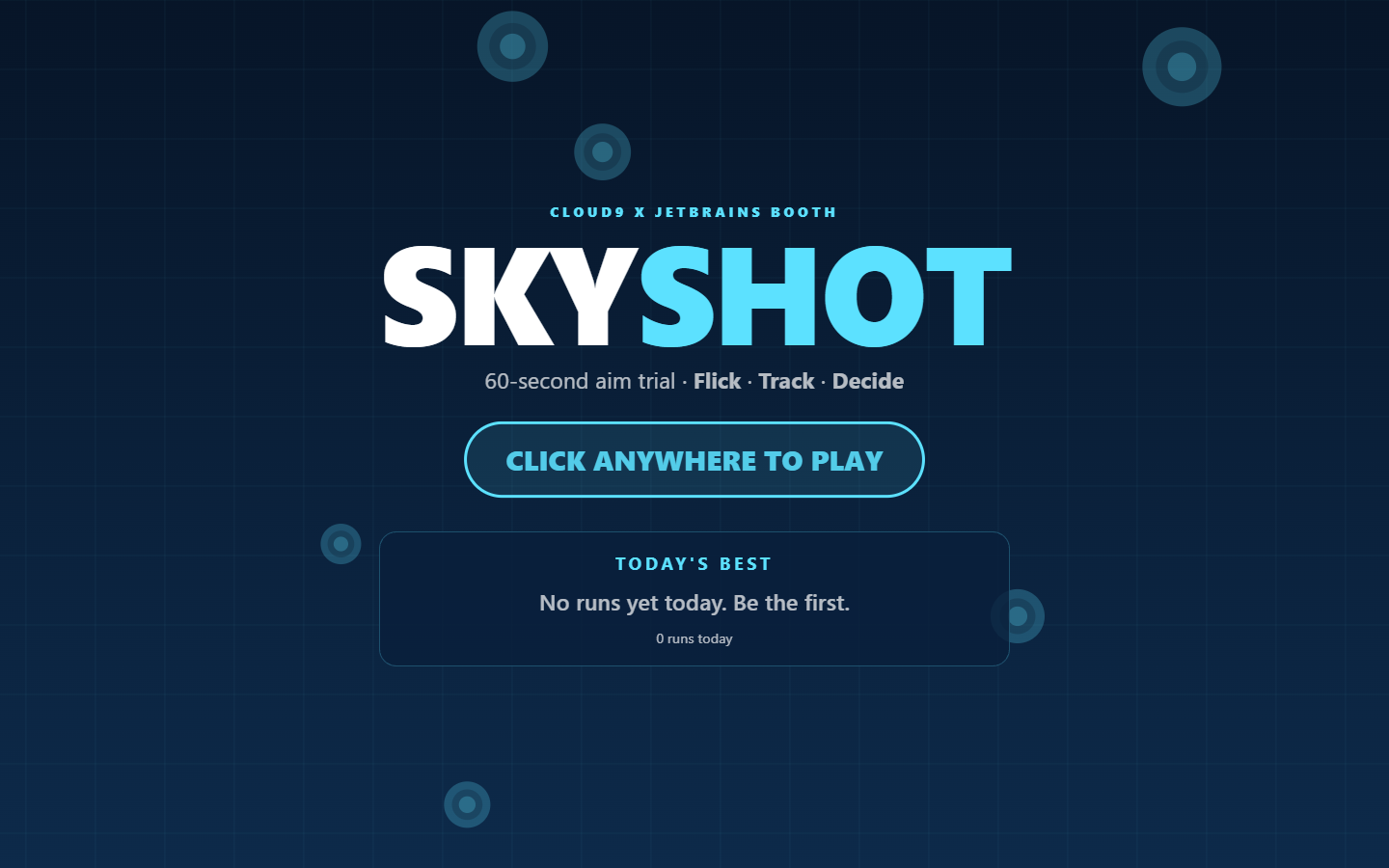
At an event booth the line keeps moving. Fans have a minute or two, a mouse and no patience for a tutorial. The staff running the booth need something that resets itself, never needs the internet, and keeps a leaderboard going all day. And for a Cloud9 booth, the game should test something competitive players really train, not just a random clicker.
What it does
SKYSHOT is a 60-second, mouse-only aim trial in three 20-second drills:
- FLICK. One target at a time, and faster hits score more. Every hit shows its time in milliseconds, so players learn what "fast" feels like.
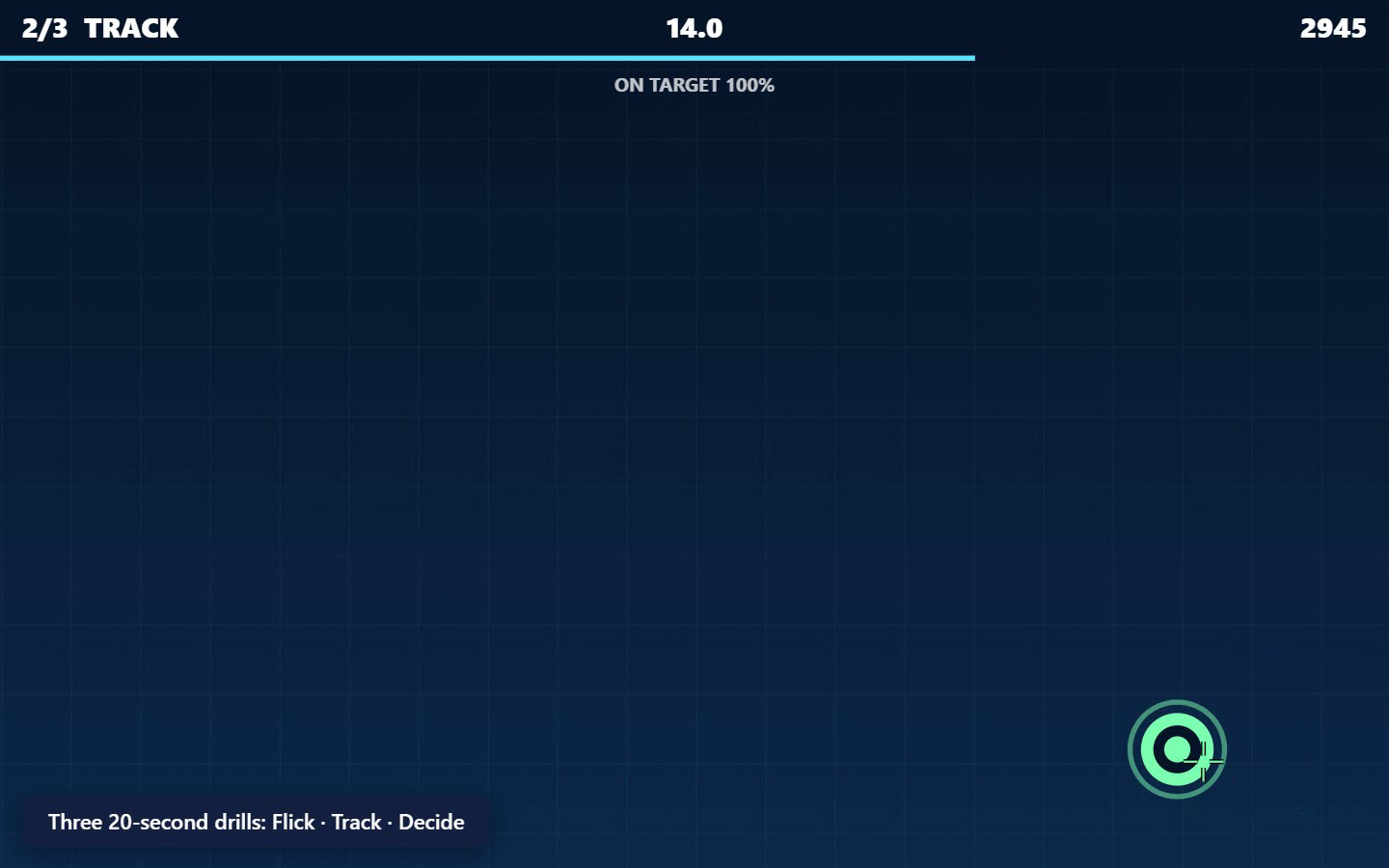
- TRACK. Hold the button and stay on a target that speeds up and shrinks. Points come for every 100 ms on target.
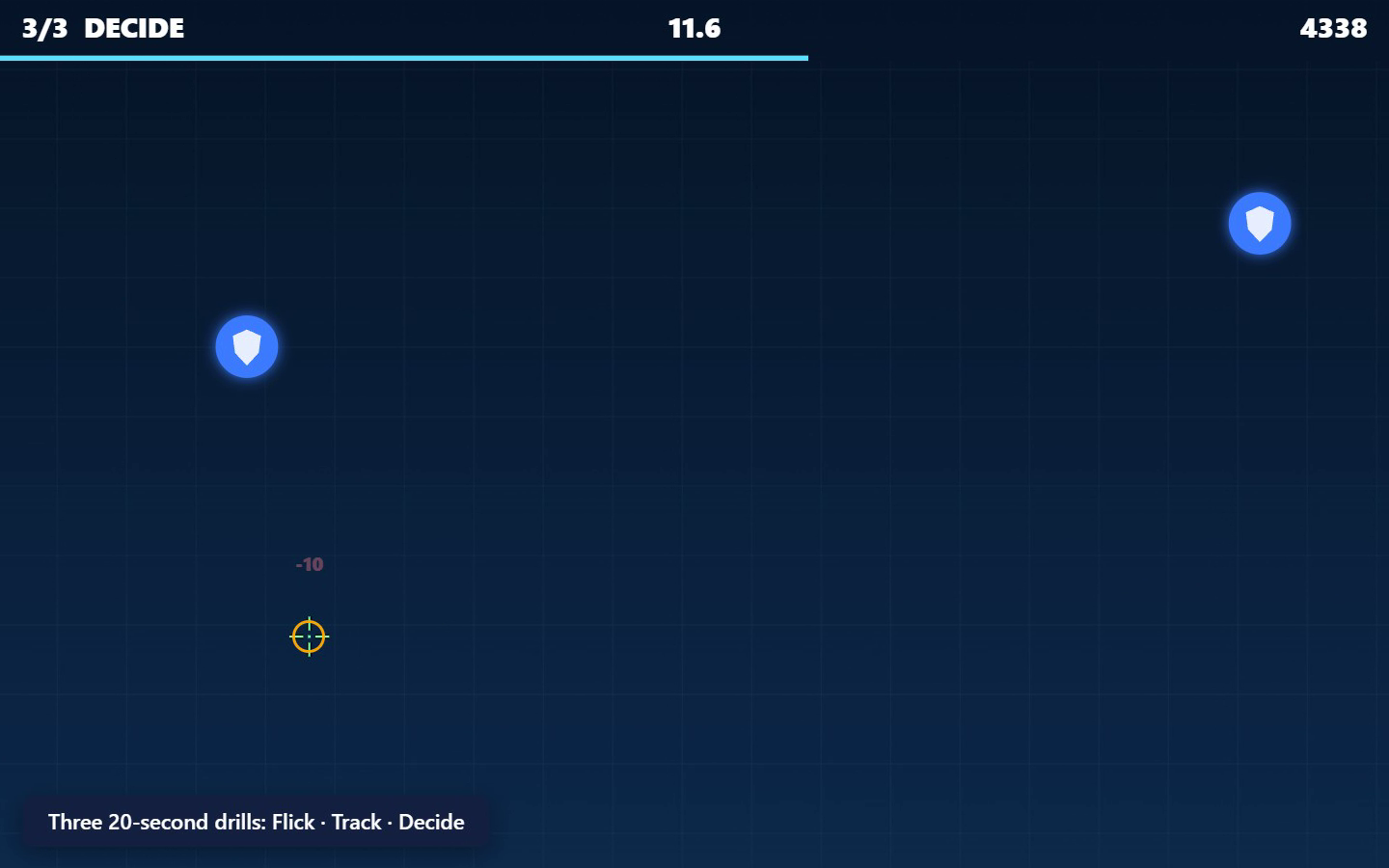
- DECIDE. Hit the red diamonds, never the blue allies. Enemies vanish after one second. Enemies and allies differ in shape as well as colour, so colour-blind players can play.
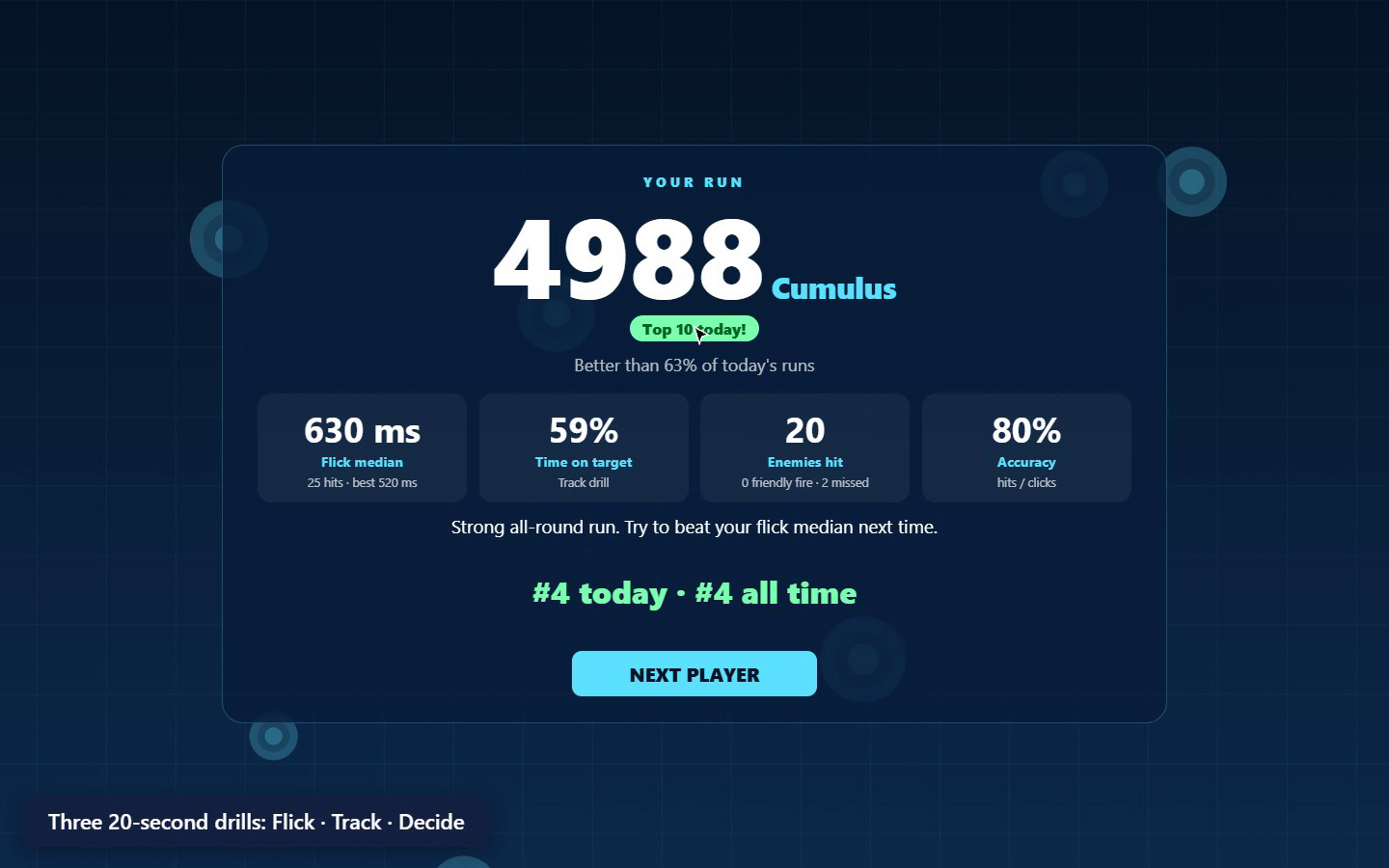
The results screen shows:
- the score;
- a tier: Fog → Stratus → Cumulus → Nimbus → Cirrus → Cloud Nine;
- "better than N% of today's runs";
- four stats: flick median, time on target, enemies hit, accuracy;
- one coaching tip taken from the weakest area, for example "Check the colour before you click: friendly fire cost you the most points".
Players enter their initials with an on-screen letter pad (keyboard optional) and see their rank today and all time.
Booth-ready by design:
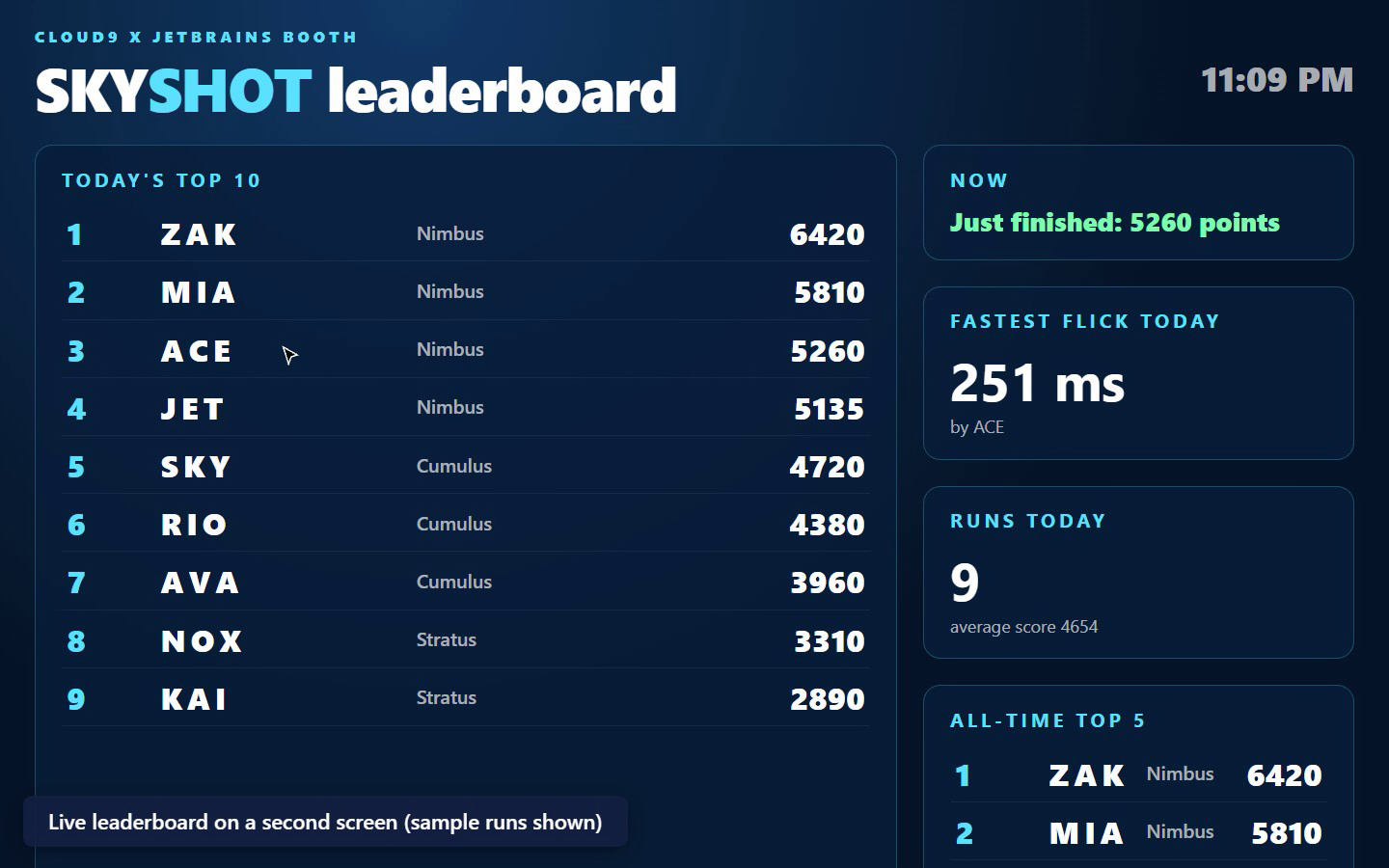
- Live local leaderboard on a second monitor.
board.htmlshows:- today's top 10 and all-time top 5;
- the fastest flick of the day, runs today and average score;
- "now playing" status.
It updates the instant a run is saved, through BroadcastChannel with the storage event as a fallback, all on the booth machine with no server.
- Works offline. A service worker caches everything after the first load.
- Resets cleanly.
- If a player walks away mid-run (no mouse movement for 12 s), the game returns to the attract screen.
- The results screen auto-saves and resets after 30 s.
- "Next player" resets at once.
- Operator panel. Ctrl+Shift+O, or five quick clicks in the top-left corner, opens:
- the event name and sound on/off;
- "open leaderboard screen";
- CSV export of every run;
- clear today / delete all (double confirmation).
- Bounded storage. Each day's top 50 and the last 2,000 runs are kept, so a multi-day event never fills the browser's storage.
- No assets to license. Every visual is drawn on canvas and every sound is synthesised with WebAudio.
How we built it
- Plain ES modules, a canvas renderer and WebAudio, with no build step and no dependencies. The repository is exactly what the booth runs, and it is hosted on GitHub Pages.
src/score.jsholds the points curves:- flick: 60-150 points by time;
- decide: 50-150 points;
- empty click: -10; friendly fire: -150; tracking: 12 per 100 ms.
- It also holds the run summary, tiers and the coaching-tip rules. Pure and unit-tested.
src/board.jsholds ranking with tie-breaks, percentiles, local-day boards, pruning and formula-safe CSV export. Pure and unit-tested.src/store.jshandles localStorage and live sync between windows.src/game.jsis the state machine: attract → drill card → drill (×3) → results → saved.test/bot.mjsis a play-test bot that drives a real Chrome through complete runs at different skill levels and screenshots every phase. It was used to tune the tier thresholds and to check that the whole loop runs without errors.
JetBrains tools
WebStorm 2026.3 is the IDE for the project, and the .idea folder with the project model and inspection profile is committed.
- The project inspection profile ran over all files with WebStorm's inspector. It found a type mismatch on the leaderboard screen (a number assigned to
textContent), which was fixed. - It also flagged CSS classes as unused. Each was checked: all of them are added at runtime, so they stay.
- Grammar inspections caught spelling issues in the docs.
- WebStorm's formatter and Node test runner are part of the workflow. See
JETBRAINS.mdin the repository.
Challenges we ran into
- Making three drills learnable without a tutorial.
- Each drill opens with a 2.6-second card: a name, one sentence and a 3-2-1 countdown.
- The decide card also shows exactly what an enemy and an ally look like.
- Fair scoring. Early tuning let a bot score 12,000. The play-test bot at human-like reaction times (350-600 ms) set the tier thresholds, so the top tier is hard to reach for real players.
- Two screens, one machine, no server.
BroadcastChannelkeeps the game and the leaderboard in sync without any network, and thestorageevent is a fallback for older setups.
Accomplishments that we're proud of
- A full loop in about 75 seconds per player: click, three drills, results, initials, saved.
- A second screen that updates instantly, and an app that keeps working with the Wi-Fi off.
- No build step and no licensed assets.
What we learned
For a booth, the "boring" parts decide whether a game survives a whole day: walk-away resets, idle timeouts, a hidden operator panel and bounded storage.
What's next
- An optional daily challenge seed, so everyone plays the same target layout.
- A "flick tester" mode that only measures reaction time, for very short lines.
- An event-specific skin system for different sponsors.
Built With
- broadcastchannel
- github
- html5
- javascript
- service-worker
- webaudio
- webstorm
