Inspiration
Travel disruptions are a universally hated experience. When your flight gets cancelled, every existing app tells you what broke — your airline app, Tripit, Google Flights, your email — but none of them tell you what to do about the rest of your trip. You're left rebuilding your itinerary by hand at the worst possible time: checking which alternative flights still let you make tomorrow's meeting, whether your hotel will hold your room, whether you should warn the people you're flying to see. This has happened with me plenty of times and wanted to find a solution for this.
That coordinating step is the actual hard part, and it's exactly the kind of multi-step, tool-using, judgment-requiring work that judges said this hackathon was about. I wanted to build an agent that doesn't just notify, one that reasons across the whole trip and presents a coherent answer in 30 seconds, not 2 hours.
What it does
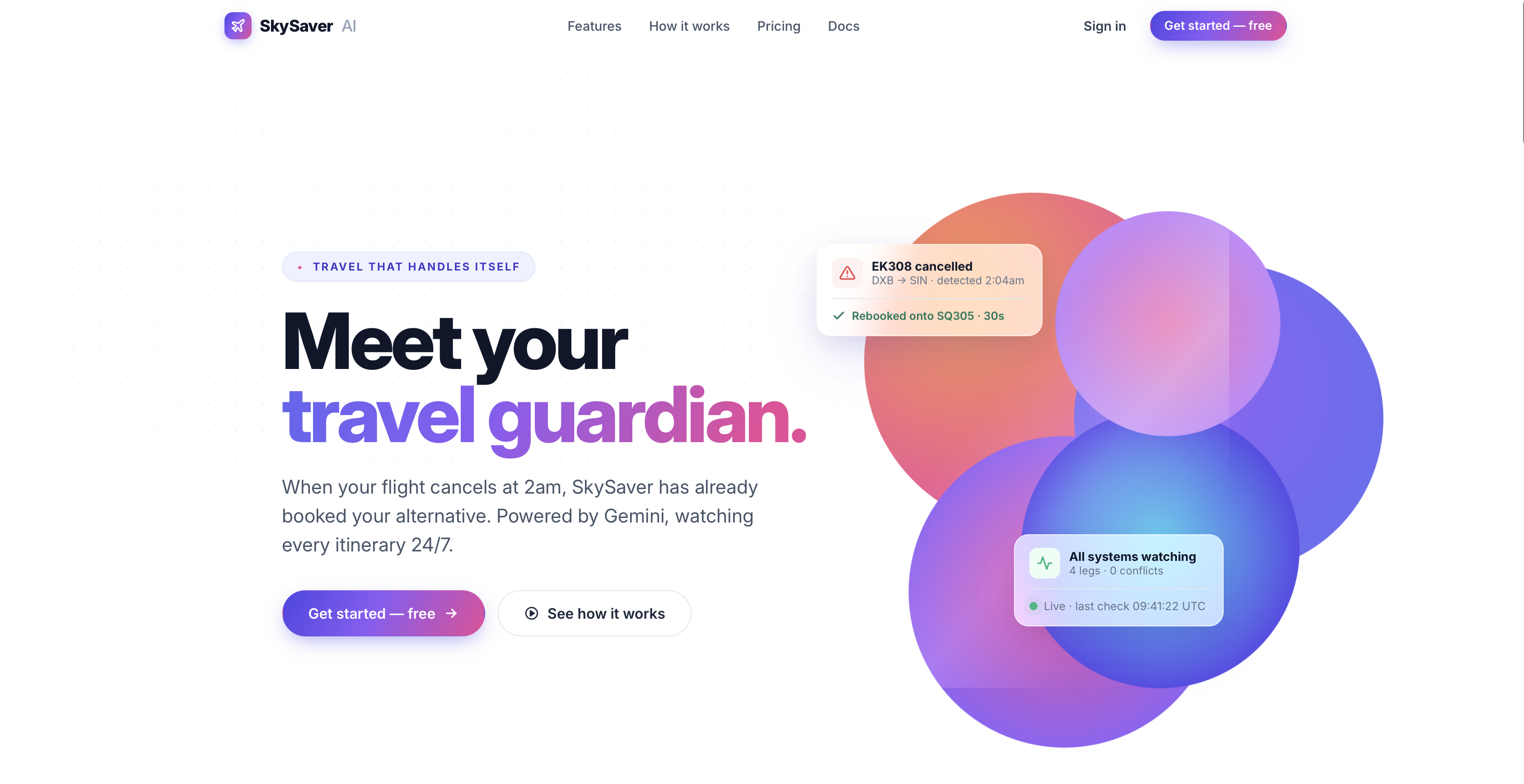
SkySaver AI is an autonomous travel guardian. You plan a trip once — flights, hotels, ground transport, meetings — and SkySaver watches every leg 24/7. When a flight gets cancelled:
Detection — the agent autonomously notices the disruption and writes it to MongoDB. Live search — it queries Google Flights (via SerpAPI) for real alternatives on that exact route and date. Cascade-aware ranking — for every candidate replacement, it walks the rest of your trip and computes what shifts (hotel check-in moves 2h later), what's tight (only 90 minutes before your 10am meeting), and what breaks (missed downstream connection). Options are ranked against your stored preferences — preferred airlines, max stops, budget sensitivity, arrival window. Two-step recovery — you pick one alternative. The agent hands you to the airline's official booking page with route and date pre-filled. You complete payment there. You upload your PDF confirmation back into SkySaver, and Gemini Vision reads it (PNR, flight number, times, fare, passenger name) and updates everything coherently — the new flight, the shifted hotel check-in, the rescheduled transport. Conversational layer — the chat assistant answers questions about your trip by reading the live trip state through the official MongoDB MCP server on every turn.
The distinctive feature is the cascade preview. Every option card shows not just price and times but exactly what each choice does to the rest of your itinerary, with severity badges . That's the part nobody else does.
How we built it
Reasoning layer: Gemini 2.5 Flash via Vertex AI with Application Default Credentials (our organization's security policy disallowed API keys, so we wired ADC end-to-end through Cloud Run's compute service account).
Memory layer: MongoDB Atlas (M0 free tier, Mumbai region) hosting a trips collection where each document is one user's full itinerary — flights, hotels, transport, meetings, preferences, disruption history. Per-user trip IDs derived from email keep accounts isolated.
Partner integration: The official mongodb-mcp-server Node.js package runs as a subprocess inside our Python backend. The chatbot fetches trip context through it on every turn — proving the MCP integration is live, not decorative.
External data: SerpAPI for live Google Flights results with a 6-hour file-based cache to protect our free-tier quota. A 60-airline deep-link map for booking handoffs (Emirates, BA, Qatar, Lufthansa, Delta pre-fill route + date; others open the carrier's official site directly).
OCR: Gemini Vision for booking confirmation parsing. Drop a PDF, PNG, or JPG of your airline confirmation and structured fields come back as JSON — confirmation reference, airline code, flight number, departure/arrival times, price, payment method, passenger name.
Backend: FastAPI server (api.py) exposing 25+ JSON endpoints under /api/*, serving the React frontend as static files. Auth via signup/login with HttpOnly session cookies persisted in MongoDB. Custom mcp_bridge.py implementing a minimal JSON-RPC client over stdio (the official Python MCP SDK had a Python 3.13 compatibility bug we worked around).
Frontend: React 18 + Babel via CDN — no build step, multi-page app. Pages: landing, auth, dashboard, plan wizard, trip details, preferences, settings. Live tracking ping, animated red alert banner on disruption, cascade-aware option cards in the recovery panel, sticky chat side rail powered by Gemini.
Deploy: Multi-stage Docker container (Python 3.12 + Node 22 for the MCP subprocess) running on Cloud Run with Secret Manager for MONGO_URI and SERPAPI_KEY.
Challenges we ran into
The official Python MCP SDK broke on Python 3.13. Calls into mongodb-mcp-server died with an opaque BrokenResourceError deep inside anyio's task group machinery — silently swallowing the actual exception. We dropped the SDK entirely and wrote a minimal JSON-RPC client using subprocess. Popen with dedicated reader and drain threads, talking newline-delimited JSON-RPC over stdio. Took a day to debug but made the integration significantly more robust.
A deprecation warning corrupted the MCP protocol stream. The MongoDB MCP server's --connectionString CLI flag prints a deprecation notice to stdout. That broke JSON-RPC parsing on every call. We switched to the MDB_MCP_CONNECTION_STRING environment variable to keep stdout clean for the protocol.
Async URL race conditions in the booking dialog. The "Open Emirates" button was fetching its deep-link URL via an async API call after the dialog rendered. Users clicking faster than the fetch returned saw a dead button. We rewrote the URL logic synchronously using an embedded airline map so the href is always populated at render time.
Cloud Run source-deploy permissions. The Compute service account needed five separate IAM roles to deploy from source: aiplatform.user, secretmanager.secretAccessor, storage.objectViewer, logging.logWriter, artifactregistry.writer. Granting only the first two failed with cryptic 403s on GCS that took a while to decode.
Scope discipline. I initially built the entire app in Streamlit, then pivoted to a polished React UI mid-project. Wiring the new frontend to the existing Python backend through a FastAPI shim was a major refactor but pushed the product from "Streamlit demo" to "looks like a real product." Knowing when to keep adding features versus when to stop and deploy was the hardest call.
Accomplishments that we're proud of
The MongoDB MCP integration is real, not decorative. Many hackathon submissions claim partner integrations they don't actually use. Ours spawns the official mongodb-mcp-server as a subprocess in the live container, and the chatbot's data path is genuinely Gemini → MCP JSON-RPC → mongodb-mcp-server → Atlas. Smoke-testable, observable in the process tree.
The cascade preview works end-to-end. Pick any alternative flight and you see in plain English how it shifts your hotel check-in, whether your meeting buffer survives, and which downstream legs break. That ripple-through-the-whole-trip reasoning is the distinctive feature, and judges can experience it live.
Gemini Vision OCR closes the loop. After you pay on the airline's site, you upload the confirmation PDF and Gemini Vision extracts every field automatically. That's the moment where the agent feels truly autonomous — you didn't have to type your PNR.
It actually ships. Cloud Run deployment with a working hosted URL, persistent sessions, real auth, real Google Flights data, real cascade calculations, real Gemini chat with MongoDB MCP context, real OCR. End-to-end demo without any "imagine this works" moments.
What we learned
MCP architecture is genuinely useful, not just spec compliance. Treating the database access layer as tools the agent calls (via a protocol) rather than as direct ORM calls forces a cleaner separation between reasoning and persistence. The same pattern would let us add Elastic, Stripe, or any other partner with minimal refactor.
"Agentic" means multi-step planning with tools, not a smarter chatbot. The bar is whether the system can autonomously decide what to do next based on state — detect a disruption, search, rank, present trade-offs, get confirmation, execute, update downstream. We kept that loop explicit in every design decision.
Human-in-the-loop is a feature, not a limitation. The two-step booking handoff (pay on the airline, scan the confirmation back) sounded like a workaround at first. It's actually the right design: SkySaver never holds your card, you stay in control of the irreversible step, and the OCR scan makes the handoff feel seamless rather than clunky.
Cloud Run + a Node subprocess works fine. People warned us spawning subprocesses inside a containerized Python web service would be fragile. Properly sandboxed with timeouts and stderr drains, it's been rock solid.
Scope discipline beats feature count. Cutting features mid-project — preference learning, real-time flight status polling, multi-traveler coordination, attraction recommendations — to ship a tight working demo was worth more than any individual feature would have added.
What's next
Real-time flight status polling via FlightAware or Cirium so disruptions are detected automatically against live airline data, not just via the demo simulator.
Push notifications through email and SMS so you find out the moment something breaks, before you check the app.
Auto-book mode for low-risk recoveries — when the cascade preview is fully green (no downstream impact), let users opt in to having the agent book the replacement without asking. The toggle is already in Settings; the workflow is the next build.
Duffel API integration for end-to-end booking on supported carriers, with the deep-link handoff as the fallback for airlines Duffel doesn't cover.
Real preference learning — once we have enough disruption history per user, train per-account weights so the ranking improves over time. The data is already being captured in disruption_history.
Calendar integration — beyond the existing .ics export, two-way sync with Google Calendar so meeting changes flow back into SkySaver's cascade calculations automatically.
Multi-traveler coordination — when two people are flying to the same destination on different itineraries, surface joint impact and propose recoveries that keep both on track.
Mobile app — the cascade preview and live tracking work particularly well on a phone, which is where most disruption alerts actually land.


Log in or sign up for Devpost to join the conversation.