Inspiration
You know that kid in elementary school who stared out the window during math class, completely lost and hoping it's almost breaktime? Yeah, that was me. For the longest time, I thought I was the problem. It wasn't until I started learning on my own terms that I realized the issue wasn't my brain - it was the one-size-fits-all approach to education.
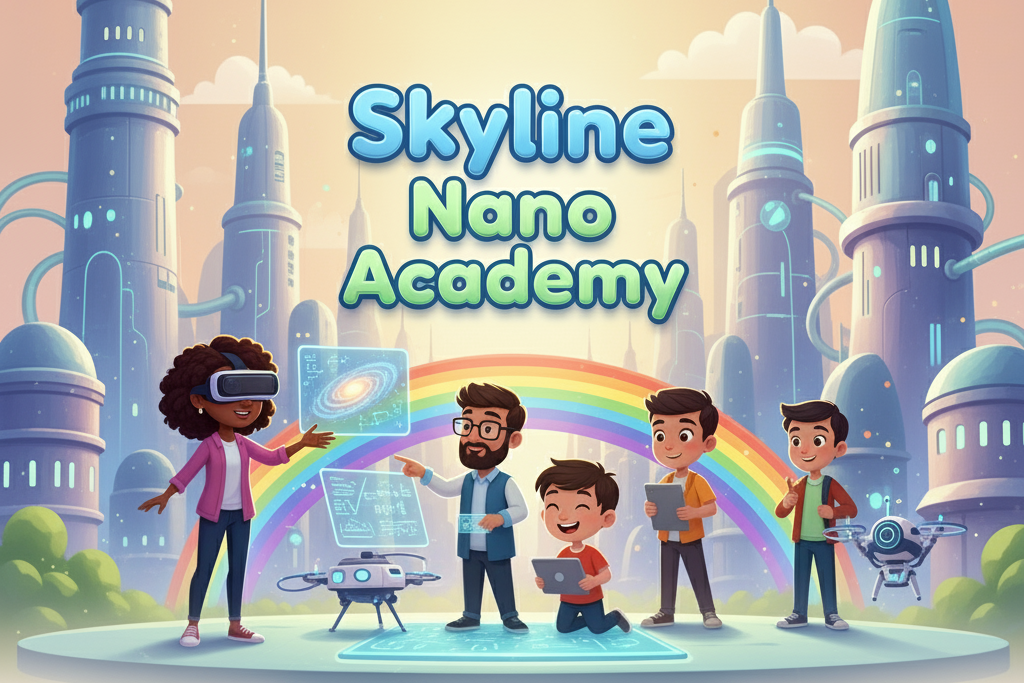
When the Chrome Built-in AI Challenge dropped, I saw my chance to build the education I wish I had. Because Gemini Nano lives right there in your Chrome browser, it eliminates one of the biggest barriers to quality education - cost - and democratizes access to truly personalized, contextually aware learning. This is not just a web app; it's a whole new educational playing field. And that, my friends, is how the vision for Skyline Nano Academy was born. It's about building a better future, one on-device lesson at a time!
What it does
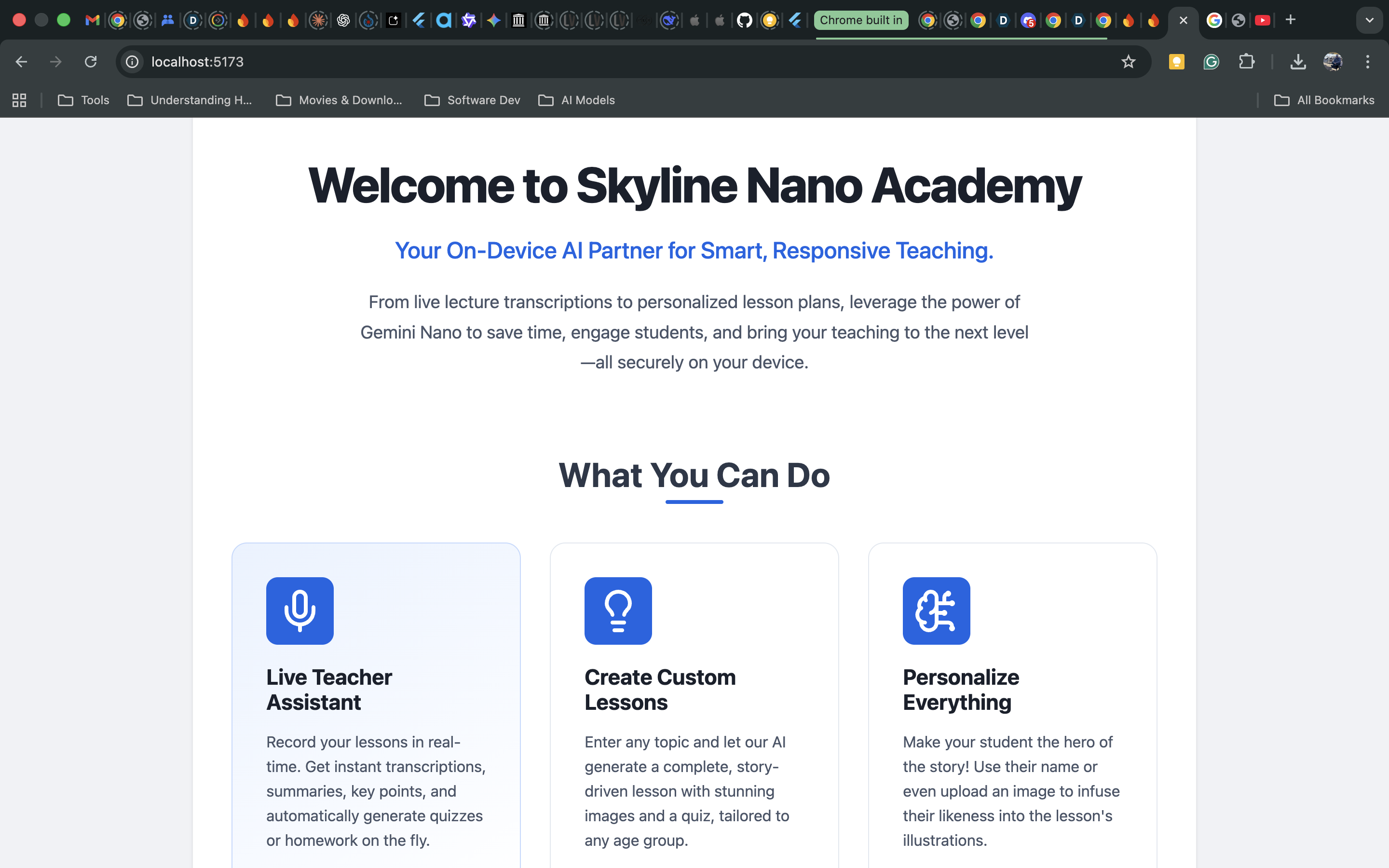
Skyline Nano Academy is an AI-powered web app that turns any laptop and Chrome browser into a full-on creative education lab. Teachers can generate lessons in fun formats like manga, storybook, comic book, or science journal, each with its own visual style - think anime science class or watercolor biology! It uses Gemini Nano's built-in APIs to write, rewrite, summarize, proofread, and reteach lessons to students struggling with specific topics.
The app has six core superpowers:
- Lesson Creator: Generate entire lessons from a simple idea. Pick your topic, format (Manga, Storybook, etc.), visual style, and tone. You can even create a consistent character to star in your lesson.
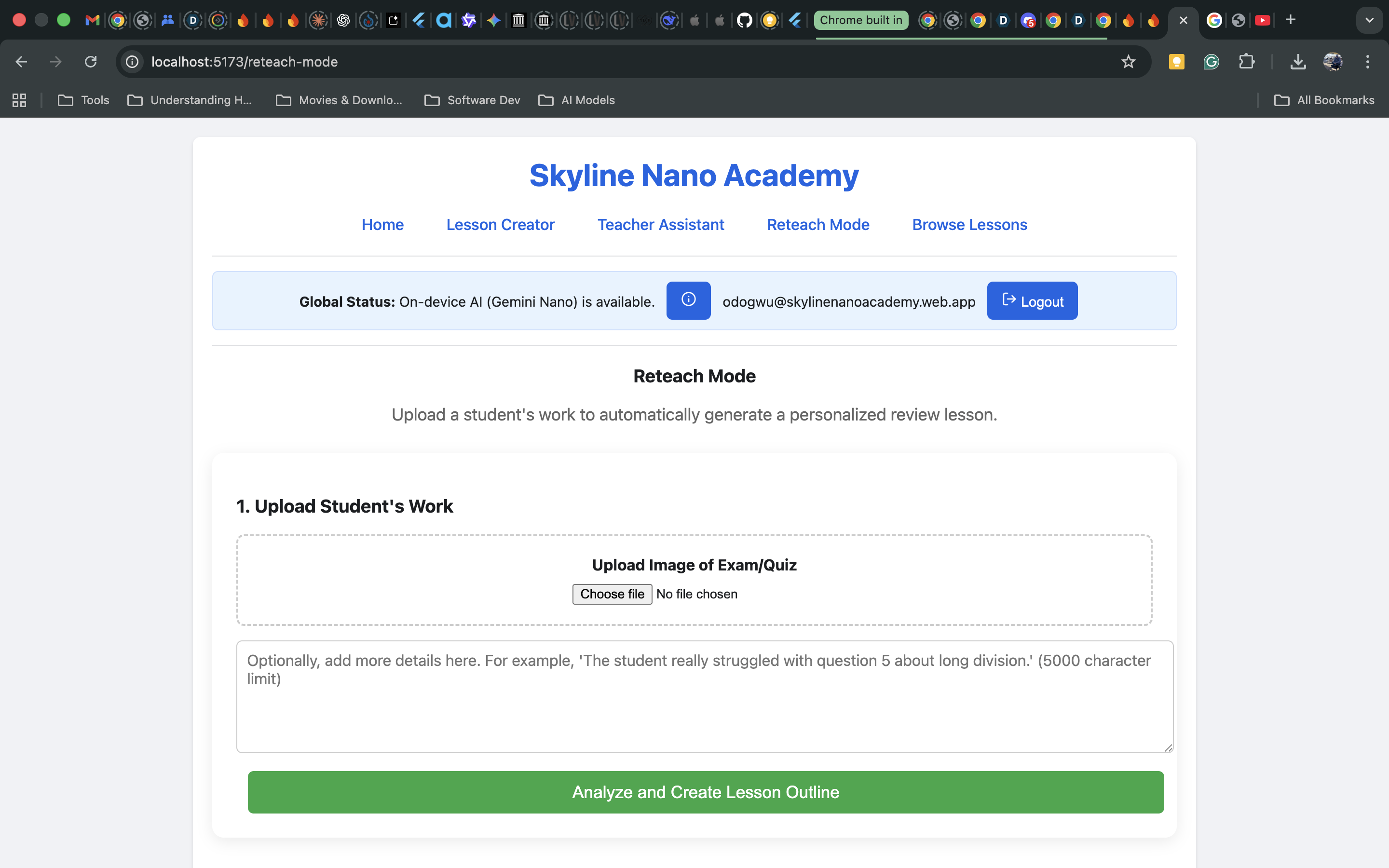
- Reteach Mode: I built this mode specifically for my childhood self that wasn't given much of a chance to try again. When a student struggles, you can upload their test or exam script. Gemini Nano analyzes it on your device, identifies the exact concepts they're missing, and then builds a personalized lesson plan to reteach those topics. The best part? It can pull the student's name from the test and even use their photo to generate an animated version of them as the main character, making them the hero of their own learning journey.
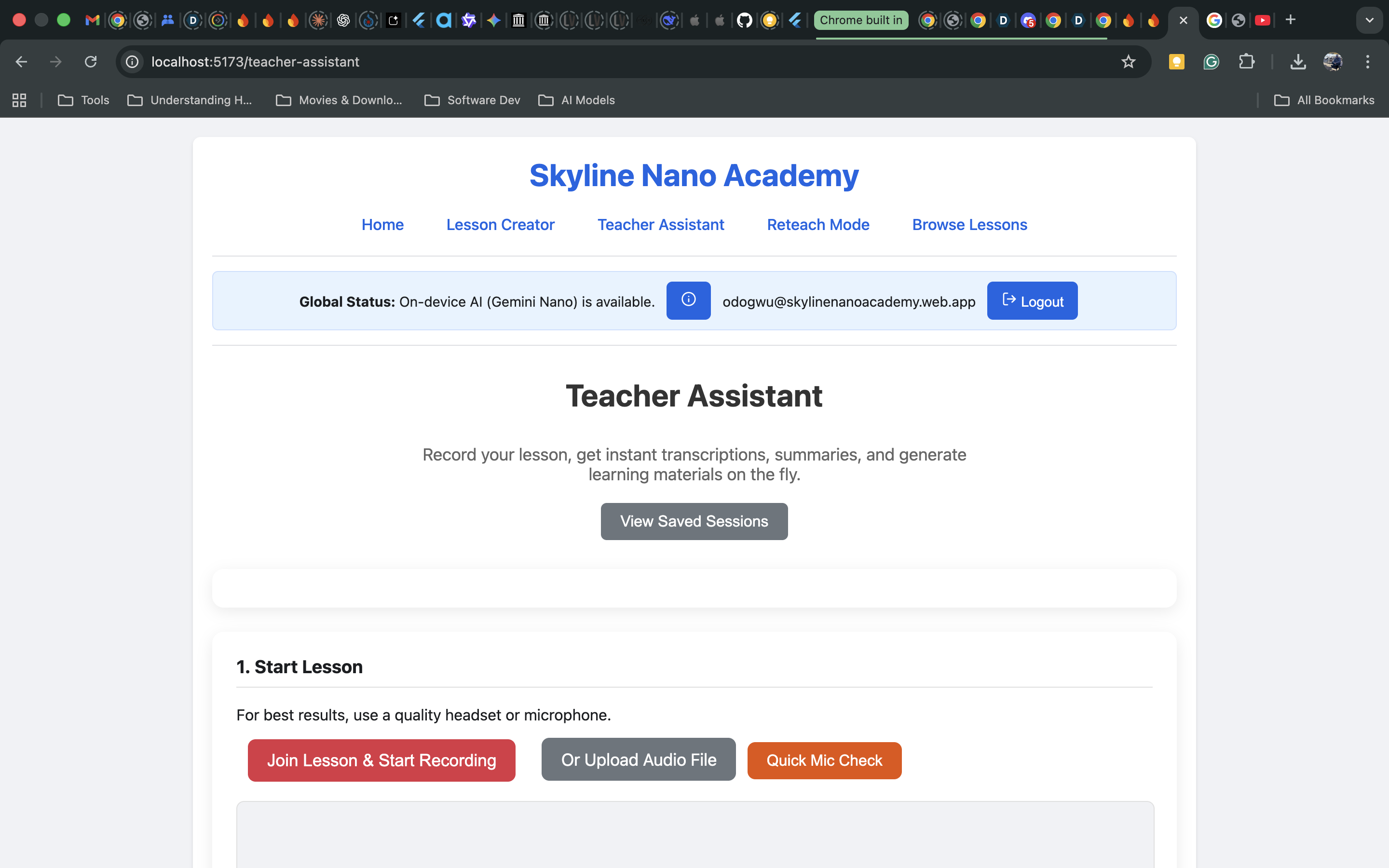
- Teacher Assistant: Get Gemini Nano to listen in on your lesson or just upload your audio or video, and Gemini Nano will transcribe it (for up to 12 hours for sanity check), then generate a summary, extract key points, and gives you the option to create homework, quiz, or follow up materials from it. This means teachers can spend less time organizing and more time teaching.
- Lesson Preview & Edit: Tweak your creations with ease. Use the Rewriter to make a scene spookier for Halloween, the Proofreader to catch your typos, or swap in your own images. Everything is fully customizable!
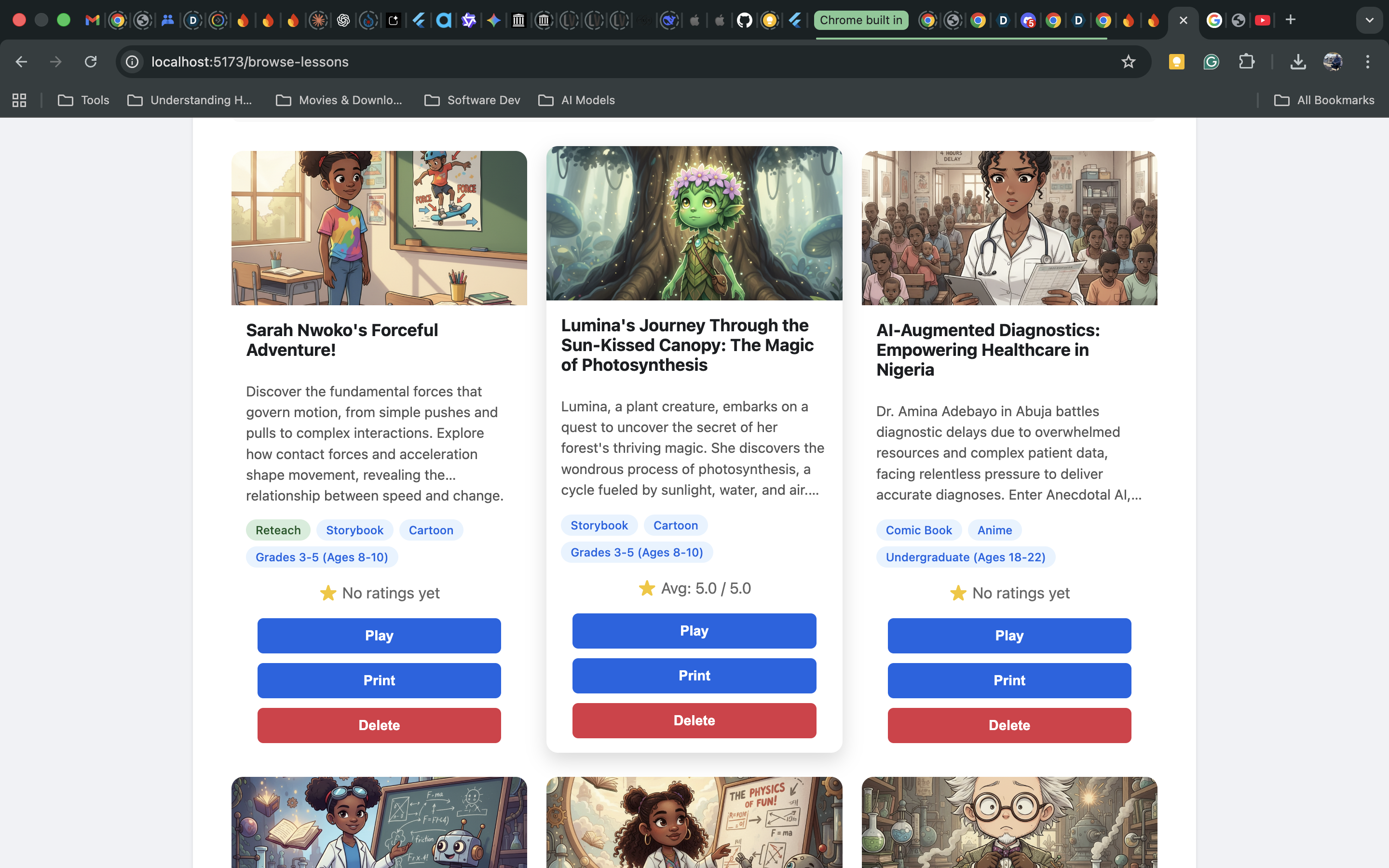
- Browse Lessons: Organize, play (with text-to-speech!), download, and print all the beautiful lessons you've created.
- Hybrid Functionality: Since it runs on a combination of Gemini Nano for the heavy lifting and Firebase AI Logic for optional image generation/fallback, the app works everywhere. Quality education, for everyone, on virtually any device.
How we built it
This project was a delightful mix of groundbreaking technology and moments of pure, unadulterated "why is this on fire?". The tech stack is built around the core functionality of the on-device Chrome Built-In AI APIs, all tied together using React.js via Vite.
- On-Device Power: We leverage the full suite of on-device APIs: the Prompt API (for all the multimodal image/audio/video analysis), Summarizer, Writer, Rewriter, and Proofreader APIs. This ensures privacy, performance, and cost-efficiency.
- The Co-Pilot: Since there wasn't an MCP server you could call to help with the nuances of implementing the built in APIs, my indispensable co-pilot was the Gemini CLI. I fed it a GEMINI.md file containing all the official documentation and open-source code examples I could lay my hands on. This turned the CLI into an invaluable, context-aware architectural advisor - even if it sometimes led me down a rabbit hole of debugging that made me question all my life choices.
- Hybrid Strategy: I implemented a hybrid approach using Firebase AI Logic for image generation and as a fallback. This is key: all the core logic, analysis, and text generation happens on-device, but if you want beautiful, consistent art, the request for image generation with "Gemini Nano Banana" goes to the cloud.
It was my first time truly sinking my teeth into an extensive project with a web framework like React (my background and focus area is mobile, mostly Flutter and Swift), but the combination of the cutting-edge Chrome APIs and the Gemini CLI as my personal, 24/7 technical therapist helped bring this near production-ready project to life.
| Feature | Primary On-Device API | Fallback (Firebase AI Hybrid Inference) |
|---|---|---|
| Teacher Assistant | ||
| Audio/Video Transcription (File Upload & Recording) | LanguageModel (with audio input) |
cloudTextModel: The entire audio file is sent in a single request for faster, more accurate transcription without on-device chunking limitations. |
| Generate Lesson Title | Writer |
cloudTextModel: Part of a single, efficient JSON request during the full analysis reprocessing. |
| Generate Summary | Summarizer |
cloudTextModel: Part of a single, efficient JSON request during the full analysis reprocessing. |
| Extract Key Points | Summarizer |
cloudTextModel: Part of a single, efficient JSON request during the full analysis reprocessing. |
| Condense Lesson | Rewriter |
cloudTextModel: Part of a single, efficient JSON request during the full analysis reprocessing. |
| Create Homework / Quiz / Lesson Prompt | Writer |
cloudTextModel: Part of a single JSON request if triggered via the full reprocessing feature. |
| Lesson Creator & Reteach Mode | ||
| Generate Full Lesson (Scenes, Quiz, etc.) | LanguageModel (with responseConstraint) |
cloudTextModel: The prompt is appended with instructions to return a JSON object, mimicking the on-device schema constraint. |
| Analyze Student Image / Custom Character | LanguageModel (with multimodal input) |
cloudTextModel: The cloud model’s native ability to handle multimodal (image and text) input is used. |
| Generate Character Description | LanguageModel (text-only input) |
cloudTextModel: Fallback for expanded context and stylistic enhancements. |
| Image Generation | N/A (No on-device equivalent) | Cloud AI Only: This feature exclusively uses the imageModel from Firebase AI, as on-device image generation is not part of the current built-in API set. |
| Lesson Preview & Publishing | ||
| Rewrite Scene / Selected Text | Rewriter |
cloudTextModel: The text to be rewritten is sent to the general text model with a contextual prompt. |
| Generate Lesson Blurb (on Publish) | Summarizer |
cloudTextModel: The cloud model is prompted to generate a short, compelling summary. |
| Proofread Text and Suggest Corrections | Proofreader |
No Cloud Fallback: This is a unique on-device-only feature. If the Proofreader API is unavailable, the “Edit Scene” button is hidden to prevent a broken user experience. |
Challenges we ran into
I had many profound conversations with my new friend, Gemini CLI, that went something like: “Why is this not working? You said this would work!” followed by ten more tries. But beyond the emotional rollercoaster, a few deeply technical hills had to be climbed:
1. Token Limitations and the Hybrid Handoff Dilemma: The Prompt API has a context window of 9,216 tokens, while the Writer, Rewriter, Proofreader, and Summarizer APIs cap out at 6,000. This is generous for an on-device AI model - until you try summarizing a 12-hour lecture transcript or a manga-style biology lesson that reads like a novel. Let's just say my "sanity check" 12-hour transcription limit was born from a very real fear of my laptop staging a mutiny. To stay within these limits, I had to build a hybrid inference approach. When Gemini Nano starts running out of brain space, it politely raises its virtual hand and, with user authorization, hands off the heavier workloads to Gemini 2.5 models via Vertex AI in Firebase. Think of it as an AI relay race - Gemini Nano runs the privacy-first lap, and Gemini 2.5 finishes the marathon in the cloud if the user is trying to build a spaceship.
2. The “Prefer On Device” Mystery Box: I also experimented with the early-access Firebase package:
"firebase": "11.7.1-eap-ai-hybridinference.58d92df33", which includes a very cool-sounding flag:prefer_on_device. The name had me dreaming of seamless, on-device inference nirvana... until I realized there’s no documentation explaining how to actually use it. Does it let you call the built-in APIs like Writer or Proofreader directly? Or does it just default everything throughLanguageModel.create()under the hood? I ended up playing detective with console logs and trial-by-error prompts. It works; however, a future guide to clear up what’s happening behind the curtain would be awesome!3. When APIs Don’t Speak the Same Language: Another adventure: making the Firebase AI Logic APIs and Chrome Built-in APIs talk to each other. They’re like two geniuses from different countries - both brilliant, but each speaking a different dialect of JSON. To bridge the gap, I built an adapter layer that unified their input-output structure, so data could flow smoothly between the local Gemini Nano and Firebase’s cloud endpoints. It worked... kinda. In a dream world, both APIs would share a common schema or Firebase AI Logic would natively support all the built-in APIs directly. That would make hybrid architecture a breeze to implement.
4. Taming the Creative Chaos (a.k.a. Structured Output):
Getting Gemini Nano to produce a perfectly structured lesson output - complete with paragraphs, image generation prompts, quiz questions, and answer keys - while keeping character consistency, tone, style, perspective, and target age group intact, was like asking a young acrobat to juggle flaming chainsaws while solving algebra.
Just when I was about to surrender to the chaos, I stumbled upon theresponseConstraintparameter - the shy hero of structured outputs in the built-in Prompt API. It’s basically a magic wand that lets Gemini Nano rub shoulders with its cloud-based cousins, delivering JSON so clean and precise you’d think it was hand-curated by an overachieving librarian.5. Known Issue: When Your Laptop Starts Daydreaming (Audio Processing Slowdown):
While testing the Teacher Assistant Mode, I discovered that on-device transcription speed isn’t linear - it starts off fast but gradually slows down as the file length increases. This means that when using live recording or uploading audio/video for transcription in Teacher Assistant Mode, up to 12 hours of on-device transcription is supported, but structural limitations will degrade performance over time, making the process significantly slower.
Overnight transcription is so 2004, so for best results, use this feature for reasonably timed short lectures or defer to Firebase AI Logic for longer sessions or transcriptions.
Accomplishments that we're proud of
Honestly, just seeing Skyline Nano Academy come to life was one of those "Did this just happen?" moments.
I'm proud that the app can:
- Create entire animated lessons in multiple formats, tones, and art styles.
- Analyze student scripts and reteach topics using their own likeness (very futuristic, mildly spooky, but effective). It's one thing to hear that red blood cells deliver oxygen from the lungs to your muscles; it's another thing to see yourself traveling with the red blood cells as they do it.
- Function 100% offline using Chrome's built-in AI - privacy-friendly and cost-effective.
- Turn lectures into summarized lessons, homework, and even animated series.
In short, Skyline Nano Academy is the teacher assistant every educator wishes they had... minus the coffee breaks.
What we learned
I learned that with a good AI co-pilot and a lot of stubbornness, you can get a good hang of a tech stack you are not very conversant with and build something complex under pressure. More importantly, I gained a deep appreciation for the paradigm shift of on-device AI. It's not just about being offline; it's about enabling hyper-personalized, private, and cost-effective applications that were previously impossible.
What's next for Skyline Nano Academy
The next chapter is all about scaling and sharing. I'm working on publishing user-created lessons on the cloud so teachers and homeschoolers can share their masterpieces globally. I also plan to:
- Test Skyline Nano Academy in real classrooms and homeschool environments.
- Expand AI lesson generation to include multilingual support using the built-in Translator API.
- Introduce collaborative lesson building - where teachers co-create lessons in real time.
- Support for visually impaired learners.
- Add a community showcase, so the best reteach lessons and immersive stories can inspire others.
- Enable Wider Image Accessibility: Currently, image generation requires a login since it uses cloud resources. I'm exploring ways to make the base image generation more widely available, perhaps by implementing a rate-limited or community-subsidized option.
- Add a "Gamification" Mode: Imagine using the generated lessons to create an interactive, point-based adventure game based on the student's struggles. Learning should be fun!
Basically, Skyline is evolving from a solo lab experiment into an education revolution - one Chrome tab at a time.
Music Credit: I composed the background music.



Log in or sign up for Devpost to join the conversation.