-
-
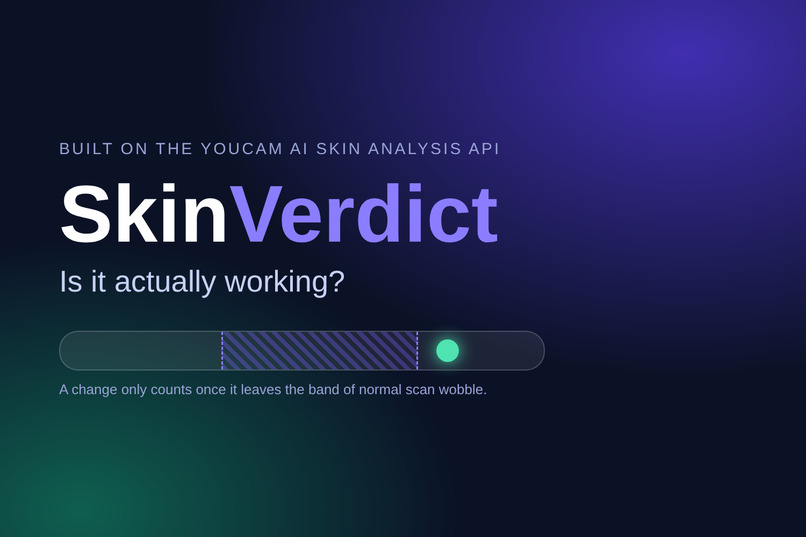
SkinVerdict, built on the YouCam AI Skin Analysis API. A change only counts once it leaves the band of normal scan wobble.
-
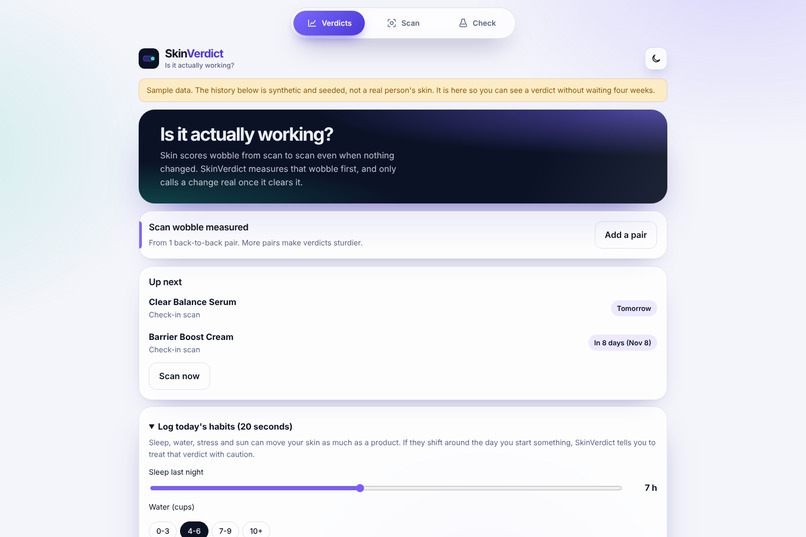
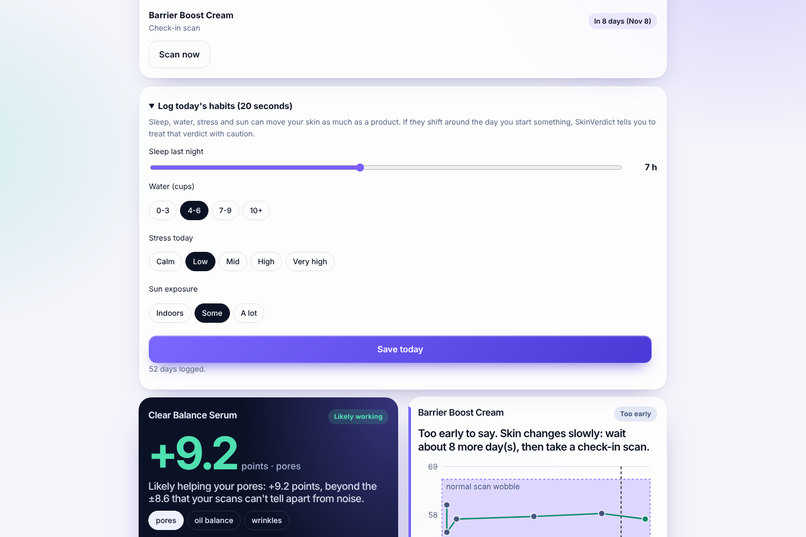
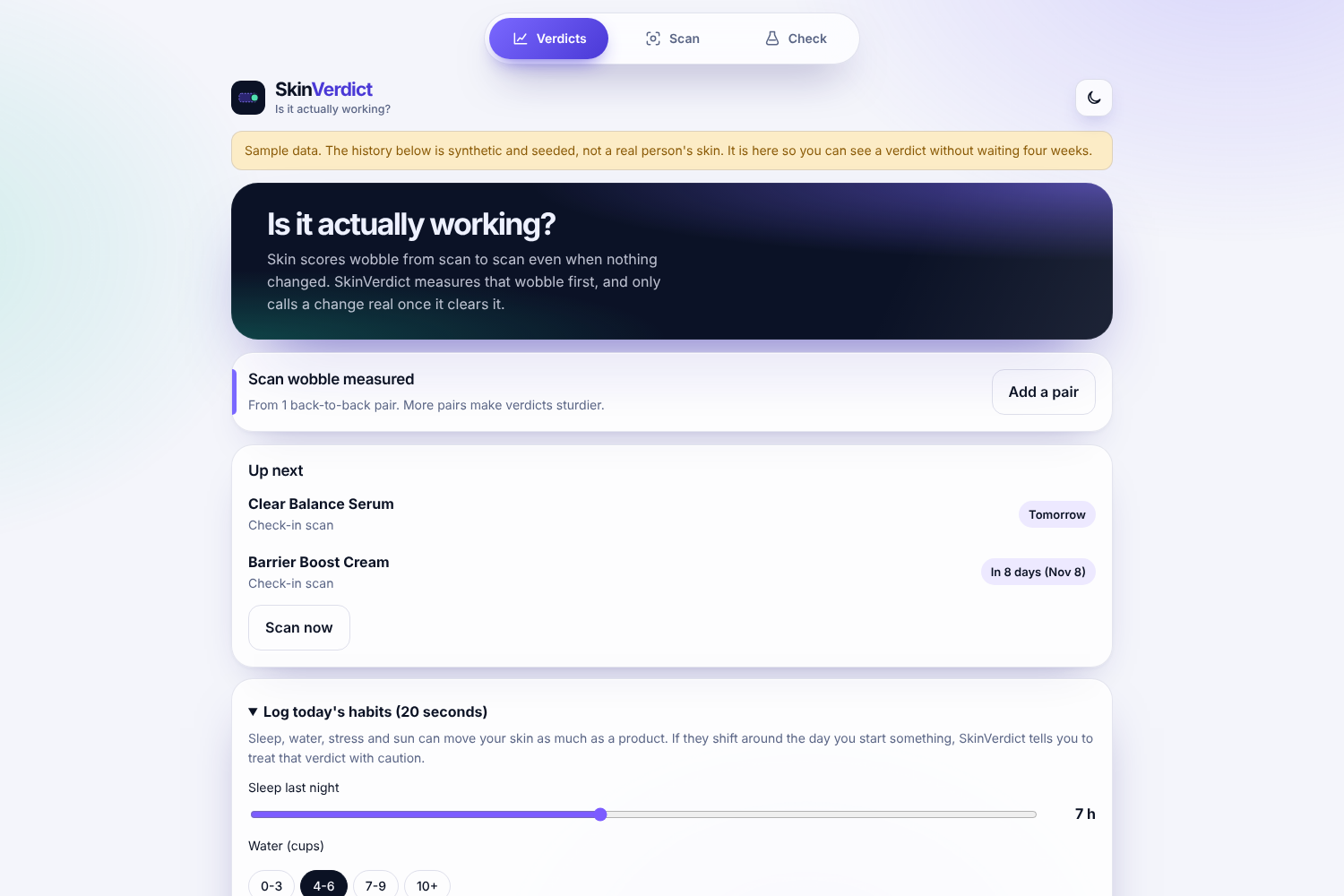
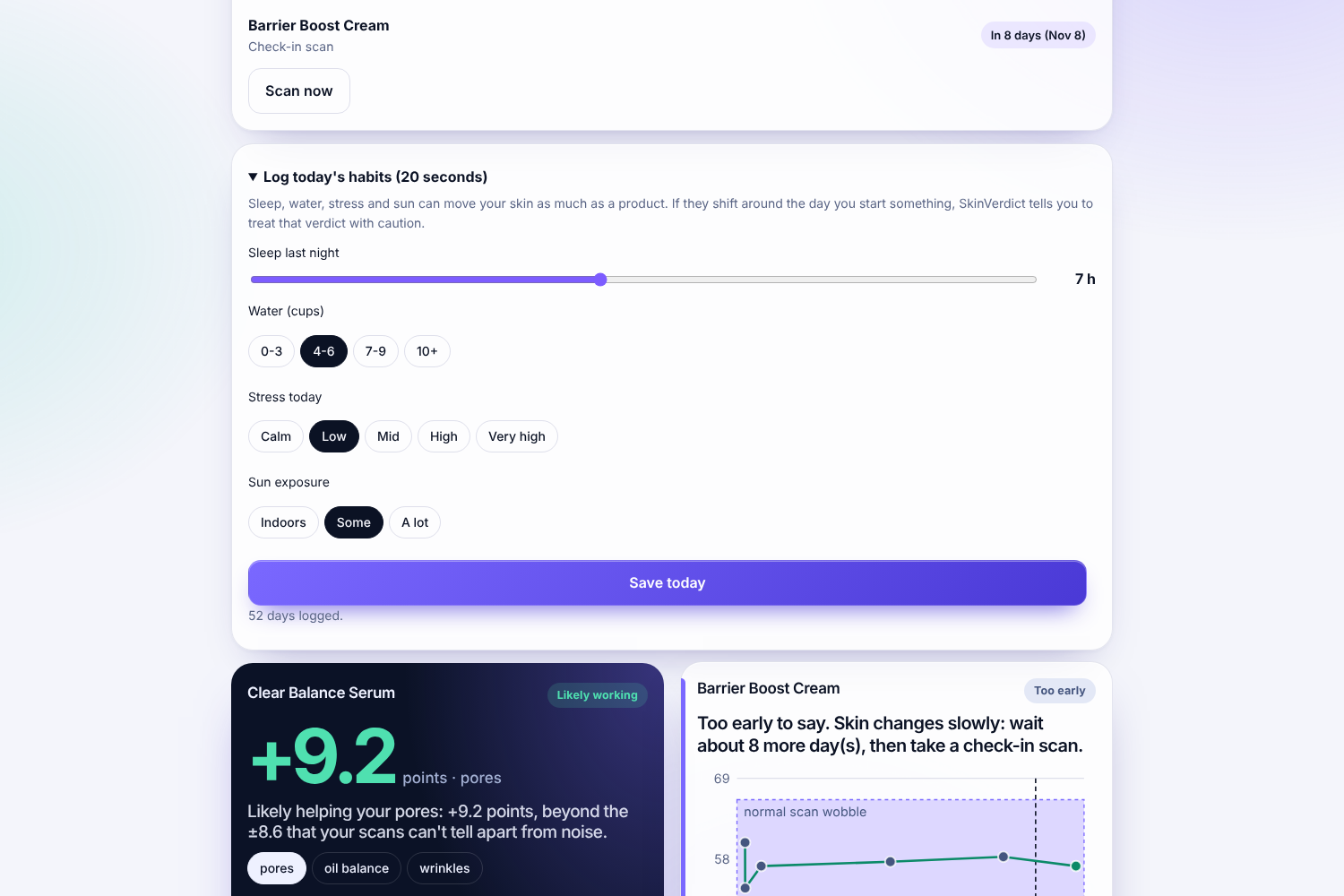
Home screen: your measured scan wobble, what’s due next, and a 20-second habit log. Sample data is clearly labelled.
-
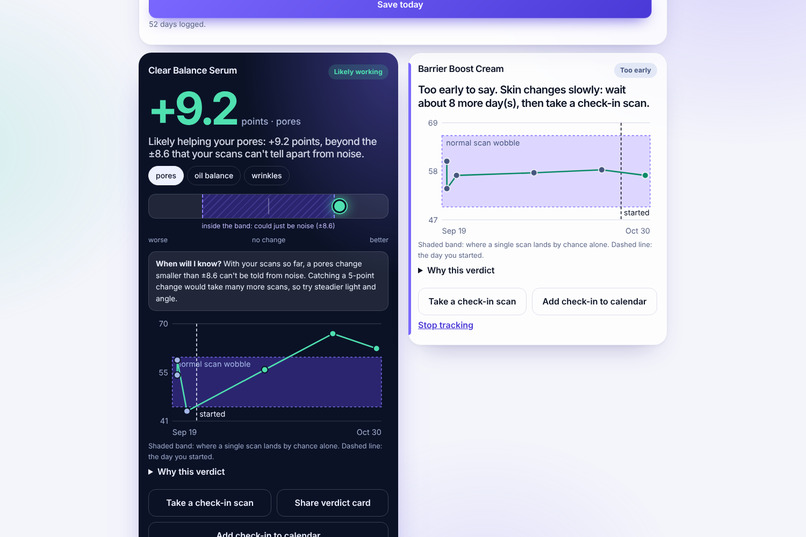
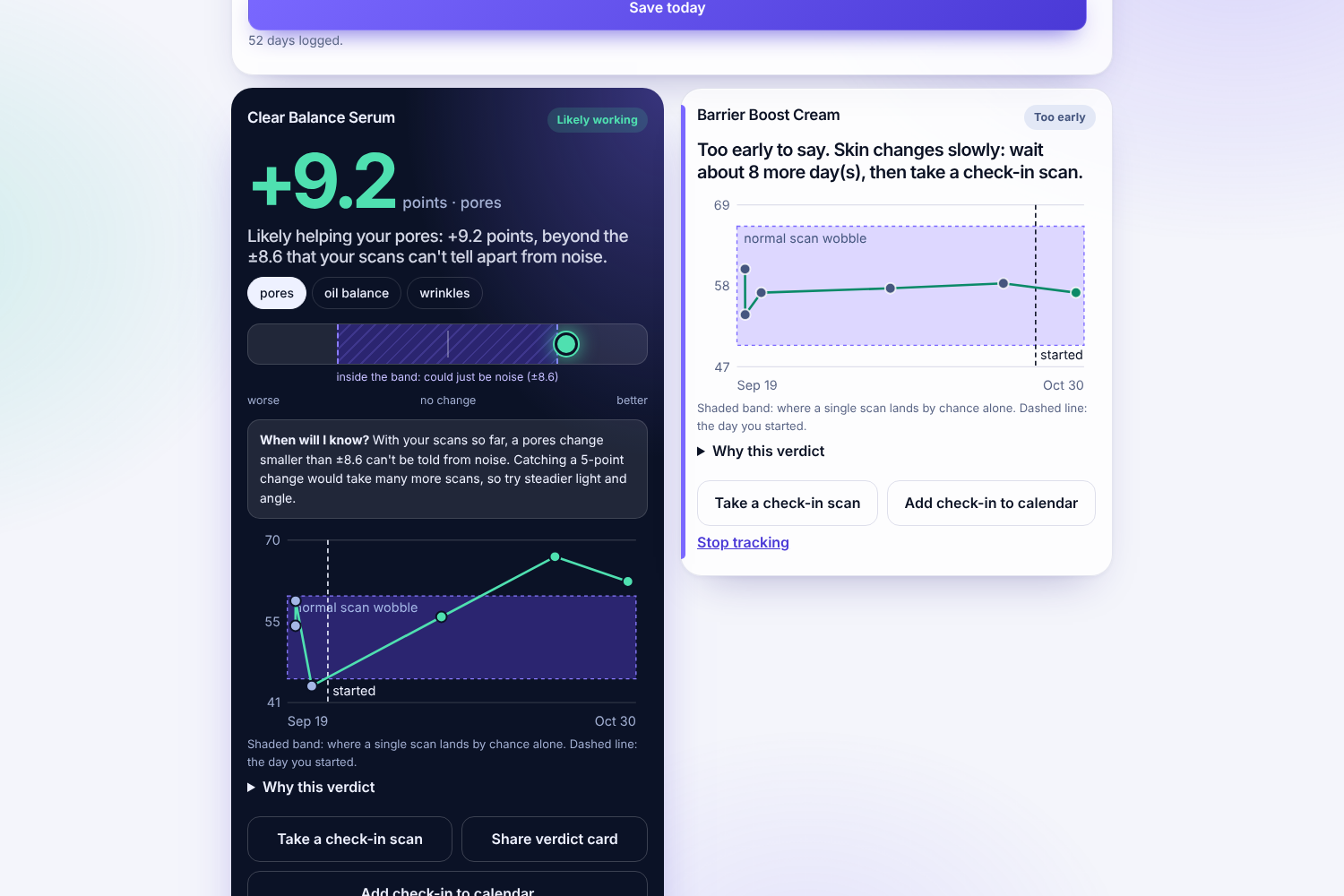
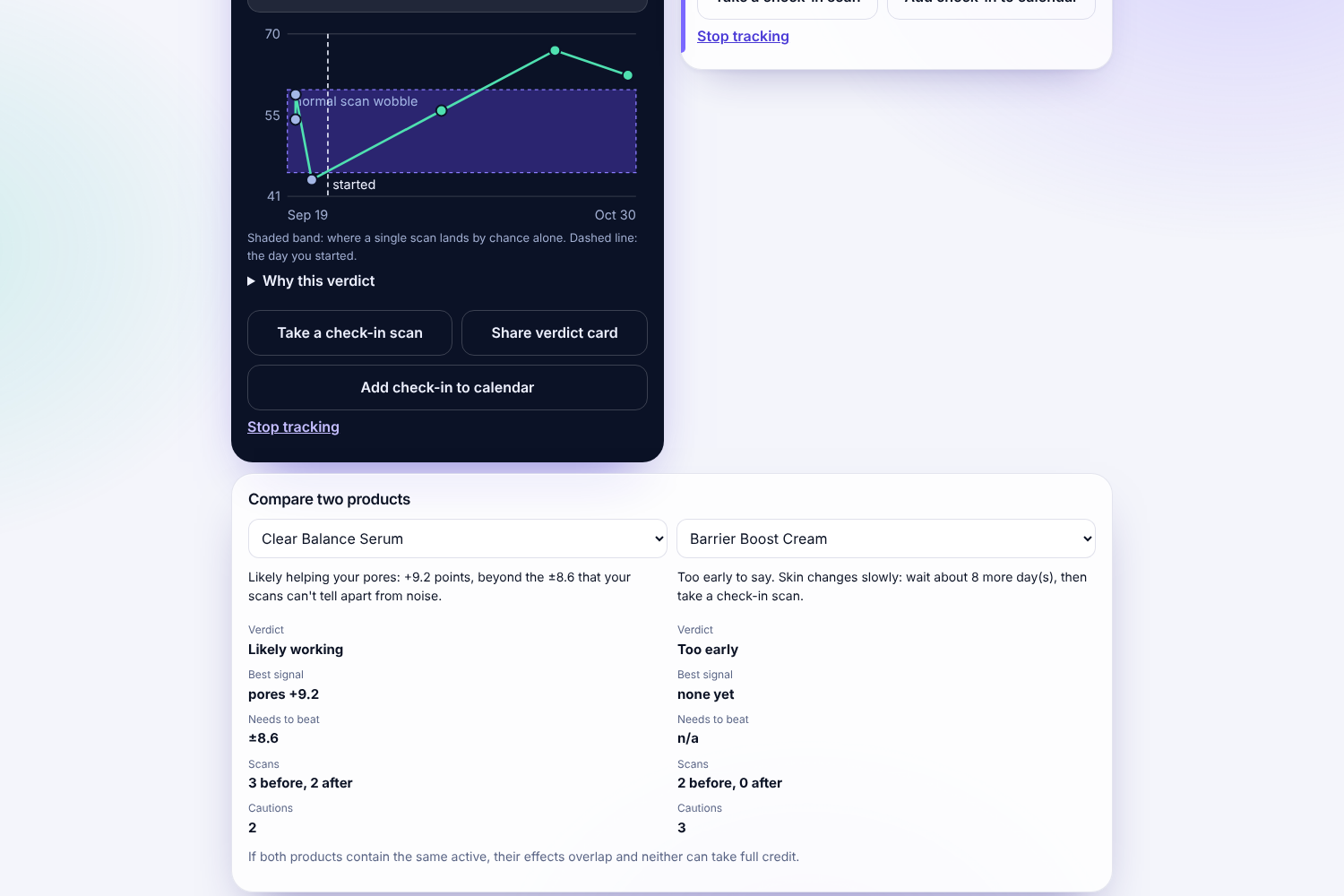
Every verdict shows the evidence: the change plotted against your personal noise band, plus how many more scans would settle it.
-
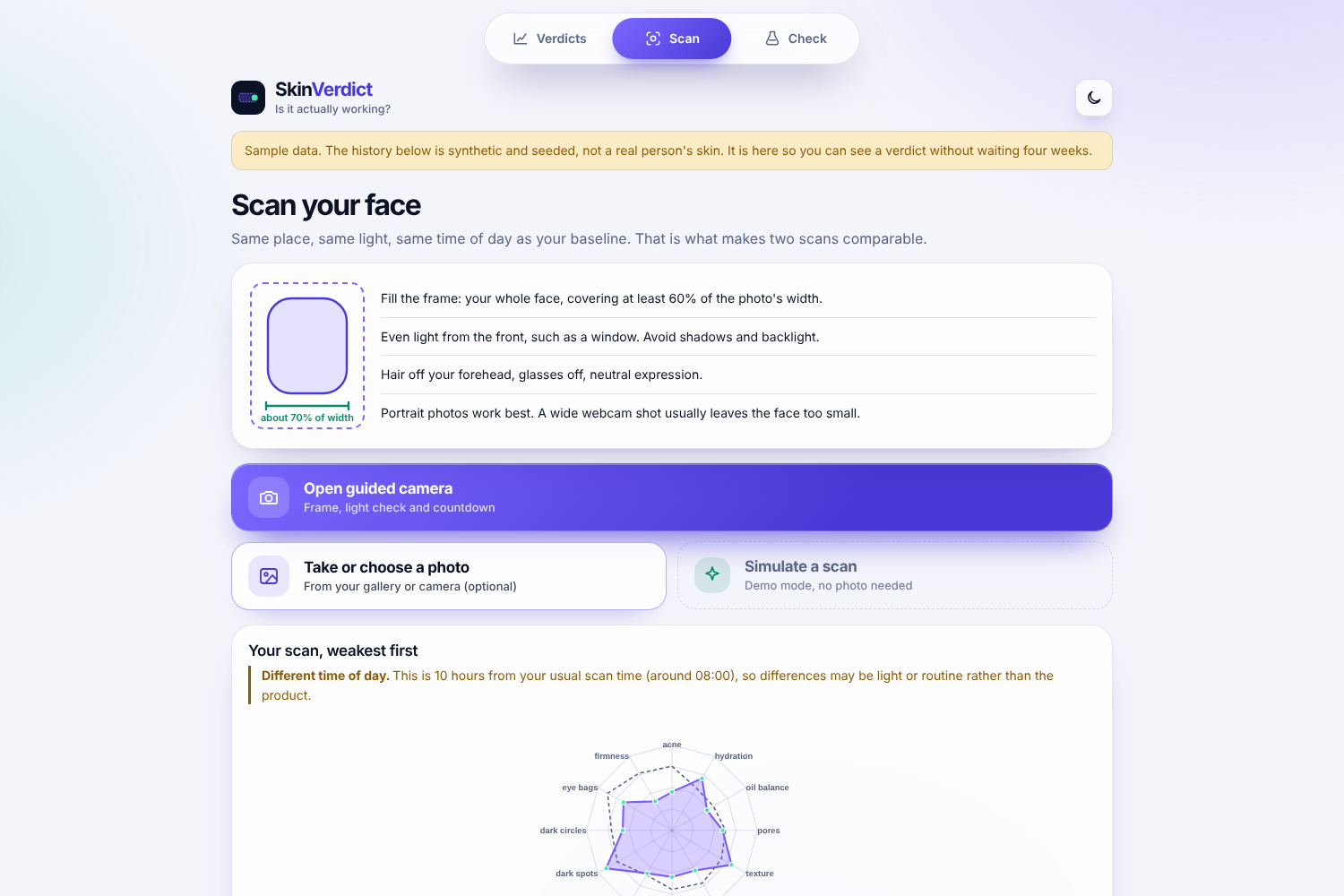
A scan returns all 12 YouCam skin concerns, shown on a radar chart. Photos are never stored, only the scores.
-
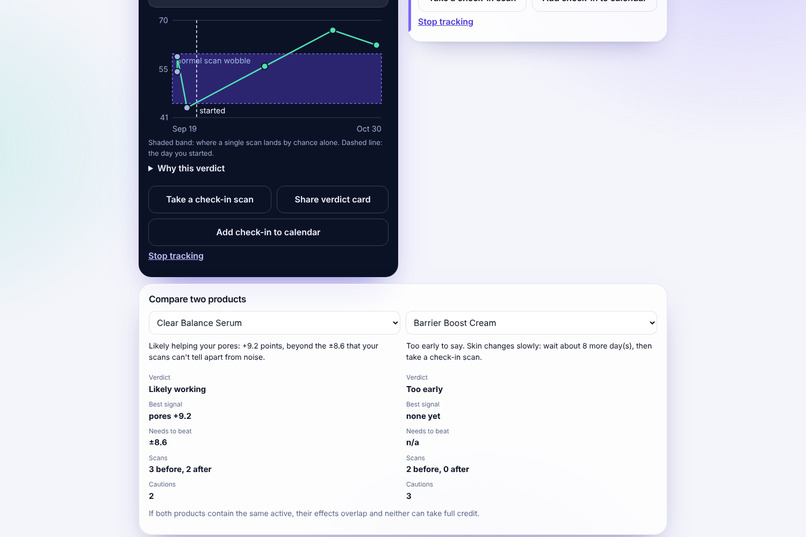
Habit journal: if sleep, water, stress or sun shifted around the day a product started, that verdict carries a caution.
-
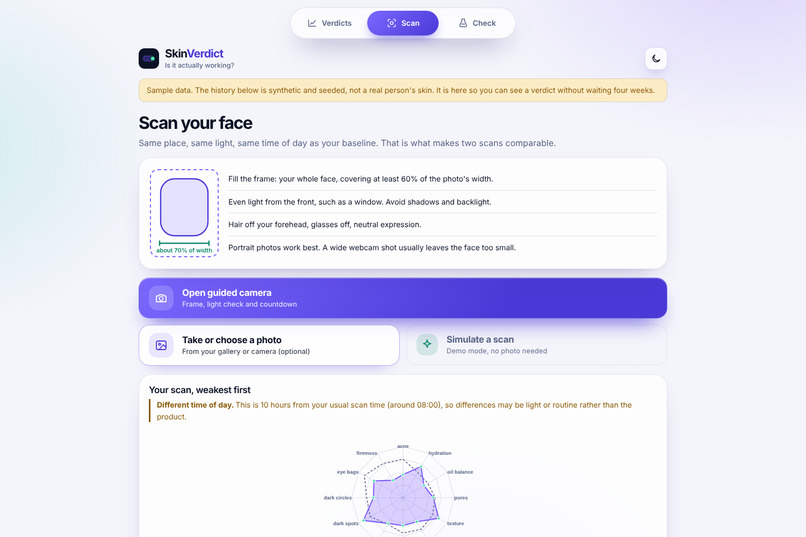
Compare two products side by side, with each verdict held to the same noise standard.
-
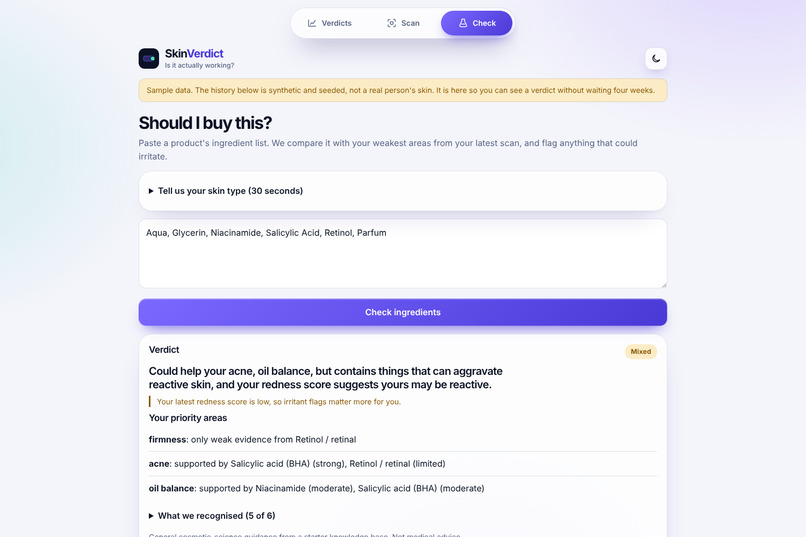
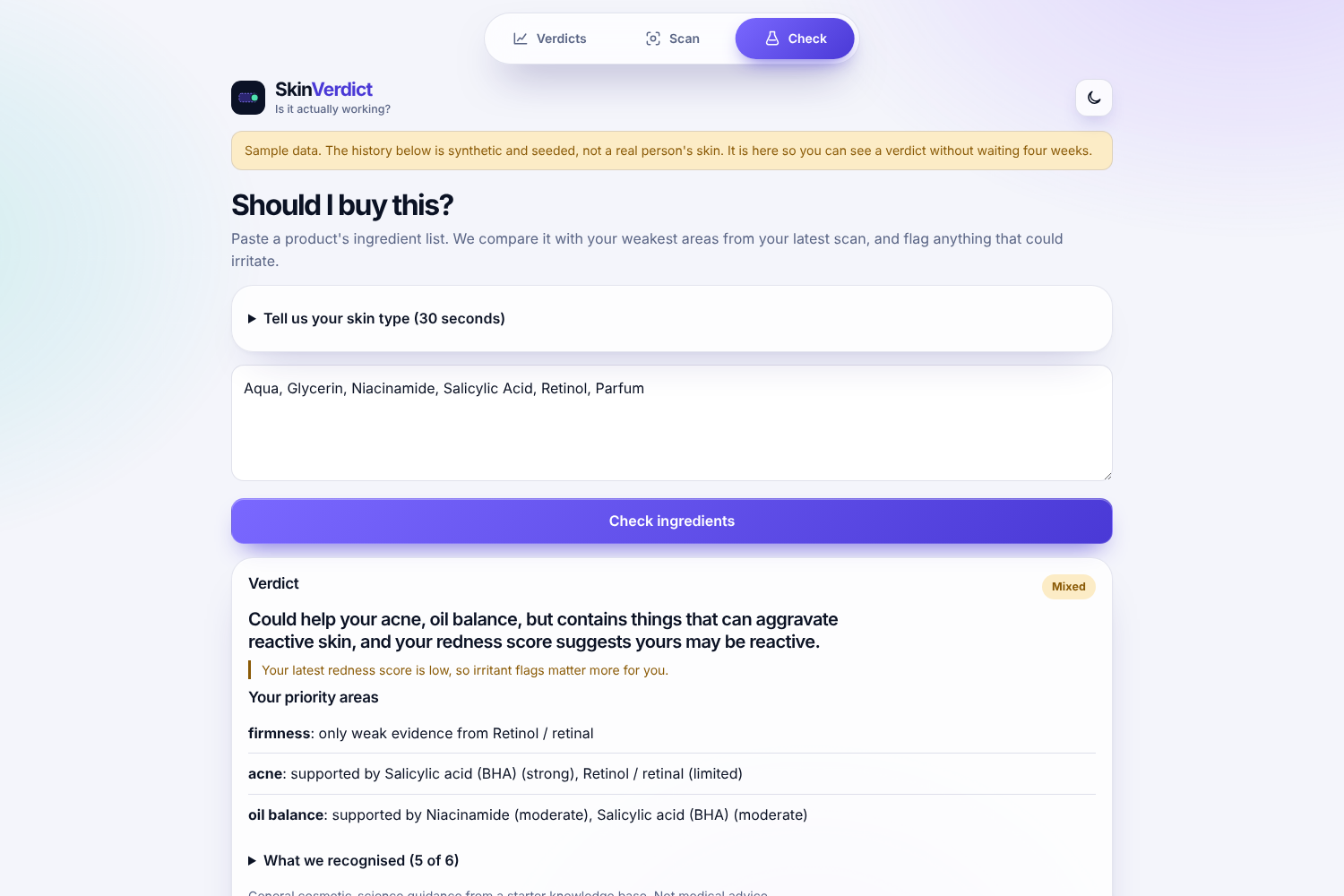
“Should I buy this?”: paste an ingredient list and see how it matches your weakest areas and your skin type.
-
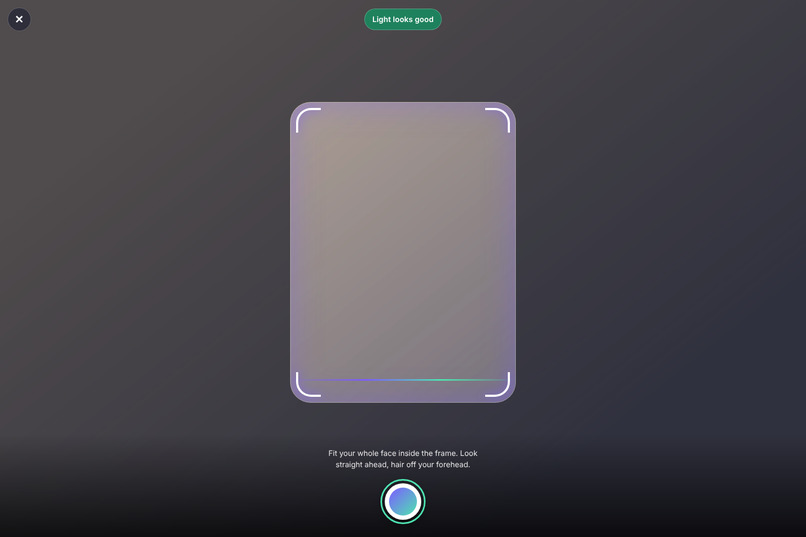
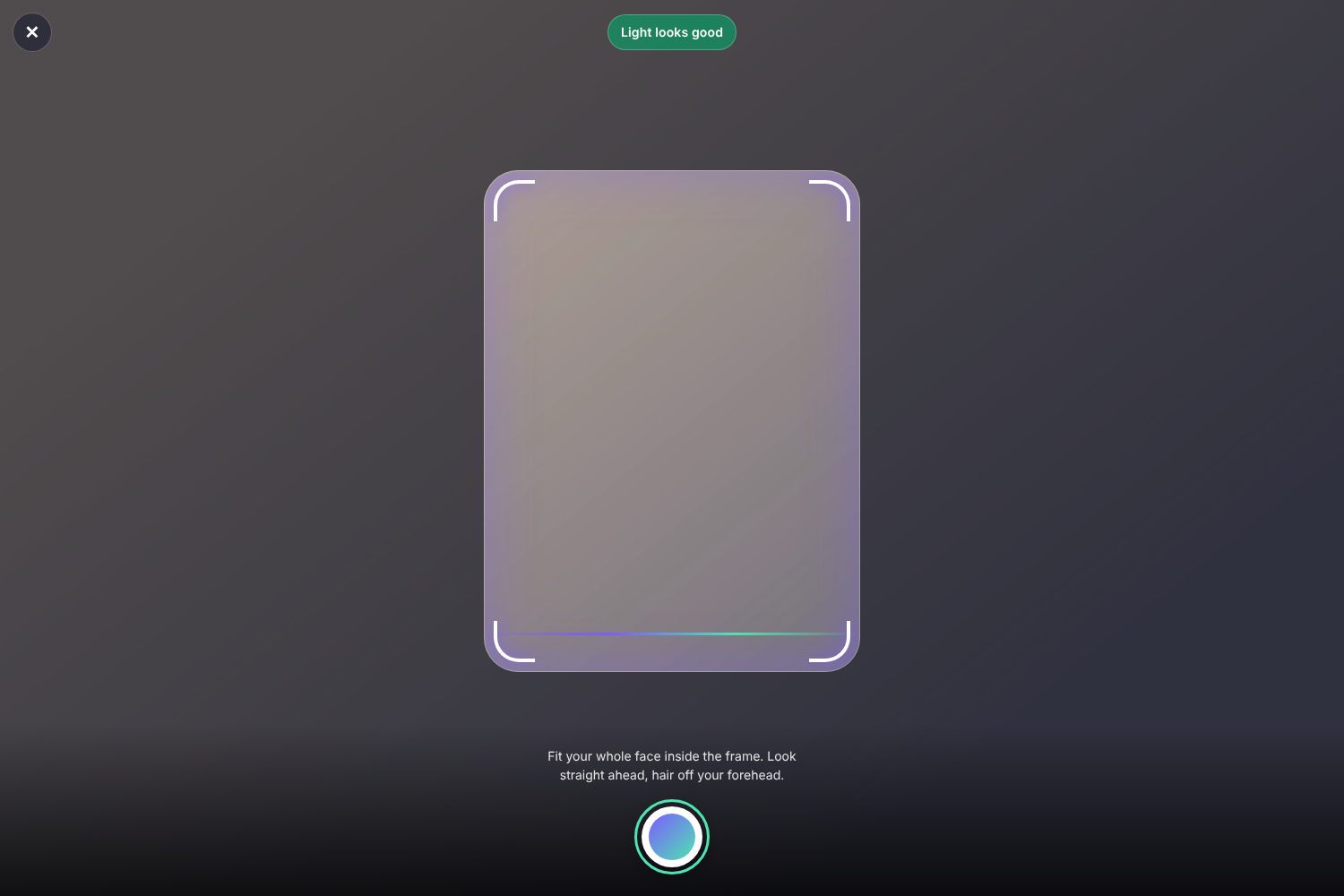
Guided camera built into the app: a framed face guide, live light check and countdown shutter, so every scan is framed and lit the same way.
-
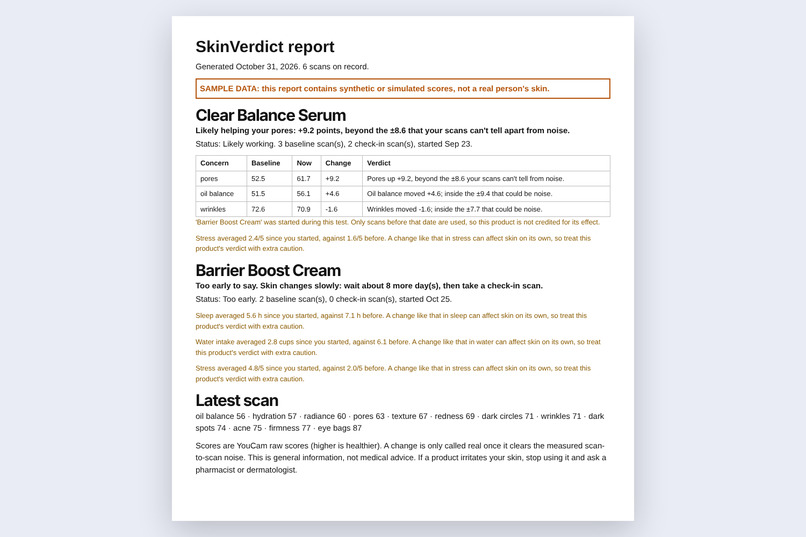
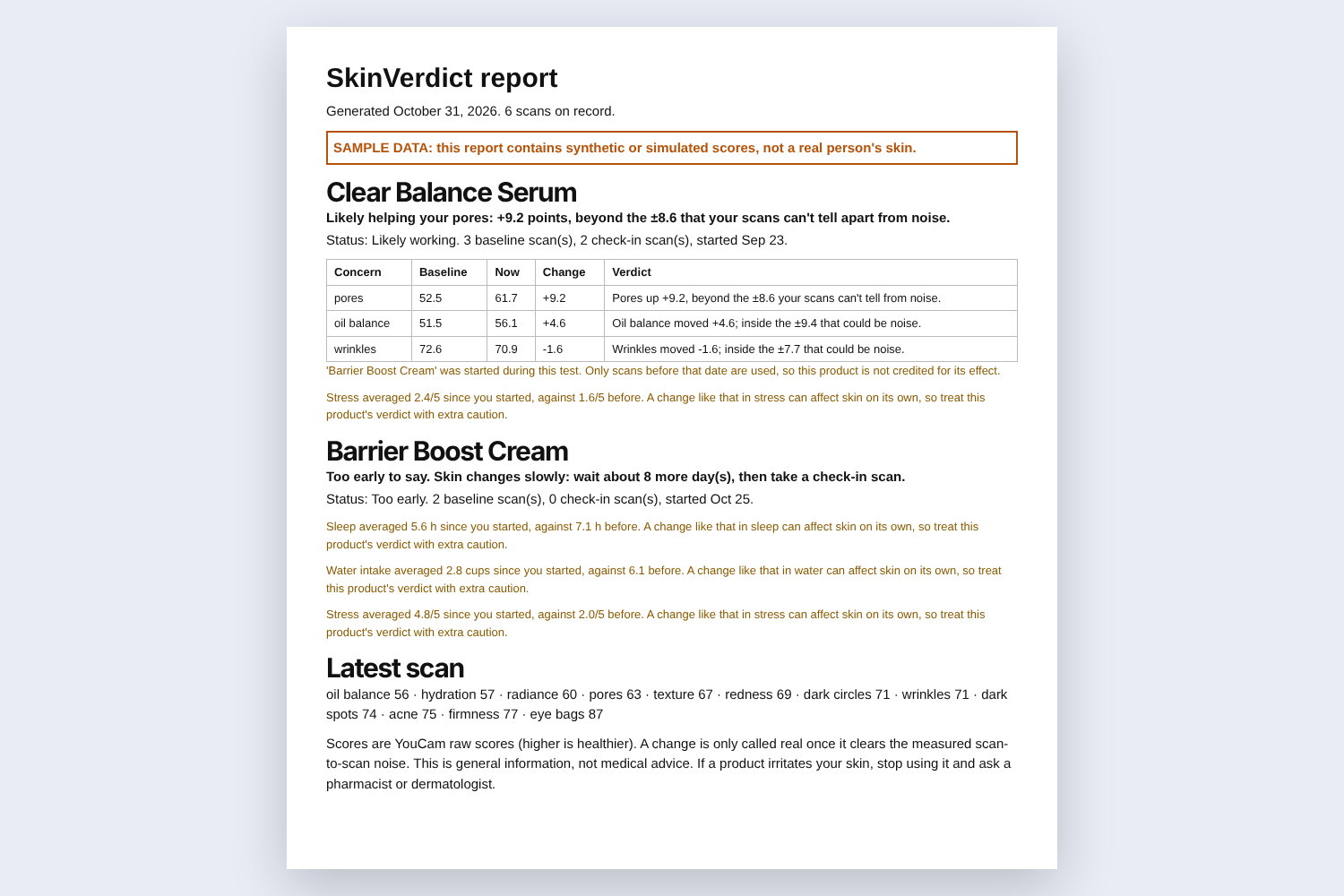
Shareable report: each verdict with its numbers, habit cautions and a clear SAMPLE DATA label. Save it as a PDF or send it as a file.
Inspiration
Skin-analysis apps hand you a score after every scan. But two scans of the same face, minutes apart, can differ by several points on their own. So when your score rises after two weeks of a new serum, how do you know it was the serum, and not noise, light, sleep, or the other product you started the same week? Most apps never say. They flatter you with a friendly number and nudge you to buy. I wanted an app that tells you how sure you can actually be.
What it does
SkinVerdict tells you whether a skin-care product is actually working.
Calibrate: two scans back to back. The gap between them is your personal scan "wobble". Track a product and the concerns it should improve. Scans before the start date become the baseline. Check in after 14+ days. A change only counts once it clears your wobble band, with a stricter bar when many concerns are tested at once. Honest verdicts: Likely working, Possible, Can't tell yet, May be slipping, Likely worse, with the evidence shown. A meter draws every change against the noise band, and a "When will I know?" line says how many more scans would resolve a 5-point change.
Around that core:
Forgiving photos: any reasonable phone or webcam photo works. The app finds the face, turns a sideways photo upright, crops to the largest face (so bystanders never reach the API), tidies bad light, and retries when YouCam asks for different framing or light. Guided camera: a full-screen camera built into the app, with a rounded face frame, a live light check and a countdown, so every scan is framed and lit the same way. Habit journal: a 20-second log of sleep, water, stress and sun. If a habit shifts clearly around the day a product started, that verdict carries a caution. Should I buy this? Paste an ingredient list. It is matched against your weakest areas, flags irritants for reactive skin, and (with a five-question skin-type quiz) gives notes specific to your skin. Routine check for clashes (for example a retinoid with an exfoliating acid) and for two products sharing an active, which makes credit impossible to assign. Radar chart and trend lines per scan, compare two products, a printable and shareable report (save as PDF or send as a file), calendar reminders, light and dark themes, and an installable app. Photos are never stored. Only the scores are saved, with one-tap export and delete.
Sample data in the app and screenshots is synthetic and clearly labelled.
How we built it
YouCam AI Skin Analysis API (REST v2.0): register file, upload to the pre-signed URL, create a skin-analysis task with the 12 SD concerns (acne, hydration, oil balance, pores, texture, wrinkles, redness, radiance, dark spots, dark circles, eye bags, firmness), then poll for the result. I deliberately use raw_score, not the upward-adjusted ui_score, so flattering numbers cannot hide real change. YouCam's error codes (face too small, out of frame, too dark, no face) are turned into plain advice, and the app re-crops or brightens and retries automatically.
Statistics: per-concern noise from calibration pairs, shrunk toward a cautious prior; a z-test of baseline versus follow-up means; a floor on the smallest change worth calling real; a stricter threshold when several concerns are tested. All of it is plain, unit-tested Python, with no black box.
Stack: Python FastAPI, SQLite (scores only), OpenCV (YuNet face detector) and Pillow for photo repair, vanilla JavaScript/HTML/CSS (no build step), installable as an app. 50 automated tests, including the live YouCam path against a stubbed server.
Challenges we ran into Being honest in a category that flatters. Every design choice (raw scores, noise band, "can't tell yet" as a valid answer) works against the temptation to show a pleasing number. Real photos are messy. My first live call was rejected with "face too small" because a wide webcam shot leaves the face under the 60%-of-width rule. That led to the face-detect, crop, upright, light-tidy and retry pipeline. Too-dark rejections. YouCam's lighting check is stricter than a simple brightness test, so the app brightens in steps and, if the room really is too dim, says so plainly. The guided camera. An external camera widget did not work for me, so I built my own full-screen camera with a framing guide, live light meter and countdown. Accomplishments that we're proud of The full live path (authentication, upload, task, polling, 12 scores) works end to end against the real YouCam API. A verdict engine that says "can't tell yet" when that is the truth, and shows exactly why. Photos that never leave memory, with the same repair applied to every scan so it stays inside the measured noise. 50 tests, built and shipped solo. What we learned ui_score is deliberately flattering; raw_score is the one to trust for tracking change. Measurement noise matters more than the model: without it, any "improvement" is a guess. Small API constraints (face width above 60% of the image, 480 px short side) shape the entire product experience, so handle them for the user. What's next for SkinVerdict Expert review of the ingredient database and the verdict thresholds, then a small validation study of repeat-scan noise. Multi-week trend reports and clinician-friendly exports. Testing the camera, install and share features on more real phones.
Honest limitations: the thresholds and the default noise prior are my assumptions, not clinically validated; the ingredient knowledge base is a small starter set; habit and skin-type notes are cautious rules of thumb. A statistical verdict is not a medical claim, and this is not medical advice.## Inspiration
