Inspiration
We noticed how most of us buy skincare: by guessing. A friend’s tip, an influencer’s favourite, a five-star review. But someone else’s skin isn’t yours. Ingredient lists are hard to read, selfie apps quietly run beauty filters, and a lot of advice online is sponsored or simply made up. People waste money, and sometimes hurt their skin. We wanted a companion that’s honest, personal, and there at the moment you’re about to buy, one that over time learns what actually works for you.
What it does
SkinTwin is an AI skincare companion for macOS:
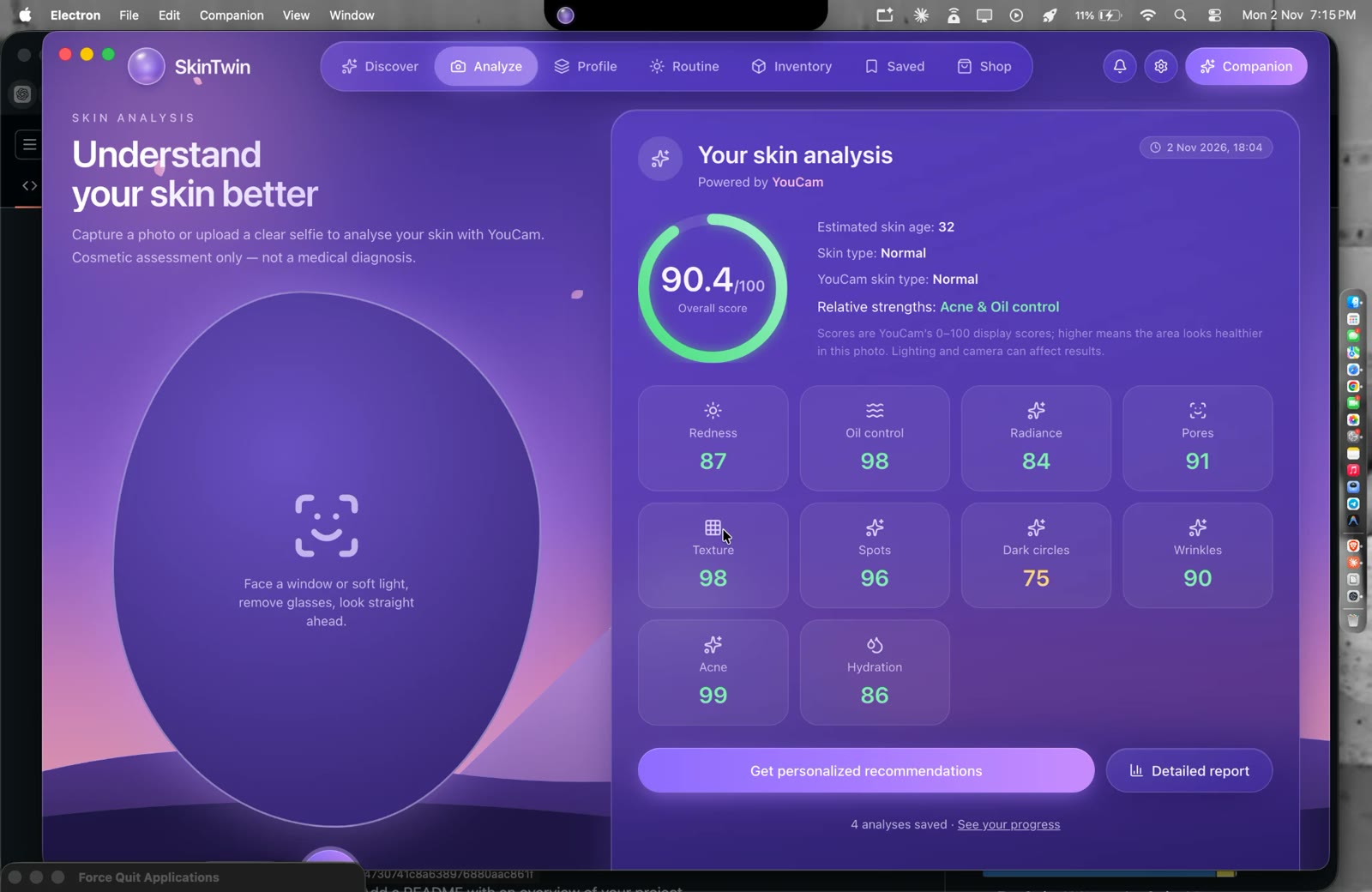
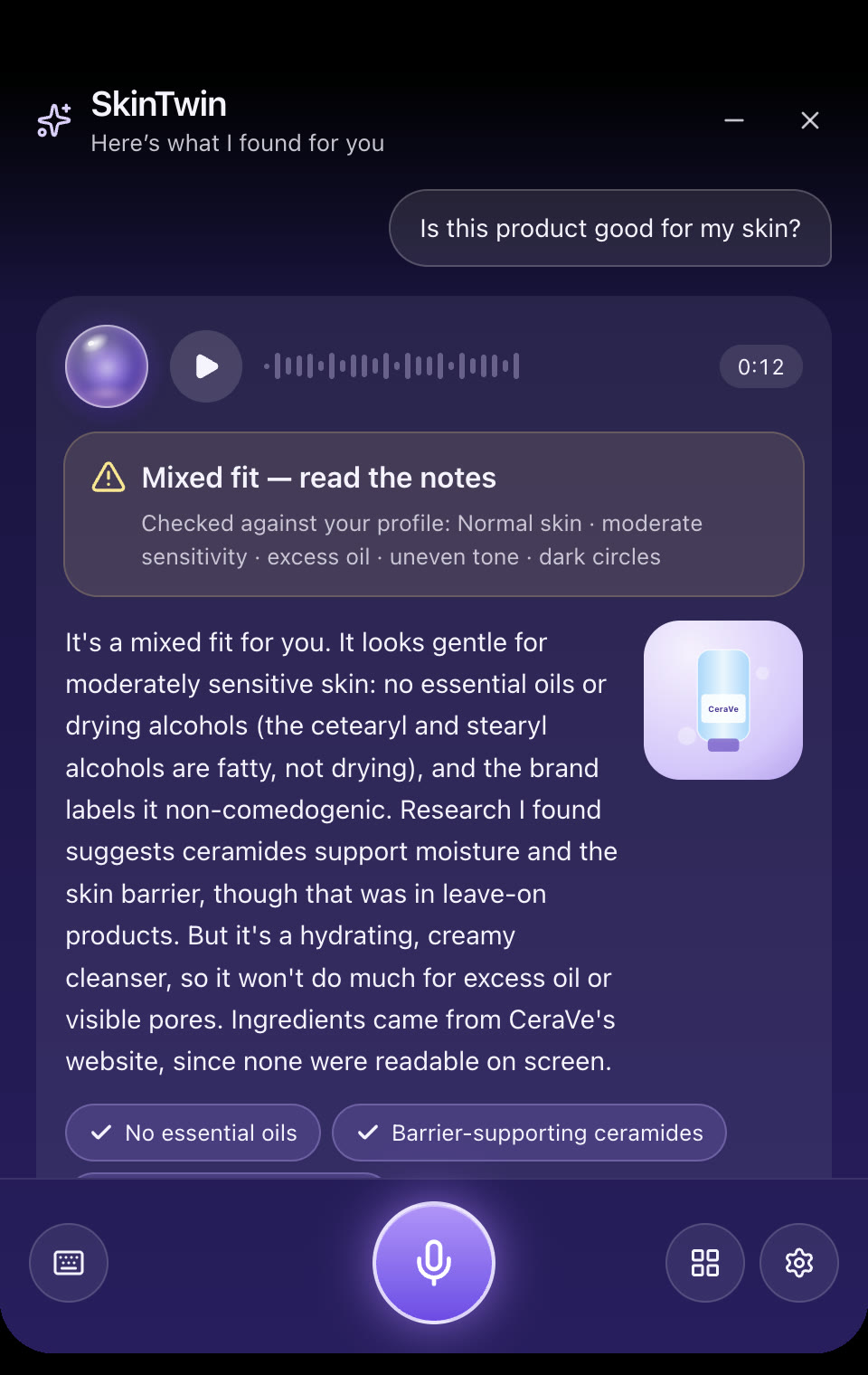
Honest skin analysis. A live face guide checks distance, angle and lighting, and watches for beauty filters, before a photo is used. YouCam’s skin AI then measures 10 concerns (hydration, oil, pores, texture, redness, radiance, wrinkles, dark circles, spots, acne), plus skin type and skin age, and shows a heatmap of where it found them on your face. The photo is never saved. Circle any product (⌥⇧C). Draw a circle around a product anywhere on screen: Amazon, Instagram, a photo. SkinTwin reads it, researches the official ingredient list and real studies, and checks everything against your profile and routine. Verdicts you can trust. A clear one-line answer (good fit, mixed, not for you, or can’t tell yet), with a source link for every claim. Any source that didn’t come back from a real web search is thrown away, and ingredients are never filled in from memory. Dynamic Island. SkinTwin lives in a pill around the MacBook notch: one-line verdicts with Details, live progress, voice questions, drag and drop of a product photo or link, your routine as a live activity, and a privacy mode that hides skin info while you screen share. It learns. One-tap reactions (“this stung”), with the ingredients your reactions share spotted, a skin timeline connecting scans, products and reactions, and expiry and running-low reminders. How we built it Desktop app: Electron with React, Tailwind and Motion. All API keys stay in the main process, never in the UI. Skin analysis: the YouCam (Perfect Corp) Skin Analysis API v2.1, including its per-concern mask images for the heatmaps. Face guide: Google MediaPipe Face Landmarker, running fully on-device, for head pose, expression, lighting maps and a check for beauty-filter smoothing. Product understanding: Claude (Anthropic) reads the circled screen region, then runs web search and fetch to find official ingredient lists and studies. A second Claude call turns those notes into structured findings, and our code keeps only sources that actually came back from the search. Voice: on-device Whisper (via Transformers.js) for free, private speech-to-text. Browser extension: a Chrome extension (MV3) with a paired, token-secured local bridge. Quality: 160+ automated tests, plus an end-to-end “smoke” test that drives the real app. Challenges we ran into Bad photos give bad results. Phone beauty modes, macOS video effects (Portrait, Studio Light) and dim rooms all skew skin scores, and YouCam rejected our first selfies as “too dark”. We built a live face guide, a smoothing detector and capture-time lighting heatmaps to fix this before the photo is sent. Stopping AI from making things up. Getting product facts right meant splitting research into two steps and checking every source link against what the search actually returned. The Dynamic Island on a Mac. macOS doesn’t tell apps where the notch is, and normal windows can’t float over full-screen apps. We used panel windows and estimated the notch from the menu bar height. Small details that matter: mask images labelled as generic files, floating-point scores like “2.299999999999997”, screen capture clashing with screen recording. Each one was a real bug found by testing the real app. Accomplishments that we’re proud of An end-to-end flow verified with real data: a real selfie analysed by YouCam with heatmaps, and a real product circled on Amazon India, researched and given a profile-specific verdict with sources. A strict “never made up” standard: mocks are labelled, sources are verified, ingredients are only read, never guessed, and photos are never saved. A genuinely native-feeling Mac experience: the Dynamic Island, circle-to-check, and voice. Turning a set of features into one story: know your skin → choose products → use them → learn what works. What we learned Trust is the product. In a space full of sponsored advice, showing exactly where every claim comes from is a feature in itself. Input quality beats model quality: an honest, well-lit, unfiltered photo matters more than any algorithm. AI needs guardrails written in code, not just in prompts. Checking sources in code is what made the research reliable. Testing in the real app, with real APIs and real pages, catches problems that unit tests never will. What’s next for SkinTwin Sun alerts from real UV forecasts. A real product catalogue of brands popular in India, with real photos, full ingredient lists and sources, plus one consistent product page everywhere. A phone companion, since most skincare shopping happens on phones: point your camera at a label and get the same honest verdict. A hosted backend for accounts, usage limits and a shared research cache, so answers are instant and affordable. Pilots with real users, and with dermatology clinics for tracking progress between visits.
Built With
- anthropic
- chrome
- claude
- electron
- mediapipe
- motion
- node.js
- onnx-runtime
- perfect-corp
- playwright
- react
- tailwindcss
- transformers.js
- typescript
- vite
- vitest
- whisper
- youcam
- youcam-skin-analysis-api
- zod
