-
-
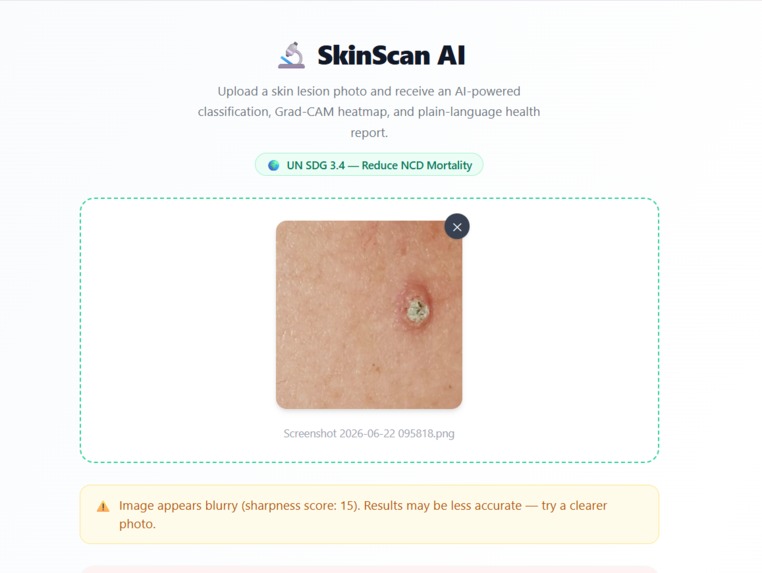
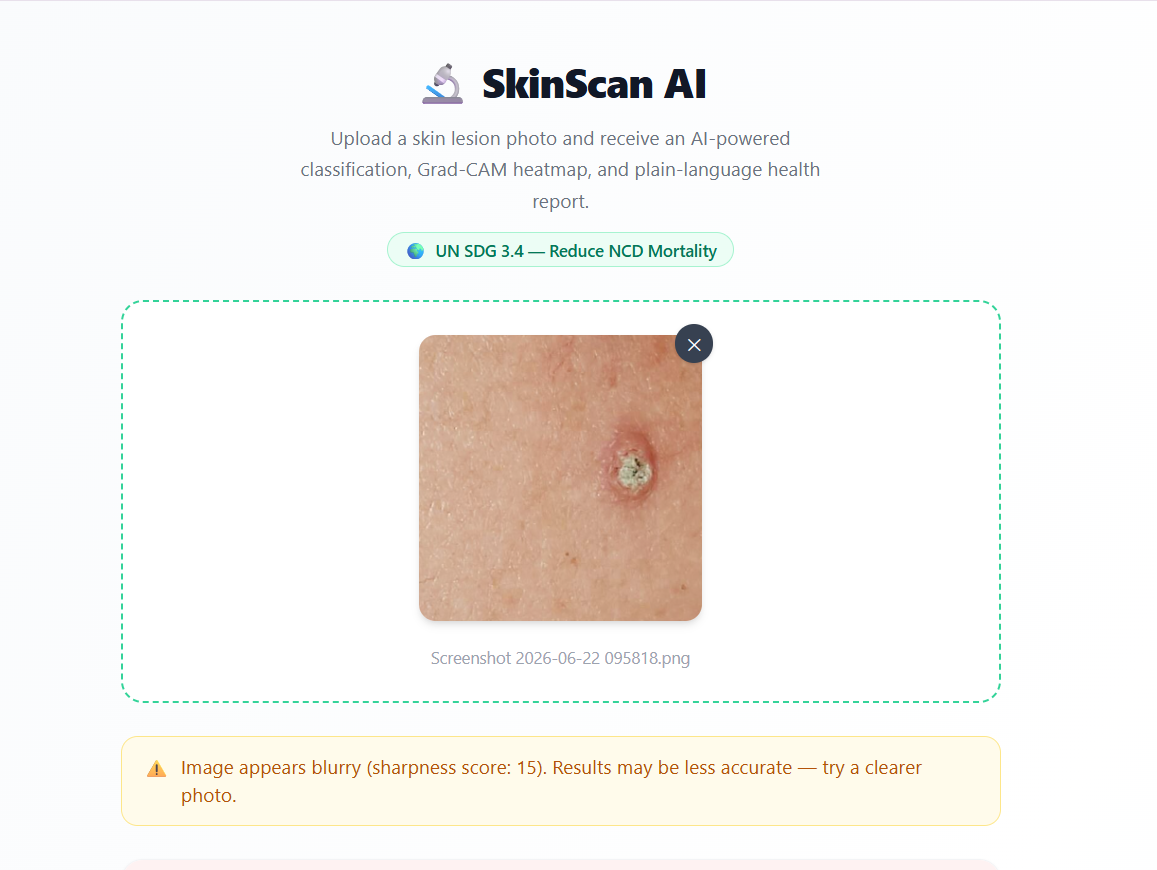
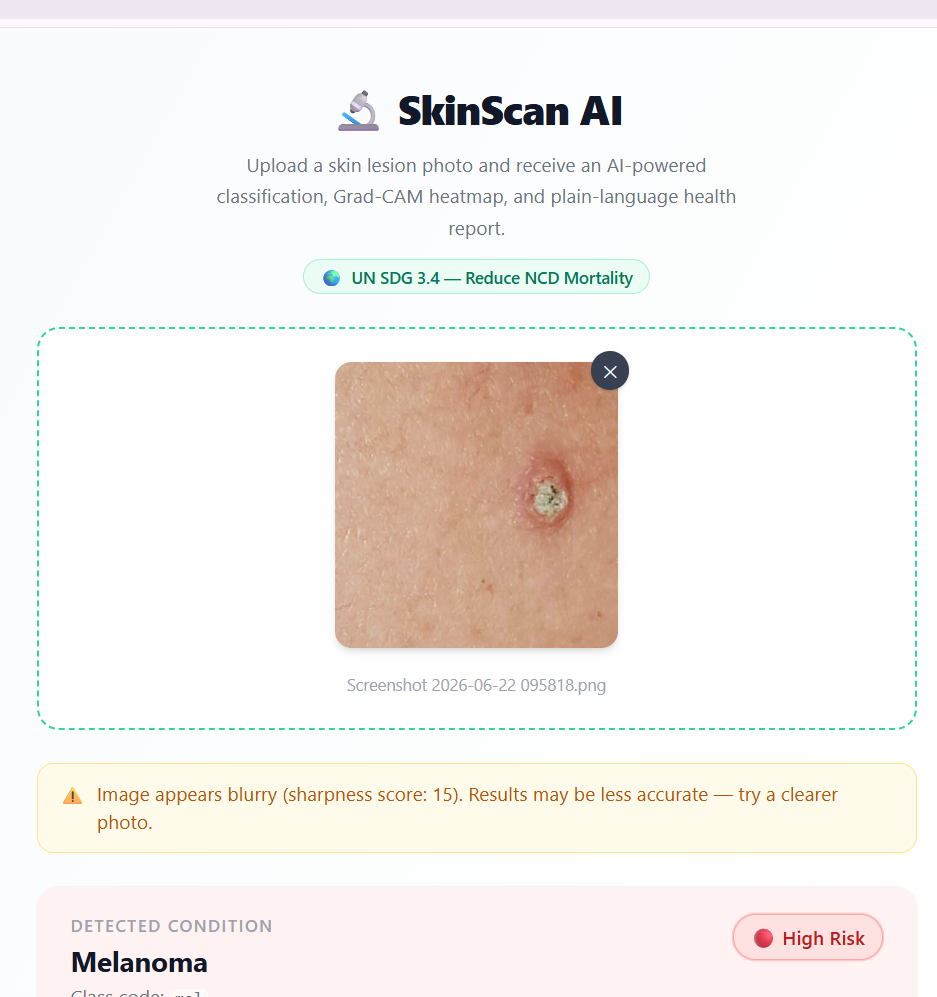
uploading the image
-
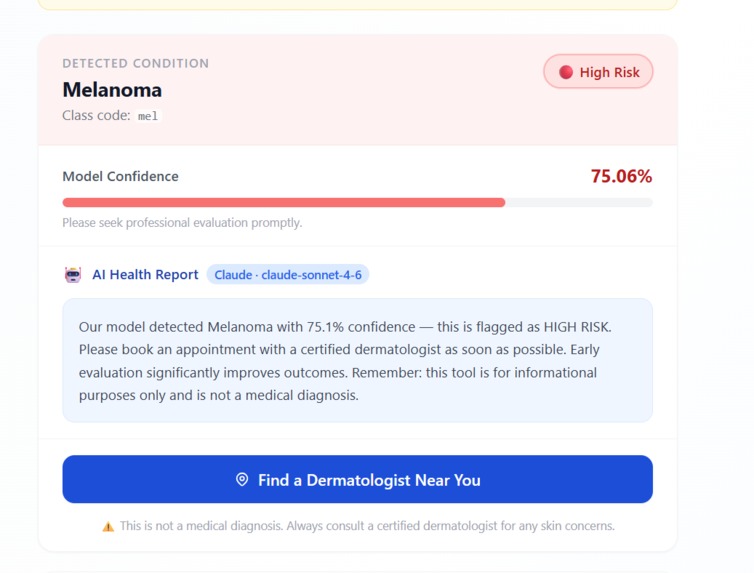
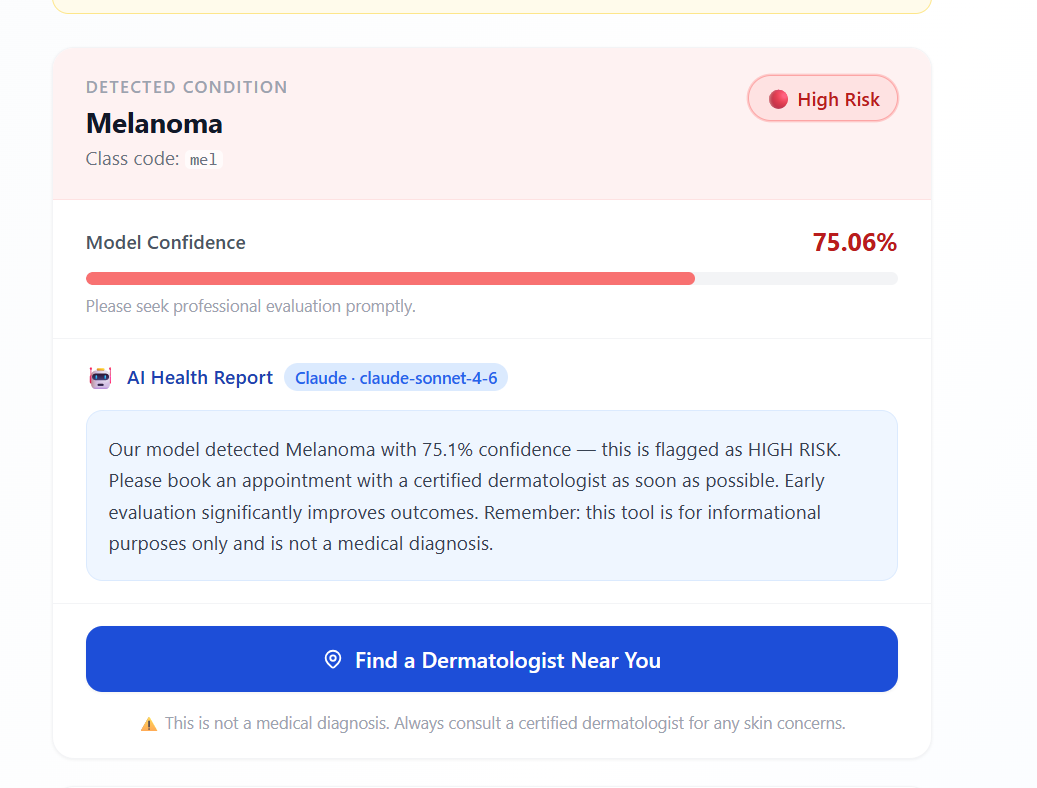
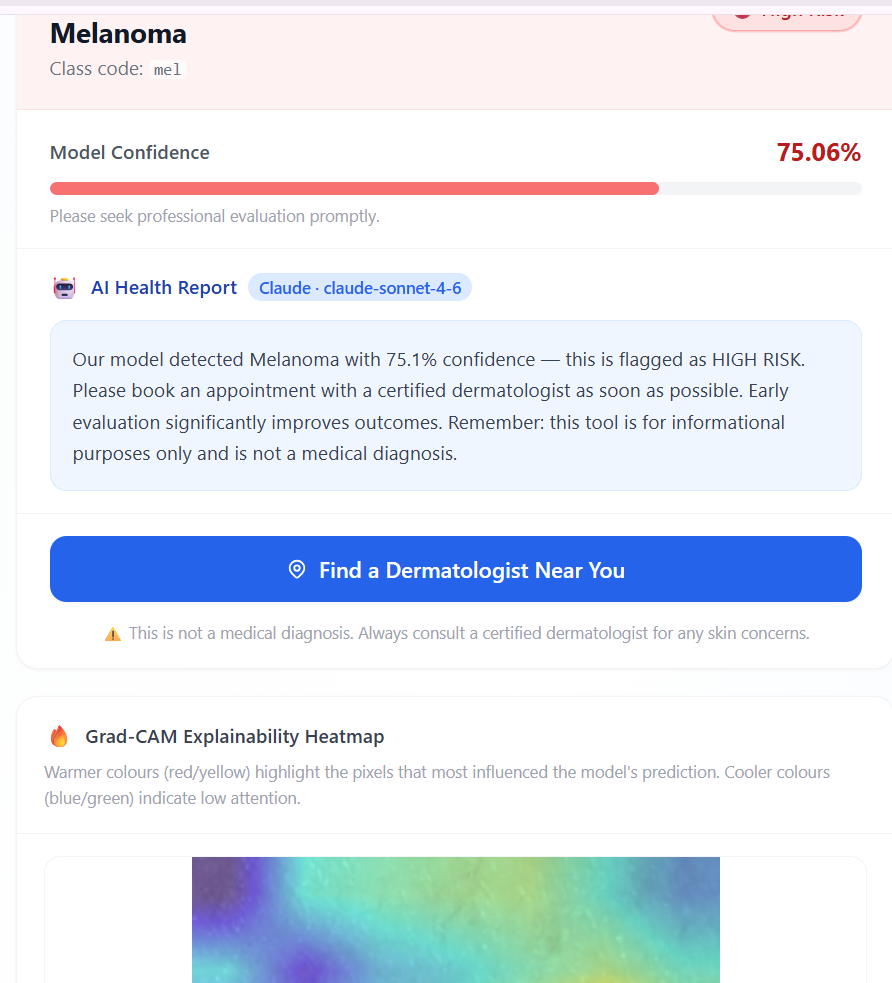
Image classification
-
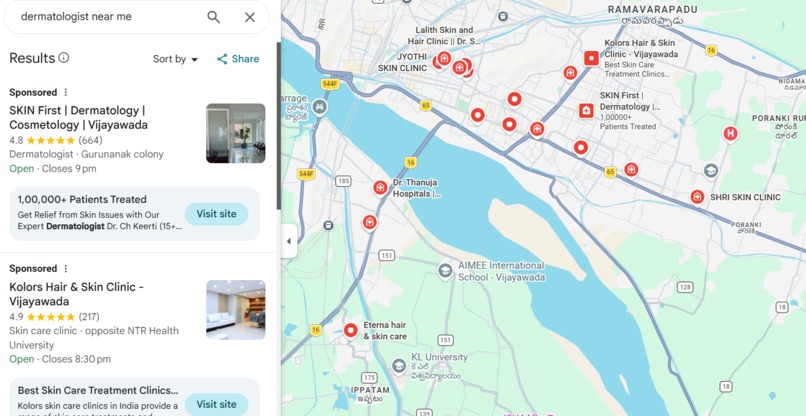
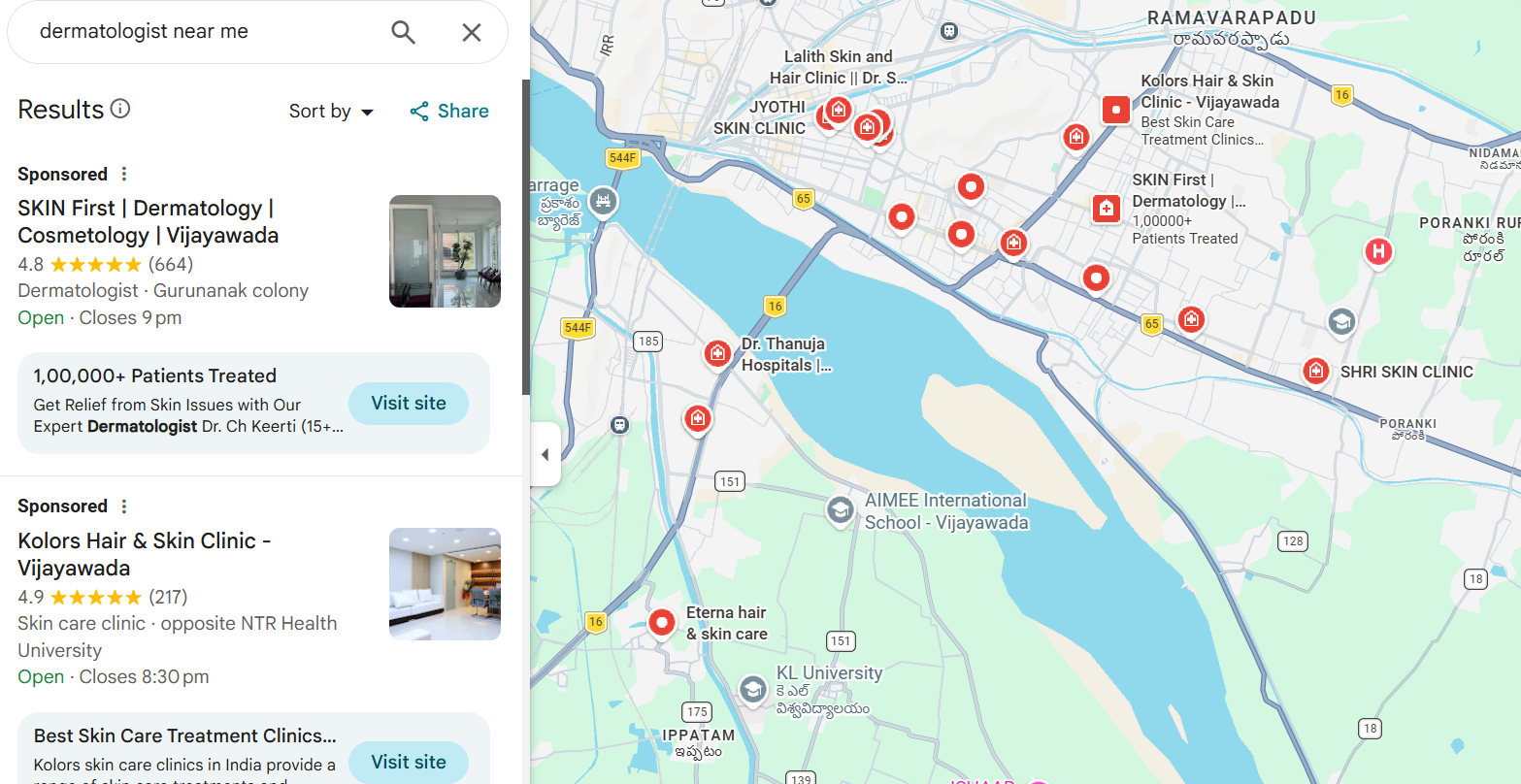
finding the dermatalogists near by
-
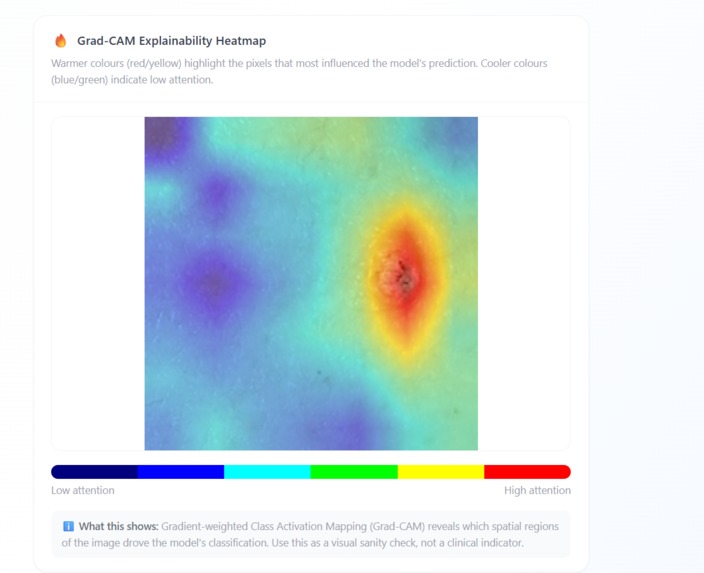
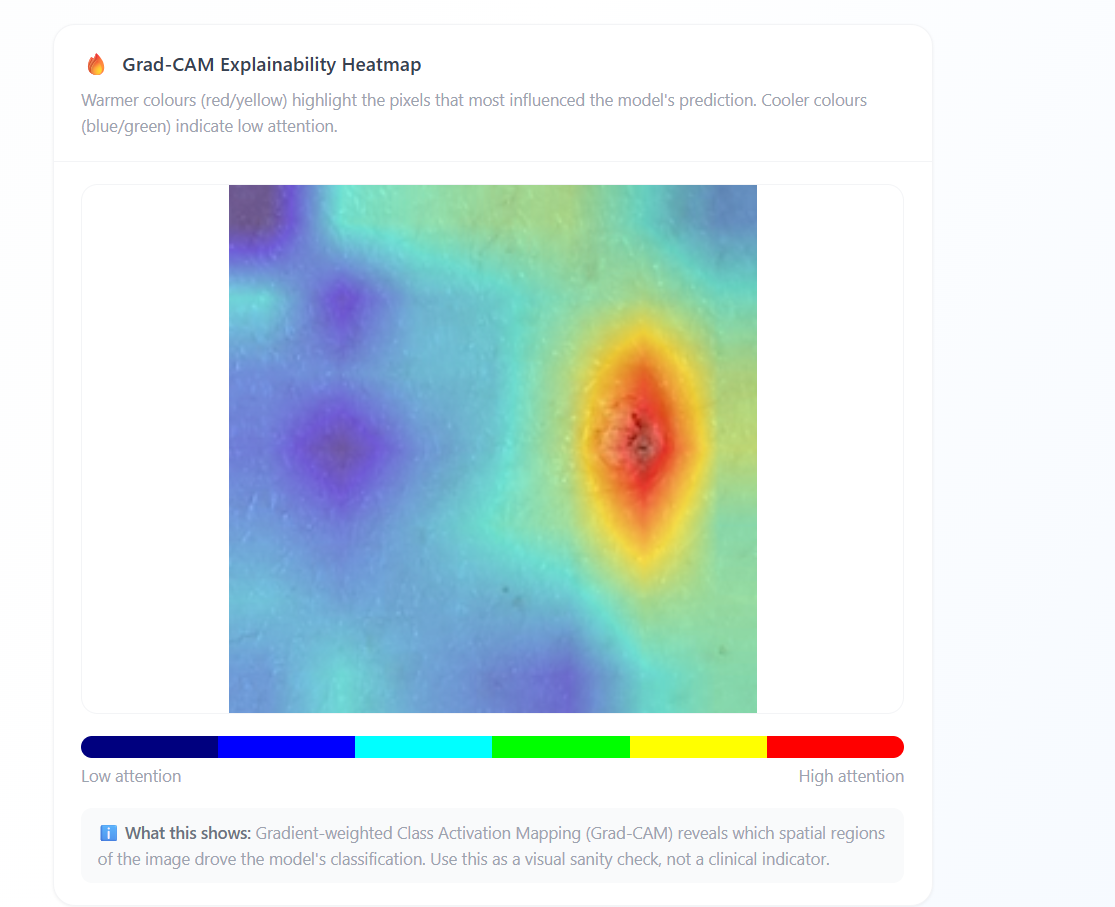
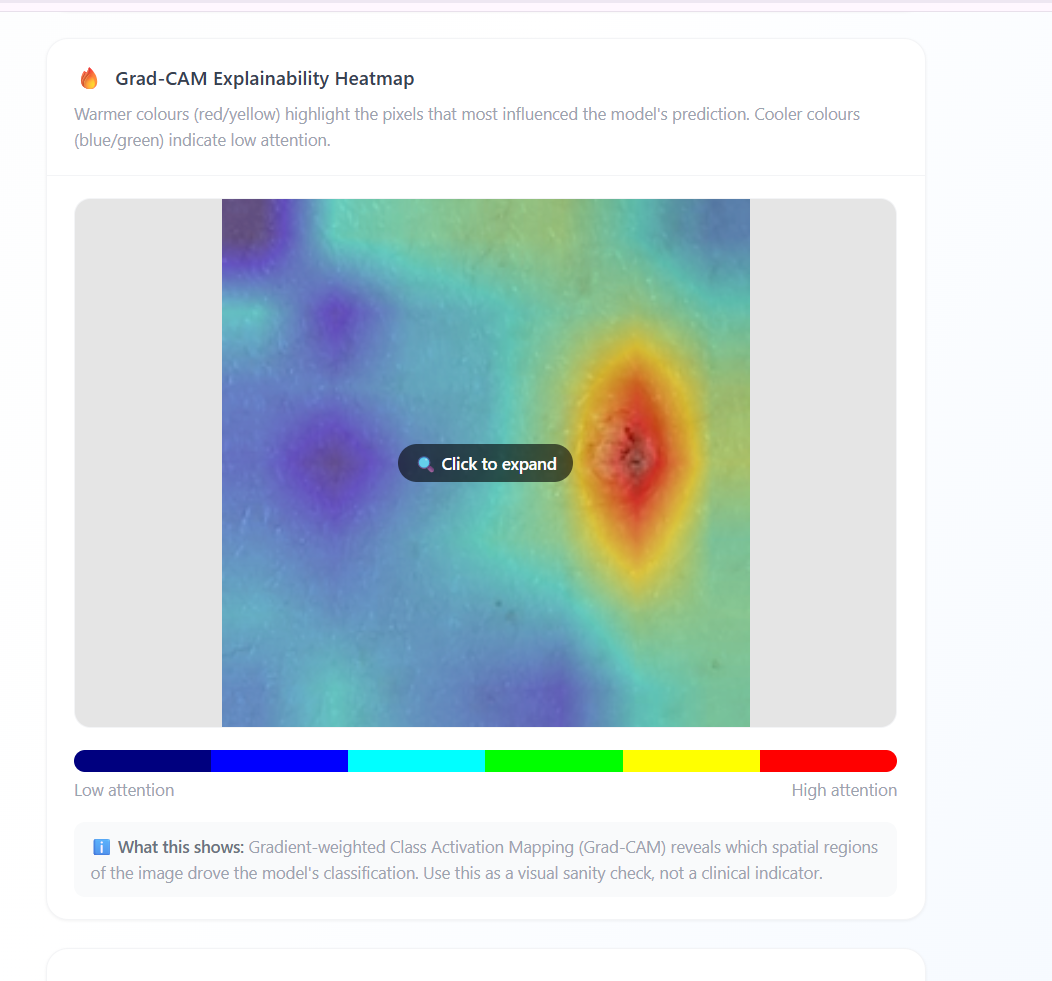
Identifying the skincancer part using GRADCAM
-
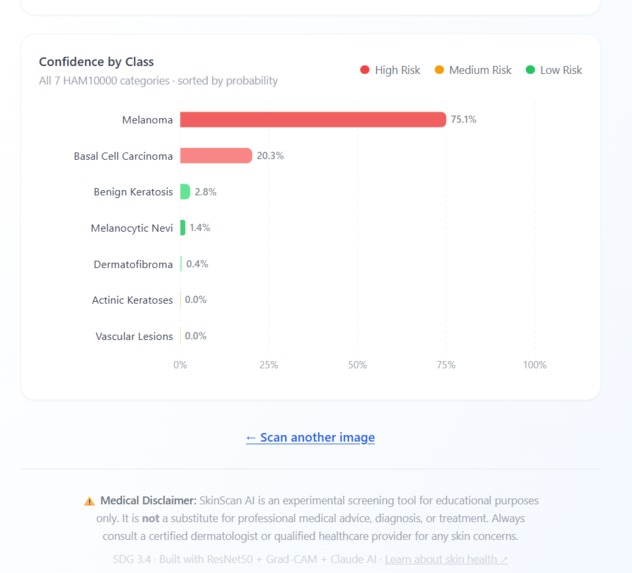
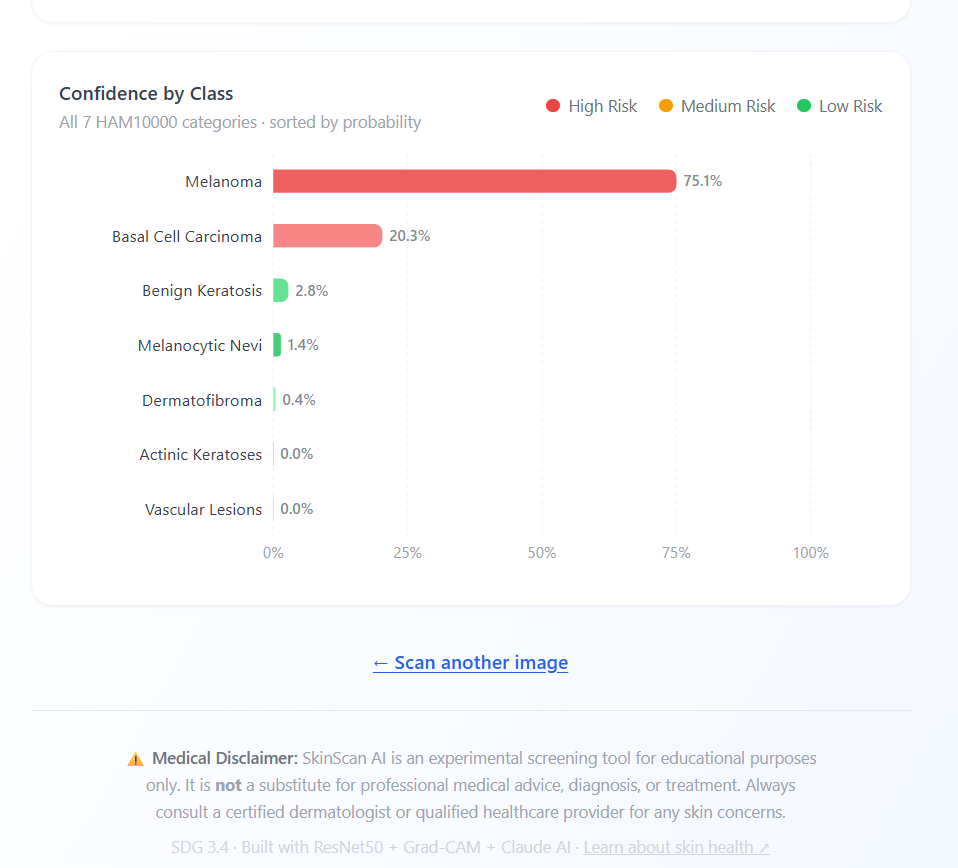
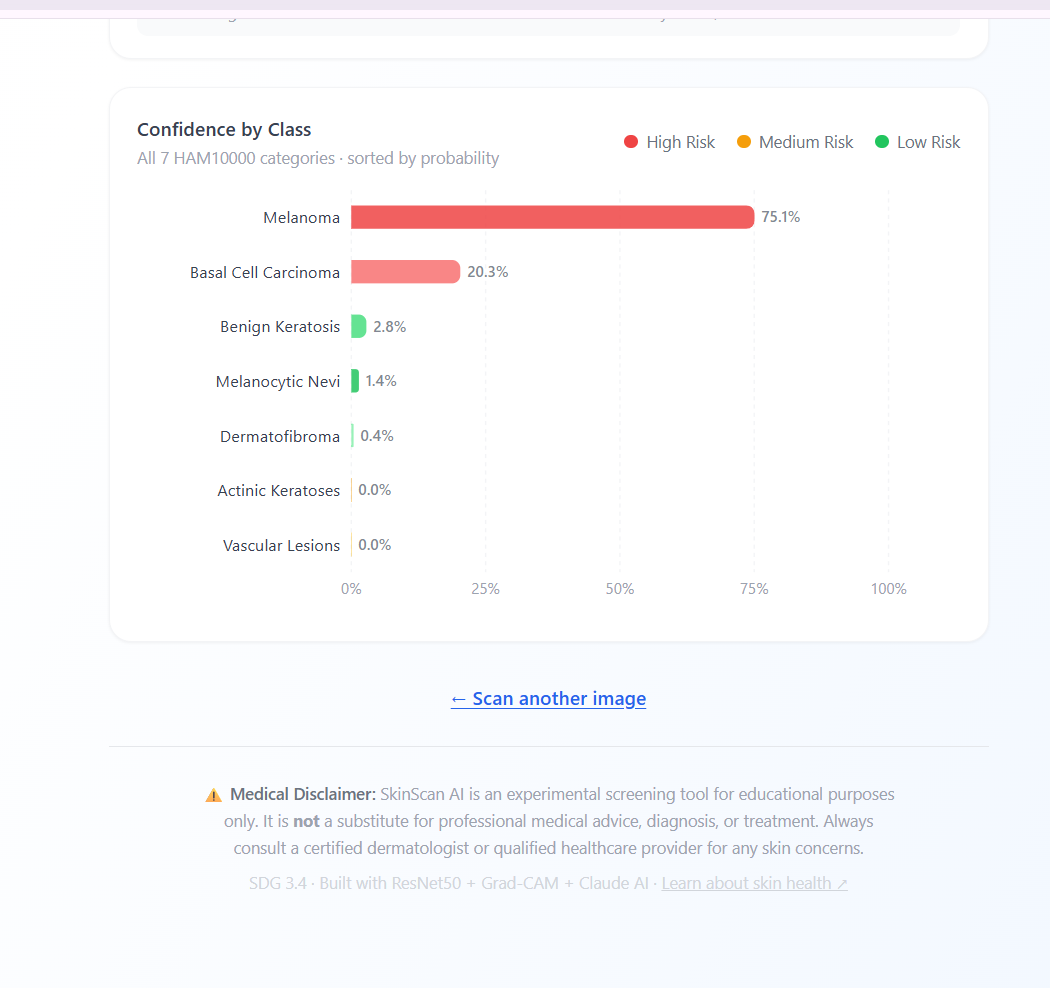
Skincancer classifications according to the model pedictions
-
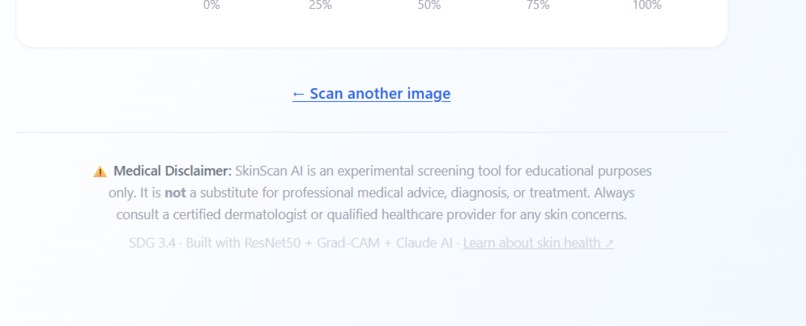
we can scan or uplaod new image
-
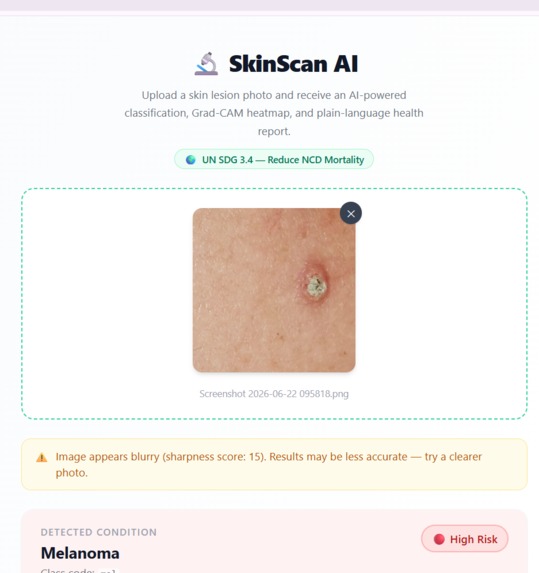
Uplaoding new image
-
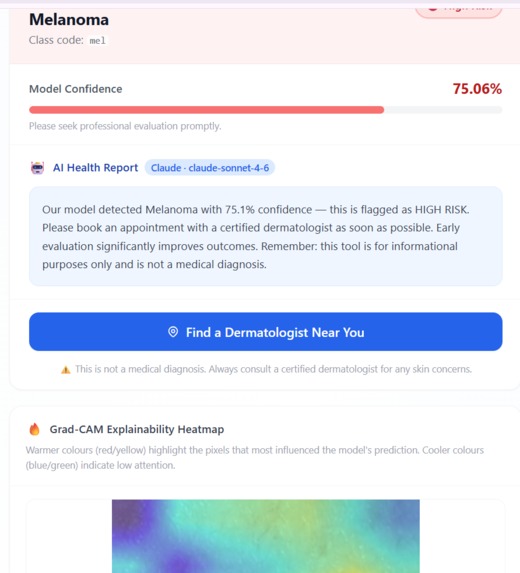
Identifiying the model accuarcy
-
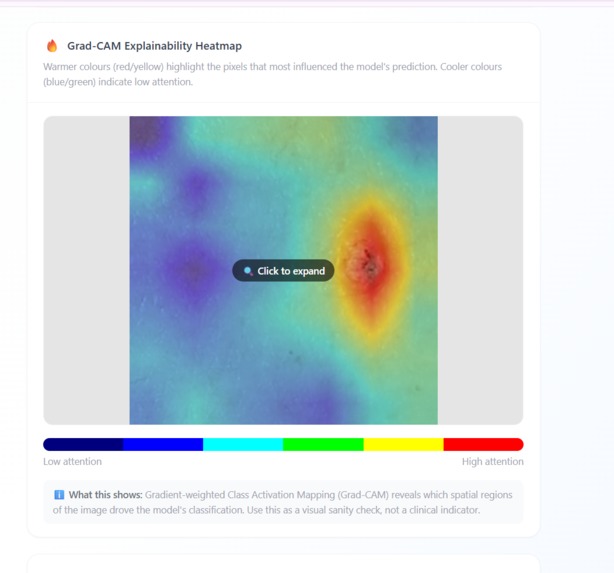
Using the GRADCAM focussing on necessary part
-
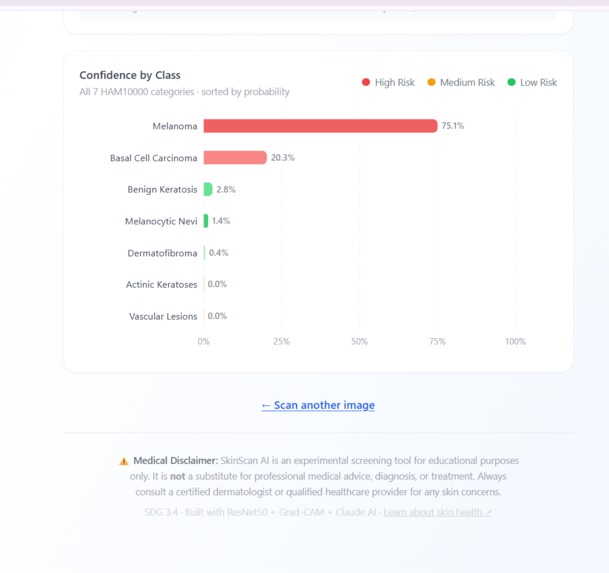
Final Model Prediction
About the project: This started as a personal curiosity about how AI can make skin health more approachable. I wanted to build something that didn’t just spit out a label, but also showed people why the model made that decision and gave them a gentle, human-friendly explanation.
Inspiration: I was inspired by the gap between powerful AI models and everyday users. A doctor can read a scan and explain it, but most people only see a cold prediction score. I wanted to bridge that gap by combining a visual explanation with a calm, reassuring explanation—so SkinScan AI feels more like a helpful guide than a scary black box.
What it does: SkinScan AI lets someone upload a skin photo and then: classifies the lesion into one of seven dermatology categories shows how confident the model is overlays a Grad-CAM heatmap so users can see the pixels the model focused on generates a plain-language health report with an empathetic tone flags when the image is too blurry, too dark, or otherwise low quality It’s designed as an educational screening tool, not a diagnosis engine.
How I built it: The app is a full-stack project: Backend with FastAPI and PyTorch EfficientNet-B3 via timm for classification Grad-CAM explainability through pytorch-grad-cam Anthropic Claude for natural-language report generation React frontend with drag-and-drop upload, progress states, and result cards I kept the frontend intuitive while making the backend robust enough to handle real image validation and fallback behavior when AI services fail.
Challenges I ran into: Getting explainability right: Grad-CAM needed the correct target layer and clean overlay generation. Balancing UX and safety: I had to make sure the app never felt like a medical authority. Dependency and environment issues: installing the right Python packages and making sure the backend and frontend could talk without CORS problems took some careful setup. Handling incomplete or poor-quality images: it was important to detect bad uploads early so predictions stayed meaningful.
Accomplishments that i am proud of: Built a system that goes beyond prediction and adds interpretation Added an actual AI-generated report rather than a static message Created a clean frontend experience with real-time upload and analysis feedback Designed a project with clear medical disclaimers and safe fallback behavior
What i have learned: Explainability is just as important as accuracy for user trust Real-world image input is messy: quality checks matter a lot It’s easy to build a prototype in a way that looks shiny, but harder to make it responsibly framed Combining model inference, explainability , and generative language in one flow creates much more useful output
What’s next for SkinScan AI:
Add support for more dermatology classes and finer-grained risk guidance Improve the report with patient-specific suggestions and follow-up questions Add a production-ready deployment path for both backend and frontend Explore mobile-friendly capture and real-time phone uploads Make the app even safer by adding more explicit checks before showing results

Log in or sign up for Devpost to join the conversation.