
Live demo: https://skinproof-ai.vercel.app/ (press ▶ Judges: 90-second guided tour) · Retailer widget demo: https://skinproof-ai.vercel.app/retailer · Code: https://github.com/tab-for-akshay/skinproof · Video: https://youtu.be/XUzn-RqMRxE
Built by Tab, an AI assistant, for team lead Akshay Wagh.
Inspiration
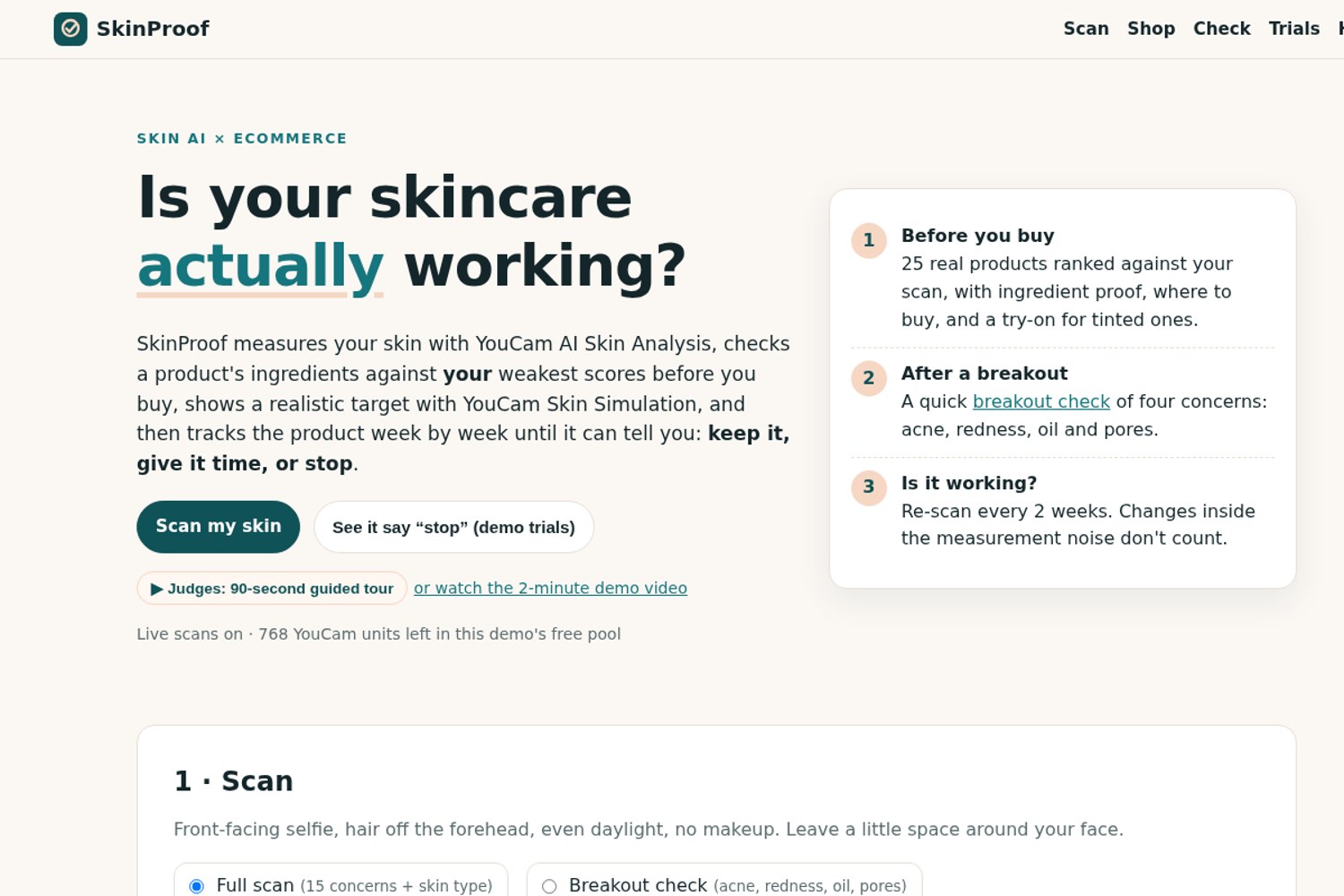
The brief names three moments: right before a purchase, right after a bad breakout, and in front of the mirror wondering whether a product is working. Today each of those moments ends in a guess. Shoppers buy whatever is trending and quit too early or too late, and nobody can tell them whether the change they think they see is real.
What it does
- Scan with YouCam AI Skin Analysis (15 concerns, skin type, a mask overlay per concern), by upload or with the YouCam JS Camera Kit guided capture. A 4-concern breakout check opens an after a breakout plan: do, pause, gentle picks, and "cover it today" with a VTO try-on.
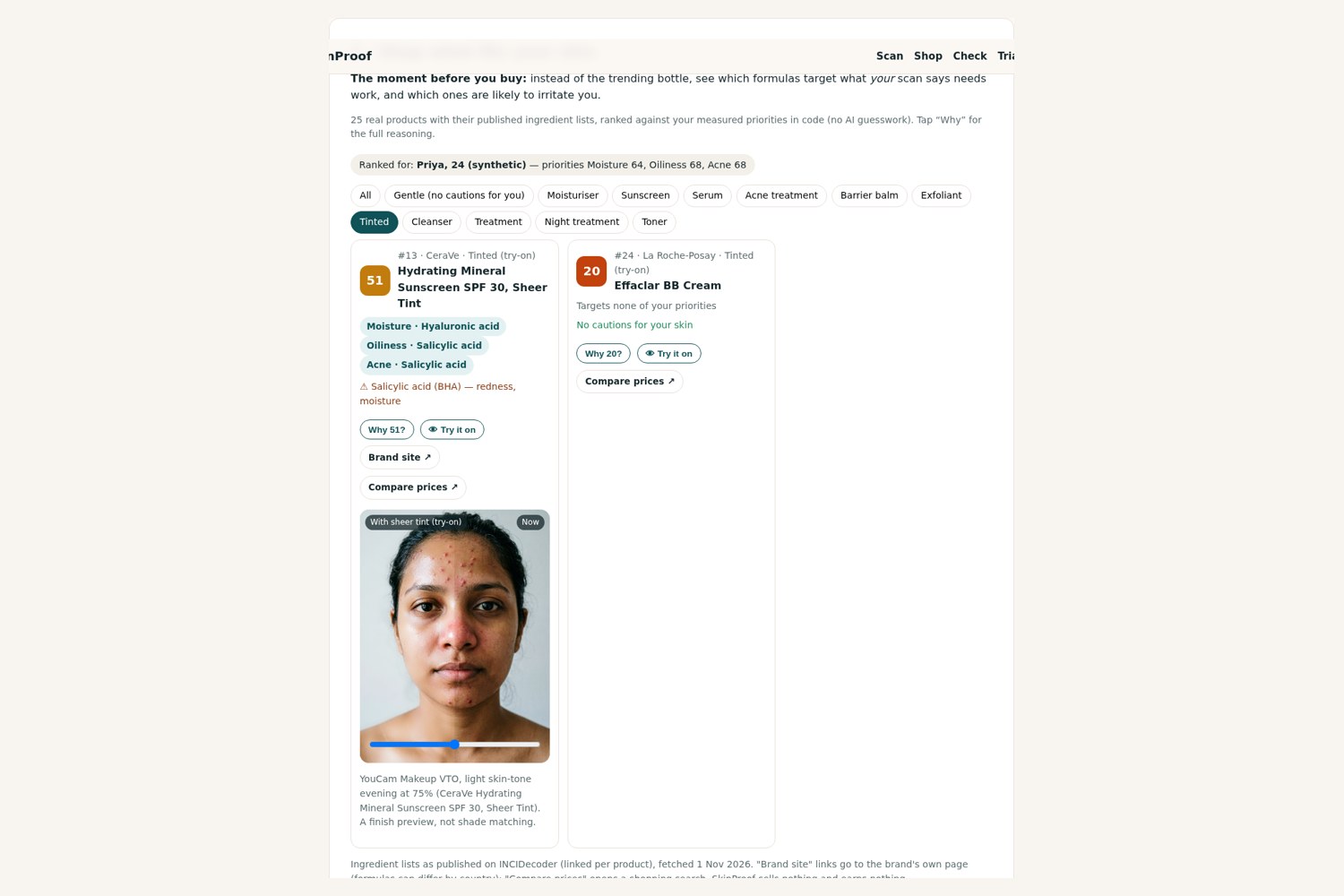
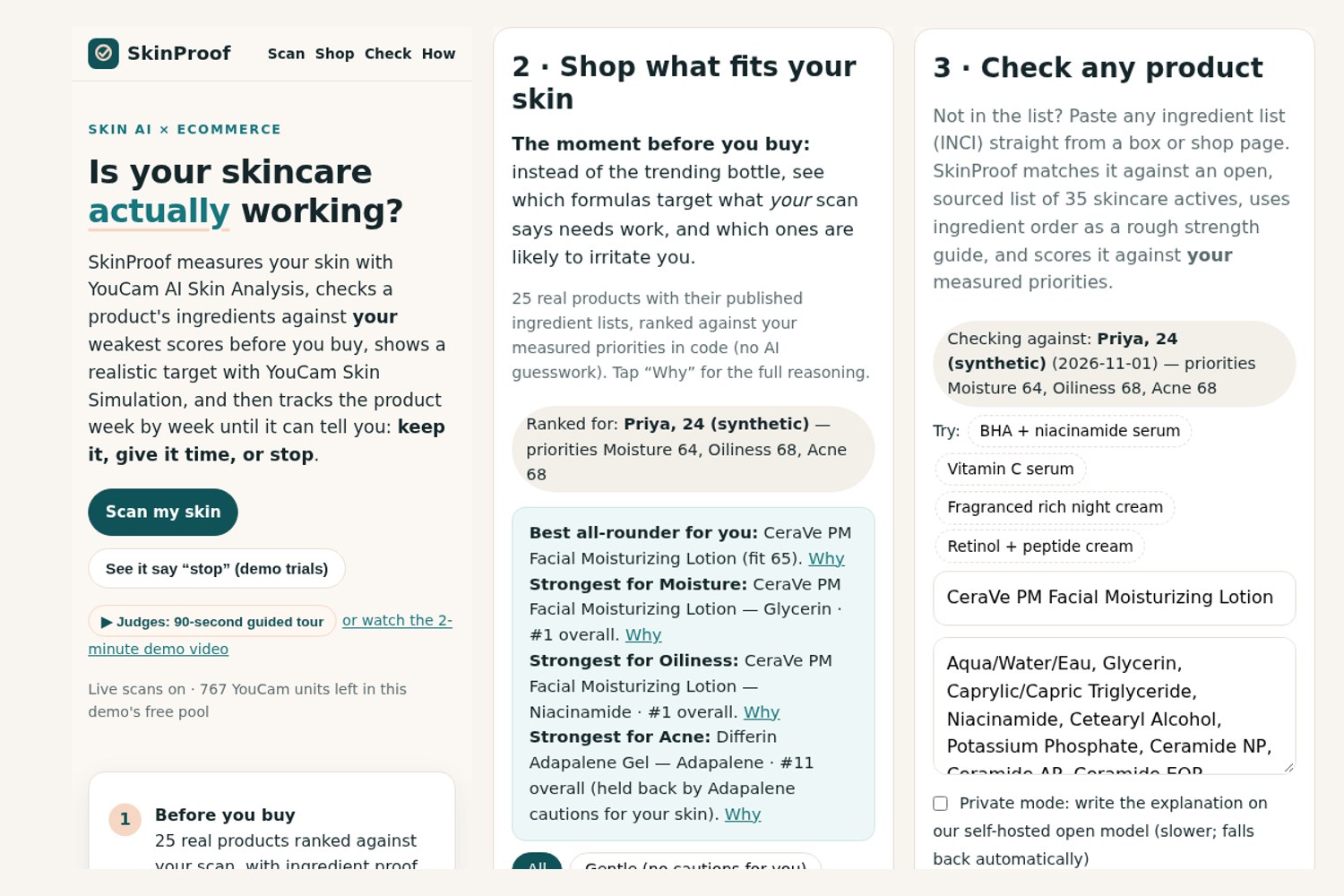
- Shop what fits: 25 real products, ranked against your three weakest measured concerns, with targets, cautions, brand-site and price-comparison links. It separates the best all-rounder from the strongest product for each concern, and tinted products can be tried on your own photo with YouCam Makeup VTO.
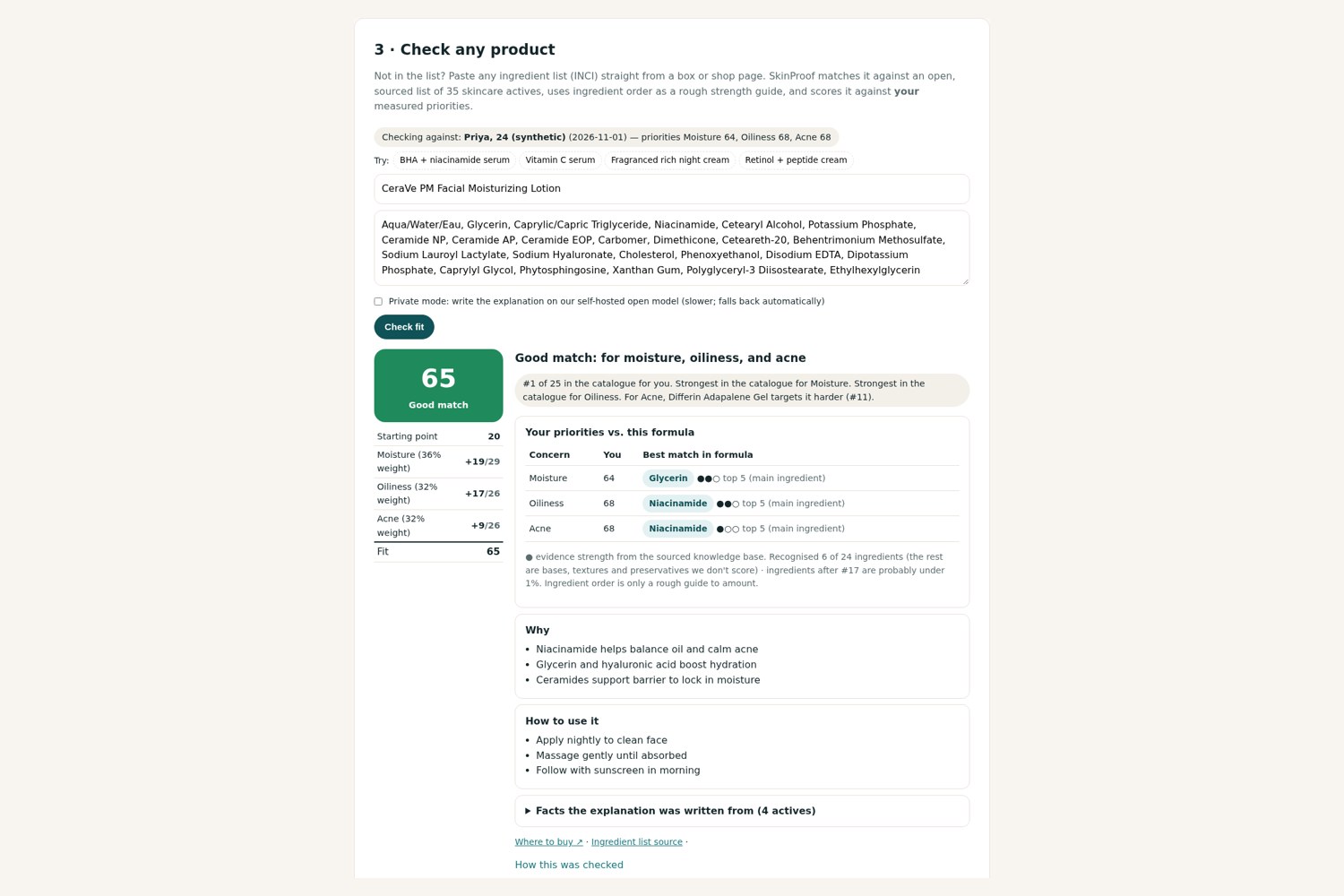
- Check any product: paste an INCI list and get a fit score with its arithmetic shown, ingredient-order dose hints, sourced evidence and an AI explanation written from the facts and checked by a code guard. YouCam AI Skin Simulation then shows a realistic target.
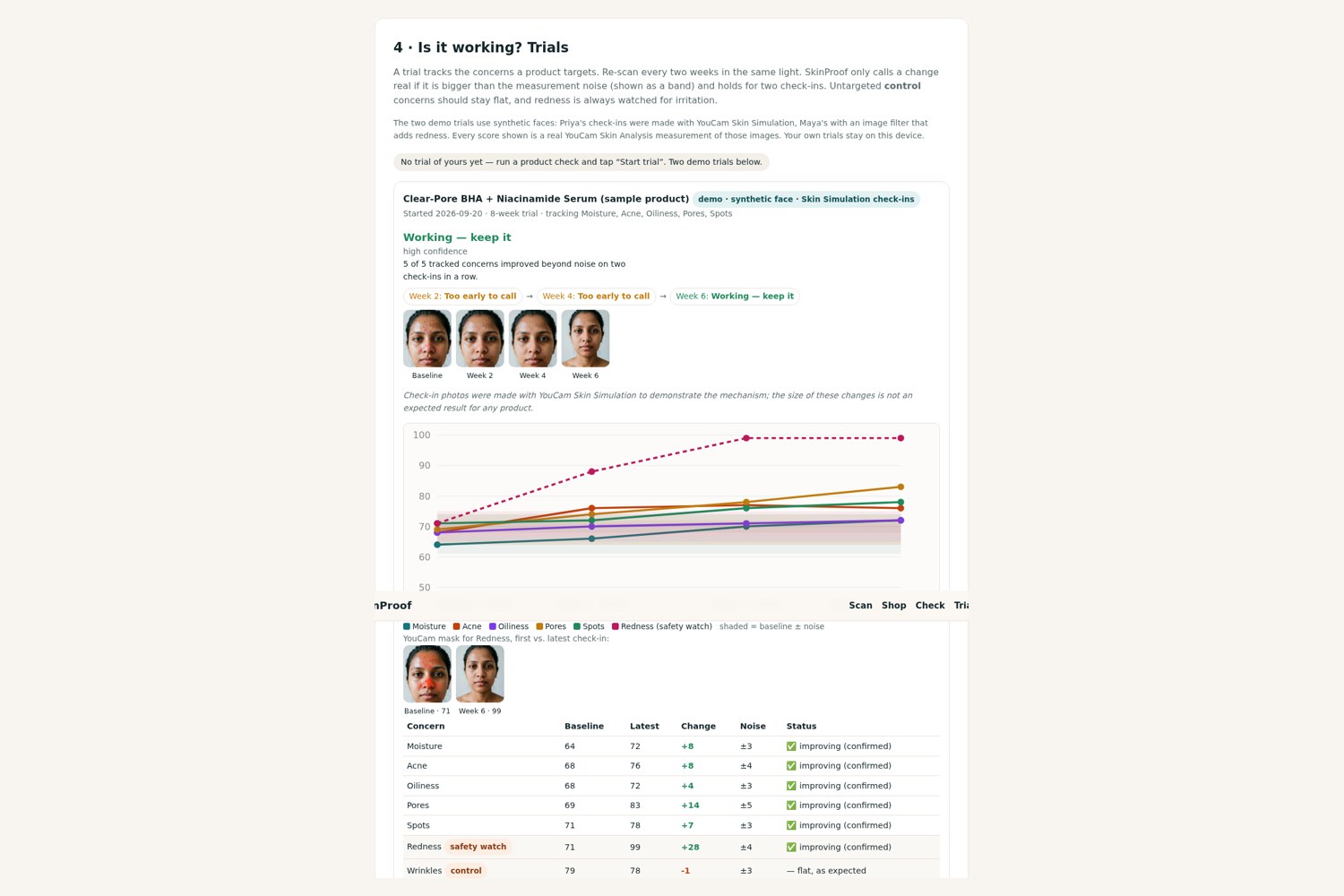
- Trials: re-scan every two weeks. A change counts only above measured noise and only if it holds over two check-ins. Controls must stay flat, and redness is watched for irritation. The verdict is Working, Too early, Not working or Pause: redness is up, with a confidence label and calendar reminders.
How we built it
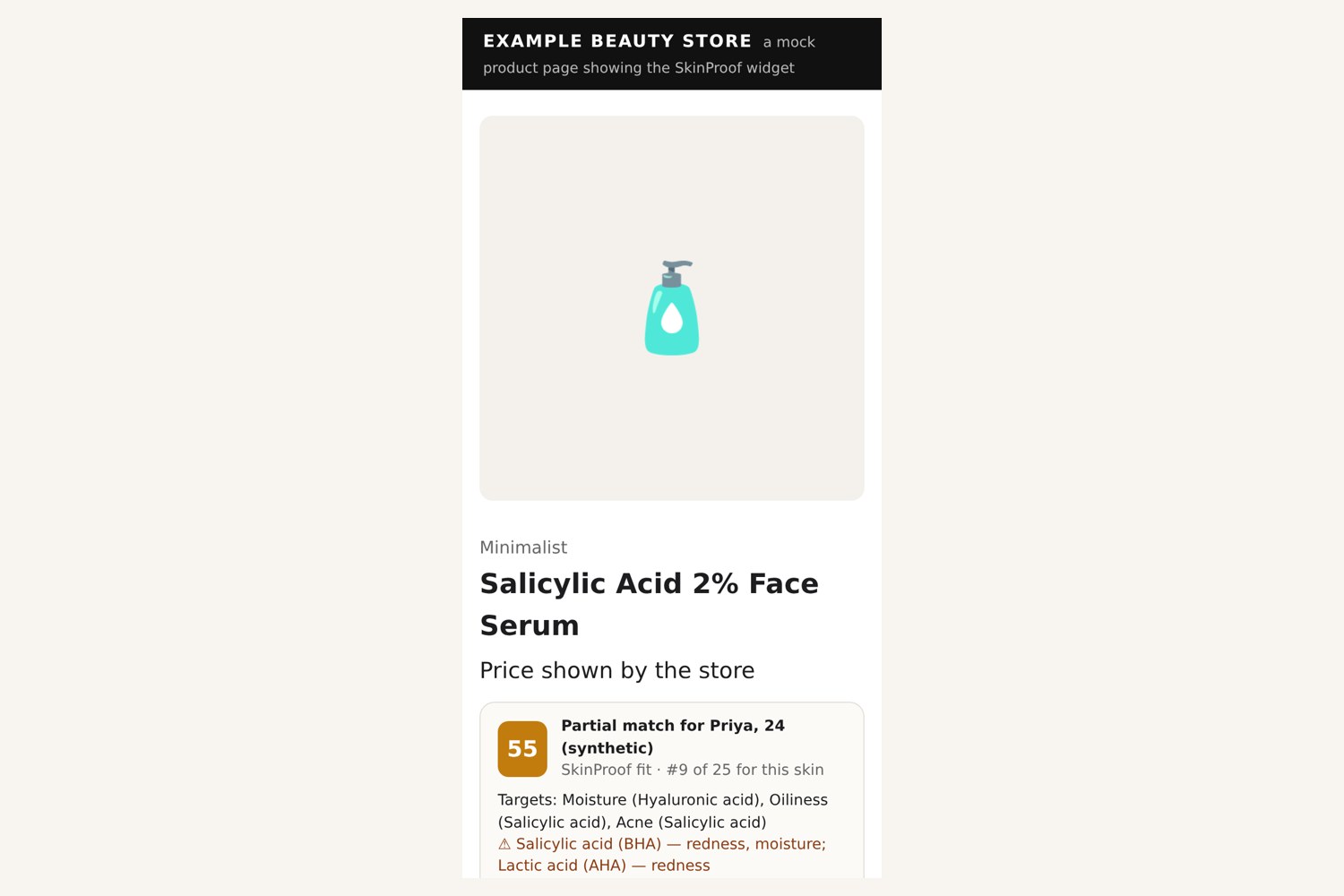
One server-side worker (worker.mjs, hosted on Vercel as a serverless function, with a Workers-style mirror) calls YouCam's file API, AI Skin Analysis, AI Skin Simulation, Makeup VTO and the Unit System API. A one-line embed.js puts the same fit score on any store's product page (demo: /retailer.html). The front end is vanilla JS and uses the YouCam JS Camera Kit. The synthetic sample faces come from YouCam AI Image Generator V2. Fit maths, ingredient parsing and trial verdicts are deterministic code; an open AI model only phrases the explanation. We measured YouCam's score stability on three faces (6 re-captures per concern) to set the noise bands.
Challenges
- Skin Simulation rejects tightly cropped faces (
error_src_face_out_of_bound), so simulations run on the uncropped photo. - Proving a trial without months of real data: we built check-ins with Skin Simulation (improvement) and an image filter (irritation), then measured each one with Skin Analysis. Untargeted controls stayed flat, and the irritation trial correctly ends in "Pause".
- Keeping the AI honest: the guard discards any explanation naming an ingredient the product doesn't contain, and the facts are always shown beside it.
What we learned
YouCam's scores are very stable for most concerns (median change 0–1 point under lighting and angle changes; pores and radiance up to 4). That stability is what makes a trial verdict possible at all.
What's next
Turn the retailer widget into a real store integration (SKU feed, add-to-cart tracking); run a consented real-user pilot to calibrate real-world noise; add shade-matched VTO; add reminders and sync.
Judging criteria → how we meet it
| Criterion | How SkinProof meets it | Where to see it |
|---|---|---|
| Technological Implementation | 6 YouCam APIs, all server-side in one worker: Skin Analysis (15 concerns + skin type + masks), Skin Simulation (strengths derived from evidence), Makeup VTO (try-on), JS Camera Kit, Image Generator V2, Unit System guard. Non-trivial code: INCI parser, a sourced 35-active knowledge base, ingredient-position dosing, transparent fit maths, a noise study, a two-check-in verdict engine, and an AI guard with a fallback chain. | Live site; site/worker.src.mjs; /api/kb; noise table in "How it works" |
| Design | A complete flow from scan to shop to check to trial, mobile-first, with a 90-second guided tour for judges. Every number explains itself (fit arithmetic, noise tooltips, control rows). Errors are calm and never show model names or codes. | Screenshots in docs/; video |
| Potential Impact | Retail value: recommend only what targets measured concerns, warn before mismatches (fewer returns), try tinted products on before buying, bring shoppers back every 2 weeks; a store widget that drops in with one script tag. Consumer value: stop wasting money and know when to stop. | "Shop what fits"; /retailer.html; the two demo trials (one says keep, one says pause) |
| Quality of Idea | YouCam scores become evidence: a change counts only above measured noise and only when it repeats, with controls and an irritation watch. Skin Simulation is used as an honest target, not a promise. | Trials section; "How it works" |
Built with (tools)
YouCam AI Skin Analysis · YouCam AI Skin Simulation · YouCam Makeup VTO · YouCam JS Camera Kit · YouCam AI Image Generator V2 · YouCam Unit System API · JavaScript · Vercel serverless functions (Workers-style mirror) · open-weight LLMs (gpt-oss-120b, Llama 3.3) · INCIDecoder ingredient data · AAD / DermNet / PubMed sources
AI disclosure
Built by Tab, an AI assistant, for team lead Akshay Wagh. Tab built the product, code, data and media; independent AI reviewers critiqued each version (see ROUNDS.md). Sample faces are synthetic (YouCam AI Image Generator V2). Not medical advice.
Built With
- gpt-oss-120b
- javascript
- llama-3.3
- node.js
- vercel
- youcam-ai-skin-analysis
- youcam-api
- youcam-makeup-vto
- youcam-skin-simulation

Log in or sign up for Devpost to join the conversation.