SkinCart
One selfie → AI skin scores → matched products → try the shade on your own face. Powered by two YouCam APIs.
By Wahaj Ansari (solo) — YouCam API Skin AI & eCommerce VTO Hackathon, Skin AI category
Inspiration
Online beauty shopping is a guessing game. A shopper stares at forty serums and sixty foundation shades, guesses which ones fit her skin, and finds out she guessed wrong when the package arrives. Wrong products and wrong shades are a leading cause of returns, abandoned carts, and bathroom shelves full of nearly-full bottles.
Meanwhile, the technology to end the guessing already exists: professional skin analysis and virtual try-on, sitting behind APIs. What was missing was a single, simple shopping flow that connects them — diagnose first, recommend second, preview third, then buy. That flow is SkinCart.
What it does
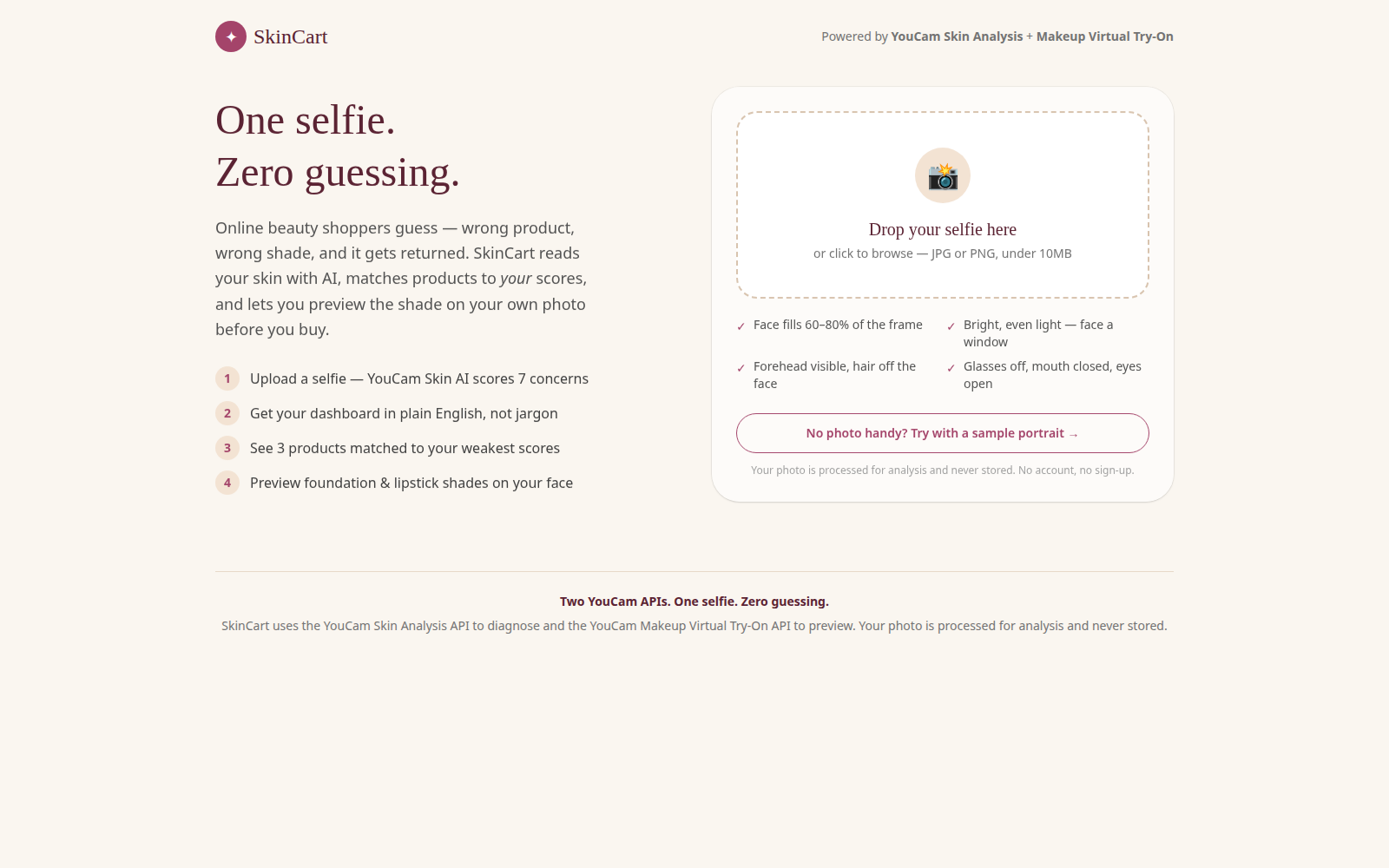
SkinCart turns one selfie into a complete, personalized shopping decision in under a minute, in four steps:
- Upload a selfie. A guided upload screen teaches the photo rules up front (face fills 60–80% of the frame, bright even light, forehead visible, glasses off) and resizes the photo client-side to satisfy both APIs' requirements in one step. No photo handy? A one-click sample portrait runs the whole flow.
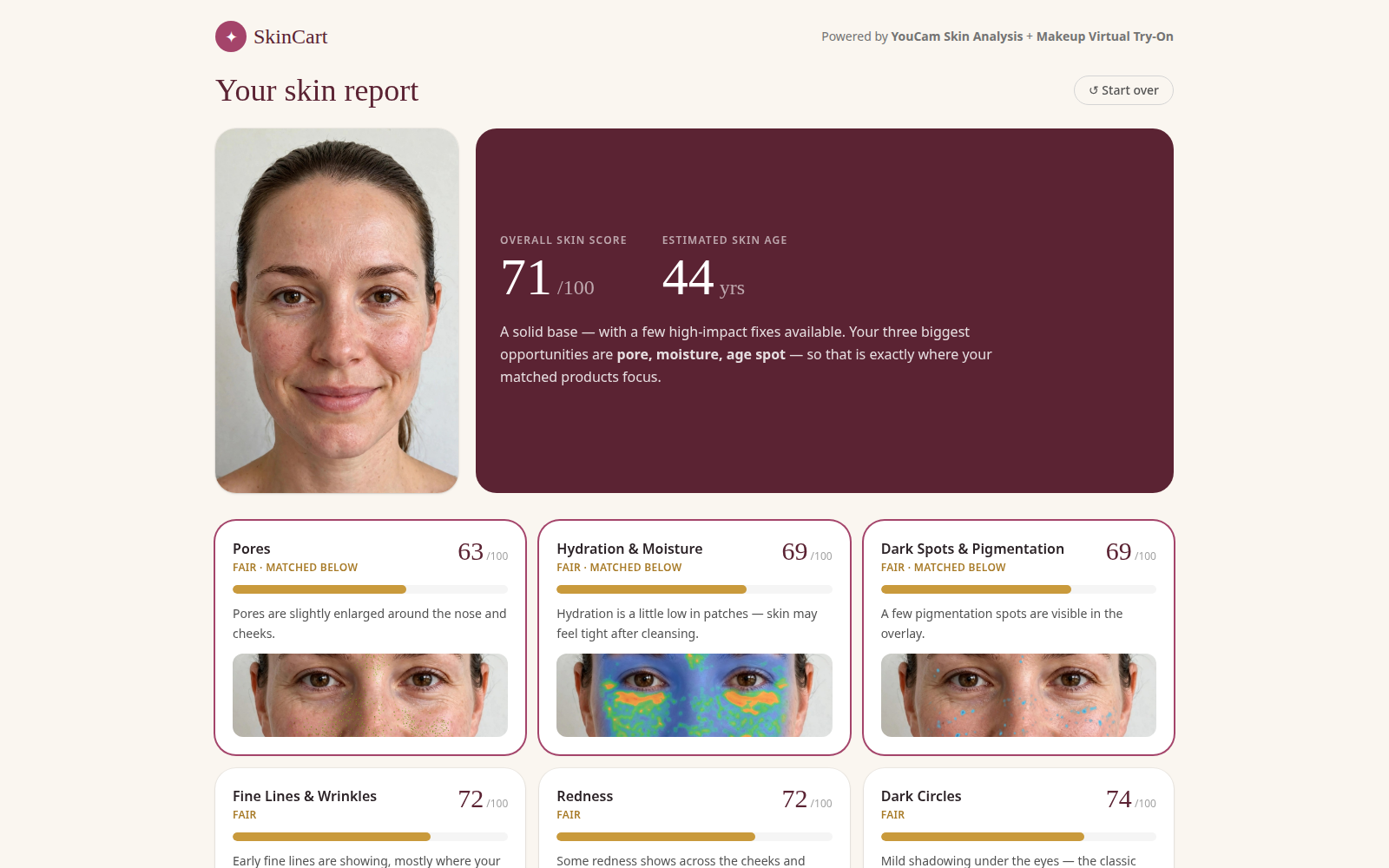
- AI skin analysis. The selfie is scored by the YouCam Skin Analysis API across 7 skin concerns — fine lines & wrinkles, pores, blemishes & acne, hydration & moisture, redness, dark spots & pigmentation, and dark circles — plus an overall score and an estimated skin age.
- A dashboard in plain English. Each concern becomes a score card with a 0–100 score, a simple band (Strong / Fair / Needs care), an animated bar, and a one-line explanation written for shoppers, not dermatologists. The three weakest scores are highlighted automatically.
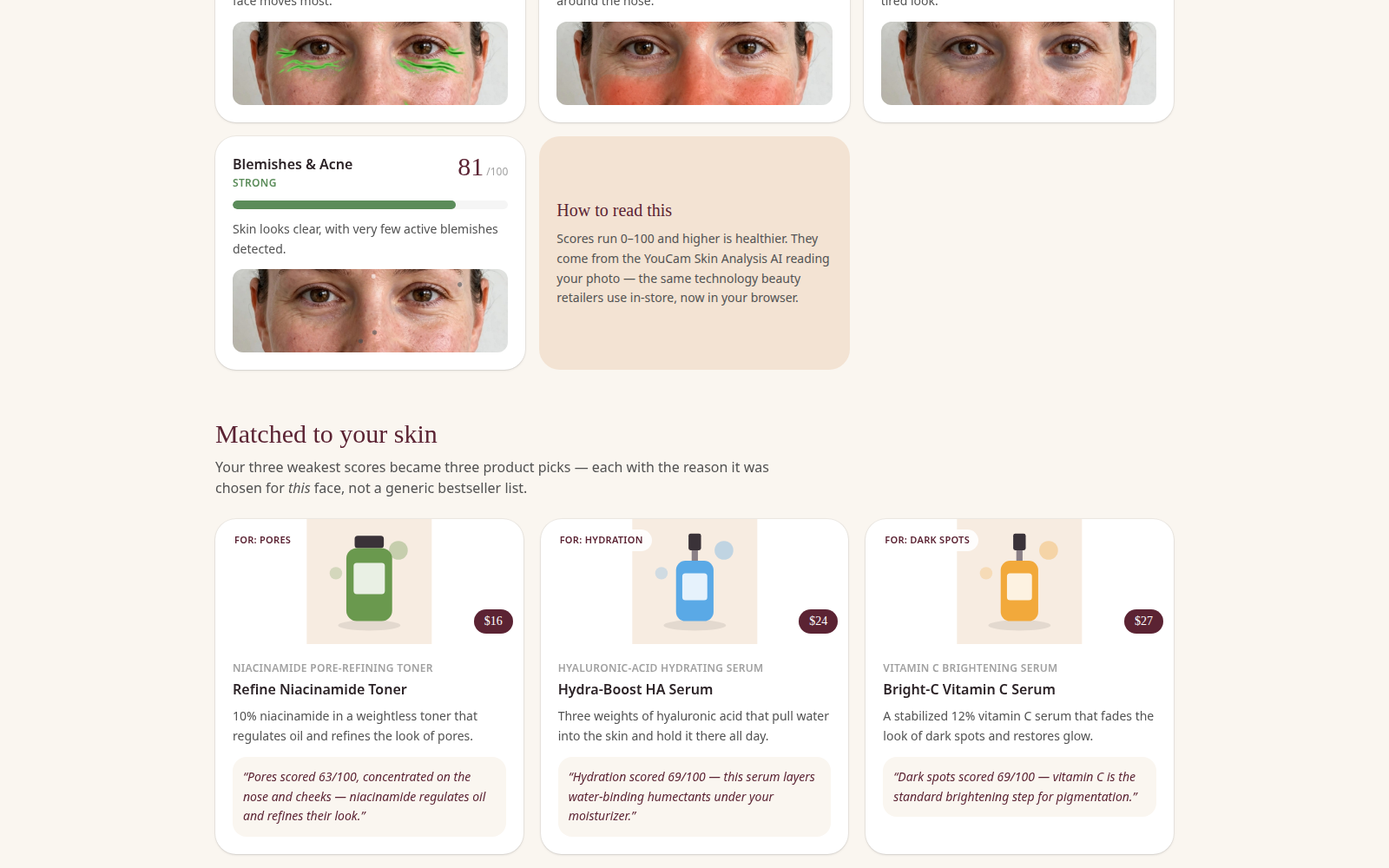
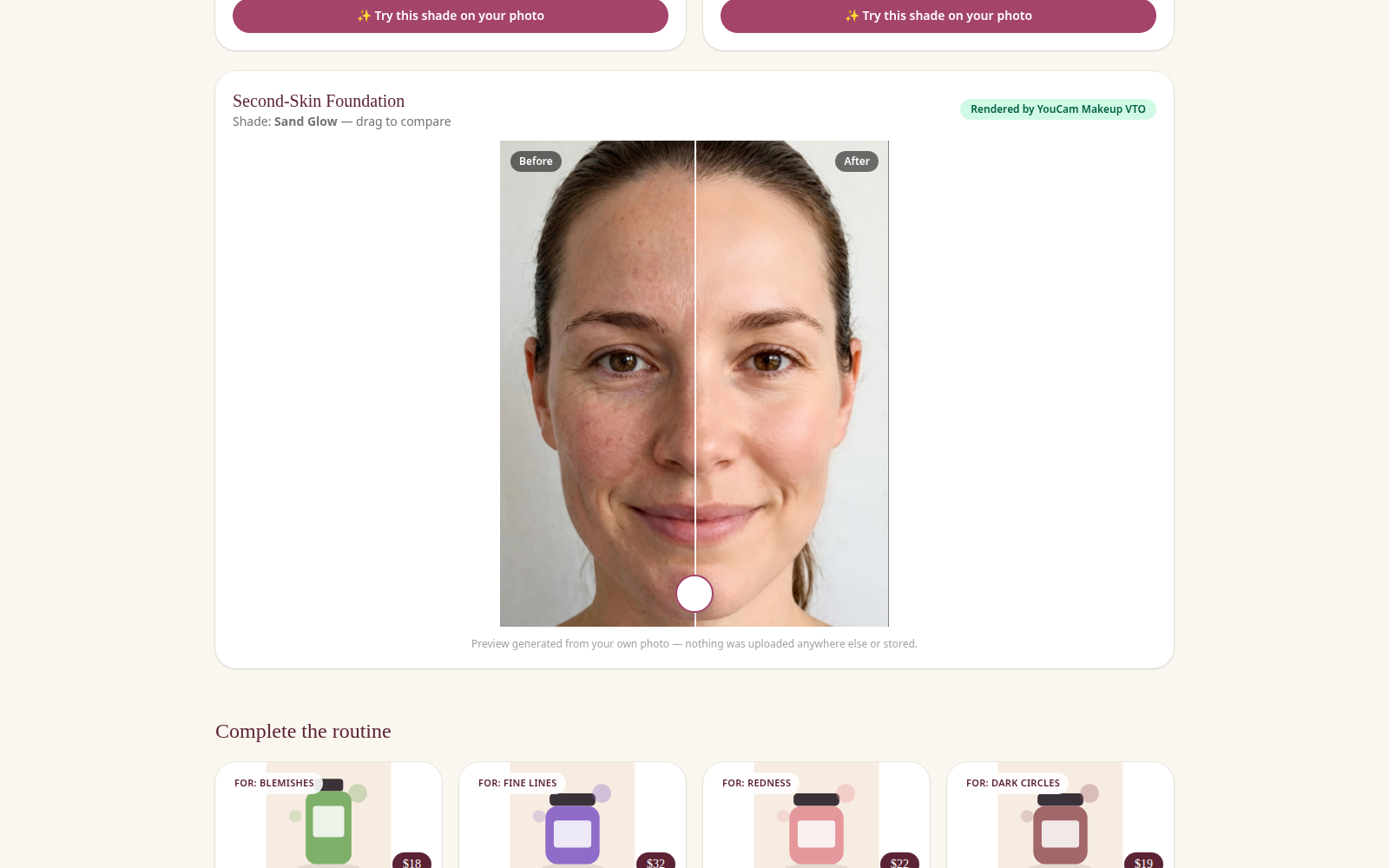
- Matched products, then try-on. The three weakest concerns are matched to three curated products, each with a reason that quotes the shopper's actual score ("Hydration scored 41/100 — this serum layers water-binding humectants under your moisturizer"). A "Complete the routine" row shows the rest of the 10-product catalog. Then, for the two products where shade is everything — foundation and lipstick — the shopper picks from three shades and previews the result on her own photo with the YouCam Makeup Virtual Try-On API, using a before/after drag slider.
Privacy is part of the product: the photo and results live only in the browser session. There are no accounts, no database, and no server-side storage of faces — the landing page says so, and it's true by architecture.
How we built it
Stack: Next.js 15 (App Router) + TypeScript + Tailwind CSS v4, deployed as a standard Node server app with two server-side API routes (/api/analyze, /api/try-on). The API key never reaches the browser — the client only ever talks to our own routes.
Two YouCam APIs, used as one pipeline:
- Skin Analysis (SD) —
src/lib/youcam.tsimplements the full documented V2 async flow: request a file slot, PUT the photo bytes to the pre-signed upload URL, create a task with all 7 SDdst_actionsand mask overlay enabled, then poll the task endpoint (every 2.5s, 55s cap) for the result. We display the API'sui_scorevalues (the calibrated, user-facing scores) and use the raw scores for internal ranking to find the weakest concerns. Result and mask-overlay URLs are downloaded immediately server-side and re-served as data URLs, because YouCam result links expire (~2h) — a stored raw URL would silently rot. - Makeup Virtual Try-On — the same upload → task → poll pipeline, one effect per call so a failure in one shade never blocks another: foundation (palette color with color/glow/coverage intensities) and lipstick (
lip_colorwith shapeoriginal— we never reshape the user's lips — full style, matte/satin textures). The result image feeds the before/after slider.
An adapter architecture, not a hardcoded demo. Both the live YouCam client and a demo provider implement one SkinProvider TypeScript interface (analyzeSkin, tryOnMakeup), so the entire UI is identical regardless of which provider serves it. Provider selection is environment-driven: set YOUCAM_API_KEY and SkinCart calls the real API; additionally, if a live call ever fails, the routes fall back to the demo provider and flag the result, so the experience never dead-ends — the UI shows an honest "Demo data" badge whenever that happens.
Details that matter:
- One client-side resize (≤1600px) satisfies both APIs — Skin SD minimums and the VTO size cap in a single pass.
- API errors become shopping guidance. YouCam's photo-quality error codes (
error_lighting_dark,error_no_face,error_src_face_too_small, and friends) are mapped to friendly retake instructions instead of stack traces. - A 10-product generic catalog (no real brand trademarks) with a deterministic concern→product mapping, so recommendations are explainable: every pick can say exactly which score caused it.
Challenges we ran into
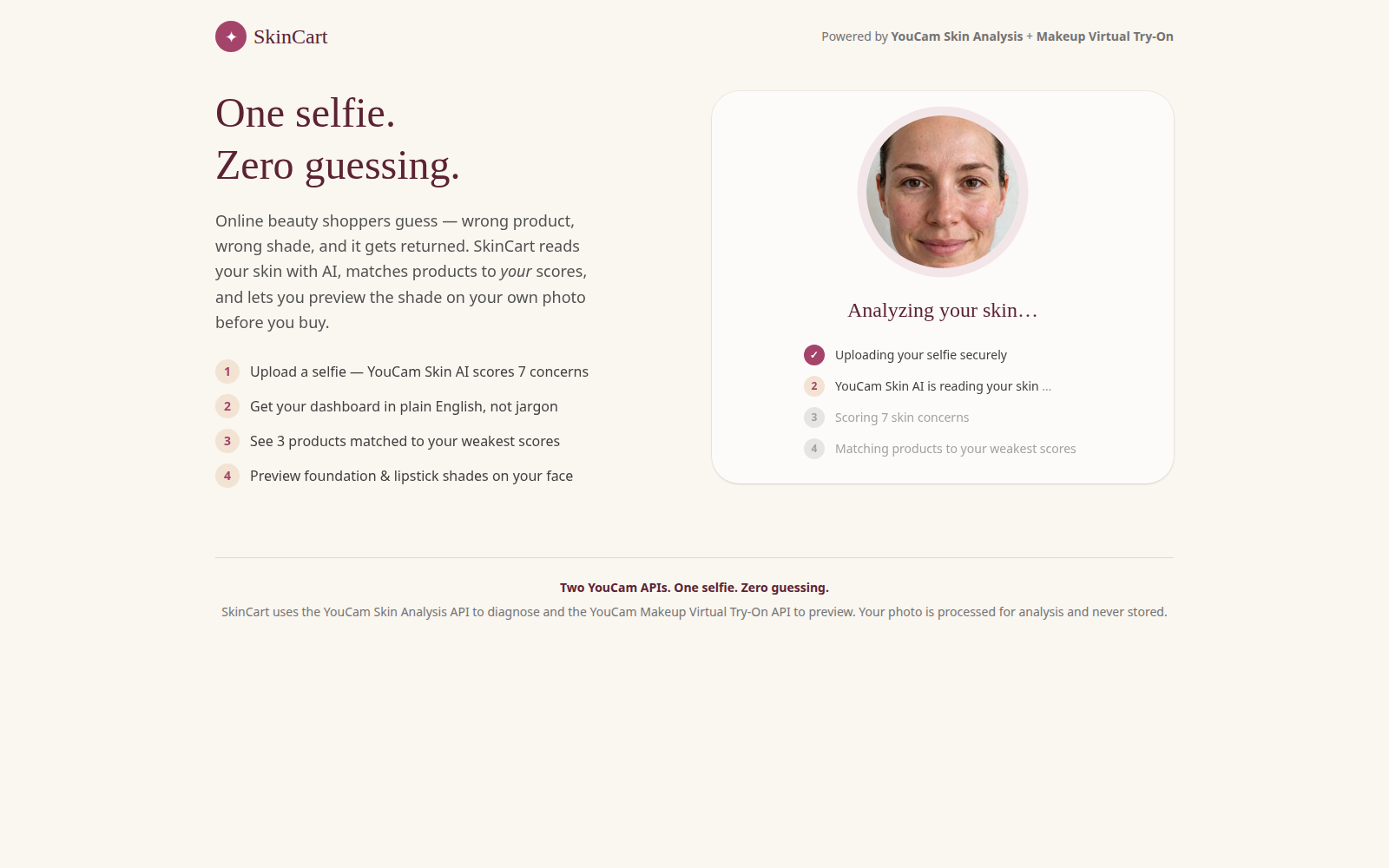
The YouCam APIs are asynchronous task systems, so the core engineering problem was making upload → task → poll feel instant inside serverless route time limits — solved with a tight polling window, immediate server-side capture of expiring result URLs, and a processing UI that narrates each real step. The second challenge was photo quality: most analysis failures are bad photos, not bad code, so we pushed the documented photo rules into the upload UI before capture and translated every API photo error into a plain retake instruction.
One honest note: the redeem code for the hackathon's 1,000 free API units was initially rejected by one YouCam portal on the morning of October 28, but succeeded the same day on the actual API console (yce.makeupar.com). The live key was created that afternoon and the full adapter was verified end-to-end against the real Skin Analysis and Makeup VTO APIs (overall 71, skin age 44 on the test photo), so the demo in the video and screenshots runs on real API results.
Accomplishments that we're proud of
- A complete diagnosis-to-try-on shopping loop — two different YouCam APIs chained into one consumer story, where most beauty tools stop at a single score screen.
- Recommendations that are derived and explainable: change the face, and the dashboard, the weakest-three, and the matched products all change — each pick quotes the score that caused it.
- A provider architecture where live and demo modes are the same product, not a video of a product — flipping one environment variable turns the demo into the real thing.
- A privacy story that is architectural, not a policy page: no face ever touches a database.
What we learned
- Async AI APIs reward defensive design: poll patiently, download results immediately, and never treat a returned URL as permanent.
- Score presentation is half the product. The same
ui_scorereads as noise as a raw number and as genuinely useful advice when paired with a band and one honest sentence. - Photo-quality UX is a feature, not an edge case — teaching the selfie rules up front prevents most API failures entirely.
- Building against an interface from day one turned a blocked API key from a project-killer into a configuration detail.
What's next for SkinCart
- Validate the live adapter against real Skin Analysis responses across a diverse test-photo set (skin tones, lighting, ages). (Core validation done October 28 — overall 71, skin age 44, real mask overlays — and the app is deployed live at the demo link above; wider photo-set validation remains.)
- Retail embedding: the same flow as a drop-in widget any store can attach to a product page ("Check your match" next to Add to Cart), with the catalog loaded from the store's own inventory.
- Skin-progress tracking: repeat analyses over weeks so shoppers can see whether a routine is actually working — and re-order only what the data says they need.
- Shade matching from the analysis itself: suggest the foundation shade from the skin reading instead of asking the shopper to pick blind.
Built with: Next.js 15, TypeScript, React 19, Tailwind CSS v4, YouCam Skin Analysis API, YouCam Makeup Virtual Try-On API, Node.js.
Try it: run locally with npm install && npm run dev (see README) — no API key needed for the full demo flow; add YOUCAM_API_KEY to go live.
Built With
- next.js
- tailwindcss
- typescript
- vercel
- youcam-makeup-vto-api
- youcam-skin-analysis-api

Log in or sign up for Devpost to join the conversation.