-
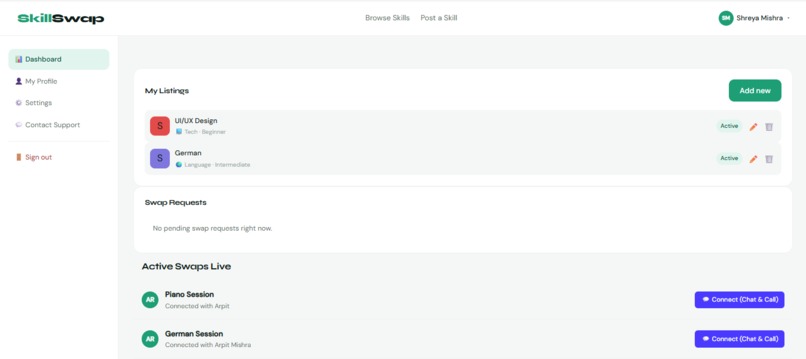
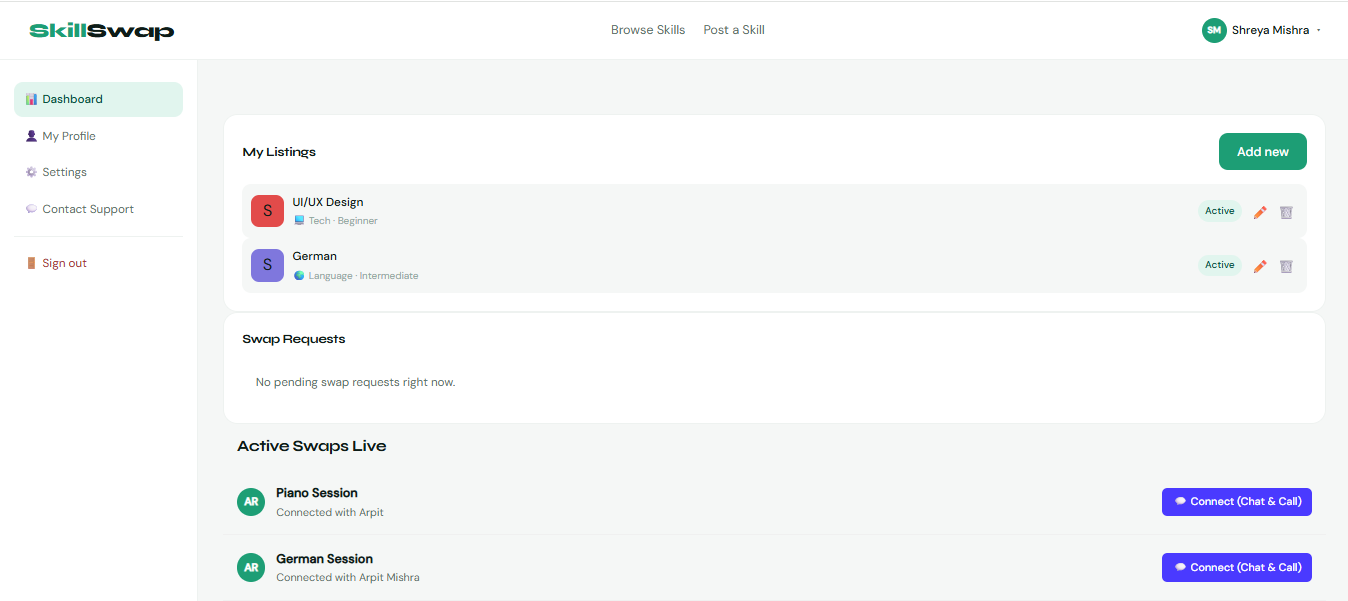
Dashboard Page
-
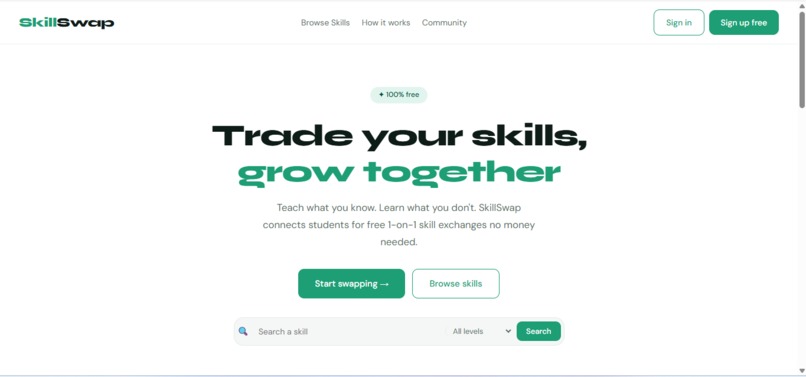
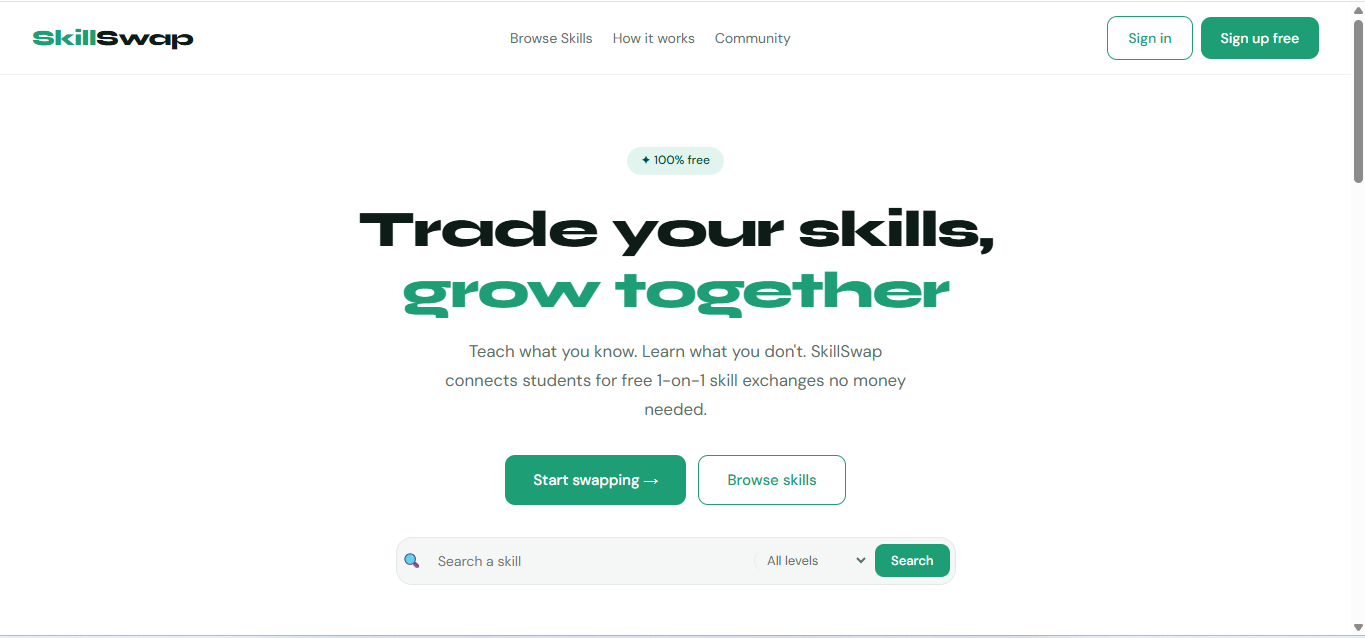
Home Page
-
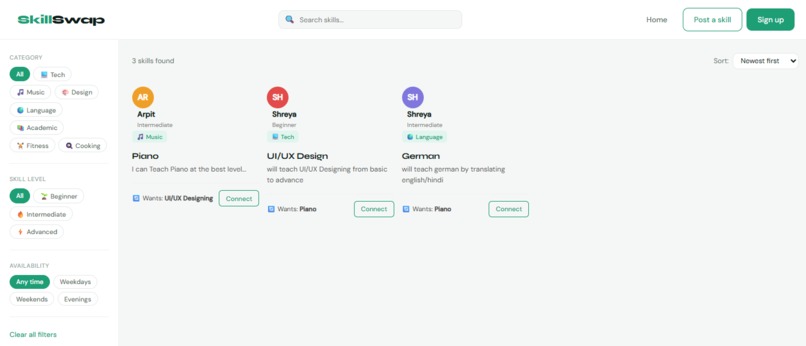
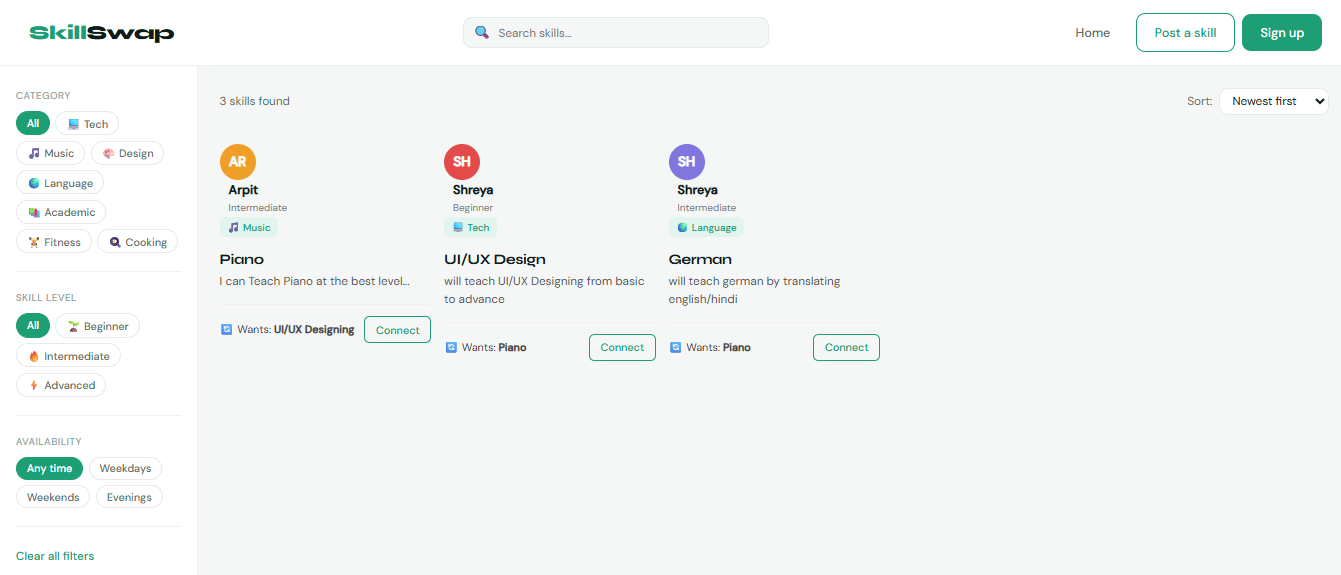
Browse Skills Page
-
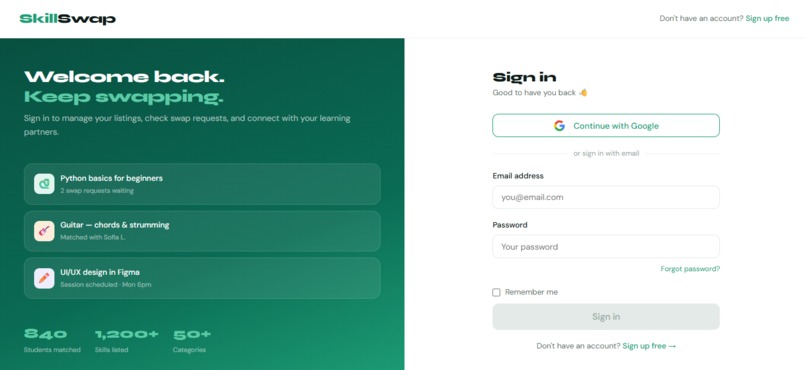
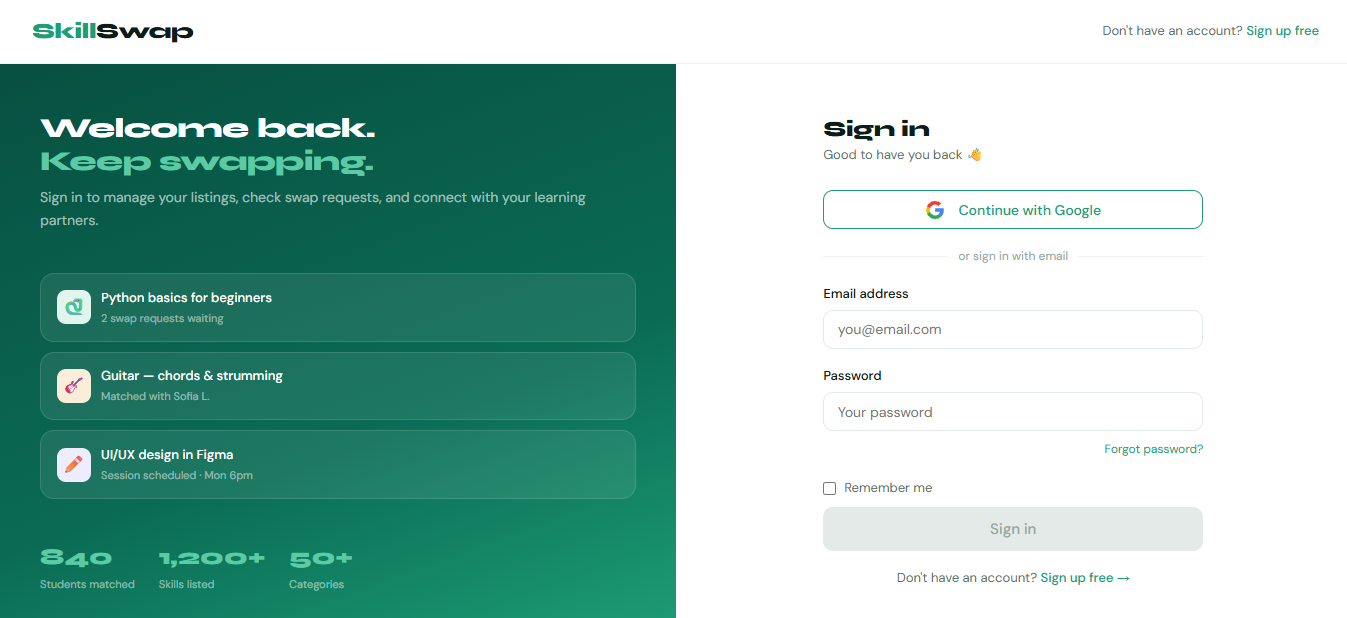
Sign-in Page
Inspiration
As being myself a student, I understand that we constantly face a frustrating paradox, where we want to learn new skills but can't always afford courses, tutors, or classes. At the same time i noticed, every student already has something valuable to teach. I kept thinking: what if learning didn't cost money... just effort and knowledge?
That question became SkillSwap.
The idea was simple: if you can teach Python and want to learn guitar, find someone who teaches guitar and wants to learn Python. No money. Just a fair exchange of knowledge between students.
What it does
SkillSwap is a free peer-to-peer skill exchange platform built for students. Instead of paying for expensive tutors or courses, users exchange the skills they already know for the skills they want to learn through one-on-one learning sessions conducted completely free over video calls.
How It Works
- Sign Up: Create an account using email/password or Google authentication in under a minute.
- Post a Skill: List the skills you can teach such as Python, guitar, Figma, French, fitness, cooking, or anything else along with the skills you want to learn in return.
- Browse Listings: Explore available skill listings using real-time search and filters based on category, skill level, and availability.
- Request a Swap: Send a swap request to another user, explaining what you’d like to learn and what you can offer in exchange.
- Learn Together: Once matched, users can connect through video calls and learn from each other at a comfortable pace.
Key Features
- Smart Browse System: Real-time search and filtering by category, skill level (Beginner, Intermediate, Advanced), and availability.
- Interactive “Post a Skill” Form: Includes a live card preview that updates instantly as users type, along with a progress tracker for form completion.
- Complete Authentication System: Supports email/password login, Google OAuth, password reset, and authentication-protected pages.
- Personal Dashboard: Users can manage their listings, accept or decline swap requests, and track active learning swaps with progress indicators.
- Customizable Profile Page: Edit bio, location, social links, and upload a profile photo with live preview functionality.
- Advanced Settings Panel: Update email and password securely using Firebase re-authentication, manage privacy settings, notifications, and account controls.
- Real Cloud Backend: Powered by Firebase Authentication and Cloud Firestore for real-time user accounts, listings, and profile management.
How I built it
SkillSwap is a fully functional multi-page web application built from scratch using only HTML, CSS, and JavaScript, Firebase - no frameworks, no shortcuts.
Frontend
- 10 interconnected pages - Homepage, Browse, Post a Skill, Skill Detail, Sign Up, Sign In, Dashboard, Profile, Settings, and Contact Support
- Custom design system with shared
style.css- consistent colors, typography, spacing, and components across all pages - Fully responsive layouts using CSS Grid and Flexbox
- Live card preview on the Post a Skill form (updates as you type)
- Real-time filter + search on the Browse page
- Progress bars, password strength meters, toggle switches, FAQ accordions, and toast notifications - all built in vanilla JS
Backend & Cloud
- Firebase Authentication: email/password sign up & sign in, Google OAuth (redirect flow), and password reset via email
- Cloud Firestore - real-time database for skill listings and user profiles
- Auth guards on all protected pages - unauthenticated users are redirected to sign in automatically
- User profiles stored and retrieved from Firestore on every page load
- Skill listings tied to
userIdso each user only manages their own data - SkillSwap uses a public Jitsi server (meet.ffmuc.net) to enable browser-based video and audio calls between users. This allows students to connect and communicate instantly through their browser without installing any extra software or creating additional accounts.
Challenges we ran into
Firebase “Already Initialized” Error Initially, every JavaScript file contained its own firebase.initializeApp() call. When multiple scripts loaded on the same page, Firebase crashed due to repeated initialization. The solution was creating a single shared firebase-config.js file and loading it before all other scripts.
Google OAuth Redirect Flow At first, getRedirectResult() was placed inside the Google sign-in button click handler, which meant it never executed when users returned from Google authentication. Moving the function to the top level of signin.js fixed the authentication loop and allowed the redirect flow to work correctly.
Profile Photo Storage Firebase Storage requires billing setup, which I wanted to avoid for this project. Instead, profile images are converted into Base64 data URLs using the FileReader API and stored directly in Firestore, eliminating the need for an additional storage service.
Building Without a Framework Managing application state, page transitions, and reusable UI components without frameworks like React or Vue required careful planning and code organization. Shared files such as data.js and firebase-config.js became the backbone of the application.
Authentication Guards Across Multiple Pages Each protected page required its own onAuthStateChanged listener to detect authentication status and redirect unauthenticated users automatically. Ensuring this worked consistently across all 10 pages required extensive testing and debugging.
6.Smooth Video Call Experience While implementing video calling, we faced an issue where some video meeting services asked users to create a host account before starting a call. This created unnecessary delays and made the experience less user-friendly. To solve this, we switched to open community Jitsi servers (meet.ffmuc.net) that allow users to join video calls instantly without signing up or creating an account. This made video calls faster, simpler, and completely hassle-free for users during live demos and real usage.
Accomplishments that I'm proud of
Built a Real Full-Stack App as Beginners SkillSwap isn’t a mockup or template, it’s a fully functional web application with real user authentication, a live cloud database, and 10 interconnected pages. Building this entirely from scratch using only HTML, CSS, and JavaScript without React or any frontend frameworks was a major achievement for us as beginner developers still learning web development.
Firebase Integration That Actually Works Integrating Firebase Authentication and Firestore into a plain HTML/CSS/JavaScript project required significant debugging and problem-solving. We resolved Firebase initialization crashes, fixed Google OAuth redirect flow issues, and implemented Firestore real-time listeners that automatically keep the UI synchronized with the database. Every user sign-up creates a real account, and every skill listing is stored live in the cloud.
Real-Time Live Preview Feature One of the most interactive features is the live preview system on the “Post a Skill” page. As users type their skill title, description, swap request, and personal details, a preview card updates instantly to show exactly how their listing will appear to others. The form also includes a progress tracker and completion checklist, improving both usability and user experience.
A Complete Authentication System SkillSwap goes beyond a basic login page by implementing a complete authentication workflow. Features include:
Email/password sign-up and sign-in
Google OAuth authentication
Password reset via email
Re-authentication before password changes
Authentication guards on protected pages
Automatic redirects for unauthenticated users User profile information is securely stored and managed through Firestore.
Built to Solve a Real Student Problem The most meaningful part of SkillSwap is that it solves a problem we personally relate to. As students, we wanted to learn valuable skills but couldn’t always afford expensive courses or classes. At the same time, we realized that every student already has something meaningful they can teach others. SkillSwap was created to make learning more accessible through knowledge exchange a platform we genuinely wished existed, so we decided to build it ourselves.
Automatic Private Meeting Rooms When a skill swap request is accepted, the platform automatically creates a unique private video room for both students. To do this, SkillSwap uses the unique Firestore document ID of the swap request to generate a matching WebRTC room link. Since the ID is unique, both users are automatically connected to the same private room without conflicts or duplicate rooms being created. This makes the joining process seamless no manual room creation or sharing links needed.
What I learned
- How to structure and manage a multi-page web application without using any frontend frameworks
- How Firebase Authentication works end-to-end, from user signup and login to protecting authenticated routes
- How Firestore real-time listeners using onSnapshot() keep the UI automatically synchronized with database updates
- The importance of using a shared Firebase configuration file — initializing Firebase multiple times across different JavaScript files can cause application crashes
- How to build live UI previews that dynamically update as users type
- How CSS custom properties (--variables) help maintain a scalable and consistent design system across multiple pages
- The difference between Google OAuth redirect flow and popup flow, and why getRedirectResult() must run at the top level during page load
- How WebRTC signaling paths use unique string hashes to map real-time browser-to-browser voice and video connections without localized media servers.
What's next for SkillSwap
- In-app messaging between matched swap partners
- Session scheduling with calendar integration
- A rating and review system after completed swaps
- Mobile app version using React Native


Log in or sign up for Devpost to join the conversation.