-
-
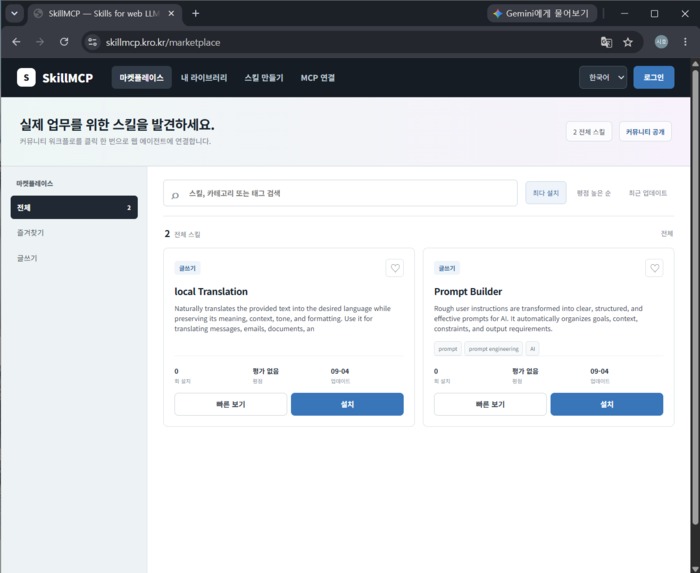
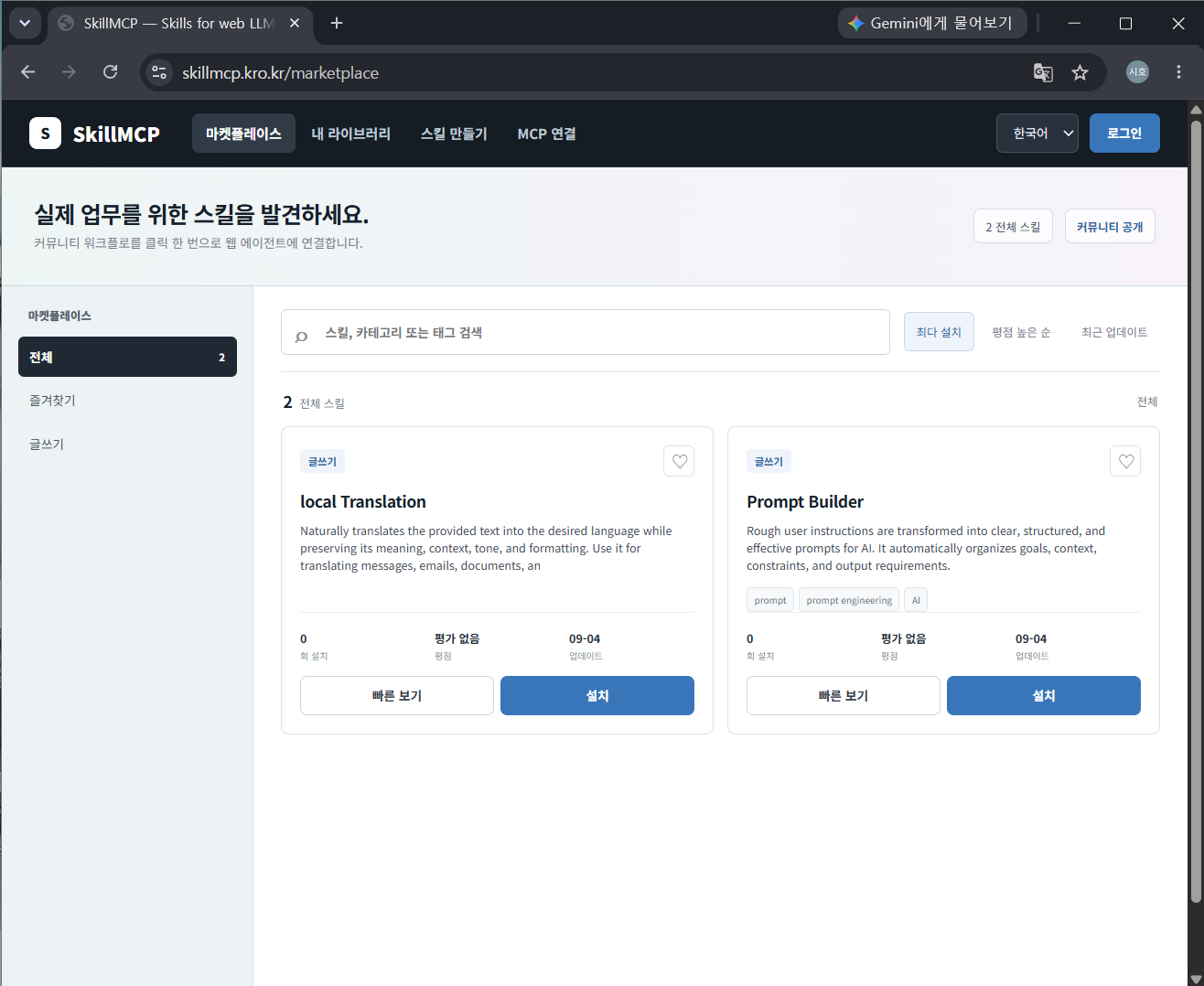
Marketplace Main Page
-
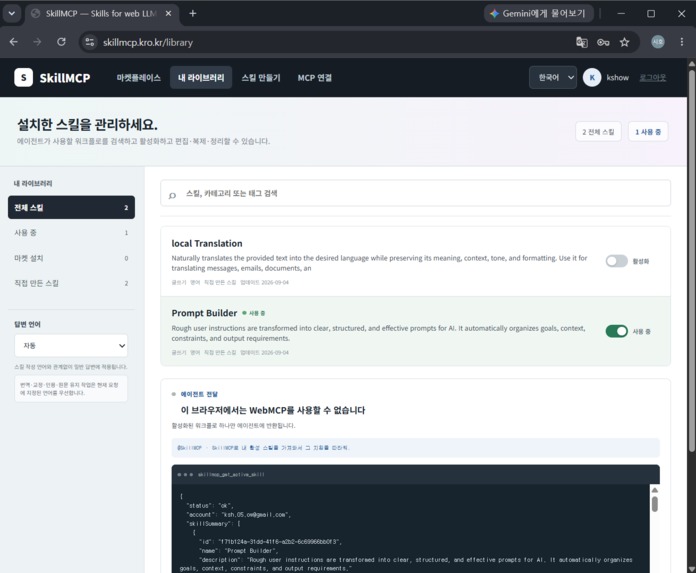
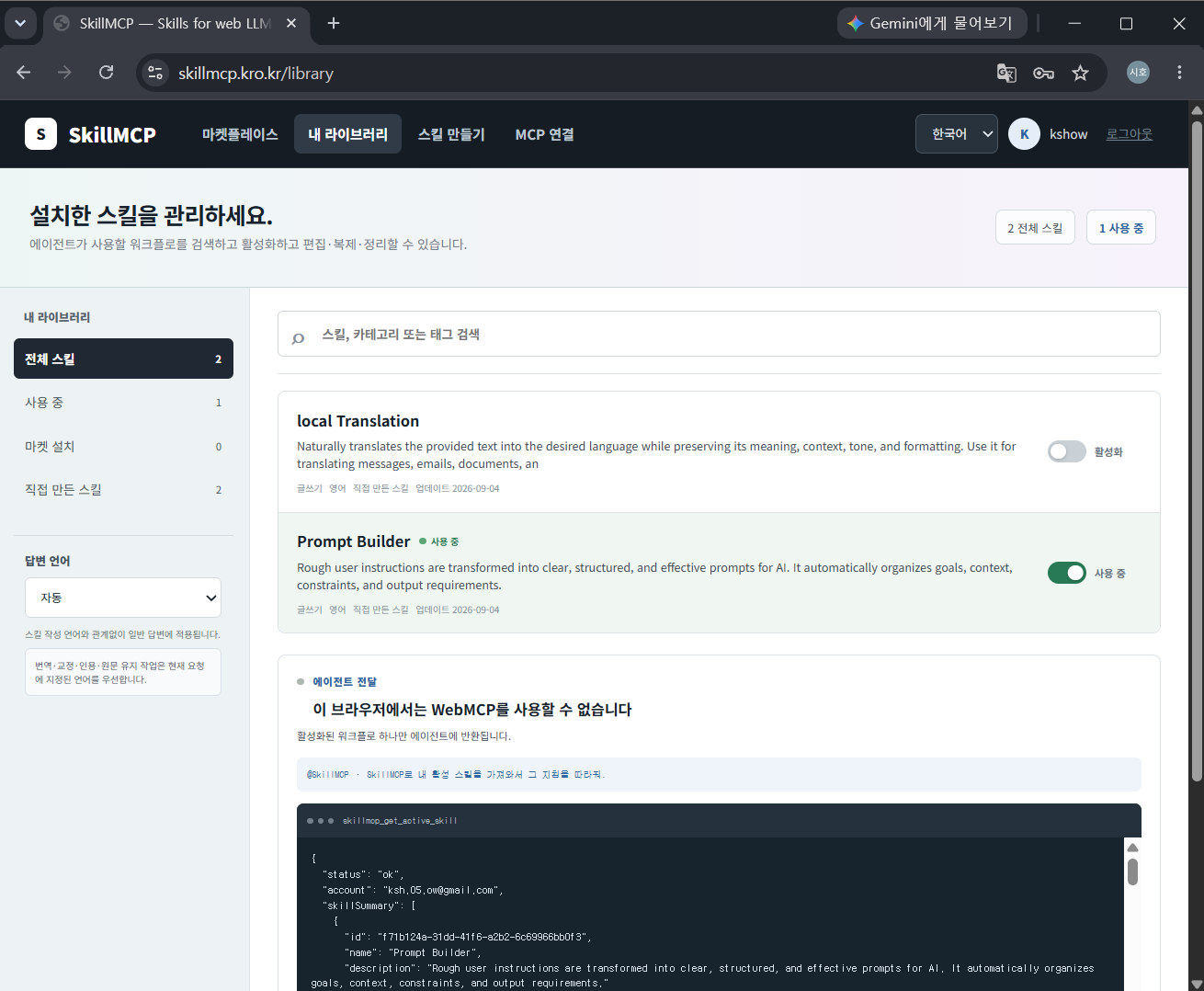
My Library
-
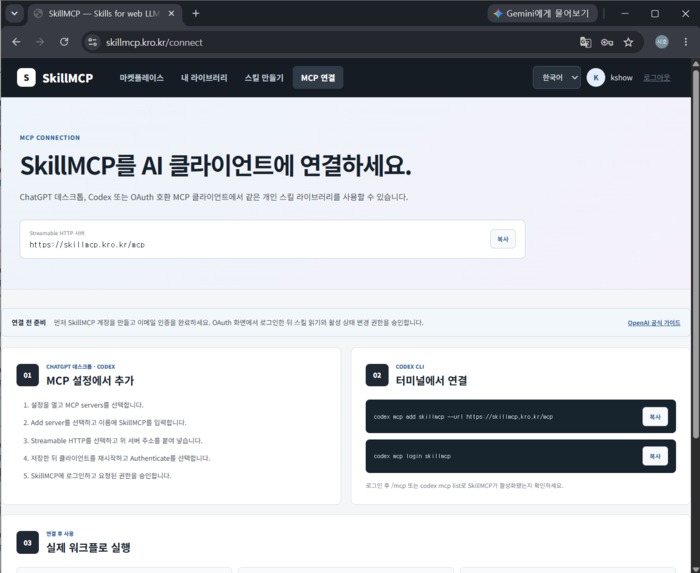
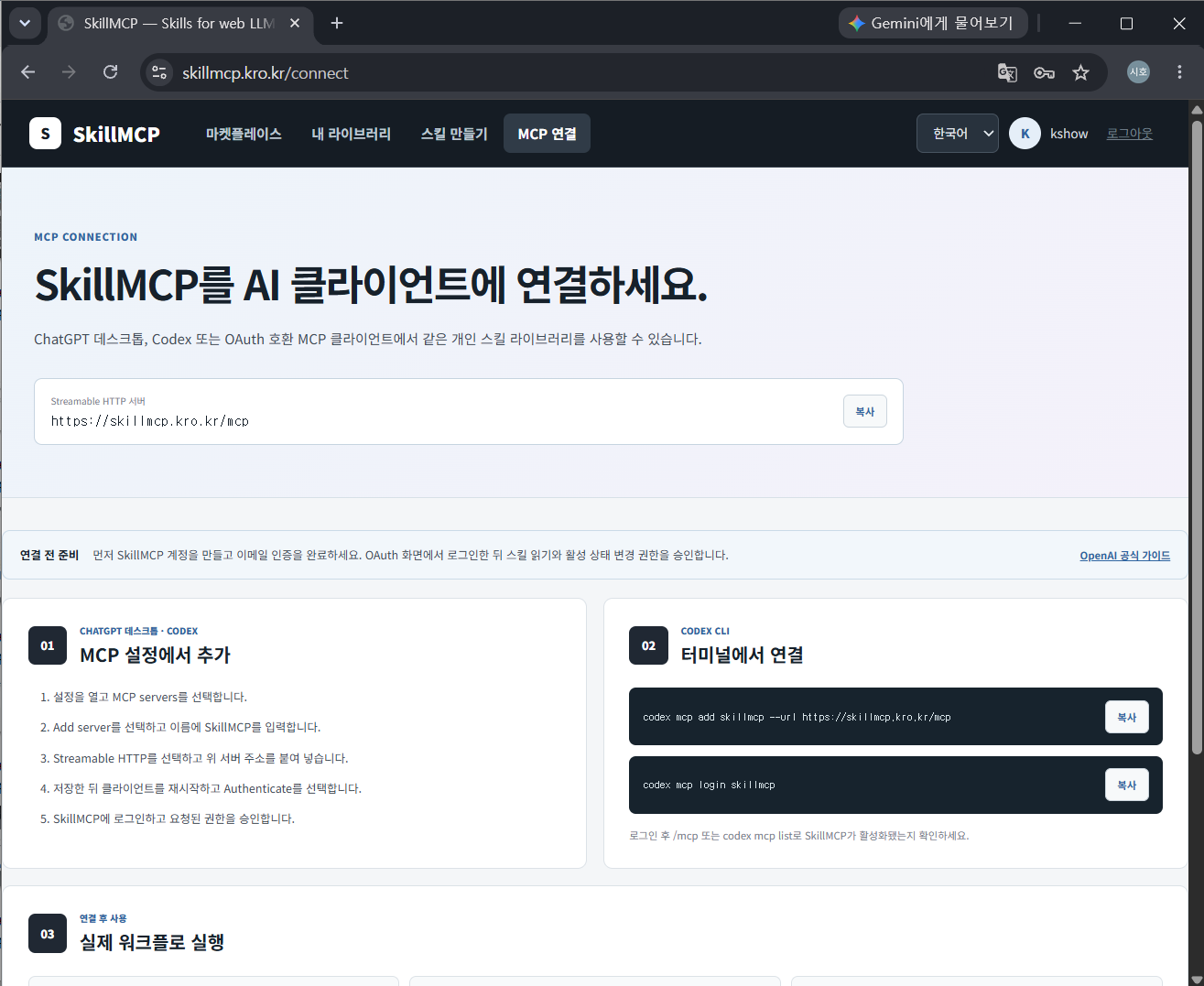
How to connect Mcp Page
-
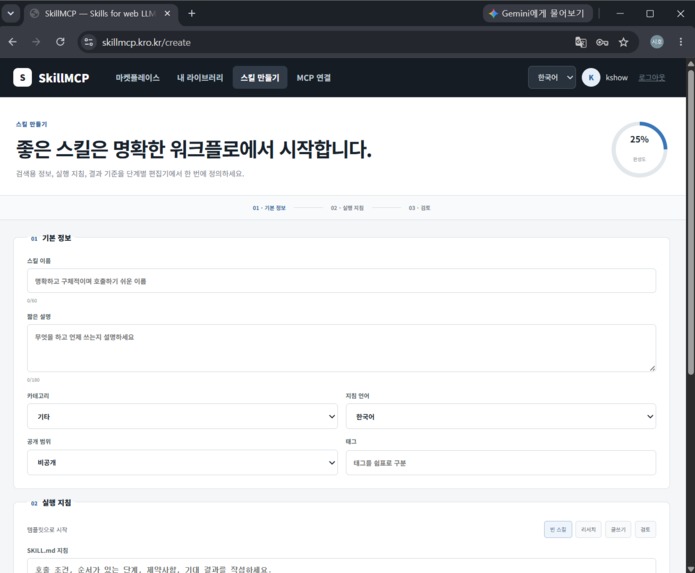
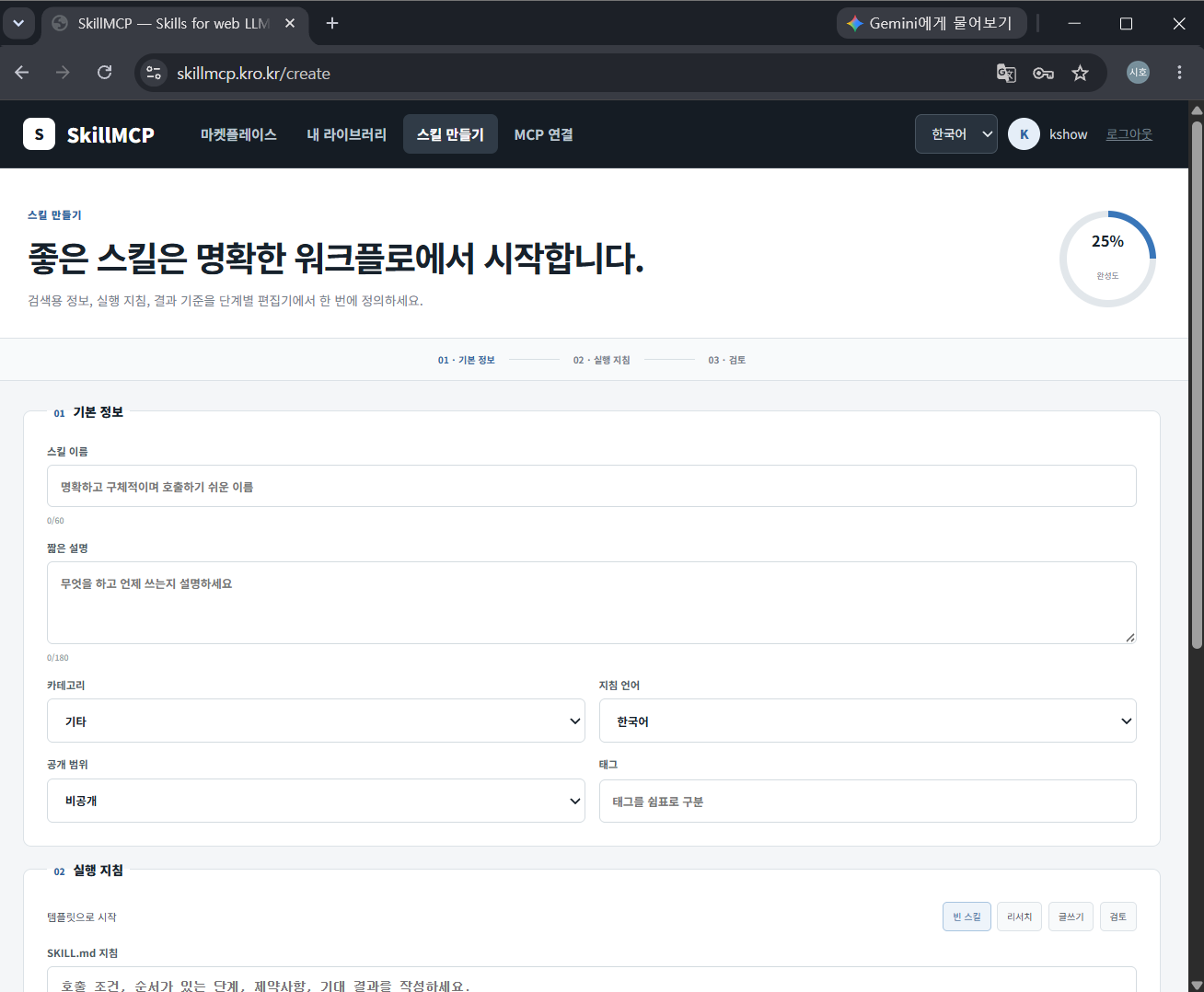
Skill Creator
-
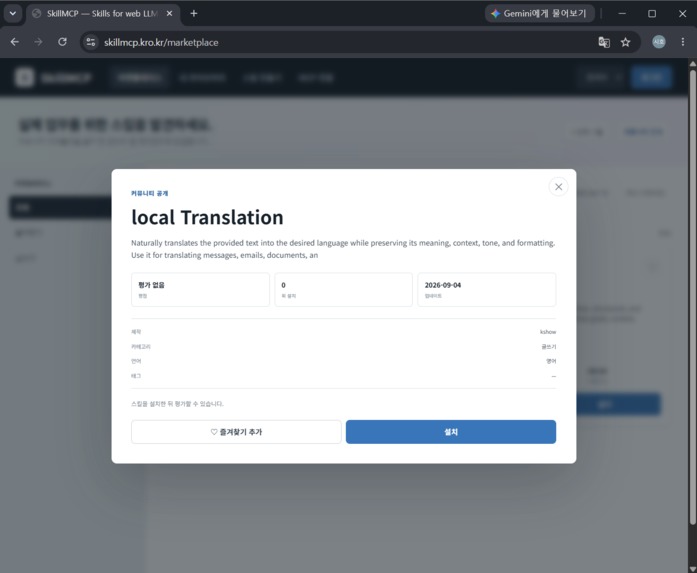
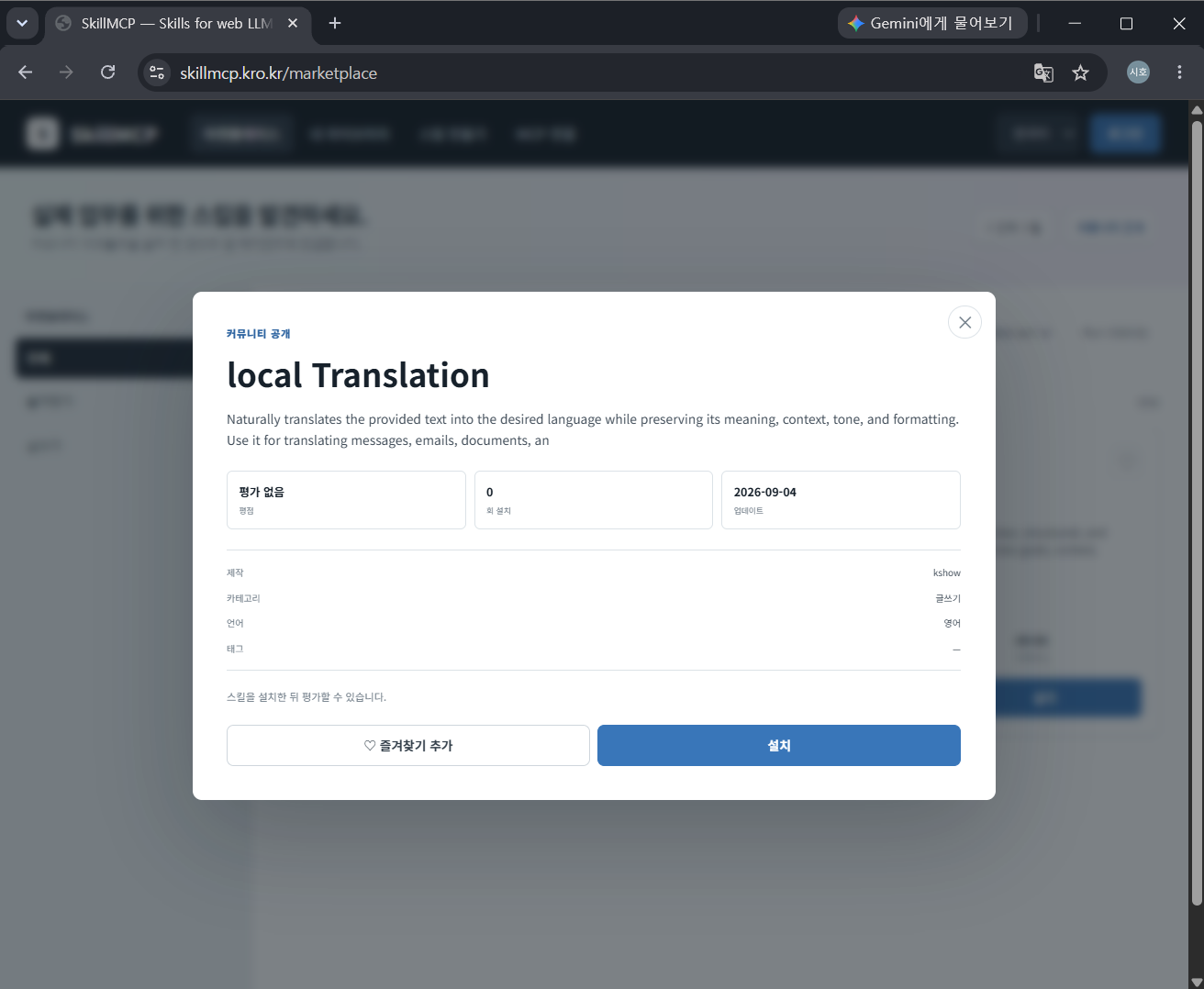
Skill Detail Page
-
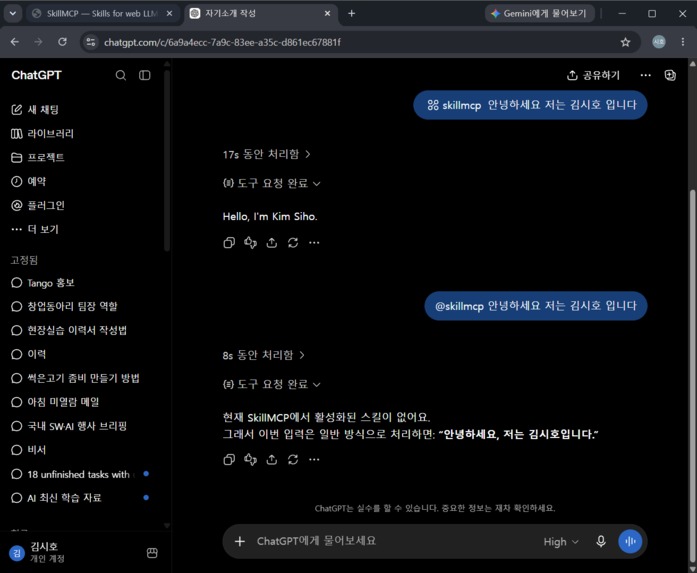
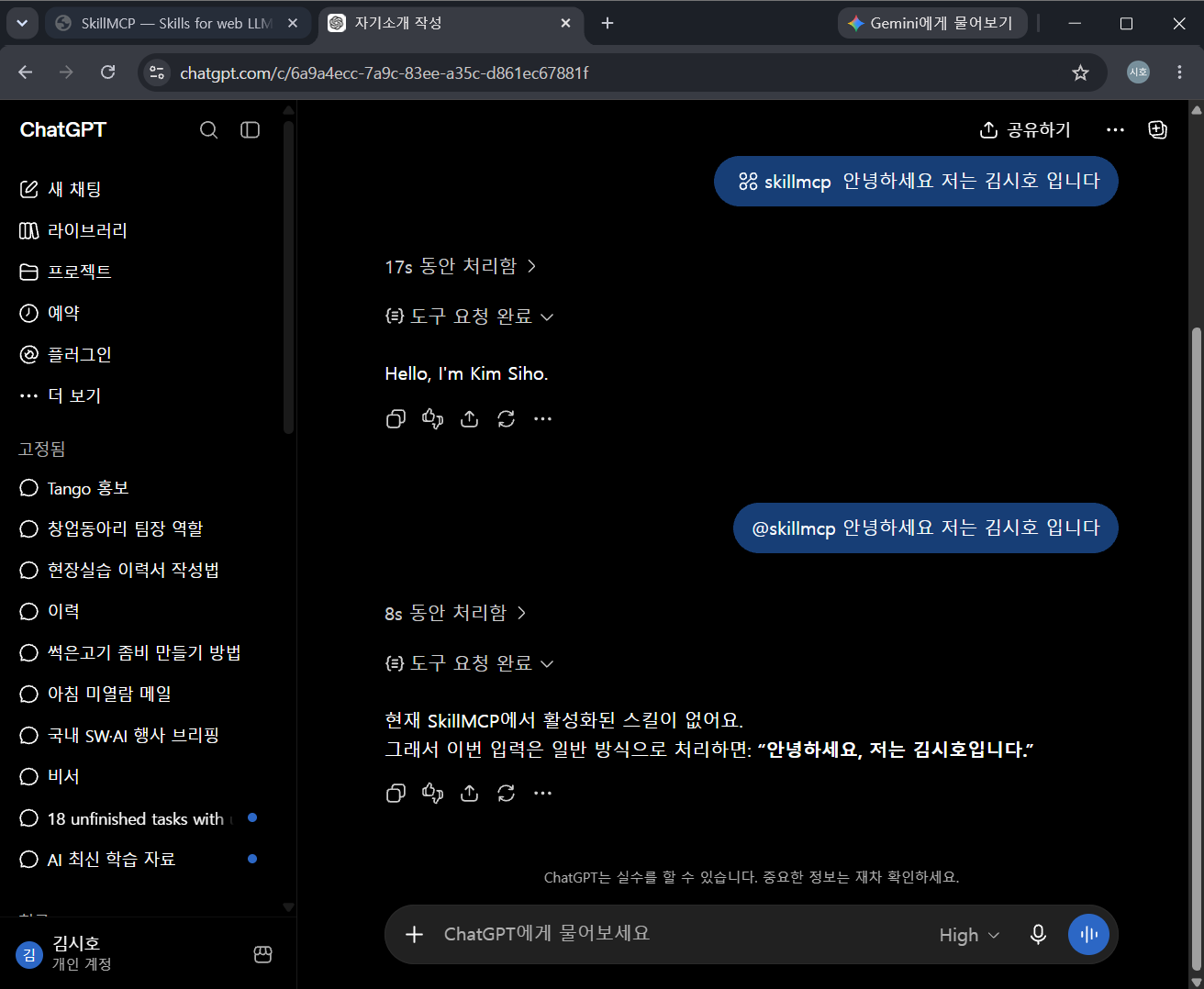
WebMCP in operation
-
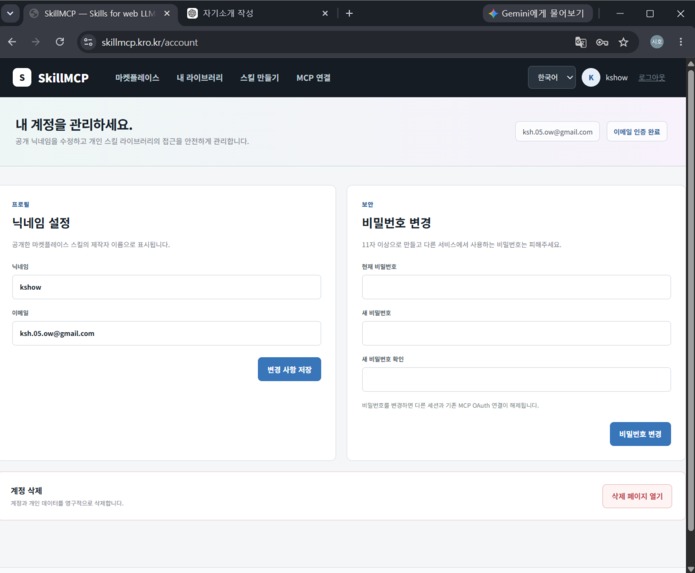
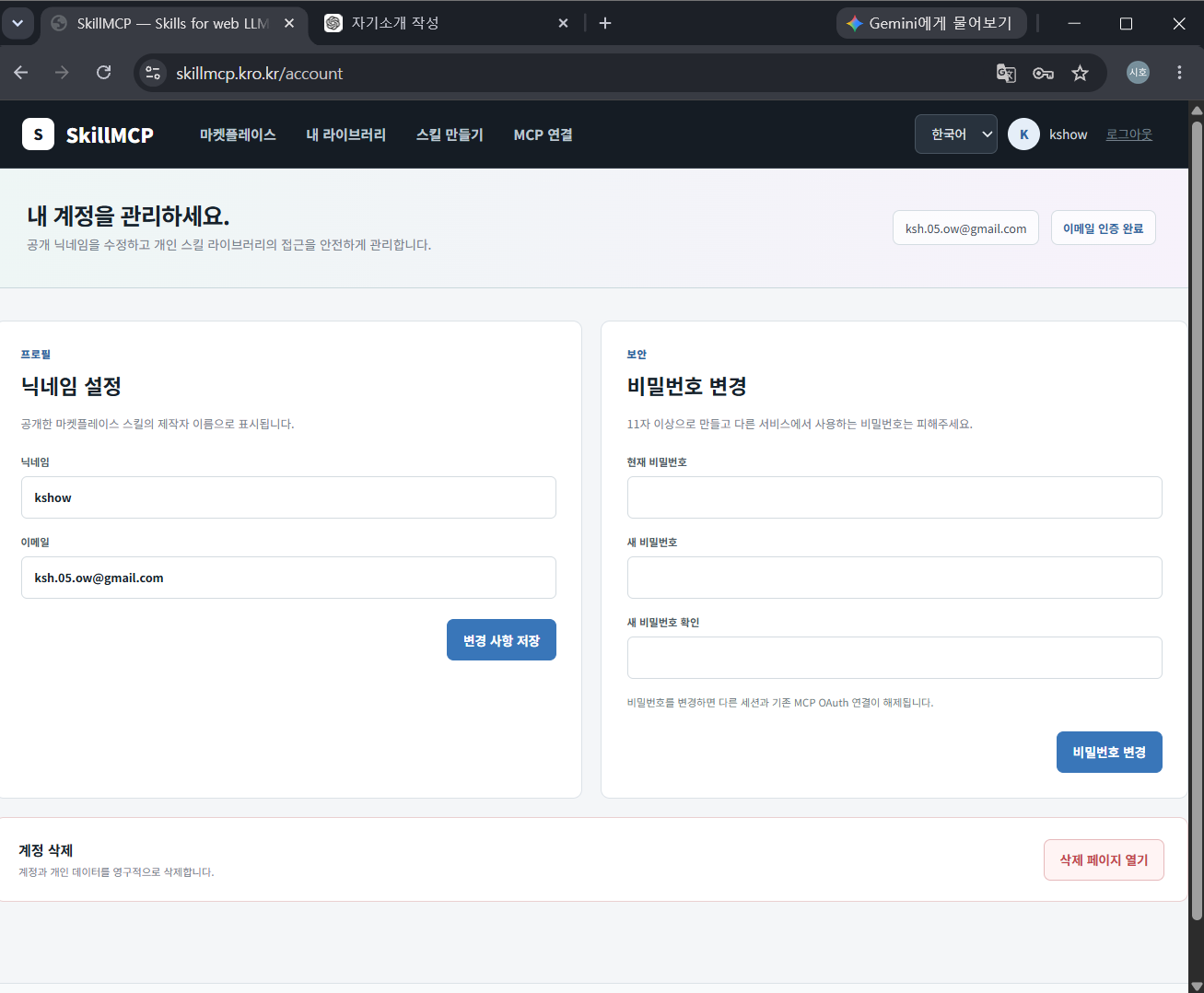
My Page
Inspiration
SkillMCP started with a simple question:
Why is it still difficult to use SKILL.md in web-based LLM environments?
SKILL.md is a useful way to define reusable instructions, workflows, rules, and procedures for AI. In local agents and development environments, these skill files can be connected directly to an agent or project and reused whenever needed.
However, the experience is very different when using general-purpose web LLMs.
Users often have to upload the same skill file again, paste long instructions into a conversation, or manually manage which instructions they want the model to follow.
I wanted to bring the SKILL.md experience from local agent environments into web LLMs.
Instead of repeatedly copying instructions, I wanted users to be able to install Skills once, manage them in a personal library, and let the web LLM access the active Skills directly.
That idea became SkillMCP.
What it does
SkillMCP is a platform for storing, installing, managing, and using SKILL.md-based Skills with web LLMs.
Users can browse a Skill Marketplace, discover Skills created for different tasks, and install them into their personal Library.
Installed Skills can be enabled or disabled, edited, duplicated, or customized for different workflows.
SkillMCP currently provides:
- A SKILL.md-based Skill Marketplace
- Skill search and category browsing
- Personal Skill Library management
- Skill installation
- Skill enable / disable controls
- Skill editing, duplication, and deletion
- SKILL.md previews
- A Skill creation interface
- Korean and English UI support
- Per-user Skill state management
- WebMCP integration for web LLM access
The main idea is not simply to store SKILL.md files on a website.
The web LLM can directly access the user's Skill Library and retrieve the instructions from currently enabled Skills through WebMCP.
Without WebMCP, users would still have to open SkillMCP, copy the contents of a Skill, return to the LLM, and paste it manually.
SkillMCP removes that step by making the website itself accessible to the AI.
In that sense, WebMCP acts as the bridge between SKILL.md and web-based LLMs.
How we built it
The first version of SkillMCP started with a very small goal:
Store Skills on the web and allow an LLM to retrieve them.
As development continued, I realized that a simple Skill repository would not be enough.
If users were going to use Skills continuously, they also needed a way to manage what they had installed, which Skills were active, and how those Skills could be customized.
That led to the Marketplace and Library structure.
The Marketplace allows users to discover and install public Skills, while the Library gives each user a dedicated space to manage their installed Skills.
I also built a Skill Creator so users can create and edit SKILL.md-based workflows directly from the platform.
The product experience was partly inspired by platforms such as Steam Workshop.
Just as users can discover, install, and manage mods, SkillMCP allows users to discover, install, and manage reusable AI Skills.
The frontend was built with React, and the backend manages user accounts, Skill data, personal Libraries, and enabled or disabled states.
The most important integration was WebMCP.
Through WebMCP, the webpage exposes the user's current Skill state to the LLM. This allows the AI to access the same Skill Library that the user is managing through the interface.
Instead of building a completely separate AI-specific backend workflow, the goal was to make the existing web application itself usable by both the user and the AI.
Challenges we ran into
One of the biggest challenges was keeping the Skill state consistent between SkillMCP and the web LLM.
Displaying Skills in a Marketplace was relatively straightforward.
The harder part was ensuring that the LLM could retrieve exactly the Skills enabled by the currently logged-in user.
For example, multiple users can install the same Skill, but each user must have an independent enabled or disabled state.
If a user edits a Skill, the LLM must also receive the latest version instead of an older copy.
Because of this, Skill IDs, user Libraries, activation states, and Skill contents all had to be designed as part of one consistent data flow.
Another challenge was making SkillMCP more than a simple prompt marketplace.
The project is not designed around one-time prompts that users copy into a chat.
A Skill represents reusable instructions that can define how an AI should perform a task, what rules it should follow, and what type of result it should produce.
The key difference is that these Skills can be managed persistently and accessed directly by a web LLM through WebMCP.
There were also many product-level challenges beyond the initial prototype, including authentication, multilingual UI, Skill management, user-specific data, state synchronization, and making the service feel like a complete product rather than a technical demo.
Accomplishments that we're proud of
The part I am most proud of is that SkillMCP evolved from a small SKILL.md experiment into a working web platform.
Instead of only demonstrating a WebMCP tool call, the project now includes a complete user flow:
discover a Skill → install it → manage it in the Library → enable it → make it available to a web LLM
I am also proud that WebMCP is connected to the core purpose of the project rather than being added only as a demonstration feature.
SkillMCP was created specifically because I wanted SKILL.md to work more naturally in web LLM environments, and WebMCP made it possible to connect the user's web-based Skill Library directly to the AI.
The project also grew to include:
- A public Marketplace
- Personal user Libraries
- Skill creation and editing
- Persistent Skill state
- Multilingual support
- User authentication
- A deployed web service
- WebMCP-based Skill access
Most importantly, the project demonstrates that a web application can become more than an interface for a human user.
It can also become an extension layer that the AI itself can interact with.
What we learned
The biggest thing I learned from this project is that WebMCP is not simply a way to add AI-accessible actions to a website.
When a web application exposes its existing user state and functionality to an LLM, it can remove many of the manual steps that normally exist between a user, a website, and an AI.
In SkillMCP, that manual step was repeatedly transferring SKILL.md instructions into the LLM.
By exposing the user's active Skills through WebMCP, the website can handle that connection instead.
I also learned that the user experience around AI instructions is just as important as the instructions themselves.
As the number of Skills grows, users need ways to search, organize, activate, edit, and understand them.
That is why SkillMCP gradually became a Marketplace and Library system rather than remaining a simple file storage tool.
Most importantly, I learned that the same web interface can serve both humans and AI.
The user manages Skills through the UI, while the LLM can access the same underlying state through WebMCP.
That shared environment opens up many possibilities beyond this project.
What's next for SkillMCP
The next step is to make SkillMCP more autonomous and more deeply integrated with web LLMs.
Future features include:
- Allowing web LLMs to search the Skill Marketplace directly
- Recommending Skills based on natural-language requests
- Allowing AI to install and enable Skills
- Allowing AI to create or modify Skills
- Combining multiple Skills into reusable workflows
- Detecting conflicts between Skill instructions
- Skill versioning and update management
- Creator profiles and community features
- Better Skill discovery and ranking
- Integration with more web-based AI platforms
The long-term goal is to make SKILL.md usable beyond specific local agent environments.
I want SkillMCP to become a shared Skill layer where users can discover, install, manage, and reuse AI workflows across web-based LLM environments.
SkillMCP brings SKILL.md from local agents into the web LLMs people already use every day.
Built With
- ai
- amazon-web-services
- amazoneec2
- css
- git
- github
- html5
- https
- javascript
- llm
- mcp
- node.js
- react
- restapi
- skill.md
- vite
- webmcp

Log in or sign up for Devpost to join the conversation.