Inspiration
AI and "vibe-coding" have completely changed how students start building software—anyone can generate a working prototype in minutes. However, the biggest wall beginner builders hit isn't writing code anymore; it's figuring out what went wrong when AI-generated code breaks. When an LLM introduces a subtle race condition, an infinite useEffect loop, or an off-by-one bug, beginners are left staring at cryptic stack traces and blindly re-prompting without actually learning how the code executes. Inspired by CodeStarters' mission to make computer science more accessible, I wanted to build a visual "flight recorder" that turns broken AI code into an interactive learning experience.
What it does
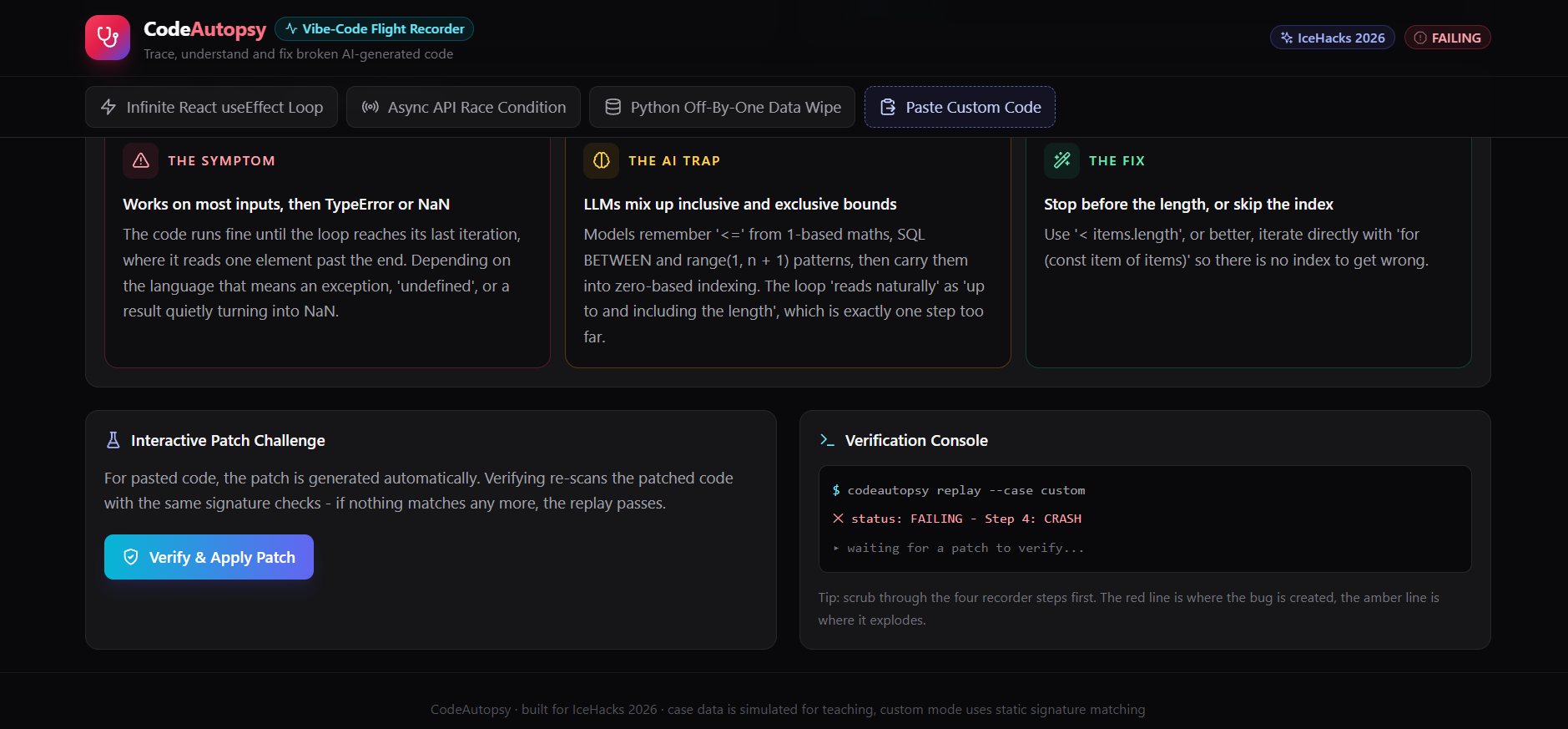
CodeAutopsy is an interactive forensic debugger designed specifically for student builders and vibe-coders:
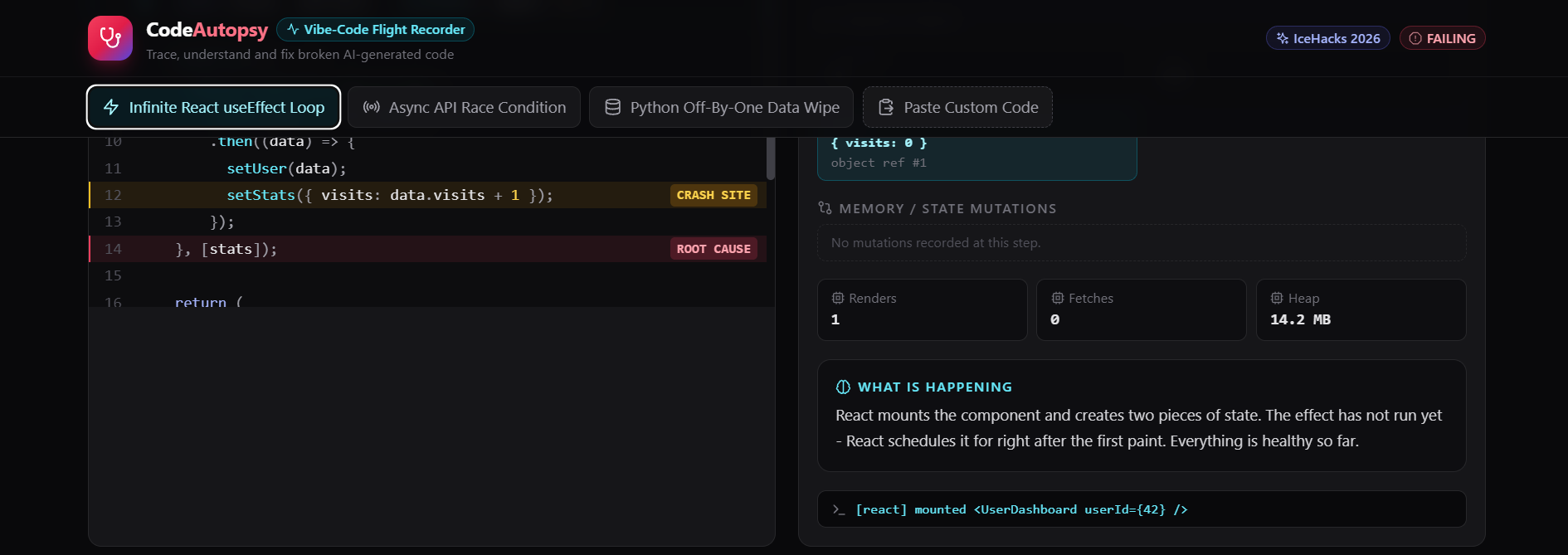
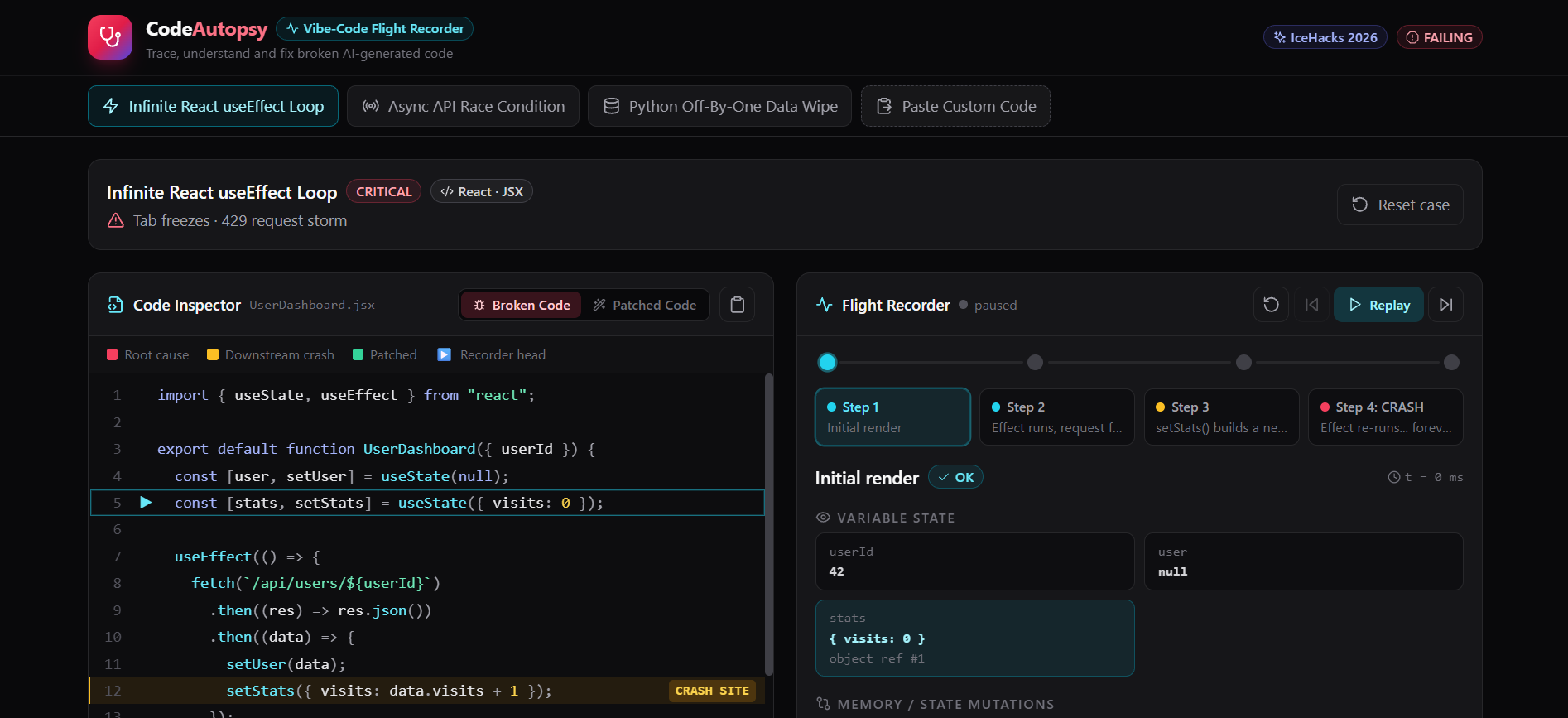
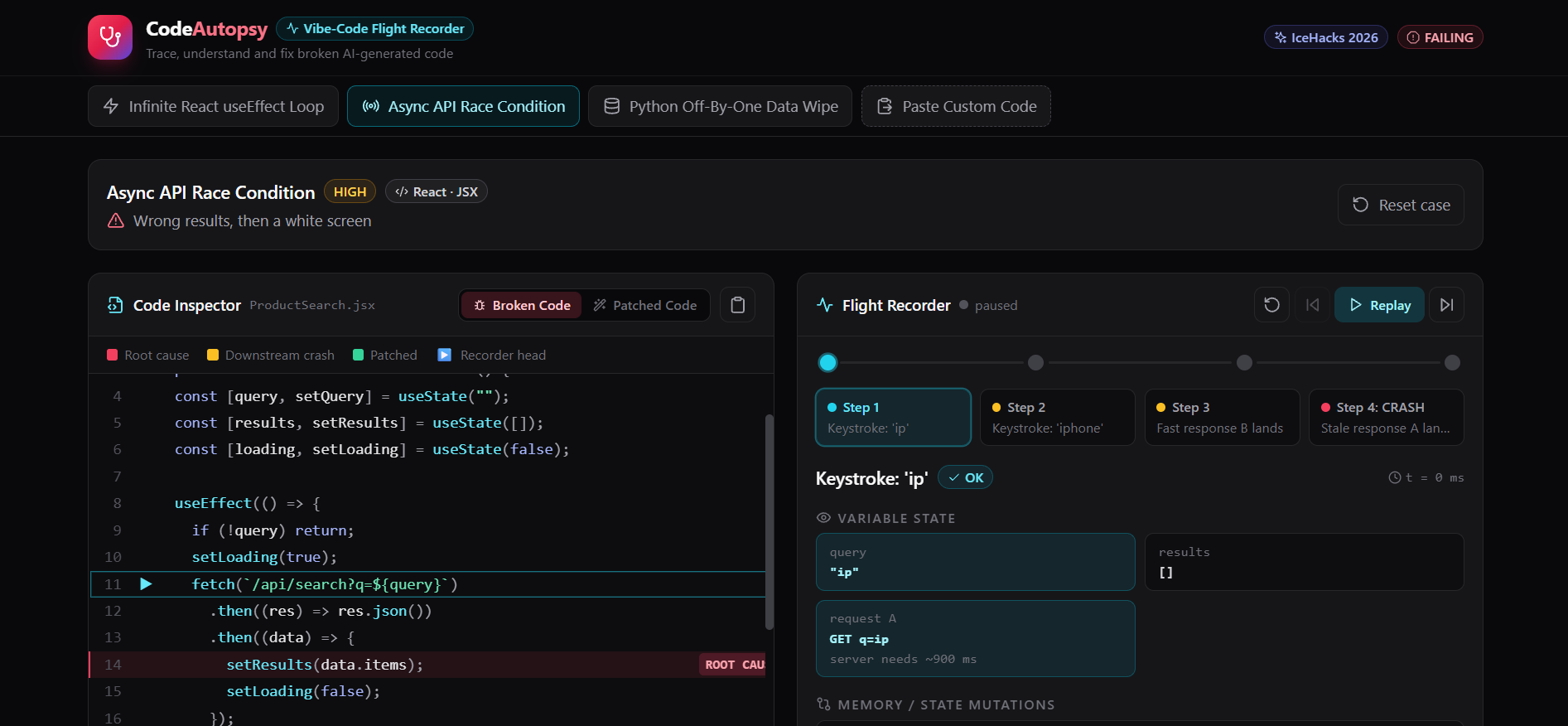
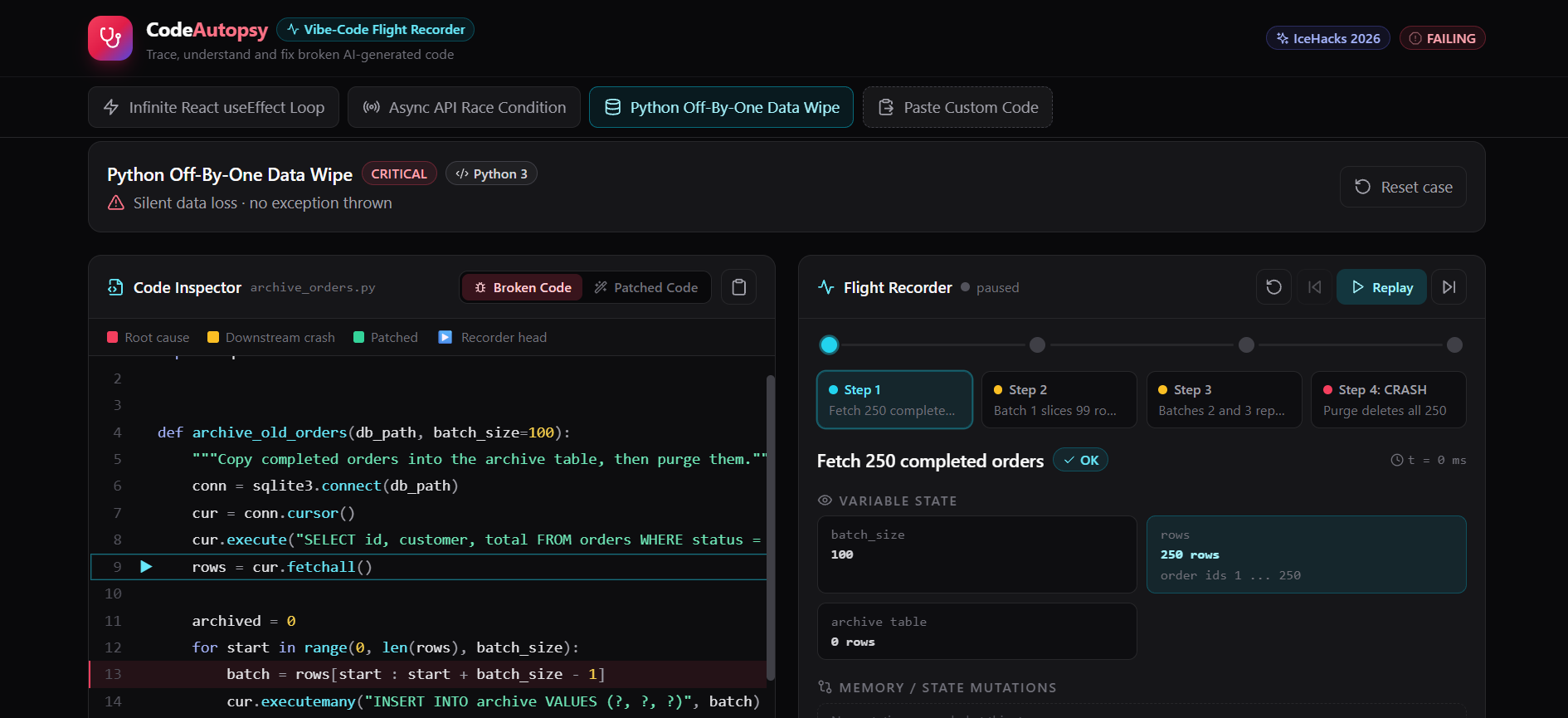
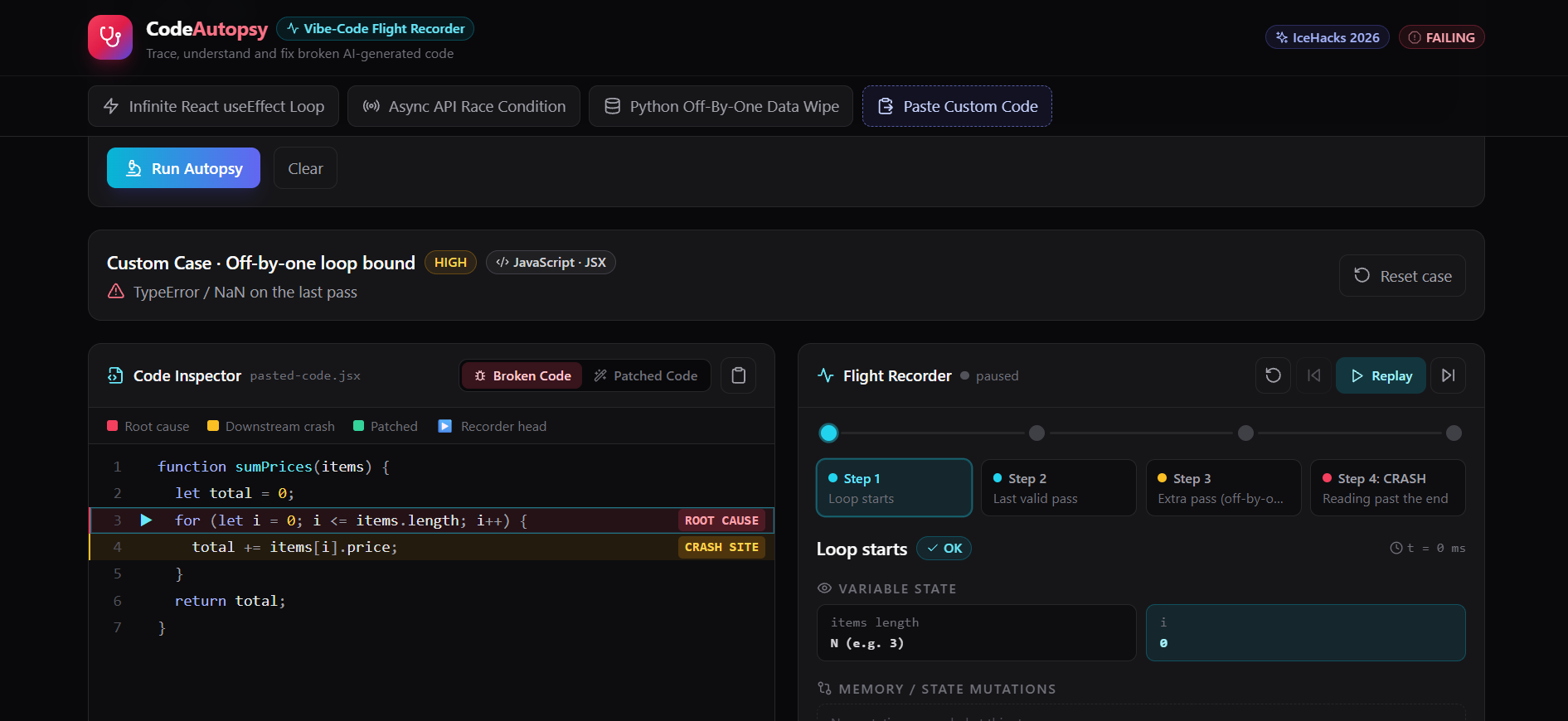
- Flight Recorder Timeline: Instead of static text explanations, CodeAutopsy lets users step chronologically through an execution failure (
Step 1toCRASH), inspecting variable states, memory mutations, and plain-English breakdowns at each point. - Root-Cause Code Inspector: Highlights both the exact Root Cause Line (where the AI logic went wrong) and the Downstream Crash Line (where the app actually blew up), allowing beginners to see the cause-and-effect chain clearly.
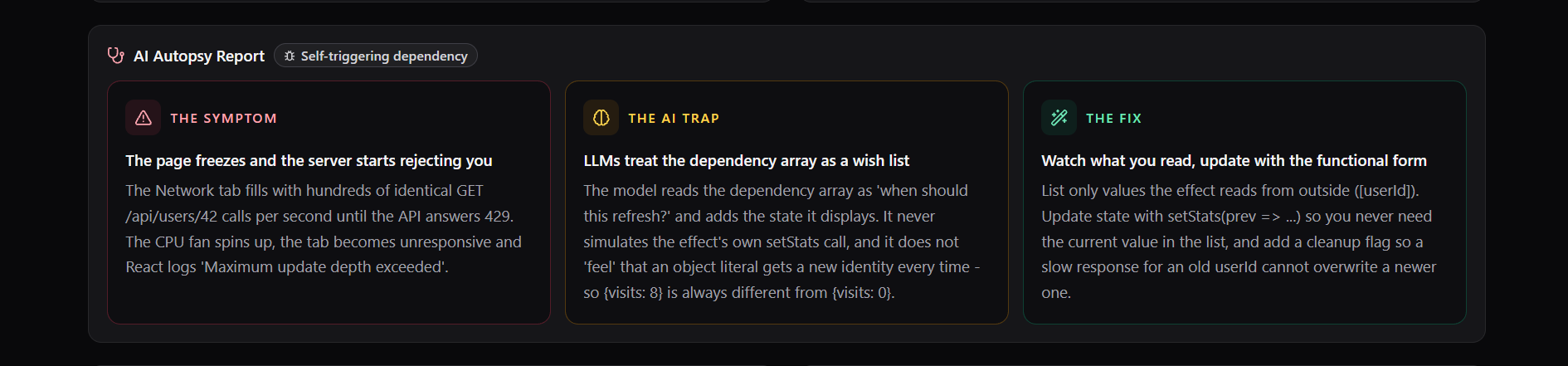
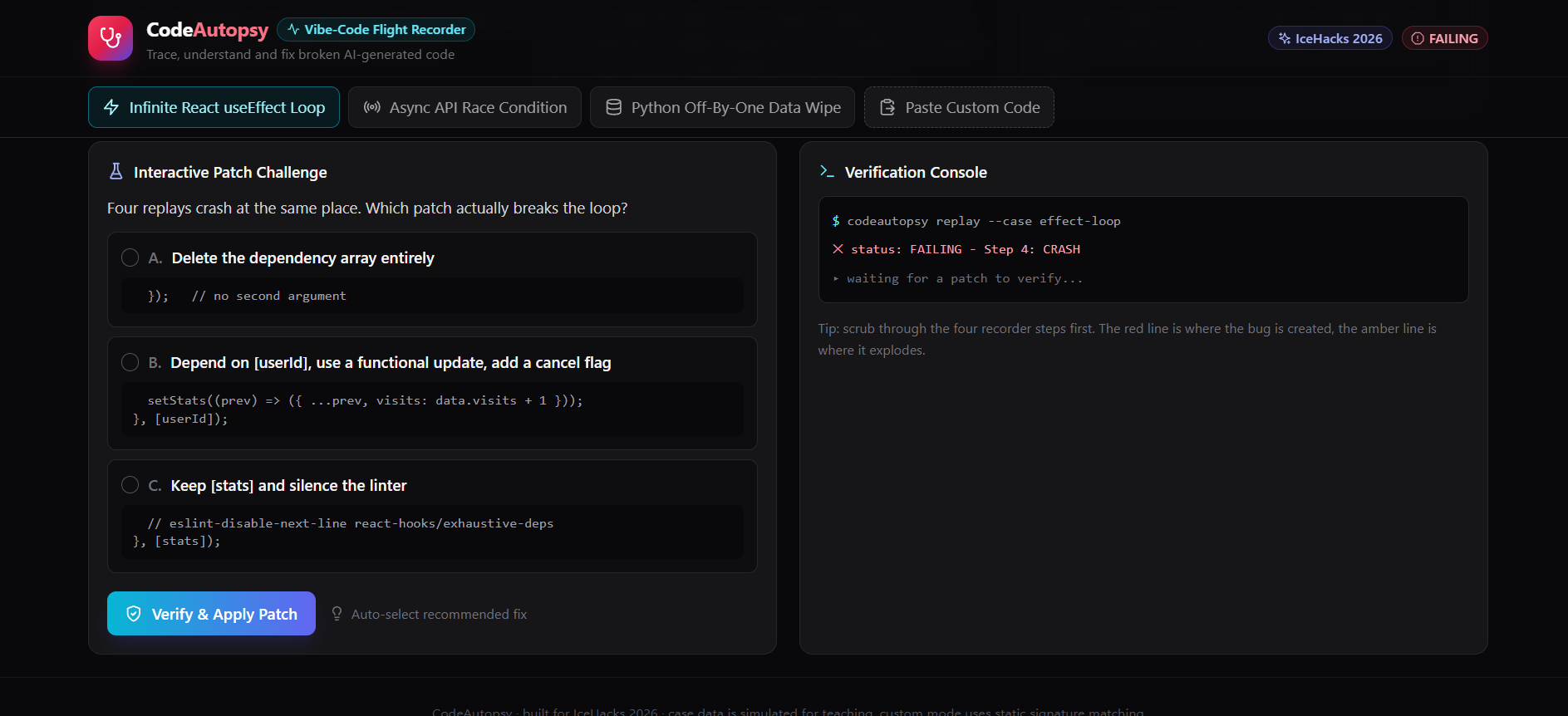
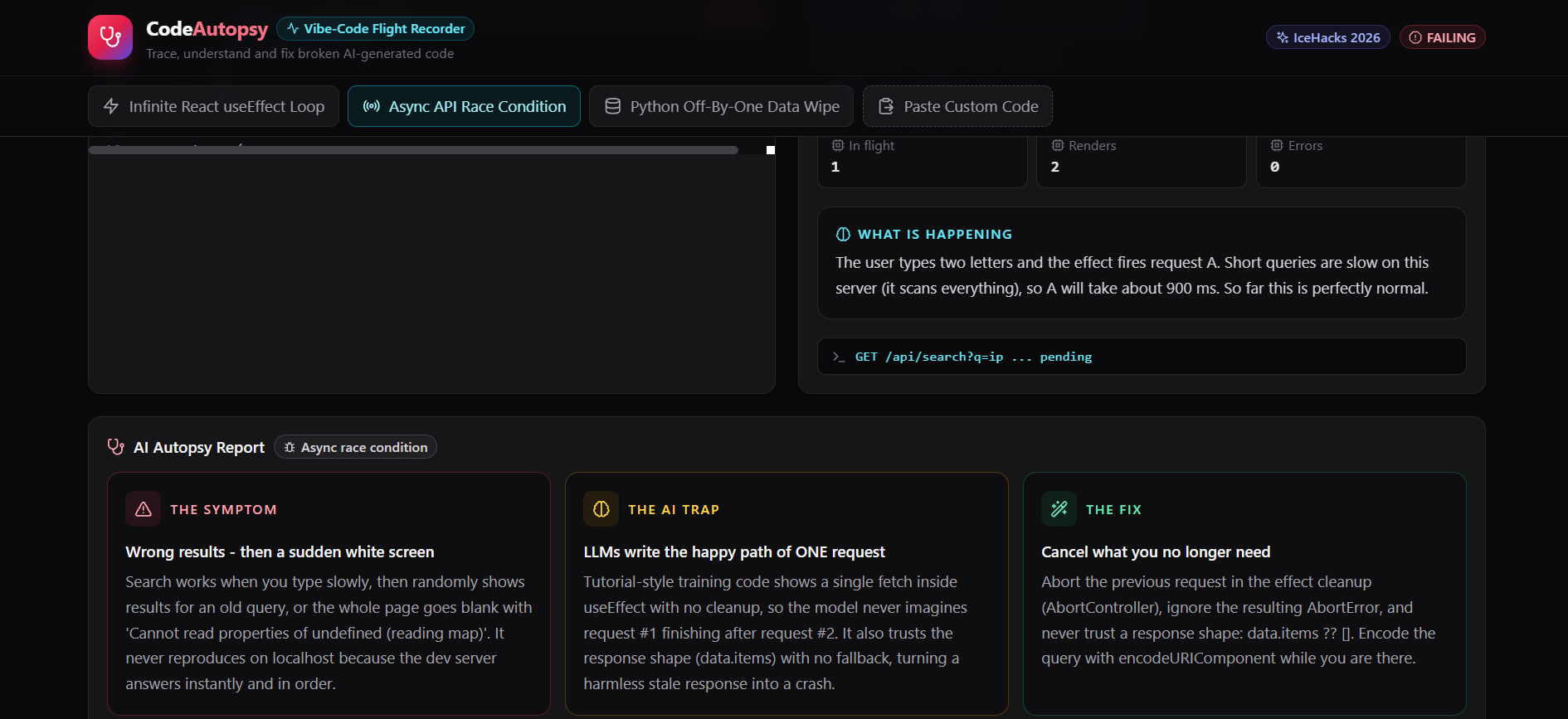
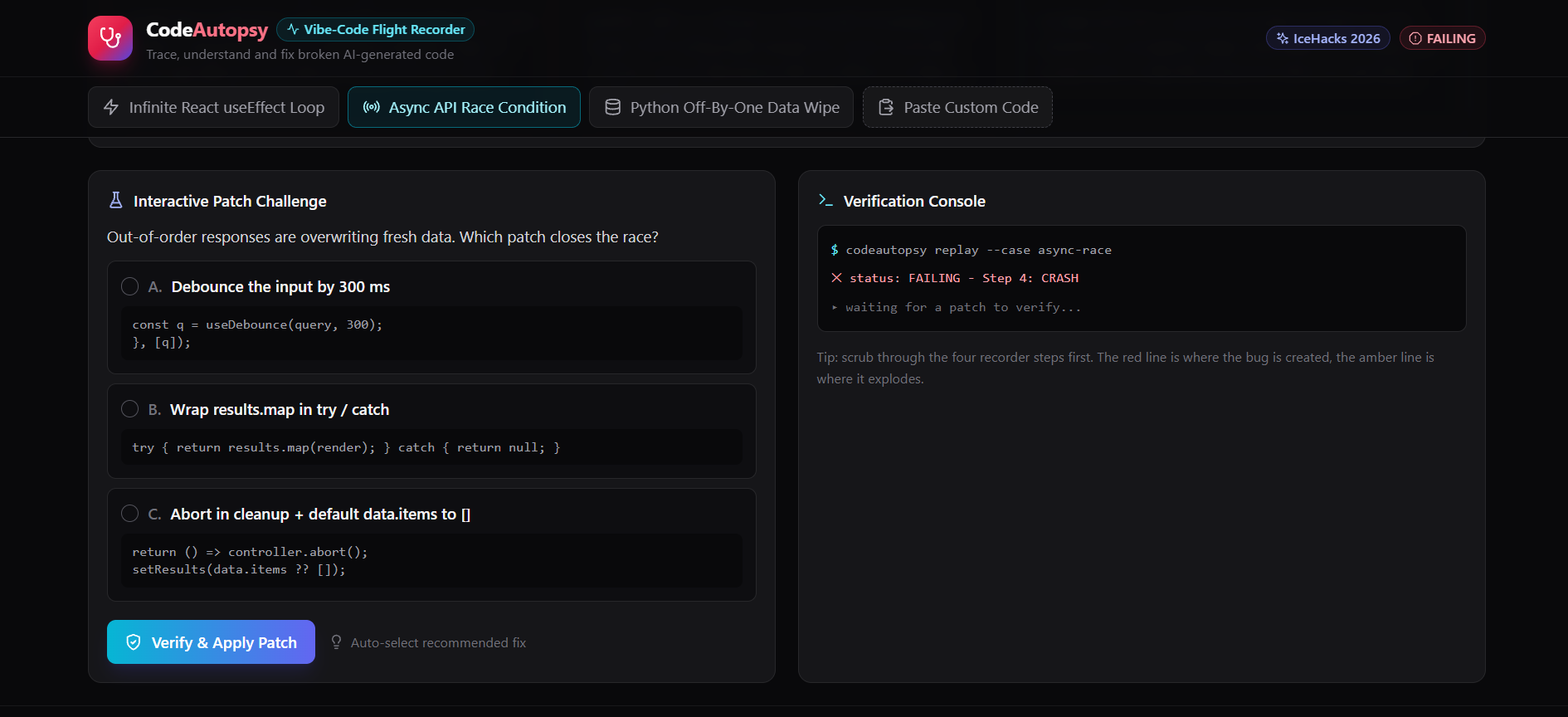
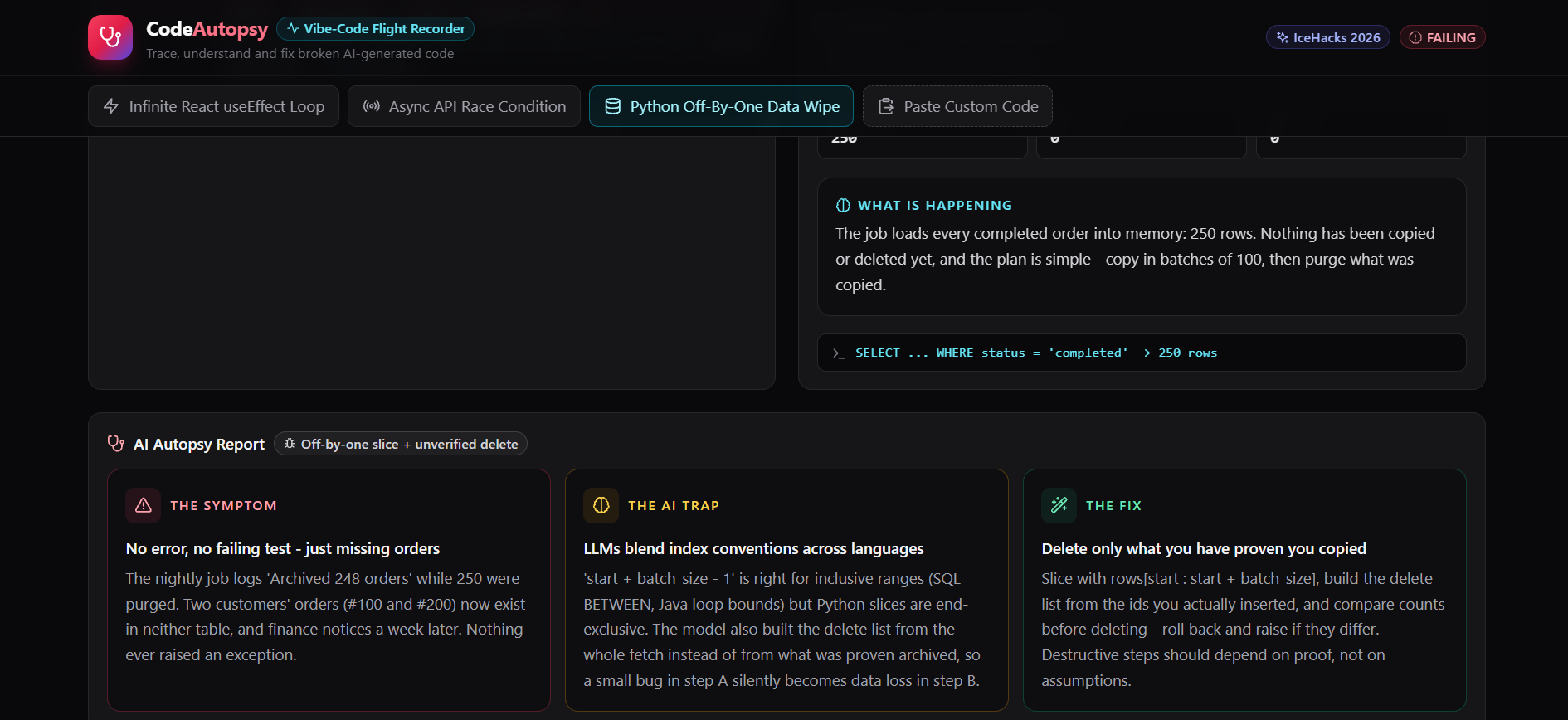
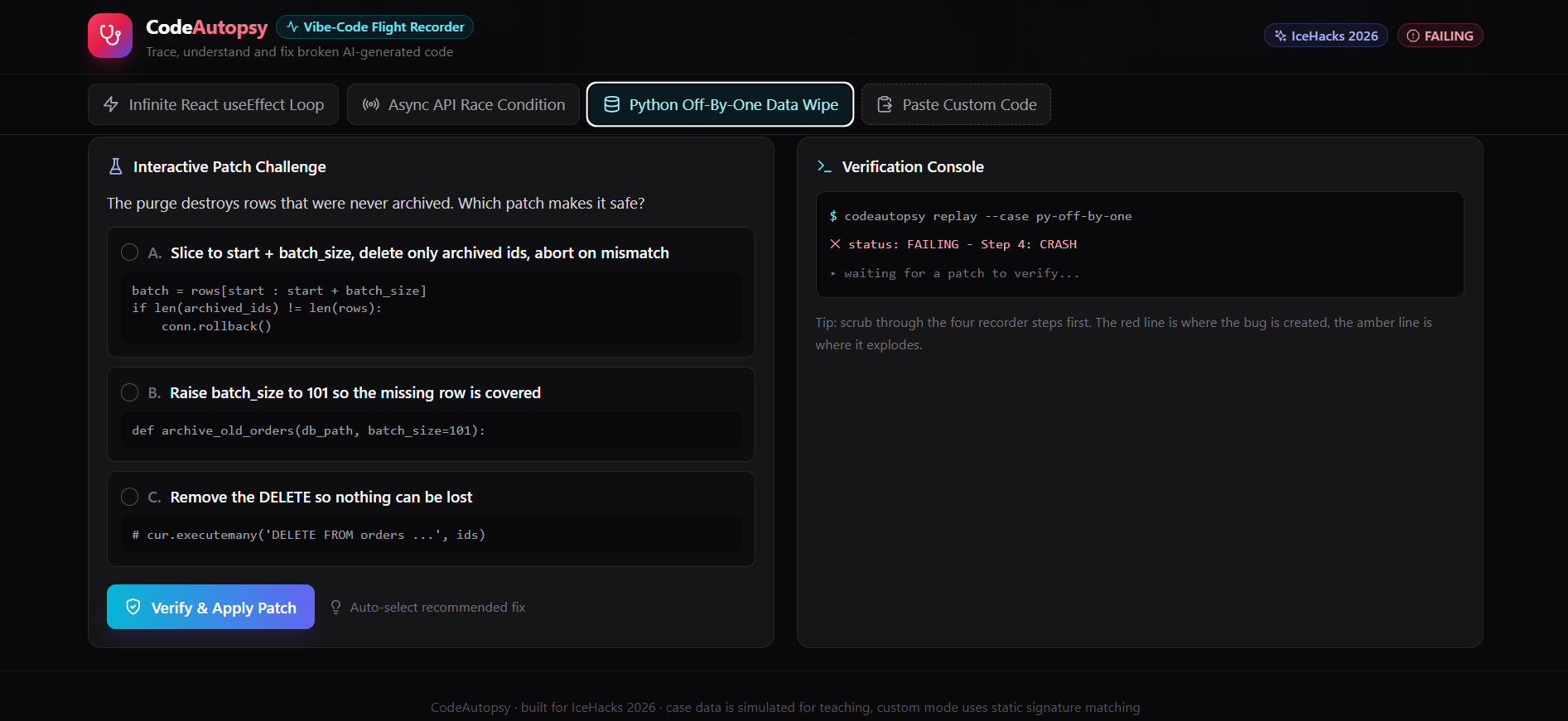
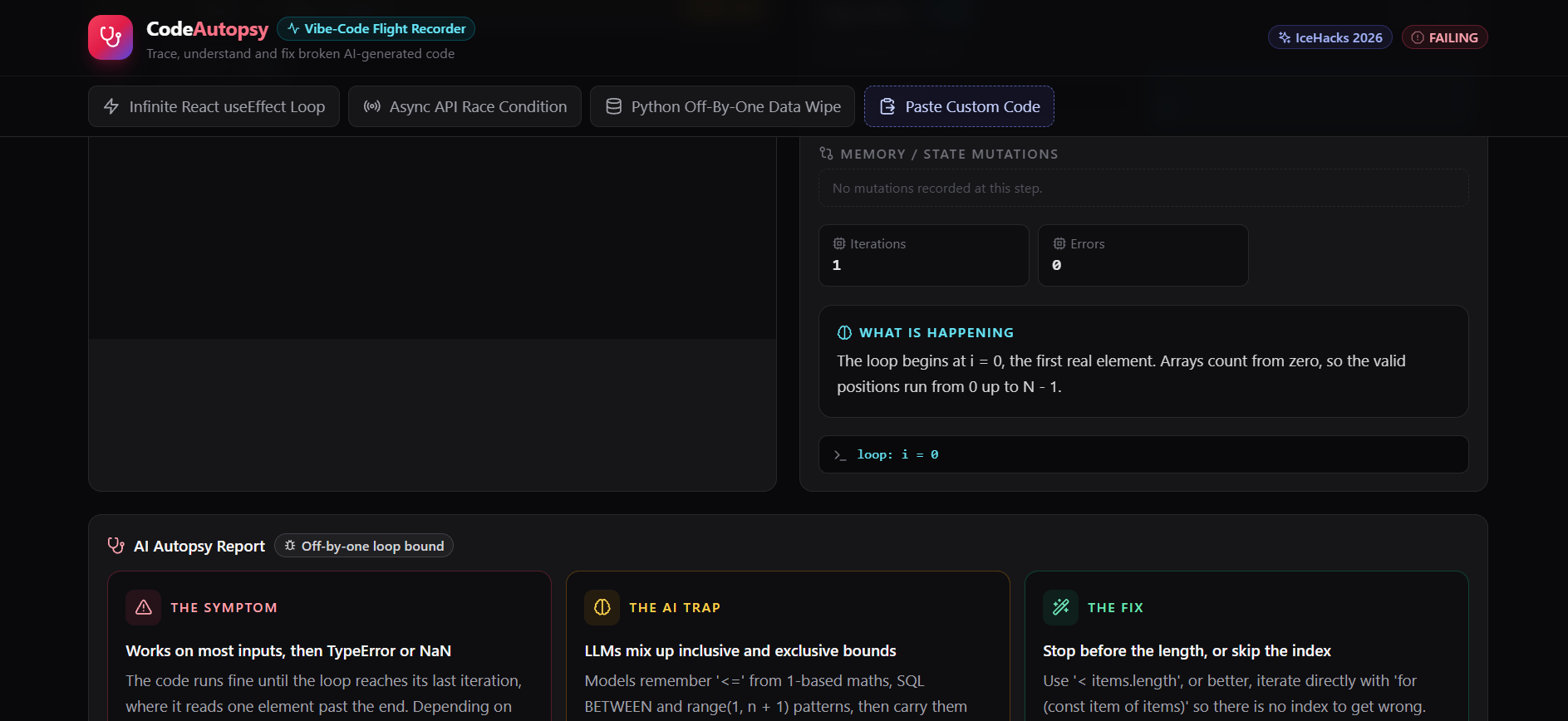
- AI Trap Diagnostics & Patch Verification: Explains why LLMs commonly make each specific mistake ("The AI Trap") and lets users apply and verify the fix interactively to turn failing states green.
How I built it
I designed and built CodeAutopsy as a responsive, single-page React application styled with Tailwind CSS and Lucide icons. To match the "flight recorder" concept, I crafted a dark forensic lab interface with high-contrast crimson error states, amber downstream indicators, and emerald patch confirmations. For the workflow, I used Gemini for system architecture, problem framing, and Devpost documentation, alongside Claude for rapid UI scaffolding and interactive component generation—explicitly embracing IceHacks' AI-assisted building philosophy.
Challenges I ran into
- Balancing Depth with Beginner Clarity: Traditional debuggers overwhelm new coders with raw call stacks, while overly simple tutorials feel trivial. Designing a step-by-step state timeline that shows real variable mutations without drowning beginners in jargon took several iterations.
- Designing Realistic AI Failure Cases: I wanted the built-in case studies (such as infinite React re-render loops and async API race conditions) to reflect bugs that LLMs actually produce in real student projects rather than contrived textbook syntax errors.
Accomplishments that I'm proud of
- Turning abstract debugging concepts—like asynchronous race conditions and state mutation loops—into something visual, clickable, and intuitive in under 30 seconds of using the app.
- Building a cohesive, polished developer tool solo during the hackathon window while documenting the exact AI workflow used to bring it to life.
What I learned
Building CodeAutopsy reinforced that great developer tools for beginners shouldn't just give away the answer—they should build mental models. By visualizing how state changes one step before a crash, students naturally start recognizing patterns in AI-generated code and become more confident engineers.
What's next for CodeAutopsy
- Live AST & LLM Sandbox: Integrating real-time static analysis and live LLM execution traces so students can paste any broken snippet from their own hackathon repo and generate a custom flight-recorder timeline on the fly.
- GitHub PR Integration: Adding a lightweight browser extension or GitHub bot that automatically attaches a visual CodeAutopsy trace whenever a beginner's pull request fails CI checks.
Built With
- css3
- html5
- javascript
- lucide-react
- react
- tailwindcss

