SketchToLife AR Designer - Hackathon Submission
Inspiration
I've always been frustrated by how long it takes to digitize sketches. As someone who works with designers, I've seen them spend hours redrawing floor plans or recreating fashion sketches that were already perfect on paper.
The idea hit me during a hackathon brainstorming session - what if we could just take a photo of a sketch and have AI understand it? Not just read the text, but actually understand what the designer was trying to create. That's when SketchToLife was born.
We wanted to bridge the gap between traditional sketching (where ideas flow naturally) and digital tools (where you need precision but the process is tedious). The goal was simple: make the transition from paper to digital as seamless as possible.
What it does
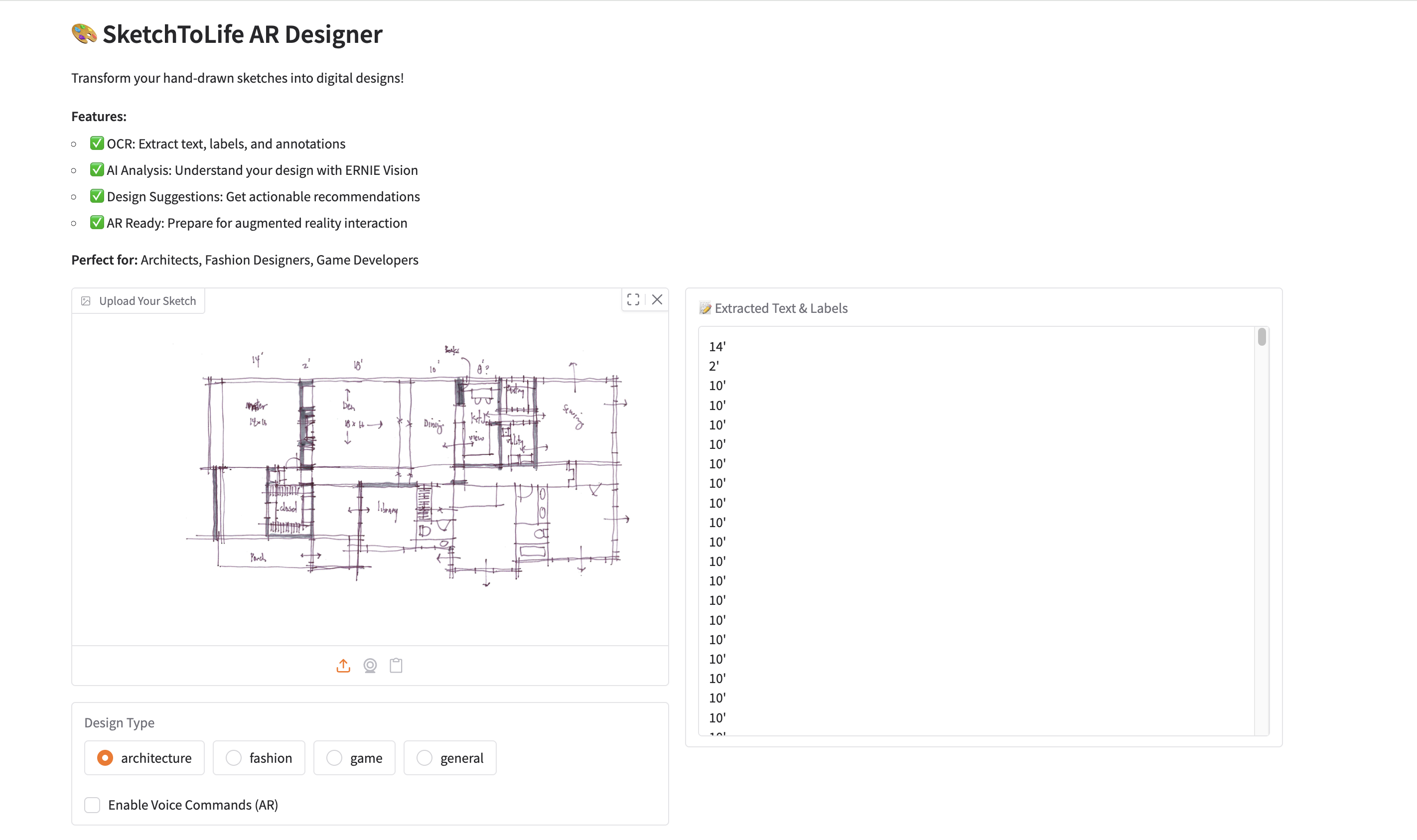
SketchToLife is an app that turns hand-drawn sketches into digital designs. Here's how it works:
You upload a photo of your sketch - could be an architectural floor plan, a fashion design, or game concept art. The app then:
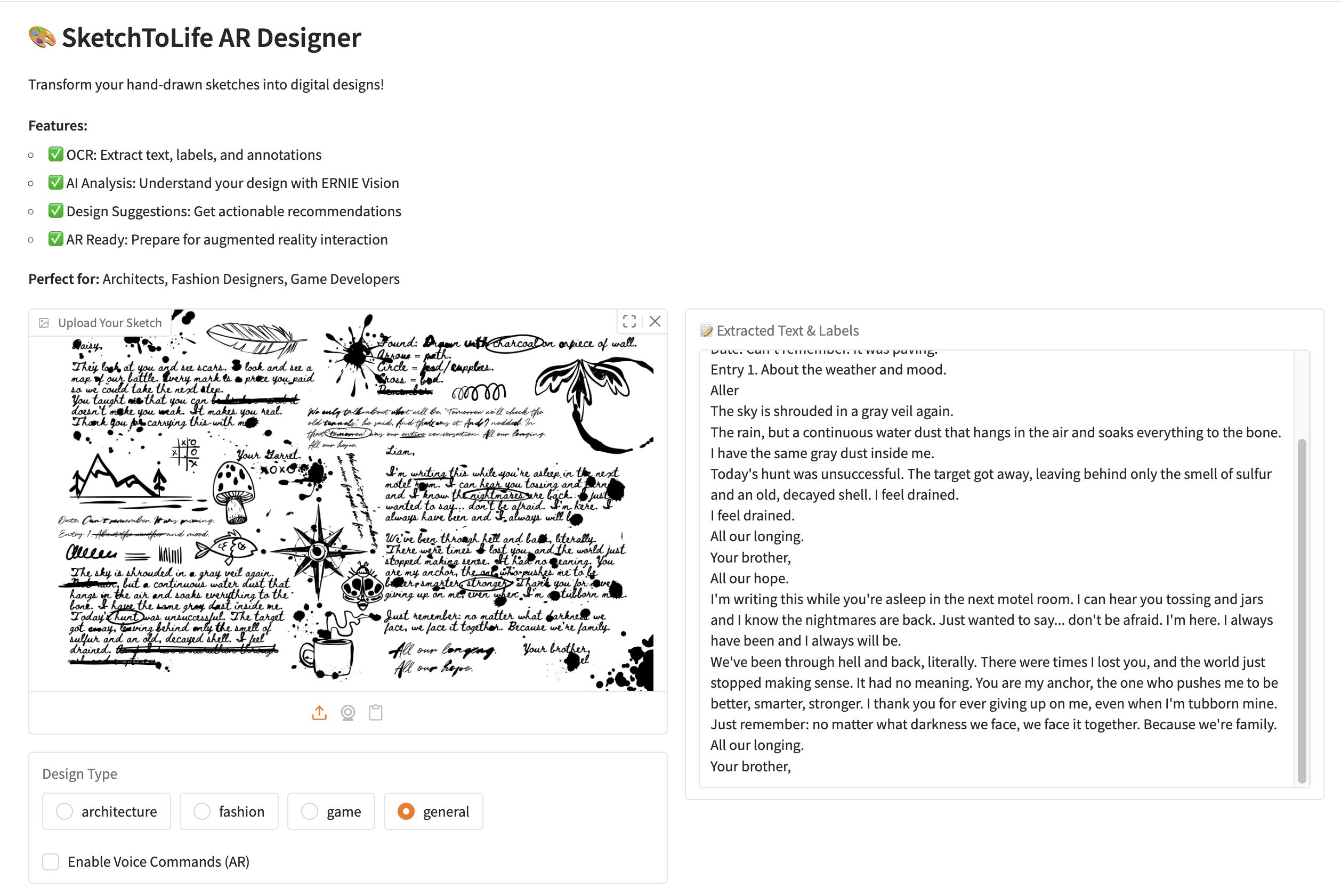
- Extracts all text and labels using OCR - it can read 109 different languages, so it works globally
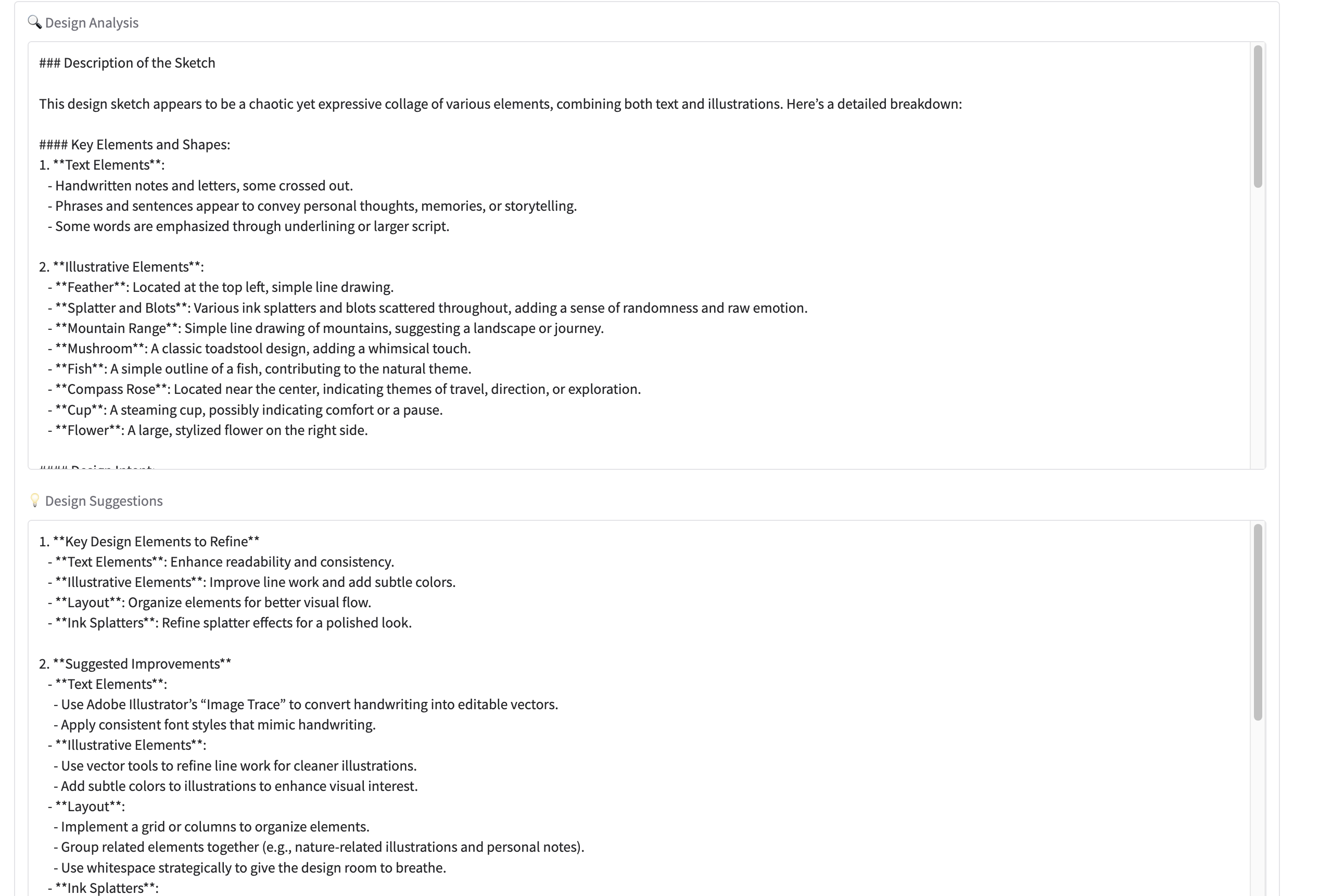
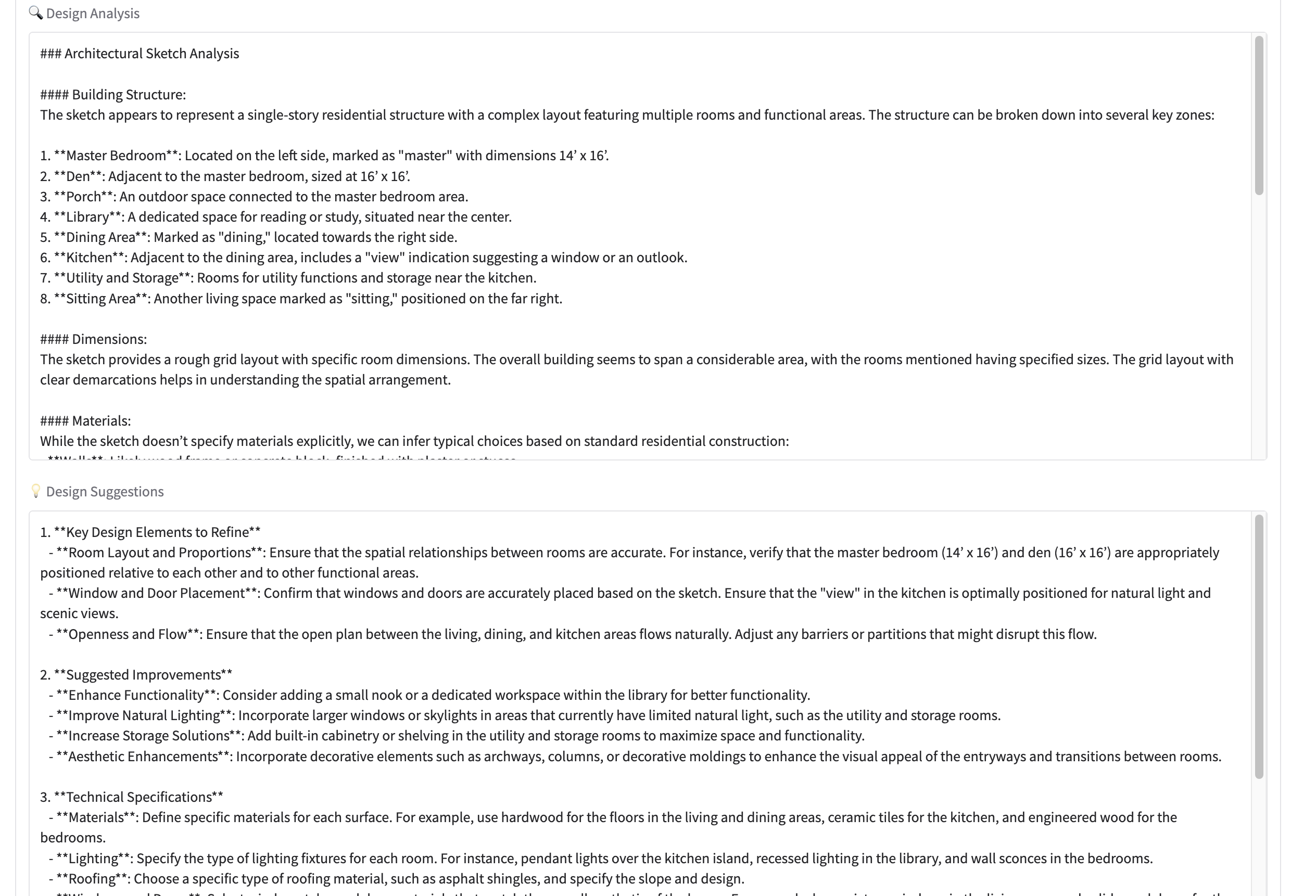
- Analyzes your design using AI vision models to understand what you're trying to create
- Gives you suggestions - actionable recommendations for how to refine your design digitally
- Prepares everything for AR - outputs structured data that can be used for 3D modeling or AR visualization
The whole process takes about 30 seconds. What used to take hours of manual work now happens instantly.
We built it to work with different design types:
- Architecture: Understands building structures, dimensions, floor plans
- Fashion: Recognizes clothing designs, styles, patterns
- Game Design: Identifies characters, environments, game elements
- General: Works with any kind of design sketch
How we built it
We used a combination of AI APIs to make this work:
PaddleOCR-VL handles the text extraction - it's really good at reading text from images, even handwritten notes and labels. We're using it through Novita AI's API.
ERNIE Vision-Language model does the heavy lifting for understanding sketches. It can look at a drawing and figure out what the designer intended - not just what's there, but the design intent.
ERNIE-4.5 generates the suggestions. We give it context about the design type (architecture vs fashion vs game) and it provides relevant recommendations.
The whole thing runs on Gradio for the web interface - it's simple but effective, and we could build it fast.
The flow is pretty straightforward:
- User uploads image → OCR extracts text
- Vision AI analyzes the sketch → Understands design intent
- Language model generates suggestions → Actionable recommendations
- Output structured data → Ready for AR/3D tools
We built this in about 2 days. Day 1 was getting the APIs working and building the core functionality. Day 2 was polishing the UI and making sure everything worked smoothly.
Challenges we ran into
Finding the right API endpoint was tricky. We initially tried using a direct OCR endpoint, but PaddleOCR-VL actually uses an OpenAI-compatible API format. Took us a while to figure that out from the documentation.
Parameter compatibility was another issue. The OpenAI Python client doesn't support all the custom parameters that Novita AI offers. We had to use the extra_body parameter to pass things like min_p and top_k. Not a huge deal, but it took some trial and error.
Choosing the right models - we had to decide between ERNIE Vision-Language model and regular ERNIE. Ended up using both - VL for image analysis, regular ERNIE for text-based suggestions. Different tools for different jobs.
Error handling - APIs can fail in unexpected ways. We spent time making sure the app gracefully handles failures and gives users helpful error messages instead of crashing.
Time pressure - with only 2 days, we had to be really focused. We prioritized getting a working demo over adding every possible feature. MVP first, polish later.
Accomplishments that we're proud of
Honestly, getting all three AI models working together smoothly was the biggest win. OCR + Vision + Language models - each doing what they're best at, and the whole pipeline working end-to-end.
The fact that it actually works with real sketches is huge. We tested it with actual floor plans and fashion sketches, and it understood them. That's not just a demo - it's a real tool designers could use today.
The multi-language support is cool too. Because we're using PaddleOCR-VL, it works with sketches in 109 languages. That means a designer in Tokyo or Paris or Mumbai can use it just as easily as someone in New York.
Building something production-ready in 2 days feels good. We're using enterprise APIs, so it's reliable. No training needed, no fine-tuning - just works out of the box.
The domain-specific analysis is something I'm particularly happy about. The app gives different suggestions for architecture vs fashion vs game design. It actually understands context, which makes the suggestions way more useful.
What we learned
API integration is harder than it looks - documentation isn't always clear, and you have to figure out the quirks of each API. But once you get it working, it's powerful.
Multi-modal AI is the future - combining OCR, vision, and language models gives you capabilities that single models can't match. Each model does what it's best at.
Time management matters - we could have spent days adding features, but focusing on core functionality first meant we had a working demo. That's more valuable than a half-finished feature list.
User experience matters more than tech - the AI is cool, but if users can't figure out how to use it, it doesn't matter. We spent time making the interface simple and the results clear.
Real problems need real solutions - we talked to designers before building this. Their pain points were real, and solving them feels meaningful. That's more motivating than building something abstract.
What's next for SketchToLife AR Designer
Short term (next few weeks):
- Add voice commands for AR interaction - "rotate left", "zoom in", etc.
- Build 3D model generation - convert sketches to actual 3D models
- Export functionality - let users save results as PDF, JSON, or import into design software
- Sketch history - save multiple sketches and compare versions
Medium term (next few months):
- Real-time AR preview in the browser - see your sketch as a 3D model instantly
- Collaboration features - share sketches with team members, get feedback
- Mobile app - native iOS/Android so you can capture sketches with your phone
- Advanced analysis - material suggestions for architecture, color palettes for fashion
Long term (6+ months):
- AI design assistant - proactive suggestions, style checking, automated refinement
- Integration with design tools - plugins for AutoCAD, SketchUp, Blender, etc.
- Enterprise features - team management, analytics, custom model training
- Full AR suite - real-time sketch-to-AR, multi-user collaboration, AR validation
The vision is to make SketchToLife the go-to tool for designers who want to bridge analog and digital workflows. We're starting with sketches, but there's so much more we can do.
We're also thinking about business models - maybe a freemium SaaS, or an API platform, or partnerships with design software companies. But first, we want to make sure the core product is amazing.
Bottom line: We built something that solves a real problem, works reliably, and has a clear path forward. That feels like a win.
Built With
- ernie-4.5
- ernie-4.5-vl
- gradio
- novita-ai-api
- paddleocr-vl
- python

Log in or sign up for Devpost to join the conversation.