Inspiration
Sketcha started as a private tool for one artist, built in phases: the drawing core first, then the brush engine and layers, then frame-by-frame animation, then keyframes and rigging, and finally the gallery and file management. Somewhere around the fourth phase it stopped feeling like a toy.
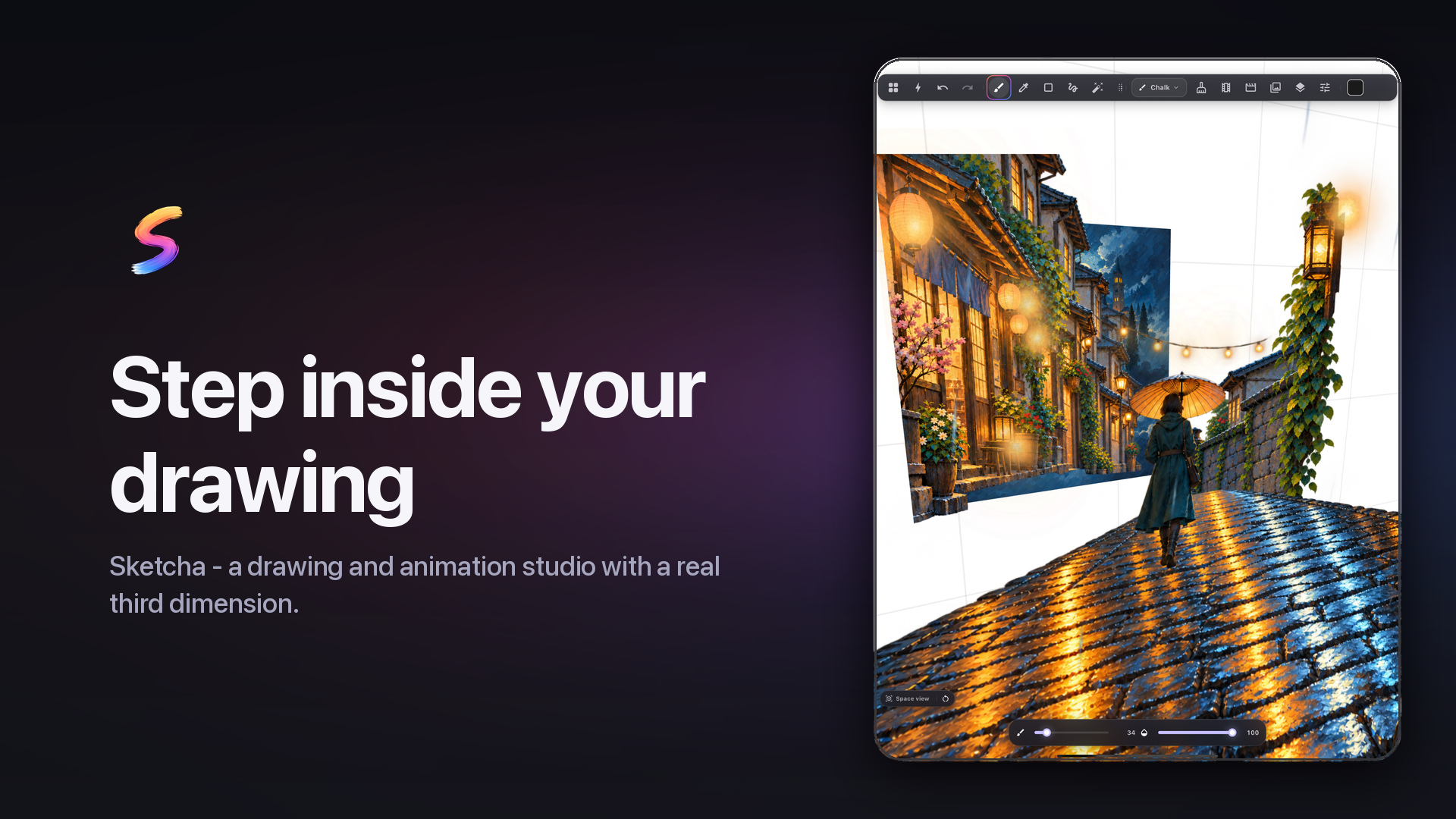
What turned it into a submission happened in September 2026. We came across the illustrator Yuwu Liu, who works in Mental Canvas, the spatial drawing technology from Julie Dorsey's group at Yale. In Mental Canvas, 2D strokes sit on planes arranged in 3D space and the camera moves freely between them. The drawings breathe. We went looking for that capability inside an actual drawing app and could not find it anywhere. Mental Canvas itself is a lovely standalone tool, but there is no full studio around it. PortalInk and DepthScape are UIST research prototypes. Procreate Dreams has no depth model at all, so artists fake parallax by hand-keying every layer. FlipaClip and Callipeg have nothing of the sort.
So the gap was specific and easy to verify: no mainstream drawing and animation app has a native spatial mode. We did not want a 3D modeller bolted on the side. We wanted a mode where the layers you already drew simply acquire depth, and a camera flies through them.
That became Sketcha Space, and it became the reason to ship.
The second inspiration was commercial and came from studying Procreate. One-time purchase, no subscription, no ads, no account, no cloud, and a thriving third-party ecosystem of brush kits sold on Gumroad and Etsy that Procreate takes no cut of and does nothing to prevent. We wanted to treat artists the same way. RevenueCat is what let us build a monetization system that keeps that promise while still being a business.
What it does
Sketcha is a 2D drawing and animation studio for iPad, iPhone and Android. It runs entirely on the device: no account, no cloud, no ads, and no network calls anywhere in the drawing path. The only thing that ever leaves the device is anonymous usage and crash data, and you can turn that off in Settings.
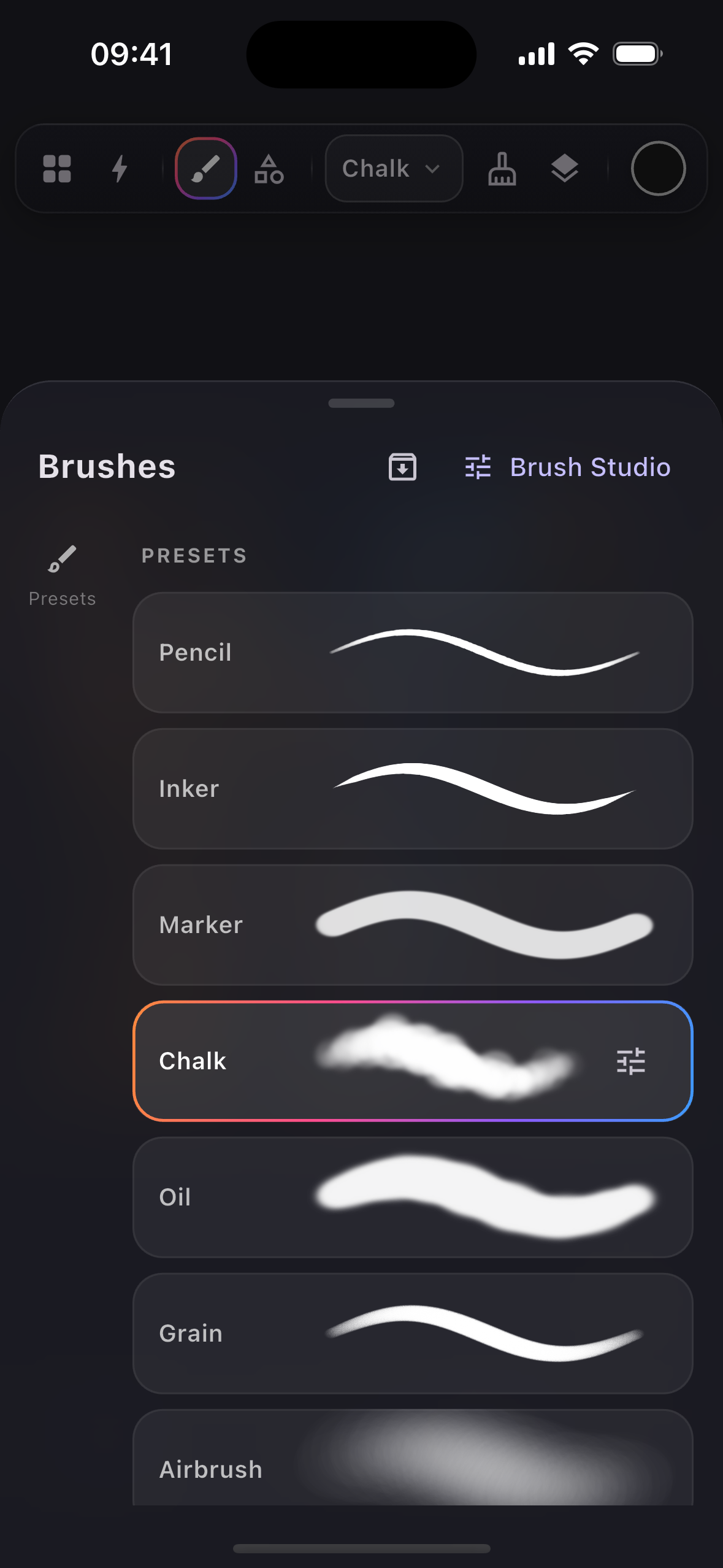
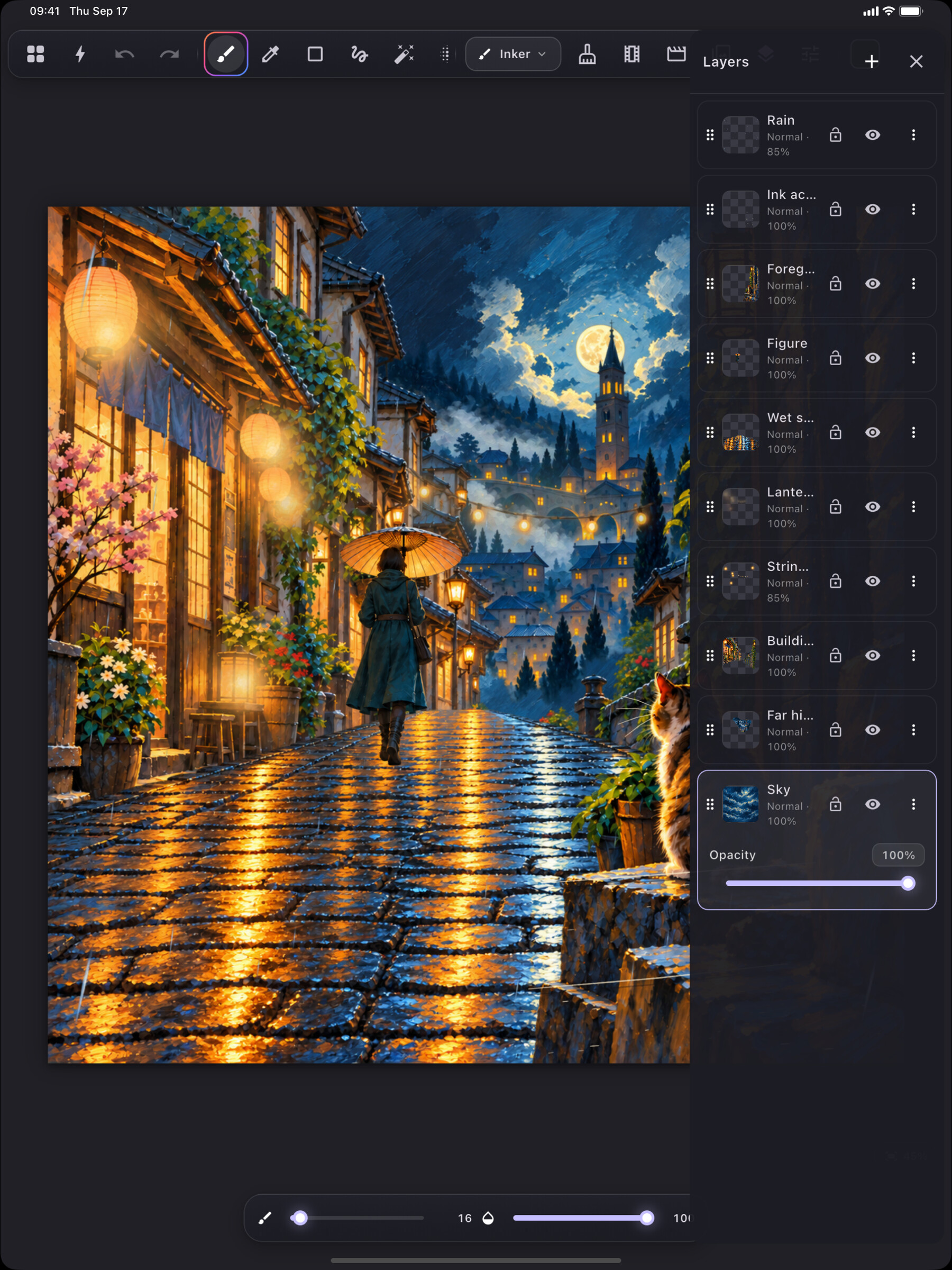
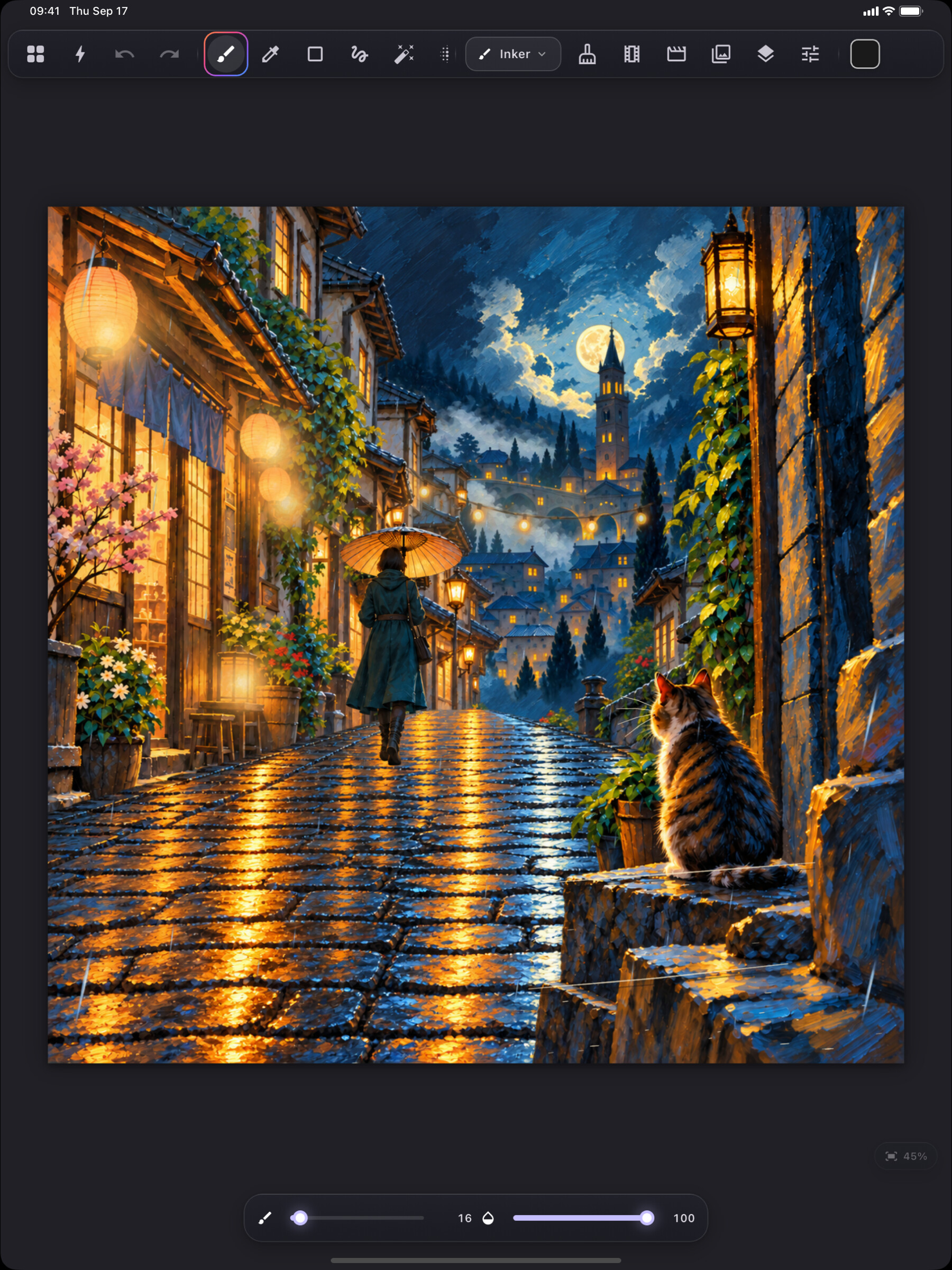
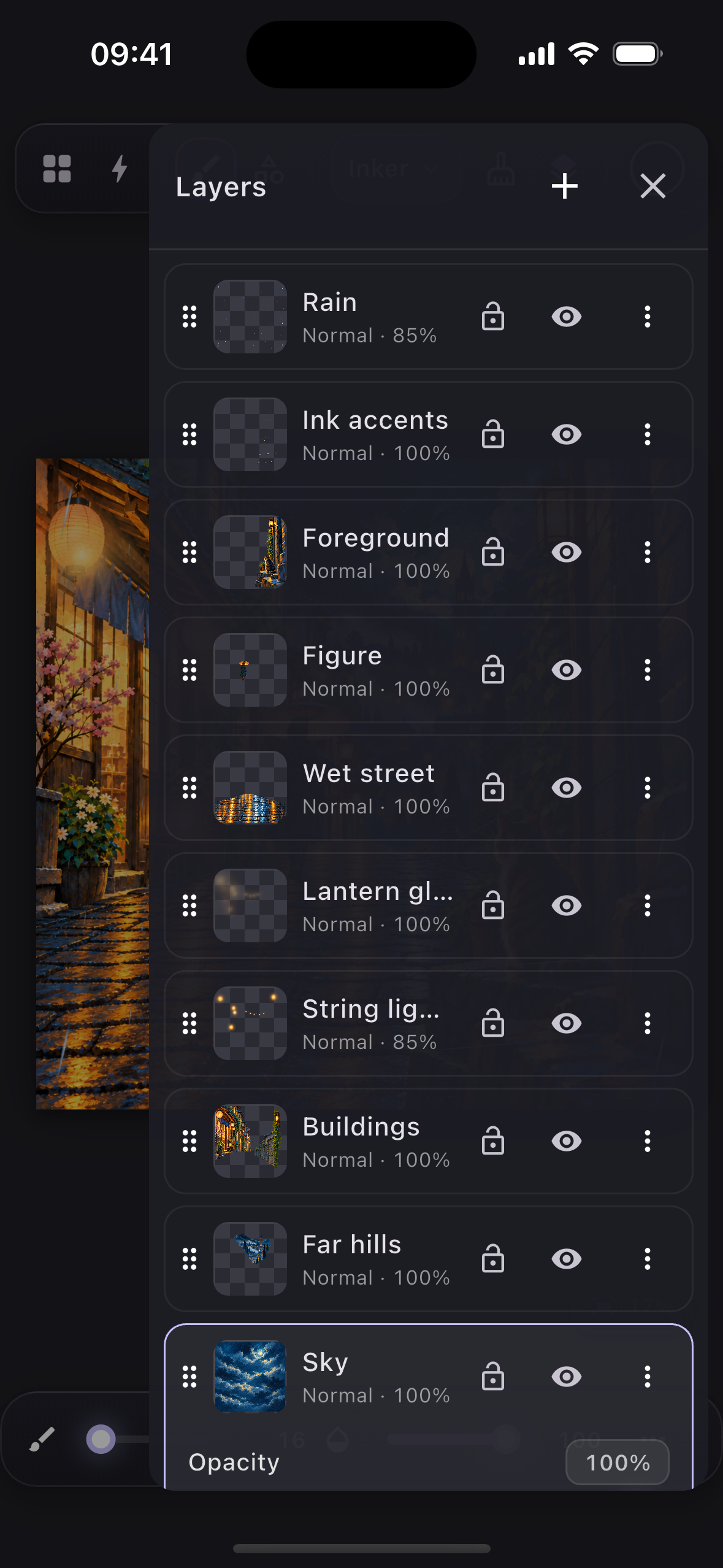
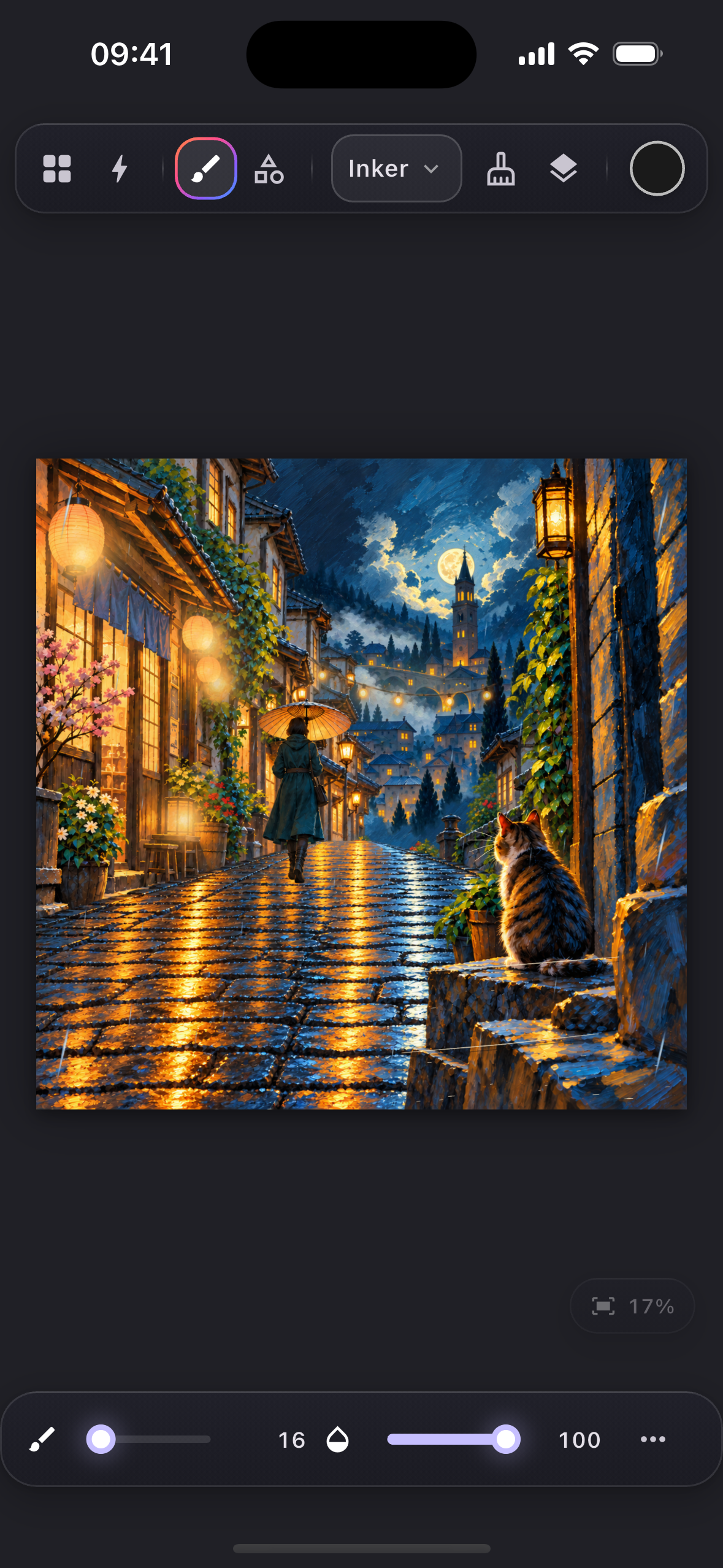
Drawing. A custom stamp-based brush engine with pressure, tilt, velocity, taper, scatter, hue/saturation/brightness jitter, dual-brush texture masking and Procreate-style render modes (glaze, glow, intense). Brush Studio lets you edit every curve with a live preview. Layers are tile-based rasters (sparse 256px tiles, so an empty region of a 4K canvas costs nothing), with 27 blend modes, masks, clipping masks, nested groups, rectangle, lasso and magic wand selection, warp, smudge, liquify, ten adjustments, gradient fills, layer effects, text and shape layers, guides, a reference window, palette-from-photo, TTF/OTF font import, and PSD and SVG import.
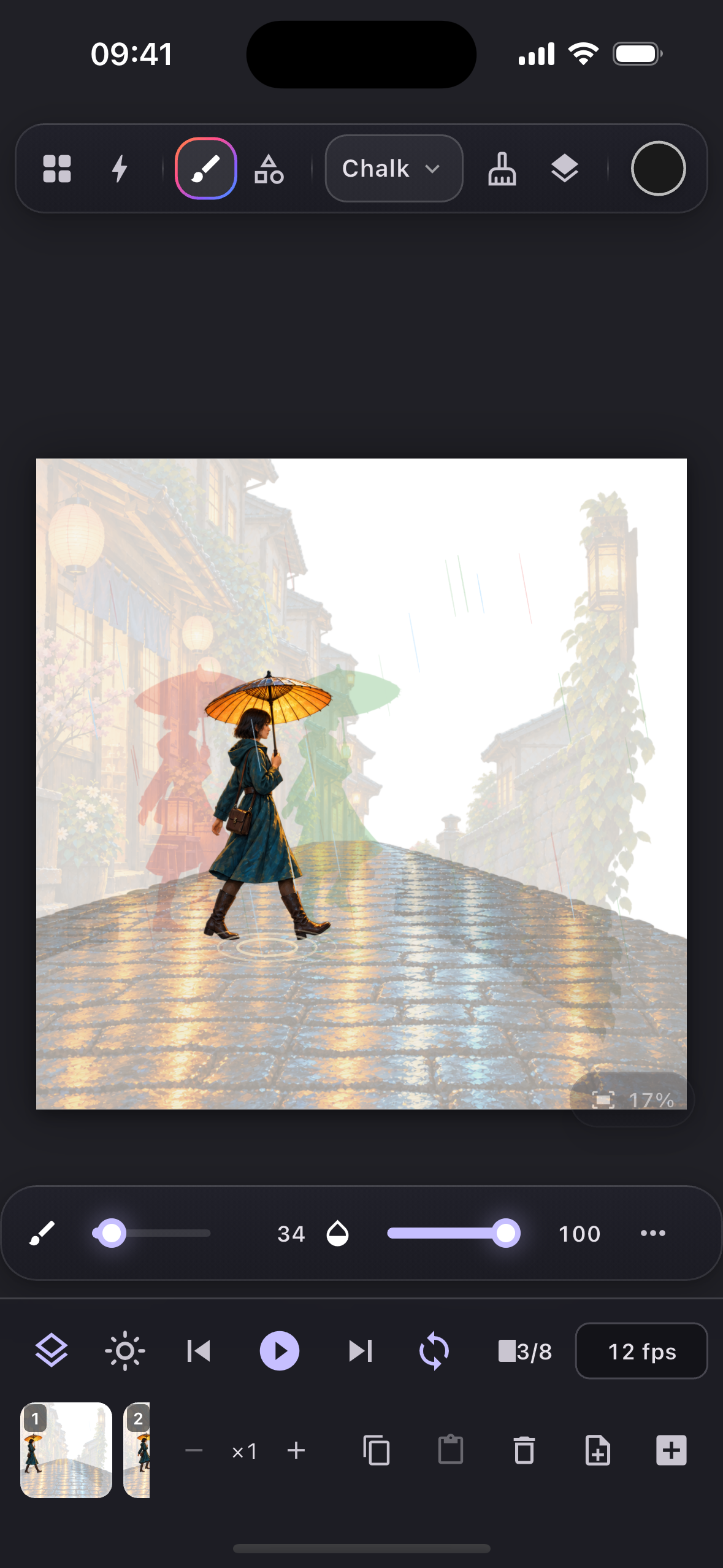
Animation. A frame-by-frame flipbook with onion skinning, a light table, per-frame hold and drag to reorder, plus a keyframe system on top of it: per-layer transforms, animatable effects, a bezier easing graph editor, motion paths, spin, parallax, symbols with per-instance retiming, bone rigging with FK, IK and smooth skinning weights, morph layers, and lip-sync driven by mouth keys on symbols. Projects can have multiple scenes and an audio track.
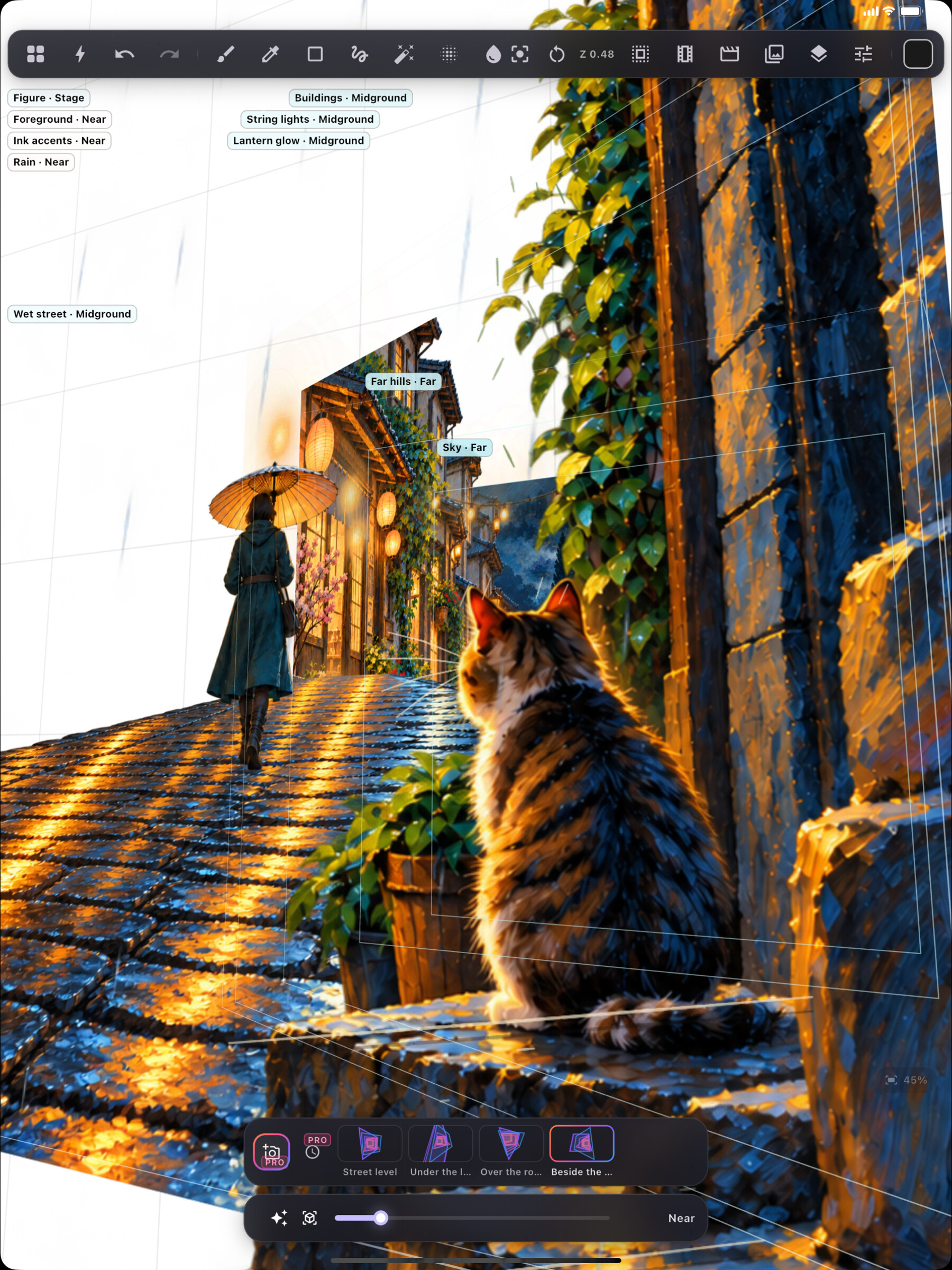
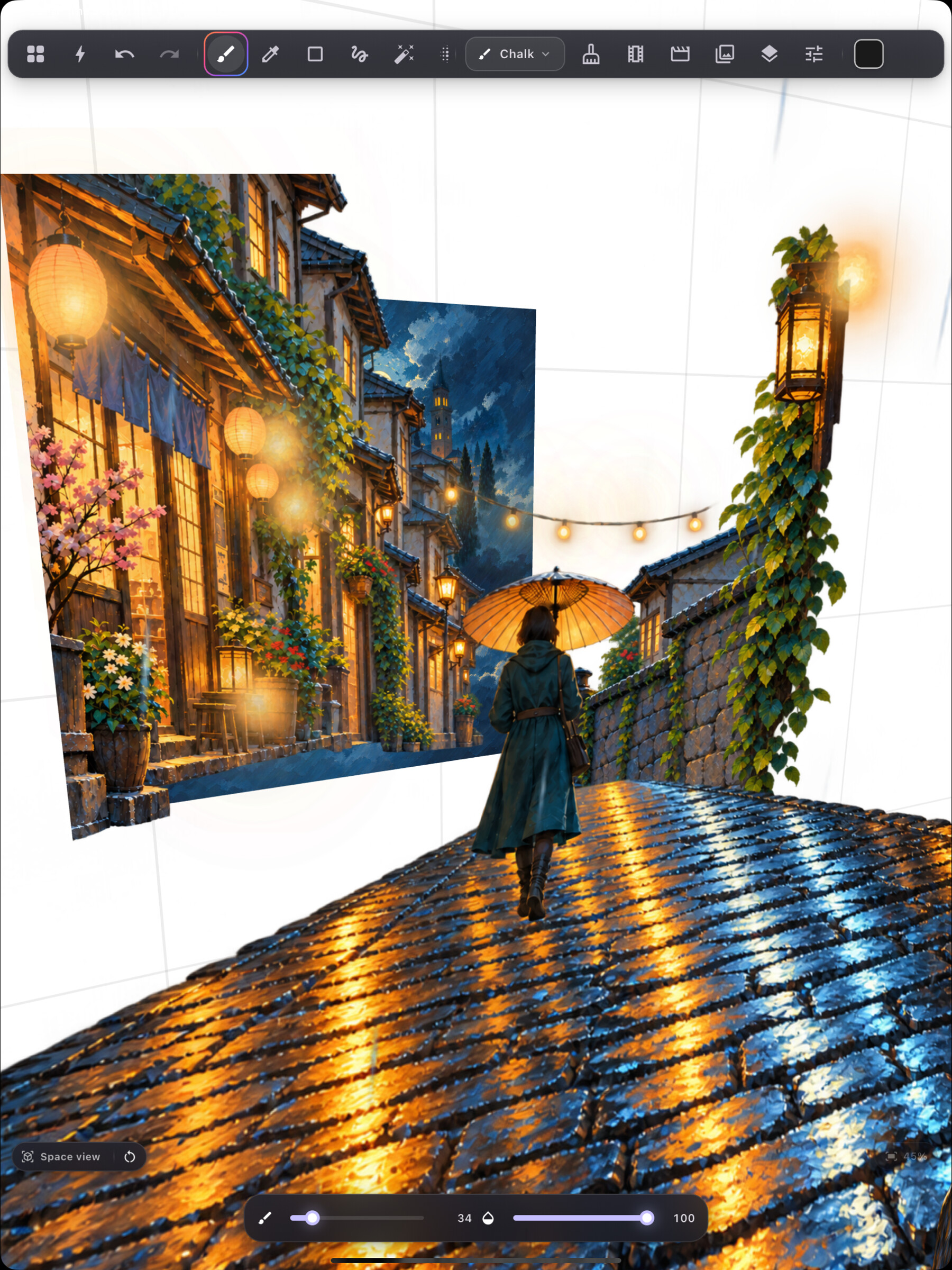
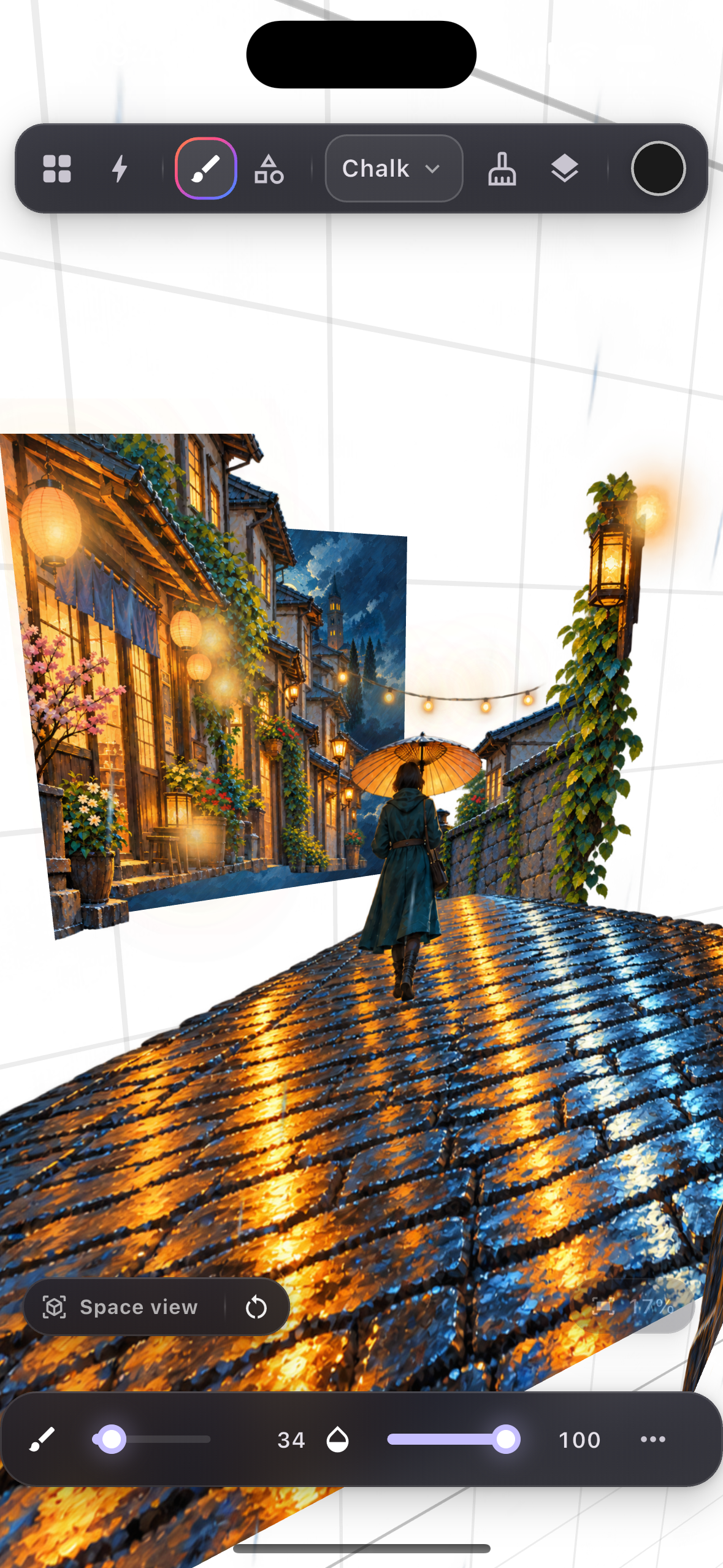
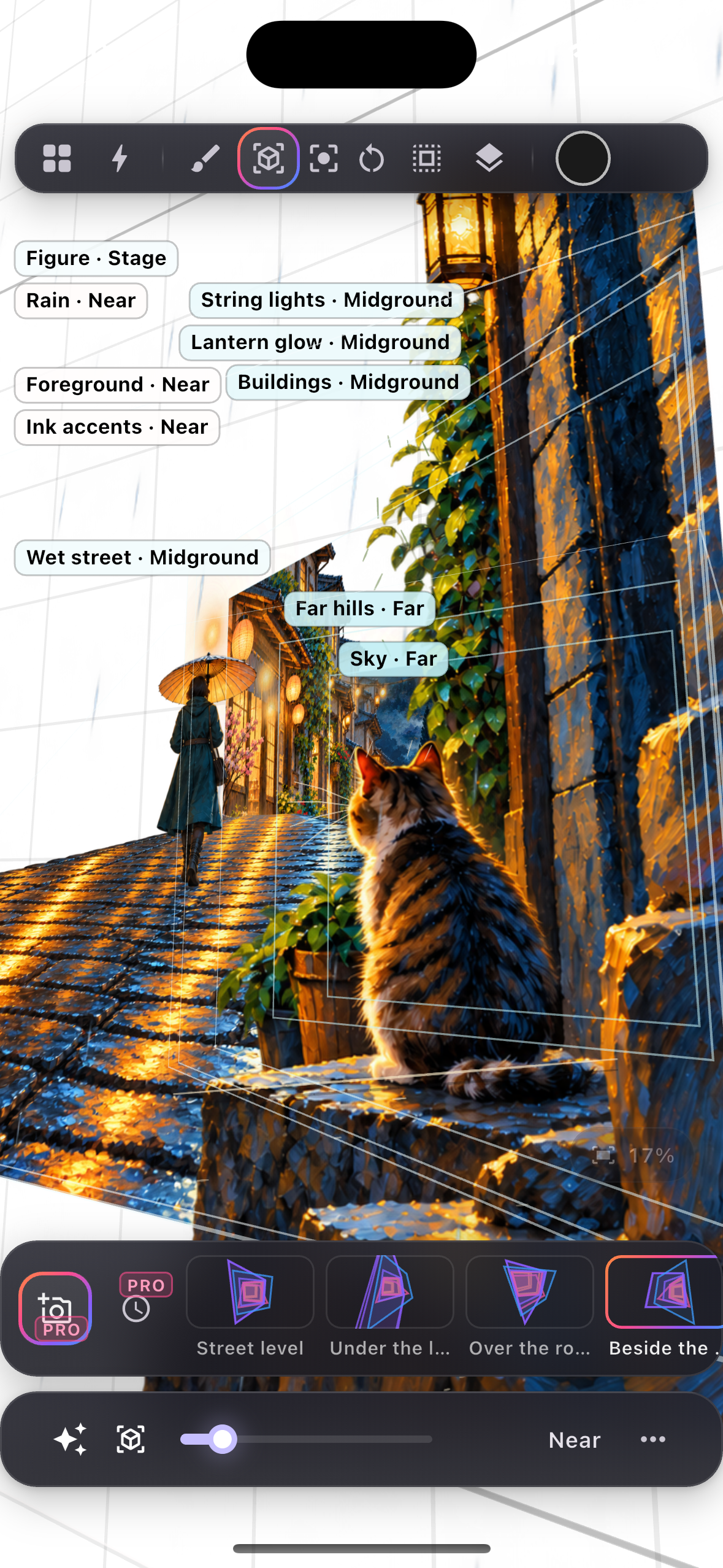
Sketcha Space. This is the headline. Toggle the Space tool and the page dissolves. Your layers stop being a stack and become planes suspended in an open void over a perspective ground grid. One finger orbits the camera, a pinch dollies, two fingers pan and roll. Each layer gets a depth, and because nobody should have to think in focal lengths, depth is described in artist words: Nearest, Near, Stage, Mid, Far, Sky. Planes can also tilt in yaw and pitch, and you can draw directly onto a tilted plane while the camera is off-axis. The stroke lands on the plane rather than on the screen.
You can save camera views to a bookmark strip (think of it as a shot list), tap one to fly there, set linger and transition times, and Sketcha builds a keyframed flythrough through all of them, which you can export as an MP4. There is also a one-tap "Space magic" menu that stages depth across your layer stack and generates a flight, so the whole feature is reachable in two taps by someone who has never thought about a camera.
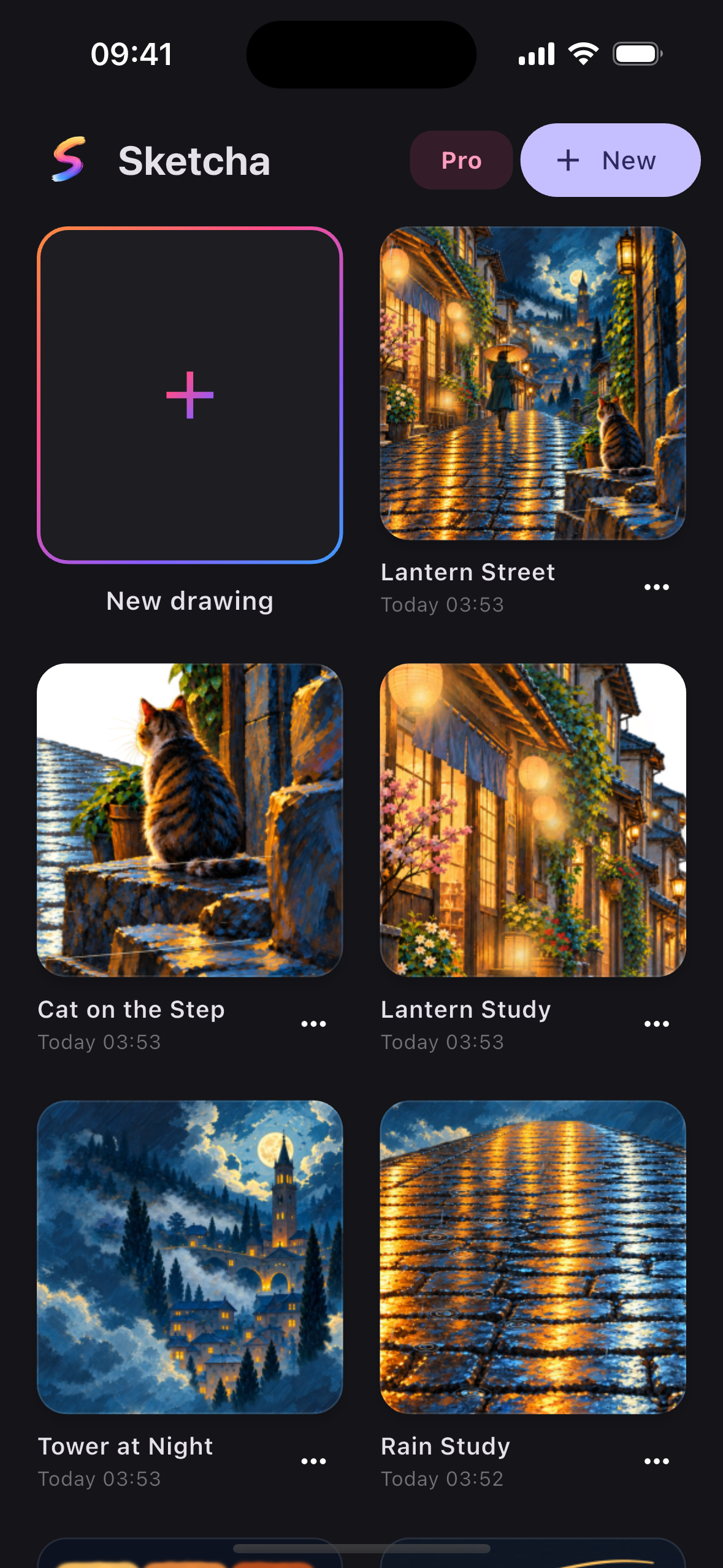
Ecosystem. Brushes and their textures pack into .sketchakit, an open ZIP format (a kit.json manifest plus a textures/ folder of PNGs) that anyone can build, share or sell. You import a kit from Files and export your own from the brush library. We take no cut and there is no store inside the app. The ecosystem belongs to the artists.
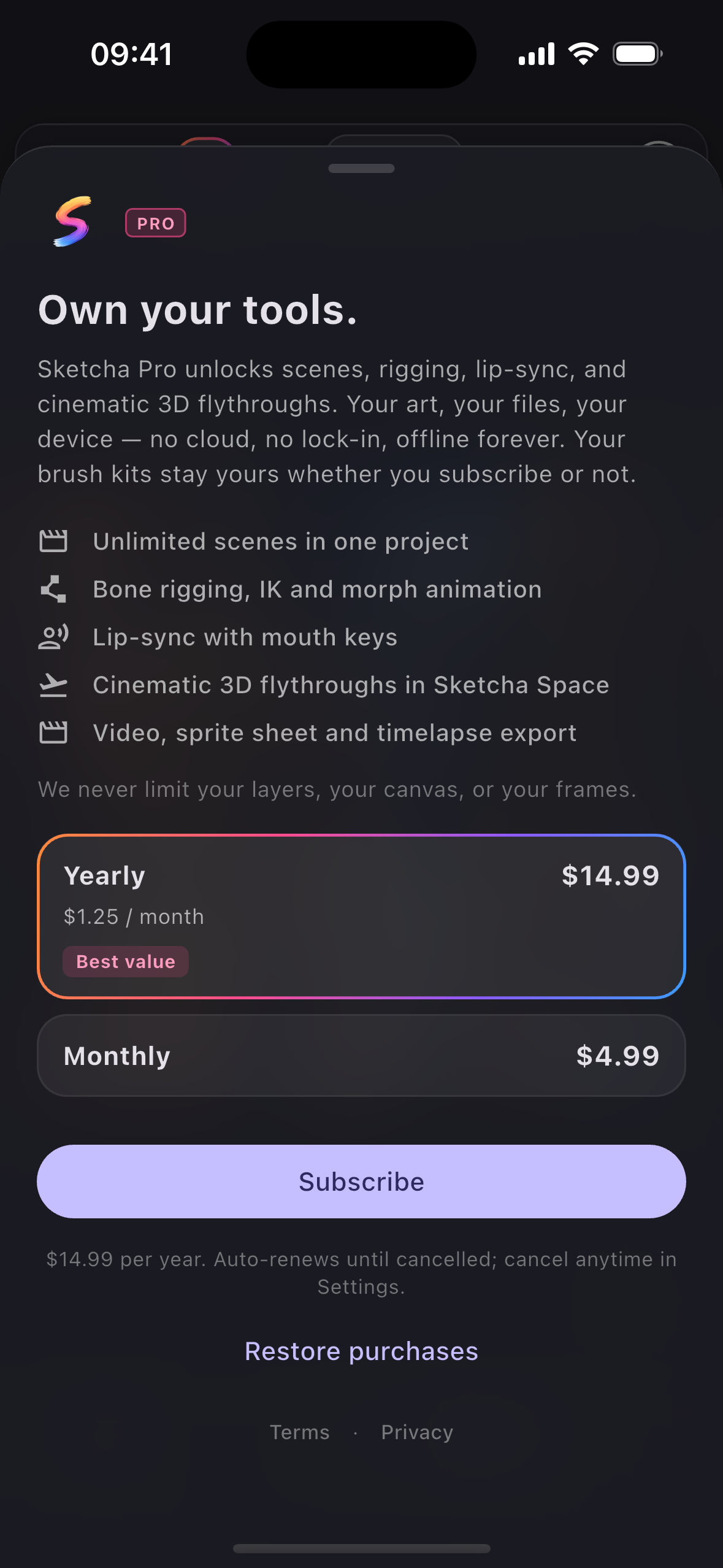
Free vs Pro. Drawing is free for good, with no caps and no watermarks: every brush, unlimited layers, unlimited frames, all adjustments, PNG and GIF export, kit import and export, PSD import, and all of Sketcha Space's navigation, depth, tilt and drawing. Sketcha Pro unlocks the studio layer: multiple scenes, bone rigging and IK, morph, lip-sync, MP4, sprite sheet and timelapse export, and authoring Space flythroughs. Flying to a bookmark someone else saved stays free, so a shared document is always fully viewable.
How we built it
Flutter and Riverpod, one codebase for iOS, iPadOS and Android. Dart 3, Impeller, and custom painters all the way down. flutter_riverpod does the wiring, a command pattern handles undo, and there is a strict rule that no store or plugin type may leak into the UI or the maths.
The brush engine (lib/rendering/brush_engine.dart) is stamp-based rather than path-based. A stroke is resampled along a Catmull-Rom spline into samples that carry dynamics (position, pressure, speed, tilt) and then stamped. The stamp is either an imported texture or the output of a GPU fragment shader (shaders/brush_stamp.frag via stamp_shader.dart): a soft radial falloff plus procedural grain, rendered once into a cached 128² ui.Image keyed by hardness, grain and seed, so it stays correct at any zoom and costs nothing to reuse. The whole stroke is grouped in one saveLayer, which caps per-stamp build-up at the brush's opacity instead of letting it stack to solid. Scatter and jitter come from a per-stroke seeded RNG, so a repaint is byte-identical to the first paint. That determinism is what makes stroke-replay undo possible.
Rasterization is tiled. TiledRaster splits the document into 256px tiles and only allocates the ones you actually paint, so a 4096² canvas with a sketch in one corner uses the memory of that corner.
Sketcha Space (lib/model/spatial.dart and lib/rendering/layer_compositor.dart) is a real perspective camera, not a parallax trick. Layer depth z is measured in focal lengths behind the rest plane and the camera's dolly uses the same unit, which makes the focal length cancel out of the similarity path entirely: w = 1 + z − dolly, scale = 1/w. The layer whose depth equals the dolly renders at exactly 1:1, and that invariant is what makes "fly to this layer" a precise drawing surface. When tilt or orbit are involved, projectPlane composes a full perspective homography in place (one Matrix4 rather than seven) and the same w at the plane centre drives the same cull and fade thresholds, so the 3D path reduces exactly to the 2.5D path when every rotation is zero. A document with no depth renders byte-identically to the pre-Space build, and a test asserts it.
Both painters, the live editor and the export compositor, resolve their projection through the same function, so preview and export cannot disagree.
Monetization is a pure-Dart seam. lib/core/purchases/purchase_service.dart defines PurchaseService, ProPlan, ProOffering and a sealed PurchaseResult with no RevenueCat type anywhere in it. Exactly one file in the app imports purchases_flutter (revenuecat_purchase_service.dart), which means the entire UI and all 743 tests run against a fake and never touch a plugin channel. Public SDK keys are injected at build time with --dart-define=REVENUECAT_IOS_KEY=…, so nothing lives in the repo, and an empty key simply leaves purchases unavailable while the rest of the app runs normally.
The paywall (lib/features/pro/paywall_sheet.dart) is a custom brand sheet driven entirely by RevenueCat Offerings: two cards for $rc_monthly and $rc_annual, yearly preselected as best value, both resolving to the single sketcha_pro entitlement. No price or period is hardcoded. Every string comes from the store product the SDK handed us, formatted in the app's locale. No product carries an intro offer at launch, so the sheet shows no trial line. The checkTrialOrIntroductoryPriceEligibility check still exists in the code for the day a trial experiment ships, but right now it has nothing to report on either store.
Gating is a single function, requirePro(context, ref, feature), always called from the handler rather than by hiding the control, so the programmatic path and the visible path can never disagree. Every gated control wears a small PRO pill that removes itself the moment the entitlement lands.
The .sketchakit format (lib/persistence/brush_kit.dart) is a ZIP with a kit.json manifest and a textures/ folder. Brushes reference textures by kit-local string keys, so a kit is self-contained and portable. Decoding is hardened: a 50 MB cap, path traversal rejected, and it never throws. A malformed kit returns null instead of taking the app down.
Testing. 743 tests, all pure Dart or widget tests, none of which need a device. Some of them are pixel-level proofs. test/spatial_demo_test.dart builds a real six-plane scene (sky, mountains, character, ground, tree), keyframes a nine-frame dolly-through, renders it through the actual export pipeline, and then checks the physics on the resulting pixels: the near tree swells and culls to zero, the character grows, and the sky's pixel delta is an order of magnitude smaller than the tree's. The frames are written to build/spatial_demo/ so a human can look at them. A companion test asserts that clearing every depth produces byte-identical output to the flat renderer.
Challenges we ran into
1. Planes smearing to infinity at the near plane. The first true-3D implementation culled a plane based on the perspective divide at its centre. That works until a plane tilts. At a tilt of 1.0 rad and a dolly of 0.6, the plane's centre sits at w = 0.40, comfortably in front of the lens, while one corner is at w = −0.021, which is behind it. Flutter's canvas.transform does no near-plane clipping, so that corner streaks across the entire viewport. An independent audit flagged it as critical.
The fix is the bit of maths we are happiest with. A layer is a flat plane, so its local z is always zero, which makes the projective divide w an affine function of the plane's own (x, y). "In front of the near plane" is therefore the straight half-space a·x + b·y + c > 0, which means the plane can be near-clipped exactly with one Sutherland-Hodgman polygon clip in 2D instead of a per-triangle 3D clipper. We record that half-space in the projection, clip the plane's quad against it in local space, project the surviving vertices, and apply the resulting path as a clip before canvas.transform, so the clip path carries no perspective and stays straight-edged. One caveat worth saying out loud: Skia clips perspective on its own, so this bug does not reproduce in headless tests. It only bites under Impeller on a device.
2. Making a fade that dissolves instead of washing out. A plane swelling past the lens grows in area as 1/w², so a linear or smoothstep opacity ramp leaves a big translucent slab smeared over the whole viewport. We tried moving the start of the fade band from w = 0.35 to 0.55 and it got worse, because an ordinary 2.5× foreground plane would render at half opacity. What worked was keeping the band and steepening the curve to a quadratic ease-in, so halfway through the band is a quarter of the opacity rather than half. A plane the camera flies through now dissolves, and everything at w ≥ 0.35 is untouched.
3. It was mathematically 3D and it did not feel 3D. The owner's feedback, translated, was "it doesn't feel 3D, I can't get that feeling." The projection was correct. The problem was scene language. A static white page with the canvas clipped to its rectangle reads as shapes sliding around on paper no matter what the matrices are doing. So in Space the page dissolves: an open void, a perspective ground grid projected through the same flight camera (by far the strongest depth cue), a faint outline of where the page used to be, no clip rect, and layer buffers sized to the projected footprint so planes are allowed to extend past the old page bounds. That is what made it read as space, more than any of the maths.
4. Gesture grammar. Drawing and orbiting want the same fingers. The first pass had one finger flying and panning, and it fought the drawing tool constantly. We ended up adopting the standard 3D viewer grammar wholesale (one finger orbits, two fingers pan, pinch dollies, twist rolls) and separating the camera's framing transform (pan, zoom, roll) from the projection itself, with the projection pivot fixed at the document centre. Pivoting on the pan would make every plane slide by a different amount as you drag, which means a bookmark could not restore the view you saved and a flight could not reframe. Keeping those separable is what makes bookmarks pixel-exact.
5. Drawing on a tilted plane. Getting a touch back onto an off-axis plane means inverting the projection. The obvious move, inverting the full 4×4 matrix, is wrong, and it was wrong by about 65 pixels. Because the plane's local z is zero, the correct inverse is the 3×3 homography inverse of the z=0 slice. Strokes, selection, magic wand, ColorDrop, smudge and liquify all route through it now. Selections are stored plane-local and projected back for display, and a touch aimed at a plane behind the camera is refused with a haptic and a message instead of landing somewhere absurd. Mental Canvas makes you rotate face-on to draw. We do not.
6. The stroke that came in late. The first release felt sluggish on a real iPad: strokes trailed the Pencil and sometimes seemed to vanish for a second. Nothing reproduced in tests or the Simulator, so we built a harness that boots the real canvas, injects synthetic pencil events and measures every frame. It showed the Dart side was innocent (about 26 µs per pointer event) while the GPU raster thread was taking 150 to 630 ms per frame, and only with the default Inker and Pencil brushes. The culprit was a MaskFilter.blur of a quarter of a pixel on every stamp. Below roughly 0.6 px, Impeller falls off its analytic fast path and renders each stamp as its own offscreen two-pass gaussian. A sweep of the blur radius showed the cliff exactly: at 0.5 px a frame took 189 ms, at 0.75 px it took 2.3 ms. The fix is a floor of 0.8 document pixels on the blur (a sub-pixel blur cannot exist in the document raster anyway), and the "vanishing" turned out to be a one-second frame rather than lost ink. Along the way we also rebuilt the live-stroke path around an incremental slice buffer with tile-aligned buckets, kept committed ink visible between pen-up and the tile commit, and made the raster queue recover from a failed job instead of silently dropping every stroke afterwards. After three independent adversarial code reviews and 52 new deterministic tests, 1.0.1 shipped.
7. The store SDK's first launch. The original init marked itself as started before it could fail, so a single offline first launch disabled purchases for the entire session. It is now an explicit InitOnce state machine where concurrent callers join the in-flight attempt and a failed attempt leaves the gate open, plus an ensureInit() that anything needing the store (the paywall, the gallery banner) calls instead of assuming launch-time init worked. The first customer-info read is allowed to throw on purpose: an offline first launch has no cached info, the update listener will deliver the entitlement when the network returns, and a throw there must never tear down a perfectly good configuration.
Accomplishments that we're proud of
- A true spatial drawing mode inside a full studio, which as far as we can tell is a first: a perspective camera with orbit, dolly, tilt, exact near-plane clipping, and the ability to draw onto a tilted plane while the camera is off-axis.
- The parallax is proven on rendered bytes in
spatial_demo_test.dart, with the frames written to disk as evidence, rather than asserted in prose. - An exact-identity guarantee: every document without depth renders byte-identically to the pre-Space renderer. Shipping a feature this invasive without regressing what people already use mattered more to us than the feature itself.
- 743 tests, none of which need a device, a network or a store, including a deterministic stroke-latency harness that boots the real canvas, injects synthetic pencil input and reads pixels back.
- Depth without numbers. Nearest, Near, Stage, Mid, Far, Sky, plus a two-tap "stage the scene, build the flight" path. A feature this technical is not much use if it only makes sense to the person who wrote it.
- A monetization layer with a clean seam. One file imports the SDK, and the entire app and test suite run against a fake. Prices and periods come from RevenueCat, never from source.
- A free tier we are comfortable with. No layer caps, no frame caps, no watermarks, no ads, no account. It is written into the paywall copy as a promise: "We never limit your layers, your canvas, or your frames."
- An open format.
.sketchakitmeans third parties can build and sell Sketcha brush kits from day one, with no store, no cut and no permission needed.
What we learned
- The hardest bug in a 3D feature is usually at the boundary rather than in the transform. The projection was right for weeks while planes were still smearing. Everything interesting happened as
wapproached zero. - Flat planes are a gift. Once we noticed that a layer's local
zis always zero, two hard problems (near clipping and inverse hit-testing) collapsed into a 2D half-space clip and a 3×3 inverse. - Correct is not the same as convincing. Challenge 3 above cost a day and taught us more about 3D perception than the matrix work did.
- Build the store adapter as a pure-Dart interface on day one. Being able to script every purchase outcome (success, cancel, pending, error, restore, offline then online) as a plain fake is what made 71 purchase and paywall tests possible without ever touching a plugin channel.
- Do not advertise an offer you have not confirmed. No product carries an intro offer at launch, so the eligibility check (
checkTrialOrIntroductoryPriceEligibility) currently has nothing to say, but it stays wired in so that when a trial does ship, the sheet only names it for a user the store will actually honor it for. - Localise the pricing logic, not just the strings. A yearly price divided into a per-month figure needs the app's locale for separators rather than the system's, and it needs the product's currency.
intl's default gets both wrong. - Measure on the device. Every cause of the 1.0.1 stroke bug was a race or a GPU path whose cost is microseconds on a desktop and many frames on an iPad. The unit tests were green the whole time.
What's next for Sketcha: Drawing & Animation
- v1.1, the ecosystem opens up: file association so tapping a
.sketchakitin Files opens Sketcha (iOS UTI declaration, Android intent filter), plus the first official free Gambit kits distributed outside the app. - v1.2, a
.brushsetconverter. Reading Procreate's brush-set format and wrapping those Shape and Grain PNGs as Sketcha brushes would let every existing Procreate kit on Gumroad work here from day one. - Space v1.1, hinge planes and stroke re-projection: creating a plane hinged off an existing one, and re-projecting strokes from one plane to another. It is the biggest remaining gap versus Mental Canvas, and it is what turns Space from staging into modelling by drawing.
- Per-view visibility in bookmarks, so a flythrough can reveal and hide planes as it travels.
- A 90-day pricing review once conversion and refund data from the first quarter are in. If free-to-Pro conversion clears about 1.5% and refunds stay under 4%, monthly and yearly go to $6.99 and $19.99. RevenueCat's option to keep existing subscribers at their old price means the raise costs nothing to test.
- An optional trial experiment, yearly only, 3 to 7 days, run as a RevenueCat Experiment instead of shipped as a default. The free tier already does the job a trial normally does, so this only ships if the data says the extra friction is worth it.
- A Turkish localization release. 435 keys are already translated and sitting in the repo. v1 shipped in English only, and Turkish ships as its own release once the English build is stable in the field.
- Lifetime as a separate product, if post-launch data supports it. The purchase seam already models
ProPlanKind.lifetime, so adding it back is a new RevenueCat package rather than a rebuild. - Device-side feel calibration. The orbit and dolly response coefficients get a final pass on physical hardware with an Apple Pencil now that the stroke path is fixed, and QuickShape's mid-stroke dwell snap is also up for review.


Log in or sign up for Devpost to join the conversation.