-
-
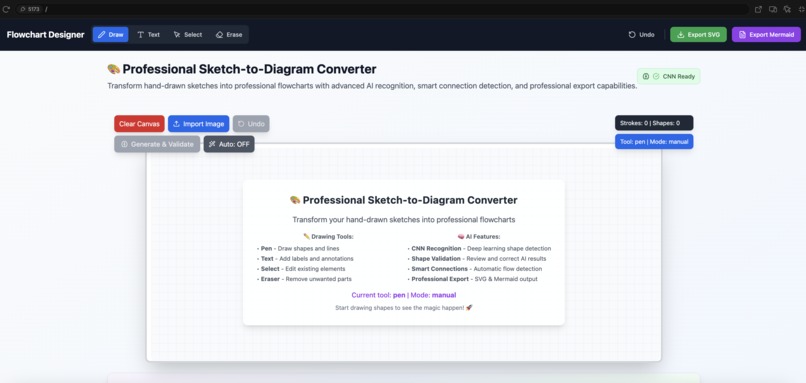
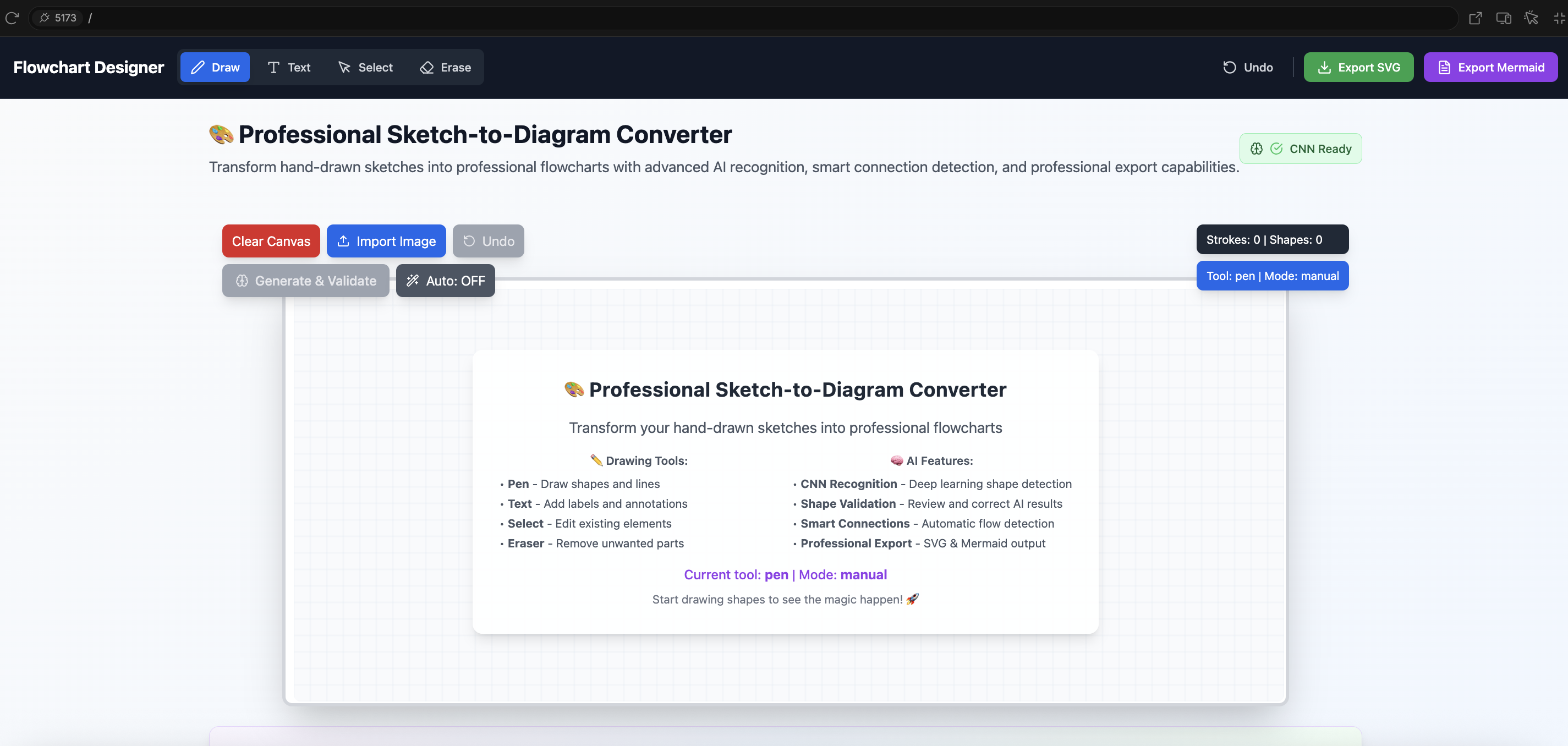
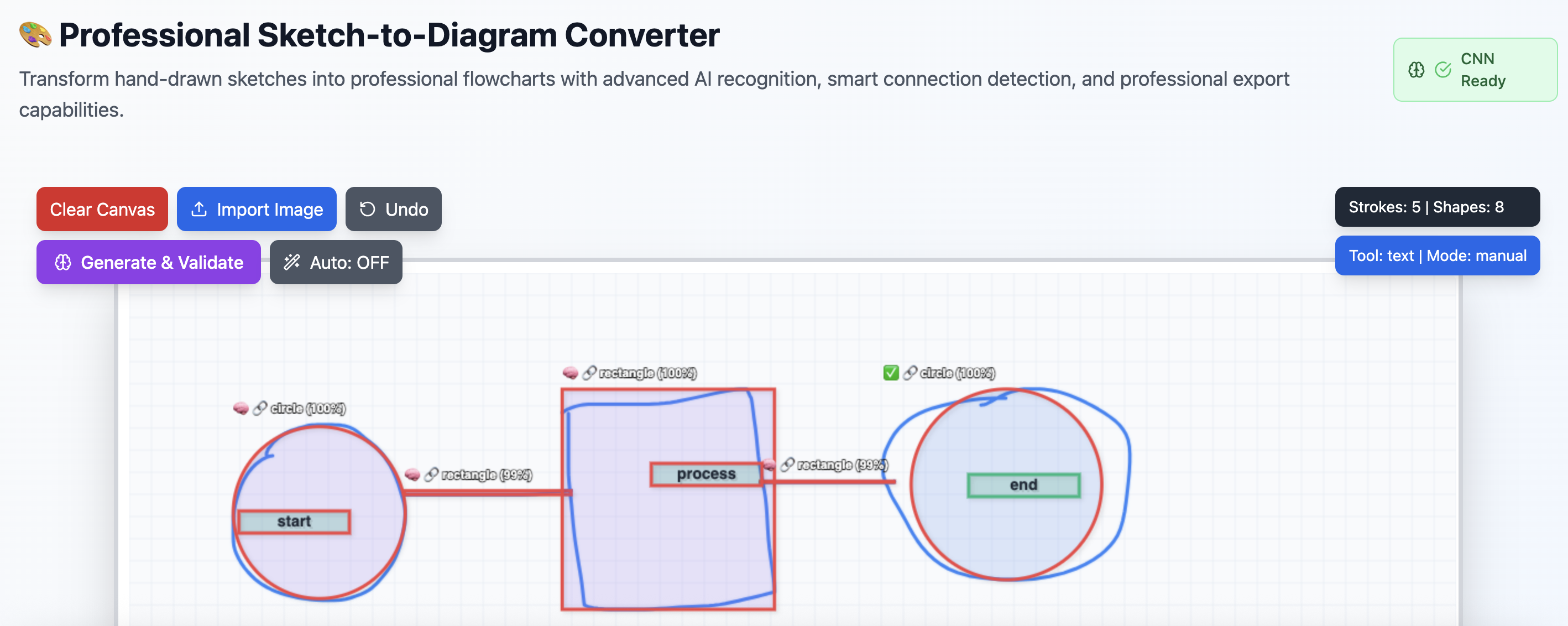
How our APP UI looks
-
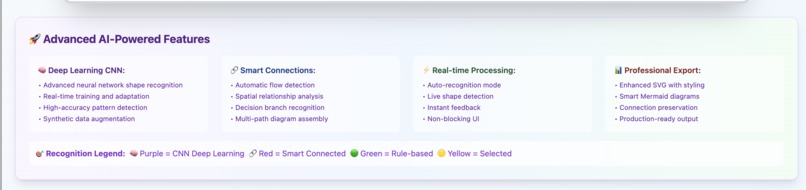
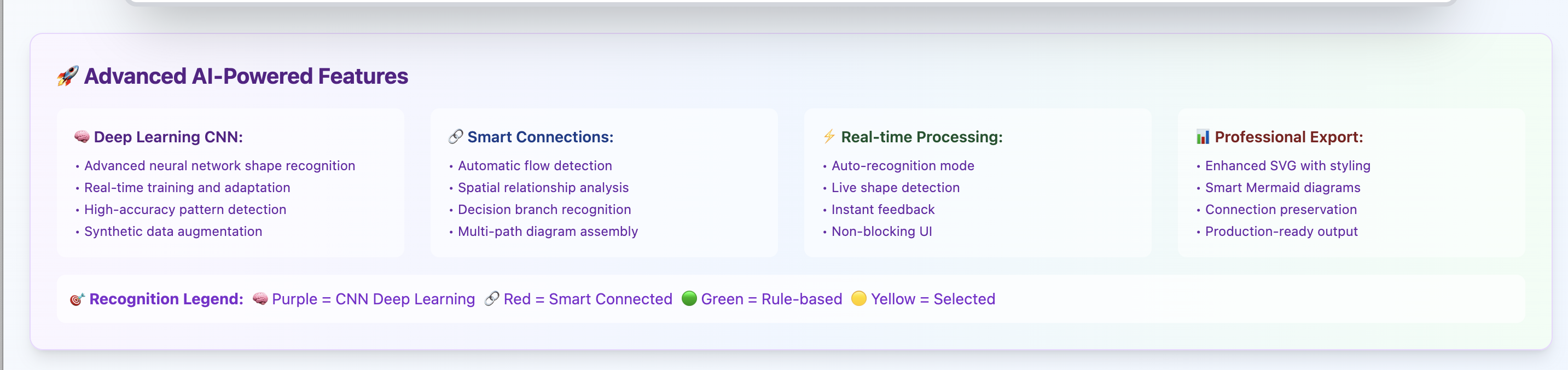
Advanced AI-Powered Features
-
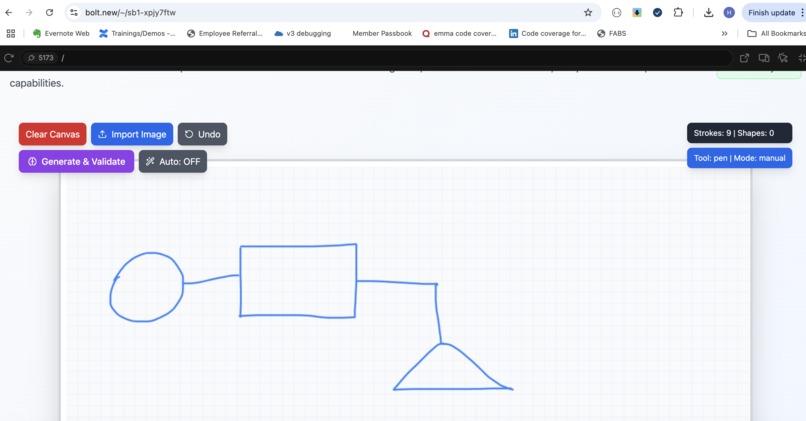
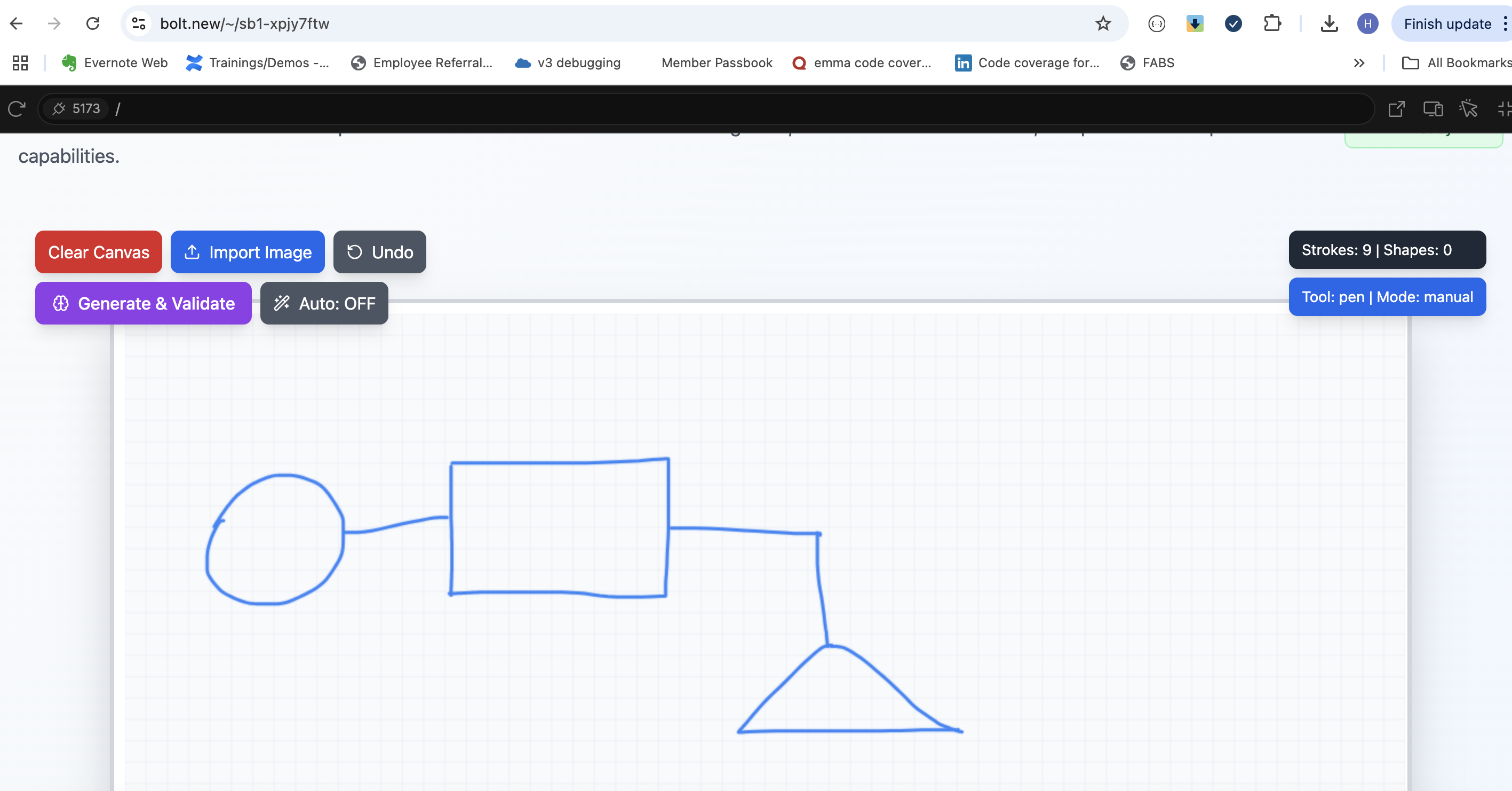
drawing canvas to showcase raw sketches
-
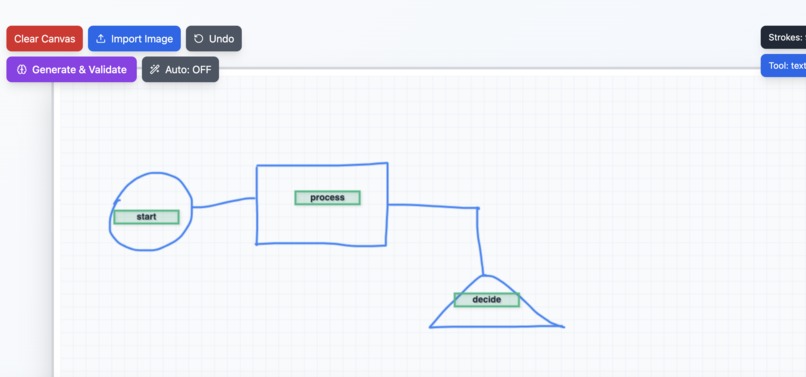
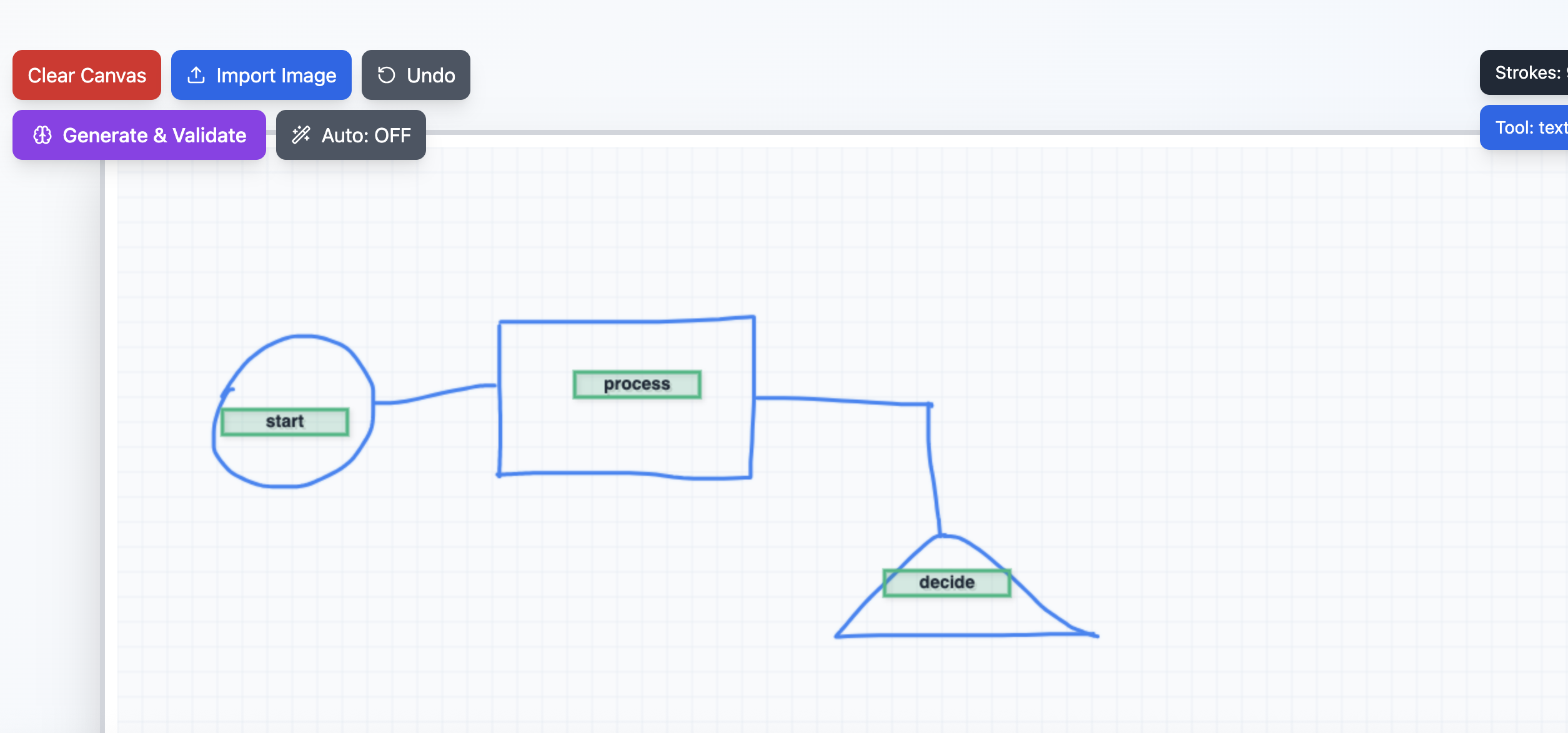
Drawing flowchart
-
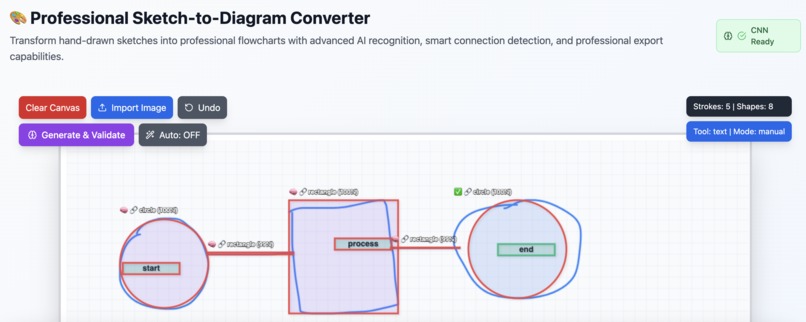
glimpse of rough sketch to professional diagram .
-
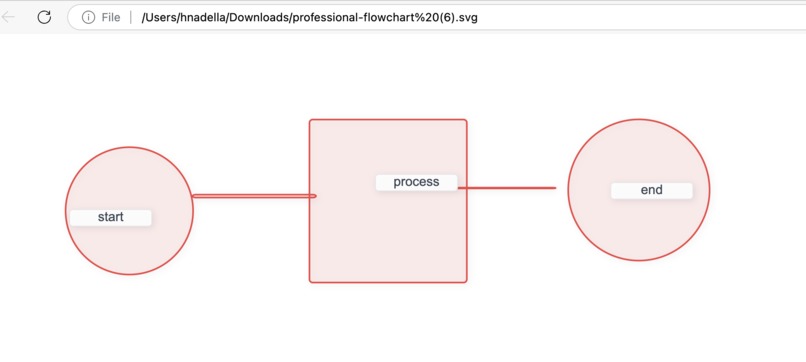
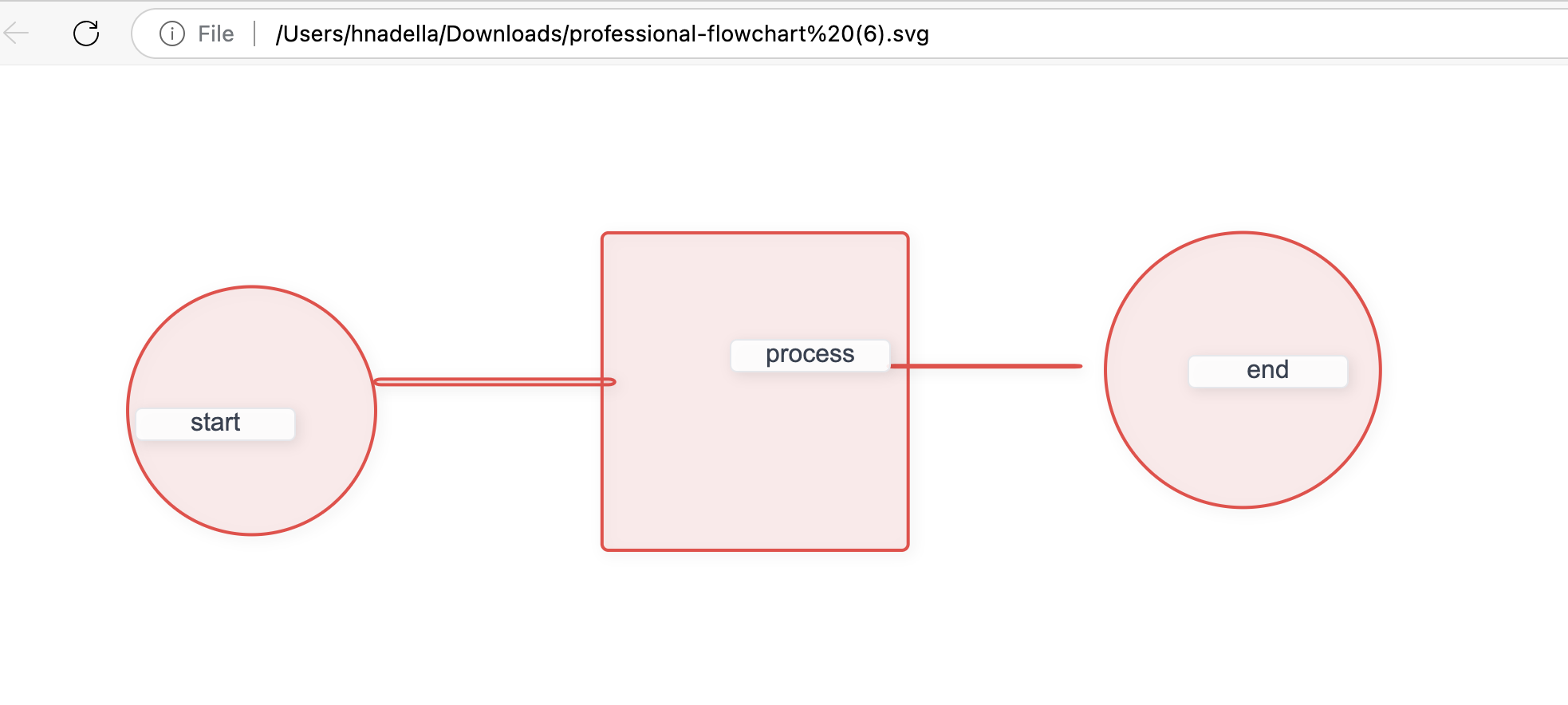
Final professional diagram extracted from sample rough sketches
Inspiration
The idea for Sketch2Diagram was born from a simple yet common experience—sketching rough diagrams on paper for college presentations and watching my parents spend hours perfecting professional diagrams for their work. These moments made me realize how tedious and time-consuming it can be to translate raw ideas into clean visuals using traditional tools that require manual shape selection, alignment, and formatting.
I wanted to build something that feels as natural as drawing on paper, but intelligent enough to understand the sketch and convert it into a structured, presentation-ready flowchart. That vision led to Sketch2Diagram—a tool that combines the freedom of freehand drawing with the power of AI to simplify and accelerate diagram creation.
What it does
Sketch2Diagram is a browser-based tool that converts hand-drawn sketches into clean, professional flowcharts using a combination of AI and geometric rules. Users can draw using a mouse, stylus, or touch, and the tool recognizes shapes like rectangles, circles, diamonds, and connectors in real-time. It classifies these shapes, preserves any added text, and allows users to export the diagram as SVG or Mermaid for professional use—all without needing backend support.
How we built it
We used React with TypeScript and Vite for a fast, modular frontend, styled with Tailwind CSS. Drawing is handled via the Canvas API with multi-input support (mouse, touch, stylus). For shape recognition, we built a hybrid engine: --> Rule-based geometry for quick, deterministic detection --> TensorFlow.js CNN model trained on synthetic hand-drawn data for flexibility and real-time AI inference --> The app features clean separation of drawing and classification logic, supports undo/redo, and includes an intuitive export system for professional output.
Challenges we ran into
1) Browser Performance & UI Responsiveness Initial CNN models with full-sized architectures caused complete UI freezing during training and inference. We solved this by implementing a lightweight CNN with reduced layers (16→32 filters instead of 32→64), smaller batch sizes (16 vs 32), and non-blocking async processing with setTimeout yields between operations. We also added real-time training progress indicators to keep users informed during the 12-epoch training process.
2) Memory Management & Tensor Disposal TensorFlow.js tensor objects weren't being properly disposed, causing memory leaks that crashed the browser after extended use. We implemented immediate tensor cleanup using .dispose() after every inference operation, batch processing cleanup, and proper model lifecycle management. This reduced memory usage by ~80% during long drawing sessions.
3) Text Preservation Across Recognition Cycles User-added text labels were being lost when shapes were reclassified by the AI system. We built a sophisticated merging system that preserves existing text content, maintains user-created elements through the userCreated property flag, and separates text shapes from geometric shapes during processing to prevent accidental deletion.
4) Cross-Platform Input Consistency Stylus, touch, and mouse inputs had inconsistent pressure sensitivity and coordinate mapping across devices. We implemented unified pointer event handling with fallback pressure values (0.5 default), consistent coordinate scaling across different screen densities, and careful event prevention to avoid conflicts between touch and mouse events.
5) Shape Validation & User Correction Workflow Users couldn't remember which AI-detected shapes corresponded to their original sketches when the validation modal appeared. We solved this by implementing visual shape previews using mini-canvas renderings in the validation interface, comprehensive shape metadata tracking (confidence scores, AI source, original vs corrected types), and a user-friendly correction system that maintains the relationship between detected shapes and their visual representations.
6) Real-time Shape Recognition Accuracy Balancing speed vs accuracy in real-time recognition proved challenging, especially for hand-drawn imperfect shapes. We implemented a hybrid approach combining rule-based geometric analysis for basic shapes with CNN deep learning for complex patterns, aggressive line detection algorithms to catch connector elements, and confidence-based fallback systems that gracefully degrade to simpler recognition when ML models aren't ready.
Accomplishments that we're proud of
✅ Built a fully client-side AI diagramming tool with no backend dependencies — everything runs securely in the browser.
⚡ Achieved real-time shape recognition using a lightweight CNN model implemented in TensorFlow.js.
🖊️ Designed a smooth and intuitive user experience that supports mouse, touch, and stylus input across devices.
🔁 Developed a hybrid recognition system that combines AI with rule-based logic for better accuracy and reliability.
📤 Integrated a smart export feature that allows users to download clean, structured diagrams in SVG and Mermaid formats — ready for presentations or documentation.
What we learned
🧠 CNN Model Optimization for Browser Performance How to train and optimize a lightweight CNN model that runs efficiently in the browser using TensorFlow.js, including reducing model complexity (16→32 filters), implementing non-blocking training with progress tracking, and achieving real-time inference without UI freezing.
✍️ Synthetic Data Generation for Sketch Recognition Techniques for generating realistic synthetic sketch data with noise, variation, and imperfections to train the model on hand-drawn shapes, including programmatic shape generation with human-like drawing patterns and data augmentation strategies.
🖼️ Advanced Canvas Rendering & Multi-Input Handling Real-time canvas rendering with grid backgrounds, shadow effects, and smooth multi-input support (mouse, touch, stylus) with unified pointer event handling, pressure sensitivity normalization, and cross-platform coordinate mapping.
🧹 TensorFlow.js Memory Management Mastery Critical best practices for tensor disposal, batch processing cleanup, and model lifecycle management to prevent memory leaks and maintain performance during extended drawing sessions, reducing memory usage by ~80%.
🔁 Hybrid AI-Rule Based Recognition Systems The power of combining rule-based geometric analysis with CNN deep learning for robust shape recognition, including aggressive line detection algorithms, confidence-based fallback systems, and graceful degradation when ML models aren't available.
✅ Interactive Validation & User Correction Workflows Building sophisticated validation interfaces that allow users to review and correct AI predictions with visual shape previews, confidence scoring, and seamless correction workflows that preserve user intent while improving AI accuracy over time.
🔗 Smart Connection Detection & Diagram Assembly Advanced spatial relationship analysis to automatically detect connections between shapes, distinguish connectors from geometric shapes, and assemble coherent flowchart structures with intelligent flow direction detection.
🎨 Professional Export & Visualization Creating production-ready export capabilities including enhanced SVG with styling and shadows, intelligent Mermaid diagram generation with proper node relationships, and visual distinction between AI-detected vs user-corrected elements.
⚡ Real-time Auto-Recognition Systems Implementing non-blocking auto-recognition that processes sketches in the background while maintaining UI responsiveness, with smart timing delays and batch processing to balance accuracy with performance.
🎯 User Experience Design for AI Tools Designing intuitive interfaces that make complex AI functionality accessible, including visual feedback systems, progressive disclosure of advanced features, and clear indication of AI confidence levels and processing states.
What's next for Sketch2Diagram
🎯 Add support for more diagram types like ER diagrams, mind maps, and UML
✏️ Enable user-editable labels and smarter text recognition
🧠 Improve AI with transfer learning and expand the training dataset
☁️ Integrate cloud sync/export to tools like Google Drive
🧩 Add drag-to-edit functionality for rearranging shapes after sketching
🧩 import funtionality . Draw sketch on any other place and convert that to diagram
Built With
- canvas
- cnn
- css
- html5
- meramaid
- netlify
- react
- svg
- tensor
- typescript
- vite


Log in or sign up for Devpost to join the conversation.