-
Tutor Tutorial
-
Tutorials
-
Multiple Choice Quizes in the tut
-
Before the Tutorium
-
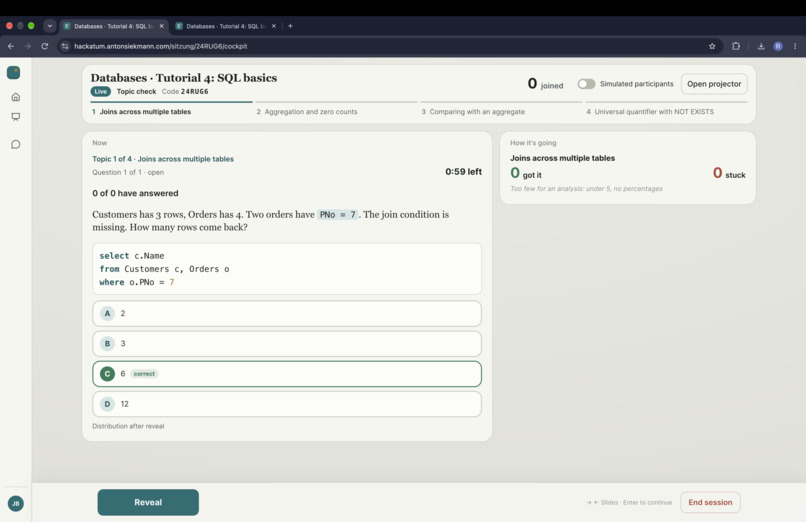
Multiple Choice Quizes
-
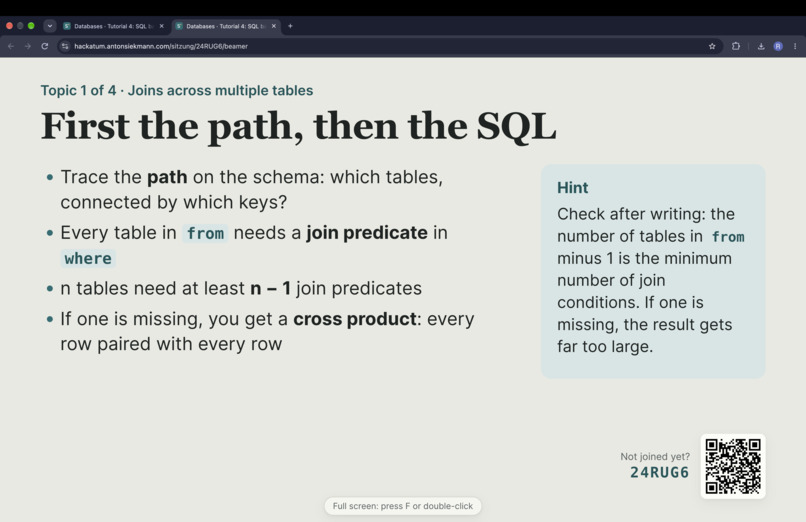
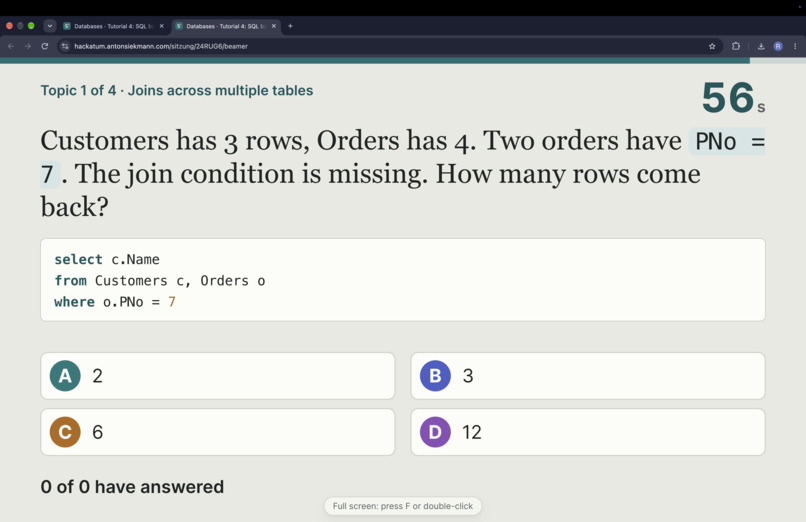
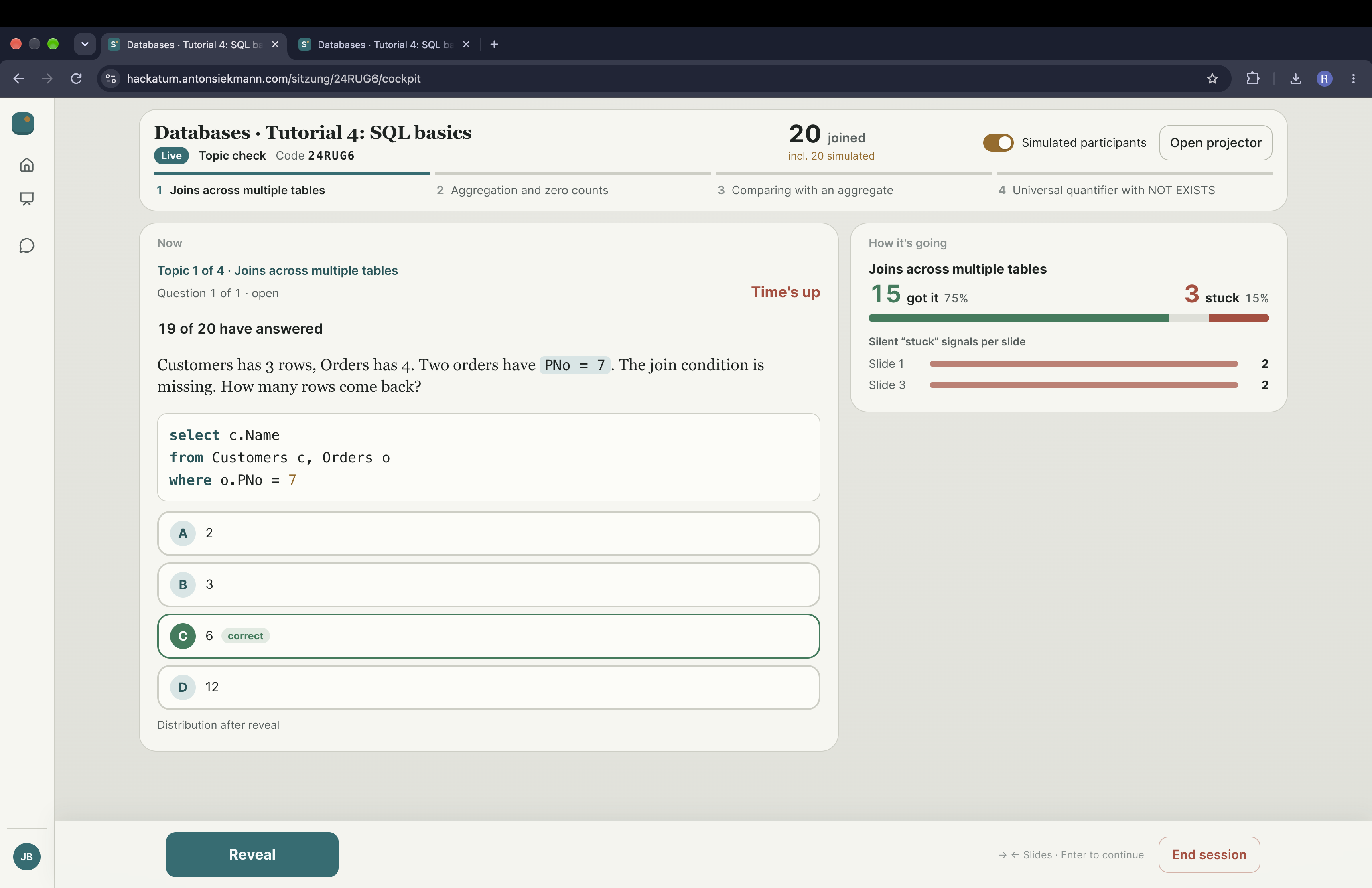
What the Students see during the tut
-
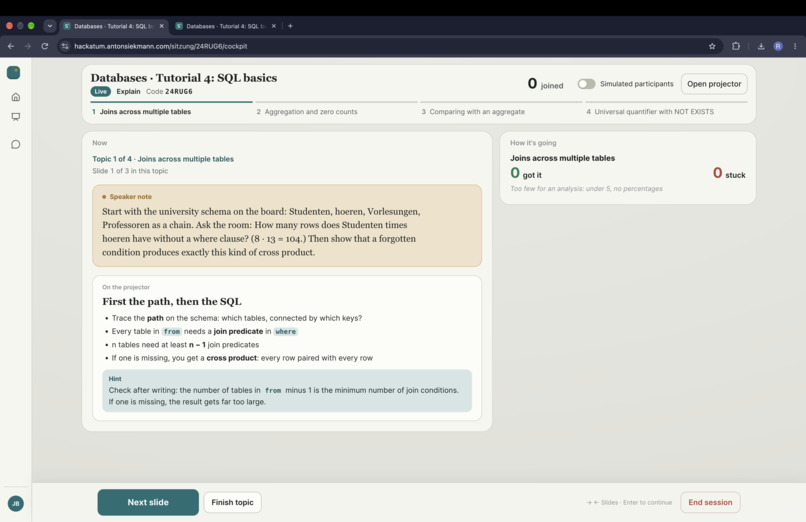
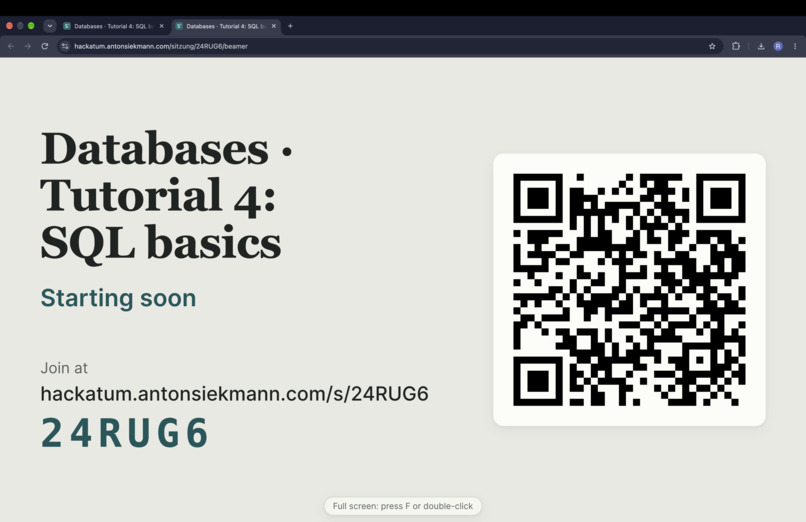
Slides in the Tut
-
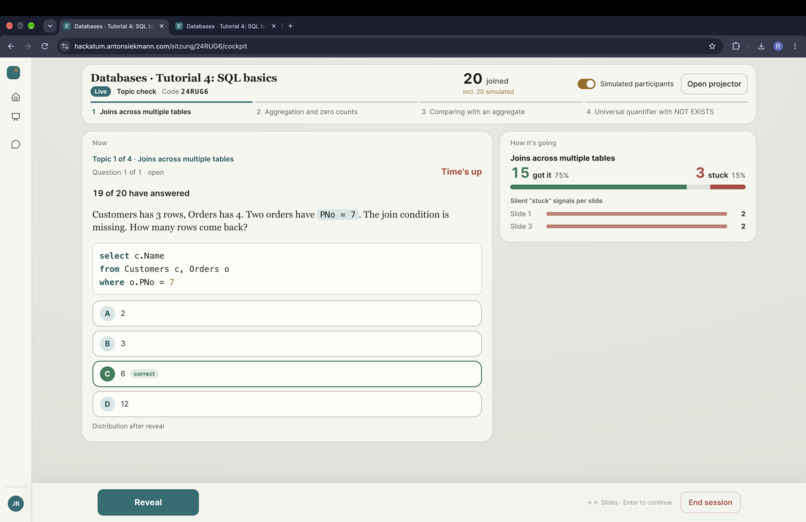
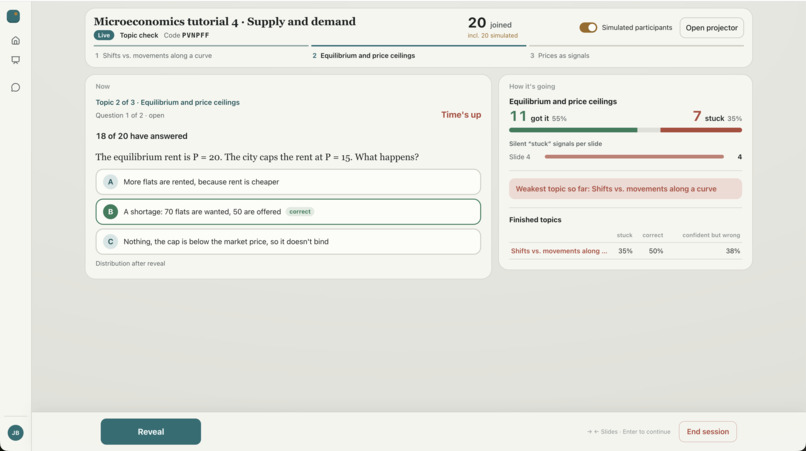
What the tutor see's after the quize
-
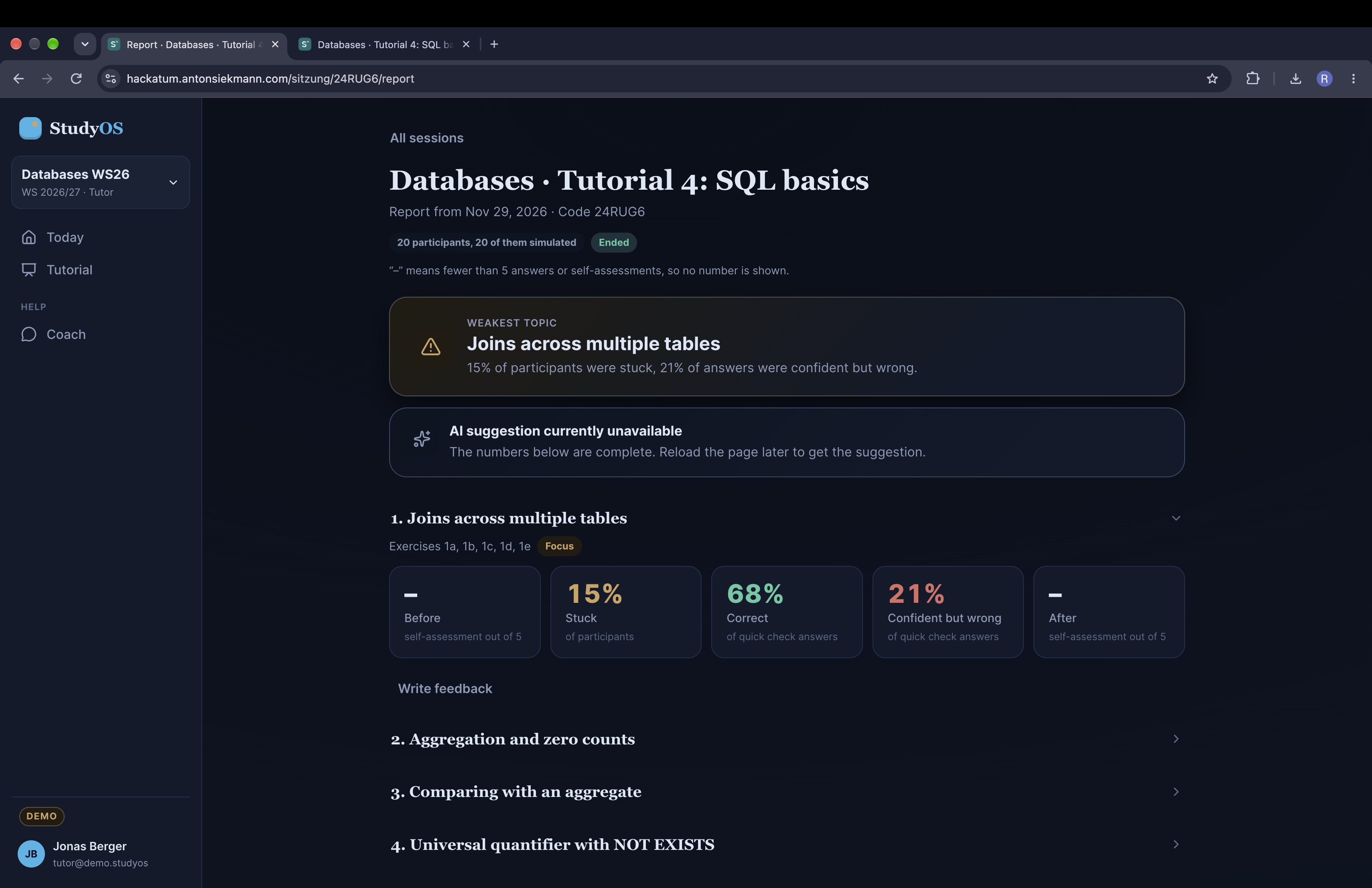
Report for the Tutor
Inspiration
"Any questions?" The tutor asks, and the room stays silent. Students who are stuck don't speak up in front of the group. Students who are confidently wrong don't even know it. The tutor finds out when grading the exam, weeks too late. We wanted the tutor to know during the session, and every student to know why their answer was wrong.
That is Reply's direction Catch Confusion Before the Exam!: turn student errors and uncertainty into timely teaching action.
What it does
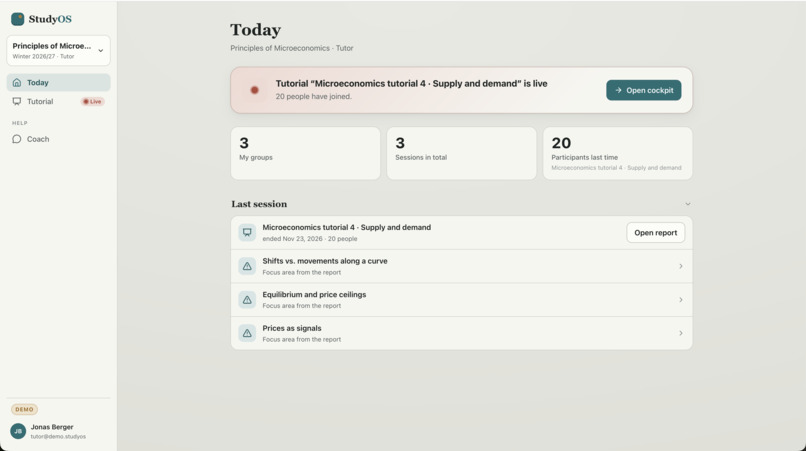
StudyOS is a platform for a whole university course, with three roles.
Course lead uploads the exercise sheet, lecture slides and past exams as PDFs. The AI turns the sheet into topics, short slides and check questions. Every wrong answer option comes with an explanation of the misconception behind it and a link to similar past exam tasks. The course lead reviews the result and approves it once for all tutorial groups. A course overview then shows which topics tripped up several groups.
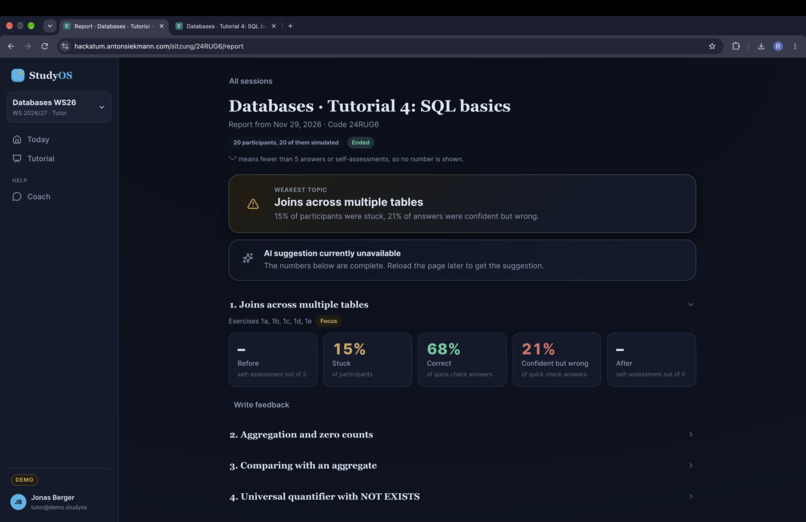
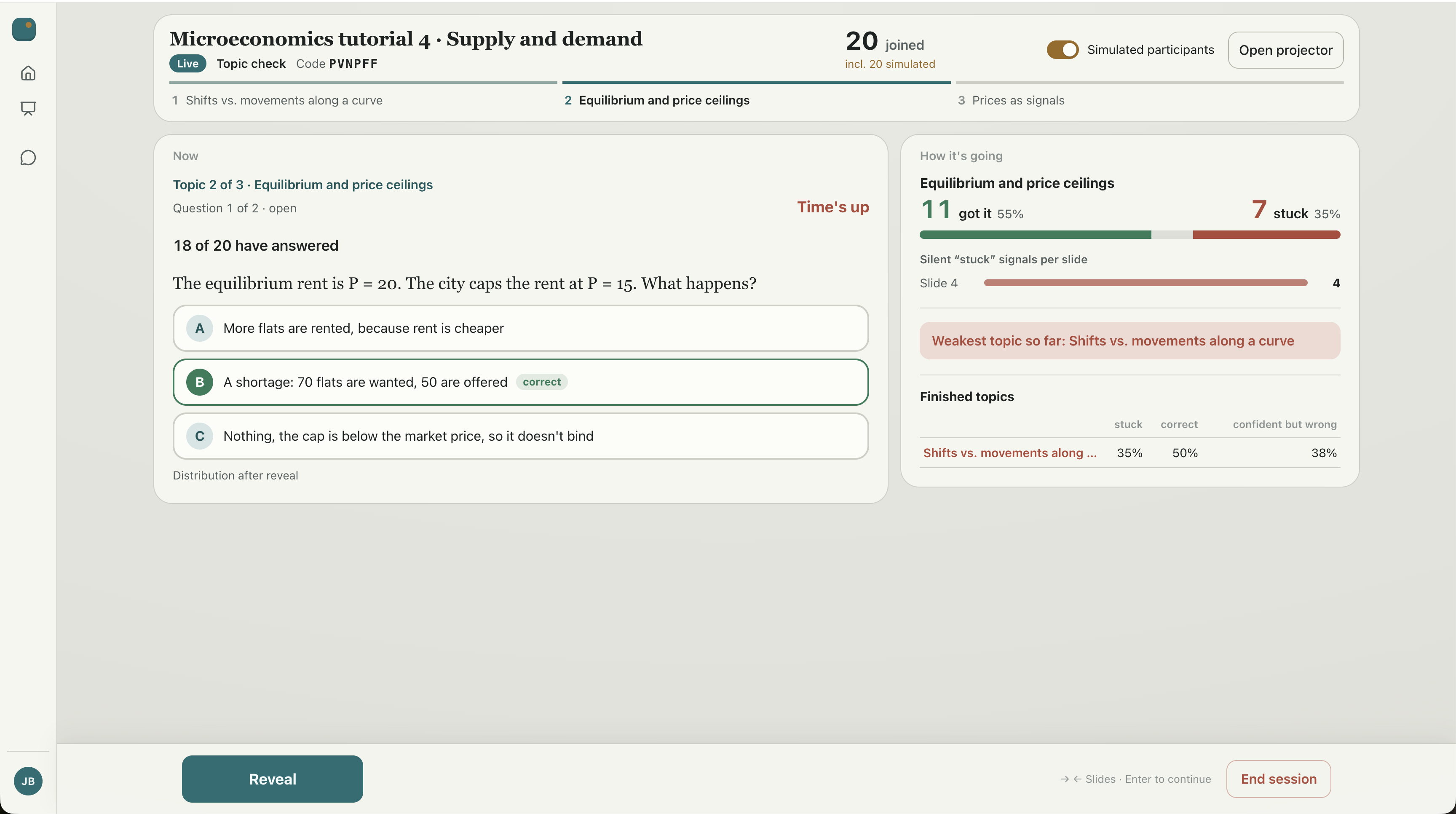
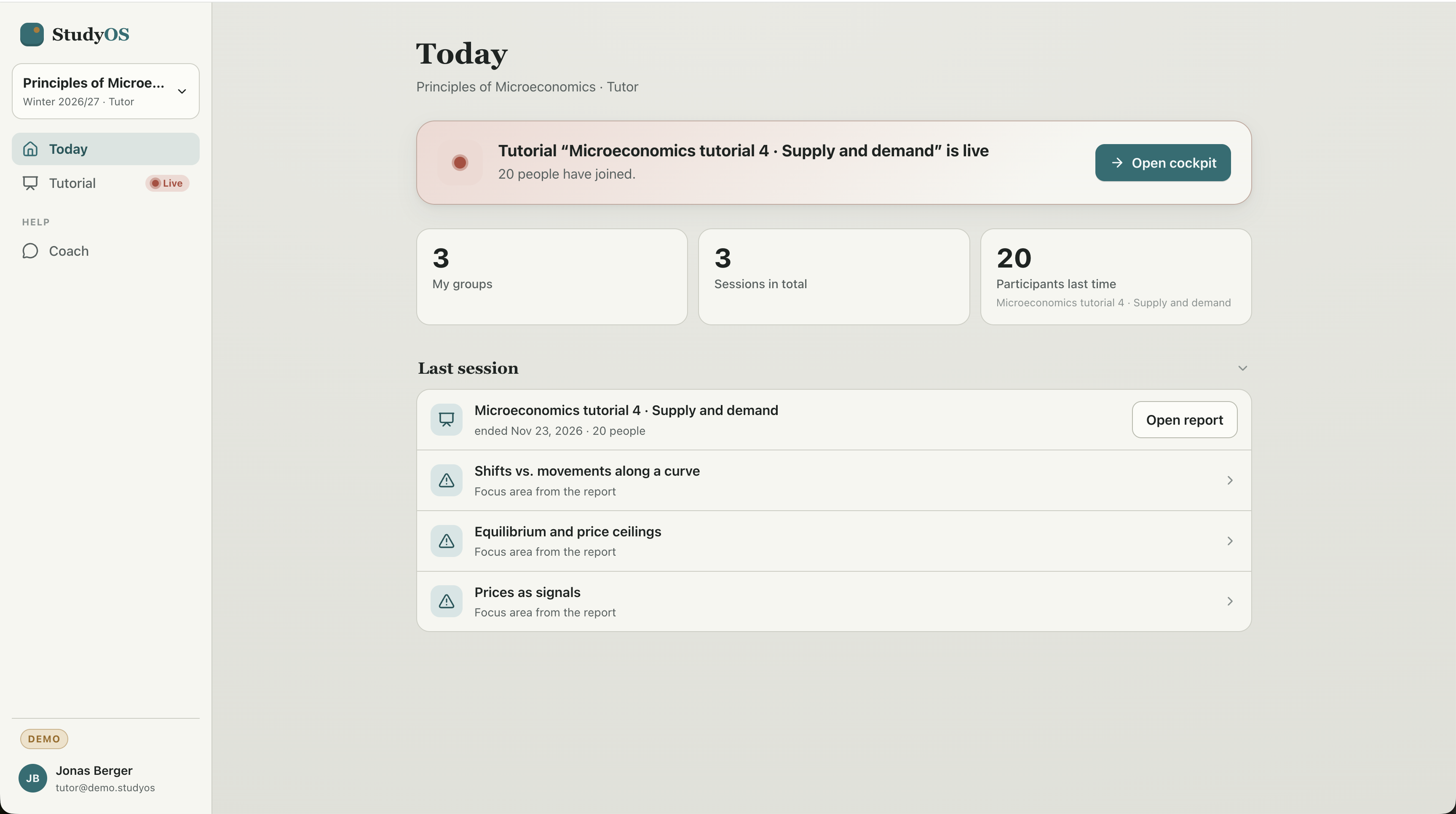
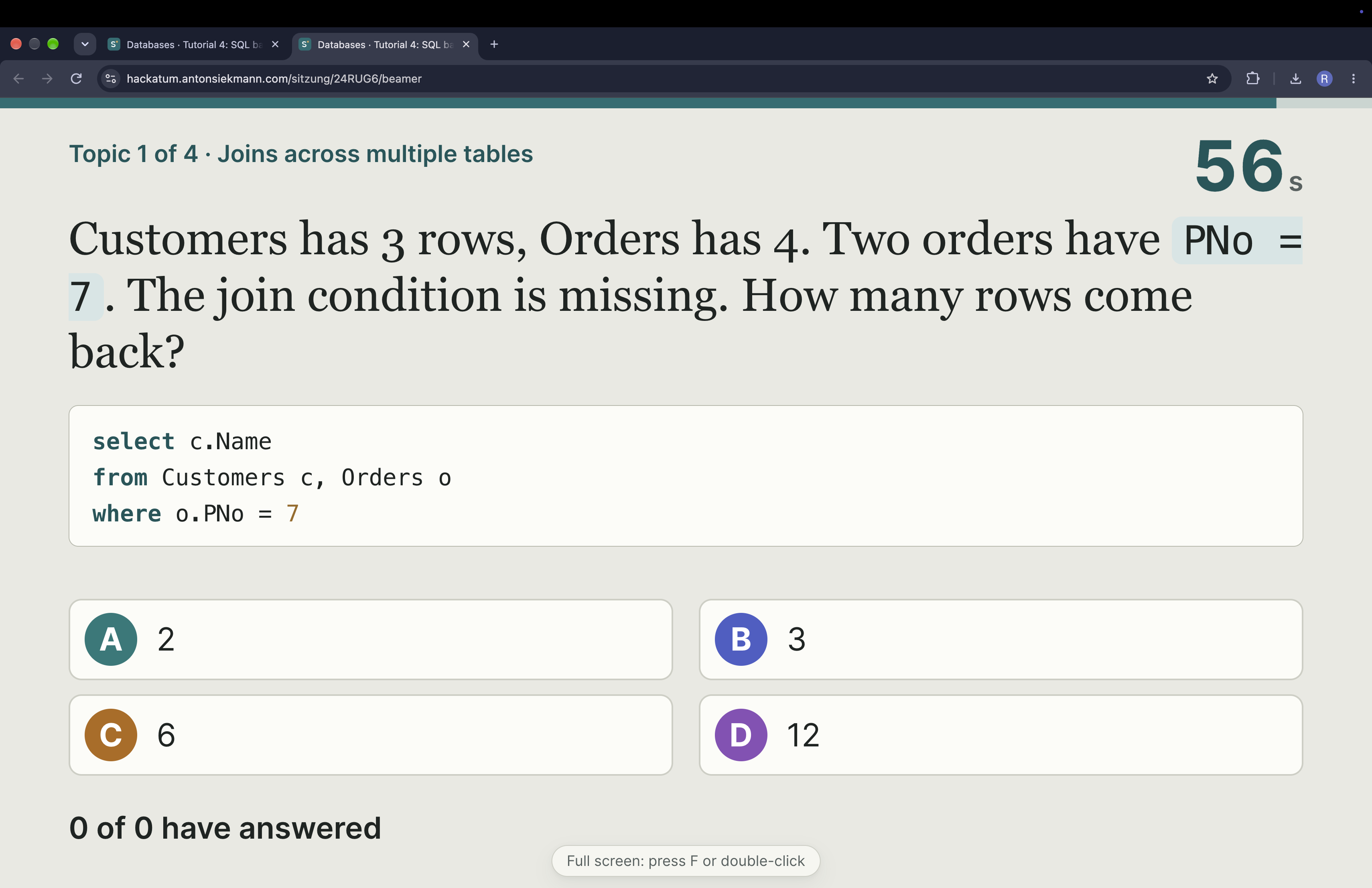
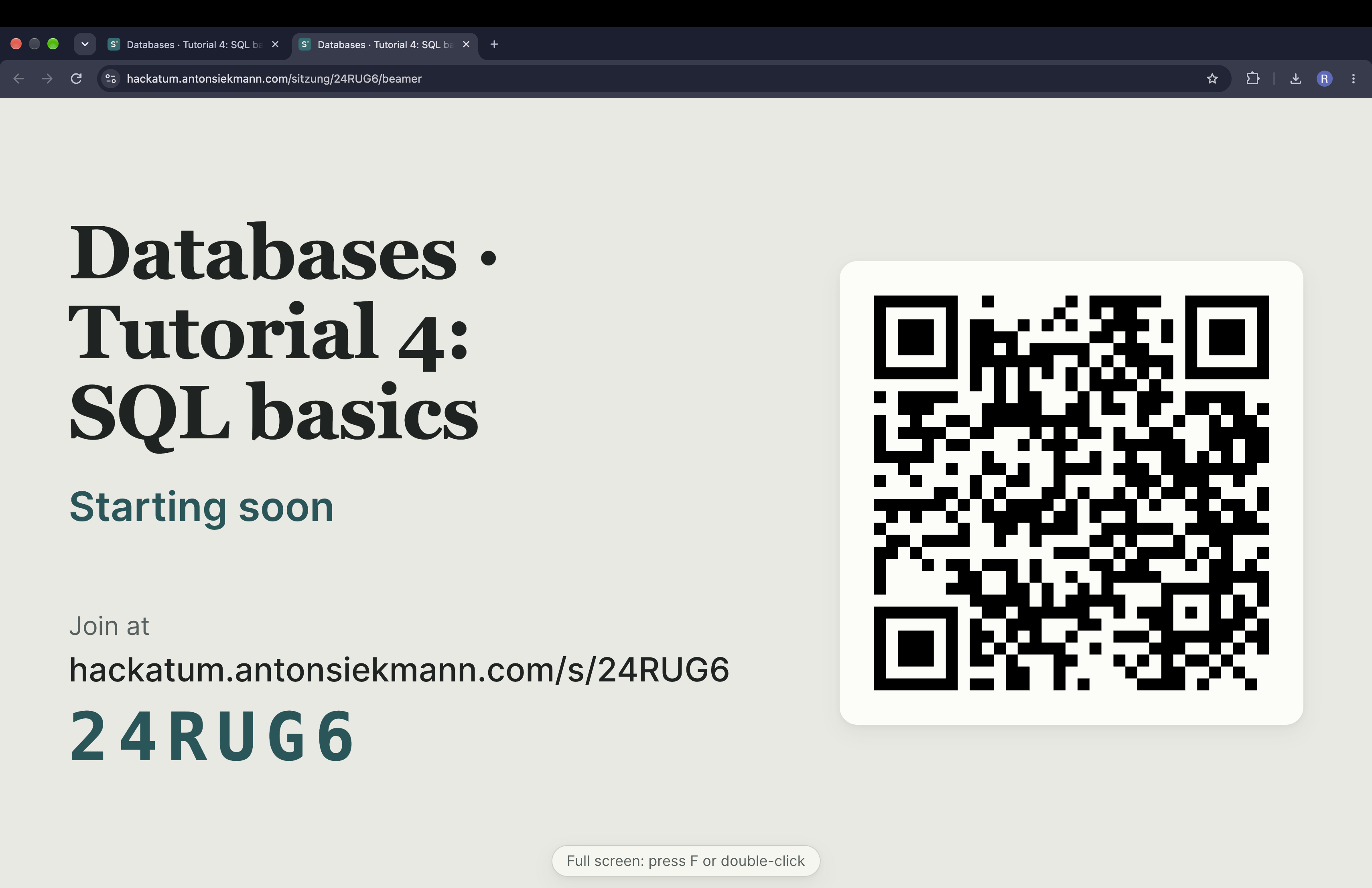
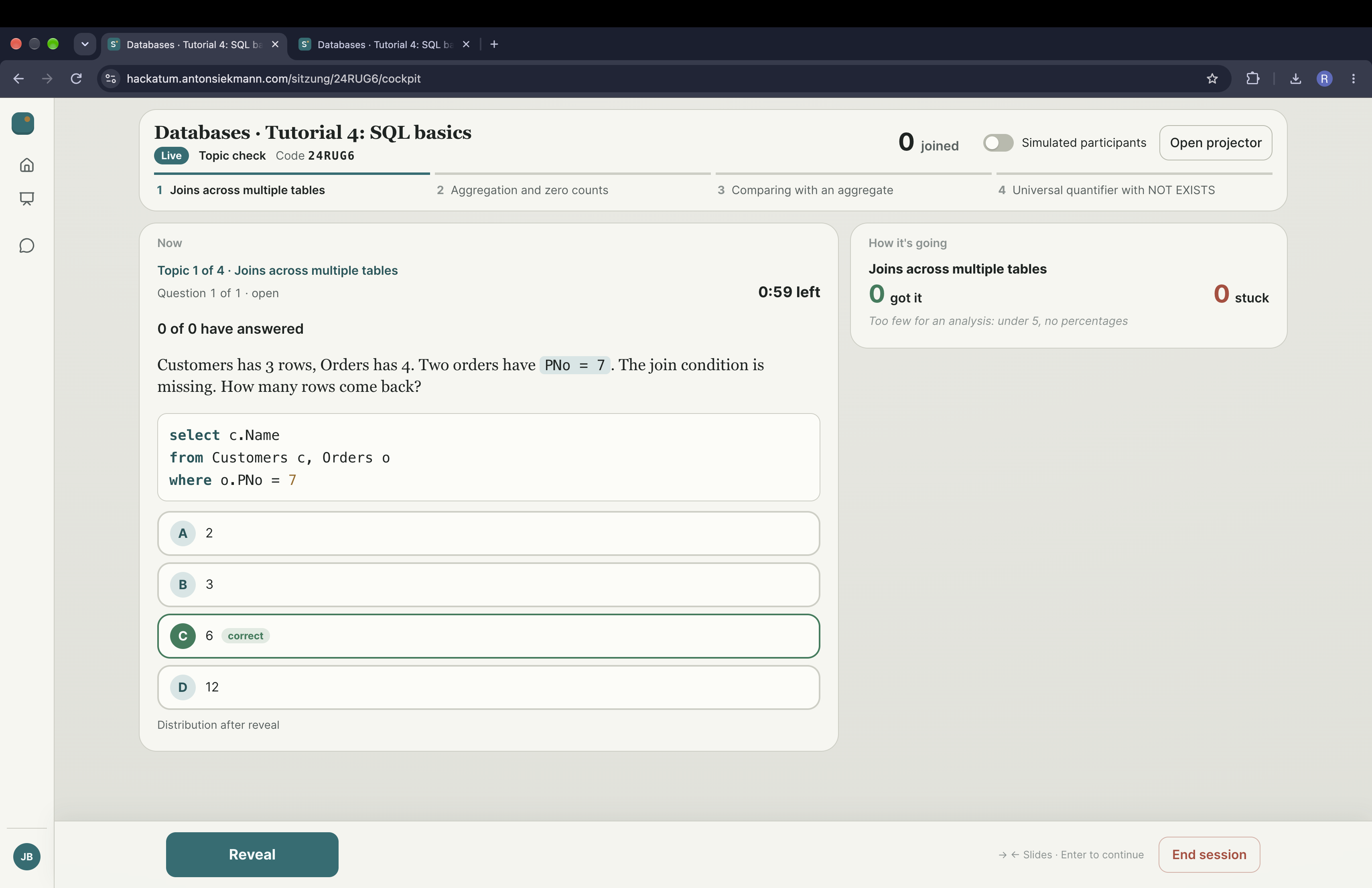
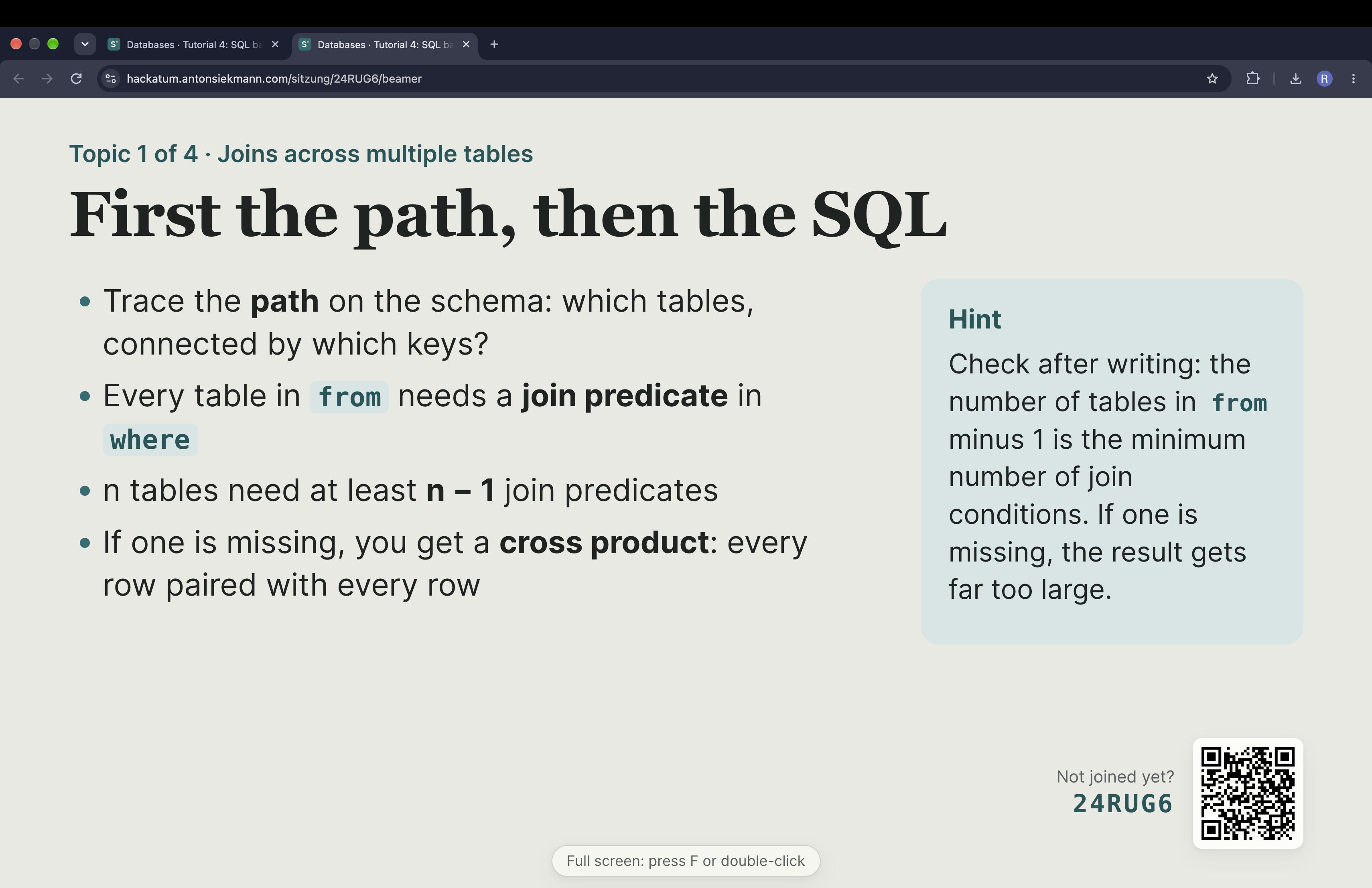
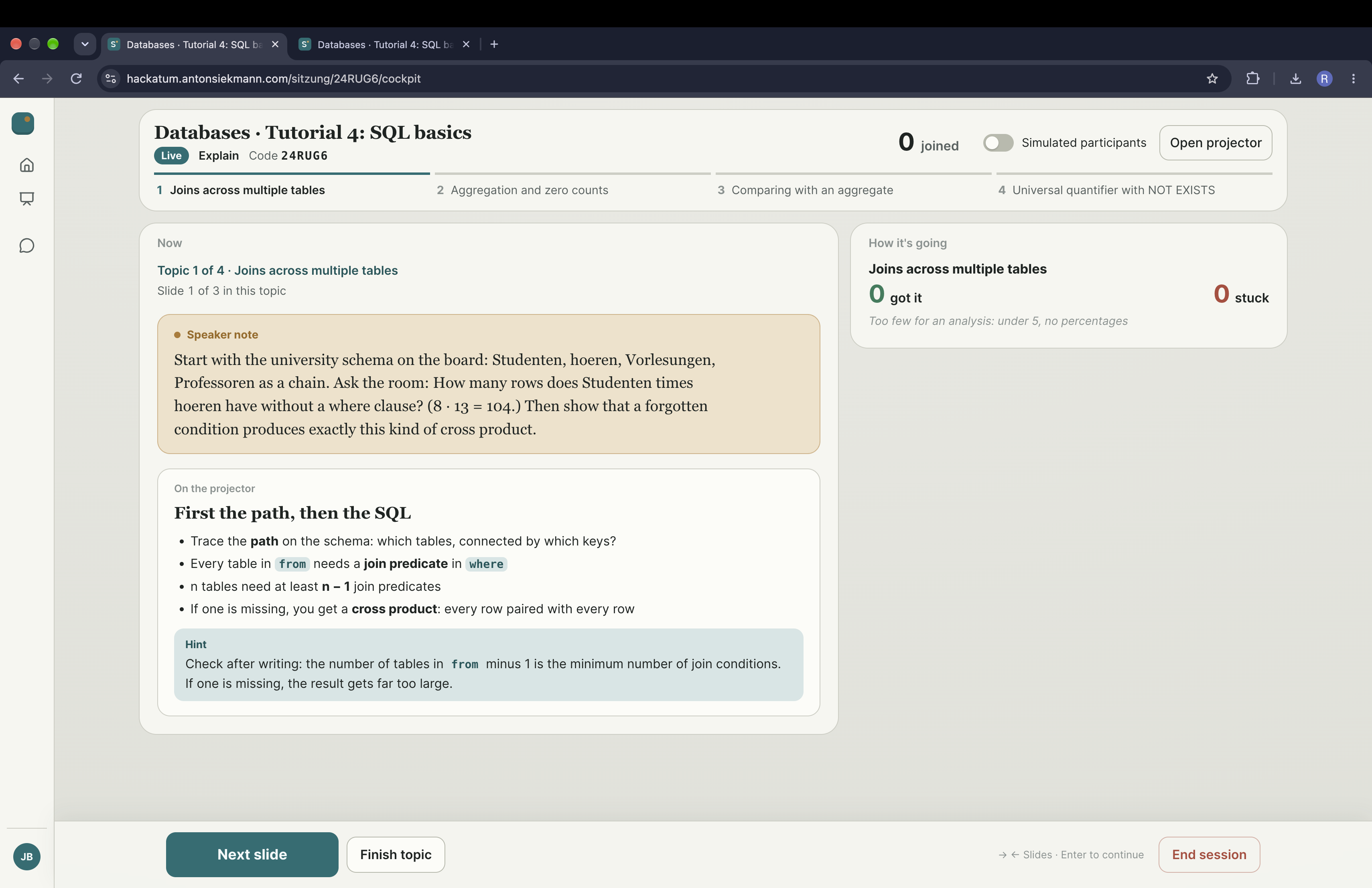
Tutor runs the session on the projector. Students join with a QR code in the browser, no app needed. In the cockpit the tutor sees, live and anonymously, on which slide people are stuck and how the group answers each topic check. After the session there is a report with the weakest topics and an anonymous AI summary of the students' notes.
Students press a silent "I'm stuck" button, answer each check with a confidence slider, and see after the reveal why their answer was wrong. Everything flows into their personal learning state.
The core idea is to classify every answer by correctness and confidence:
| sure | unsure | |
|---|---|---|
| right | solid | shaky |
| wrong | misconception | gap |
A normal quiz only counts votes, so a misconception looks the same as a guess. But a confident wrong answer is exactly what a tutorial should fix.
From the learning state, each student gets:
- a practice plan: a counterexample for misconceptions, basics for gaps, repetition for shaky topics
- flashcards with spaced repetition
- a practice exam on their weakest topics, in the style of the past exams
- a coach that answers from the course material and cites its sources
- their exercise sheet as a PDF, marked where they and the group got stuck
The same mechanics also work in the lecture hall. The lecturer presents the slide PDF from StudyOS, students silently flag the page they are stuck on, and spontaneous questions appear on the projector. Afterwards the lecturer sees which pages and minutes caused the most confusion. Existing multiple-choice questions can be imported from Moodle.
In our demo a tutorial group of a databases course works on an SQL sheet. In topic 2, many students are sure that count(*) after a left join returns 0 for a customer without orders. It returns 1. StudyOS shows the tutor that half the room is confidently wrong, explains the mistake to each student on their phone, and puts the topic on their practice plan.
How we built it
- Python 3.12, FastAPI, SQLModel on SQLite, Jinja2 and HTMX. Plain JavaScript for the live views, no frontend build step.
- Server-Sent Events push the full session state to the cockpit, the projector and every phone.
- AI through OpenRouter, with Claude Haiku 5.5 as the default model.
- All calls go through one package with a hard budget lock at $12 of our $15.
- No participant ever triggers an AI call during a live session. The AI runs once per sheet (analysis), once per topic check (summary of the notes), once per topic (counterexample) and once per session (report), and the result is stored for everyone.
- Coach and practice exam run only on request, with per-person limits. One sheet analysis costs about 0.6 cents, one coach answer about 0.04 cents.
- AI output is checked before anyone can approve it. Every task must sit in exactly one topic, and every wrong option needs a misconception explanation.
- PDFs:
- PyMuPDF extracts the text and marks the student's sheet.
- pdf.js renders the lecture slides in the browser.
- The coach finds passages in the course material with BM25.
- Flashcards use SM-2.
- Privacy by design:
- Tutor and projector only see totals.
- Group values appear from 5 people on.
- Free-text notes are scrubbed of names, e-mail addresses, student IDs and phone numbers before they are stored.
- Test-driven, over 580 tests. Every push to main deploys via CI and Docker Compose to our demo server.
What's real and what's simulated
Real: accounts and roles, PDF upload, AI analysis with review and approval, live tutorial and lecture, report, learning state, practice plan, flashcards, practice exam, coach and the Moodle import.
Simulated for the demo: 20 classmates, because group values only appear from 5 people on. They are marked in the database and labelled in the cockpit, on the projector and in the report. The analysis of the demo sheet is prepared and checked in advance, so the demo does not depend on the model's mood; every other sheet goes through the AI live.
Not built: TUM login and a Moodle API. StudyOS has its own accounts and imports Moodle questions as a file.
Challenges we ran into
- Privacy in the room. The tutor must never see individuals but still needs enough signal to act. We show totals only, hide group values below 5 people and scrub free text.
- Good questions, not quiz questions. A wrong option is only useful if it names the misconception behind it. We validate the AI's structure and keep a human approval step.
- One live state on many screens. Cockpit, projector and phones must agree at all times, and the simulated group has to behave like a real one: stuck signals while the tutor pages through the slides, and answers trickling in over several seconds.
- Three people, one weekend, one platform. We fixed file ownership and interfaces early and kept CI green before every merge.
Accomplishments that we're proud of
- The full path works end to end in one session: PDF upload, AI analysis, approval, a live tutorial on real phones, the report, and each student's personal learning state and practice plan.
- Misconceptions become visible. A poll would say "half the group answered wrong"; StudyOS says "half the group is sure of the wrong answer" and tells each of them why.
- No AI cost per participant, and a budget page that shows what we actually spent.
- Over 580 tests and a deploy on every push, with three people and their agents working in parallel.
What we learned
- Confidence is the cheapest signal with the most value. "Wrong and sure" needs a different teaching move than "wrong and unsure".
- The privacy threshold of 5 people shapes the whole product: what the tutor sees, what the projector shows and how a demo has to be built.
- AI is most useful where its result is checked once and then reused by everyone, not where it answers every click.
What's next for StudyOS
- TUM login and a Moodle plugin instead of our own accounts and the file import
- A pilot with one tutorial group of a real course
- A semester view for the course lead: which topics keep tripping up groups week after week, before the exam
- Short learning bites built from each student's own learning state
Built With
- docker
- fastapi
- htmx
- javascript
- jinja
- openrouter
- pdf.js
- pymupdf
- pytest
- python
- server-sent-events
- sqlite
- sqlmodel

