-
-
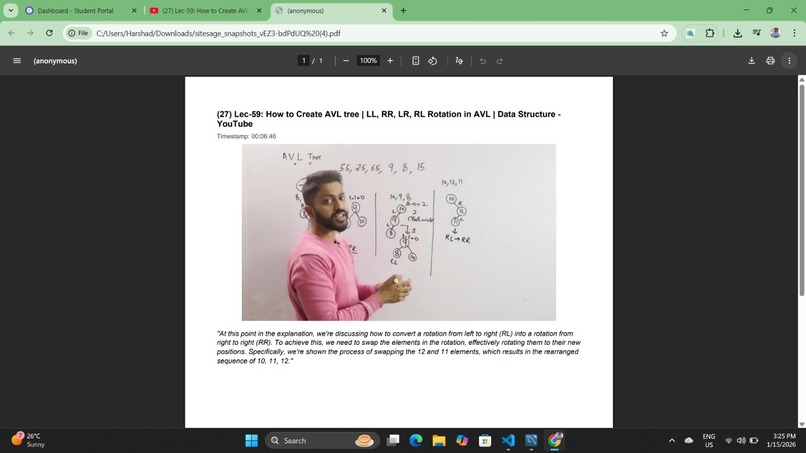
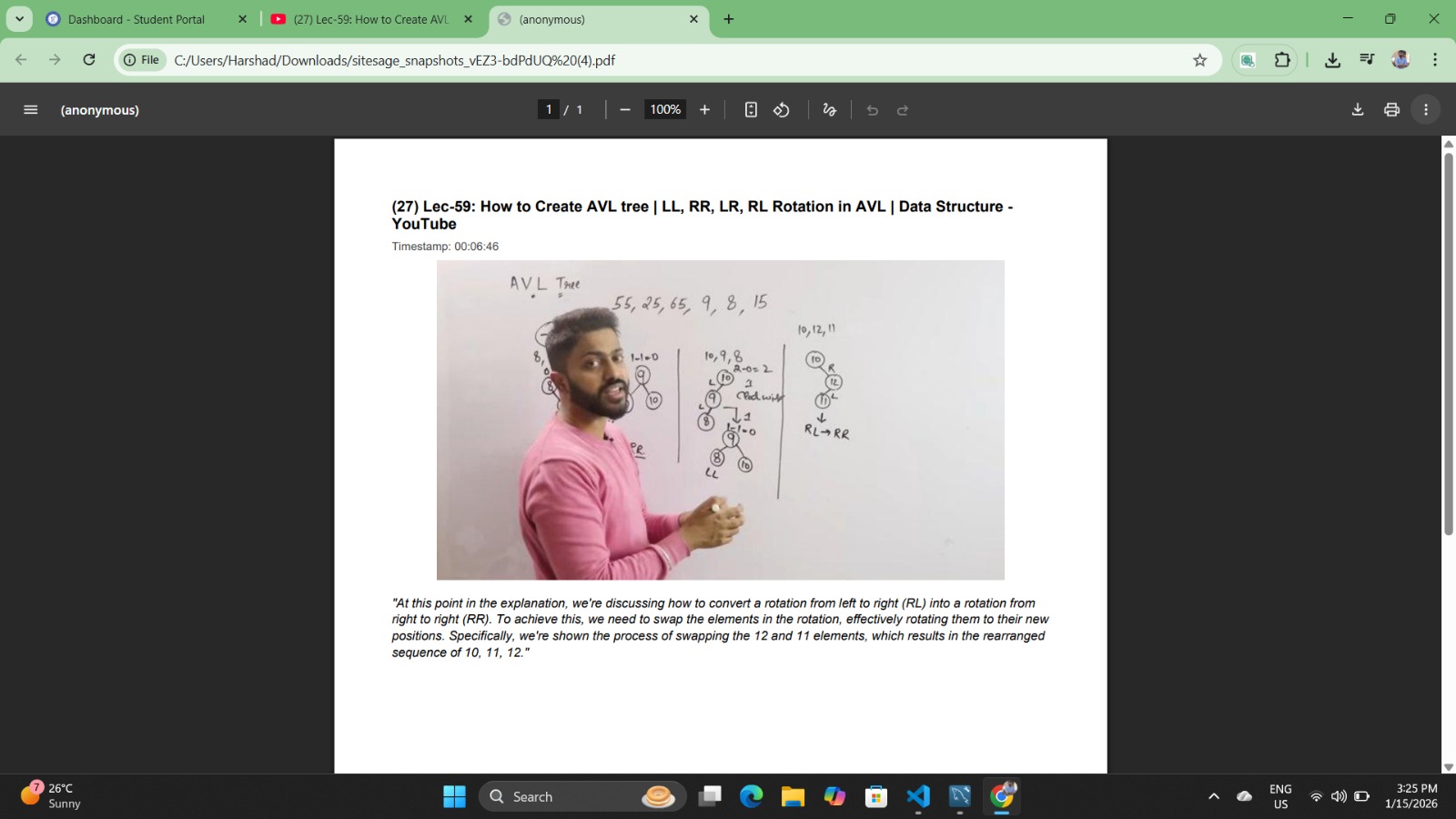
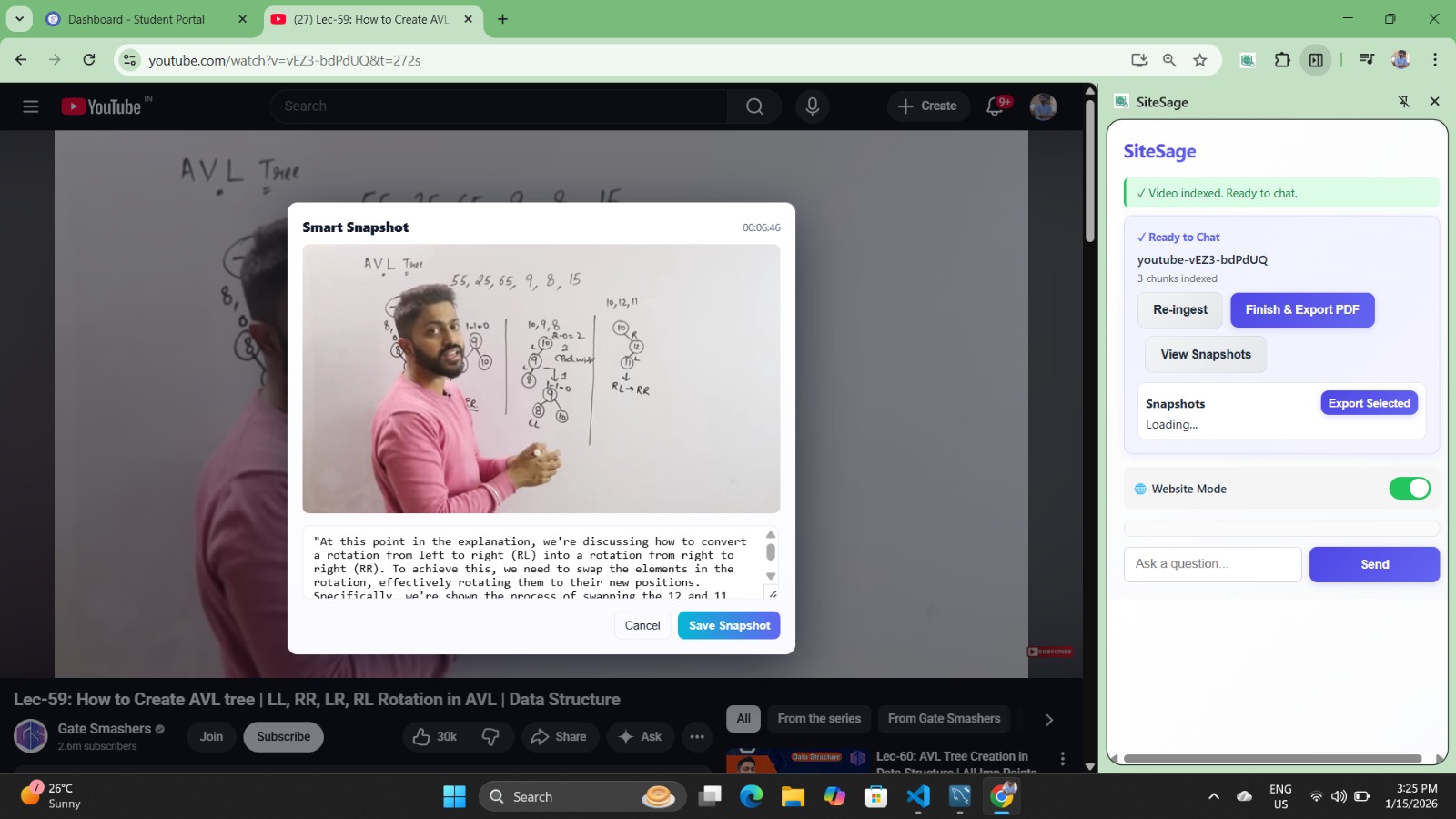
The user successfully generated a pdf of snapshots that he/she took while watching video.
-
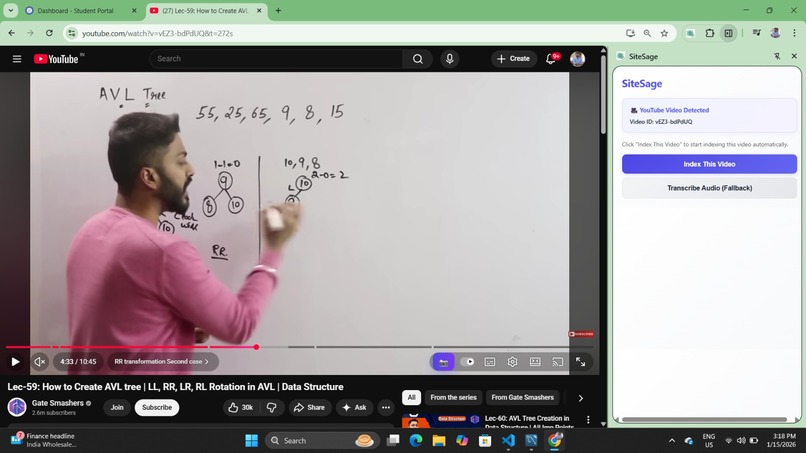
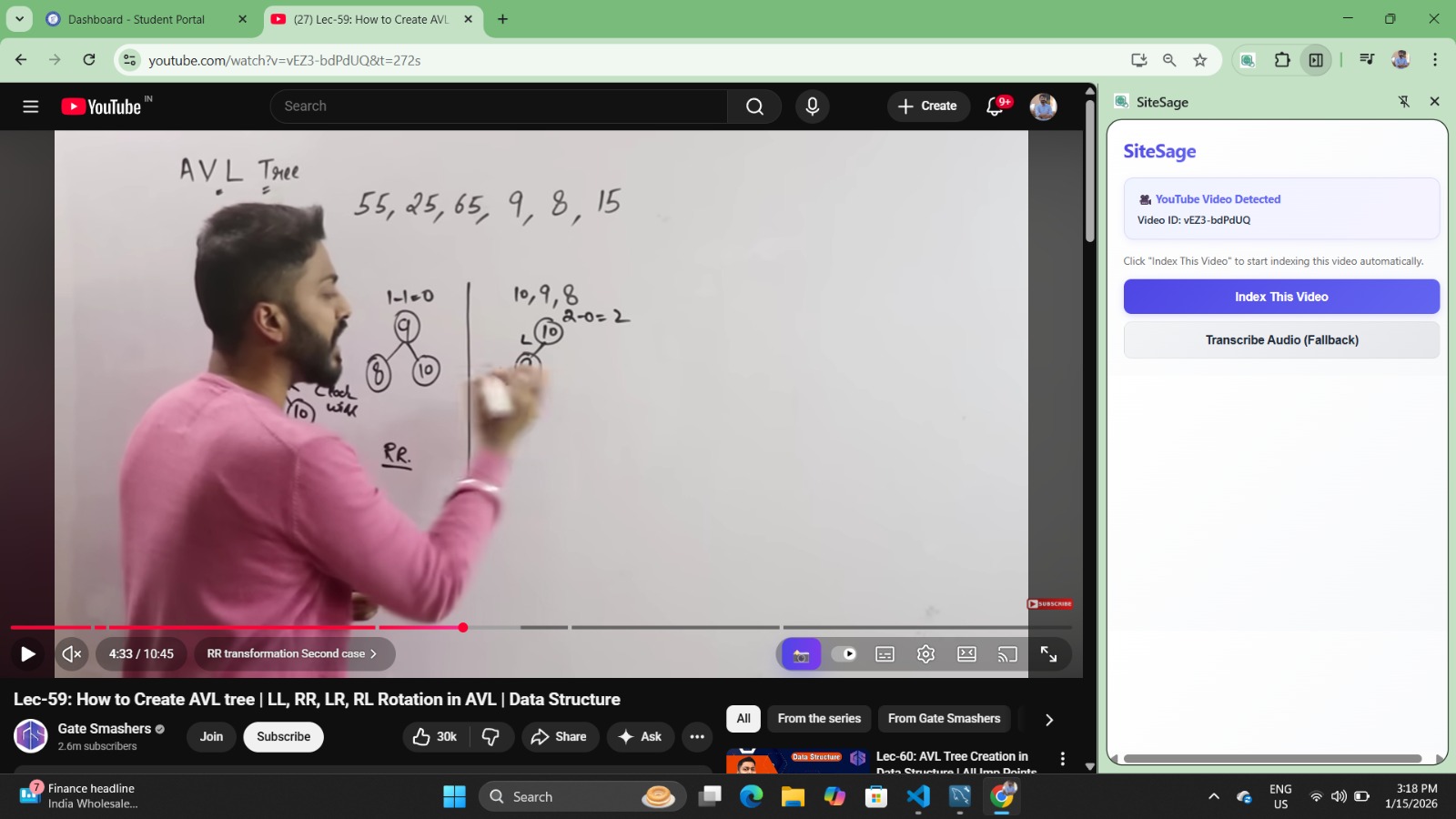
It shows that the extension is indexing the transcribe of video and building context.
-
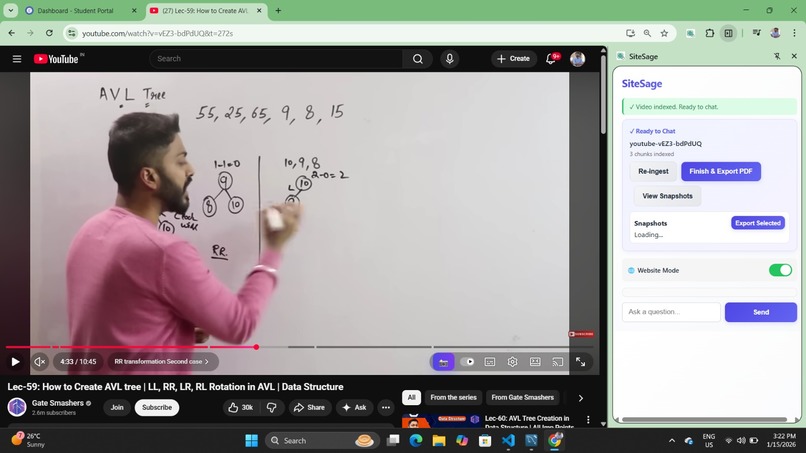
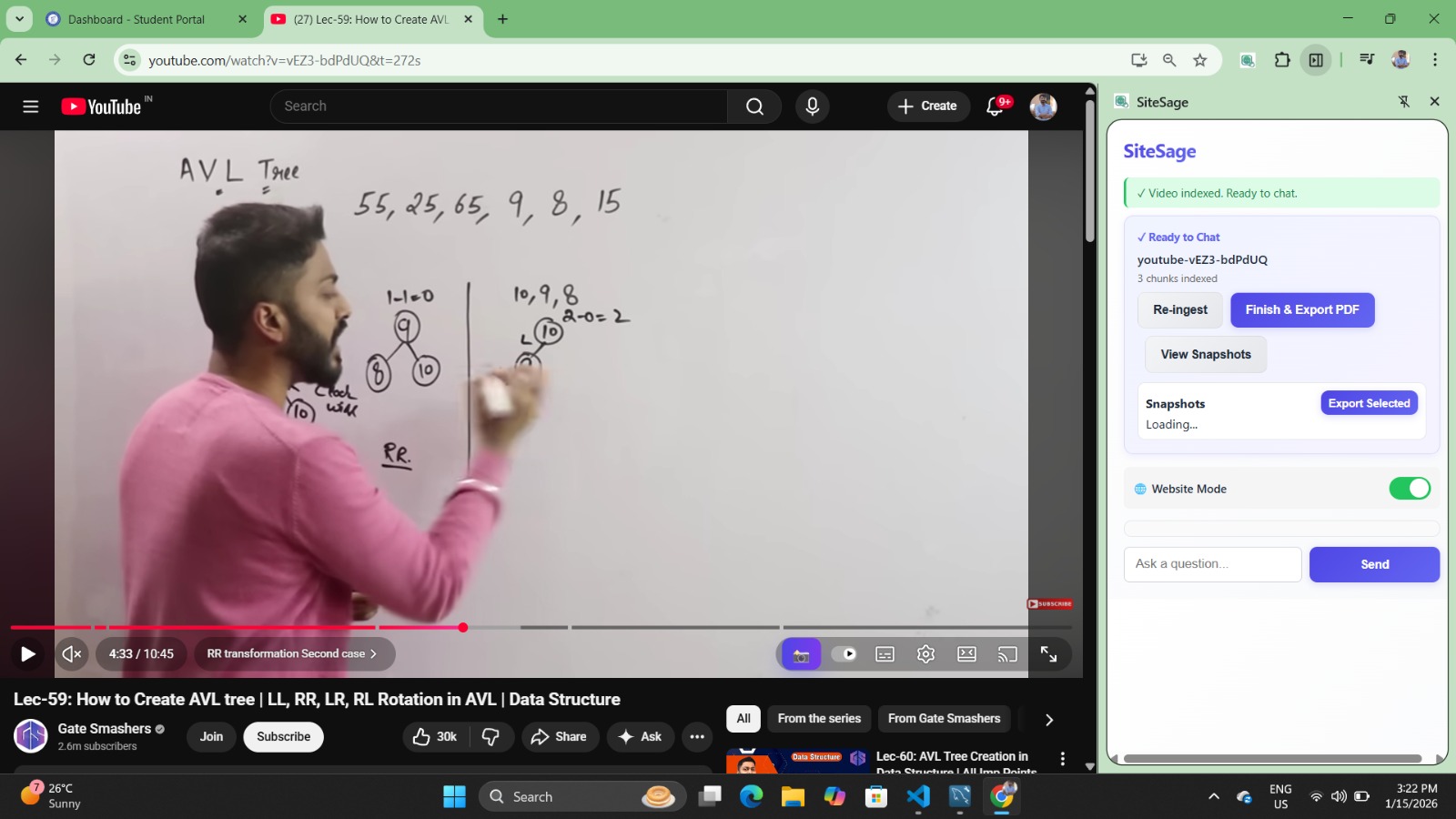
Successfully gained the context of the video and now user can ask questions to the chatbot.
-
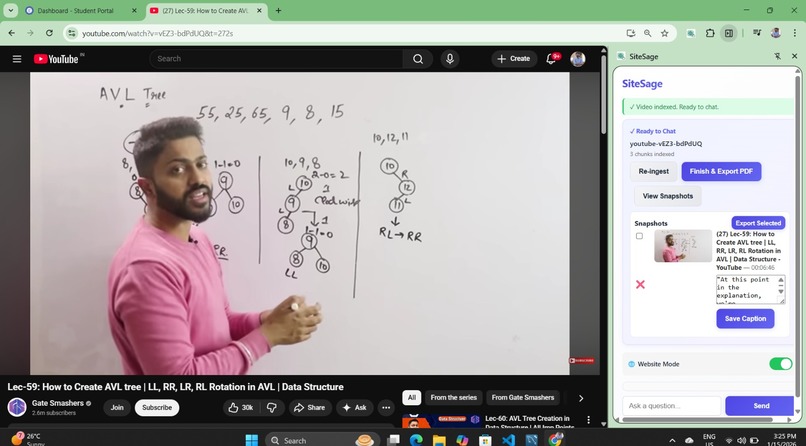
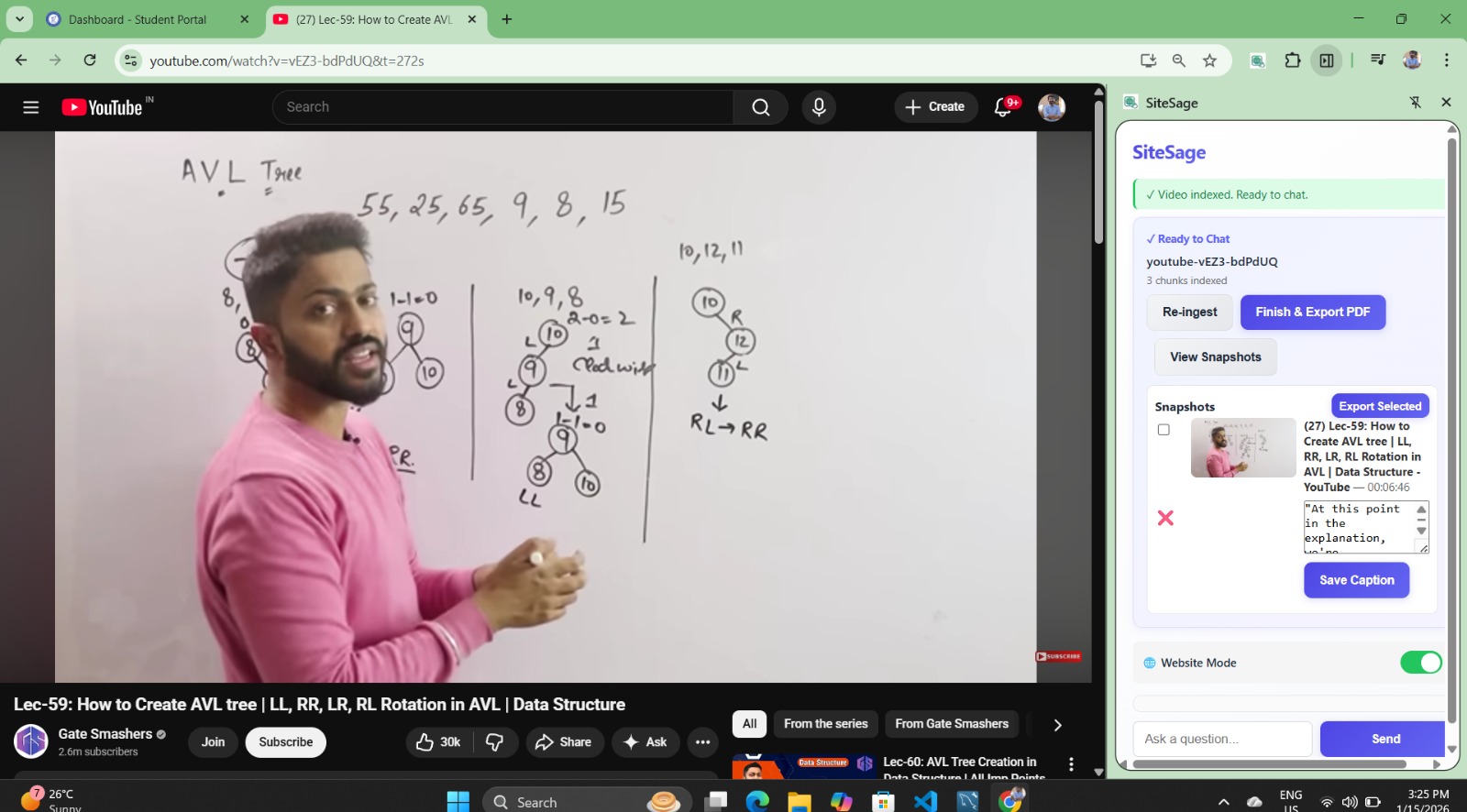
The snapshots are getting saved in the chat. Still user can delete them if they wish to or can generate a pdf of it.
-
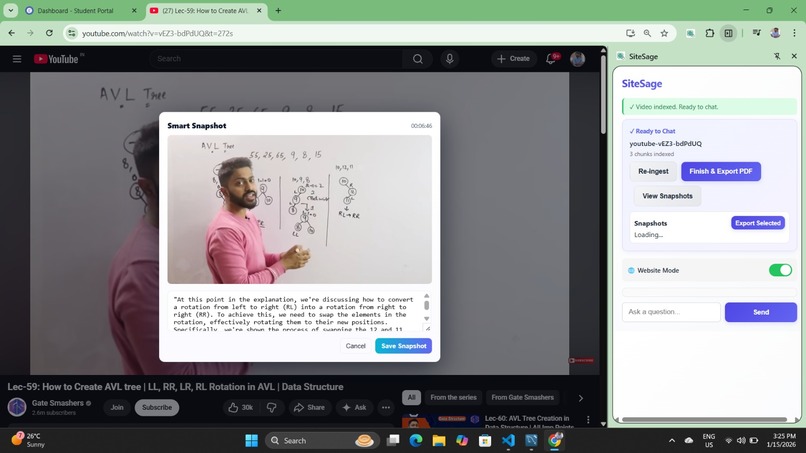
The user took snapshot by clicking on the blue camera icon button. It generated a context based caption along with timestamp.
-
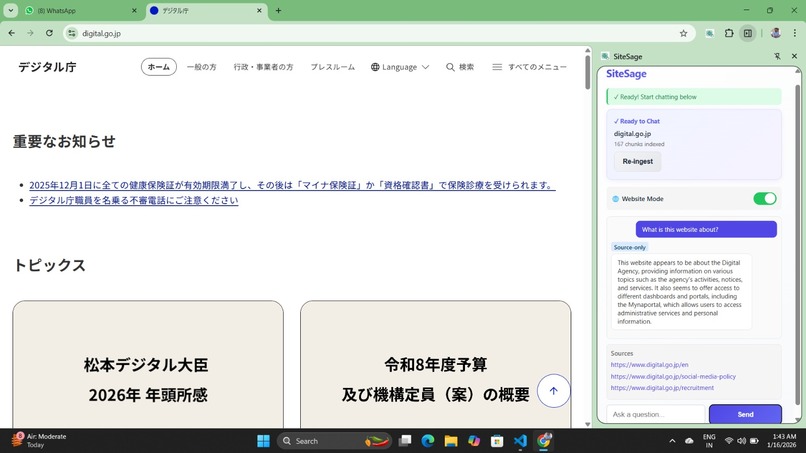
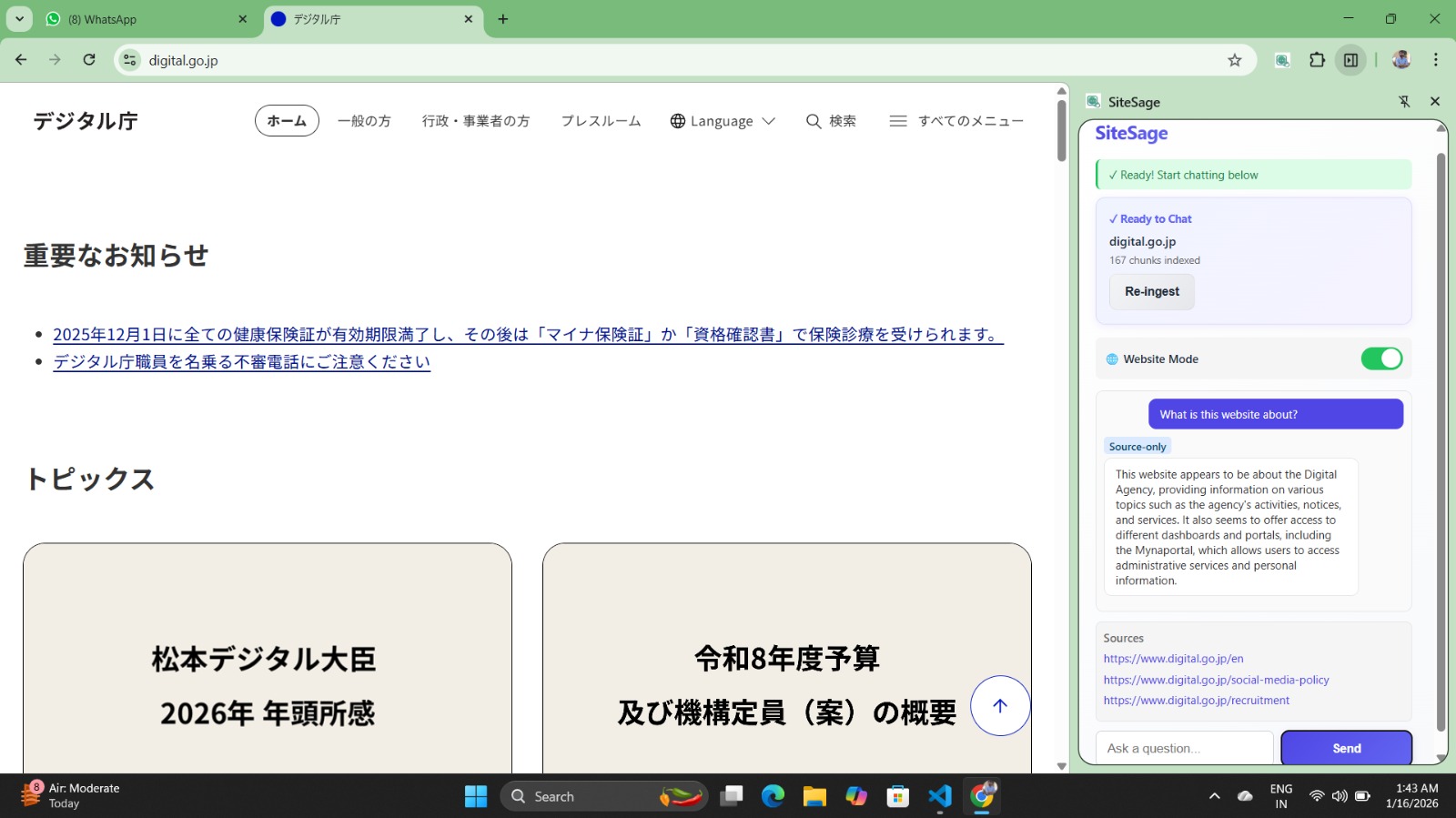
The extension chatbot has multi-lingual ability.
-
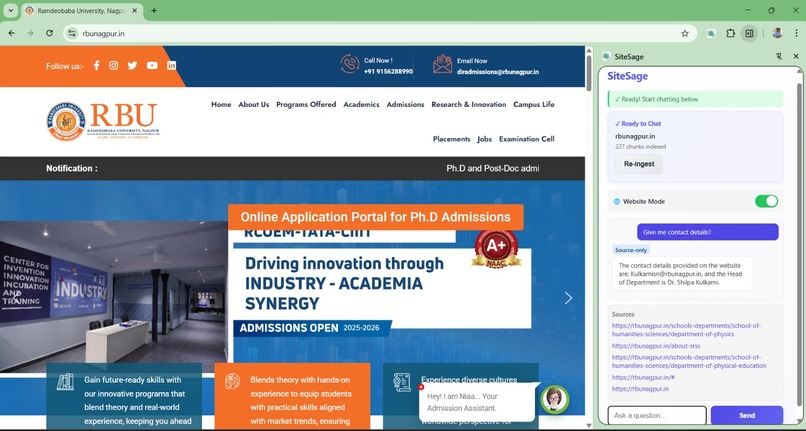
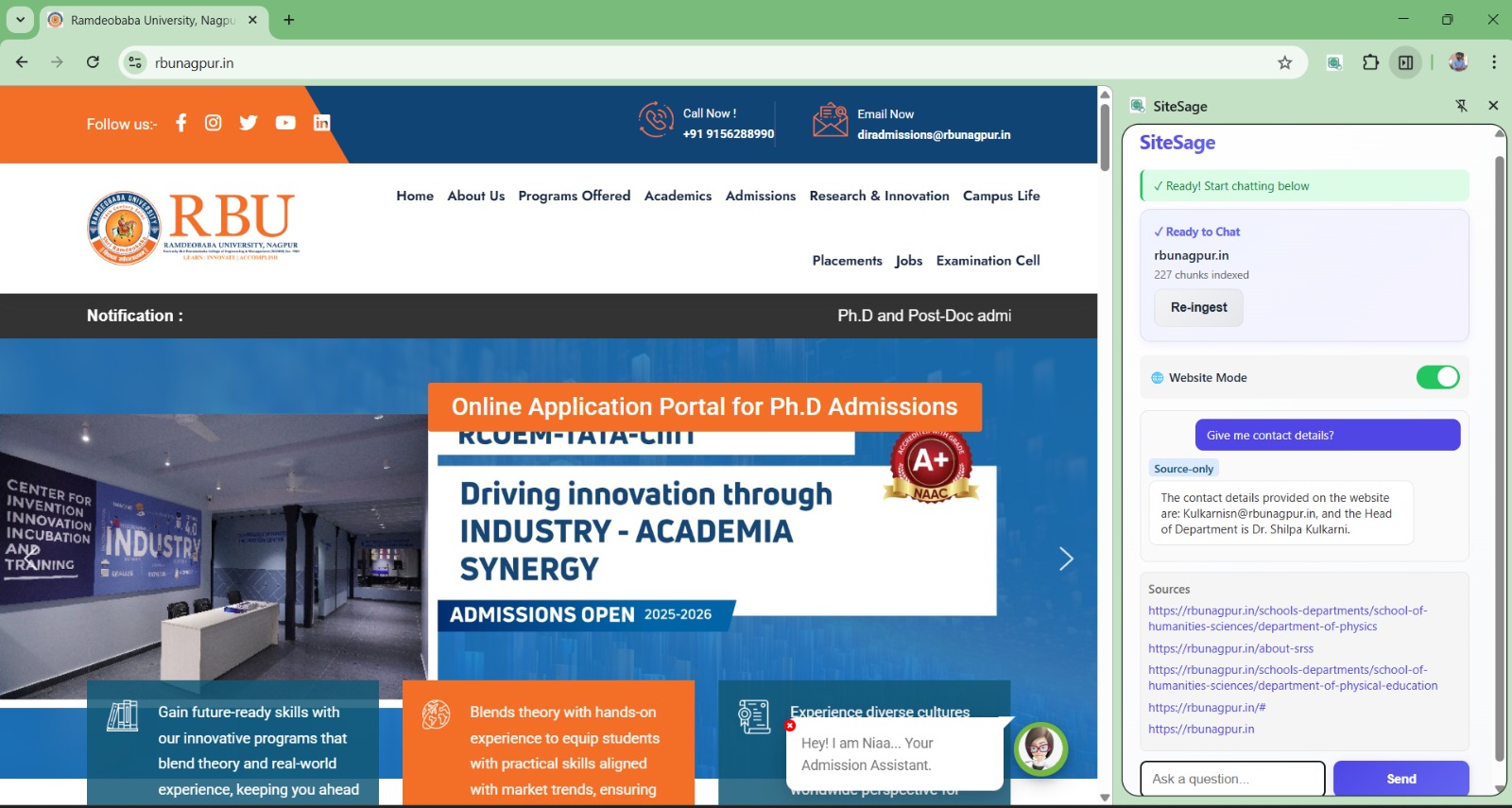
This picture shows the organization mode where only present data is retrieved along with accurate citations.
-
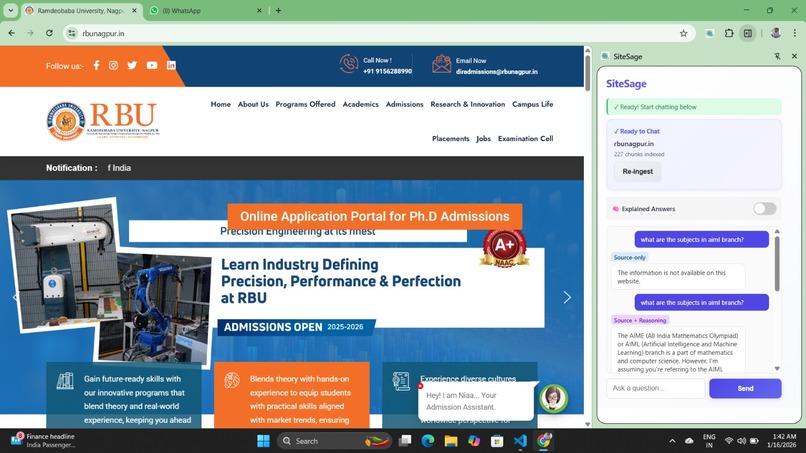
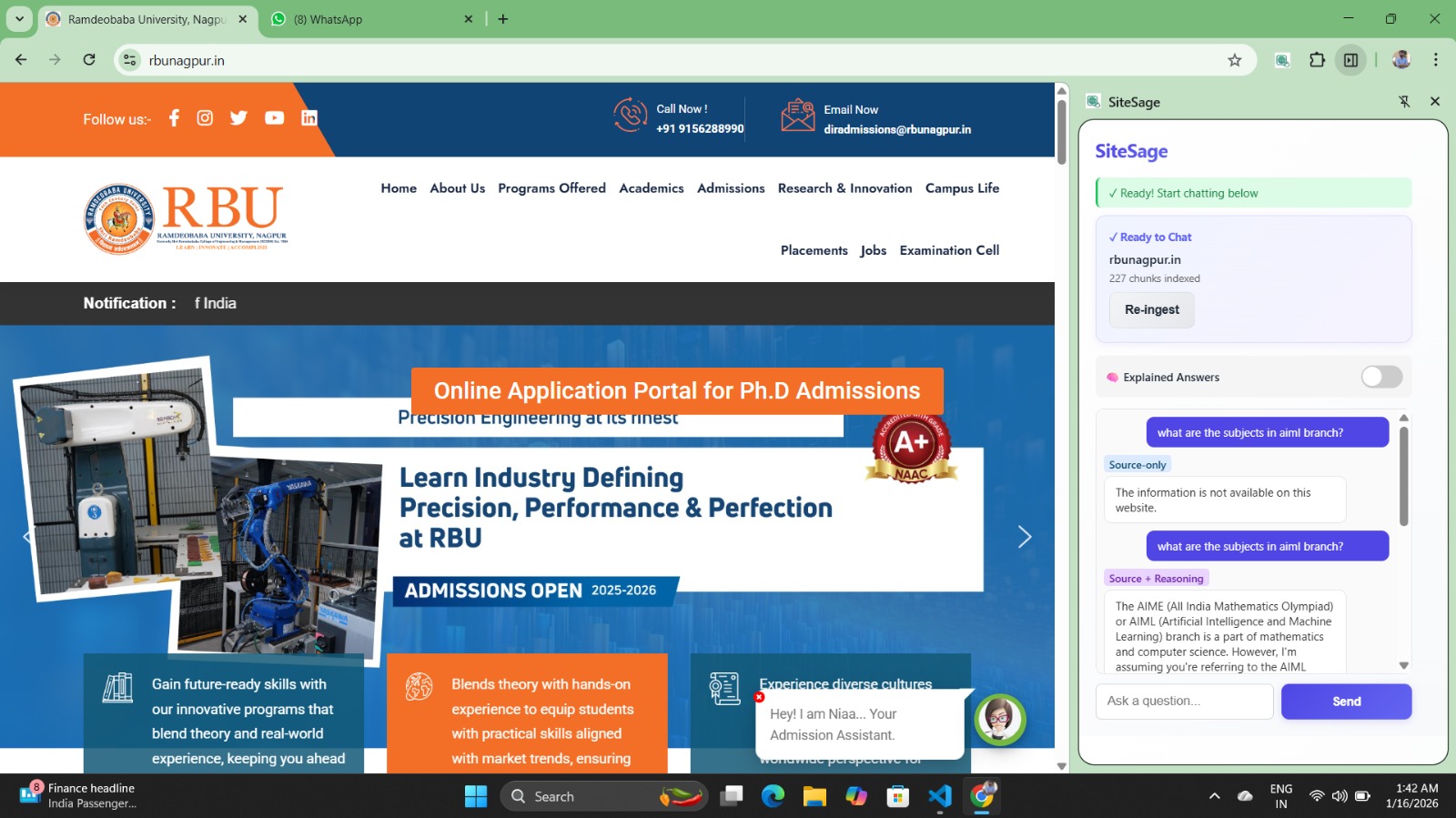
This photo shows difference between organization and explained mode where it gives different answer for same question by using its context.
\documentclass[11pt]{article}
% -------------------- % Packages % -------------------- \usepackage[a4paper,margin=1in]{geometry} \usepackage{amsmath} \usepackage{amssymb} \usepackage{setspace} \usepackage{hyperref}
% -------------------- % Document % -------------------- \title{\textbf{SiteSage: Verified Intelligence for the Web}} \author{Neural Ninjas} \date{}
\begin{document} \maketitle
\onehalfspacing
% -------------------- \section*{Inspiration}
SiteSage was inspired by a recurring problem we faced while studying, researching, and navigating complex digital content.
Important information is often buried deep inside long websites, government portals, research documents, and multi-hour YouTube lectures. While large language models are powerful, they frequently hallucinate, over-explain, or fabricate context when information is missing. This behavior is unacceptable in environments where trust, verification, and precision are critical.
We wanted to build a system that prioritizes honesty over fluency — an AI that confidently answers when information exists and explicitly says when it does not.
This need for trustworthy, source-grounded intelligence led to the creation of SiteSage.
% -------------------- \section*{What It Does}
SiteSage is a browser-native AI extension that enables users to interact with websites, documents, and videos in a precise, verifiable, and context-aware manner.
It allows users to: \begin{itemize} \item Ask questions directly on any website, document or youtube video \item Receive answers grounded strictly in the source content and provide authentic citation. Building Trust. \item Switch between learning-oriented and verification-oriented AI behavior \end{itemize}
A core feature of SiteSage is its \textbf{Chatbot Controller}, which provides two modes: \begin{itemize} \item \textbf{Explainable Mode}: Offers contextual explanations for learning and understanding. \item \textbf{Organizational Mode}: Enforces strict verification. If information is not present, the system responds clearly that it does not exist in the source. \end{itemize}
This ensures trust, clarity, and zero hallucination in professional and organizational settings.
% -------------------- \section*{How We Built It}
SiteSage is implemented as a Chrome-compatible browser extension that operates directly within the user’s browsing environment.
\subsection*{Context Extraction} The system dynamically captures and processes: \begin{itemize} \item Website content via DOM parsing \item Online documents such as PDFs and presentations \item YouTube video transcripts \end{itemize}
All extracted content is normalized into a unified semantic context used for response generation.
\subsection*{Dual-Mode Intelligence} Every response generated by SiteSage follows the constraint: [ \text{Response} \subseteq \text{Extracted Context} ]
In strict organizational mode, if required information is absent: [ \text{Answer} = \varnothing ]
This architectural boundary prevents hallucination by design.
\subsection*{YouTube Snapshot-to-PDF System}
We developed a specialized learning tool for YouTube videos that enables deep, revision-oriented note creation.
During video playback, users can capture snapshots that include: \begin{itemize} \item The exact video frame \item The precise timestamp \item Associated transcript context \item Editable user annotations \end{itemize}
Each snapshot is saved directly within the chat interface, creating a continuous learning trail. Throughout the video, users can review all captured snapshots, edit annotations, or delete unnecessary ones.
At the end of the video, users have full control to finalize their selection and generate a structured PDF containing only the chosen snapshots and notes. This allows effective revision while avoiding information overload.
\subsection*{Multilingual Reasoning} SiteSage supports cross-lingual understanding: [ \text{Query}{English} \rightarrow \text{Content}{Any\ Language} \rightarrow \text{Answer}_{English} ]
This ensures accessibility without compromising accuracy.
% -------------------- \section*{Challenges We Ran Into}
\subsection*{Eliminating Hallucination} The most significant challenge was ensuring the system does not generate content when information is missing. This required strict context enforcement and removal of generative bias.
\subsection*{Balancing Flexibility and Precision} Designing an AI system that supports both exploratory learning and strict organizational verification led to the development of the dual-mode Chatbot Controller.
\subsection*{Browser-Level Integration} Injecting features such as real-time transcript analysis, snapshot capture, and chat-based storage into live web environments required careful performance optimization.
\subsection*{Information Overload Control} Allowing users to capture many snapshots while still providing a final review and deletion stage was crucial to maintaining usability.
% -------------------- \section*{Accomplishments That We're Proud Of}
\begin{itemize} \item Designing a dual-mode AI system that adapts to user intent. This feature isn't present in any of the existing AI tool. \item Enforcing zero hallucination through architectural constraints \item Seamlessly integrating AI into the browser workflow \item Creating a unique YouTube snapshot-to-PDF learning pipeline \item Building trust-first AI interactions for both students and organizations \end{itemize}
% -------------------- \section*{What We Learned}
Through this project, we learned that: \begin{itemize} \item Trust in AI systems must be engineered, not assumed \item Saying ``information not present'' is a powerful feature \item Browser-native tools significantly enhance usability \item Revision-oriented learning benefits greatly from visual and temporal cues \end{itemize}
% -------------------- \section*{What's Next for SiteSage}
Our next steps include: \begin{itemize} \item Expanding enterprise-grade compliance features \item Supporting collaborative annotations \item Extending platform compatibility beyond Chromium-based browsers \end{itemize}
We aim to evolve SiteSage into a universal layer of verified intelligence for the web.
\end{document}
Built With
- beautiful-soup
- chromeextensionapi
- css3
- domparsing
- fastapi
- groq
- html5
- javascript
- json
- python
- supabase
- uvicorn
- websockets


Log in or sign up for Devpost to join the conversation.