-
-
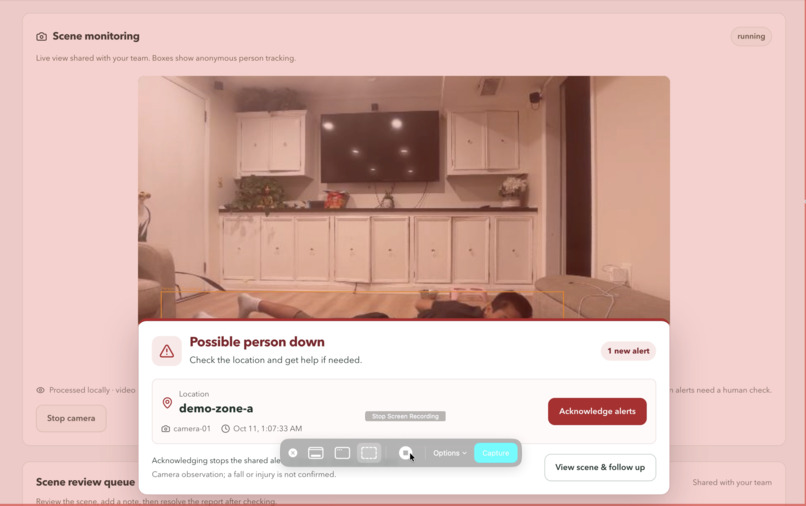
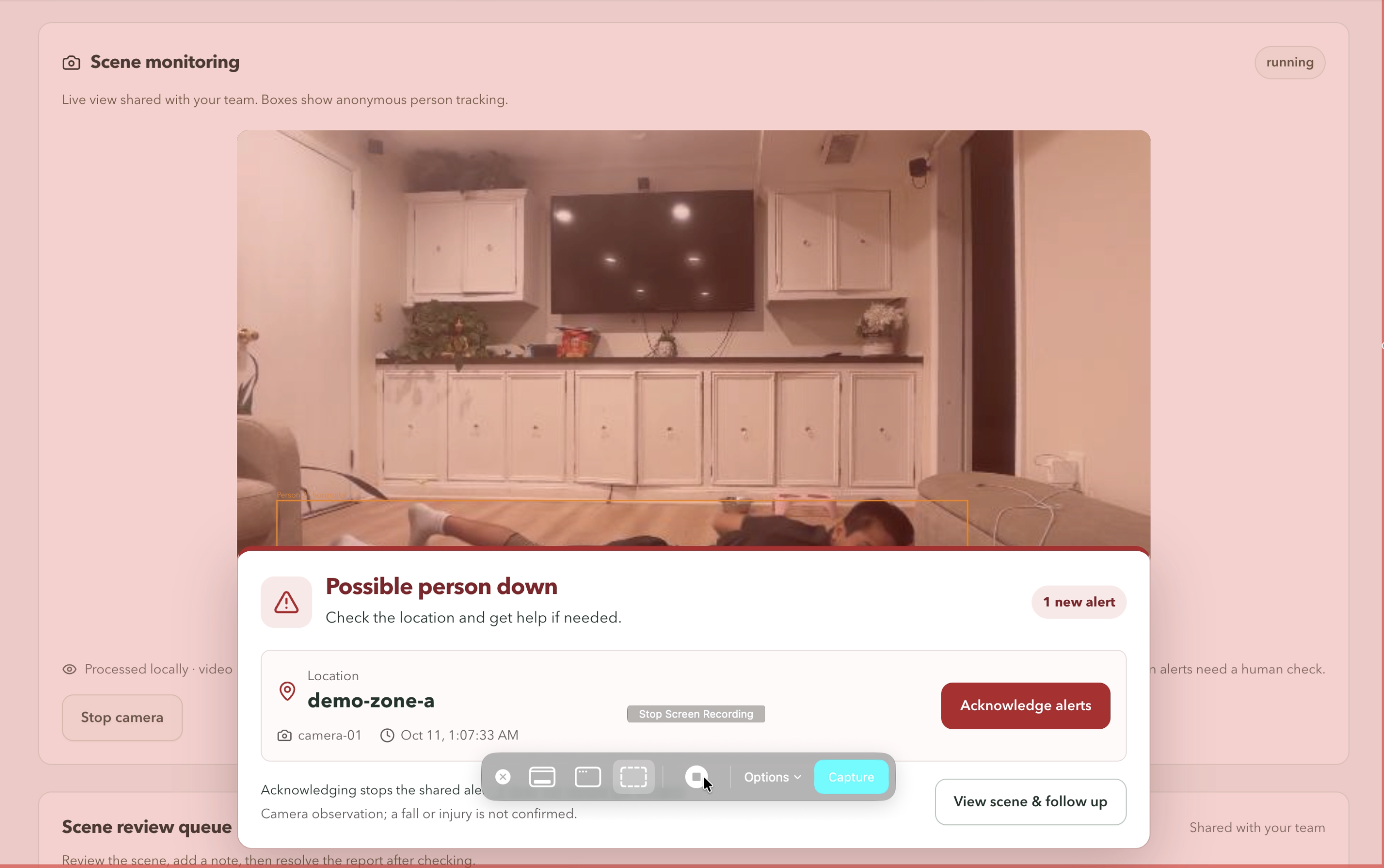
Camera monitoring flags a possible person down and alerts the team with the location for immediate follow-up.
-
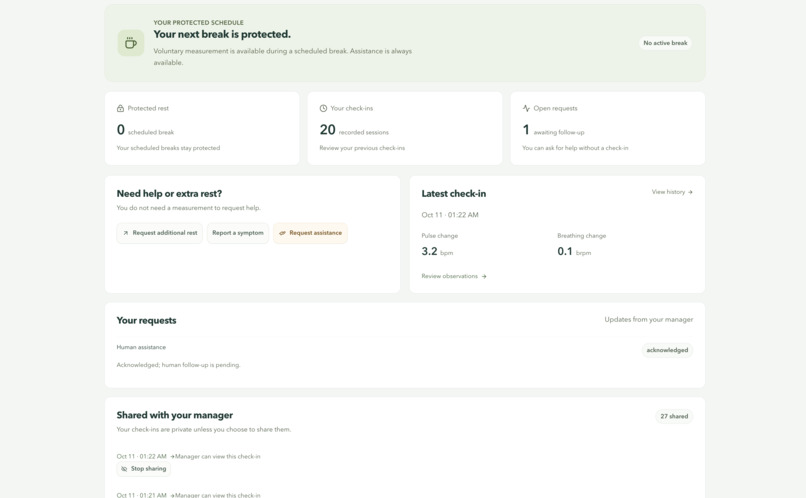
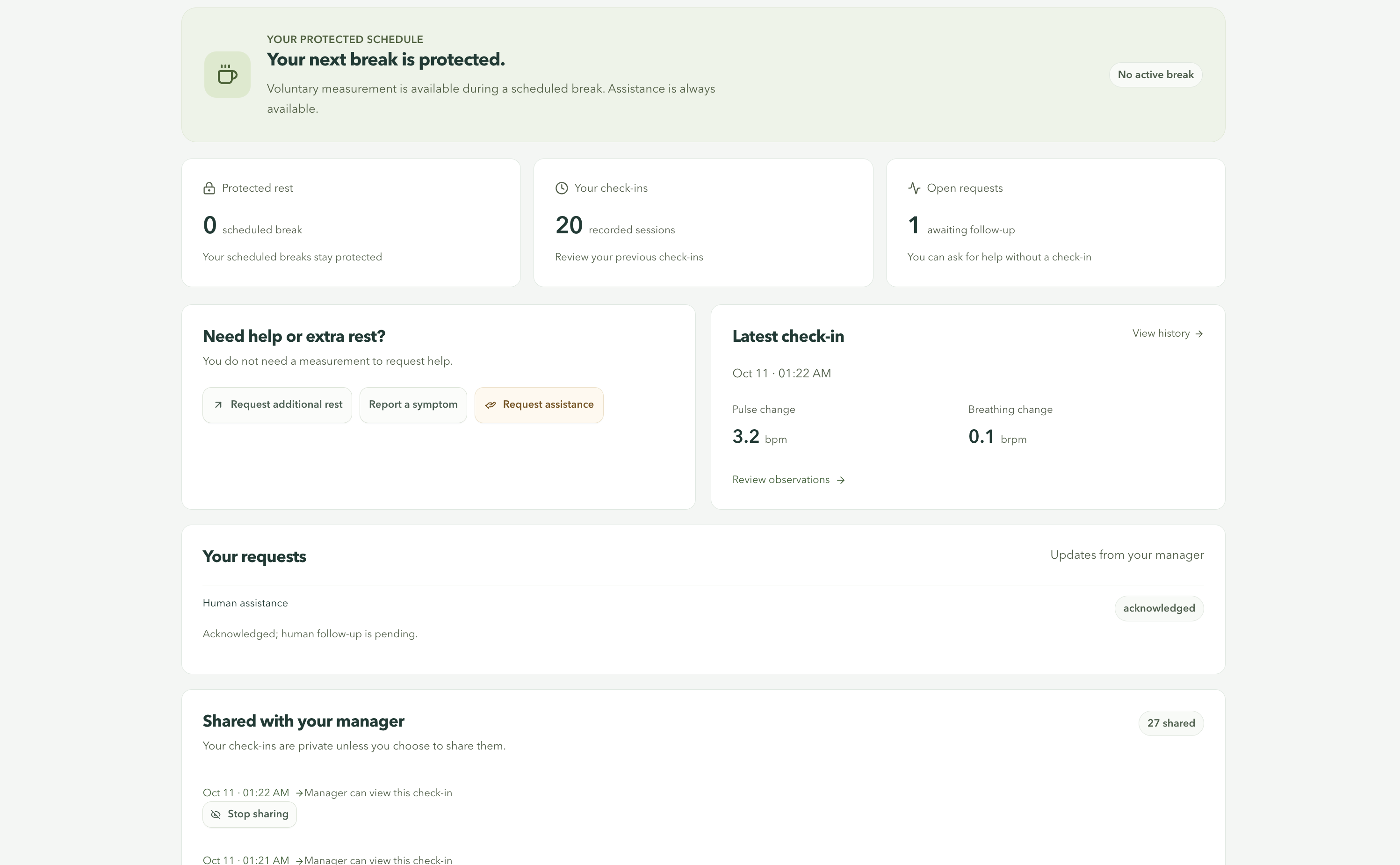
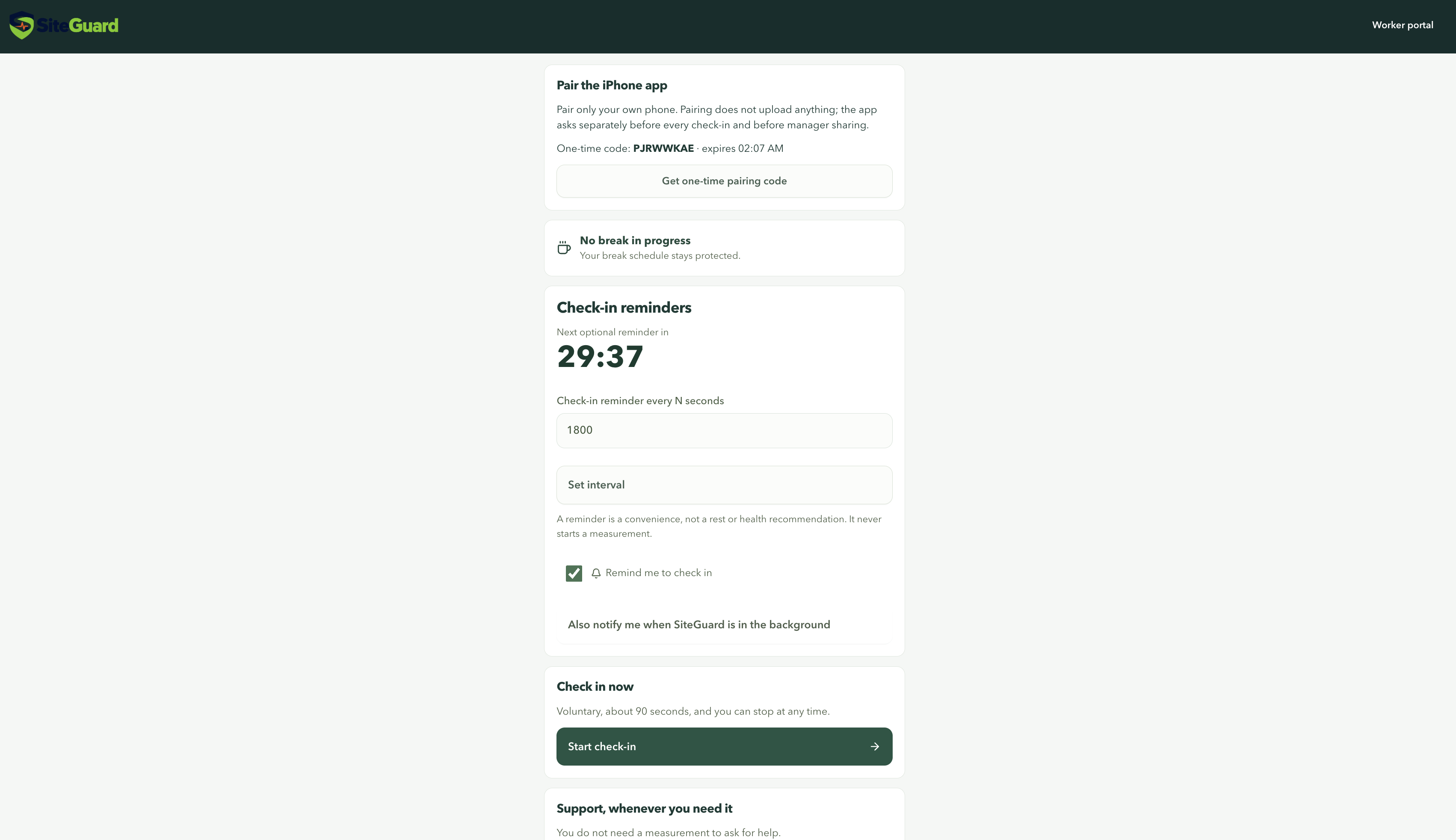
Workers can review check-ins, request rest or assistance, track manager responses, and control which measurements they share.
-
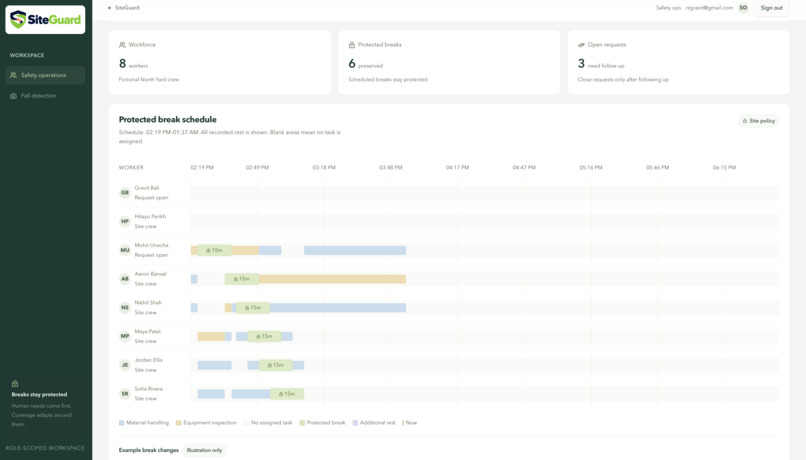
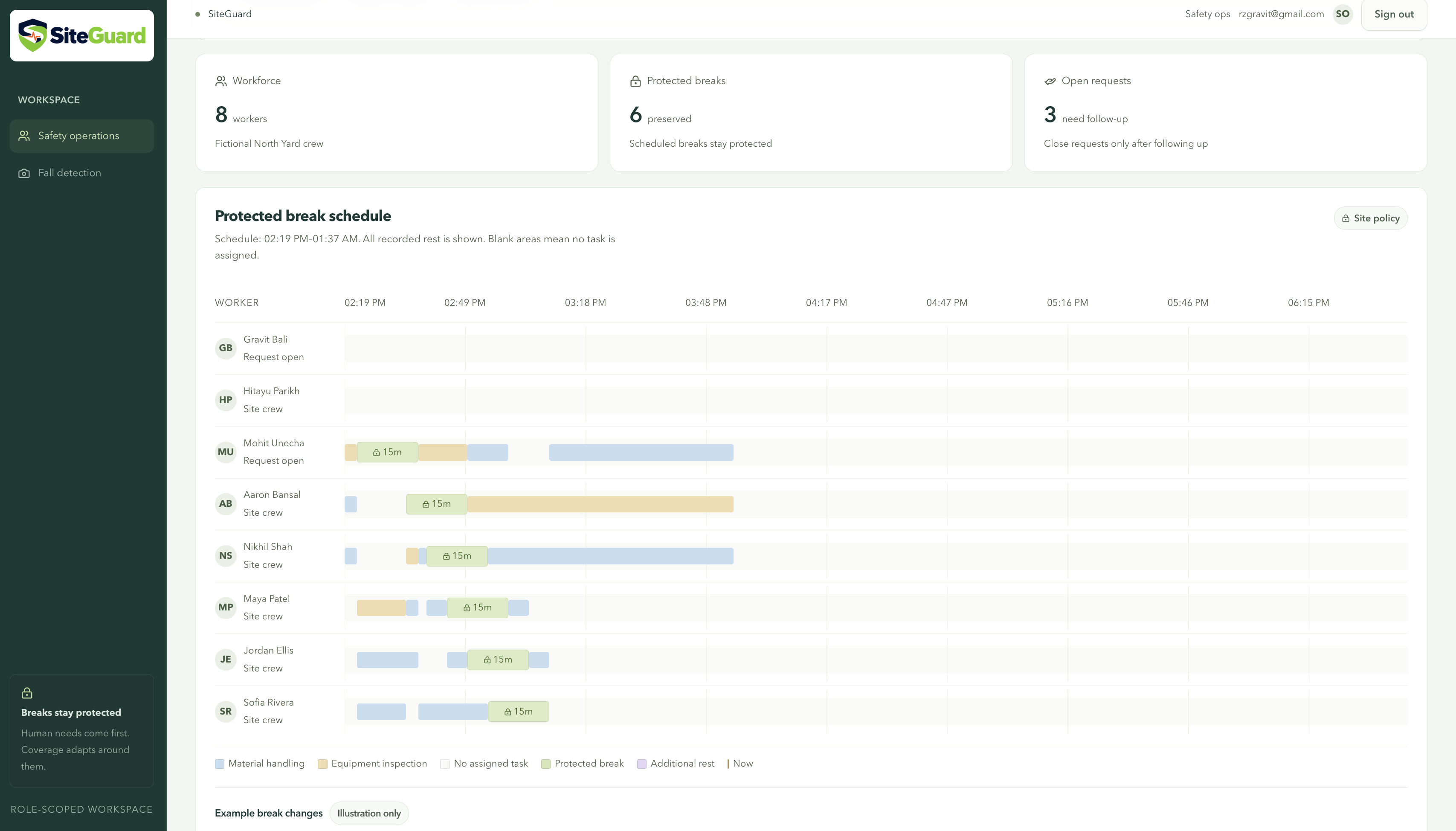
View workers’ tasks, protected breaks, and additional rest on a timeline showing when they’re working or resting.
-
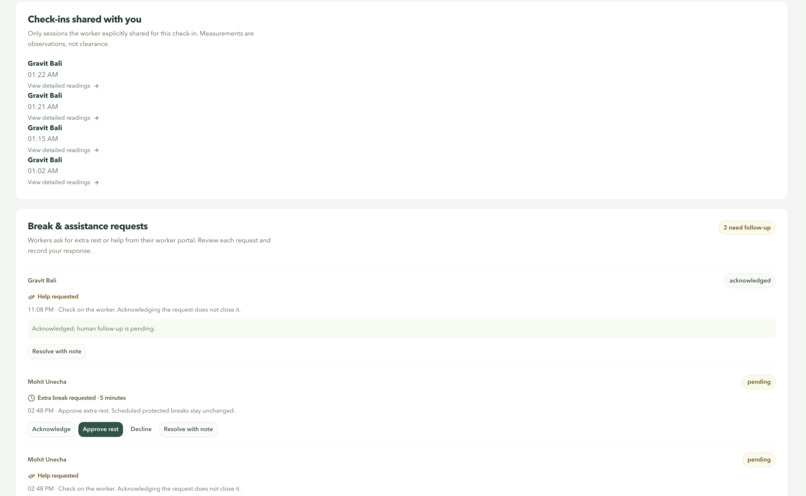
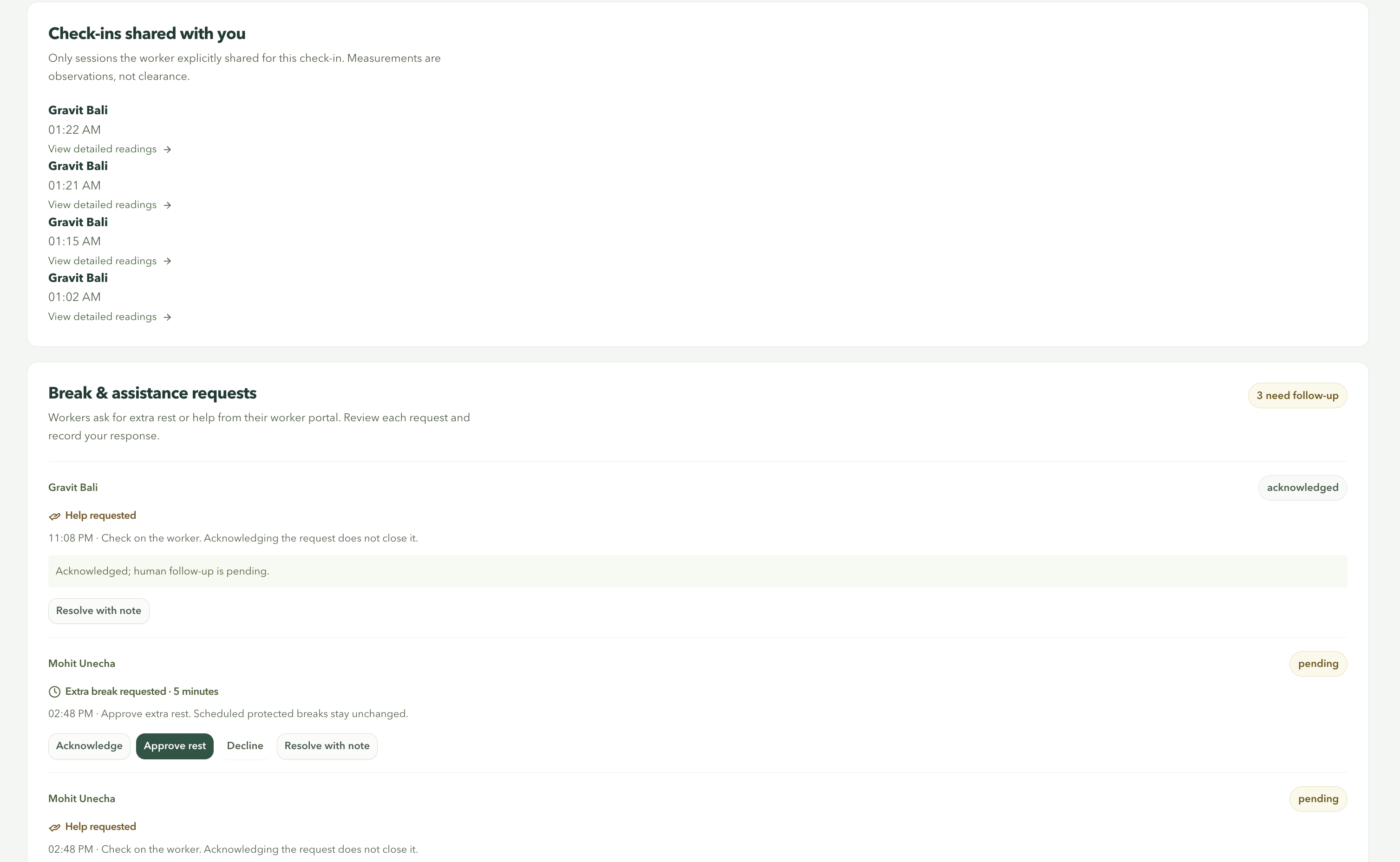
Review worker-shared check-in readings and respond to requests for extra rest or assistance, with clear statuses tracking follow-up.
-
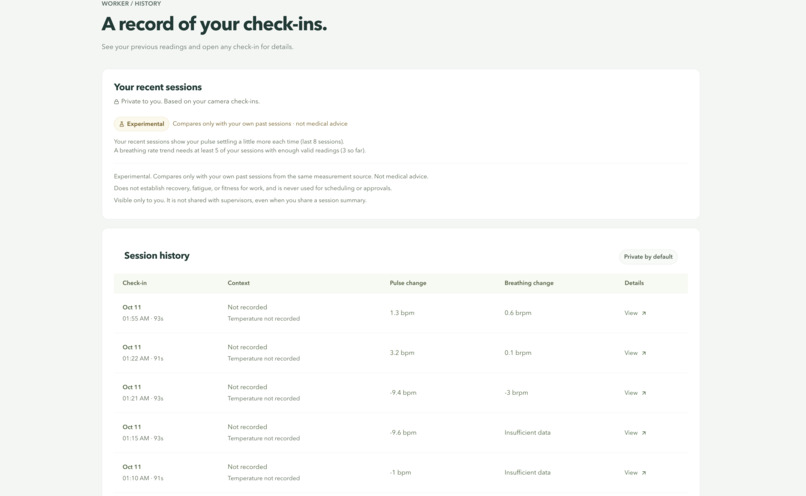
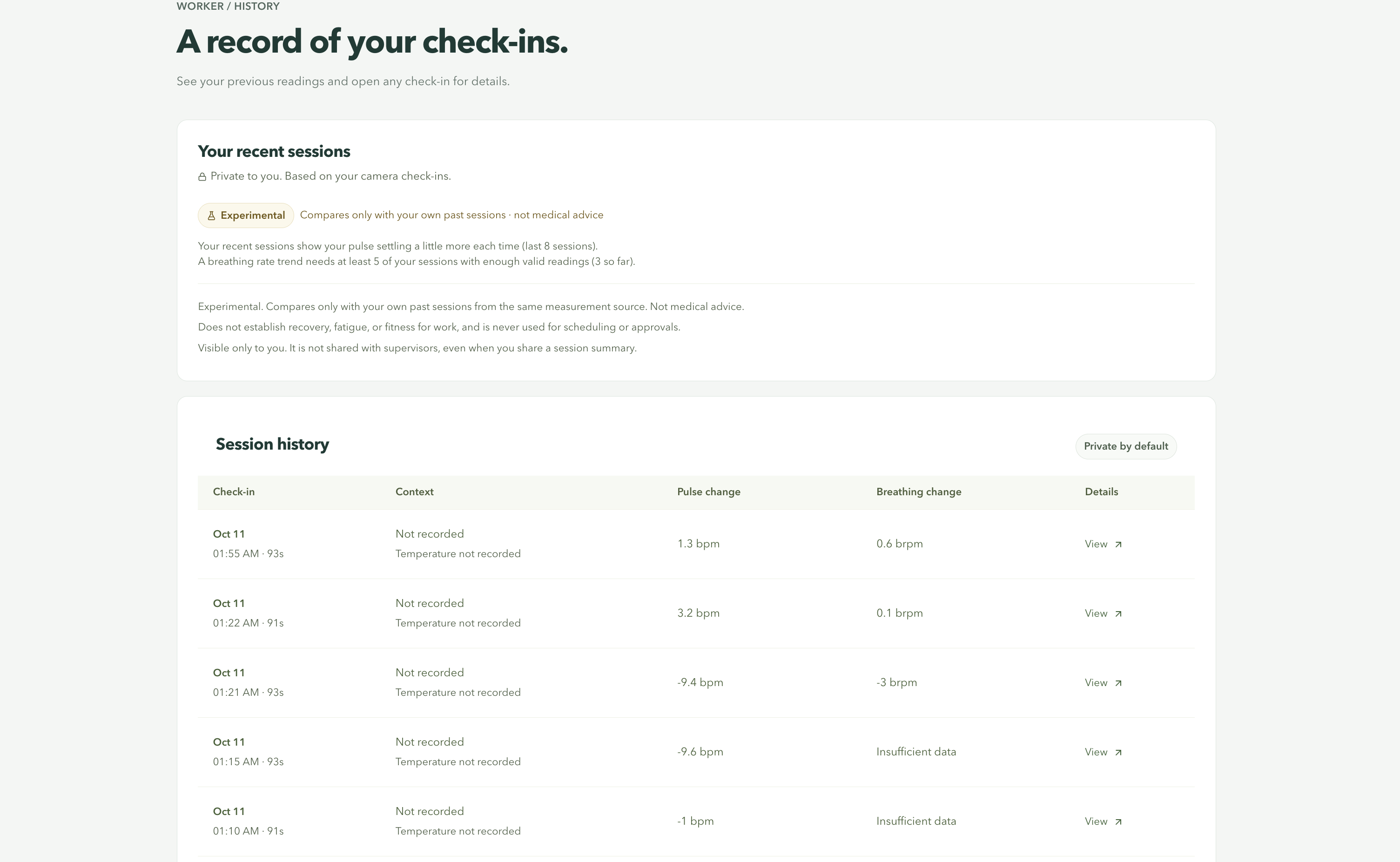
Review past camera check-ins, explore pulse and breathing changes, and see private trends based on your own readings.
-
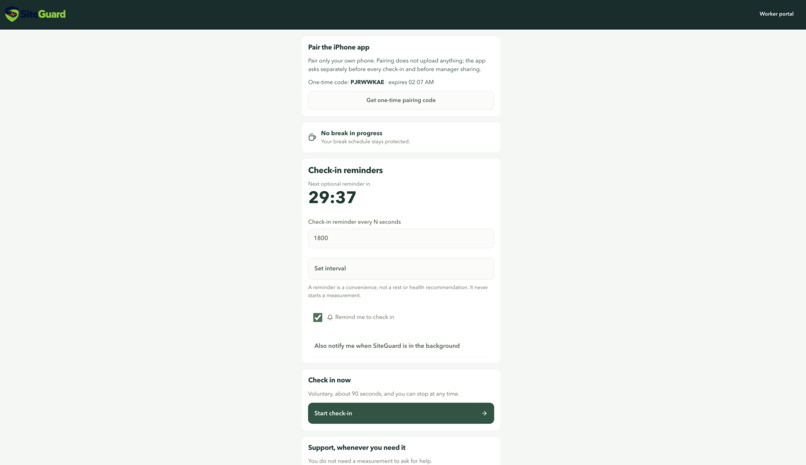
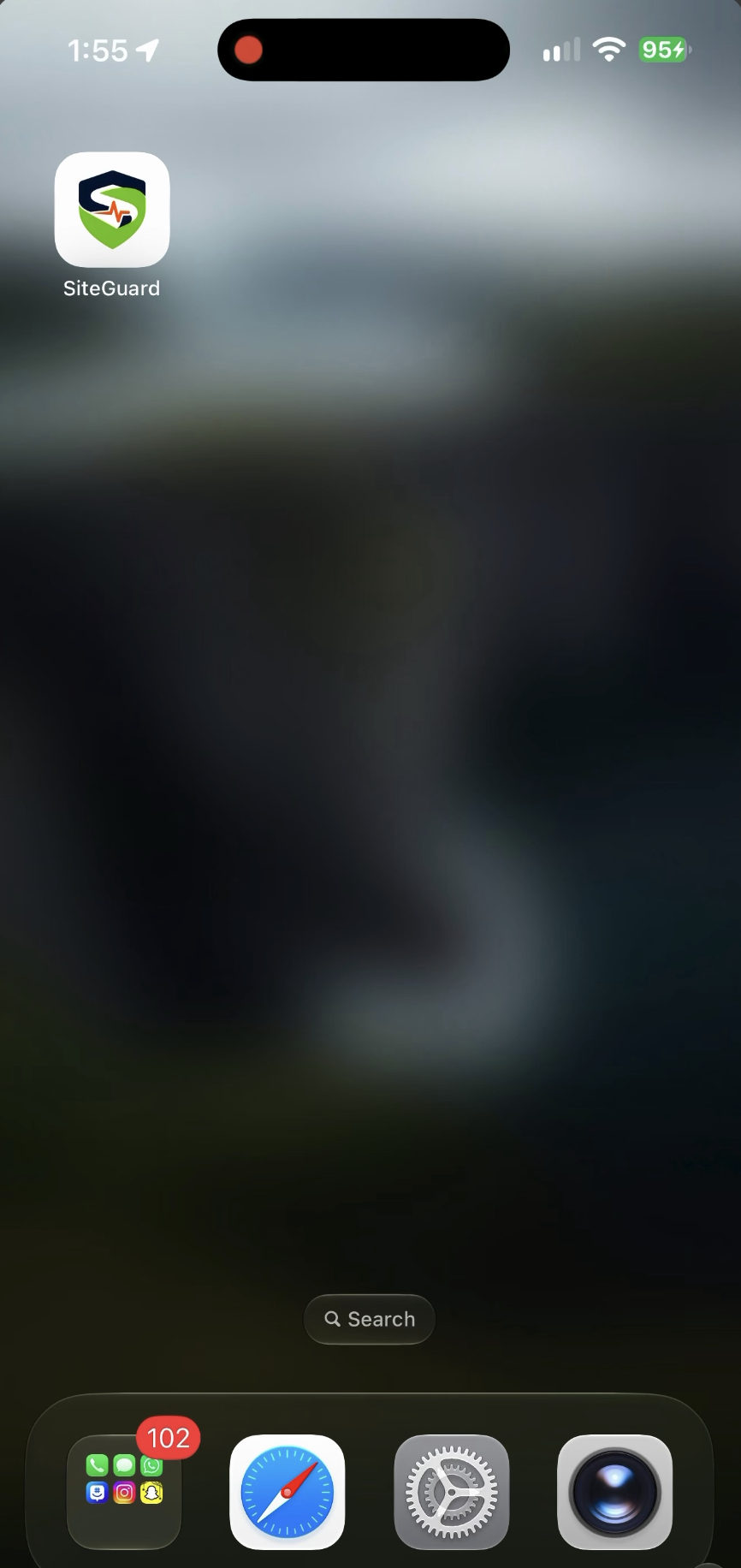
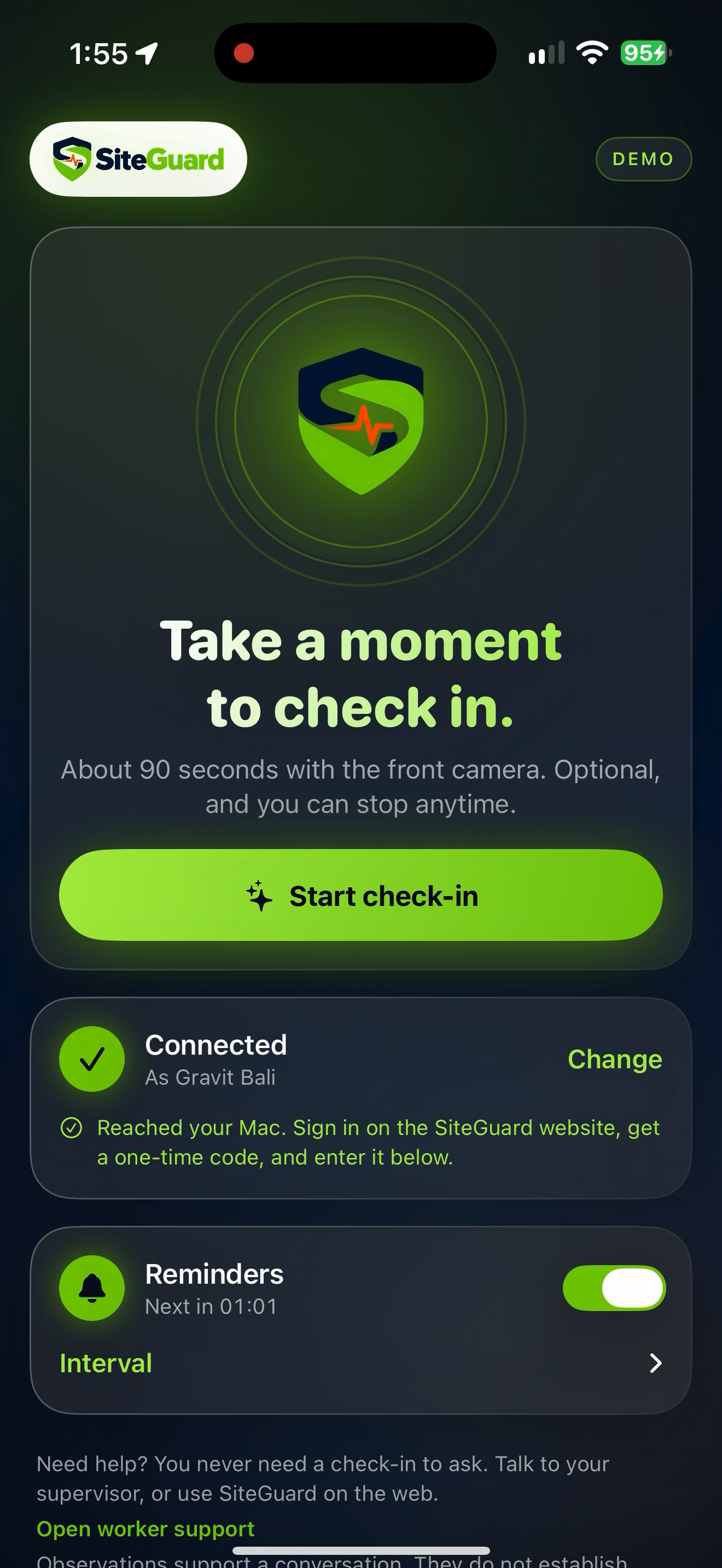
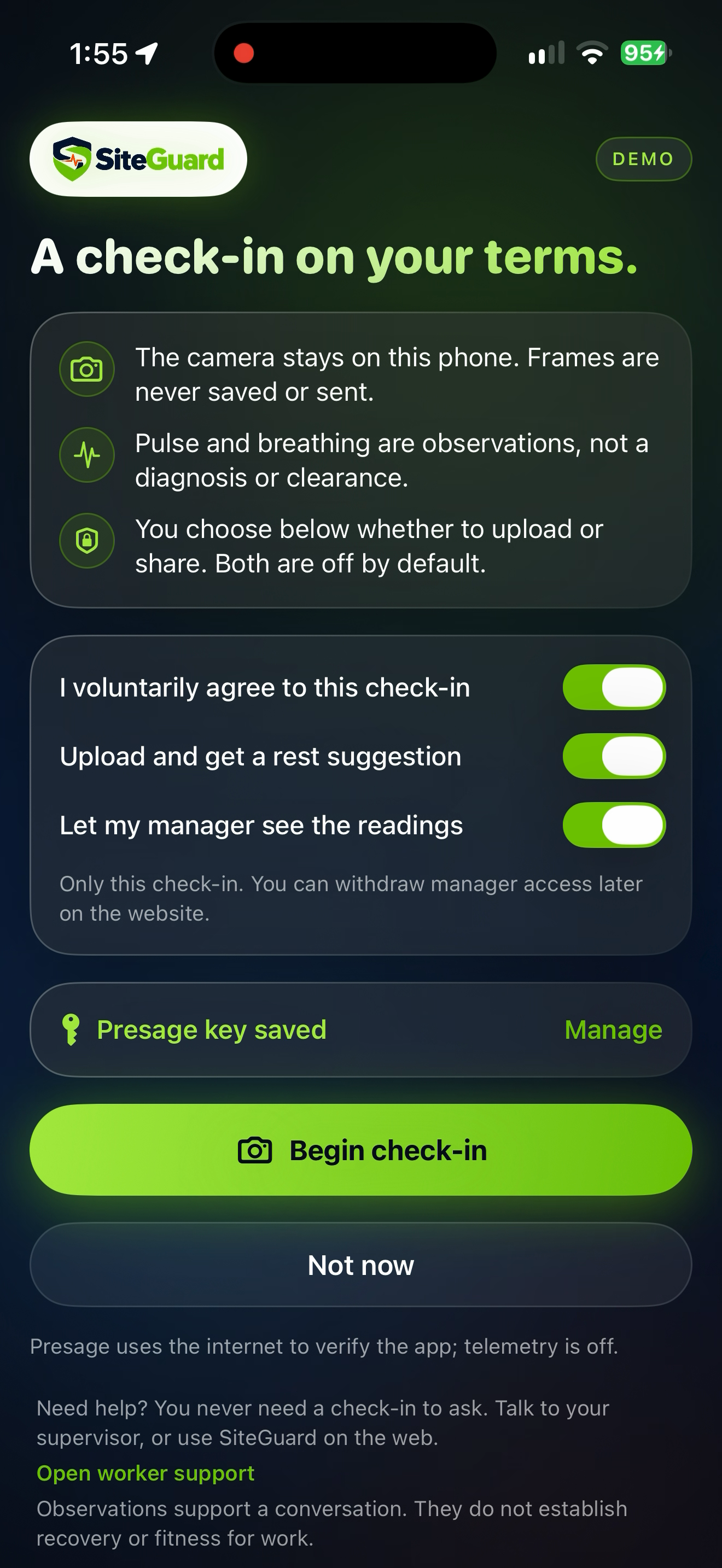
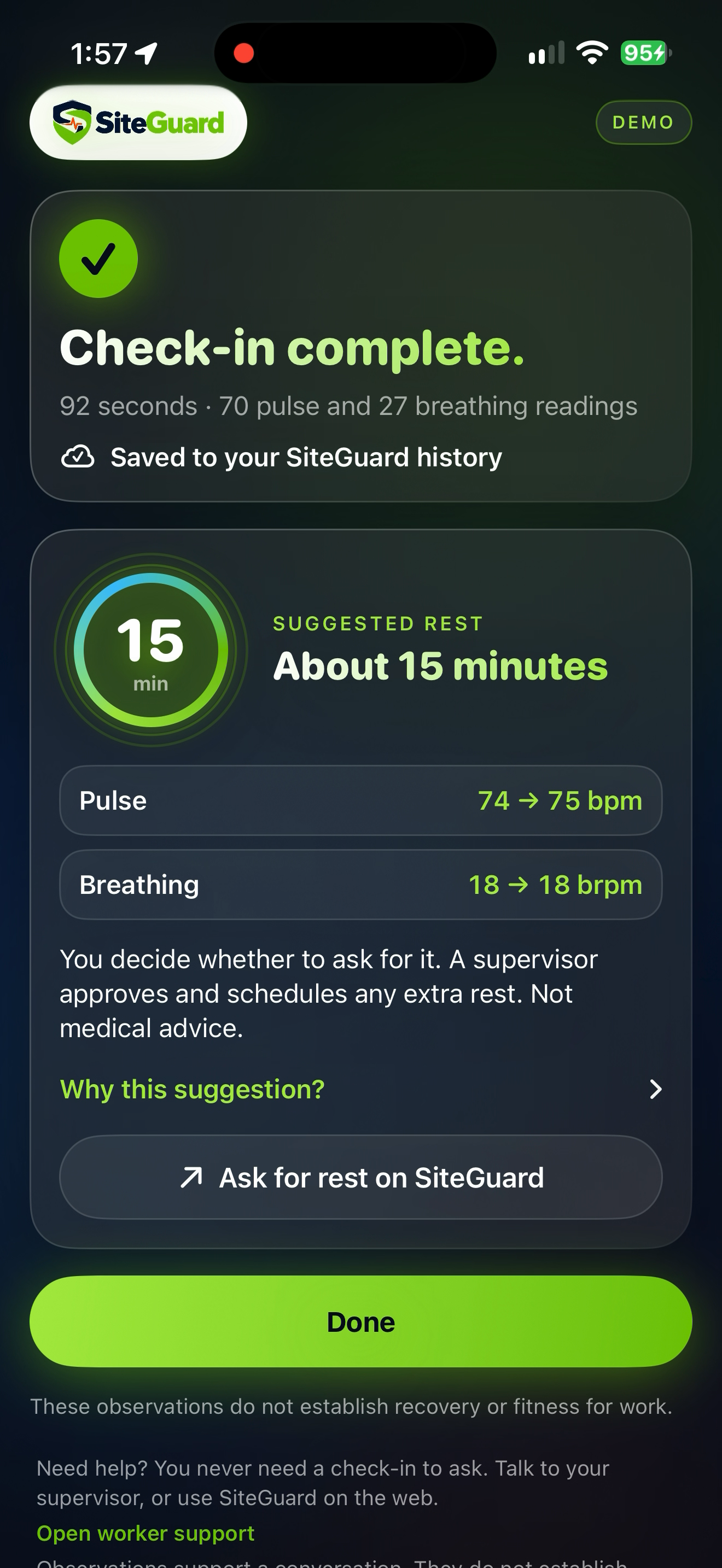
Built iOS App for user to connect to via Webapp
-
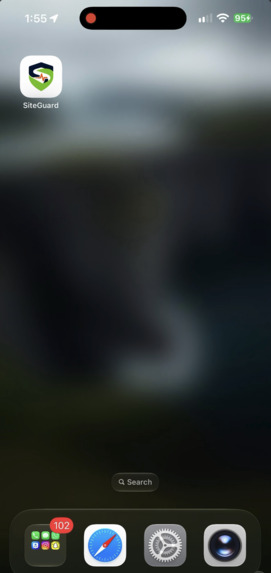
iOS App (User also receives push notifications)
-
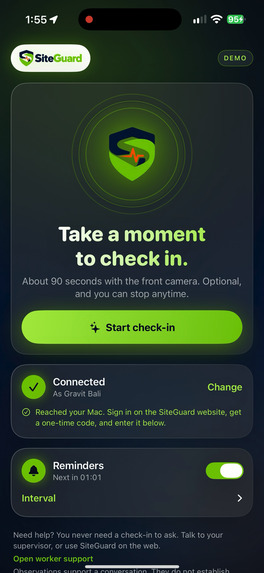
Home Page (iOS)
-
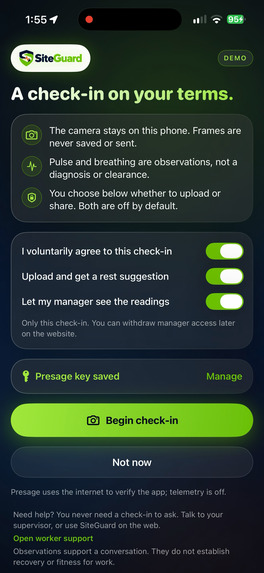
Check-in Consent Form UI (iOS)
-
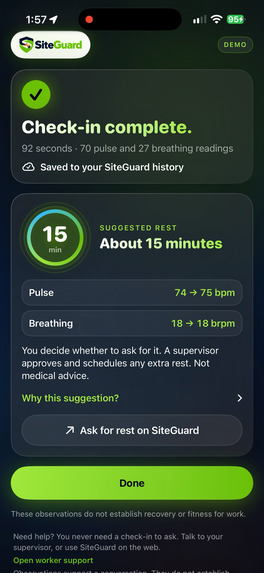
Check-in Results / Next Steps (iOS)
Inspiration
SiteGuard began with an experience one of our teammates had while getting his deck built. The construction workers would arrive and work long hours, often looking visibly exhausted. He offered them water and food and talked with them about their work. They described pushing through demanding days to finish the job, even when it left them feeling sick or worn down.
Those conversations motivated us to explore how workers receive support on construction sites. Informal checks can miss someone who needs rest or assistance, especially when managers are coordinating a busy crew. We wanted to make those needs easier to communicate, notice, and act on.
What it does
SiteGuard connects workers and managers through a shared construction-site platform.
Workers can perform camera-based check-ins to view pulse and breathing observations, choose whether to share their results, and request additional rest or assistance. Managers can review shared check-ins, respond to requests, and monitor scheduled breaks.
Computer vision flags a possible person down. Shared screen alerts show the recorded location, camera, and detection time so users can check the scene. Reports remain available for acknowledgment, notes, and resolution.
SiteGuard supports human decisions. It does not diagnose illness, confirm injuries, or provide medical clearance.
How we built it
We built the frontend with React and TypeScript and the backend with Fastify.
- Presage provides contactless pulse and breathing measurements through a camera integration.
- Tiger Data stores measurements, requests, and incident records.
- Supabase handles authentication for worker and manager experiences.
- Gemini supports explanations grounded in application-provided facts.
Our computer-vision service detects people and evaluates their bounding boxes. When a person's box becomes wider than tall, it flags a possible person down. The backend persists the incident, and signed-in applications check for updates to display shared alerts.
Challenges we ran into
Making the camera, backend, database, and interface work together reliably was a major challenge. A detection needed to become a persistent report and reach other users without generating repeated alerts for every frame.
We discovered that older acknowledged reports could suppress new incidents in the same area. By tracing detector output and database records, we identified the cause and corrected it.
We also worked through camera startup issues, check-in interruptions, and shared acknowledgment behavior. On the design side, we simplified crowded screens and made alerts readable on desktop and phone browsers.
Accomplishments that we're proud of
We built a connected workflow from camera observation to stored incident to shared alert and human follow-up.
We're proud of giving workers a direct way to request help, preserving their control over check-in sharing, and creating separate worker and manager experiences.
We also verified that an actual camera-generated incident reached Tiger Data and tested shared screen alerts across worker, manager, and phone-web views.
What we learned
We learned that collecting information is only part of the problem. Workers and managers need understandable observations, clear actions, and reliable follow-through.
We also learned to test integrations at each boundary. Detection, delivery, persistence, and notifications each require verification; a working camera alone does not establish that the whole system works.
His conversations kept us focused on the people using the platform. Requesting rest or assistance should be straightforward, even when measurement technology is unavailable.
What's next for SiteGuard
We plan to develop an iPhone-first worker experience, improve site-location mapping, strengthen person-down detection, and add notifications that reach users when the application is closed.
We also want feedback from construction workers and managers to understand how SiteGuard fits into daily operations. Our goal is to help teams notice needs sooner, protect time for rest, and respond when someone asks for support.
Built With
- api
- css
- data
- fastify
- gemini
- html
- javascript
- node.js
- opencv
- postgresql
- presage
- python
- react
- sdk
- sqlite
- supabase
- tailwind
- tiger
- timescaledb
- typescript
- vite
- yolo


Log in or sign up for Devpost to join the conversation.