-
-
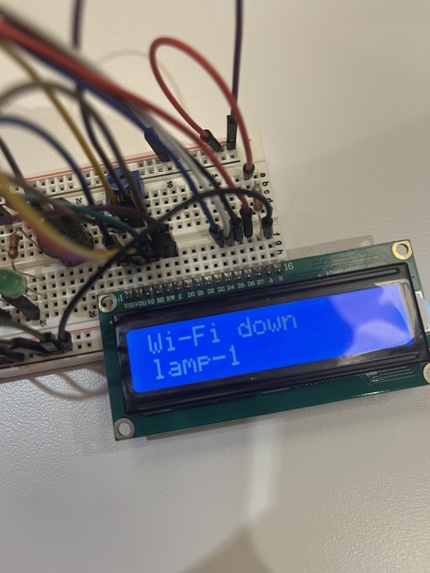
Wifi had to be 2.4GHz to be used by the ESP32, but all Wifi at the venue was 5GHz. We had to modify our mobile hotspot to fix this issue.
-
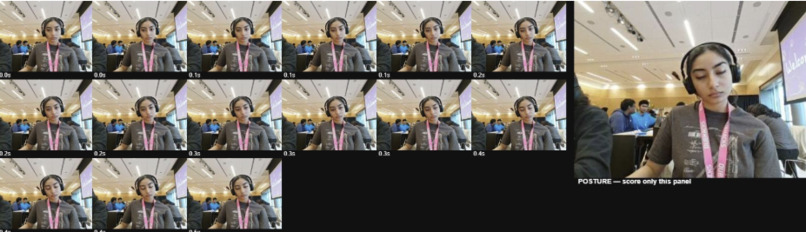
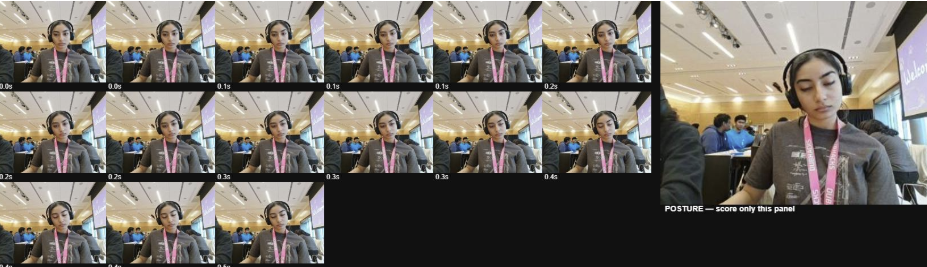
Example contact sheet processed by Perceptron.
-
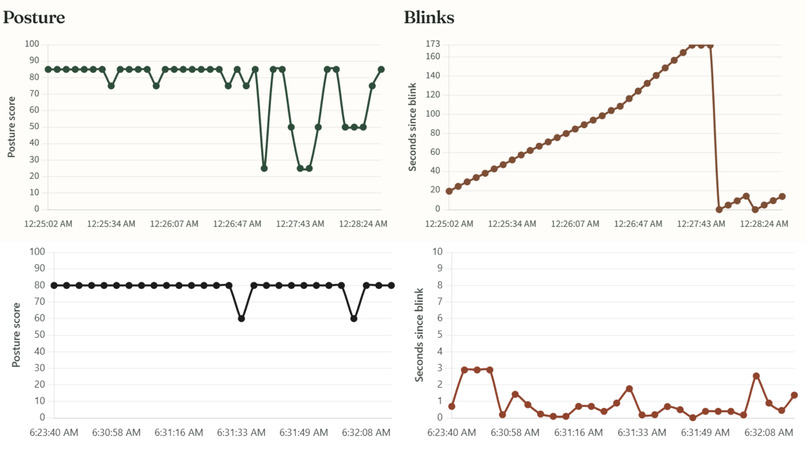
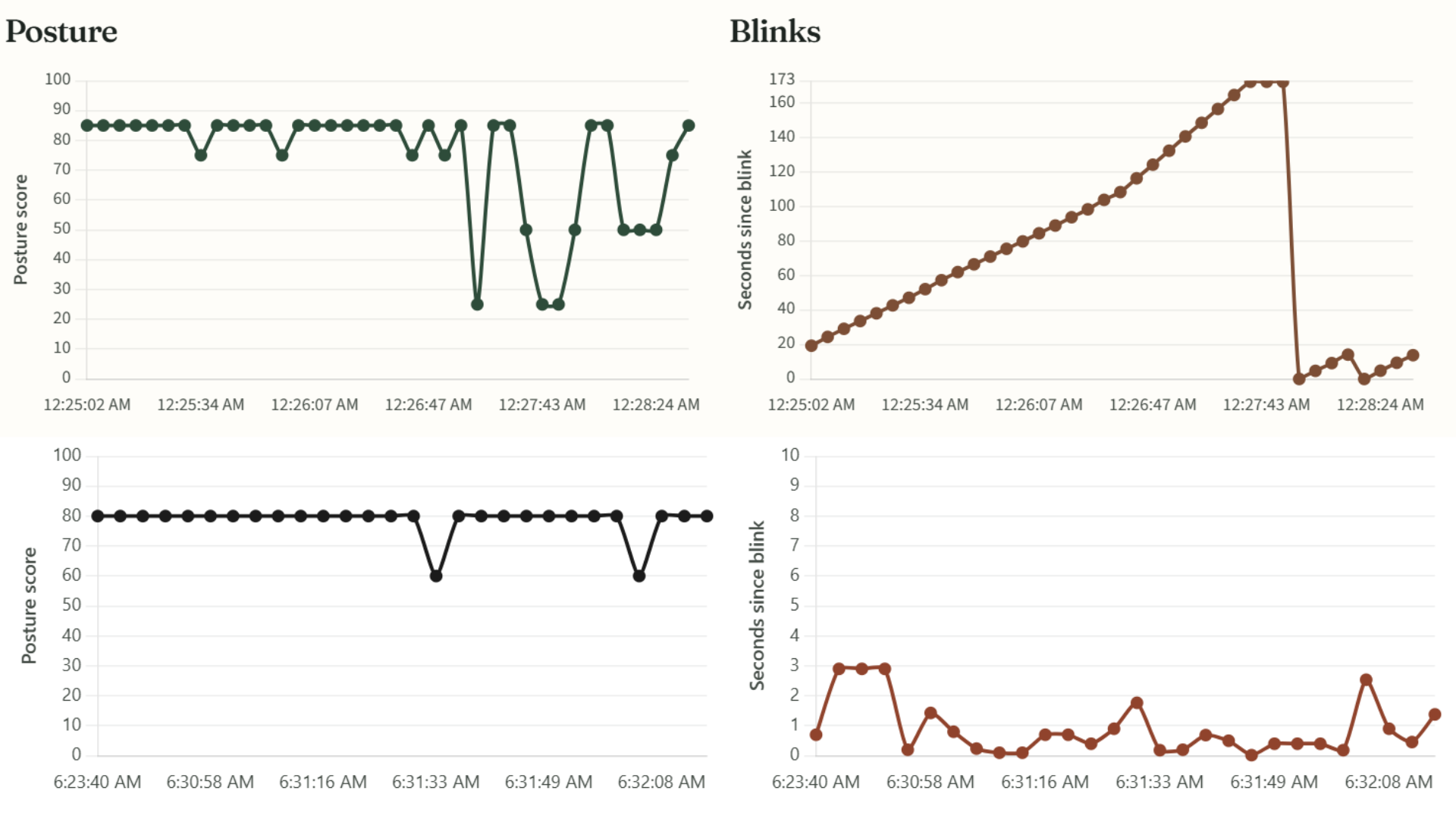
Top: ESP32-only processing, blink gaps climb to 170s. Bottom: blinks process on laptop, gaps stay under ~3s - blinks register in real time.
-
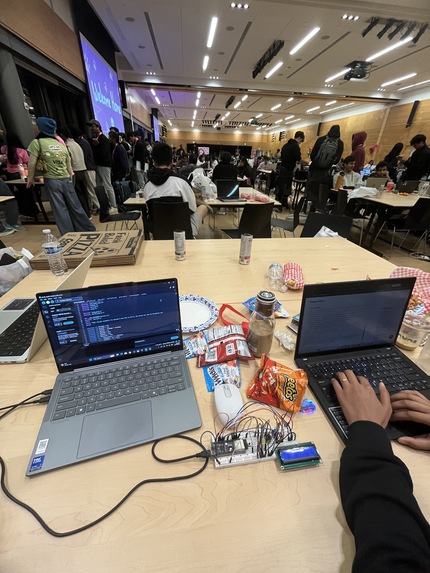
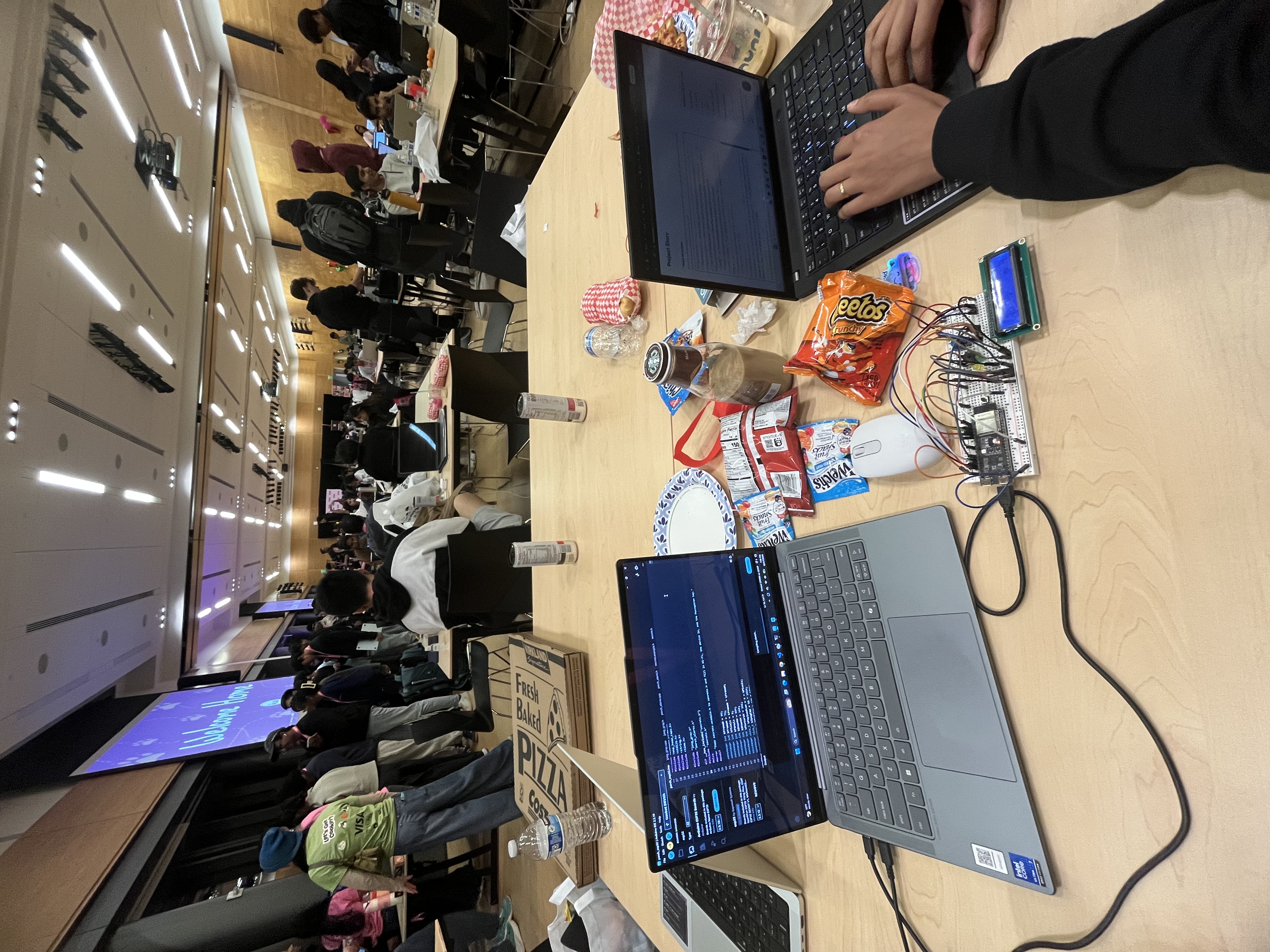
Hard at debugging work
-
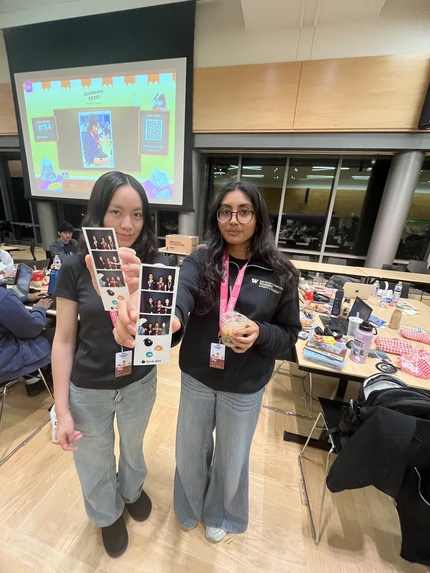
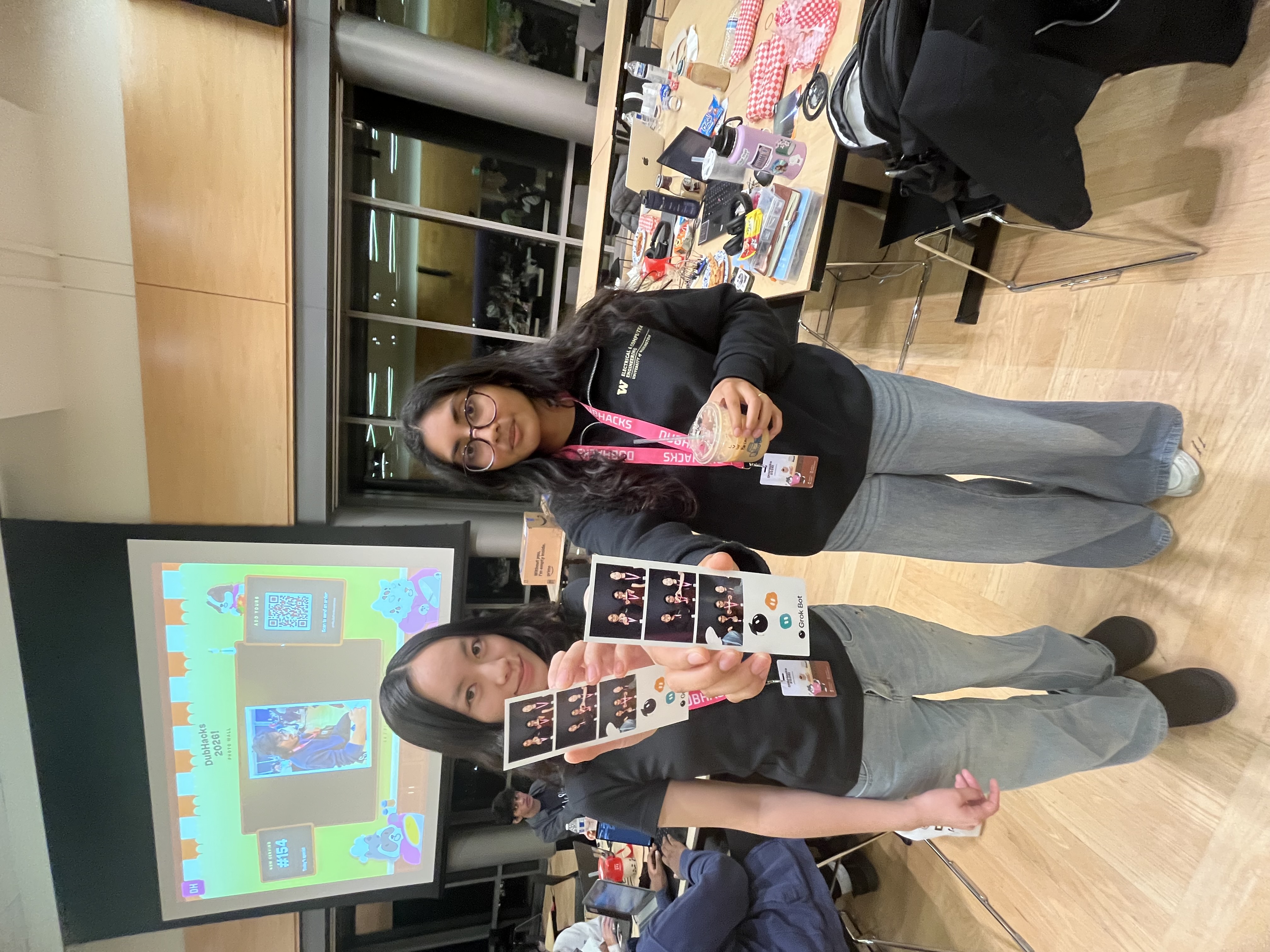
Havin fun at the photo booth :D
Inspiration
Two of our team of three are siblings, so whenever we sit next to each other, we tell the other person how bad their posture is. That prompts them to fix it... for the next minute. The problem is that we ourselves never notice when it happens, but as soon as the other person points it out, we fix it immediately.
We spend hours at our laptops and never notice how badly we're sitting, and that we've been staring at our screens without blinking for ages. By the time we finish our homework, our necks hurt and our eyes are dry. Consisting with these bad habits day after day can lead to craned necks, incurable slouching, and worsened eyesight, which all negatively impact one's ability to interact with the world as they grow older. Statistically...
Consequently, we set out to build something that reminds us to sit up and to blink whenever our work habits get bad, so we can Pavlov ourselves into being healthy while working and avoid consequences snowballing and affecting every aspect of our lives.
What it does
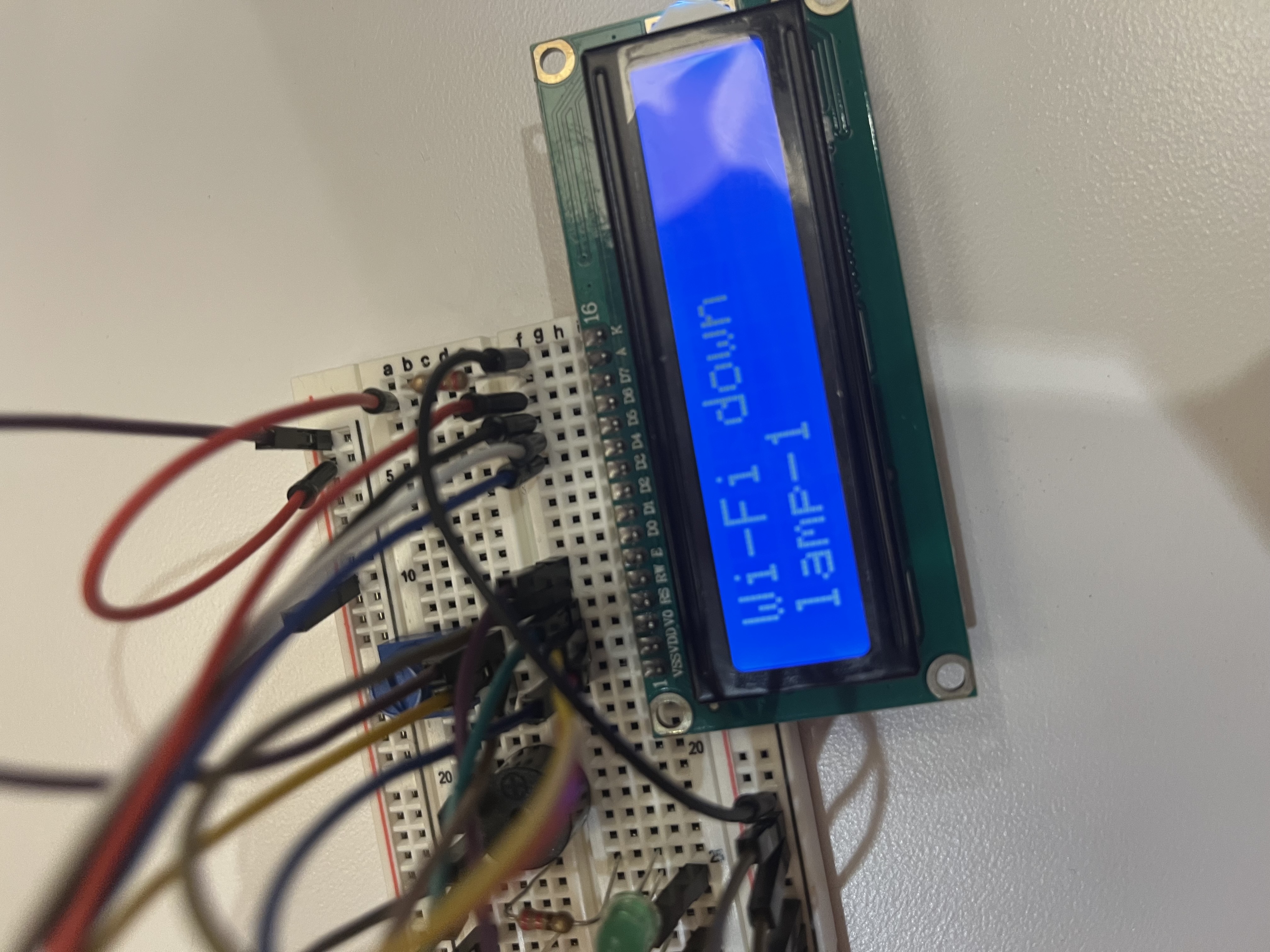
No Hunch Club watches your posture and eyes to make sure you're sitting up tall and blinking at a healthy rate. Your laptop camera sends live camera footage to the ESP32-S3, which breaks the footage into 60-frame contact sheets to feed to Perceptron. Perceptron then scores your posture from 1 to 100 and counts your blinks. It beeps when you've been staring at the screen too long without blinking, when your posture is bad for three checks in a row, and when it's time for a 20-second eye movement break after 20 minutes of work. These beeps are all different and play through an ESP32 circuit connected to your laptop (this will be a much more fleshed out hardware product later on).
Every reading is saved under a unique device ID, so each person only sees their own data. Privacy was an important consideration as we built, so we decided to keep all camera footage local and only upload numerical datapoints to the TigerData database. The site then visualizes how much of your time you spent sitting upright, how much slouching, and what your most common problem was so you can plan how to fix it.
How we built it
- Perceptron Mk1.5 reads the camera frames and returns the posture and blink scores. We pack 60 frames into one contact sheet to reduce the number of API calls while ensuring each blink, which run for mere milliseconds, can be detected.
- Tiger Data (TimescaleDB) stores every reading in a hypertable. A continuous aggregate rolls readings up by minute, so the charts stay quick however much data builds up.
- FastAPI on Render sits between the database and the website.
- Next.js runs the camera page and each person's device page.
- A static dashboard at nohunch.club shows the user visualizations of their screen habits over time. We registered the domain through Porkbun.
- An ESP32-S3, an active buzzer, a series of LEDs, and an LCD screen give the physical alert.
- We programmed the entire project with Cursor and Grok Bots.
Challenges we ran into
We initially planned to use a camera module peripheral for the ESP32. Unfortunately, we did not have access to one from any hardware lab, so we had to improvise. Luckily, our laptops all have cameras, so the fix was quite simple, especially since we could very easily ask a Grok bot to help us restructure out initial plan to accommodate using a laptop camera instead of a separate camera module. Posture detection is compromised using a camera mounted in front of the user rather than to the side, but that limitation that can be resolved once we can connect the ESP32 to an entirely external camera peripheral.
Counting blinks from still frames was also hard. The initial plan was to take a frame every second, but of course, blinks are much shorter than that. Because of this, we had to change how we sampled the camera and how we reset the staring/blink-checking timer. We also had to make the alerts feel natural. Early versions beeped too often and disrupted workflows, so we added streaks and cooldowns.
Additionally, the electronics we had at hand weren't equipped for the project we had in mind. Specifically, we had a choice between the Arduino UNO and ESP32-SC as microcontrollers, but went with the ESP32 since the UNO doesn't have video processing capabilities. However, once everything was wired up and connected, the buzzer was going off at random intervals and the scoring just wasn't as accurate as when we tested with just the computer (no electronics attached for processing). It took several trials (ie. five hours) to understand the issue - the MCU just wasn't as fast as the computer's ALU. The workflow we were proposing would probably be much faster using a Linux Board like the NVIDIA Jetson, but we didn't have access to one for this hackathon of course, so we switched processing for blinks to the computer. This was just to model the difference between computer scoring and board scoring by comparing accuracy of posture (scored on ESP32) and blinks (scored on computer) for the demo. We could have navigated away from electronics when we noticed this issue, but that was a core part of our original idea - something that lives outside your computer to tell you how your work habits are affecting your health. If everything ended up inside the computer, a separate tab would have to be always open, consuming unnecessary RAM which would make our UX undesirable.
All that to say, we decided to keep the electronics portion to show what the device would be capable of if we were given the best hardware to produce it. The prototype heavily relies on the computer for processing and the camera module, but both of those would be quickly remedied in the next No Hunch Club device prototype.
Accomplishments that we're proud of
Though we were initially concerned by the lack of an external camera module, we eventually architected a pretty solid end-to-end workflow - Perceptron for video analysis, Tiger Data for numerical storage, an ESP32-S3 for processing and visual/auditory alerts, and a live site for user interaction and interfacing. The data backend handles hours of readings without slowing down the website and visualization.
We also came into the hackathon kind of dreading AI usage, but ended up enjoyed the workflow through Grok and Cursor. We realized that using AI to code doesn't have to be boring or confusing as long as we put in smart prompts and understand all of the steps the AI takes to come to its final codebase.
What we learned
How well a time-series database fits sensor data, and how much a short, steady signal beats a single noisy reading. We also learned to work very seamlessly with Grok and Cursor, and it was really nice to feel like we had way more than three team members contributing.
What's next for No Hunch Club
The main improvement to our hackathon prototype would be moving the camera to an external peripheral, so the device could be a clip-on version for a desk lamp/monitor that sits next to the person while they're working. This way, posture detection can be more seamless. Daily summaries would also be added to the website so users can see if they're improving their habits.
Built With
- c++
- fastapi
- next.js
- python
- react
- sql
- typescript


Log in or sign up for Devpost to join the conversation.