Sisyphus
Inspiration
Sisyphus started from the idea that automation should not be limited to people who know how to code, connect APIs, or write perfect prompts. Most people already understand the workflows they want to automate because they do them every day. The hard part is translating that human process into a written prompt description or into a technical application.
We wanted to build a more natural way to teach an AI system: demonstrate the task visually, explain the intent out loud, and let the agent map the workflow from there. The goal is to make automation feel less like building software and more like teaching someone by walking them through the task once.
What It Does
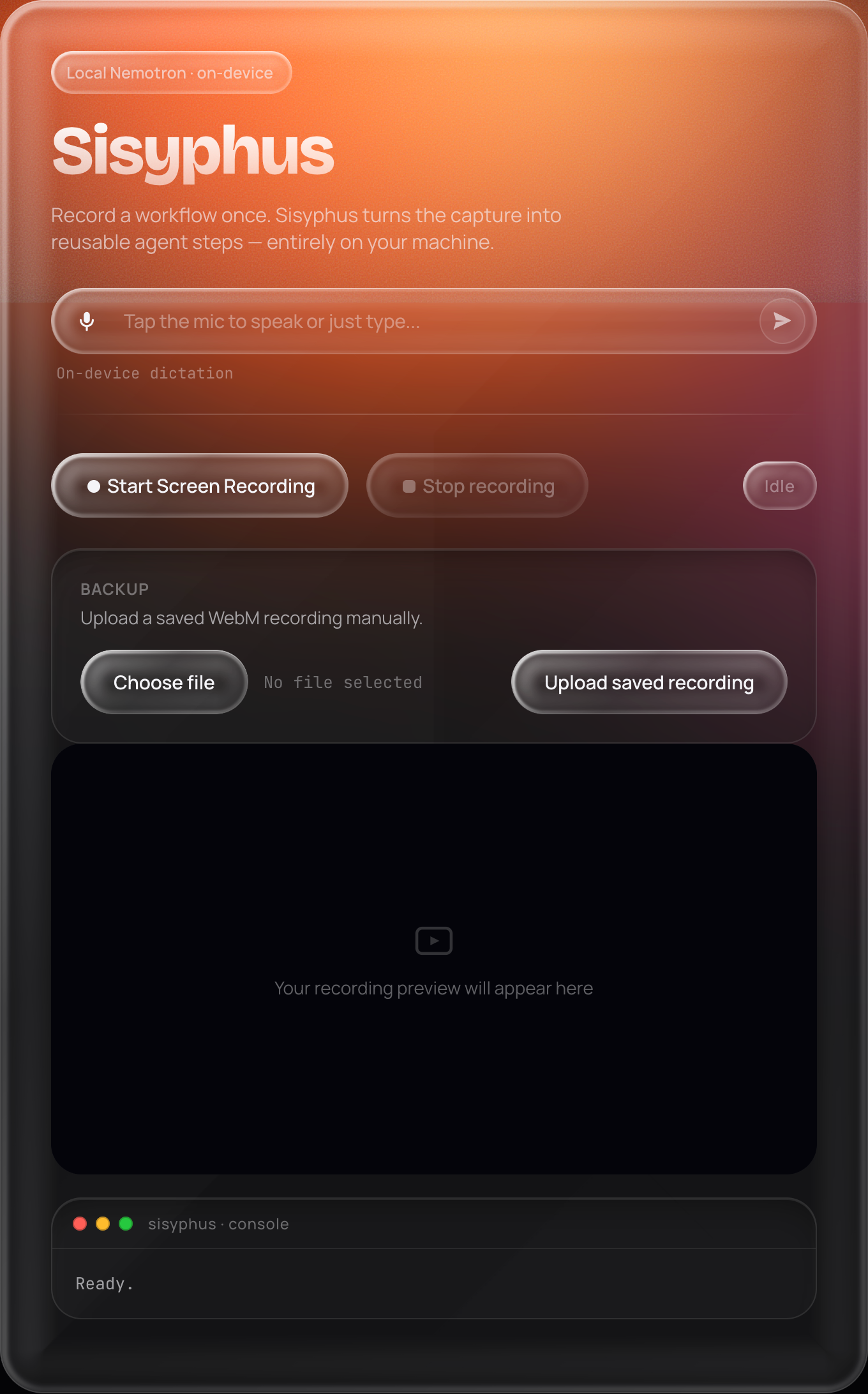
Sisyphus converts a user's screen recording and spoken walkthrough into the foundation for a reusable agent workflow.
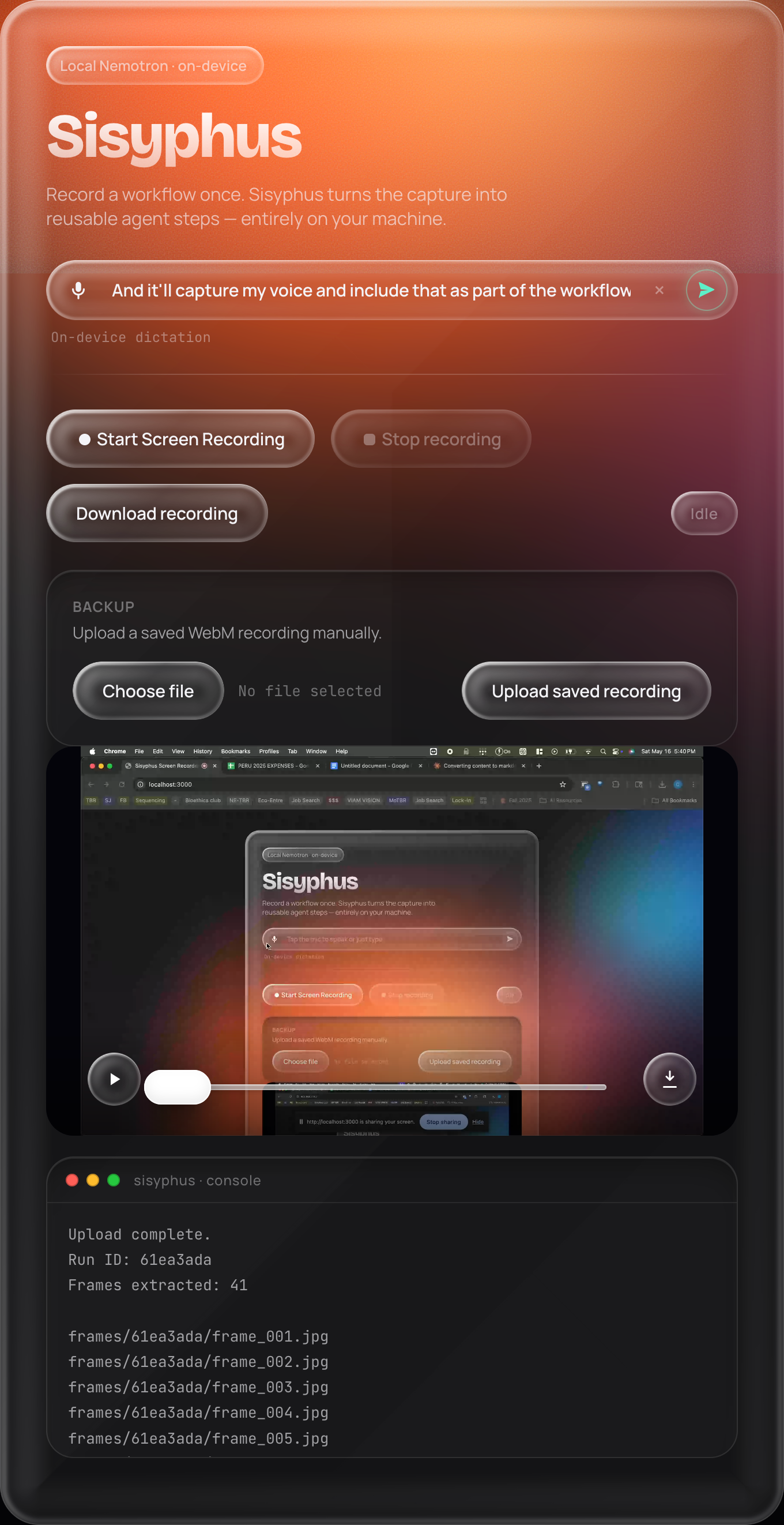
The user performs a digital task once while explaining what they are doing. Sisyphus captures the recording, transcribes the voice input into a text file, extracts key frames from the video, and uses local Nemotron reasoning to interpret the workflow. OpenClaw then uses that visual and verbal context to map the process into structured steps that can be reused later.
How We Built It
We built Sisyphus as a local agent system on the ASUS GX10 / NVIDIA DGX Spark, using OpenClaw as the automation framework and NVIDIA Nemotron 3 Omni as the reasoning model.
We ran Nemotron locally through llama.cpp so OpenClaw could use the model without relying on a cloud API. We connected Telegram as the user-facing interface, letting users interact with the agent through simple commands.
For the demonstration layer, we built a browser-based screen recorder in HTML and JavaScript. Recordings are uploaded to a Python backend, saved as WebM files, and processed with FFmpeg to extract frames. We also added a voice transcription feature that saves the user's spoken walkthrough as a .txt file, giving OpenClaw both visual context and natural-language intent.
The system connects those pieces into one pipeline: screen recording → voice transcript → frame extraction → local Nemotron reasoning → OpenClaw workflow mapping
Challenges We Ran Into
The biggest challenge was getting a full local agent stack working under hackathon time pressure. Sisyphus had a lot of moving parts: the GX10, local Nemotron, Ollama, OpenClaw, Telegram, the browser recorder, the Python backend, FFmpeg, and SSH tunneling.
One major issue was making sure OpenClaw was actually using the local Nemotron model instead of a cloud model. We had to debug model aliases, local endpoints, ports, config files, and active sessions before the agent was fully connected to the GX10.
We also ran into real-world deployment problems. When we tried to edit a Google spreadsheet through the workflow, the eduroam network blocked access to clawhub.io, which prevented OpenClaw skills from downloading and connecting. On top of that, Google flagged our automation attempts as bot-like behavior, which caused account access issues.
The hardest part overall was turning separate tools into one working system. Each piece worked on its own, but the challenge was making them communicate smoothly enough to support the full workflow: record, transcribe, reason, and map the process into agent steps.
Accomplishments We're Proud Of
We are proud that Sisyphus became a working local agent prototype instead of just a concept. One of our biggest accomplishments was getting the ASUS GX10 / NVIDIA DGX Spark set up and running as our local AI environment. Because the hardware and tooling are so new, a lot of the work involved figuring things out in real time, debugging setup issues, and learning how to make the system usable for an actual demo.
We are also proud that we were able to use OpenClaw as part of the project. Since OpenClaw is still a new agent framework, connecting it with our local model setup and workflow pipeline felt like a real technical achievement.
Beyond the setup, we built a multimodal workflow pipeline around screen recording and voice input. Sisyphus can capture a user's walkthrough, save the spoken explanation as a transcript, and give the agent richer context than a normal text prompt would provide.
Most importantly, we are proud of the interaction model: show the task, explain what you are doing, and let the agent map the workflow from there.
What We Learned
We learned how to deploy an OpenClaw agent on the GX10 and connect it to a local model setup.
We also learned how to debug a new agent stack with limited documentation, including networking issues, SSH tunnels, blocked services, local ports, model configuration, and OpenClaw setup.
The biggest lesson was that agentic AI projects are not just about the model. The hard part is making the hardware, model server, agent framework, browser tools, and workflow pipeline work together reliably.
Built With
- dgxspark
- ffmpeg
- gx10
- html
- javascript
- nemotron
- ollama
- openclaw
- python


Log in or sign up for Devpost to join the conversation.