-
-
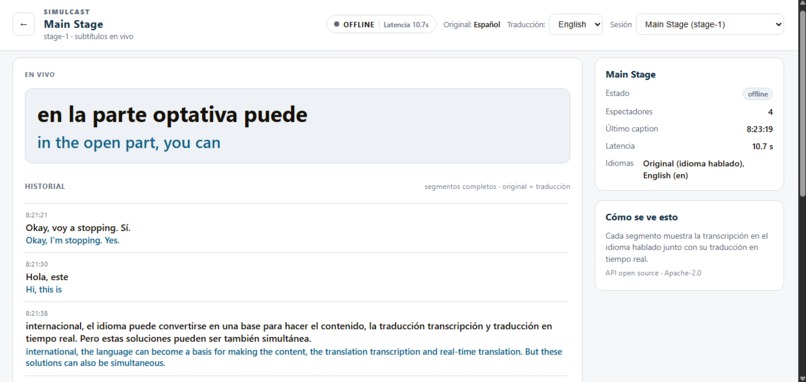
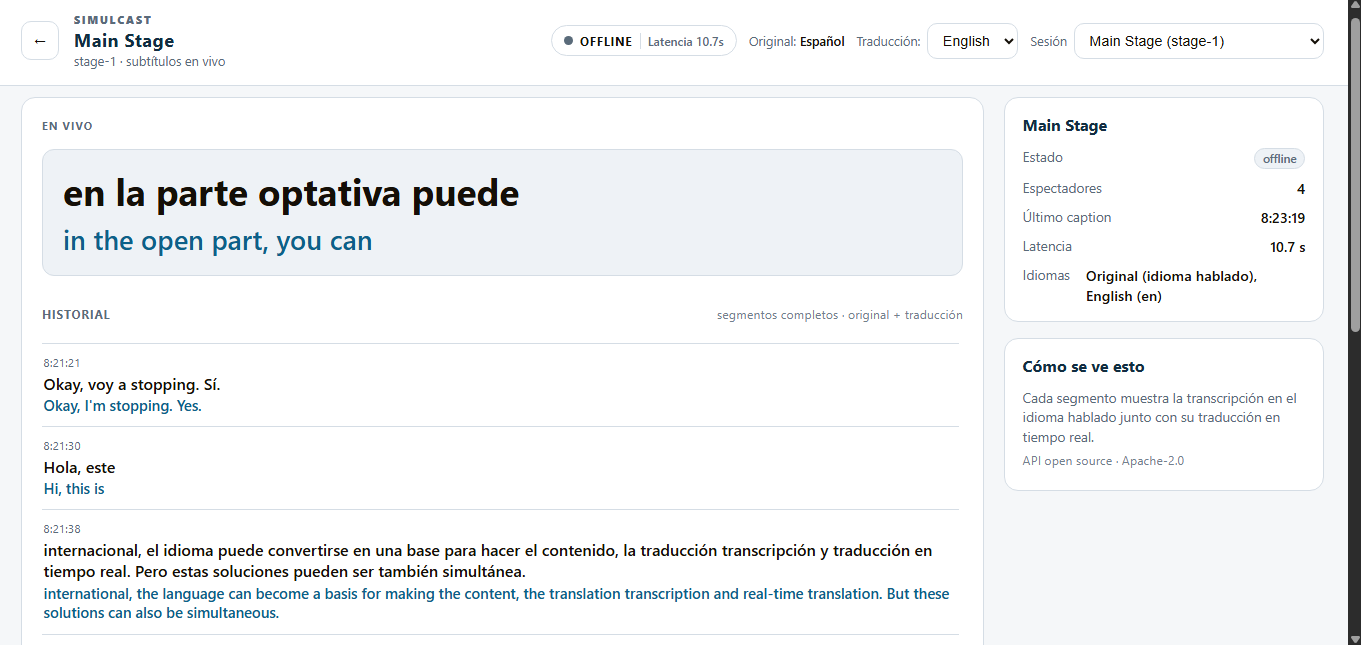
Transcricion y traducion
-
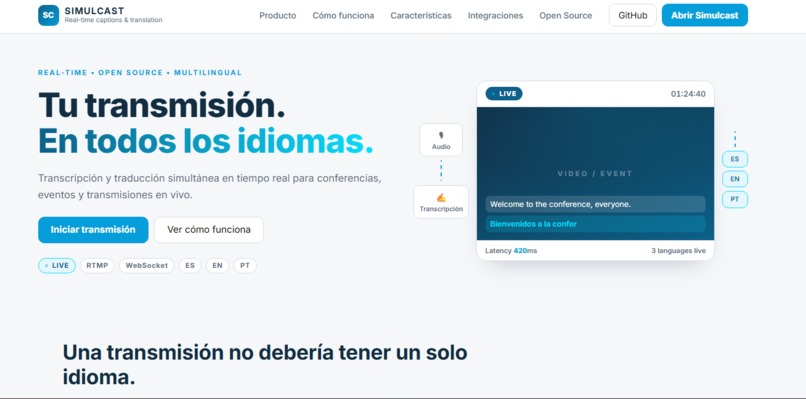
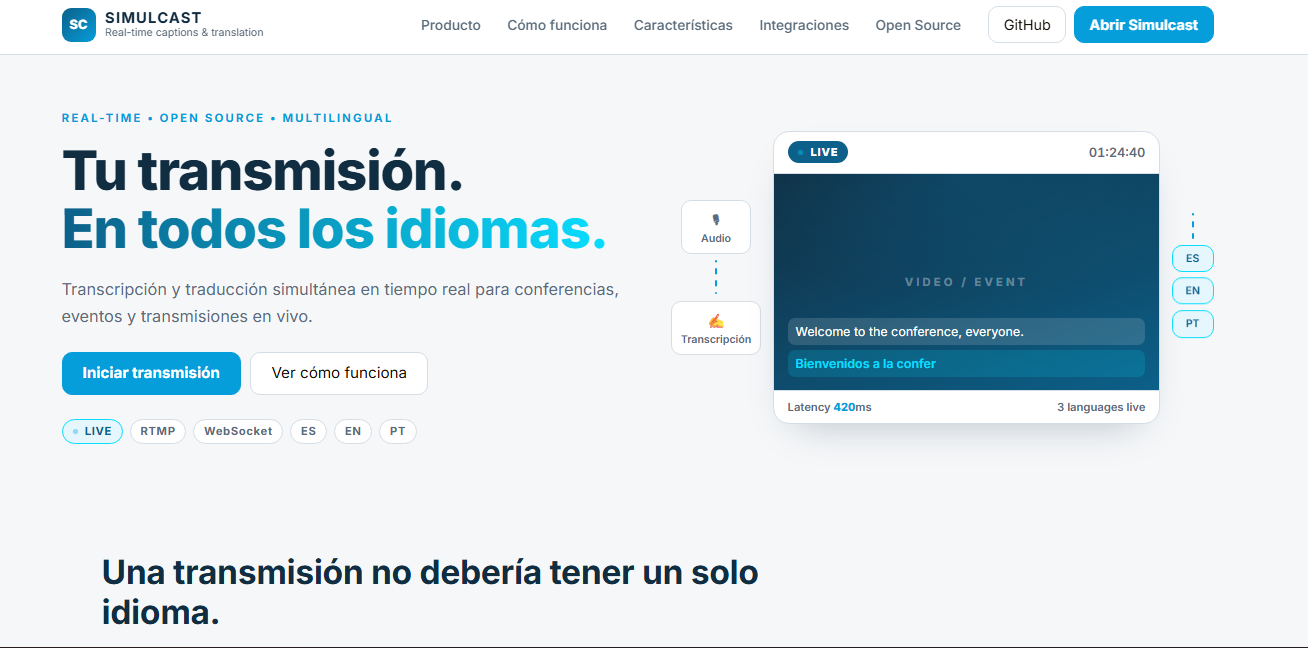
Pagina de incio
Inspiration
At open-source conferences, language should never be a barrier to understanding a talk.
Many events rely on human interpreters or expensive transcription and translation services. These solutions can be difficult to scale when there are many simultaneous sessions, especially for community-driven events with limited resources.
Simulcast was born from a simple question:
What if any open-source conference could provide real-time captions and translations without depending on expensive proprietary infrastructure?
We wanted to build something that could run alongside an existing conference setup, receive the audio from a live stream, transcribe it in real time, and make translated captions available to the audience.
What it does
Simulcast is an open-source real-time captioning and translation platform for conferences and live events.
It receives live audio through RTMP, processes the audio in real time, generates transcriptions, and can translate them into another language.
The audience sees captions as live segments, with the original sentence and its translation grouped together:
Welcome to the conference, everyone. Bienvenidos a la conferencia, a todos.
The platform is designed around multiple simultaneous conference sessions, allowing each stage or room to have its own live stream and captioning pipeline.
Simulcast also provides a foundation for OBS Browser Source overlays, allowing translated captions to be displayed directly over the event video.
How we built it
Simulcast was built as a modular real-time pipeline:
OBS → RTMP → MediaMTX → FFmpeg → Gemini → FastAPI → WebSocket → Audience UI
Backend
- Python + FastAPI for the API and real-time communication.
- MediaMTX for receiving RTMP streams from OBS.
- FFmpeg for extracting and normalizing the audio into 16 kHz mono PCM.
- Google Gemini Live API for real-time transcription and translation.
- WebSockets for delivering live caption updates to connected clients.
Frontend
The audience interface was designed specifically for live captions rather than as a traditional transcript or event log.
Each caption segment contains:
- Original text
- Translation
- Current/interim state
- Final state
- Timestamp
- Source and target language
The same caption model can also power an OBS Browser Source overlay.
Deployment
Simulcast is containerized with Docker and can be deployed on a cloud VM with a reproducible setup.
The architecture was designed so that additional conference sessions can be added without creating a separate application for each room.
Challenges we ran into
The biggest challenge was not simply generating a transcript — it was making the system behave like a real live captioning system.
During development, we encountered several problems:
- Maintaining a stable RTMP → FFmpeg → Gemini pipeline.
- Handling temporary disconnections from live services.
- Understanding normal WebSocket/session termination versus actual failures.
- Keeping translations from accumulating excessive latency.
- Managing multiple conference sessions independently.
- Processing small audio chunks continuously without introducing unnecessary delay.
- Designing the UI around live captions instead of displaying every transcription event as a log.
- Making the system recover without requiring an operator to manually restart everything.
We learned that in a live event, a slightly incomplete caption is often preferable to a translation that is 10+ seconds behind the speaker.
Accomplishments that we're proud of
We built a working end-to-end prototype capable of taking a real OBS stream and turning its audio into live captions.
We are especially proud of:
- A complete OBS → RTMP → Gemini → WebSocket → UI pipeline.
- Real-time transcription working with live audio.
- Support for multiple conference sessions.
- English-to-Spanish live translation.
- A dedicated live-caption interface instead of a traditional transcript.
- A modular architecture that separates ingest, audio processing, AI workers, sessions, and presentation.
- Docker-based deployment on Google Cloud.
- An architecture designed with automatic recovery and live-state monitoring in mind.
- Building the project as an open-source foundation for conferences, rather than a closed service tied to a single event.
What we learned
We learned that real-time AI applications are fundamentally different from traditional web applications.
A request-response architecture is not enough when audio is continuously arriving and users expect information almost immediately.
We learned to think in terms of:
audio → processing → AI → latency → state → recovery
rather than simply:
request → response
We also learned that the user experience is heavily influenced by latency. A technically accurate translation is not useful during a live talk if it arrives too late.
This pushed us to focus on measuring latency, detecting degraded sessions, reconnecting automatically, and keeping the original transcription available when translation temporarily fails.
Most importantly, we learned that open-source infrastructure can make advanced AI capabilities more accessible to communities that cannot afford large proprietary event platforms.
What's next for Simulcast
Our next steps are focused on making Simulcast reliable enough for real conference environments.
Short term
- Improve automatic reconnection and session recovery.
- Measure end-to-end caption and translation latency.
- Detect when translation begins falling behind.
- Introduce clear
LIVE,DEGRADED,RECONNECTING, andOFFLINEstates. - Improve RTMP stability.
- Test multiple simultaneous sessions under load.
Next stage
- OBS Browser Source caption overlays.
- SRT/VTT subtitle export.
- Additional language pairs.
- Configurable terminology and conference glossaries.
- Browser/system audio input.
- Better monitoring for conference operators.
Long term
We want Simulcast to become a reusable open-source infrastructure layer for conferences and live events — something an event organizer can deploy, connect to their existing streaming workflow, and provide real-time multilingual accessibility without rebuilding the system from scratch.
Our goal is simple: make live events more accessible, one caption at a time.
Built With
- gemini
- google-cloud
- html5
- mediamtx
- python
- rtpm


Log in or sign up for Devpost to join the conversation.