-
-
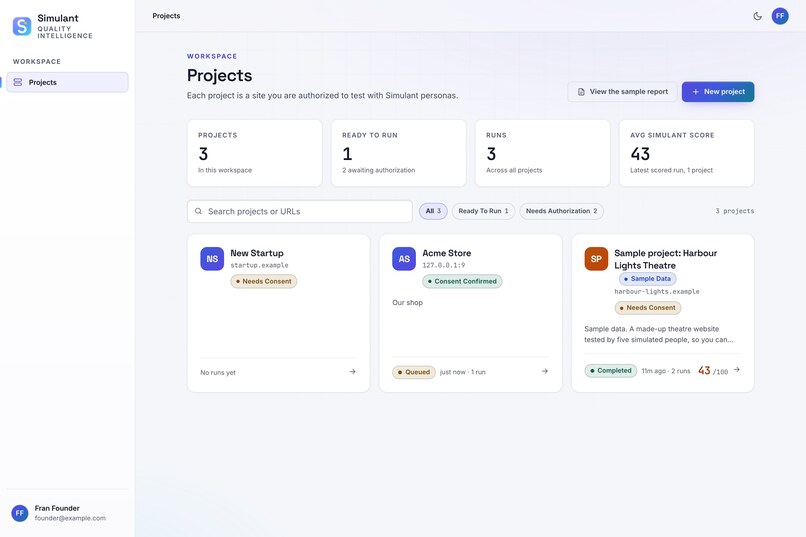
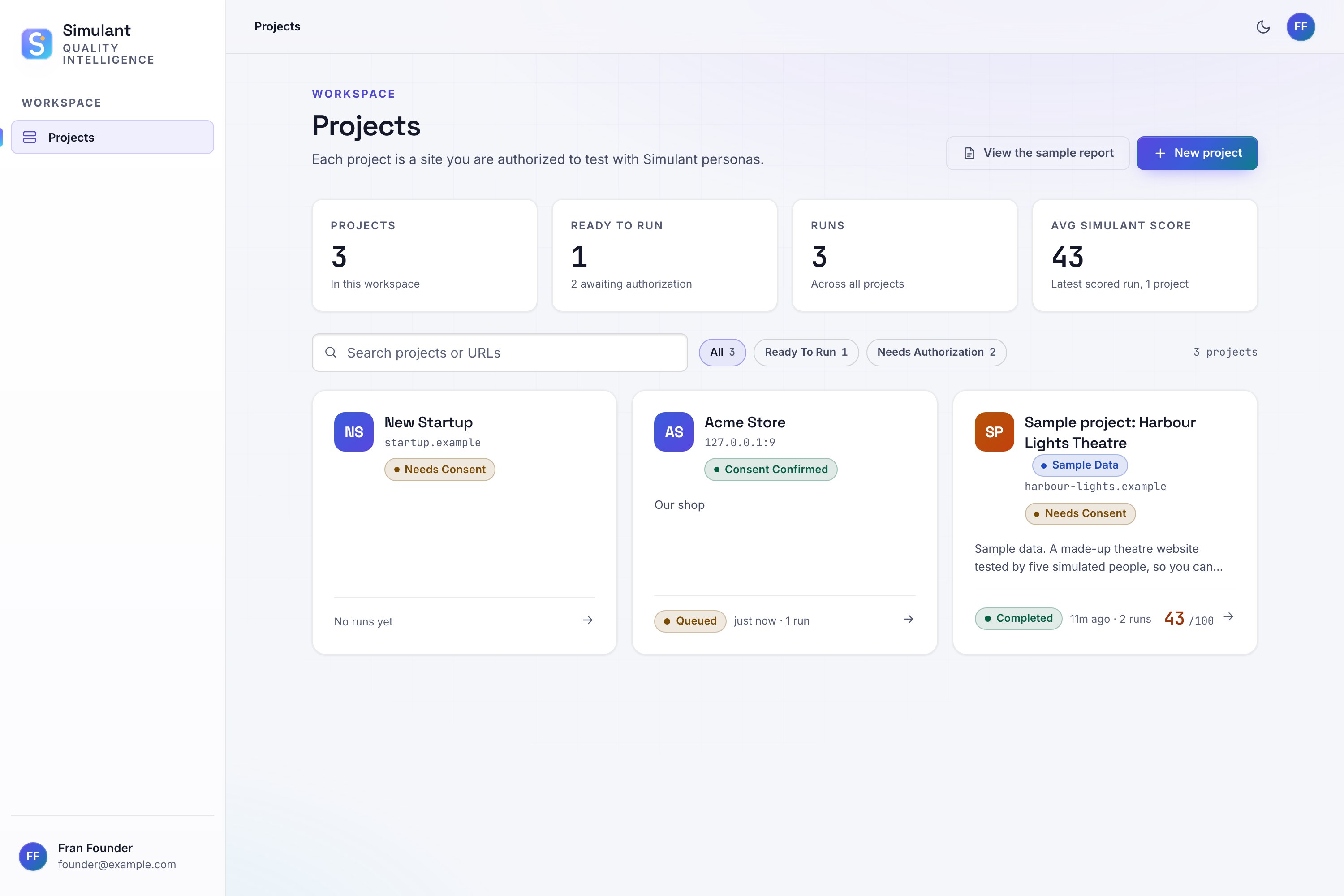
Projects: the workspace
-
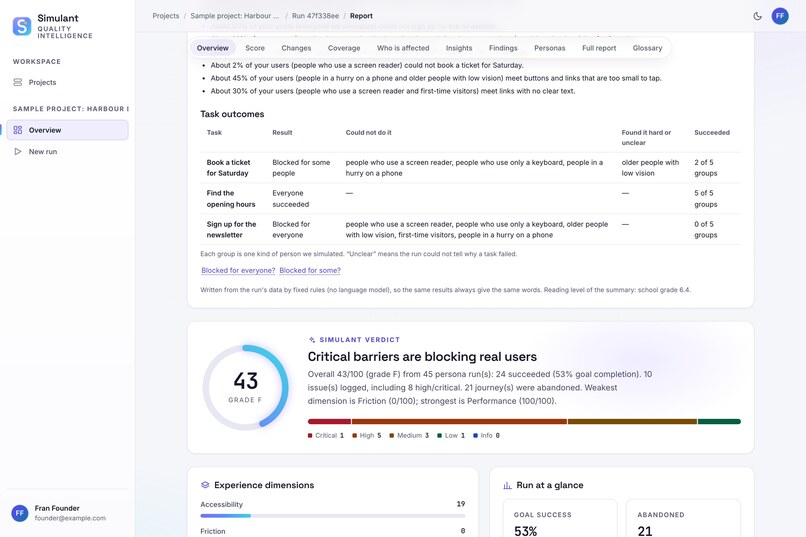
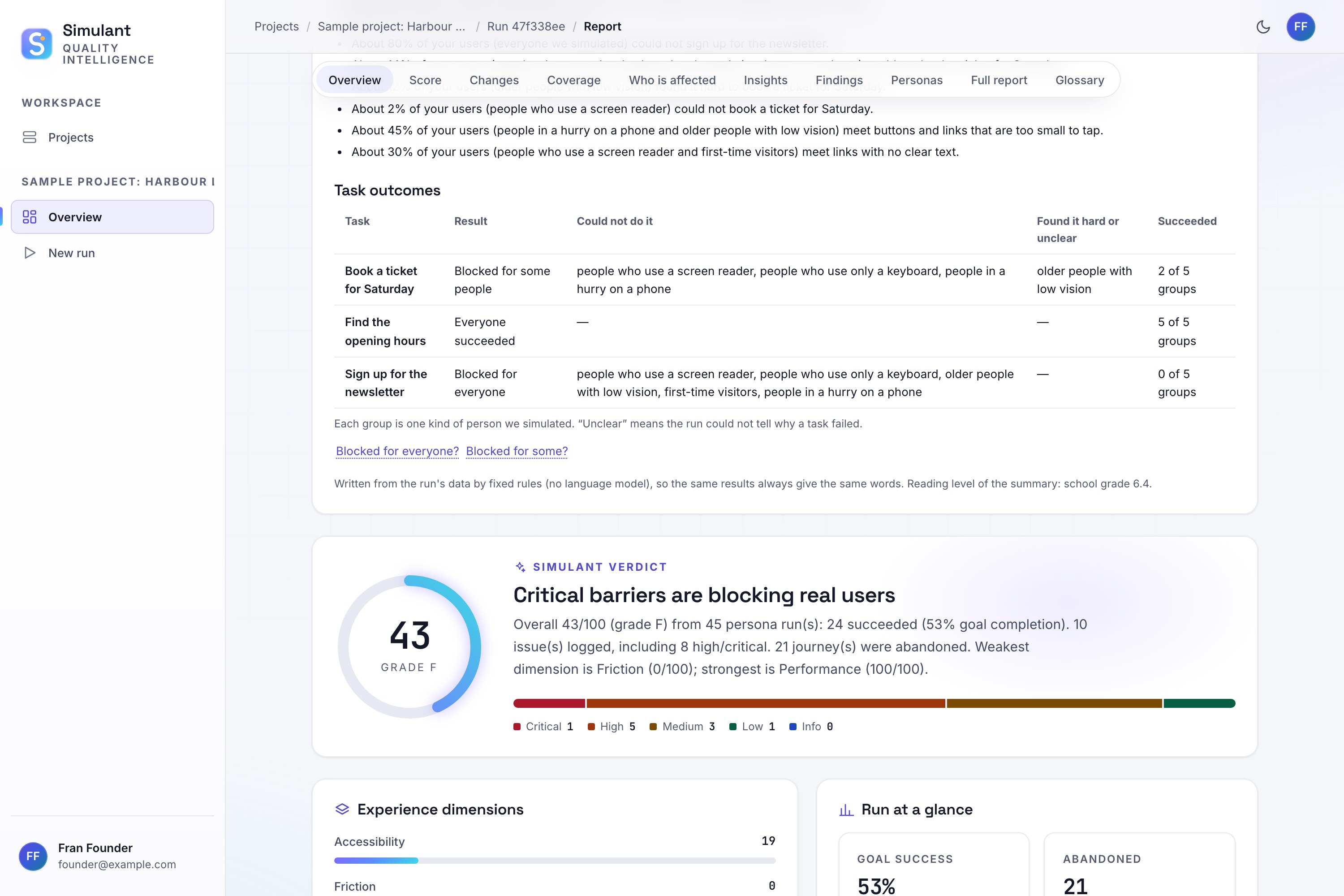
Task outcomes and score: who could and couldn’t complete each task, plus the overall verdict
-
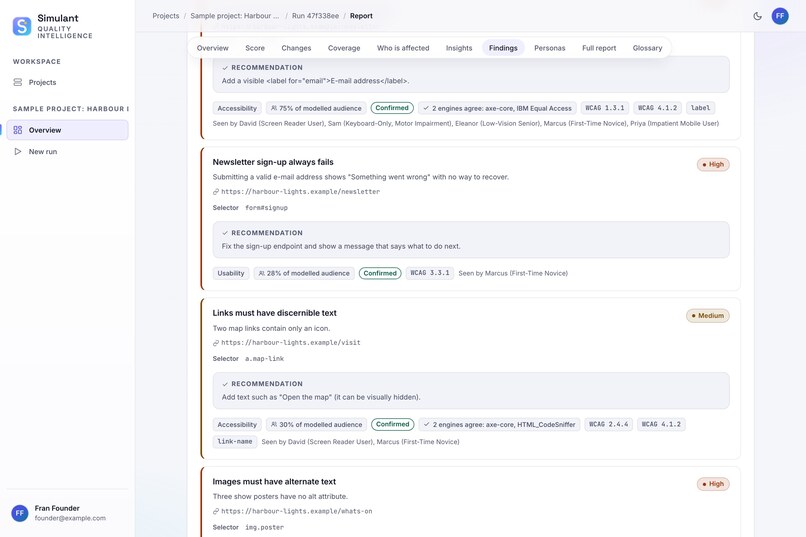
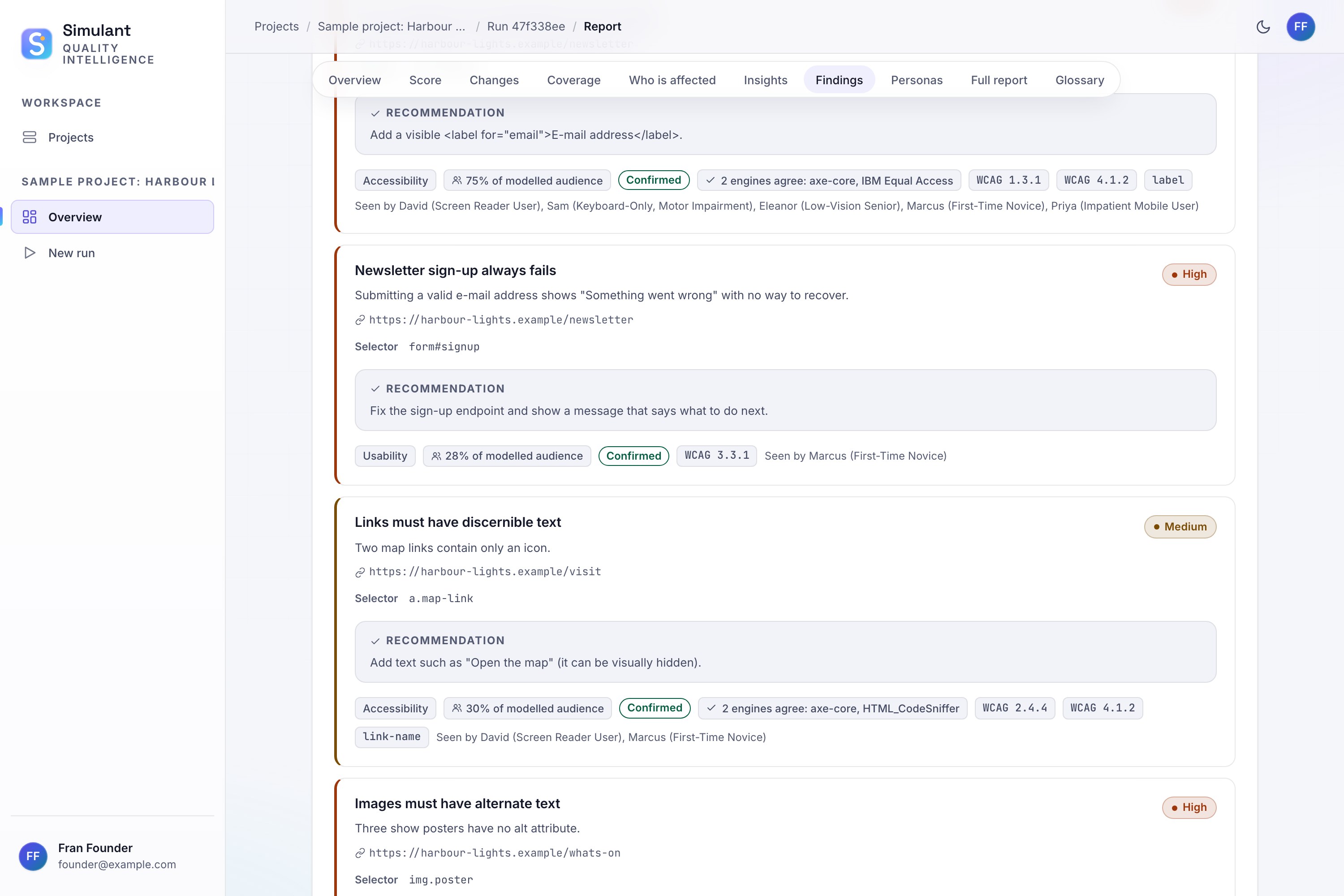
Findings with fixes: each problem with its WCAG rule, the scanners that agree, and a recommendation
-
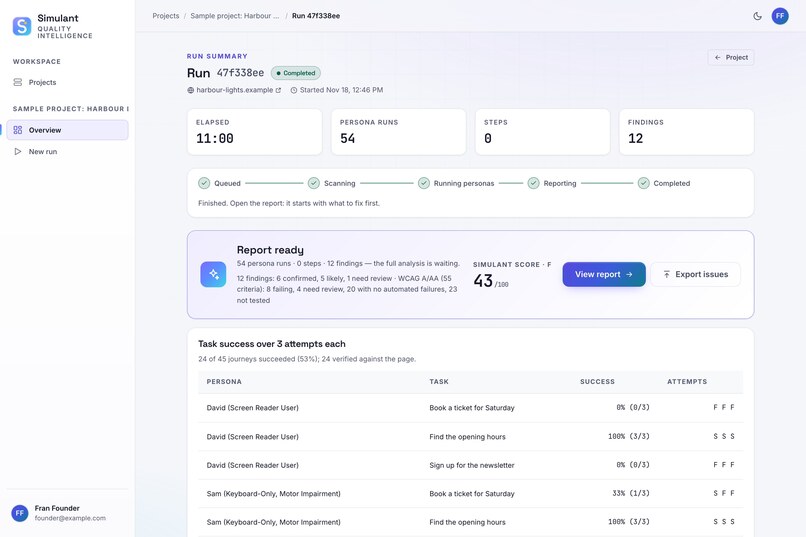
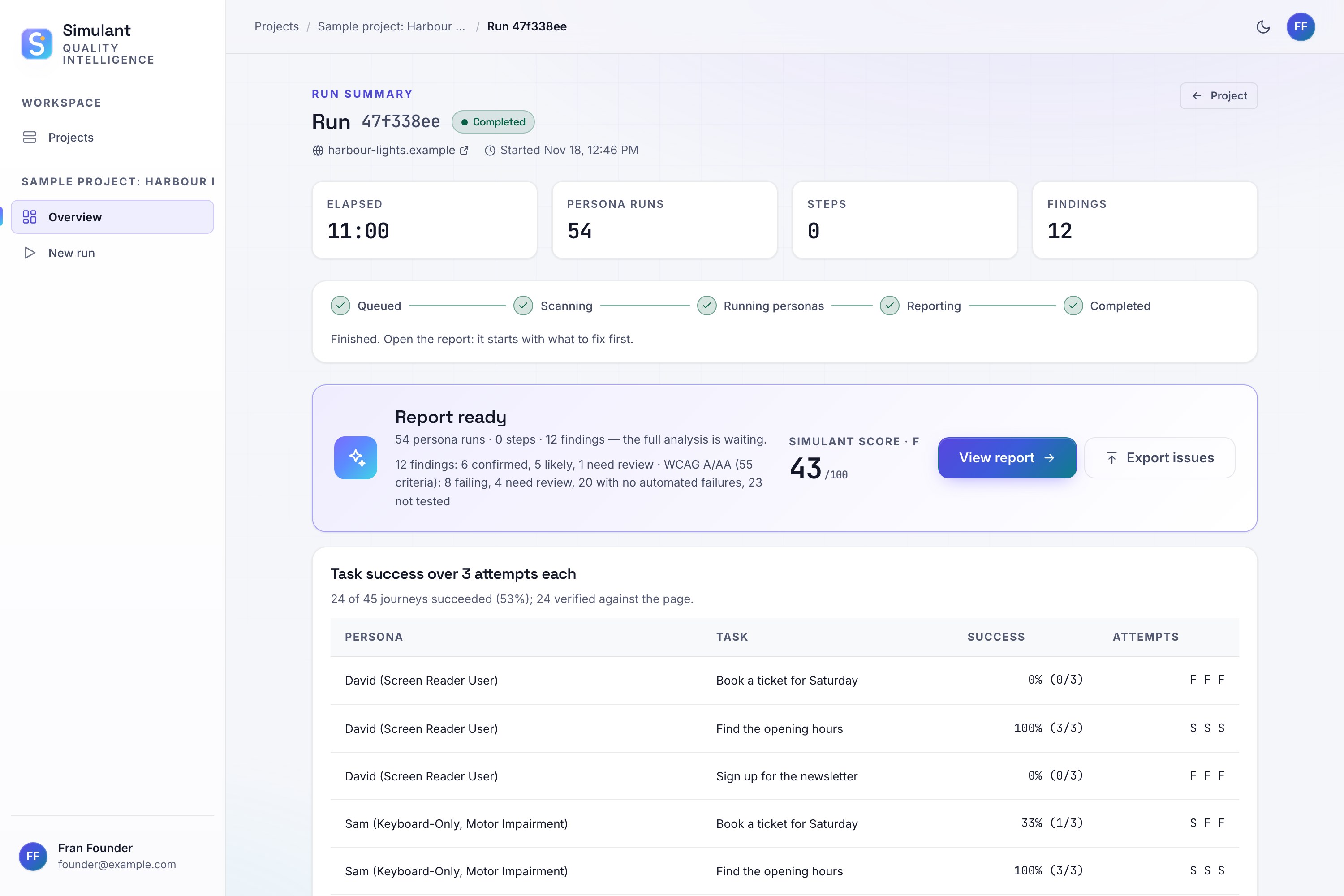
Run results: the score (43/100) and how each persona did on each task
-
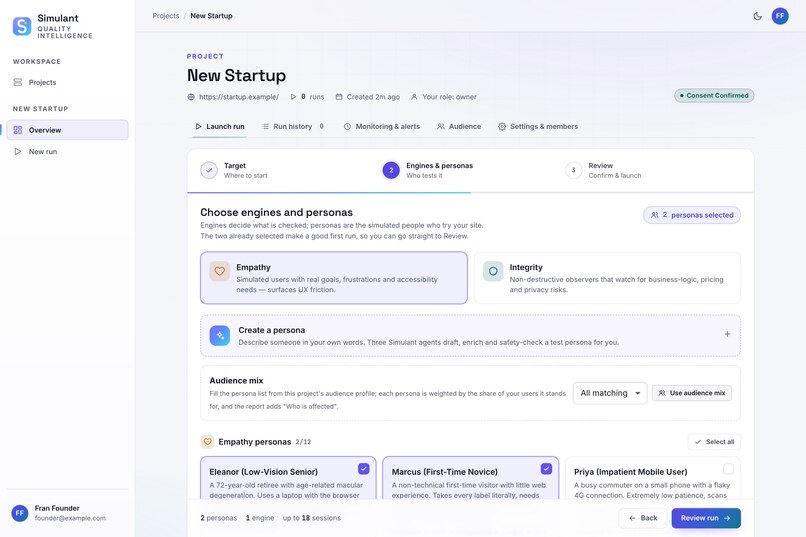
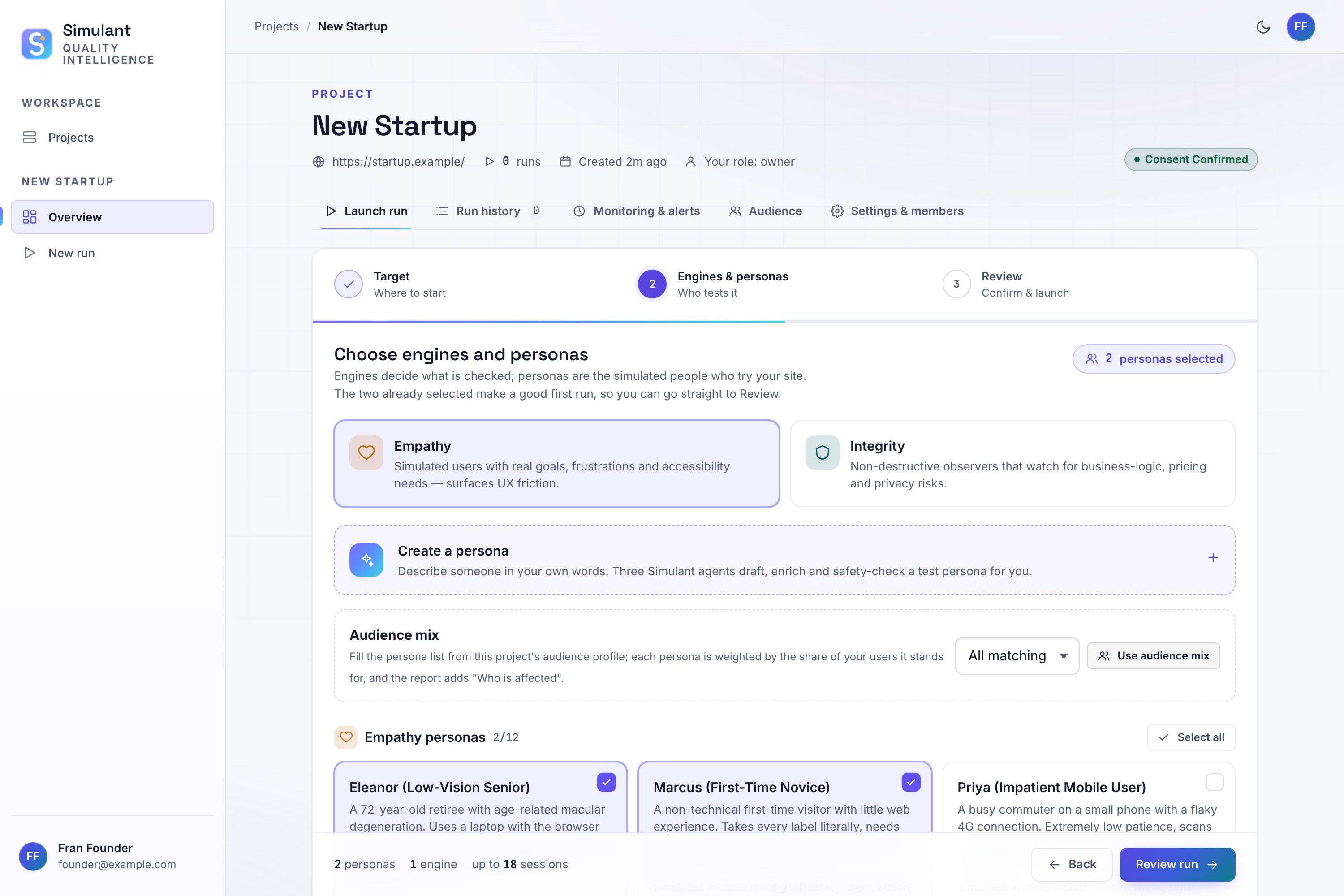
Choose personas: picking who tests your site, or creating a custom persona
-
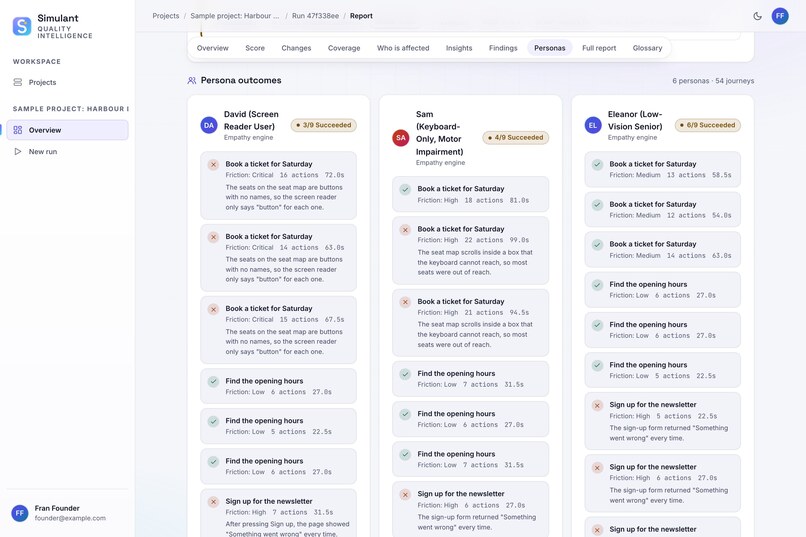
Persona journeys: David (screen reader), Sam (keyboard) and Eleanor (low vision), with why each got stuck
-
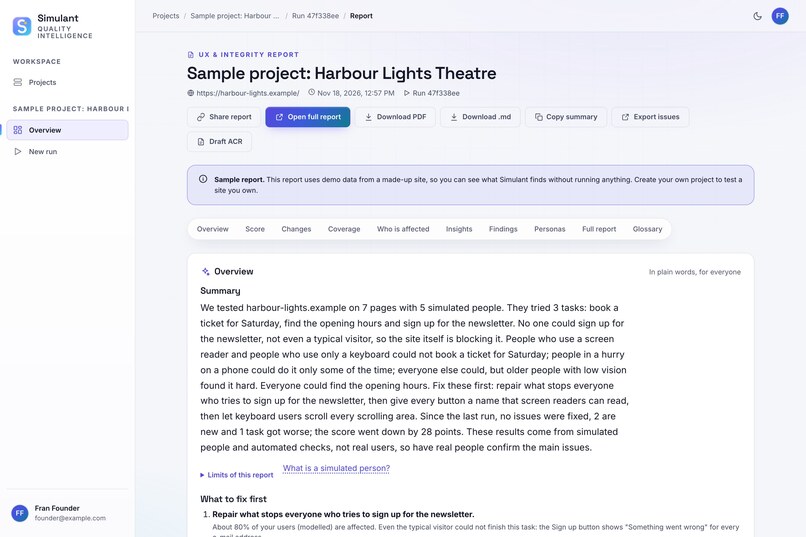
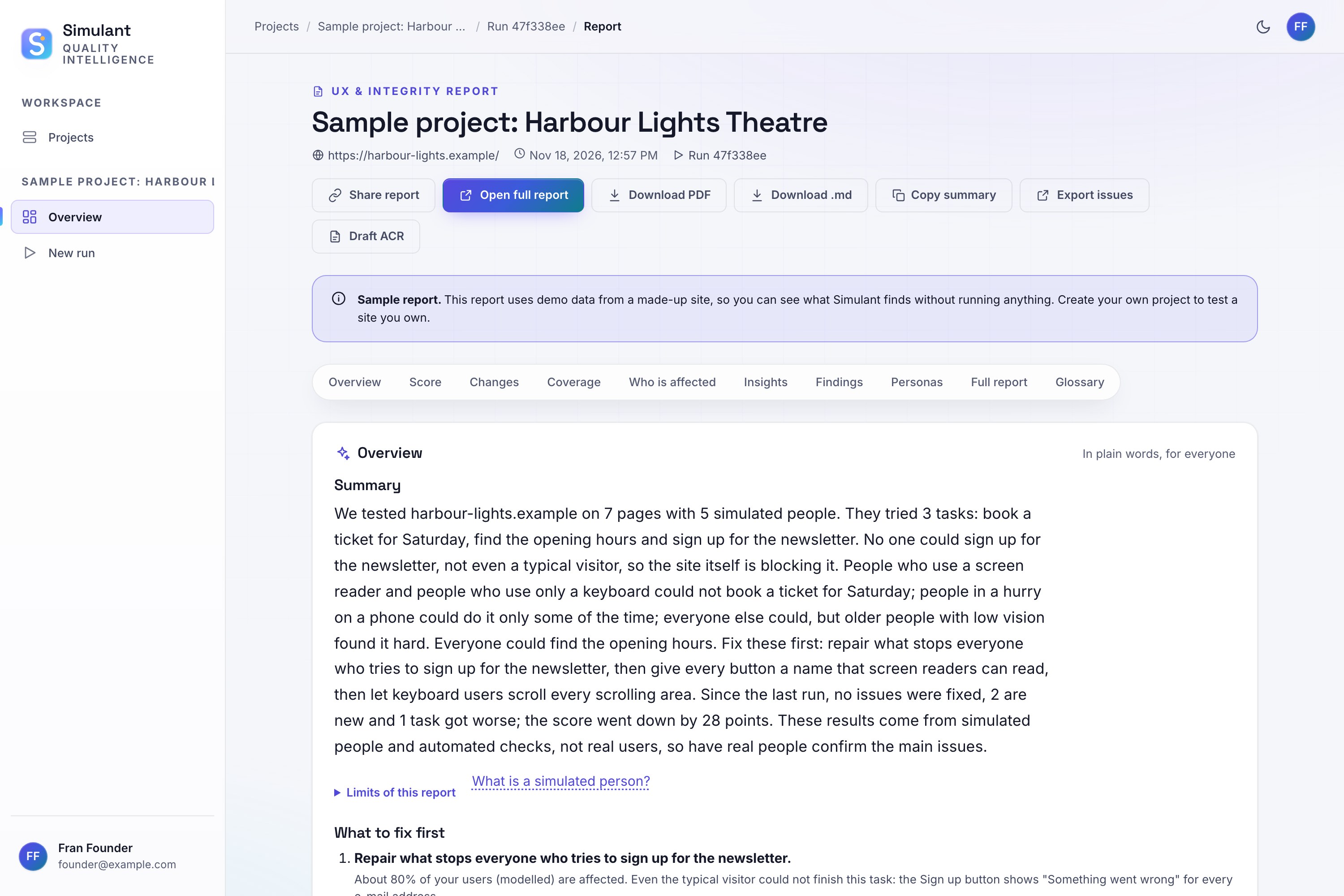
Report summary: a plain-English overview of what was found

Inspiration
We kept seeing builders pour months of time and money into a website, only for it to flop before it ever reached its users. The site often looked great — but real people found the features and interface hard to use, and simply gave up. For people with disabilities it's worse: over a billion people rely on screen readers, keyboards, zoom or plain language, and most sites are never tested with them. Manual accessibility audits are slow and expensive, and automated checkers only catch code-level issues — they can't tell you whether a real person can actually finish a task. So we asked: what if you could watch your users try your site before launch?
What it does
Simulant sends AI personas modelled on real people through your website — a blind screen-reader user, a keyboard-only user, a low-vision senior, someone with ADHD, a non-native speaker, a first-time user and more. Each persona tries real tasks (find the price, book a slot, send an enquiry) and Simulant reports:
- where each person got stuck, told as a short story of their journey
- which accessibility rule (WCAG 2.2) it breaks
- a concrete fix, with code, and how to verify it
- whether it's an accessibility barrier or a broken site — a "control" user without impairments tries the same task to tell the two apart
It also runs three independent accessibility scanners and cross-checks their results, so findings come with a confidence level.
How we built it
- Backend: Python + FastAPI, PostgreSQL, a background worker that runs each test in isolated real browsers (Playwright: Chromium, plus WebKit for iPhone/iPad personas)
- Personas: LLM-driven agents, but their impairments are **enforced in code, not just described in a prompt — the screen-reader persona only "hears" the page the way a real screen reader announces it, the keyboard persona must actually Tab through the focus order, the low-vision persona sees a zoomed view, and a "no peeking" check refuses any action based on something the persona couldn't perceive
- Scanners: axe-core, IBM Equal Access and HTML_CodeSniffer, with results tiered as Confirmed / Likely / Needs review
- Safety: a read-only mode so Simulant never submits forms or changes data on a live site, while test-account sign-ins still work
- Reports: plain-language summary, top fixes ranked by impact, WCAG 2.2 A/AA table, accessible HTML + PDF
- Hosting: Docker on Azure, live at simulantai.tech
Challenges we ran into
- LLMs know too much. A general AI "playing" a blind user guesses what an unlabelled field is for — something a real blind user couldn't do. We had to enforce perception in code so personas fail where real people fail.
- Honest measurement. Our first benchmark looked great — until we found the page URLs hinted at the barrier. We rebuilt it with neutral URLs and held-out test pages the personas never saw, and reported the lower, honest numbers.
- Never harming the sites we test. Making a truly read-only browser was much harder than expected: pages can send data while closing, from background workers, or via old-style requests. It took six rounds of independent attacks and fixes.
- Free-tier AI limits and providers retiring models mid-run.
Accomplishments that we're proud of
- On held-out test pages, our latest round cut false alarms from 20% to 7% and false "task complete" claims from 61 to 1, while catching more real barriers with the correct cause
- Simulant's own interface passes its own accessibility checks with zero issues across 180 page views
- Nearly 3,000 automated tests
What we learned
Accessibility isn't a checklist — it's whether a real person can finish what they came to do. And for an AI testing tool, being honest about what it can and can't detect matters more than impressive-sounding numbers.
What's next
- Training our own persona model on verified behaviour, so personas are more consistent and realistic
- Validating personas against sessions with real disabled users
- Continuous monitoring and CI integration, so teams hear about broken flows before their users do
Built With
- atlassian-forge
- axe-core
- azure
- caddy
- docker
- elevenlabs
- fastapi
- forge-ui-kit
- groq
- javascript
- jira
- jira-rest-api
- llm
- node.js
- playwright
- postgresql
- python
- react
- wcag

