-
Plainify
-
Plain text example 1
-
Plain text example 2
-
Original Figma mockup
Inspiration
We wanted to make a hack for social good with a focus on accessibility. After brainstorming project ideas centering around accessibility and learning about accessible plain text, we decided to make a program that will rewrite any given text as plain text. Plain text is text that follows these ten rules:
- Use simple words
- Use positive language
- Use short paragraphs
- Use short sentences
- Avoid jargon
- Use active voice
- Use present tense
- Use examples
- Use headers
- Use transition words
Rules will differ by source; we chose the above rules from what one member learned in class.
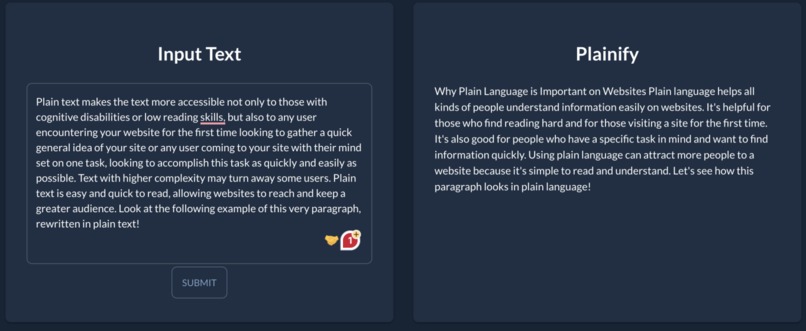
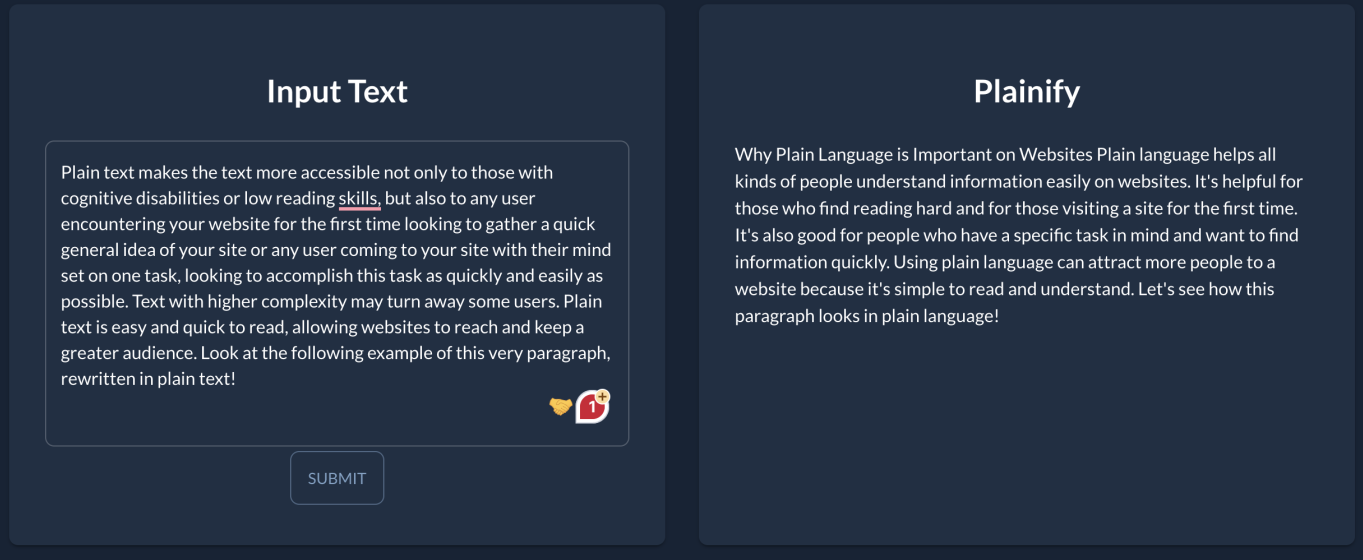
Plain text makes the text more accessible not only to those with cognitive disabilities or low reading skills, but also to any user encountering your website for the first time looking to gather a quick general idea of your site or any user coming to your site with their mind set on one task, looking to accomplish this task as quickly and easily as possible. Text with higher complexity may turn away some users. Plain text is easy and quick to read, allowing websites to reach and keep a greater audience. Look at the following example of this very paragraph, rewritten in plain text below!
"Why Plain Language is Important on Websites
Plain language helps all kinds of people understand information easily on websites. It's helpful for those who find reading hard and for those visiting a site for the first time. It's also good for people who have a specific task in mind and want to find information quickly. Using plain language can attract more people to a website because it's simple to read and understand. Let's see how this paragraph looks in plain language!"
What it does
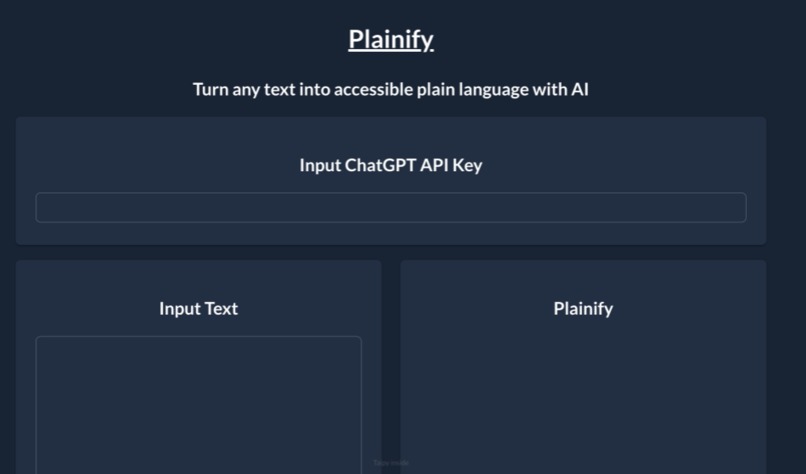
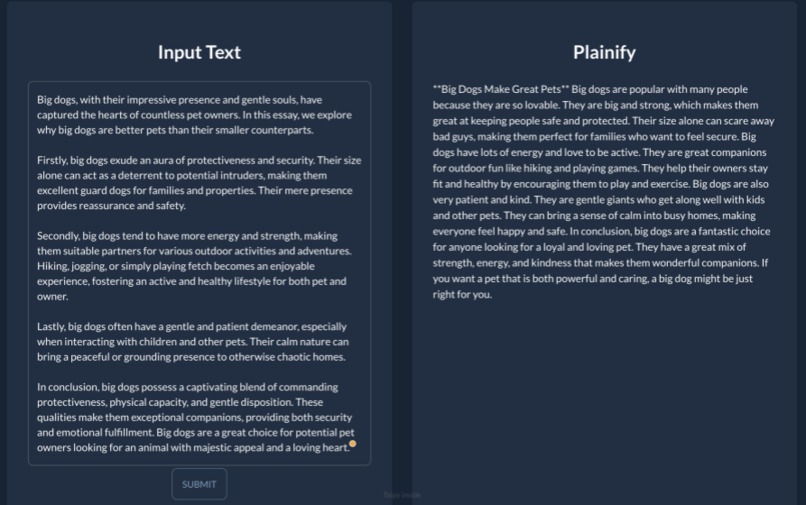
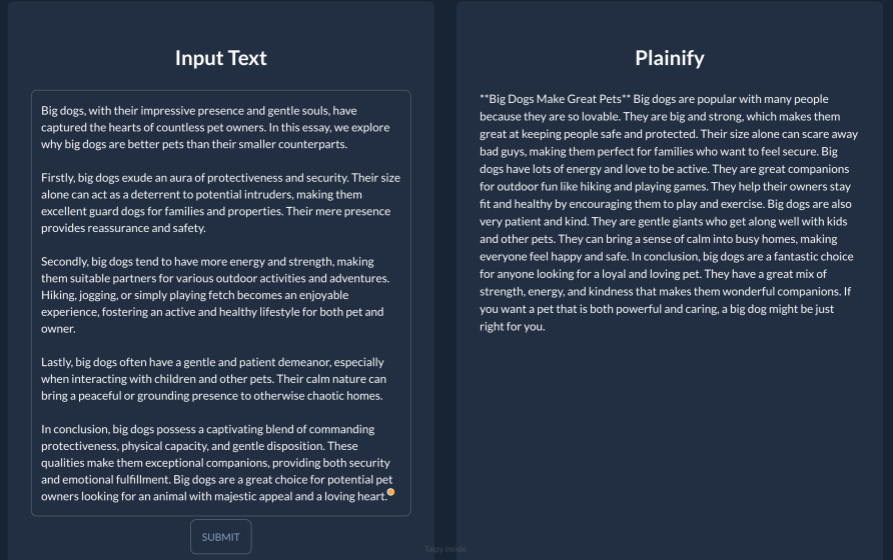
Plainify takes any text and rewrites it in plain text! First, the user must obtain and input their own OpenAI API key (for the demo, we will use our own). Then, the user may input any text and click submit. Plainify will use the API key to call ChatGPT with our specially curated prompt to print a new version of the inputted text written in plain text. The user can then copy this and use it wherever they like! Business pitches, text summaries, customer support... rewriting in plain text can facilitate understanding of the text at hand, saving much time and frustration!
How we built it
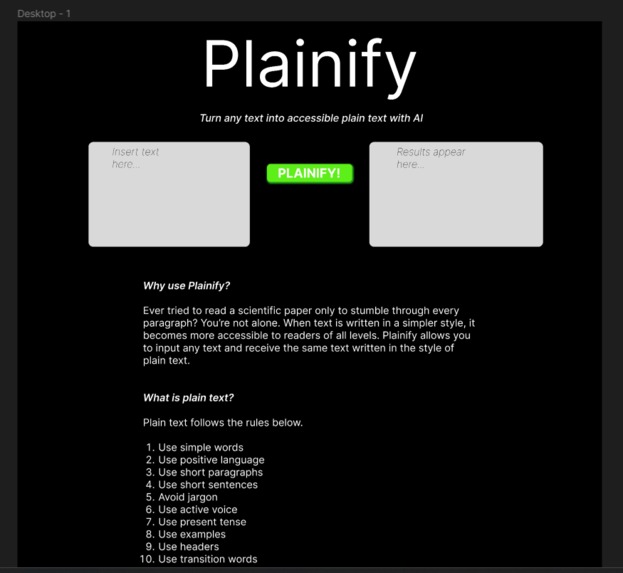
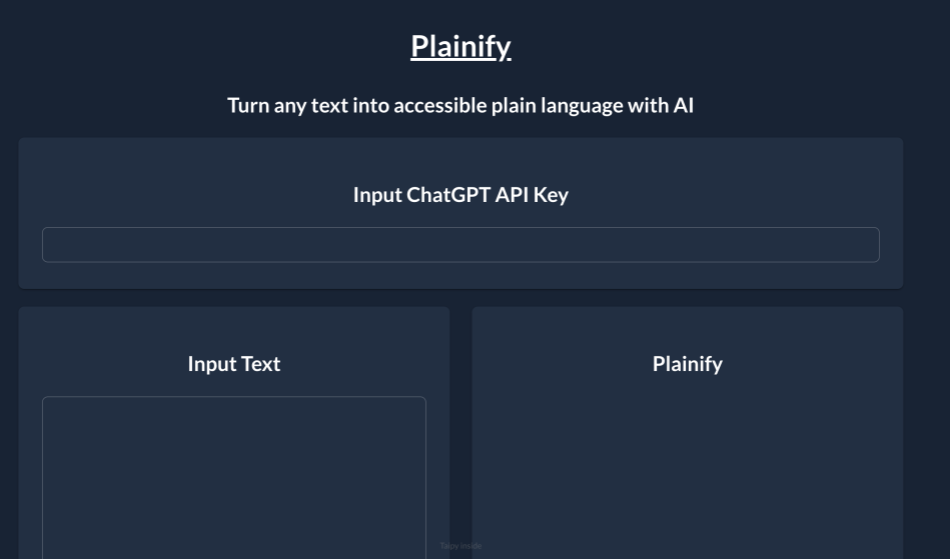
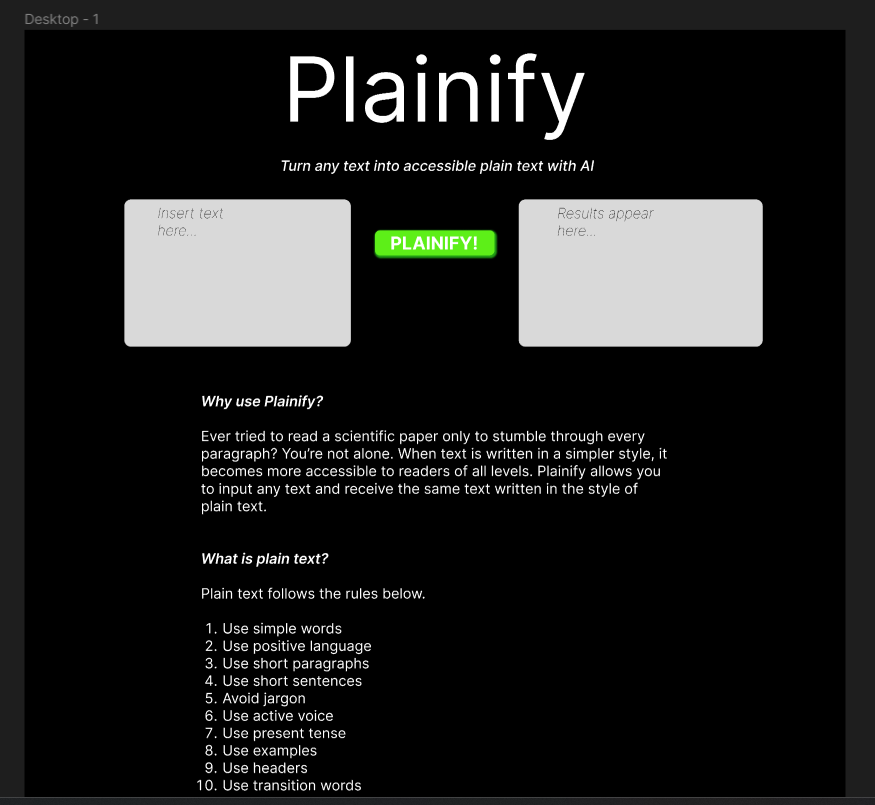
We first wrote the code to access ChatGPT in Python. When we had the code correctly returning the text rewritten as prompted, we began working on an interface. We used Figma to wireframe a mockup of what we wanted the site to look like. Since we used Python, we decided to learn Taipy to create an interface based on the mockup. We studied the Taipy documentation and created a simple, straightforward interface with low visual stimuli and distractions, and we added information about plain text to teach the user about the benefits of plain text accessibility.
Challenges we ran into
We found that the documentation for Taipy was not the best. We struggled to style our site the way we wanted to with what Taipy gave us, despite us both having web dev experience. We had to change some things from the Figma mockup. We discovered quickly that Taipy does not work in Google Colab; we eventually got it working in Jupyter Notebook instead. At one point, our API key was disabled because we tried uploading it to GitHub. This, plus the fact that every API call costs money, gave us the idea to have the user input their own API key. This idea came after we made the Figma mockup, so you won't see this represented in the mockup.
Accomplishments that we're proud of
We are proud of how easily we were able to connect to the ChatGPT API and how we were eventually able to figure out Taipy despite the documentation being difficult to comprehend and apply. We are proud of our hack being fully functional.
What we learned
We learned how to make a simple site in Taipy. We learned to specially formulate ChatGPT prompts via the OpenAI API. We learned that Taipy is also compatible with Grammarly.
What's next for Plainify
We would like to have one single API key for the site so that users do not have to input their own. This can be accomplished if we find a way to monetize the site so that we make back the money spent on API calls. One possibility is if a company would like to purchase the site from us and run the site on company dollar. Another possibility is to have authentication so that users can make accounts and purchase a subscription that allows them a certain number of API calls, or perhaps place ads on the site so that the site can remain free to use. We would also like to have the resulting text formatted properly before being returned to the user. For some reason, ChatGPT rids paragraphs of their formatting.
Using our GitHub
To run Plainify on your own machine, we recommend copying each Jupyter Notebook cell into your own Notebook. You must have first run 'pip install openai' and 'pip install taipy'. You will also want to obtain your own OpenAI API key.


Log in or sign up for Devpost to join the conversation.