-
-
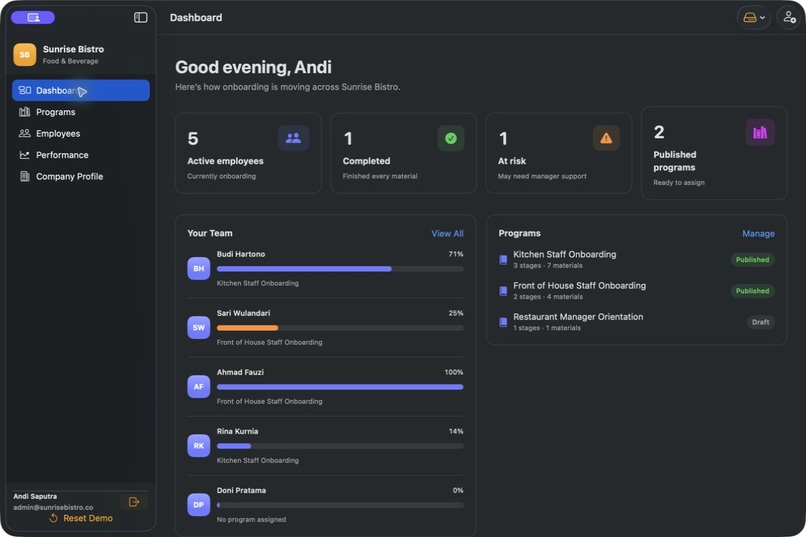
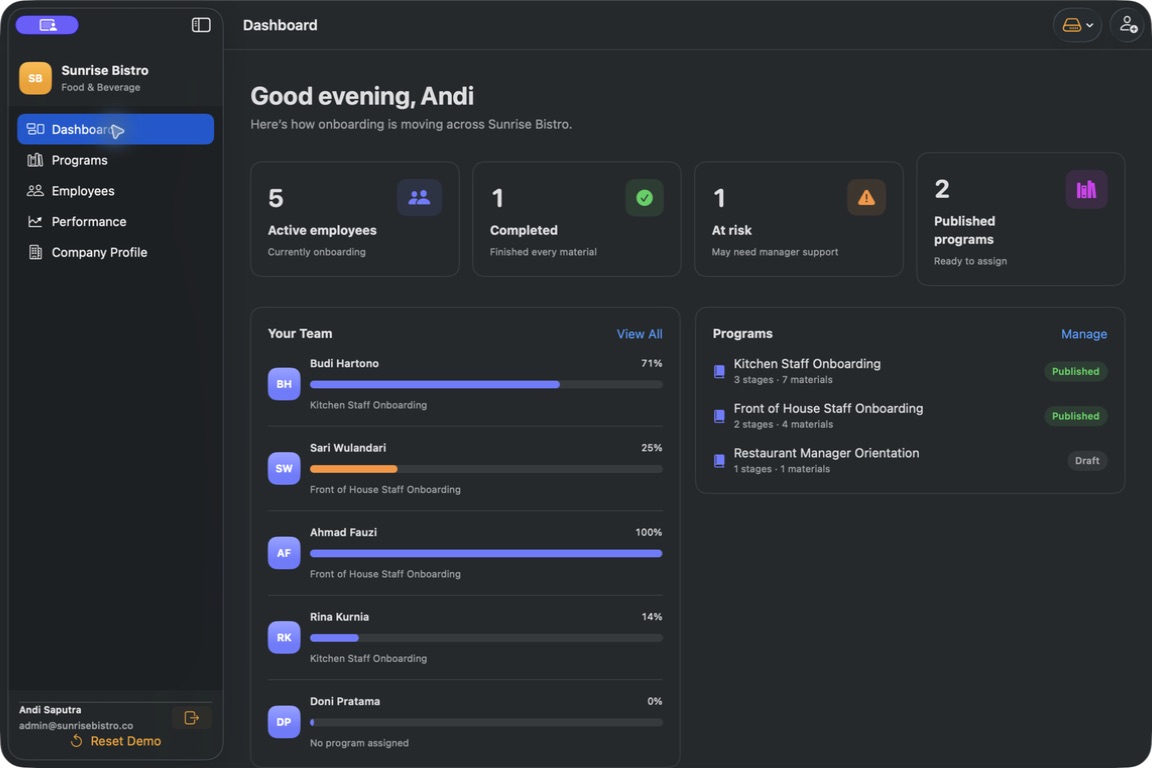
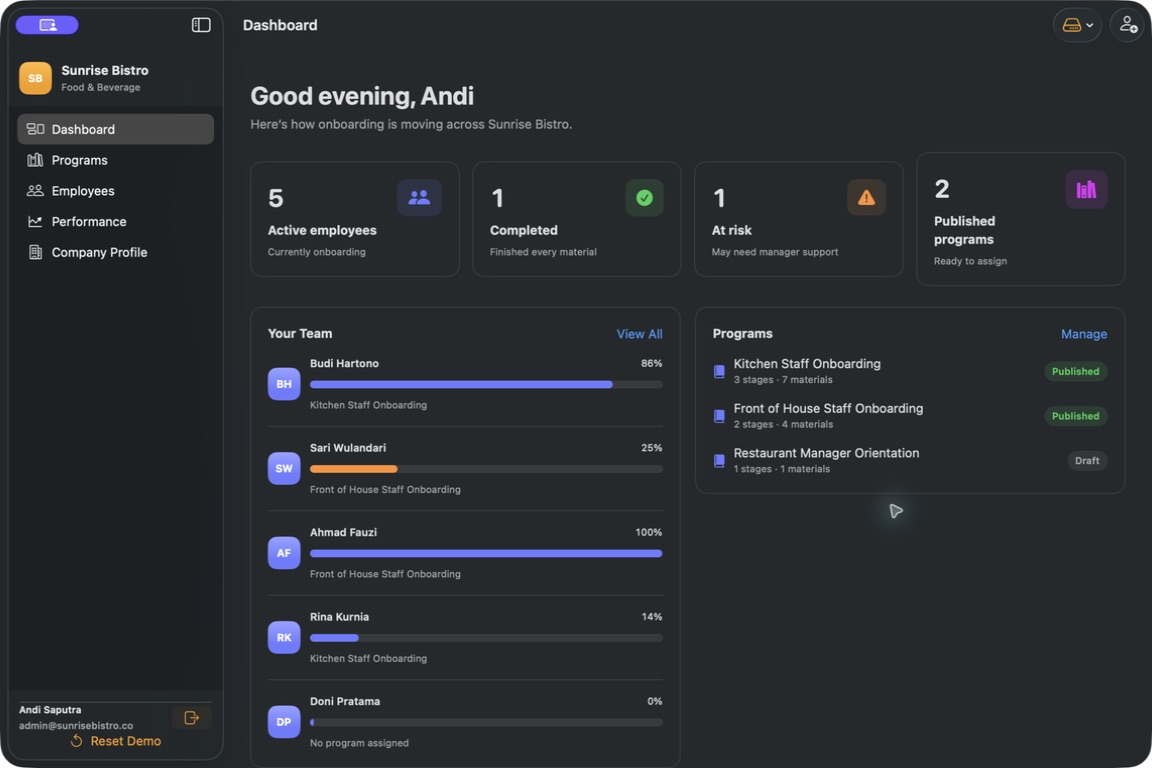
owner dashboard
-
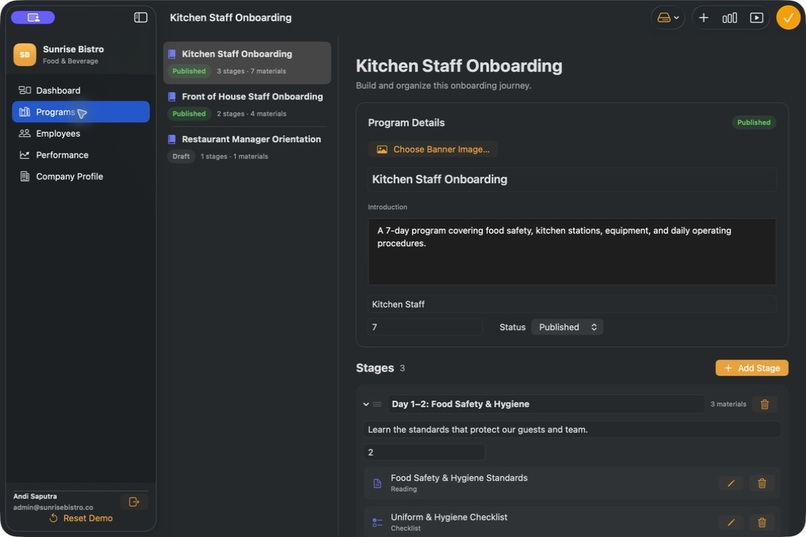
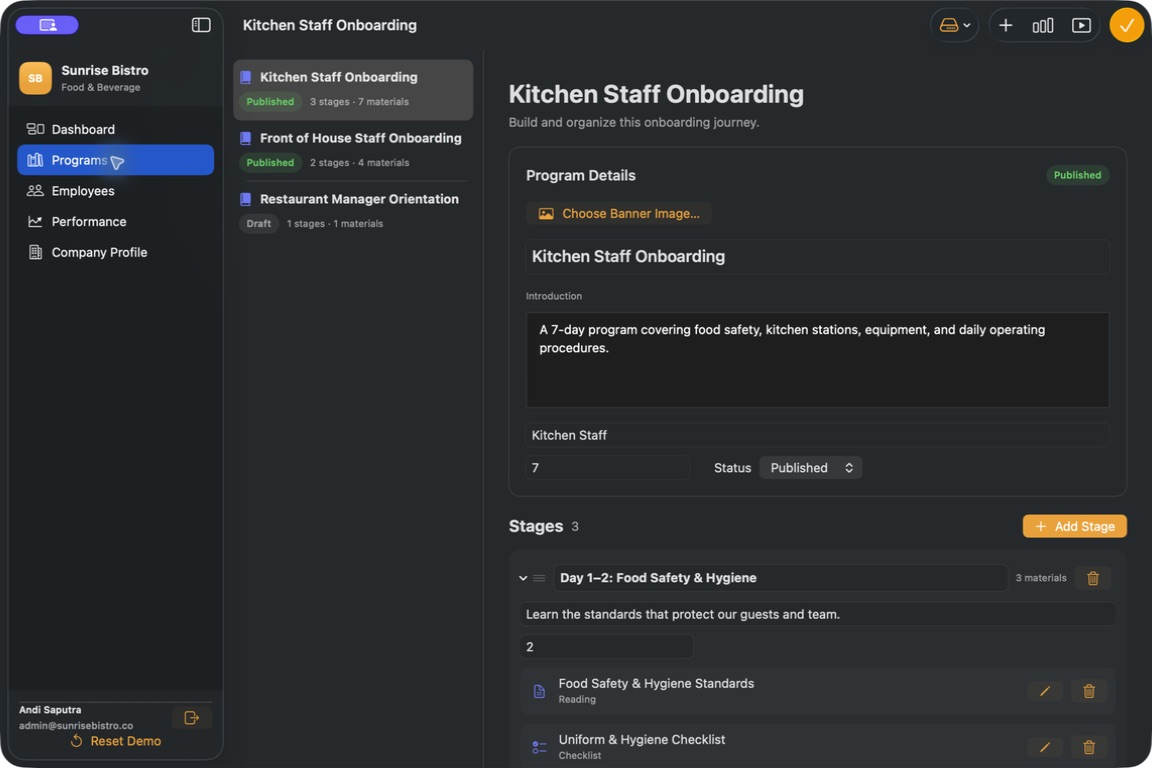
program builder
-
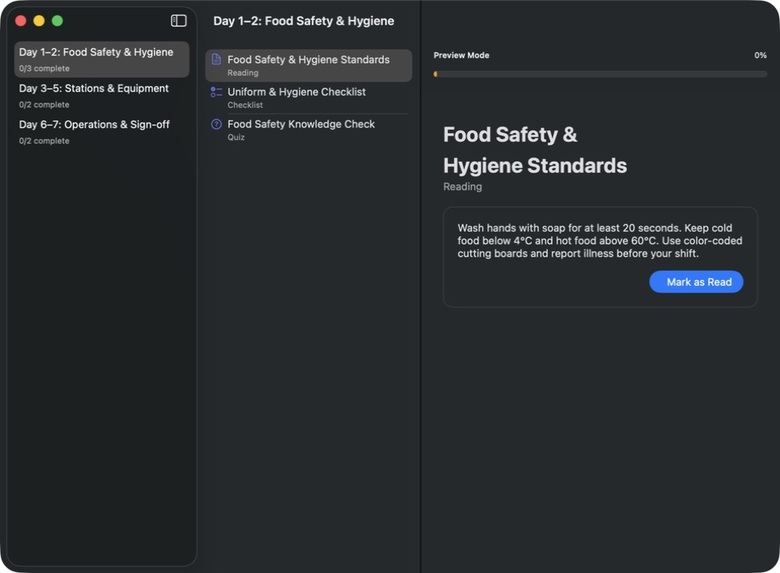
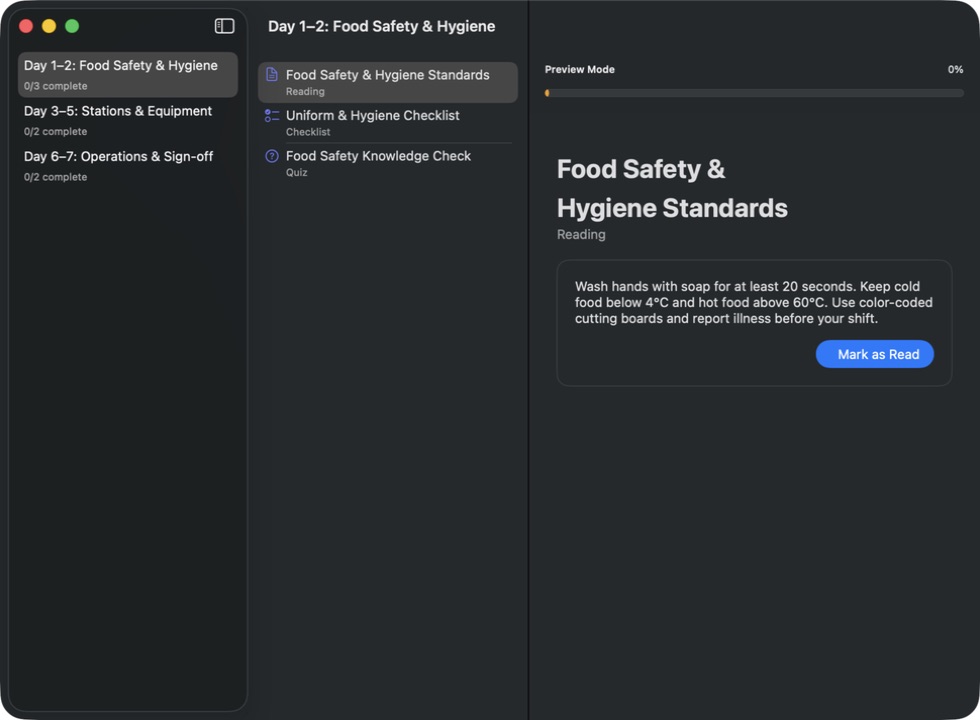
program preview
-
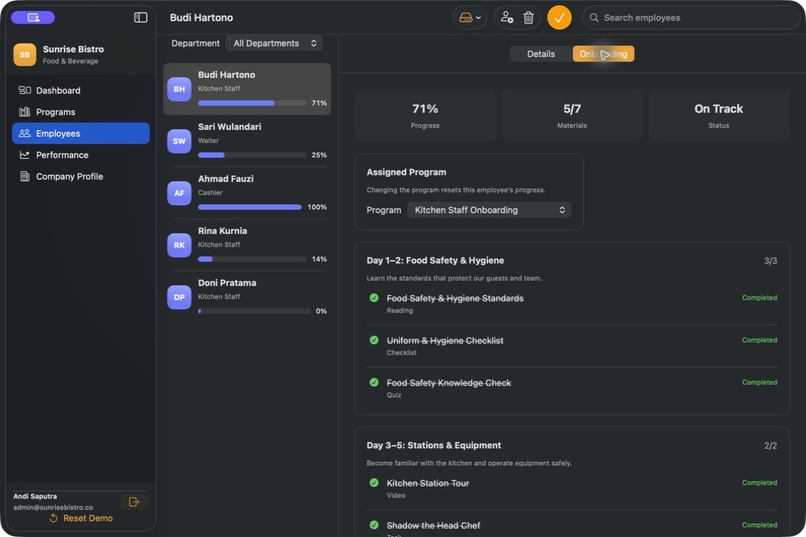
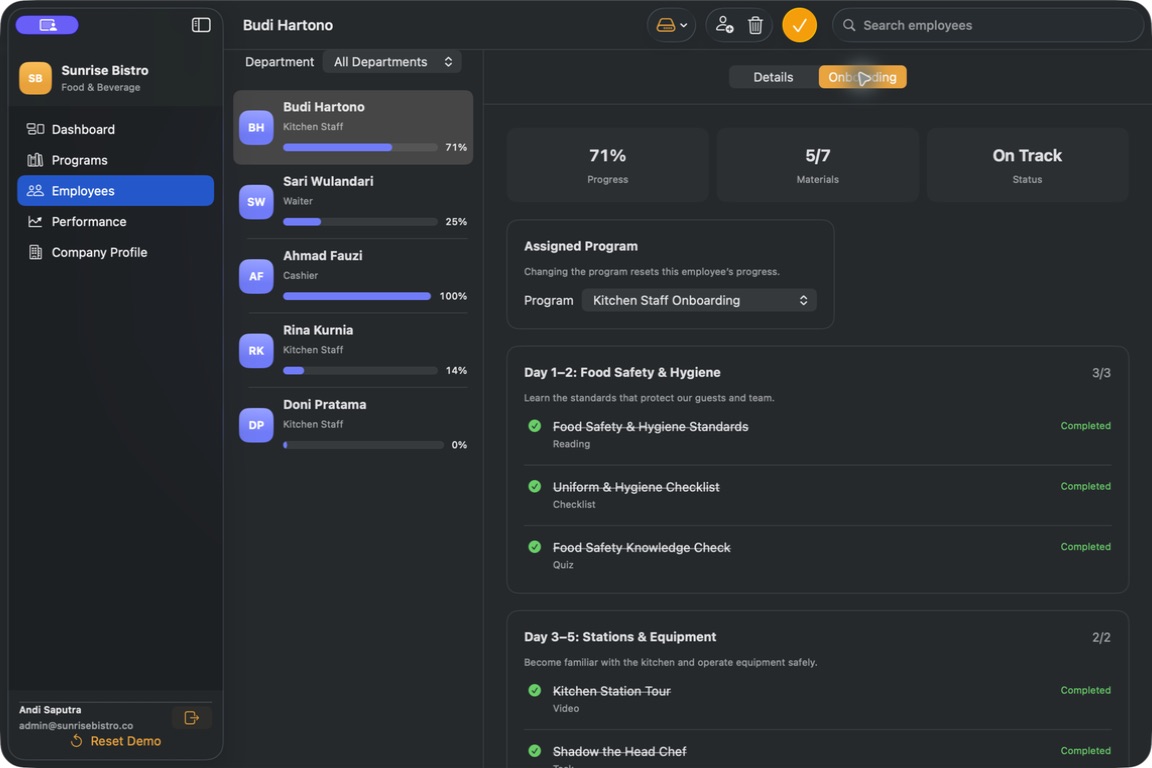
owner employee progress
-
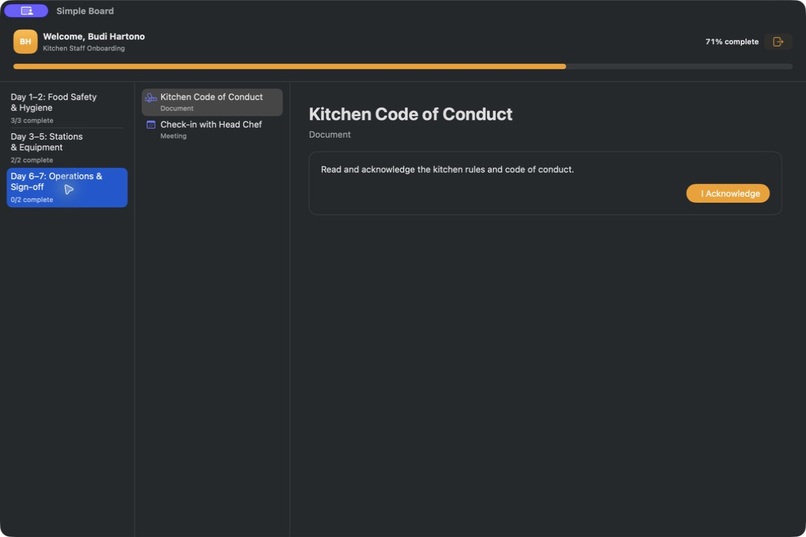
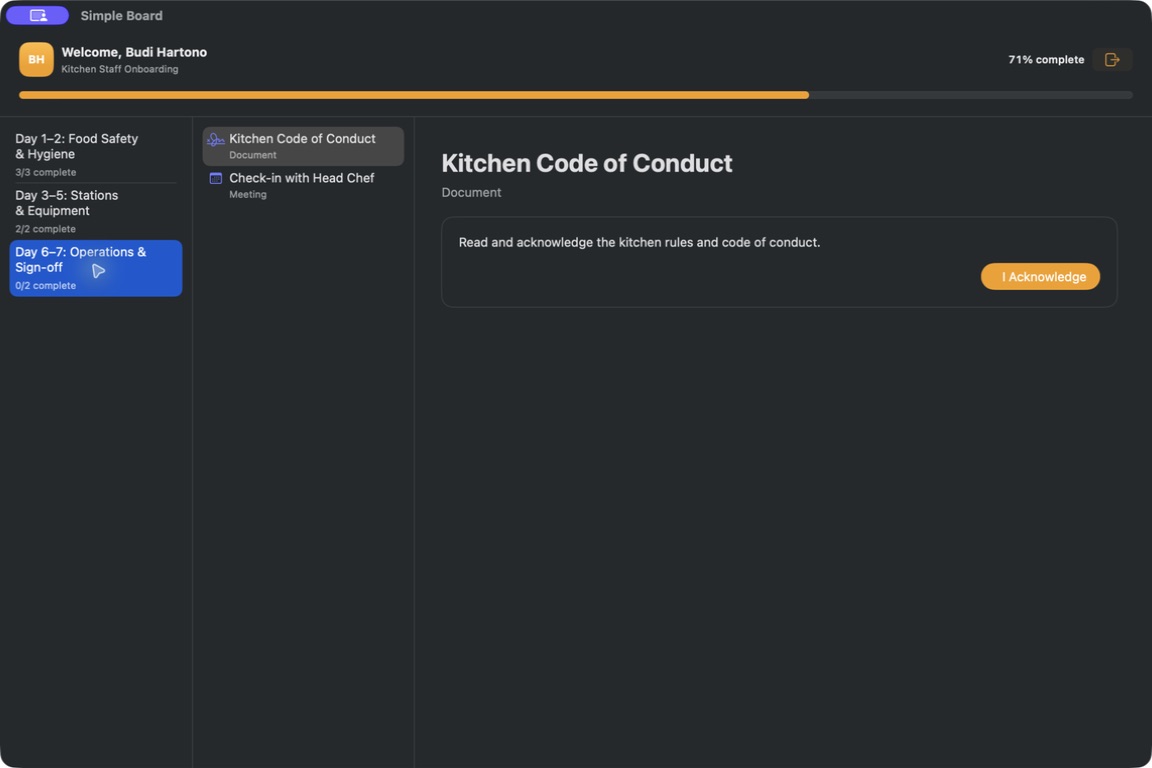
employee pending stage
-
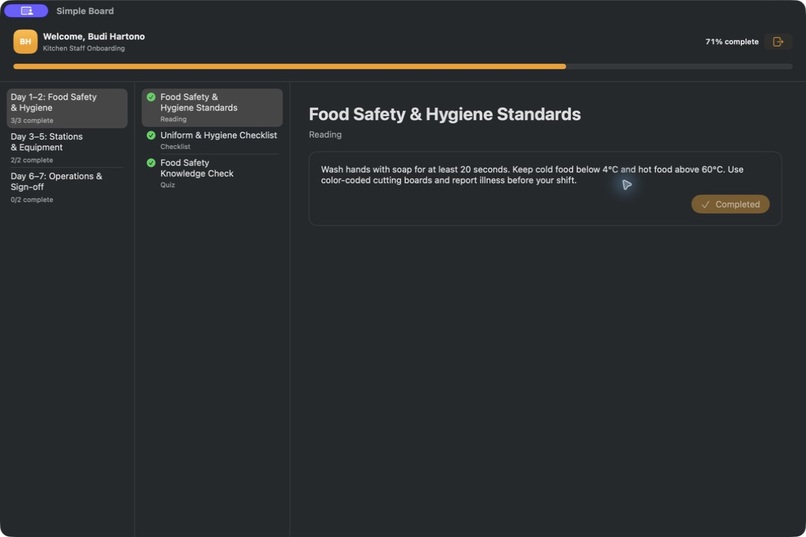
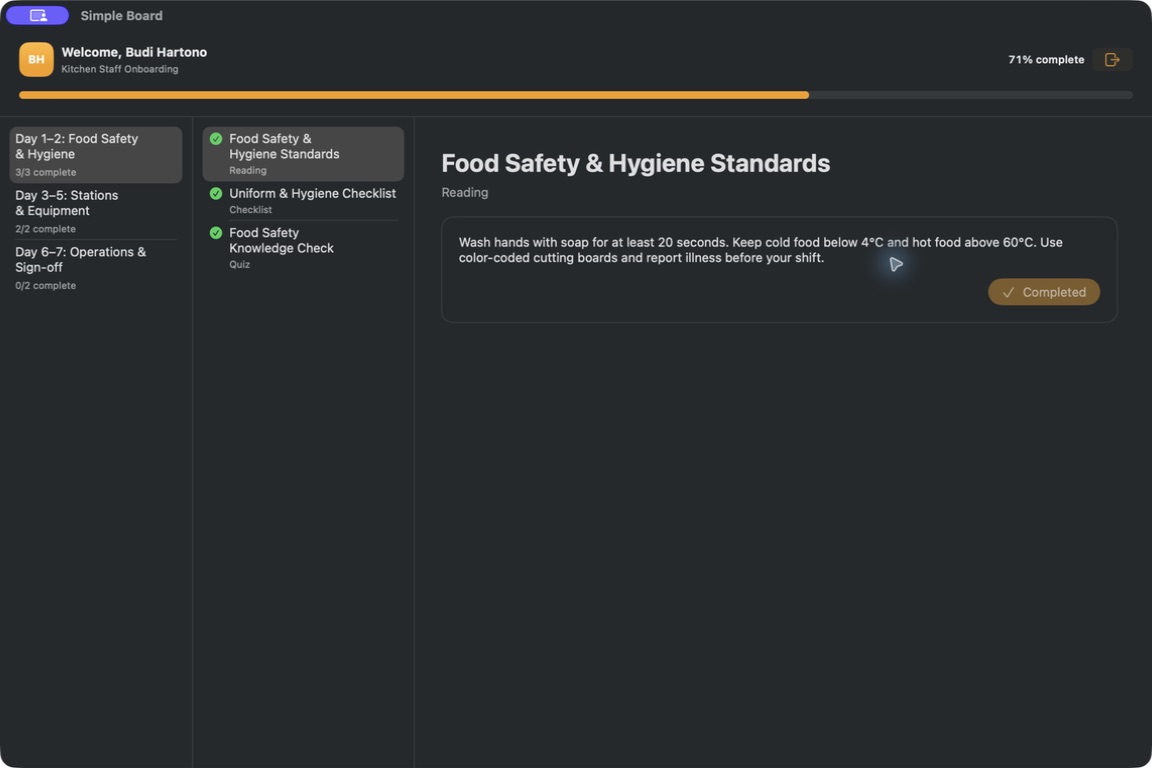
employee journey
-
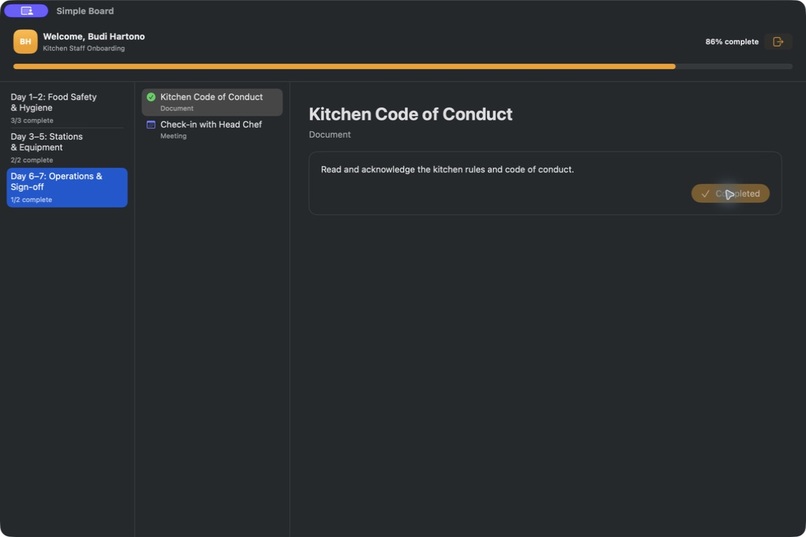
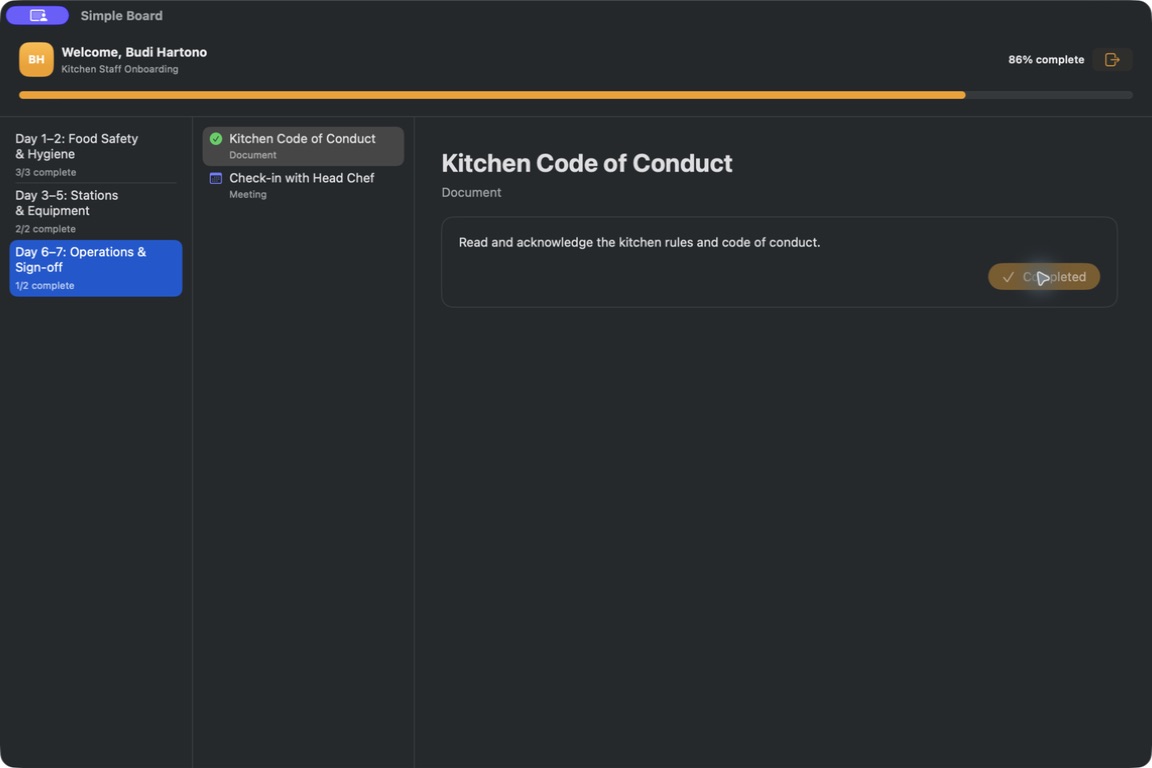
employee complete material
-
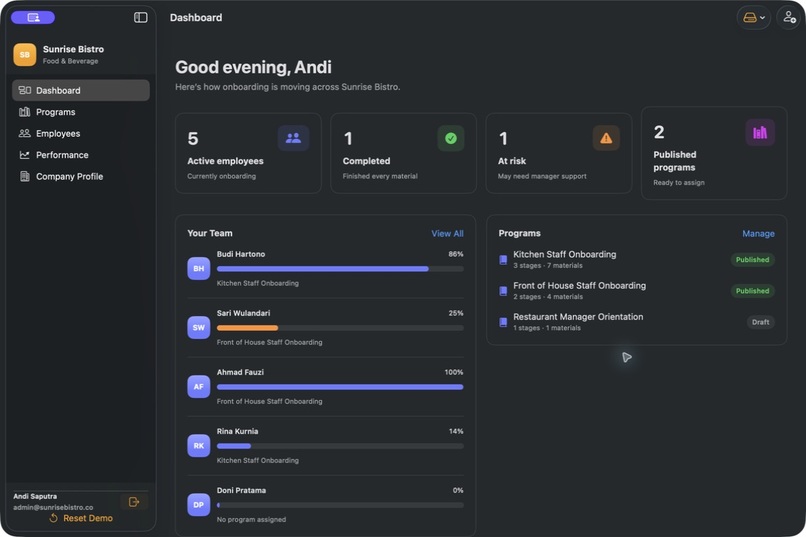
owner updated dashboard
-
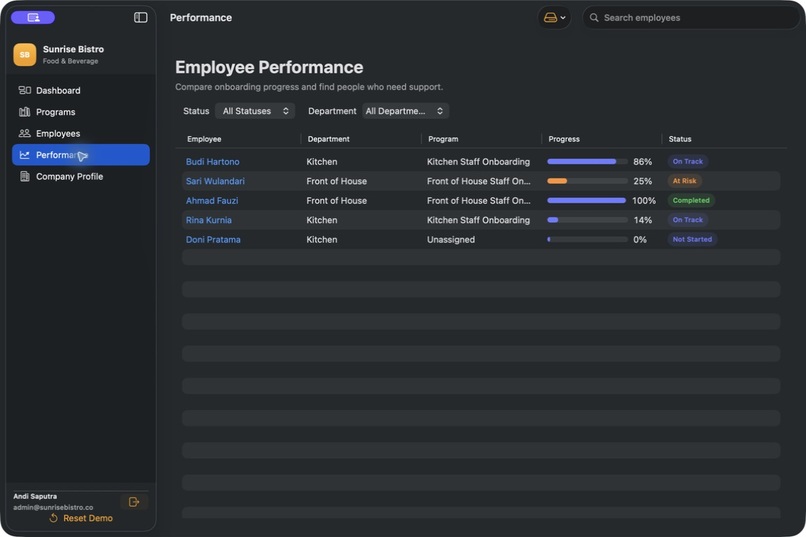
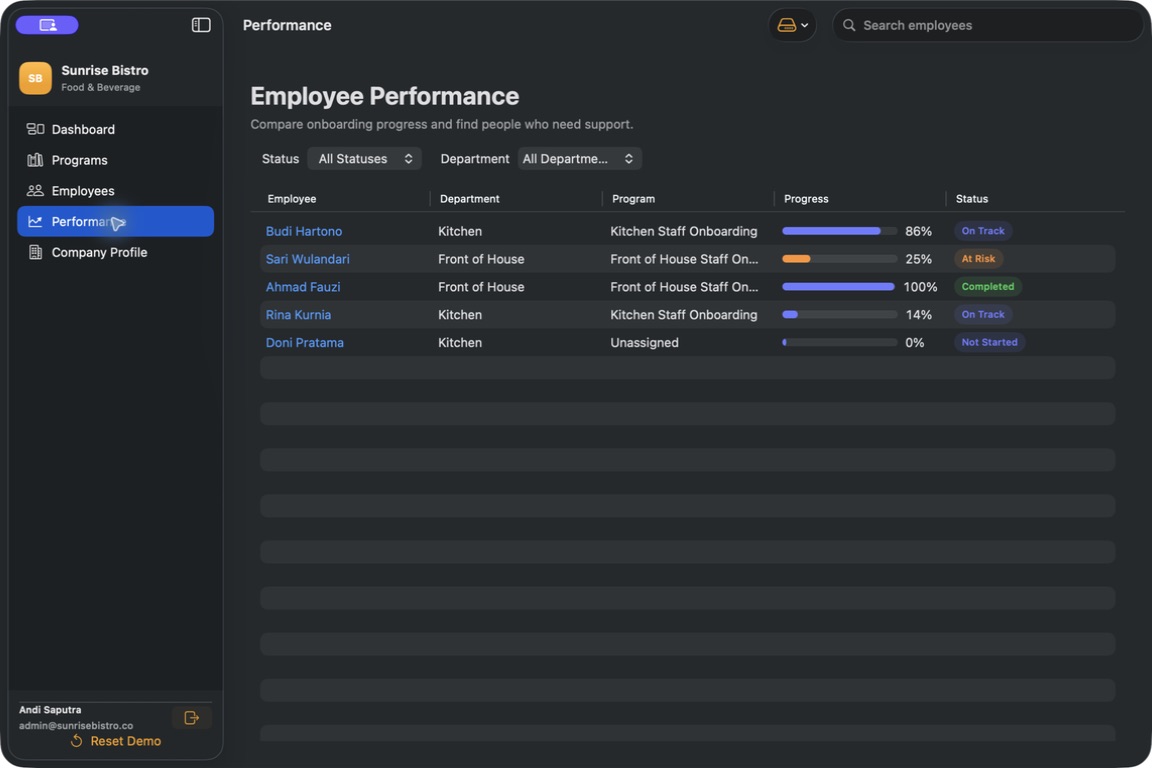
owner performance
Inspiration
New hires often receive onboarding through a mix of documents, chat messages, spreadsheets, and verbal instructions. That makes it easy to miss important steps and difficult for managers to know when someone needs help. We wanted to give small teams one clear place to create a thoughtful first-day experience.
What it does
Simple Board lets owners build structured onboarding programs with stages, deadlines, and seven types of learning material: videos, readings, checklists, quizzes, tasks, documents, and meetings.
Owners can assign programs to employees, follow their progress, review quiz results and completion evidence, and spot people who may be falling behind. Employees get a separate, focused experience that only shows their assigned journey and next steps.
For remote employee access, Simple Board supports private Supabase-backed links. An employee can open their onboarding without creating a Simple Board password or using an Apple Account.
How we built it
We built Simple Board as a native macOS app using SwiftUI. It uses familiar Mac patterns such as split-view navigation, searchable employee lists, file importers, keyboard shortcuts, separate preview windows, and accessibility labels.
The owner workspace is local-first. Data is saved as versioned JSON, passwords are stored in Keychain, and imported files are copied into account-specific sandboxed storage.
For shared employee journeys, we integrated Supabase through protected database functions. A private token gives an employee access only to their assigned onboarding data, while completion updates and evidence are sent back securely. The token is kept in memory for the active session rather than stored as a password.
We used Codex throughout development as an engineering partner. It helped us turn the original browser prototype into a native SwiftUI application, investigate layout problems from screenshots, implement the data and persistence layers, build the employee experience, and run our Xcode tests. GPT-5.6 helped us reason through architecture, permissions, failure cases, and the trade-offs between local storage, CloudKit, and Supabase.
Challenges we ran into
The hardest challenge was balancing a polished offline experience with secure access across devices. Sharing onboarding data involves much more than sending a link: it requires authentication, tenant isolation, permissions, attachment handling, progress synchronization, and careful failure behavior.
We initially explored CloudKit sharing, but requiring every employee to use an Apple Account was not a good fit for many small businesses. That led us to a passwordless Supabase approach based on private employee links.
We also spent significant time stabilizing macOS layouts at different window sizes, keeping previews isolated from real employee records, working through Swift concurrency rules, and dealing with UI automation limitations on the host Mac.
Accomplishments that we're proud of
We are proud that Simple Board now provides a complete native onboarding experience for both owners and employees.
It includes seven material types, interactive quizzes and checklists, document acknowledgements, progress evidence, risk indicators, safe preview sessions, and independent demo workspaces that can be reset at any time.
We also built local persistence, Keychain credential storage, account-scoped attachments, responsive macOS layouts, keyboard navigation, accessibility support, and a Supabase-backed employee journey that does not require an Apple Account or shared company password.
What we learned
We learned that onboarding is fundamentally a clarity problem. Employees need to understand what comes next and why it matters, while managers need a respectful way to see where support may be needed.
Technically, we gained deeper experience with SwiftUI, Swift concurrency
Built With
- codex
- supabas
- swift
- swiftui

Log in or sign up for Devpost to join the conversation.