-
-
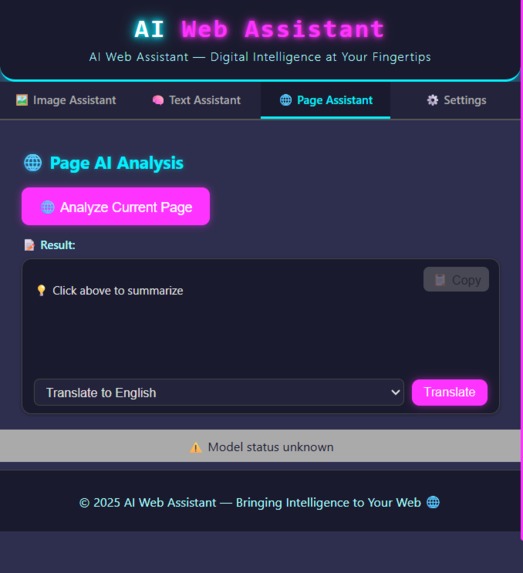
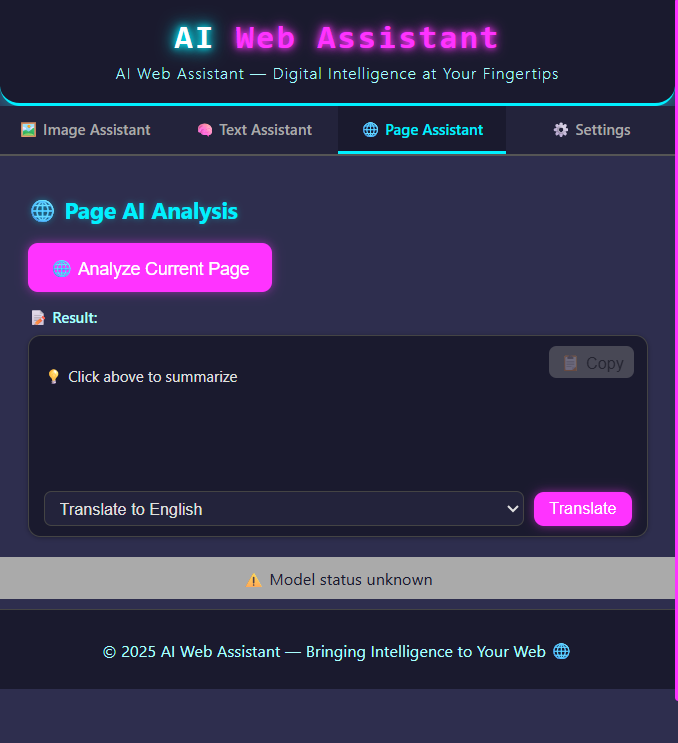
page analyze
-
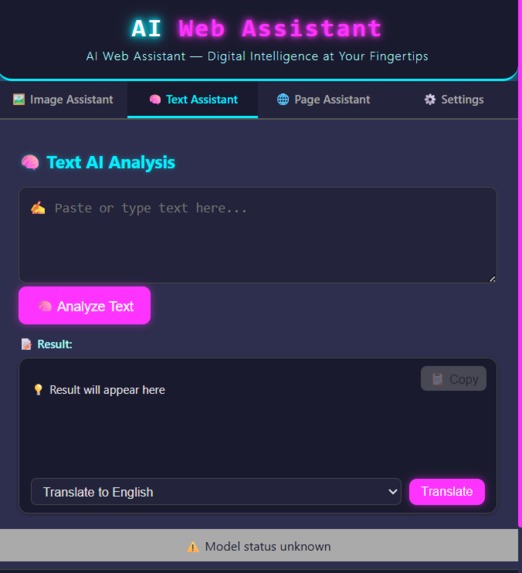
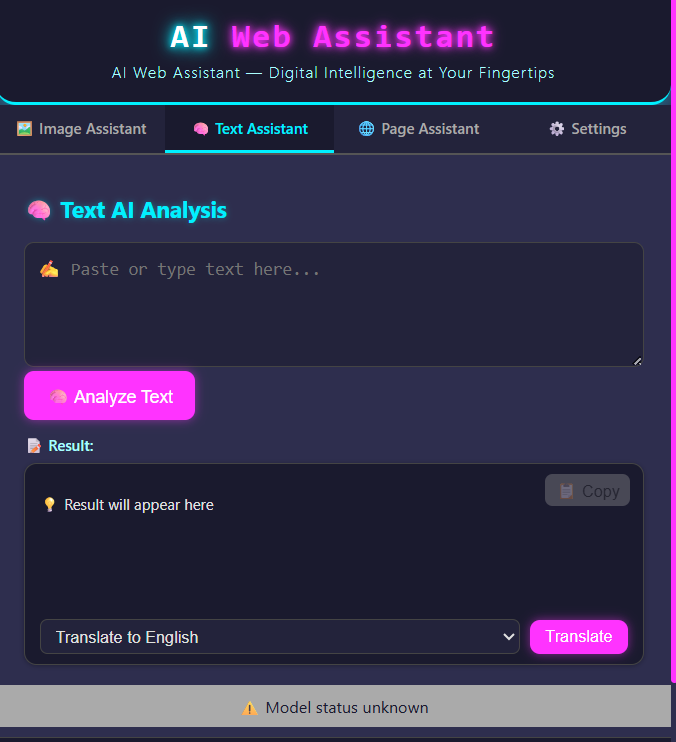
text analyze
-
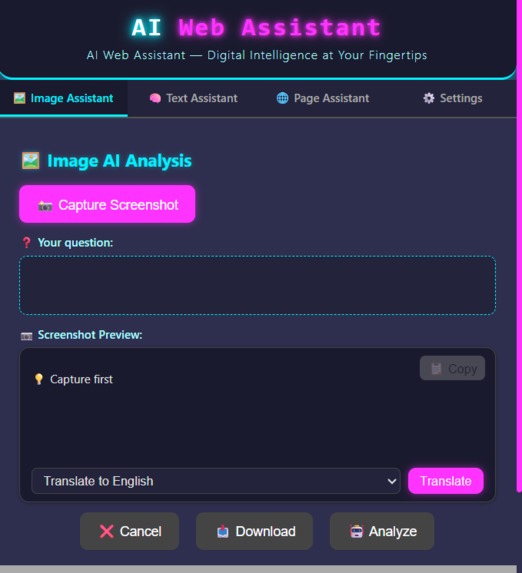
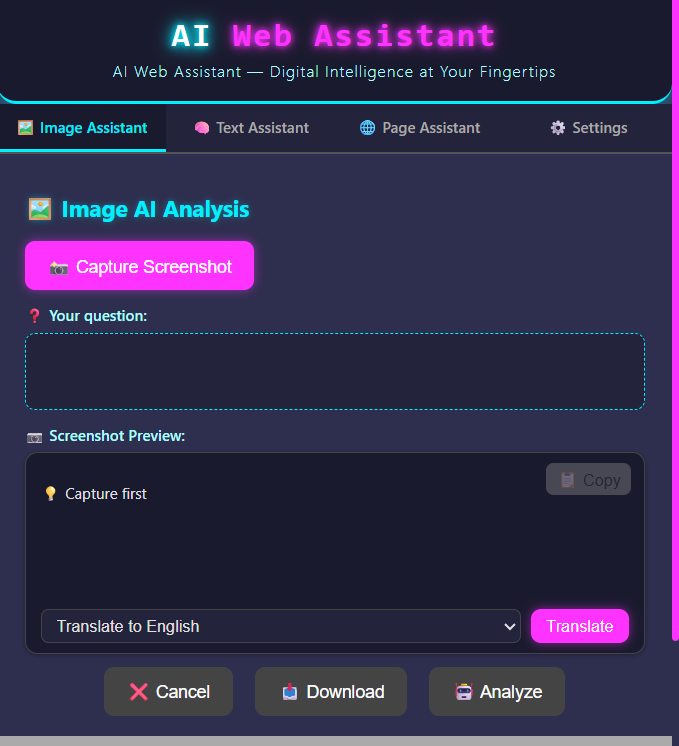
image analyze
-
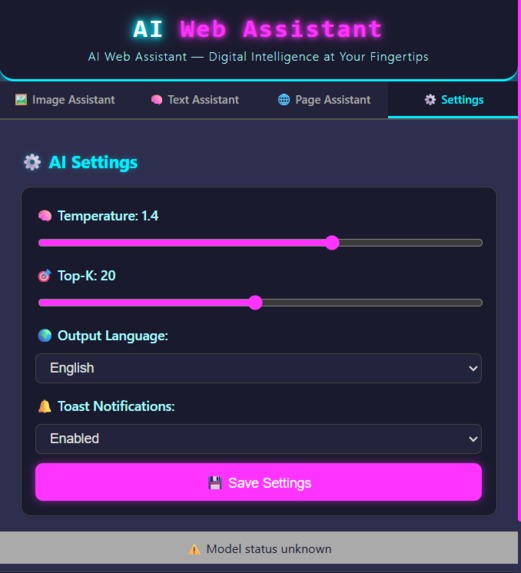
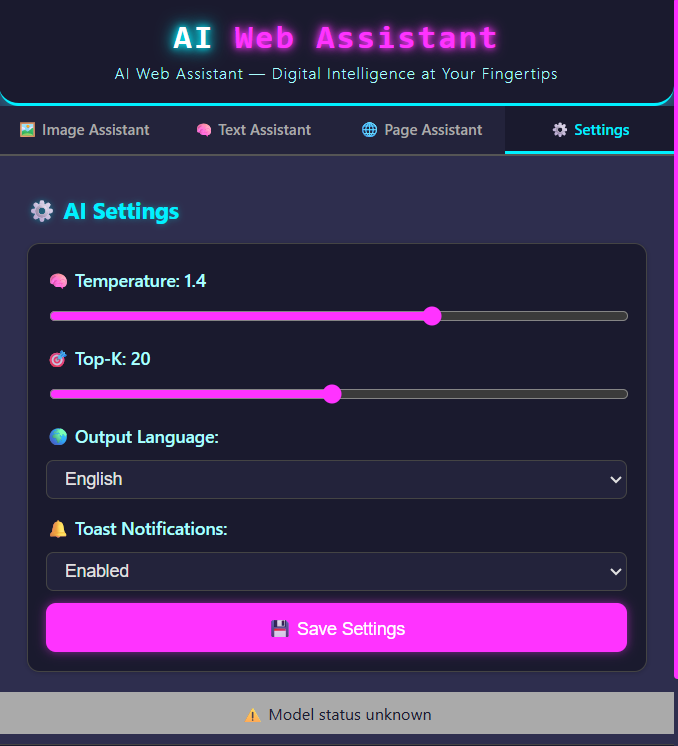
setting
Inspiration
While searching for AI plugins among browser extensions, I noticed that most were overly complex, required VIP subscriptions or binding to their own APIs, and delivered a poor experience—especially for AI analysis features. So I decided to build one myself. As I began experimenting with creating a similar AI extension, I discovered Google’s built-in AI, which seemed perfect for trying an extension that performs on-page analysis and conversational interactions.
What it does
This browser extension is built entirely using the built-in AI APIs along with HTML and JavaScript. It supports screenshot analysis, text-based queries, page analysis, and answer translation.
Screenshot analysis: Users can take a screenshot via the extension and ask questions about it within the extension. Text queries: Converse with Google’s built-in AI. Page analysis: Analyzes the current page and outputs a summary and analysis of the entire page. Answer translation: Translates the results returned by the above three features.
How we built it
We built the project with HTML5, JavaScript, and CSS. The core functionality uses the Prompt API and Translator API, and we styled the interface with CSS. For the page analysis feature, we use streaming and long-text chunking to avoid parsing issues.
Challenges we ran into
We tried to have the Prompt API output HTML tags to improve presentation, but when streaming, it often produced incomplete or unsatisfactory HTML. We also considered moving processing to a backend, but due to limited resources and our relatively weak backend experience, we decided to revisit this later after deeper study. We also hoped the extension could remain persistently docked on the page, but Google has removed this capability for extensions, so we had to abandon that idea. We spent a week becoming familiar with extension development and then used our after-work spare time over the next month to build it, ultimately completing the project.
Accomplishments that we're proud of
This was our first attempt at Chrome extension development. Building this extension helped us get comfortable with Chrome extension workflows and also marked our first AI application. Through this project, we learned a practical approach to AI app development. More importantly, it was our first hackathon, where we collaborated with new peers to finish a project. Regardless of the results, we gained valuable experience and made friends, and we’re excited for the next hackathon.
What we learned
We learned how to develop browser extensions and AI applications. In researching, we also discovered the differences between conventional web development and extension development, improved our ability to solve problems, and gained experience collaborating with teammates.
What's next for simple study
This competition rekindled our passion for technology. We’re still young and have decided to take entrance exams to study computer science at a stronger university. We’ll continue to follow hackathons and prepare to submit an even better project next time.


Log in or sign up for Devpost to join the conversation.