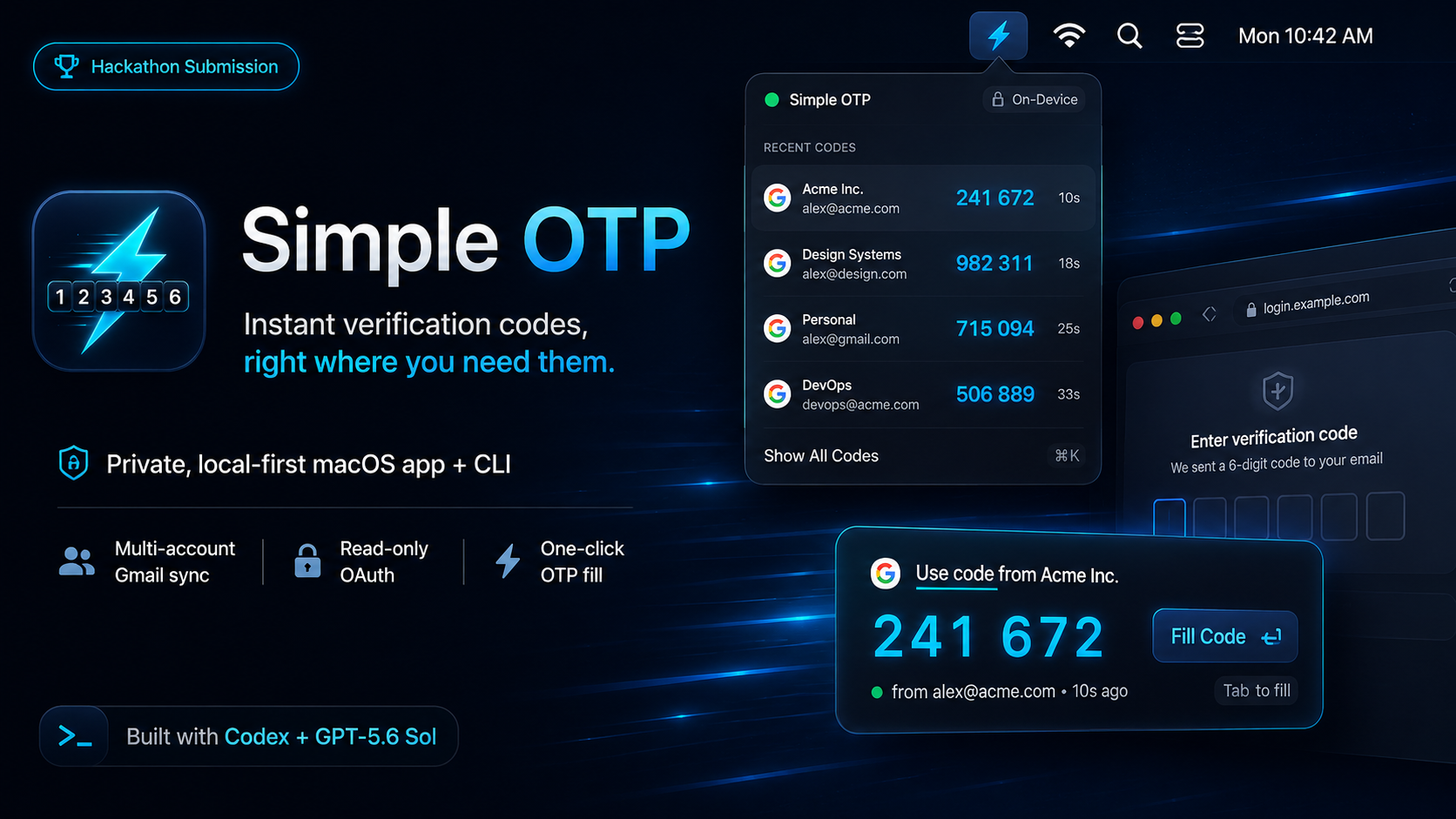
Inspiration
Verification codes should feel instant, but the experience breaks down when you use multiple Gmail accounts or a browser outside Apple’s ecosystem.
The usual flow (switch apps, find the right inbox, open the message, copy the code, Archive the email (If you're me), switch back, and paste)
This turns a tiny security step into a whole process.
Simple OTP removes that friction without forwarding mail to a third-party service.
What it does
Simple OTP is a private, local-first macOS menu bar app with a CLI companion. It connects multiple Gmail accounts using Google OAuth with read-only Gmail access, detects new verification emails, extracts the most likely one-time code, and surfaces it in the menu bar. When a focused browser or app field looks like an OTP input, Simple OTP shows the newest matching code beside the field so it can be filled with one click.
How it works
The native app is built with SwiftUI and AppKit. OAuth tokens are stored in the macOS Keychain. Gmail synchronization uses history cursors per account, claims each message once, and persists deduplication state in SQLite so the same email is never fetched or processed repeatedly. The extraction pipeline handles numeric, grouped, alphanumeric, Unicode, HTML, and localized formats while rejecting dates, phone-number fragments, quoted replies, and unrelated identifiers.
The Accessibility API identifies eligible focused fields and anchors a non-activating suggestion panel beside them. A shared SimpleOTPCore package powers both the menu bar app and the simple-otp CLI.
Built with Codex and GPT-5.6 Sol medium
Codex with GPT-5.6 helped drive the project from architecture through production QA: native Swift implementation, secure OAuth flow, multi-account sync, extraction heuristics, accessibility debugging, landing page, icon, packaging, and release checks. It also helped build deterministic Google integration coverage using Vercel Emulate and validate the real experience with two Gmail accounts and Microsoft Edge.
Computer use for visual & UX QA
Challenges
The product decisions on making the sync process efficient and predective of the users needs Detecting the codex from emails reliably Detecting OTP fields reliably
Accomplishments
- I build a tool that I actually will use every day
- My second public app
What I learned
- To implement a CI process in place to prevent regressions deterministically, and teach codex to verify it's work autonomously, so I only review work when it's actually done
- Worktrees are pretty cool and fun to use (Codex app not terminal!)
What’s next
Support more inbox providers and messaging platforms, broader browser/app compatibility, push-driven Gmail updates,..
Built With
- api
- appkit
- gmail
- keychain
- macos
- swiftui

Log in or sign up for Devpost to join the conversation.